Waukesha County Quitclaim Deed Form
Last validated October 6, 2026 by our Forms Development TeamFormatted for recording in Waukesha County, for property anywhere in the county: rural and unincorporated areas as well as Big Bend, Brookfield, Butler, Delafield, Dousman, Eagle, Elm Grove, Genesee Depot and 16 more.
- 3 documents included
- Immediate PDF download
- Formatting guarantee
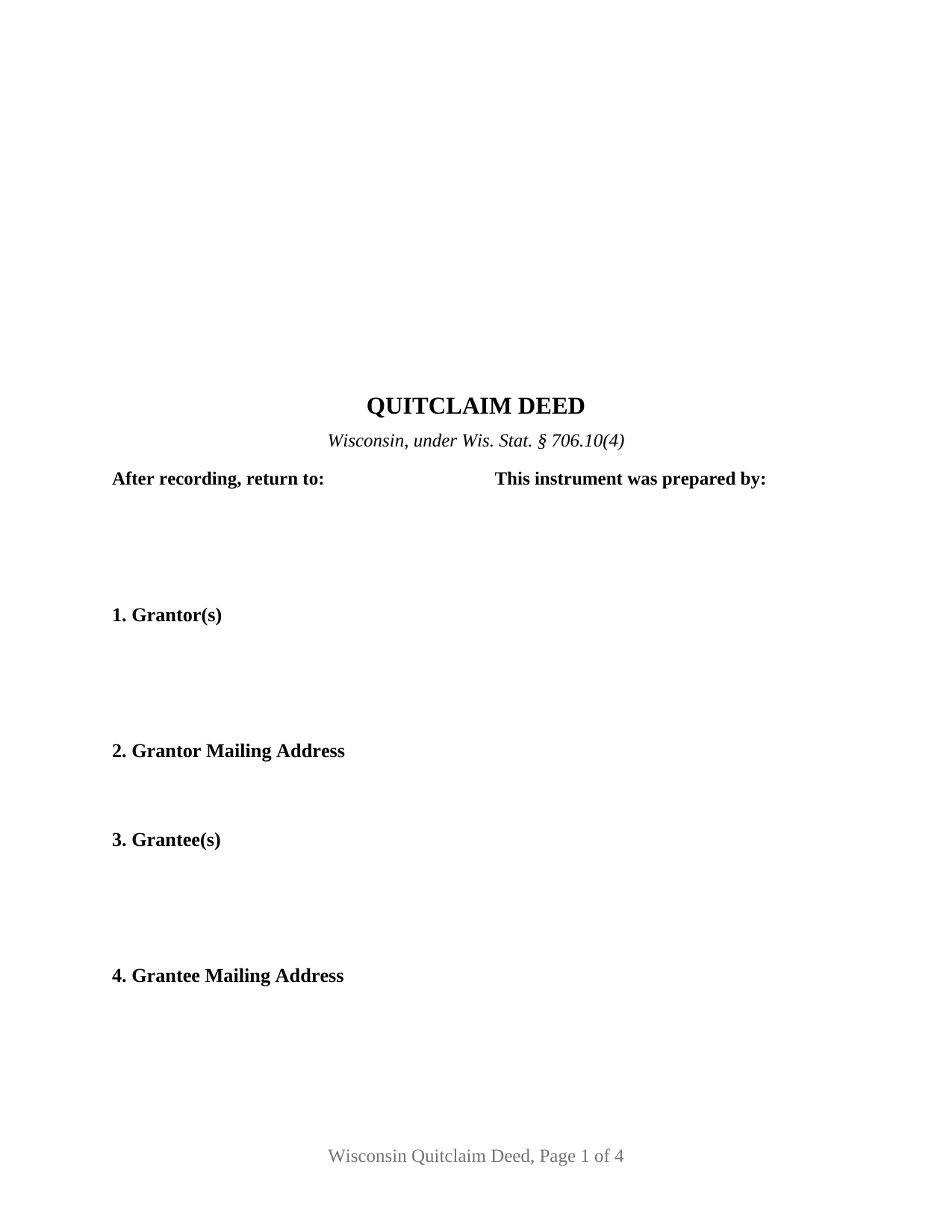
Waukesha County Quitclaim Deed Form
Fill in the blank Quitclaim Deed form formatted to comply with all Wisconsin recording and content requirements.
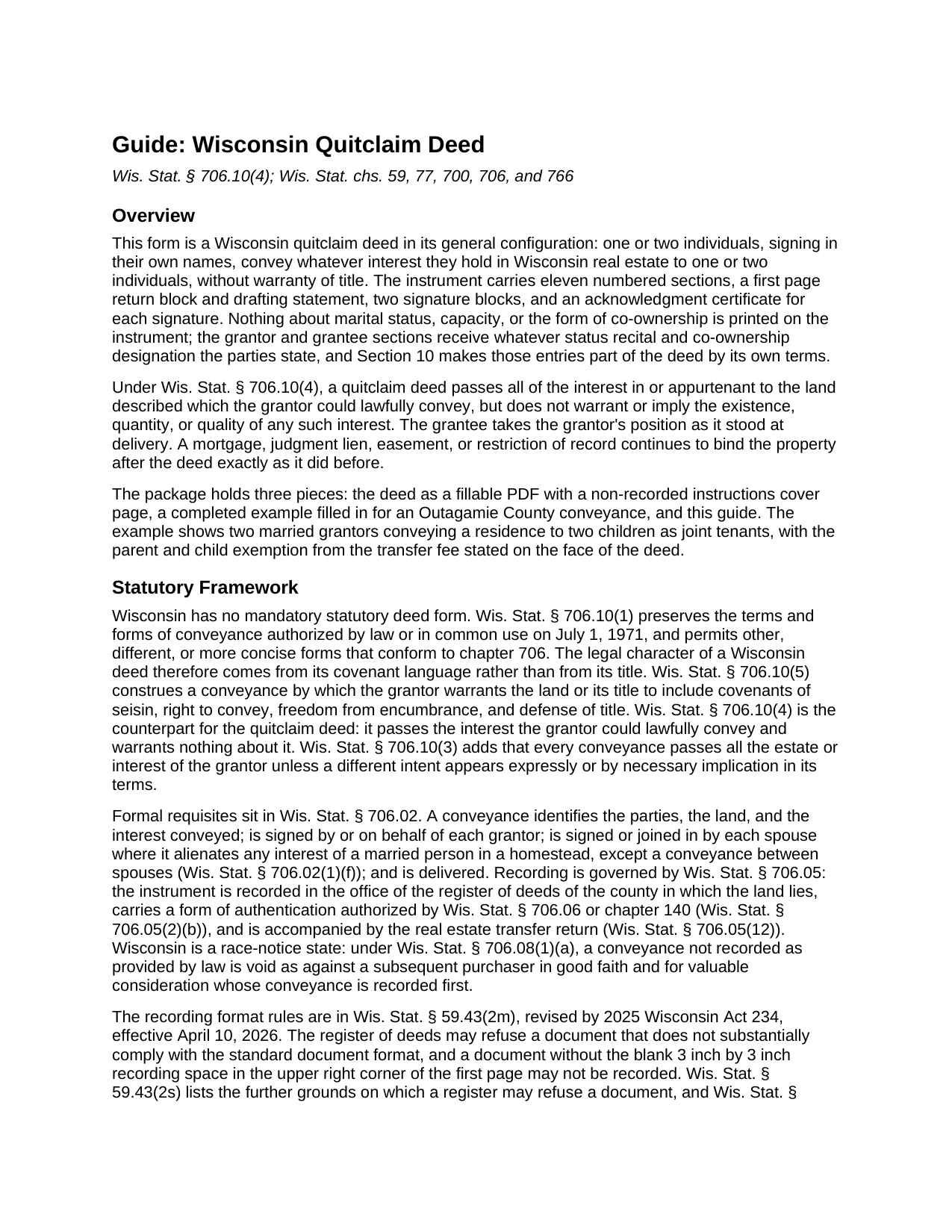
Waukesha County Quitclaim Deed Guide
Line by line guide explaining every blank on the Quitclaim Deed form.
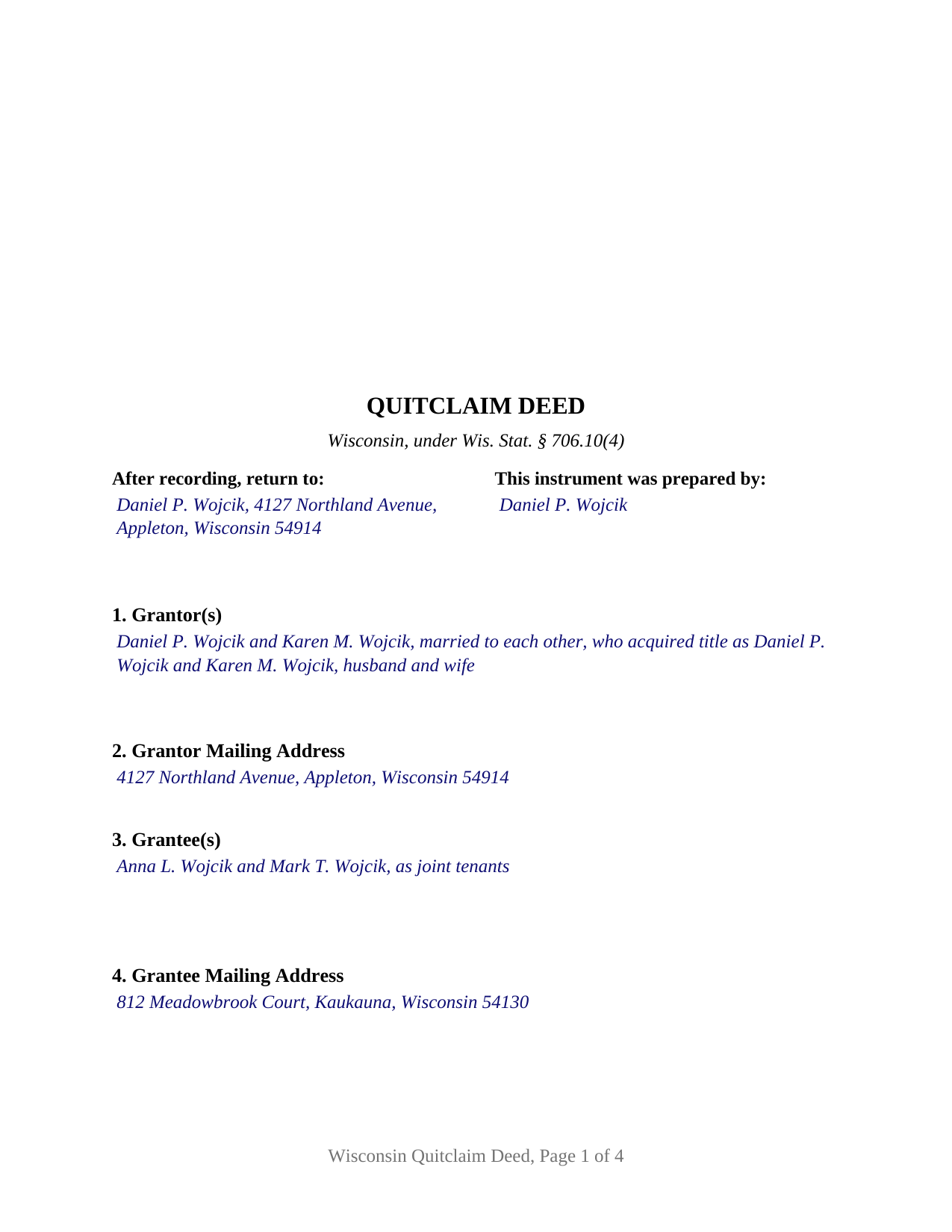
Waukesha County Completed Example of the Quitclaim Deed Document
Example of a properly completed Wisconsin Quitclaim Deed document for reference.
All 3 documents above included • One-time purchase • No recurring fees
Immediate Download • Secure Checkout
Additional Wisconsin and Waukesha County documents included at no extra charge:
Where to Record Your Documents
Waukesha County Register of Deeds
Waukesha, Wisconsin 53188-2428
Hours: 8:00 am - 4:30 pm M-F Central Standard Time. Recording 8:00 - 4:00
Phone: (262) 548-7583
Recording Tips for Waukesha County:
- Bring your driver's license or state-issued photo ID
- Ensure all signatures are in blue or black ink
- Make copies of your documents before recording - keep originals safe
- Recorded documents become public record - avoid including SSNs
- Recording fees may differ from what's posted online - verify current rates
Cities and Jurisdictions in Waukesha County
Properties in any of these areas use Waukesha County forms:
- Big Bend
- Brookfield
- Butler
- Delafield
- Dousman
- Eagle
- Elm Grove
- Genesee Depot
- Hartland
- Lannon
- Menomonee Falls
- Merton
- Mukwonago
- Muskego
- Nashotah
- New Berlin
- North Lake
- North Prairie
- Oconomowoc
- Okauchee
- Pewaukee
- Sussex
- Wales
- Waukesha
Hours, fees, requirements, and more for Waukesha County
How do I get my forms?
Forms are available for immediate download after payment. The Waukesha County forms will be in your account ready to download to your computer. An account is created for you during checkout if you don't have one. Forms are NOT emailed.
Are these forms guaranteed to be recordable in Waukesha County?
Yes. Our form blanks are guaranteed to meet or exceed the applicable formatting requirements used for recording in Waukesha County, including margin requirements, font requirements, and other layout standards. This guarantee applies to formatting, not to the legal sufficiency of information entered by the user or the suitability of a form for a particular transaction.
Can I reuse these forms?
Yes. You can reuse the forms for your personal use. For example, if you have multiple properties in Waukesha County you only need to order once.
What do I need to use these forms?
The forms are PDFs that you fill out on your computer. The free Adobe Acrobat Reader is recommended, and most PDF apps also work. You do NOT enter your property information online - you download the blank forms and complete them privately on your own computer.
Are there any recurring fees?
No. This is a one-time purchase. Nothing to cancel, no memberships, no recurring fees.
How much does it cost to record in Waukesha County?
Recording fees in Waukesha County vary. Contact the recorder's office at (262) 548-7583 for current fees.
Questions answered? Let's get started!
Wisconsin never adopted a statutory deed form. Wis. Stat. § 706.10(1) keeps the terms and forms of conveyance that were authorized by law or in common use here on July 1, 1971, and in the same breath permits other, different, or more concise forms conforming to ch. 706. No Wisconsin statute tells a deed what to look like. What the statutes supply instead is the covenant arithmetic, and that is where one Wisconsin deed parts company with another.
A deed defined by what it leaves out
Two adjacent subsections do the sorting. Wis. Stat. § 706.10(5) loads a warranty deed with covenants of seisin, right to convey, freedom from encumbrance, and defense of title. Wis. Stat. § 706.10(4) does the reverse for the instrument prepared here. A quitclaim deed carries across whatever interest in the land, or appurtenant to it, the grantor was lawfully able to convey, and it makes no warranty and implies none about whether that interest exists, how large it is, or how sound. The grantee takes the grantor's position exactly as it stood at delivery, so a mortgage, judgment, easement, or restriction of record rides through untouched. Section 10 states that character in the instrument's own words rather than leaving it to the document's title, which is why Wisconsin records carry the instrument under both spellings, quitclaim deed and quit claim deed, with no difference in effect.
Blanks that carry the parties' own words
This is the general configuration, and its design decision is restraint: no marital status, capacity, or co-ownership language is printed on the instrument. Section 1 takes one or two grantor names with whatever status those parties write after them, Section 3 takes one or two grantee names with whatever co-ownership designation the grantees write, and Section 10 makes both entries part of the deed by its own terms. Four count patterns fit that shape: one name to one, one to two, two to one, and two to two. The signature section holds a block for each grantor with an acknowledgment certificate under each, in the Wis. Stat. § 140.16(1) short form wording, so two signers may appear before different notarial officers on different days; on a single-signer fill the second block and its certificate stay empty. That second block is also where a spouse signing under Wis. Stat. § 706.02(1)(f) lands. The form is not drawn for a corporation, a limited liability company, a partnership, a trustee, or an agent under a power of attorney, each of which signs through a different execution pattern, and not for three or more owners on either side.
An exemption stated, not decided, at the counter
Wisconsin puts the transfer fee on the grantor at 30 cents for each $100 of value under Wis. Stat. § 77.22(1), and the same subsection settles who judges a claim of exemption. A conveyance owing nothing names its exempting subsection of Wis. Stat. § 77.25 on the instrument's own face, and the register of deeds is given no duty to weigh either the value reported or the exemption claimed. Section 6 is that labeled line. Review comes afterward from the Department of Revenue, which under Wis. Stat. § 77.26(8) may assess $25 or 25 percent of the additional fee, whichever is greater.
Refusal rather than a surcharge
Many states price a nonconforming page. Wisconsin declines it. The recording fee is one flat number, $30 per document regardless of page count, under Wis. Stat. § 59.43(2)(ag)1, and the grounds for turning a document away are listed in Wis. Stat. § 59.43(2s), from a missing current legal description to correction fluid on the page. A document lacking the three inch by three inch blank square in the upper right of page one may not be recorded at all. This form answers that standard: the square left empty, the document name high on page one, first page return information, a parcel number line for counties that use one, and the drafting statement of Wis. Stat. § 59.43(5)(a). Once a document is accepted and properly indexed, Wis. Stat. § 59.43(6)(b) treats it as recorded even if a format failure surfaces later.
The download holds the Wisconsin quitclaim deed as a fillable PDF, a completed example filled in for an Outagamie County conveyance in Appleton, and a plain language guide covering every blank, the execution rules, and recording. These materials describe Wisconsin law in general terms for information and are not legal advice.
Important: Your property must be located in Waukesha County to use these forms. Documents should be recorded at the county recording office listed above.
This Quitclaim Deed meets all recording requirements specific to Waukesha County.
Our Promise
The documents you receive here are guaranteed to meet or exceed the applicable Waukesha County recording format requirements. If there is a rejection caused by our formatting, we will correct the issue or refund your payment. This guarantee applies to document formatting only and does not extend to information entered by the user, the selection of the form, or the legal effect of the completed document.
Save Time and Money
Get your Waukesha County Quitclaim Deed form done right the first time with Deeds.com Uniform Conveyancing Blanks. At Deeds.com, we understand that your time and money are valuable resources, and we don't want you to face a penalty fee or rejection imposed by a county recorder for submitting nonstandard documents. We constantly review and update our forms to meet rapidly changing state and county recording requirements for roughly 3,500 counties and local jurisdictions.
4.8 out of 5 - ( 4,815 Reviews )
STEVEN J. 5 out of 5 stars
Great , easy to use.
We appreciate your business and value your feedback. Thank you. Have a wonderful day!
JAVIER B. 5 out of 5 stars
EXCELLENT JOB DEEDS.COM I AM SO PROUD I WAS ABLE TO RECEIVE A COPY OF THE REAL ESTATE DEED FROM MY OLD HOME OUT OF TOWN. HIGHLY RECOMMEND!!!
Thank you for your feedback. We really appreciate it. Have a great day!
Edward S. 5 out of 5 stars
I was able to e-record 3 document with ease. The Middlesex registry of deeds is closed due to COVID-19 and this was my only option. Even if it was open, this is much faster and saves me time and money on parking ..etc. Great services.
Thank you!
Charles F. 5 out of 5 stars
Hi Please do not take time to respond to my previous inquiry - - - I figured it out. Deeds.com is a great tool for those of us who have occasional need for your type of services. Thanks ! Chuck
Thank you!
PAMELA D. 5 out of 5 stars
great response!! Thank you
Thank you!
Cheryl C. 5 out of 5 stars
So far this looks like exactly what I need and at a reasonable price. Glad it was so easy to find online. Thank you.
Thank you for your feedback. We really appreciate it. Have a great day!
Mark R. 4 out of 5 stars
All documents were site specific and up-to-date. Not recorded yet but have high hopes.
Thank you for your feedback. We really appreciate it. Have a great day!
Helen D. 5 out of 5 stars
I was just trying to look up a record.
Thank you for your feedback. We really appreciate it. Have a great day!
Paul R. 5 out of 5 stars
Worked very quickly and smoothly. Helps if you know what documents you need. Thanks.
Thank you for your feedback. We really appreciate it. Have a great day!
Tai H. 5 out of 5 stars
Great service. Save me a time and effort in filling out LA County Quitclaim Deed.
We appreciate your business and value your feedback. Thank you. Have a wonderful day!
Jay B. 5 out of 5 stars
I've never had a problem locating the records I need. I can't imagine what can be done to improve the service.
Thank you!
Elaine E. W. 5 out of 5 stars
Your product package was thorough and I am the one who does not know how to use or begin to be interactive with a computer. I wish I had learned long ago....ok your directions appear to be clear but when you are not familiar to the words.....it can and is difficult.....I downloaded the forms and completed them by hand/pen.....I just hope it will be acceptable to the recorder....Thank you
Thank you for your feedback. We really appreciate it. Have a great day!
Tracey T. 5 out of 5 stars
I downloaded the Lady Bird deed. The process was quick and easy to download. Just select your county, fill out the form. You will need the property description from your original deed. In my case I had to go downtown Wayne County (Detroit). (Make an appt online). 1st you will have to get the property tax certified to ensure all taxes are paid to date (5th floor at the Wayne County Treasurer office). Give them the form you just filled out and they will stamp certified $5. After that take the form to the Register of Deeds (7th floor) appt needed. $18. Make sure it is properly notarized and all signatures completed. Once approved, they will scan it, stamp it, give it back with a receipt and mail a copy also. All Done. Worked beautifully. My co worker go a lawyer and paid over $250. I just used deeds.com and total for forms and going downtown with notarizing was less than $40 Yea!
Thank you for your feedback. We really appreciate it. Have a great day!
Mary R. 5 out of 5 stars
Love to use DEEDS>COM
Thank you Mary.
Charlotte B. 5 out of 5 stars
I was very impressed with this service. It's a very important tool to be able to get the documents filed properly. I was not able to understand how to fill in the blanks on line.
Thank you for your feedback. We really appreciate it. Have a great day!