Tulare County Grant Deed (Interspousal) Form
Last validated October 22, 2026 by our Forms Development TeamFormatted for recording in Tulare County, for property anywhere in the county: rural and unincorporated areas as well as Alpaugh, Badger, California Hot Springs, Camp Nelson, Cutler, Dinuba, Ducor, Earlimart and 26 more.
- 3 documents included
- Immediate PDF download
- Formatting guarantee
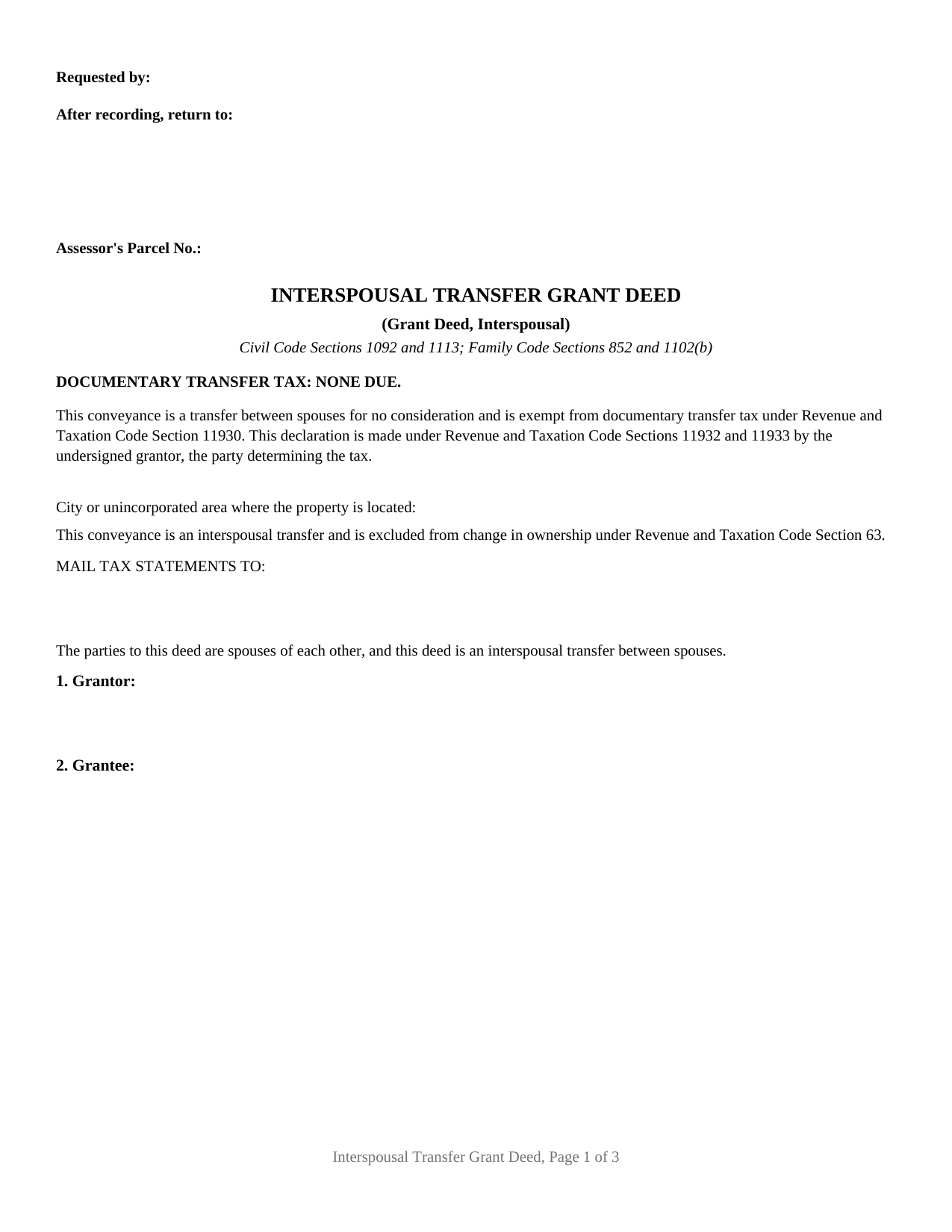
Tulare County Grant Deed (Interspousal) Form
Fill in the blank Grant Deed (Interspousal) form formatted to comply with all California recording and content requirements.
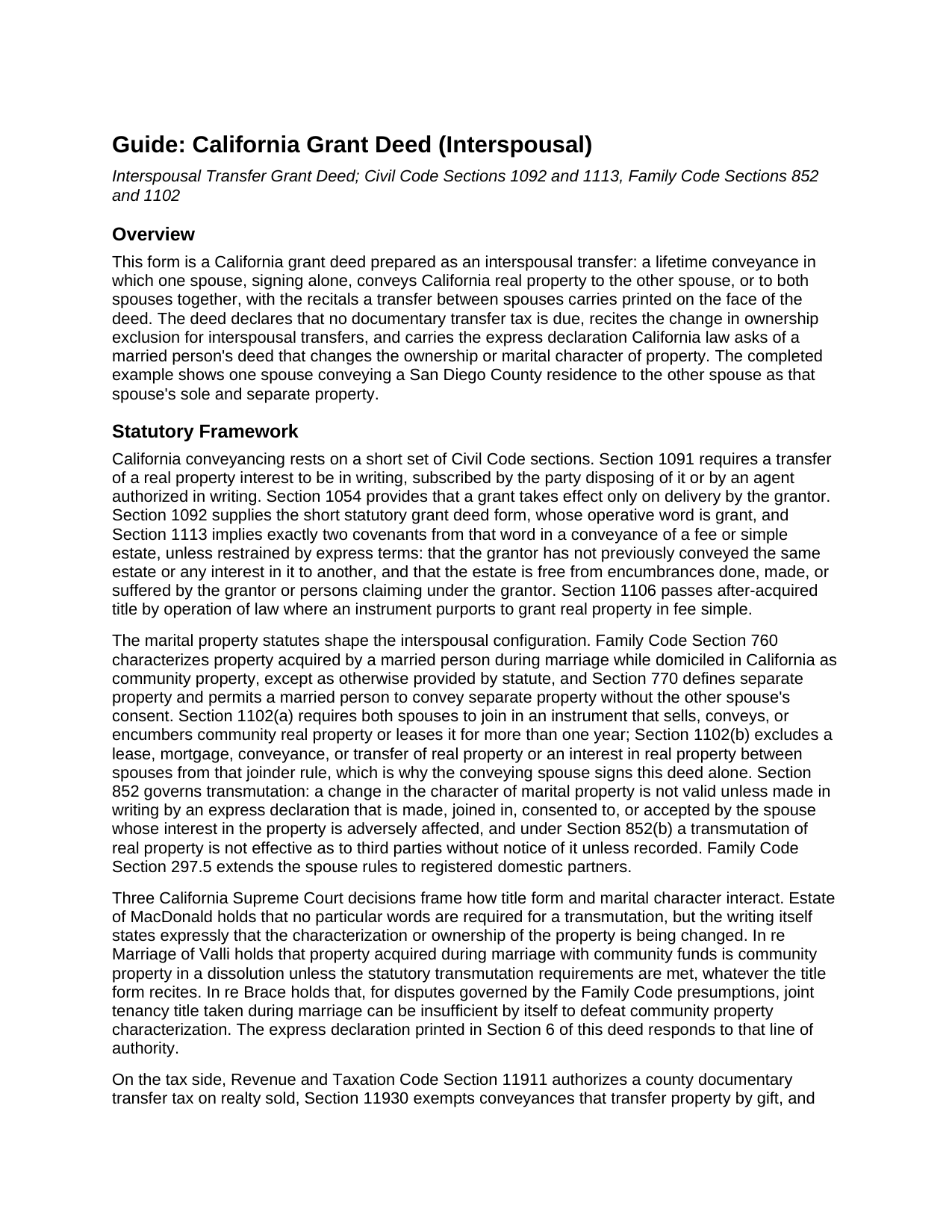
Tulare County Grant Deed (Interspousal) Guide
Line by line guide explaining every blank on the Grant Deed (Interspousal) form.
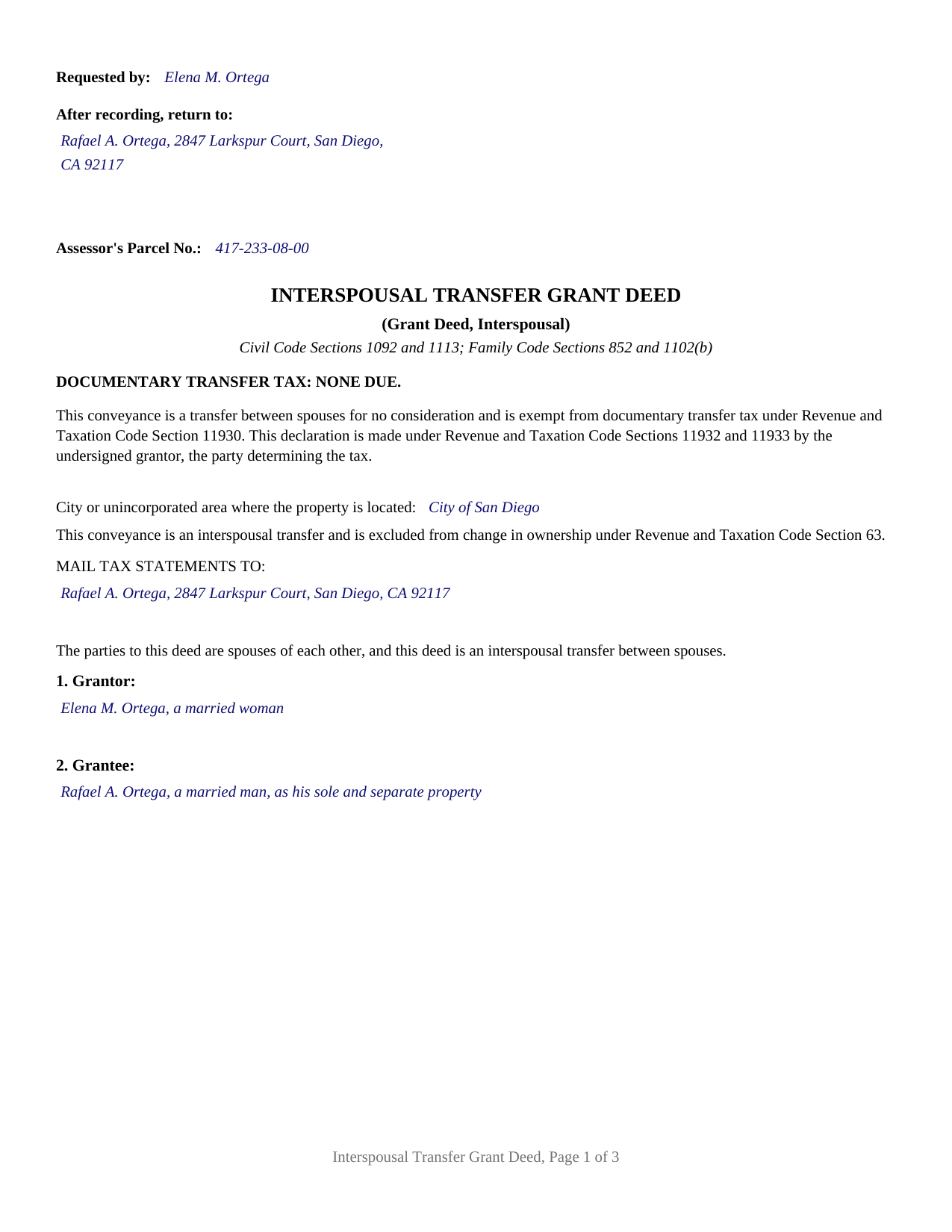
Tulare County Completed Example of the Grant Deed (Interspousal) Document
Example of a properly completed California Grant Deed (Interspousal) document for reference.
All 3 documents above included • One-time purchase • No recurring fees
Immediate Download • Secure Checkout
Additional California and Tulare County documents included at no extra charge:
Where to Record Your Documents
Tulare County Clerk-Recorder
Visalia, California 93291
Hours: 8:00am to 3:30pm / Recording until 3:00pm / Phone until 5:00pm
Phone: (559) 636-5050
Recording Tips for Tulare County:
- Bring your driver's license or state-issued photo ID
- Ensure all signatures are in blue or black ink
- Ask if they accept credit cards - many offices are cash/check only
- Check that your notary's commission hasn't expired
- Documents must be on 8.5 x 11 inch white paper
Cities and Jurisdictions in Tulare County
Properties in any of these areas use Tulare County forms:
- Alpaugh
- Badger
- California Hot Springs
- Camp Nelson
- Cutler
- Dinuba
- Ducor
- Earlimart
- Exeter
- Farmersville
- Goshen
- Ivanhoe
- Kaweah
- Kings Canyon National Pk
- Lemon Cove
- Lindsay
- Orosi
- Pixley
- Porterville
- Posey
- Richgrove
- Sequoia National Park
- Springville
- Strathmore
- Sultana
- Terra Bella
- Three Rivers
- Tipton
- Traver
- Tulare
- Visalia
- Waukena
- Woodlake
- Yettem
Hours, fees, requirements, and more for Tulare County
How do I get my forms?
Forms are available for immediate download after payment. The Tulare County forms will be in your account ready to download to your computer. An account is created for you during checkout if you don't have one. Forms are NOT emailed.
Are these forms guaranteed to be recordable in Tulare County?
Yes. Our form blanks are guaranteed to meet or exceed the applicable formatting requirements used for recording in Tulare County, including margin requirements, font requirements, and other layout standards. This guarantee applies to formatting, not to the legal sufficiency of information entered by the user or the suitability of a form for a particular transaction.
Can I reuse these forms?
Yes. You can reuse the forms for your personal use. For example, if you have multiple properties in Tulare County you only need to order once.
What do I need to use these forms?
The forms are PDFs that you fill out on your computer. The free Adobe Acrobat Reader is recommended, and most PDF apps also work. You do NOT enter your property information online - you download the blank forms and complete them privately on your own computer.
Are there any recurring fees?
No. This is a one-time purchase. Nothing to cancel, no memberships, no recurring fees.
How much does it cost to record in Tulare County?
Recording fees in Tulare County vary. Contact the recorder's office at (559) 636-5050 for current fees.
Questions answered? Let's get started!
One signature moves this deed. California ordinarily requires both spouses to join in conveying community real property, and then steps aside for exactly this transfer: Family Code Section 1102(b) excludes a conveyance between spouses from the joinder rule, so an interspousal transfer grant deed is executed by the conveying spouse alone. This form is that deed, a California grant deed prepared for a transfer between spouses, with the spousal recital, the documentary transfer tax exemption, and the Revenue and Taxation Code Section 63 change in ownership exclusion printed on its first page.
The deed the joinder statute steps aside for
Family Code Section 1102(a) makes community real property a two-signature asset: both spouses join in an instrument that sells, conveys, or encumbers it. Subdivision (b) removes a transfer between spouses from that requirement, and this form is drawn to that subdivision: one grantor block, one signature line, and one acknowledgment certificate in the complete Civil Code Section 1189 form, boxed notary notice included. A spouse conveying separate property likewise acts without the other spouse's consent under Family Code Section 770(b), so the single-signature architecture holds whichever characterization the property carries. The operative word is grant, with the two implied covenants of Civil Code Section 1113 riding on it: the grantor has not already conveyed the same interest to another, and the property stands free of encumbrances the grantor created, except as the deed's express terms state.
An express declaration, because bare title decides little between spouses
California draws a hard line between whose name appears on a deed and whether property is community or separate. Estate of MacDonald requires a transmutation, a change in marital character, to be made by an express written declaration that states the change; In re Marriage of Valli and In re Brace show the state's highest court weighing community property presumptions against bare title form. A spousal deed that merely names a grantee leaves that question open. This deed prints the declaration Family Code Section 852 contemplates: the grantor expressly declares that ownership, and marital character to the extent needed, are changed so that the grantee holds the property in the form of ownership the grantee section states. Under Section 852(b), recording the deed is what makes a real property transmutation effective against third parties without notice.
Recitals the recorder and the assessor both read
The first page answers the two questions county offices ask of a spousal deed. For the recorder, the printed declaration states that the conveyance is between spouses for no consideration and exempt from documentary transfer tax under Revenue and Taxation Code Section 11930, with one entry for the city or unincorporated area line that Section 11932 requires. For the assessor, the deed recites Revenue and Taxation Code Section 63: a change of ownership does not include any interspousal transfer, so the conveyance does not itself reset the assessed value, and county assessor offices describe the exclusion as operating without a claim form. A Preliminary Change of Ownership Report travels with the deed to the recording counter; it is prepared separately and is not part of the recorded instrument. Because no transfer tax is paid, the seventy five dollar Building Homes and Jobs Act fee of Government Code Section 27388.1 attaches at recording unless a statutory exemption, such as a qualifying owner-occupied residential transfer, covers it, and the guide sets out that fee stack alongside the base recording fees.
One grantor spouse, a free vesting line
The form recites exactly one conveying spouse and prints the interspousal recital as fixed deed text: the parties to the deed are spouses of each other. The grantee section is free form, sized for the receiving spouse alone or for both spouses with a vesting designation, and the guide describes every California form that designation may carry, from sole and separate property through joint tenancy to community property with right of survivorship. Title settling into one spouse's name around a loan carried by that spouse alone, a couple moving a house acquired before the marriage into an express community property vesting, and a spouse coming onto title after a marriage present the patterns this deed recites. A deed on which both spouses sign as co-grantors conveying to someone outside the marriage follows a different configuration than this form prints, and a division of property in connection with a dissolution carries its own transfer tax recital under Revenue and Taxation Code Section 11927 that this deed does not include.
The purchase includes the interspousal transfer deed as a fillable PDF, a completed example in which one San Diego County spouse conveys the family residence to the other as sole and separate property, and a plain language guide covering completion, signing, notarization, and recording. The materials are informational only and do not constitute legal advice; a California attorney can apply these rules to a specific marriage and title.
Important: Your property must be located in Tulare County to use these forms. Documents should be recorded at the county recording office listed above.
This Grant Deed (Interspousal) meets all recording requirements specific to Tulare County.
Our Promise
The documents you receive here are guaranteed to meet or exceed the applicable Tulare County recording format requirements. If there is a rejection caused by our formatting, we will correct the issue or refund your payment. This guarantee applies to document formatting only and does not extend to information entered by the user, the selection of the form, or the legal effect of the completed document.
Save Time and Money
Get your Tulare County Grant Deed (Interspousal) form done right the first time with Deeds.com Uniform Conveyancing Blanks. At Deeds.com, we understand that your time and money are valuable resources, and we don't want you to face a penalty fee or rejection imposed by a county recorder for submitting nonstandard documents. We constantly review and update our forms to meet rapidly changing state and county recording requirements for roughly 3,500 counties and local jurisdictions.
4.8 out of 5 - ( 4,837 Reviews )
Alison B. 5 out of 5 stars
The Deed of trust form was fine but the promissory note was less user friendly since I needed to change a few things that were fixed in the template. I ended up using white-out after I got no response when I emailed the help site that was provided in one of your emails, so it looks a little odd but should be usable
Thank you for your feedback. We really appreciate it. Have a great day!
Daniel C. 2 out of 5 stars
The fill-in pdf produced a messy document and several of the fields too small to accommodate the text. A tailorable MS Word document would have been far better. I would not recommend using this product.
Thank you for taking the time to share your feedback. We’re sorry to hear that the fill-in PDF did not meet your expectations, particularly with regard to formatting and field sizing.
Based on your comments, we will be reviewing the document to see where improvements can be made. Feedback like yours is genuinely helpful in identifying areas where our forms can be clearer and easier to use.
We’ve gone ahead and canceled your order and refunded your payment in full, so there’s no expectation that you use a product you wouldn’t feel comfortable recommending.
Dhanminder D. 5 out of 5 stars
The service was great. Thank you.
Thank you!
Tracey T. 5 out of 5 stars
I downloaded the Lady Bird deed. The process was quick and easy to download. Just select your county, fill out the form. You will need the property description from your original deed. In my case I had to go downtown Wayne County (Detroit). (Make an appt online). 1st you will have to get the property tax certified to ensure all taxes are paid to date (5th floor at the Wayne County Treasurer office). Give them the form you just filled out and they will stamp certified $5. After that take the form to the Register of Deeds (7th floor) appt needed. $18. Make sure it is properly notarized and all signatures completed. Once approved, they will scan it, stamp it, give it back with a receipt and mail a copy also. All Done. Worked beautifully. My co worker go a lawyer and paid over $250. I just used deeds.com and total for forms and going downtown with notarizing was less than $40 Yea!
Thank you for your feedback. We really appreciate it. Have a great day!
Caville B. 3 out of 5 stars
Received the documents, but the explanation and process is not as straightforward as I would have liked. The Instructions and Sample document were not always easy to follow. I may just have a real estate lawyer perform the task.
Thank you for your feedback. We really appreciate it. Have a great day!
Walter P. 5 out of 5 stars
Quick and easy!
We appreciate your business and value your feedback. Thank you. Have a wonderful day!
Catherine M. 5 out of 5 stars
Great service, very efficient and super fast.
Thank you!
Joyce K. 5 out of 5 stars
I was very happy with this site. It included all the papers I needed, instructions, and even an example sheet to work from. The papers are now filed and done with ease. Thank you!
Thank you for your feedback. We really appreciate it. Have a great day!
Misty M. 5 out of 5 stars
I appreciate the Guide and the Sample pages.
Thank you!
mary g. 5 out of 5 stars
Easy site. Reasonably priced
Thank you Mary.
Cynthia S. 5 out of 5 stars
Great service got everything I needed with a click of a tab. Thank You...
Thank you for your feedback. We really appreciate it. Have a great day!
Michael W. 5 out of 5 stars
I needed a quitclaim deed to transfer ownership of a home. An attorney wanted $400.00 to file the deed. I downloaded a blank deed for my area from deeds.com. I received it instantly. (Small fee) it came with instructions and a template. I filled it out and submitted it to the County Clerks office.it was simple and I saved a lot of money. There may be other forms you need, check with whoever you are submitting the deed. You'll have additional fees, but that is up to the municipality in which you reside. It will be helpful if you have the latest deed on file. It was much easier than I thought. This is an easy website to navigate through and it is 100% legitimate. I recommend Deeds.com.
Thank you for your feedback. We really appreciate it. Have a great day!
Jim W. 5 out of 5 stars
ALL I CAN SAY IS WOW. I AM SO GLAD THAT SOMEONE THOUGHT OF THIS OPROCESS FOR NON-TITLE COMPANIES, SMALL COMPANIES, ETC. I REALLY APPRECIATED THE SERVICE WHEN I RECORDED MY FIRST SET OF DOCS HERE. THEY WERE A MESS AND I HAD A LOT OF QUESTIONS. AGAIN THANK YOU!
Thank you for your feedback. We really appreciate it. Have a great day!
Cameron M. 5 out of 5 stars
This service is amazing. Always same day recording. Quick and easy. Thank you!
We appreciate your business and value your feedback. Thank you. Have a wonderful day!
Teresa F. 5 out of 5 stars
Great! Received documents to download immediately and was able to do the needed with the information and instructions. Thank you
Thank you!