Tulare County Grant Deed (Reserving Life Estate) Form
Last validated October 15, 2026 by our Forms Development TeamFormatted for recording in Tulare County, for property anywhere in the county: rural and unincorporated areas as well as Alpaugh, Badger, California Hot Springs, Camp Nelson, Cutler, Dinuba, Ducor, Earlimart and 26 more.
- 3 documents included
- Immediate PDF download
- Formatting guarantee
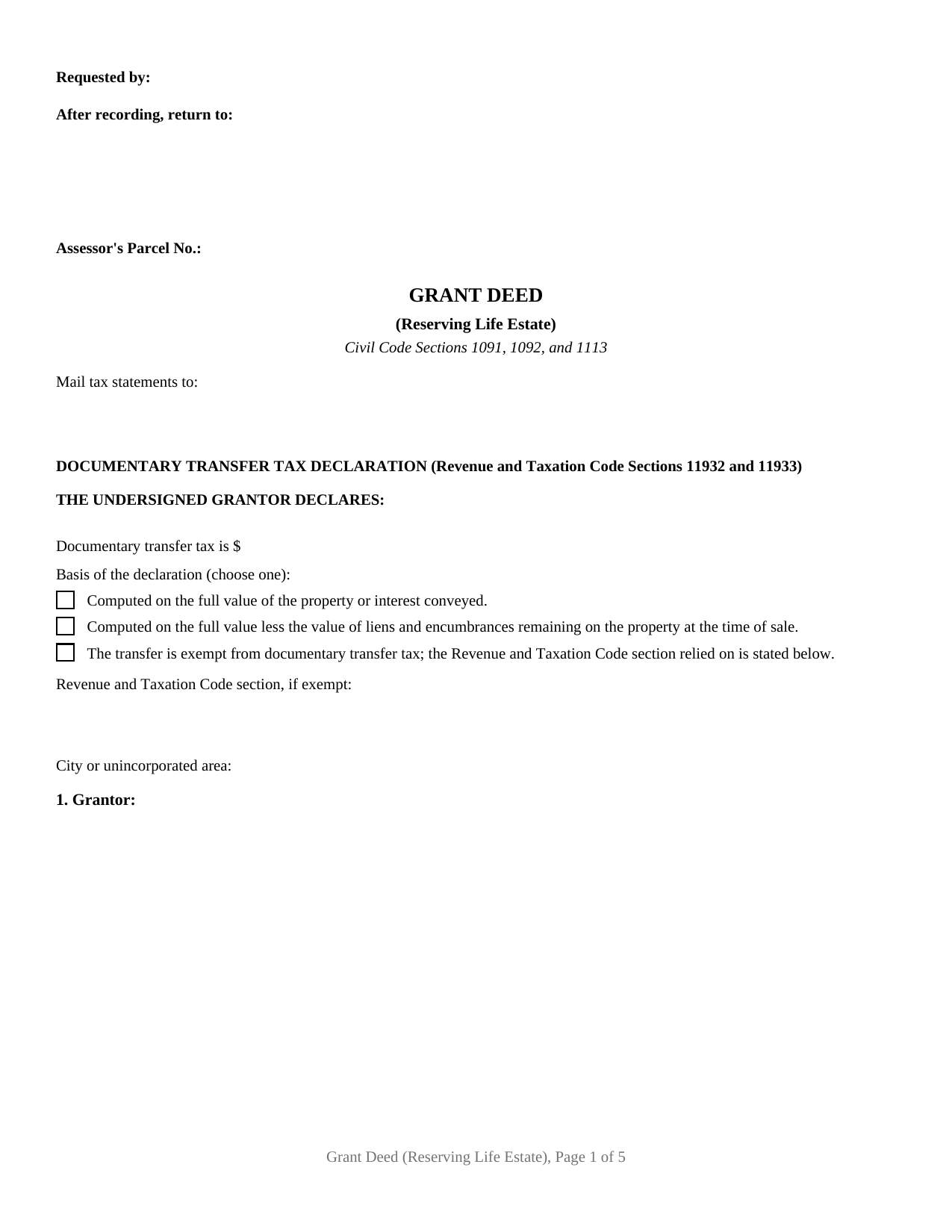
Tulare County Grant Deed (Reserving Life Estate) Form
Fill in the blank Grant Deed (Reserving Life Estate) form formatted to comply with all California recording and content requirements.
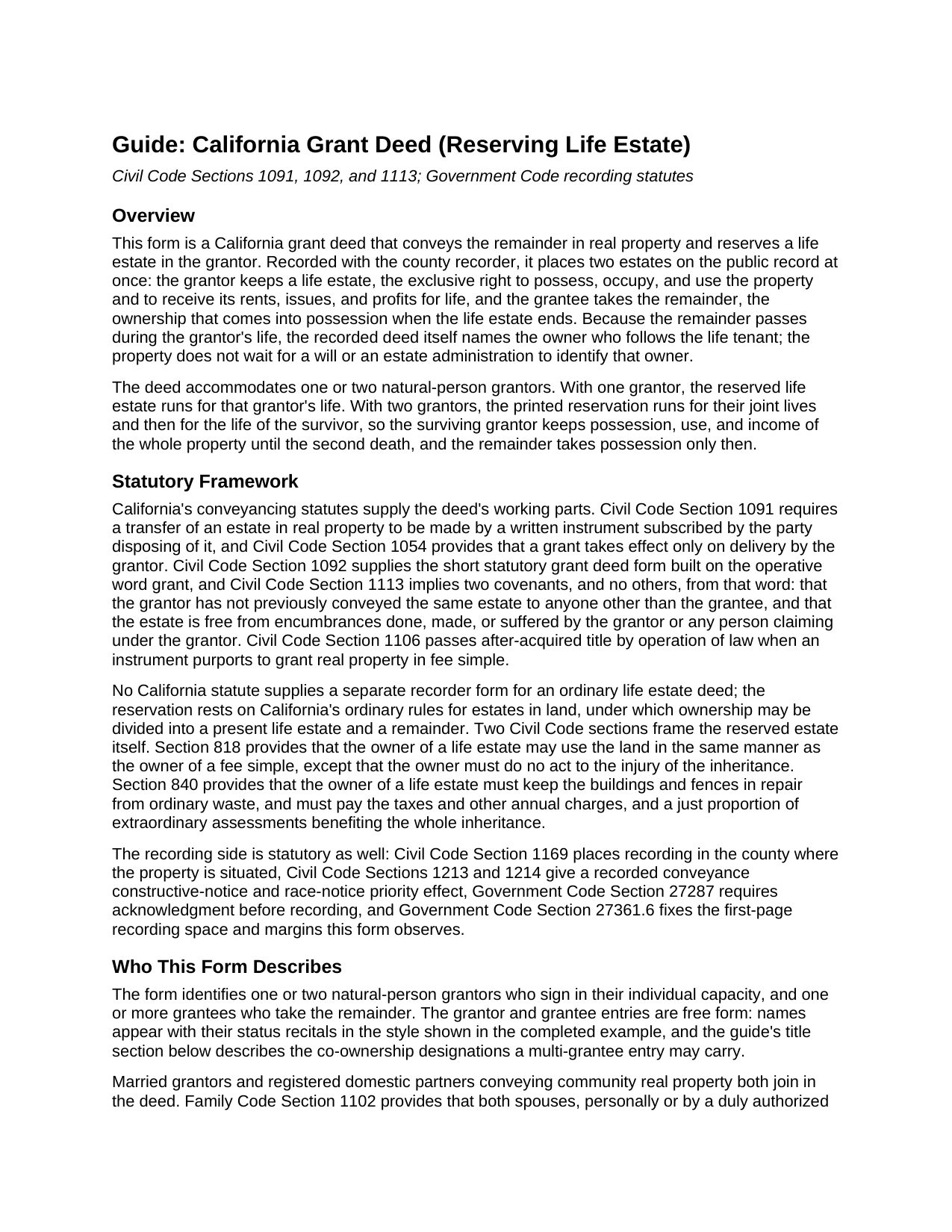
Tulare County Grant Deed (Reserving Life Estate) Guide
Line by line guide explaining every blank on the Grant Deed (Reserving Life Estate) form.
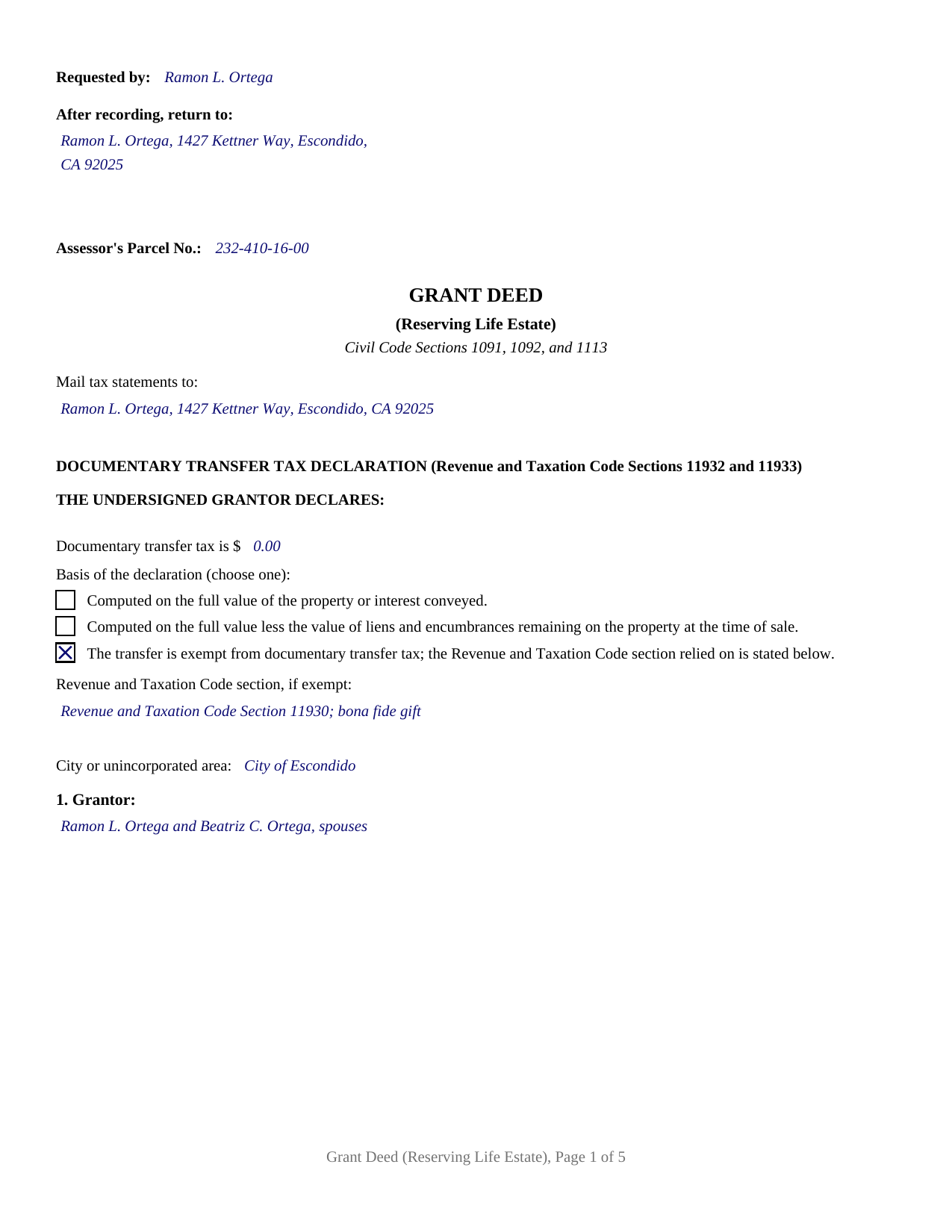
Tulare County Completed Example of the Grant Deed (Reserving Life Estate) Document
Example of a properly completed California Grant Deed (Reserving Life Estate) document for reference.
All 3 documents above included • One-time purchase • No recurring fees
Immediate Download • Secure Checkout
Additional California and Tulare County documents included at no extra charge:
Where to Record Your Documents
Tulare County Clerk-Recorder
Visalia, California 93291
Hours: 8:00am to 3:30pm / Recording until 3:00pm / Phone until 5:00pm
Phone: (559) 636-5050
Recording Tips for Tulare County:
- Bring your driver's license or state-issued photo ID
- Ensure all signatures are in blue or black ink
- Verify all names are spelled correctly before recording
- White-out or correction fluid may cause rejection
- Ask about their eRecording option for future transactions
Cities and Jurisdictions in Tulare County
Properties in any of these areas use Tulare County forms:
- Alpaugh
- Badger
- California Hot Springs
- Camp Nelson
- Cutler
- Dinuba
- Ducor
- Earlimart
- Exeter
- Farmersville
- Goshen
- Ivanhoe
- Kaweah
- Kings Canyon National Pk
- Lemon Cove
- Lindsay
- Orosi
- Pixley
- Porterville
- Posey
- Richgrove
- Sequoia National Park
- Springville
- Strathmore
- Sultana
- Terra Bella
- Three Rivers
- Tipton
- Traver
- Tulare
- Visalia
- Waukena
- Woodlake
- Yettem
Hours, fees, requirements, and more for Tulare County
How do I get my forms?
Forms are available for immediate download after payment. The Tulare County forms will be in your account ready to download to your computer. An account is created for you during checkout if you don't have one. Forms are NOT emailed.
Are these forms guaranteed to be recordable in Tulare County?
Yes. Our form blanks are guaranteed to meet or exceed the applicable formatting requirements used for recording in Tulare County, including margin requirements, font requirements, and other layout standards. This guarantee applies to formatting, not to the legal sufficiency of information entered by the user or the suitability of a form for a particular transaction.
Can I reuse these forms?
Yes. You can reuse the forms for your personal use. For example, if you have multiple properties in Tulare County you only need to order once.
What do I need to use these forms?
The forms are PDFs that you fill out on your computer. The free Adobe Acrobat Reader is recommended, and most PDF apps also work. You do NOT enter your property information online - you download the blank forms and complete them privately on your own computer.
Are there any recurring fees?
No. This is a one-time purchase. Nothing to cancel, no memberships, no recurring fees.
How much does it cost to record in Tulare County?
Recording fees in Tulare County vary. Contact the recorder's office at (559) 636-5050 for current fees.
Questions answered? Let's get started!
A grant deed reserving a life estate divides ownership of California real property along the line of time. Recorded once, it fixes two positions in the county record: the grantor holds a life estate, often the reason this instrument is searched simply as a California life estate deed, keeping the exclusive right to live in the property, rent it, and take its income for life, while the grantee holds the remainder, the ownership that takes possession the moment the life estate ends. This form is a California grant deed configured for exactly that split, with the reservation printed as fixed deed text and the documentary transfer tax declaration of Revenue and Taxation Code Sections 11932 and 11933 completing on page one.
The remainder vests now; possession waits
The operative word is grant, which imports the two Civil Code Section 1113 covenants into the remainder conveyance: no prior transfer of the same interest, and no encumbrance of the grantor's own making beyond what the deed discloses. The reservation paragraph then does the work that names this variant. The grantor excepts and reserves the life estate, and when two grantors sign, the printed text runs the estate for their joint lives and then for the life of the survivor, so the surviving grantor keeps the whole property's use and income until the second death. On the death of the last life tenant, possession and enjoyment pass to the remainder owner without a new conveyance; the succession is already of record.
What the life tenant keeps and carries
California states the reserved estate's ground rules in two short statutes. Civil Code Section 818 lets the owner of a life estate use the land as a fee simple owner would, short of injury to the inheritance, and Civil Code Section 840 assigns the carrying costs: repair against ordinary waste, the taxes and other annual charges, and a fair share of extraordinary assessments. The deed's mail tax statements entry, which Government Code Section 27321.5 places on the first page of every deed conveying fee title, pairs naturally with that allocation, and the guide describes where each entry comes from.
A reassessment clock that waits
Property taxes give this deed one of its most distinctive features. Under Revenue and Taxation Code Section 62(e) and Property Tax Rule 462.060(a), the creation of a life estate is a change in ownership at transfer unless the instrument reserves the estate in the transferor, the transferor's spouse, or the transferor's registered domestic partner. A deed on this form makes exactly that reservation, so recording it does not itself reset the assessed value; the change in ownership arrives when the reserved estate terminates and the remainder owner's possession vests, measured under the exclusions in effect at that time. The Preliminary Change of Ownership Report filed with the deed describes the reservation so the assessor applies the right rule. Transfer tax runs on its own track: the declaration prints in full, with selections for tax computed on full value, computed net of remaining liens, or exempt with the exemption section cited, so a family transfer without consideration and a transfer for value complete the same first page.
The configuration this deed recites
The deed identifies one or two natural-person grantors, the life tenants, and its grantee section is free form for the remainder owners and any co-ownership designation after their names. The execution area holds a signature block for each grantor, and each block is paired with an acknowledgment certificate printing the complete Civil Code Section 1189 wording, from the boxed identity notice through the penalty of perjury certification to its Signature and Seal close; a single grantor simply leaves the second block and its certificate empty. An owner putting the home's succession on record while continuing to live there for life, and two owners fixing where a family property goes while keeping its use and income between themselves for both lifetimes, present the pattern this deed recites. The reservation is an ordinary life estate: the form prints no retained power to sell, mortgage, or revoke without the remainder owner, so a later change to the arrangement is a new conveyance by the holders of the affected interests.
The purchase delivers the deed as a fillable PDF, a completed example showing two San Diego County grantors conveying the remainder in a family home while reserving the life estate, and a plain language guide to the entries, the notarization, and the recording steps. The materials are informational and are not legal advice; a California attorney can confirm how the arrangement fits a specific title and plan.
Important: Your property must be located in Tulare County to use these forms. Documents should be recorded at the county recording office listed above.
This Grant Deed (Reserving Life Estate) meets all recording requirements specific to Tulare County.
Our Promise
The documents you receive here are guaranteed to meet or exceed the applicable Tulare County recording format requirements. If there is a rejection caused by our formatting, we will correct the issue or refund your payment. This guarantee applies to document formatting only and does not extend to information entered by the user, the selection of the form, or the legal effect of the completed document.
Save Time and Money
Get your Tulare County Grant Deed (Reserving Life Estate) form done right the first time with Deeds.com Uniform Conveyancing Blanks. At Deeds.com, we understand that your time and money are valuable resources, and we don't want you to face a penalty fee or rejection imposed by a county recorder for submitting nonstandard documents. We constantly review and update our forms to meet rapidly changing state and county recording requirements for roughly 3,500 counties and local jurisdictions.
4.8 out of 5 - ( 4,837 Reviews )
Vicki A. 5 out of 5 stars
Very fast and easy to use.
We appreciate your business and value your feedback. Thank you. Have a wonderful day!
JAMES V. 5 out of 5 stars
I initiated an order at 8:30PM on a Tuesday. I already had a response waiting for me when I opened my email the next morning. Very responsive. I'm very happy with this service.
We appreciate your business and value your feedback. Thank you. Have a wonderful day!
ELIZABETH M. 5 out of 5 stars
Great service! Training was fast and we went over very detail.
Thank you!
STACIA V. 4 out of 5 stars
I filled out the forms that were somewhat easy. I was surprised that it was recorded by the county recording office. I just hope that it really worked. I think it did. I will find out later this year.
Thank you!
John K. 5 out of 5 stars
The sample completed form was a big help. While not exactly on point with my situation, it was enough to help me complete it on my own
We appreciate your business and value your feedback. Thank you. Have a wonderful day!
Zina J. 5 out of 5 stars
Deeds.com supplied exactly what I needed to complete a quitclaim. Deeds.com saved me $180, supplied the necessary forms, and a sample page to use as a guide. I recommend Deeds.com.
Thank you!
Anita W. 5 out of 5 stars
Love this site. It has been truly helpful and easy to navigate.
Thank you Anita, glad we could help.
Robert B. 5 out of 5 stars
Very easy to use.
Thank you for your feedback. We really appreciate it. Have a great day!
Melody P. 5 out of 5 stars
5 Stars isn't enough! I worked with KVH today (12-30-20) to get some deeds filed in Dallas County before the end of the year. Timing was critical and I thought my only option was to record in person. Someone suggested I try Deeds.com, and I'm very glad I did. KVH provided excellent service. Everything was quick and efficient, and I highly recommend using this service. Thanks!
We appreciate your business and value your feedback. Thank you. Have a wonderful day!
Ma Luisa R. 5 out of 5 stars
Great service and fast
We appreciate your business and value your feedback. Thank you. Have a wonderful day!
Deanna K. 5 out of 5 stars
Great service. Prompt and great communication tools. Affordably priced.
We appreciate your business and value your feedback. Thank you. Have a wonderful day!
Monica T. 5 out of 5 stars
Super easy to use. Very pleased. The turn around time was very fast. I have another one pending. Thank you!
We are grateful for your feedback and looking forward to serving you again. Thank you!
Linda F. 5 out of 5 stars
I can't recommend working with Deeds.com enough. I had been given incorrect information from another document service. The helpful staff member at Deeds.com that assisted in the submission of the recording was exceptionally helpful in making sure what I was submitting included the necessary elements required by the county. I am very thankful I chose Deeds.com for my eRecording service. Thank you!!
Thank you, Linda! We’re so glad our team could assist in making sure your submission met the county’s requirements. It means a lot that you chose Deeds.com after a frustrating experience elsewhere. We appreciate your trust and kind words!
ROSA C. 5 out of 5 stars
Very happy with the service. Easy to use.
Thank you for your feedback. We really appreciate it. Have a great day!
Lisa D. 5 out of 5 stars
It was an easy site to use and very a good price. Thank you!!
We appreciate your business and value your feedback. Thank you. Have a wonderful day!