Pitkin County Affidavit of Deceased Joint Tenant Form
Last validated October 5, 2026 by our Forms Development TeamFormatted for recording in Pitkin County, for property anywhere in the county: rural and unincorporated areas as well as Aspen, Meredith, Snowmass, Snowmass Village, Woody Creek.
- 3 documents included
- Immediate PDF download
- Formatting guarantee
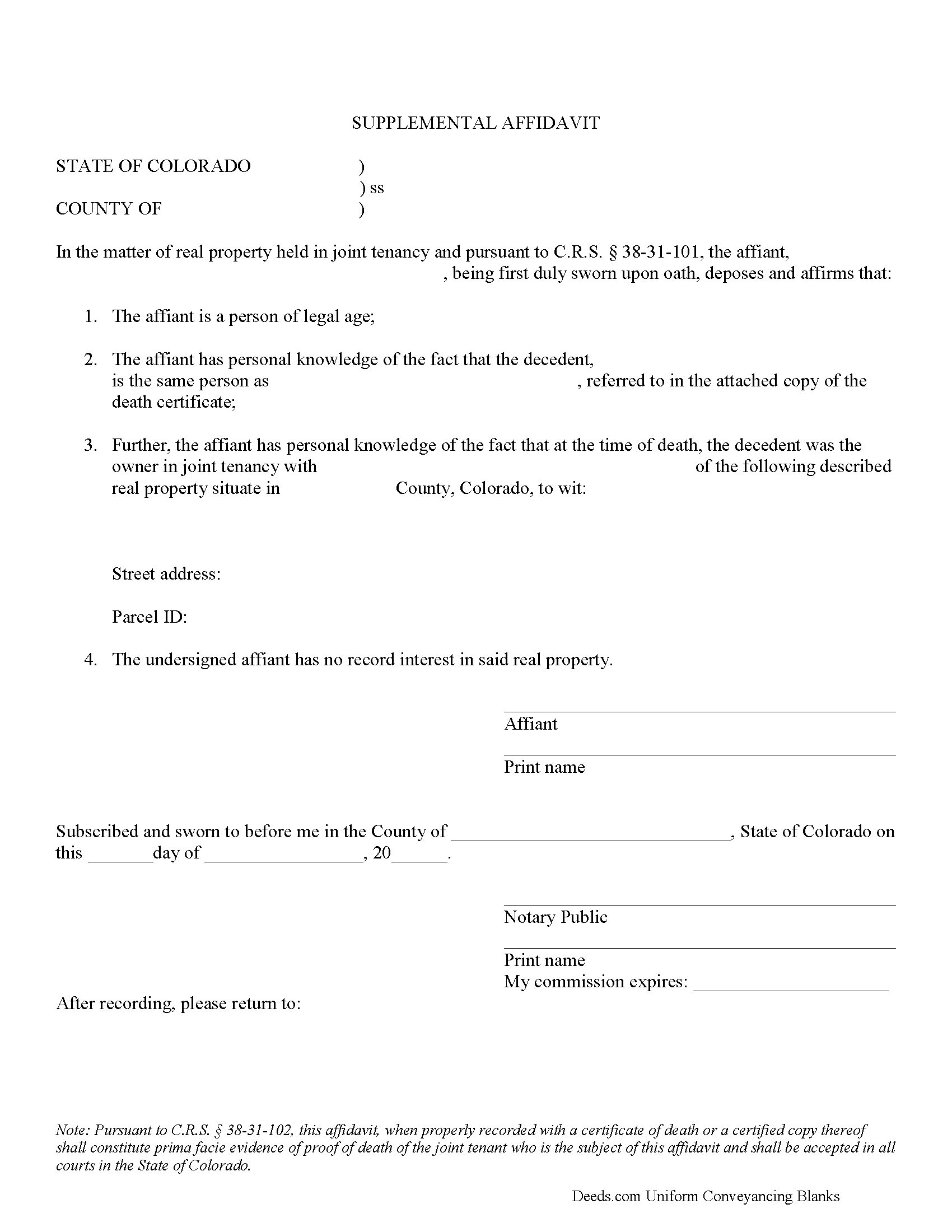
Pitkin County Affidavit of Deceased Joint Tenant Form
Fill in the blank form formatted to comply with all recording and content requirements.
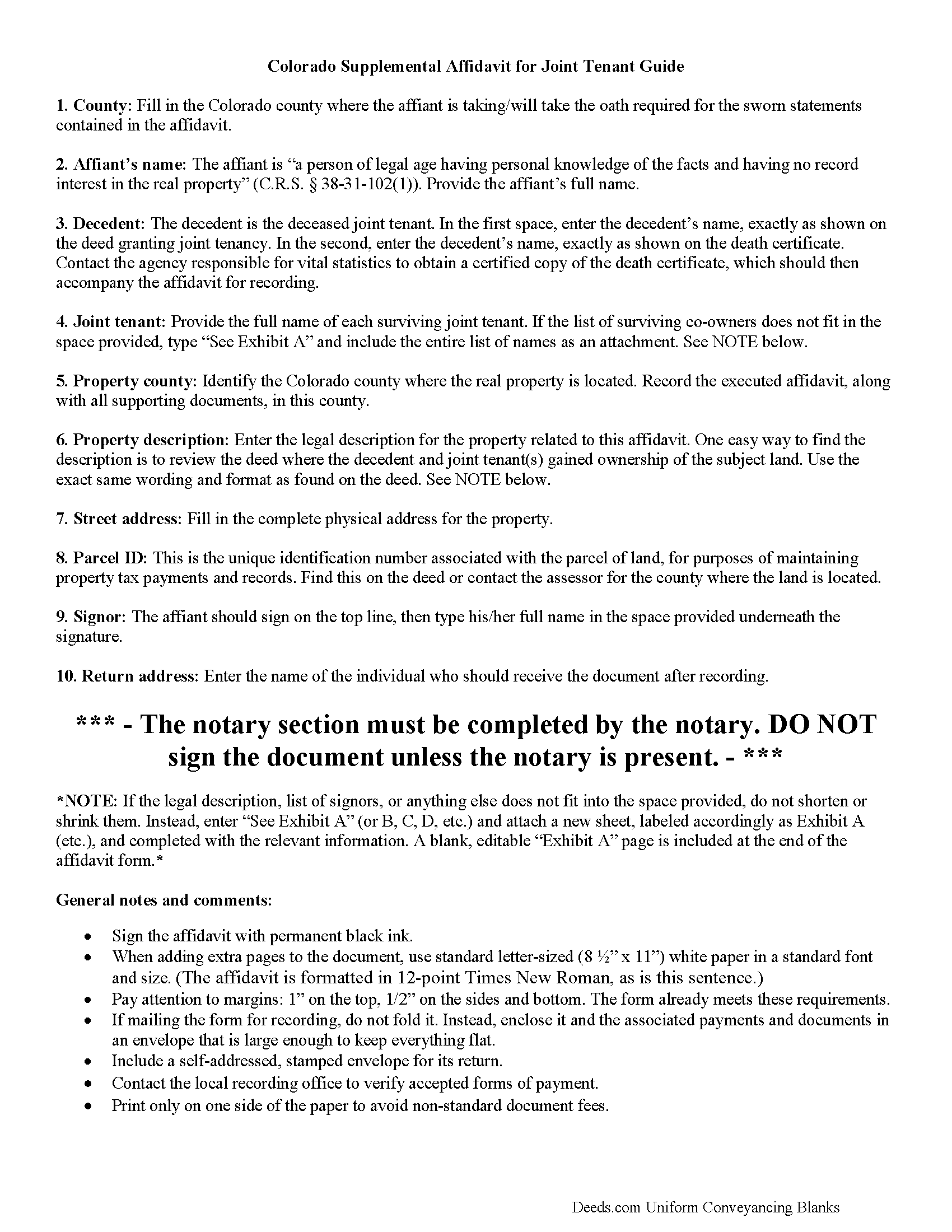
Pitkin County Affidavit of Deceased Joint Tenant Guide
Line by line guide explaining every blank on the form.
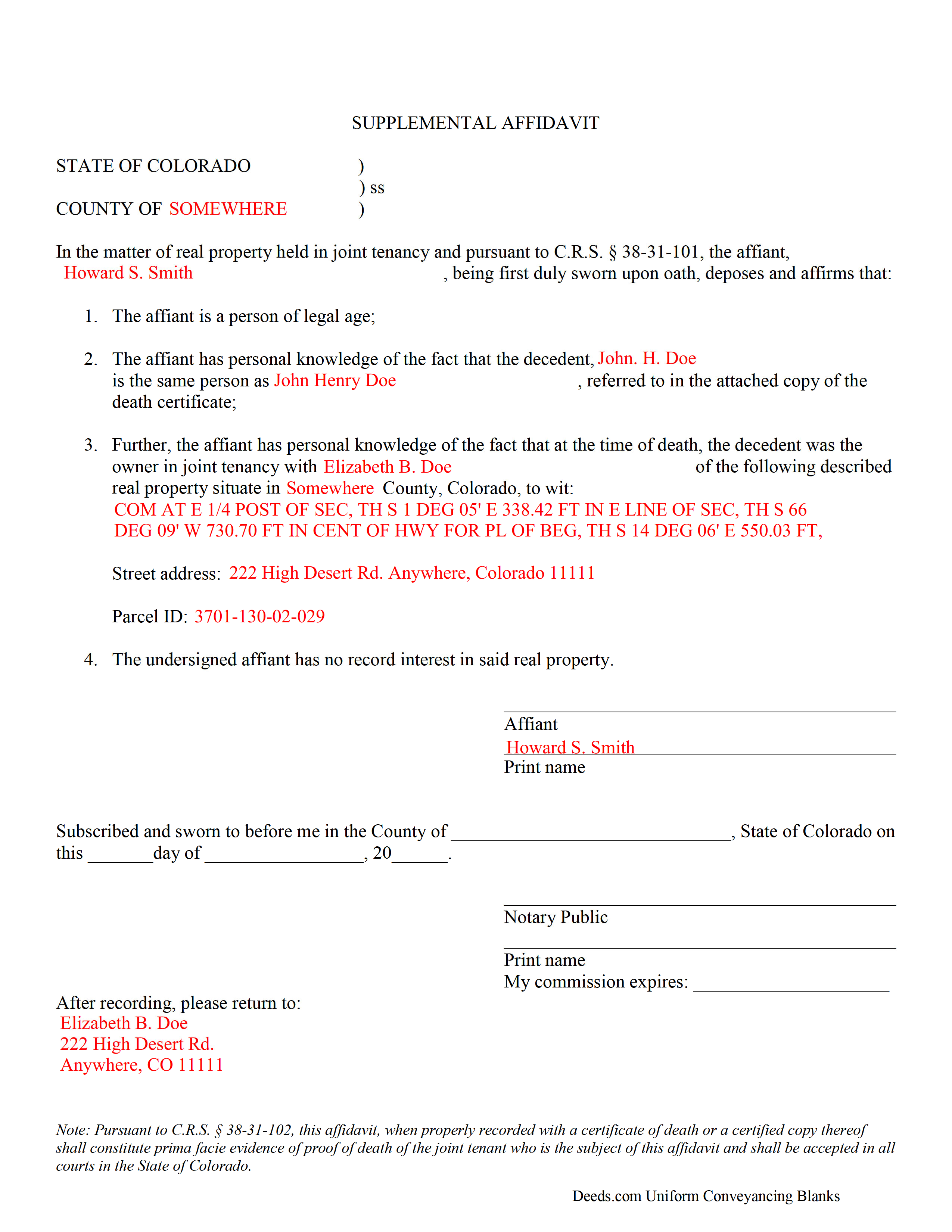
Pitkin County Completed Example of the Affidavit of Deceased Joint Tenant Document
Example of a properly completed form for reference.
All 3 documents above included • One-time purchase • No recurring fees
Immediate Download • Secure Checkout
Additional Colorado and Pitkin County documents included at no extra charge:
Where to Record Your Documents
Pitkin County Clerk and Recorder
Aspen, Colorado 81611
Hours: 8:30 to 4:30 Mon-Thu; Friday until 5:00
Phone: (970) 920-5180
Recording Tips for Pitkin County:
- Bring your driver's license or state-issued photo ID
- Ensure all signatures are in blue or black ink
- White-out or correction fluid may cause rejection
- Ask about their eRecording option for future transactions
- Avoid the last business day of the month when possible
Cities and Jurisdictions in Pitkin County
Properties in any of these areas use Pitkin County forms:
- Aspen
- Meredith
- Snowmass
- Snowmass Village
- Woody Creek
Hours, fees, requirements, and more for Pitkin County
How do I get my forms?
Forms are available for immediate download after payment. The Pitkin County forms will be in your account ready to download to your computer. An account is created for you during checkout if you don't have one. Forms are NOT emailed.
Are these forms guaranteed to be recordable in Pitkin County?
Yes. Our form blanks are guaranteed to meet or exceed the applicable formatting requirements used for recording in Pitkin County, including margin requirements, font requirements, and other layout standards. This guarantee applies to formatting, not to the legal sufficiency of information entered by the user or the suitability of a form for a particular transaction.
Can I reuse these forms?
Yes. You can reuse the forms for your personal use. For example, if you have multiple properties in Pitkin County you only need to order once.
What do I need to use these forms?
The forms are PDFs that you fill out on your computer. The free Adobe Acrobat Reader is recommended, and most PDF apps also work. You do NOT enter your property information online - you download the blank forms and complete them privately on your own computer.
Are there any recurring fees?
No. This is a one-time purchase. Nothing to cancel, no memberships, no recurring fees.
How much does it cost to record in Pitkin County?
Recording fees in Pitkin County vary. Contact the recorder's office at (970) 920-5180 for current fees.
Questions answered? Let's get started!
Use a Colorado supplemental affidavit of deceased joint tenant to provide formal notice that a named joint owner of real property has died.
Removing a Deceased Joint Tenant from a Colorado Real Estate Deed
Colorado law allows two or more people to co-own real property as either tenants in common or joint tenants.
Tenants in common hold individual, but not necessarily equal, shares of the title to real property, which they may sell without consulting the other co-owners. If a tenant in common dies, that portion of the property reverts to his/her estate, with no effect on the shares of the other owners.
Joint tenants, on the other hand, share undivided ownership of the whole property. The primary purpose of joint tenancy relates to the right of survivorship, which states that land titled this way is distributed equally amongst the surviving co-owners when one of them dies. See C.R.S. 38-31-101 for further details about co-ownership of real property.
Even though the shares technically pass to the survivors as a function of law when the deceased co-owner dies, it is necessary to formalize the change. Accomplish this by completing and recording a supplemental affidavit, along with a copy of the deceased co-owner's death certificate. This important step helps to maintain a clear chain of title, which should simplify future sales of the real property. See 38-31-102.
Filing the supplemental affidavit clears the title, but the only way to remove the deceased joint tenant's name from the deed is for the survivors to execute and record a new deed. This instrument should show all joint tenants as grantors, with the decedent appropriately identified, and only the survivors as grantees. A certified copy of the recorded affidavit should accompany the new deed; other required supporting documents may vary from county to county.
Contact an attorney with questions about the affidavit of deceased joint tenant, or for other issues related to real property in Colorado.
(Colorado Affidavit of Deceased Joint Tenant Package includes form, guidelines, and completed example)
Important: Your property must be located in Pitkin County to use these forms. Documents should be recorded at the county recording office listed above.
This Affidavit of Deceased Joint Tenant meets all recording requirements specific to Pitkin County.
Our Promise
The documents you receive here are guaranteed to meet or exceed the applicable Pitkin County recording format requirements. If there is a rejection caused by our formatting, we will correct the issue or refund your payment. This guarantee applies to document formatting only and does not extend to information entered by the user, the selection of the form, or the legal effect of the completed document.
Save Time and Money
Get your Pitkin County Affidavit of Deceased Joint Tenant form done right the first time with Deeds.com Uniform Conveyancing Blanks. At Deeds.com, we understand that your time and money are valuable resources, and we don't want you to face a penalty fee or rejection imposed by a county recorder for submitting nonstandard documents. We constantly review and update our forms to meet rapidly changing state and county recording requirements for roughly 3,500 counties and local jurisdictions.
4.8 out of 5 - ( 4,836 Reviews )
Felincia L. 5 out of 5 stars
The process was fast and efficient. I did get a bit confused after entering info for my package but soon realized I had completed this part of the process and only needed to leave the page and wait for review of the document and then the invoice. It was pretty simple. After payment of the invoice I was notified that the document had been submitted. A few hours later I received notice that the document was recorded by the city. It was fast!
We are motivated by your feedback to continue delivering excellence. Thank you!
Kevin V. 5 out of 5 stars
This is an option for recording that worked flawlessly with my county government. Given Covid19 has closed county offices to the public as well as the personal kiosks options to record shrunk dramatically. I recommend Deeds.Com for your recording needs.
Thank you for your feedback. We really appreciate it. Have a great day!
Ming Z. 5 out of 5 stars
Definitely 5 Stars !
Thank you!
Rebecca M. 5 out of 5 stars
I found the process of uploading documentation / deeds simple and easy. Will use this service again!
Thank you for your positive words! We’re thrilled to hear about your experience.
timothy h. 2 out of 5 stars
Too complicated and too expensive
Sorry to hear that Timothy, we do hope that you found something more suitable to your needs elsewhere. Have a wonderful day.
Karen M. 5 out of 5 stars
Great way to get the forms you need. Quick, easy and affordable
Thank you!
Gertrude H. 5 out of 5 stars
I used this form and guide a couple years ago and found it helpful and easy to fill out. Had good results at the Recorder's Office. Would recommend Deeds.com.
Thank you for your feedback. We really appreciate it. Have a great day!
Nancy C. 3 out of 5 stars
Very disappointed that you had certain documents but did not have the accompanying documents needed to complete the transfer. I also had issues with the documents not allowing you to fill in the pages... example the document was prefilled in as so ... Page 1 of_____ but you could not fill in the blank... I tried reaching out to your customer service, but they had no solution for me. So, I had to write in the page, which didn't look professional. I think I could have gotten documents just as good for free if I'd research a little longer.
Thank you for your feedback, Nancy.
The Virginia Transfer on Death Deed and the Virginia Transfer on Death Beneficiary Affidavit are separate documents and are offered individually because many customers only need one, depending on their situation. In your case, the affidavit was later ordered separately.
Regarding the page numbering (“Page 1 of ___”), that field is intentionally left blank. The total number of pages is not known until the document is finalized, signed, notarized, and all attachments (such as exhibits or legal descriptions) are included. It is standard practice to complete that portion by hand at execution so the final page count accurately reflects the recorded document.
We are unable to locate a customer service inquiry associated with your order, but we are always glad to assist when contacted directly.
We appreciate your feedback and wish you the best with your transfer.
Ardith T. 5 out of 5 stars
Very clear and complete. Good value.
We appreciate your business and value your feedback. Thank you. Have a wonderful day!
Kateri S. 4 out of 5 stars
I had to add a section on the form to accomodate the former Grantor/Grantee informtion before it could be recorded
Your insights are invaluable to us and help us strive for better service. Thank you for taking the time to share your thoughts.
Janette K. 5 out of 5 stars
I ordered a Transfer of Deed on Death document. It was easy to fill in, came with a useful guide and was customized to my county/state. It got the job done and was well worth the money!
Thank you for your feedback. We really appreciate it. Have a great day!
Duane S. 5 out of 5 stars
Really glad to find your site. Made filing so much easier.
Thank you for your feedback. We really appreciate it. Have a great day!
Tamara R. 5 out of 5 stars
Easy to use and clear instructions.
We appreciate your business and value your feedback. Thank you. Have a wonderful day!
Cameron M. 5 out of 5 stars
This service is amazing. Always same day recording. Quick and easy. Thank you!
We appreciate your business and value your feedback. Thank you. Have a wonderful day!
Louise J. 5 out of 5 stars
I found your service to be very helpful. The documents were correct and comprehensive as well as easy to access. The cost is so reasonable. I think it's a great service and was impressed with it.
We appreciate your business and value your feedback. Thank you. Have a wonderful day!