Pitkin County Preliminary Notice of Mechanics Lien Form
Last validated October 23, 2026 by our Forms Development TeamFormatted for recording in Pitkin County, for property anywhere in the county: rural and unincorporated areas as well as Aspen, Meredith, Snowmass, Snowmass Village, Woody Creek.
- 3 documents included
- Immediate PDF download
- Formatting guarantee
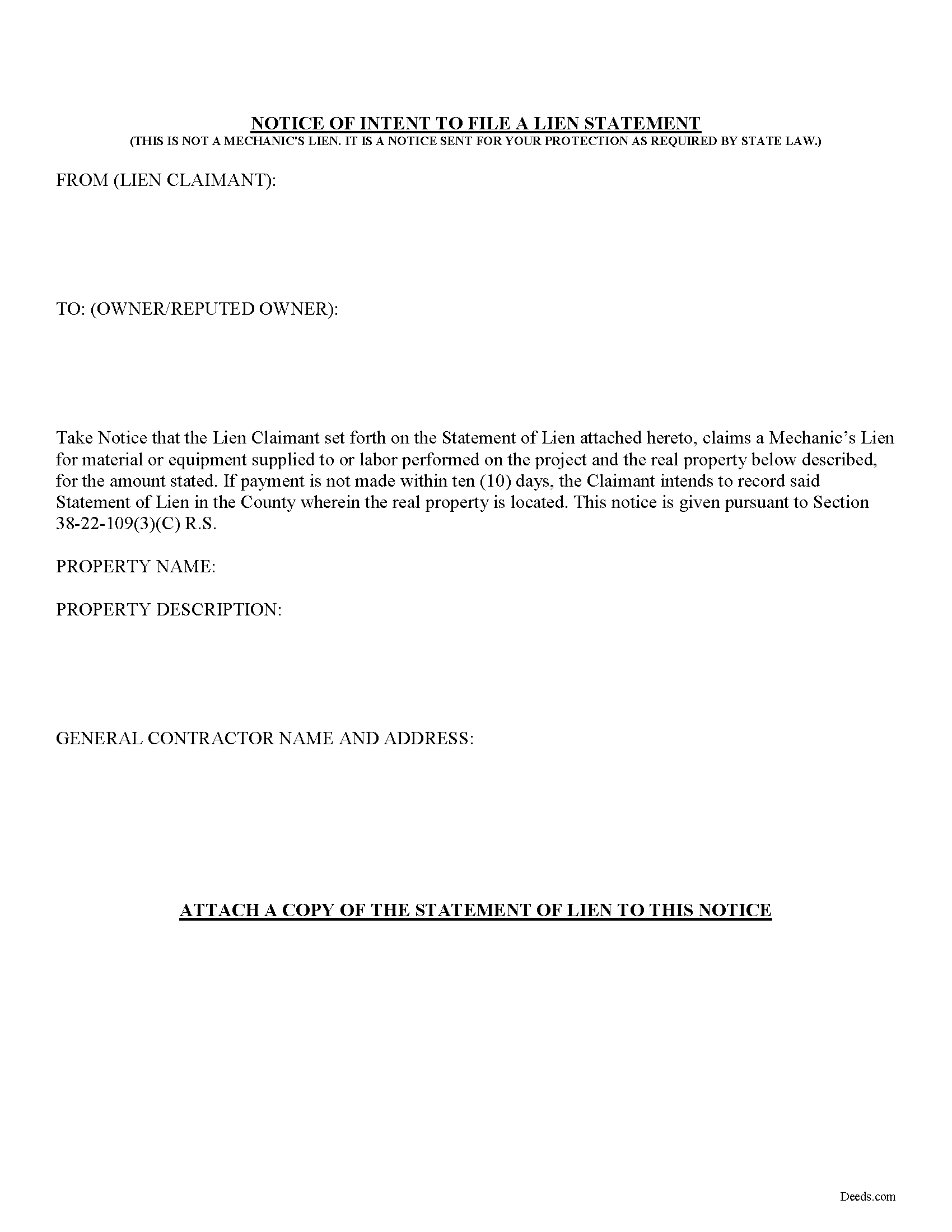
Pitkin County Preliminary Notice of Mechanics Lien Form
Fill in the blank Preliminary Notice of Mechanics Lien form formatted to comply with all Colorado recording and content requirements.
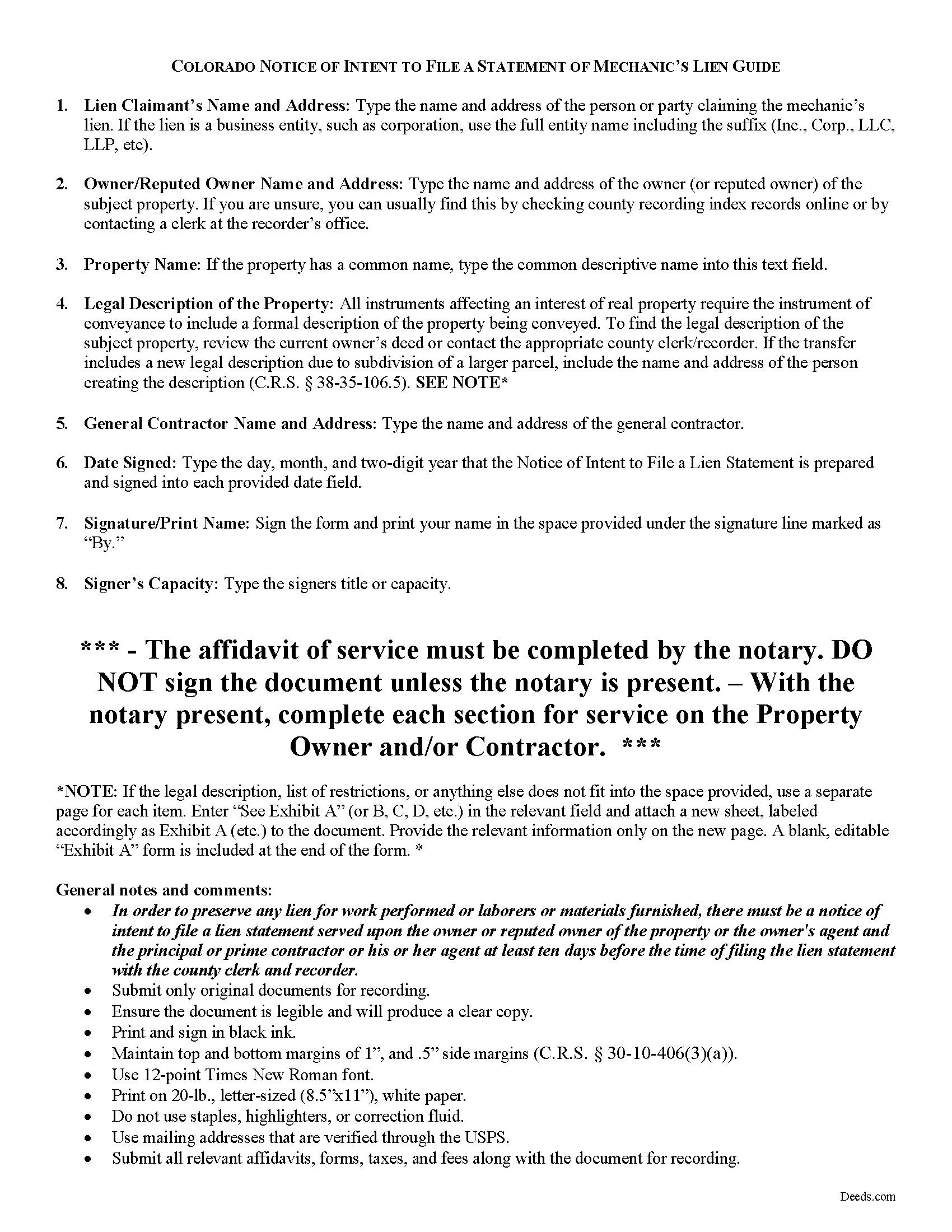
Pitkin County Notice of Mechanics Lien Guide
Line by line guide explaining every blank on the form.
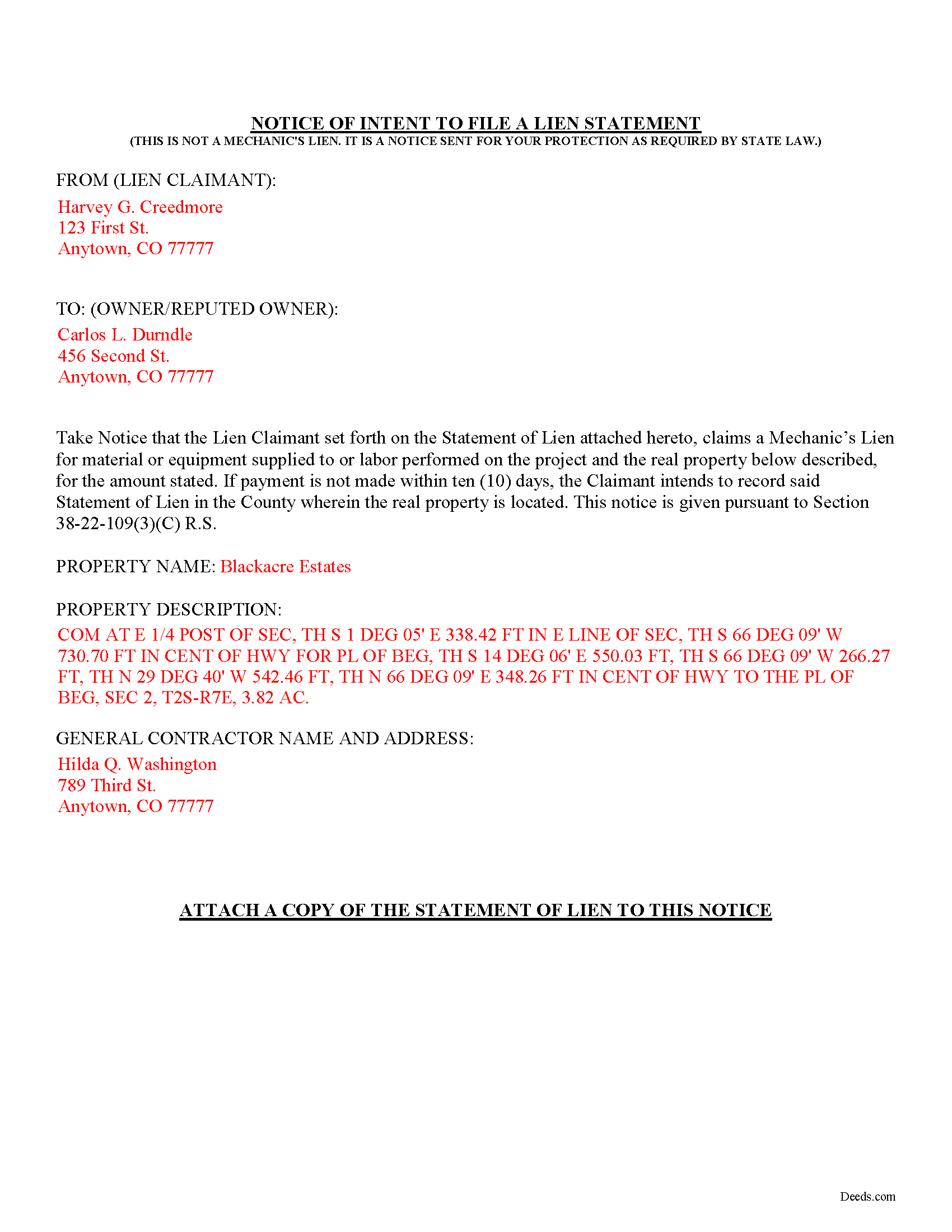
Pitkin County Completed Example of the Preliminary Notice of Mechanics Lien Document
Example of a properly completed form for reference.
All 3 documents above included • One-time purchase • No recurring fees
Immediate Download • Secure Checkout
Additional Colorado and Pitkin County documents included at no extra charge:
Where to Record Your Documents
Pitkin County Clerk and Recorder
Aspen, Colorado 81611
Hours: 8:30 to 4:30 Mon-Thu; Friday until 5:00
Phone: (970) 920-5180
Recording Tips for Pitkin County:
- Bring your driver's license or state-issued photo ID
- Ensure all signatures are in blue or black ink
- Documents must be on 8.5 x 11 inch white paper
- Double-check legal descriptions match your existing deed
- Verify all names are spelled correctly before recording
Cities and Jurisdictions in Pitkin County
Properties in any of these areas use Pitkin County forms:
- Aspen
- Meredith
- Snowmass
- Snowmass Village
- Woody Creek
Hours, fees, requirements, and more for Pitkin County
How do I get my forms?
Forms are available for immediate download after payment. The Pitkin County forms will be in your account ready to download to your computer. An account is created for you during checkout if you don't have one. Forms are NOT emailed.
Are these forms guaranteed to be recordable in Pitkin County?
Yes. Our form blanks are guaranteed to meet or exceed the applicable formatting requirements used for recording in Pitkin County, including margin requirements, font requirements, and other layout standards. This guarantee applies to formatting, not to the legal sufficiency of information entered by the user or the suitability of a form for a particular transaction.
Can I reuse these forms?
Yes. You can reuse the forms for your personal use. For example, if you have multiple properties in Pitkin County you only need to order once.
What do I need to use these forms?
The forms are PDFs that you fill out on your computer. The free Adobe Acrobat Reader is recommended, and most PDF apps also work. You do NOT enter your property information online - you download the blank forms and complete them privately on your own computer.
Are there any recurring fees?
No. This is a one-time purchase. Nothing to cancel, no memberships, no recurring fees.
How much does it cost to record in Pitkin County?
Recording fees in Pitkin County vary. Contact the recorder's office at (970) 920-5180 for current fees.
Questions answered? Let's get started!
In Colorado, claimants must serve a property owner with preliminary (a.k.a. "prelien") notice before claiming a mechanic's lien. This is required as a means of protection for the owner by warning the property owner, prime contractor, or any other party that a mechanics lien will be filed unless payment of past due amounts is made.
To preserve lien rights for work performed or laborers or materials furnished, there must be a notice of intent to file a lien statement served upon the owner (or reputed owner) of the property or the owner's agent and the principal or prime contractor or his or her agent at least ten days before the time of filing the lien statement with the county clerk and recorder. C.R.S. 38-22-109(3). The notice of intent must be served through personal service or by registered or certified mail, with a return receipt requested, and addressed to the last known address of such persons. Id. An affidavit of service or mailing must also be filed for record with the lien statement and will constitute proof of such service. Id.
The notice form contains the following information: (1) the lien claimant's name and address; (2) the property owner's name and address; (3) any common name of the property; (4) a legal description of the property; and (5) the general contractor's name and address. The form also contains two affidavits of service to verify service was made on either the owner or contractor or both.
Find Colorado's General Mechanic's Lien laws at C.R.S. 38-22.
This article is provided for information purposes only and should not be relied upon as a substitute for the advice of an attorney. Please contact a Colorado attorney with any questions about using a notice of intent to file a statement of mechanic's lien or for any other mechanic's lien issues.
Important: Your property must be located in Pitkin County to use these forms. Documents should be recorded at the county recording office listed above.
This Preliminary Notice of Mechanics Lien meets all recording requirements specific to Pitkin County.
Our Promise
The documents you receive here are guaranteed to meet or exceed the applicable Pitkin County recording format requirements. If there is a rejection caused by our formatting, we will correct the issue or refund your payment. This guarantee applies to document formatting only and does not extend to information entered by the user, the selection of the form, or the legal effect of the completed document.
Save Time and Money
Get your Pitkin County Preliminary Notice of Mechanics Lien form done right the first time with Deeds.com Uniform Conveyancing Blanks. At Deeds.com, we understand that your time and money are valuable resources, and we don't want you to face a penalty fee or rejection imposed by a county recorder for submitting nonstandard documents. We constantly review and update our forms to meet rapidly changing state and county recording requirements for roughly 3,500 counties and local jurisdictions.
4.8 out of 5 - ( 4,836 Reviews )
annie m. 5 out of 5 stars
recently joined Deeds.com. still exploring the site. has been very helpful in providing local information for recording, such as fees and requirements. i am working to correct mistakes made within a deed. it is amazing how these municipalities operate outside the scope of Article 1, Section 8, Clause 17; to claim land is "in" the "State of ____. when the land is actually not ceded to the United States of America as for use for needful buildings. beware of the fraud perpetrated by Attorneys in the recording of your Deeds. Registration as "RESIDENTIAL" puts your private-use land on the TAX rolls with the use of that one word. i recommend this site as it appears there is information for each state and each county office. will update my review once i place an order.
Thank you!
Caville B. 3 out of 5 stars
Received the documents, but the explanation and process is not as straightforward as I would have liked. The Instructions and Sample document were not always easy to follow. I may just have a real estate lawyer perform the task.
Thank you for your feedback. We really appreciate it. Have a great day!
FRANK D. 5 out of 5 stars
Excellent software along with my other Will/Trust programs. I always use your program regarding deeds.
Thank you!
Richard V. 5 out of 5 stars
It was very easy to get the documents which I needed.
We appreciate your business and value your feedback. Thank you. Have a wonderful day!
Heather G. 5 out of 5 stars
This entire process was painless. I couldn't be happier with how simple and easy it was to get the document I needed.
We’re so glad the process was smooth and easy, Heather—thanks for sharing your experience!
Nancy B. 5 out of 5 stars
This was the easiest, quickest, most understandable way I've seen yet to retrieve deeds from various counties. The government websites are "clunky" and each one seems different than the other. I like this service and will use them again in the future. NANCY
Thank you for your feedback. We really appreciate it. Have a great day!
PATRICK C. 5 out of 5 stars
Fast, honest company Worth every penny! DO IT YOURSELF SAVE THOUSANDS
We appreciate your business and value your feedback. Thank you. Have a wonderful day!
Scott A. 2 out of 5 stars
The information and instructions provided is thorough and great. But, the fill-in-the-blanks form does not work well and is very frustrating. The font size of the information I was adding on each individual line varies and is determined by the number of characters entered on that individual line. So the font size is different on each line. And the number of lines is fixed making it impossible to fill in the full legal name of the trust I needed to fill out the form for. My needs are somewhat unusual, but the form should have been designed to be flexible enough to handle it. A blank paper form would have been more useful.
Thank you for your feedback. We really appreciate it. Have a great day!
Johnna G. 5 out of 5 stars
Fantastic experience. Deeds.com worked with me on any corrections required by the county. Filing was super easy.
We appreciate your business and value your feedback. Thank you. Have a wonderful day!
Cliff S. 5 out of 5 stars
Worked great. Count Clerk and Recorder liked them and we got the job done.
We’re always here to help. Thank you for your feedback.
Jerry E. 5 out of 5 stars
7 stars!
Thank you!
Gary R. 5 out of 5 stars
Very prompt response to my questions.
Thank you!
Eric S. 5 out of 5 stars
Very easy and efficient to use. Thank you!
We appreciate your business and value your feedback. Thank you. Have a wonderful day!
Michelle K. 5 out of 5 stars
Excellent service! Easy to use, great communication, quick response time and very helpful with any questions I had. I would recommend to anyone seeking the services they provide.
We appreciate your business and value your feedback. Thank you. Have a wonderful day!
Phyllis M. 5 out of 5 stars
Using your site was very easy. I found what my friend said she wanted easily and downloaded it to retype her quitclaim deed.
Thank you for your feedback. We really appreciate it. Have a great day!