Pitkin County Mechanics Lien Release Form
Last validated October 26, 2026 by our Forms Development TeamFormatted for recording in Pitkin County, for property anywhere in the county: rural and unincorporated areas as well as Aspen, Meredith, Snowmass, Snowmass Village, Woody Creek.
- 3 documents included
- Immediate PDF download
- Formatting guarantee
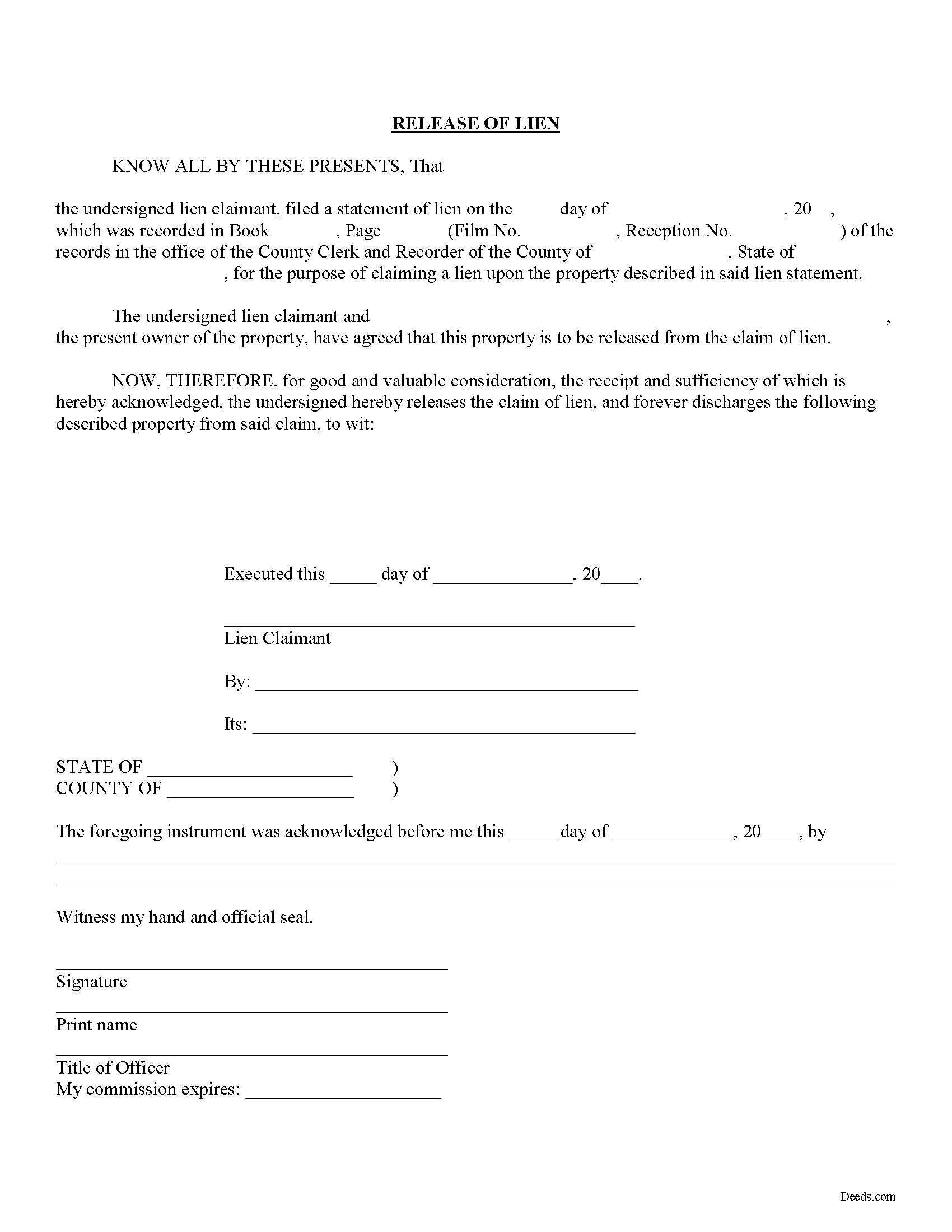
Pitkin County Mechanics Lien Release Form
Fill in the blank Mechanics Lien Release form formatted to comply with all Colorado recording and content requirements.
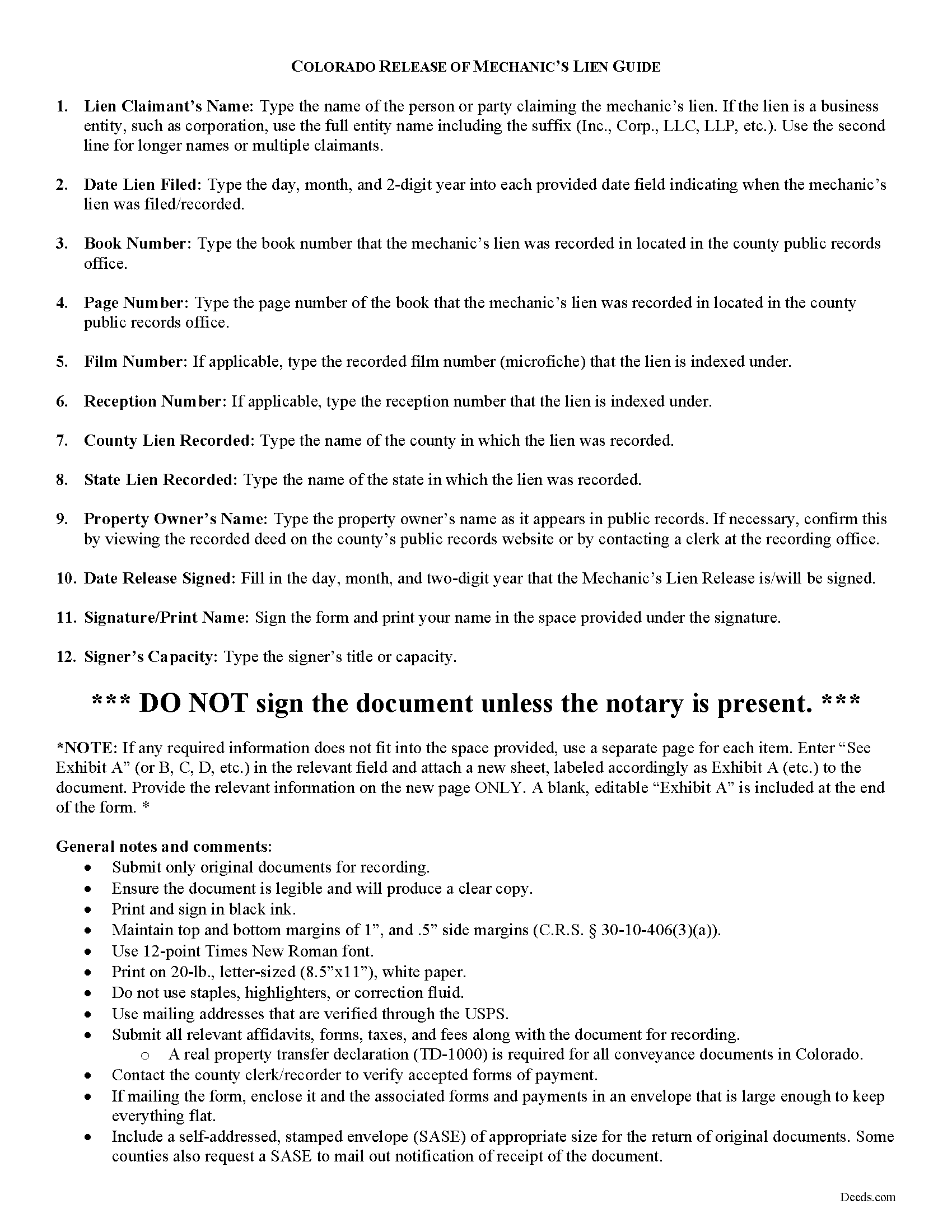
Pitkin County Mechanics Lien Release Guide
Line by line guide explaining every blank on the form.
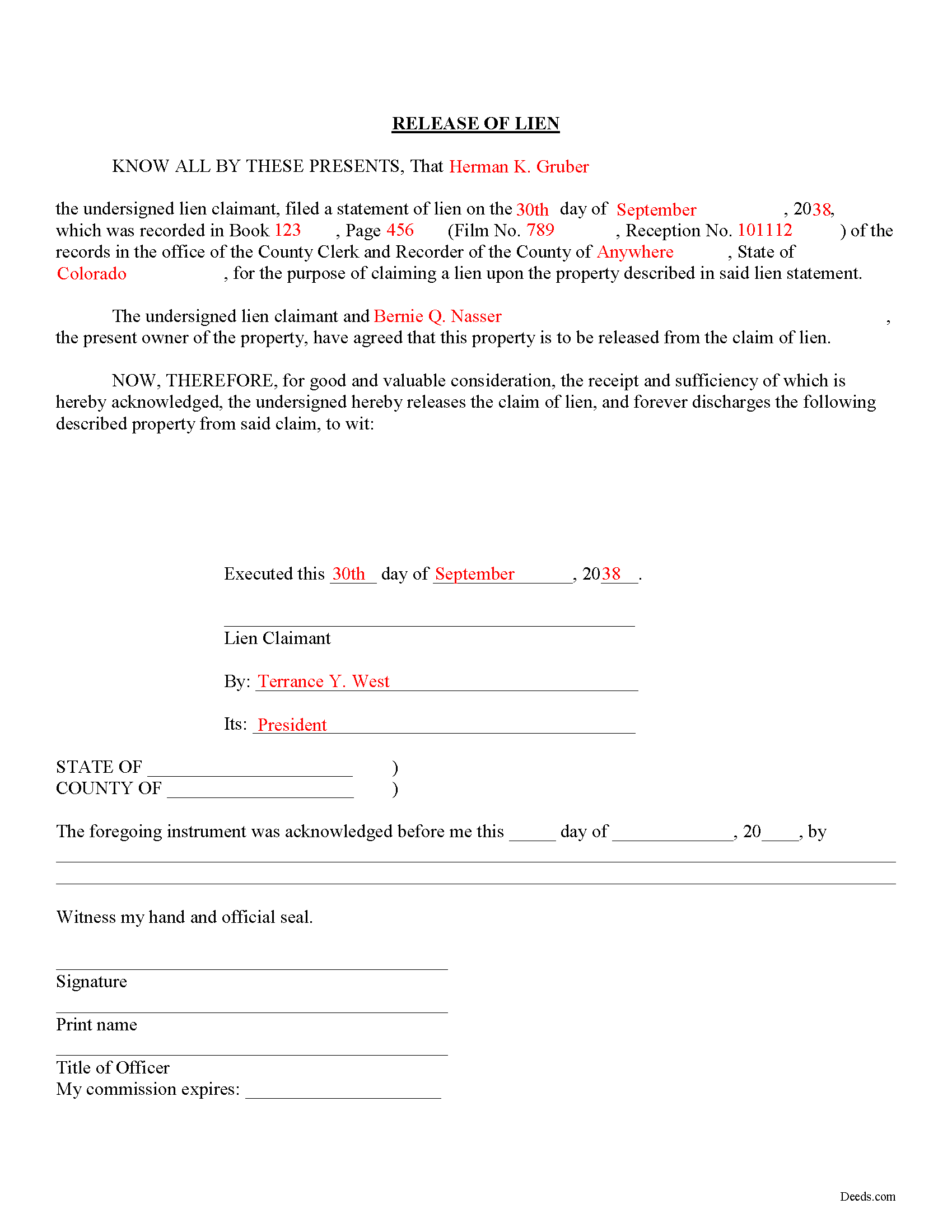
Pitkin County Completed Example of the Mechanics Lien Release Document
Example of a properly completed form for reference.
All 3 documents above included • One-time purchase • No recurring fees
Immediate Download • Secure Checkout
Additional Colorado and Pitkin County documents included at no extra charge:
Where to Record Your Documents
Pitkin County Clerk and Recorder
Aspen, Colorado 81611
Hours: 8:30 to 4:30 Mon-Thu; Friday until 5:00
Phone: (970) 920-5180
Recording Tips for Pitkin County:
- Bring your driver's license or state-issued photo ID
- Ensure all signatures are in blue or black ink
- Ask for certified copies if you need them for other transactions
- Ask if they accept credit cards - many offices are cash/check only
- Check that your notary's commission hasn't expired
Cities and Jurisdictions in Pitkin County
Properties in any of these areas use Pitkin County forms:
- Aspen
- Meredith
- Snowmass
- Snowmass Village
- Woody Creek
Hours, fees, requirements, and more for Pitkin County
How do I get my forms?
Forms are available for immediate download after payment. The Pitkin County forms will be in your account ready to download to your computer. An account is created for you during checkout if you don't have one. Forms are NOT emailed.
Are these forms guaranteed to be recordable in Pitkin County?
Yes. Our form blanks are guaranteed to meet or exceed the applicable formatting requirements used for recording in Pitkin County, including margin requirements, font requirements, and other layout standards. This guarantee applies to formatting, not to the legal sufficiency of information entered by the user or the suitability of a form for a particular transaction.
Can I reuse these forms?
Yes. You can reuse the forms for your personal use. For example, if you have multiple properties in Pitkin County you only need to order once.
What do I need to use these forms?
The forms are PDFs that you fill out on your computer. The free Adobe Acrobat Reader is recommended, and most PDF apps also work. You do NOT enter your property information online - you download the blank forms and complete them privately on your own computer.
Are there any recurring fees?
No. This is a one-time purchase. Nothing to cancel, no memberships, no recurring fees.
How much does it cost to record in Pitkin County?
Recording fees in Pitkin County vary. Contact the recorder's office at (970) 920-5180 for current fees.
Questions answered? Let's get started!
Releasing a Lien in Colorado
Colorado law doesn't provide for any mandated documents to release a lien, so how can a claimant (someone who filed a claim for lien against a property owner) accomplish this? When a lien has been satisfied, or needs to be released for any other purpose, use a lien release form.
The lien release form contains information about the lien claimant, the underlying mechanic's lien, and the property charged with the lien. By recording the document, the clerk at the recorder's office can locate the original lien and mark it as "discharged."
Find Colorado's General Mechanic's Lien laws at C.R.S. 38-22.
This article is provided for informational purposes only and should not be relied upon as a substitute for the advice of an attorney. If you have specific questions about releasing a lien, please speak with a Colorado attorney.
Important: Your property must be located in Pitkin County to use these forms. Documents should be recorded at the county recording office listed above.
This Mechanics Lien Release meets all recording requirements specific to Pitkin County.
Our Promise
The documents you receive here are guaranteed to meet or exceed the applicable Pitkin County recording format requirements. If there is a rejection caused by our formatting, we will correct the issue or refund your payment. This guarantee applies to document formatting only and does not extend to information entered by the user, the selection of the form, or the legal effect of the completed document.
Save Time and Money
Get your Pitkin County Mechanics Lien Release form done right the first time with Deeds.com Uniform Conveyancing Blanks. At Deeds.com, we understand that your time and money are valuable resources, and we don't want you to face a penalty fee or rejection imposed by a county recorder for submitting nonstandard documents. We constantly review and update our forms to meet rapidly changing state and county recording requirements for roughly 3,500 counties and local jurisdictions.
4.8 out of 5 - ( 4,839 Reviews )
Kathryn H. 5 out of 5 stars
Easy to complete with the use of the guide you provided. Very reasonable price considering the closing attorney wanted $450.
We appreciate your comments and your trust in us. Thank you.
BROOKE W. 5 out of 5 stars
Great fillable form! And the separate instruction sheet was detailed and very clear. I particularly appreciate you including a sample of a completed form. I've filled in real estate forms before but never this one, and there were some things I didn't know.
We appreciate your business and value your feedback. Thank you. Have a wonderful day!
John Z. 5 out of 5 stars
This was an easy to use program. Easy payment. documents are on my desktop ready to fill out. I will have to update after my property transfer. Zuna
We appreciate your business and value your feedback. Thank you. Have a wonderful day!
Willie S. 5 out of 5 stars
So easy and fast. Since covid-19 is here, this option is perfect.
Thank you!
Carol K. 1 out of 5 stars
was expecting a one page Grant Deed not what I received.
Hi Carol, thank you for your feedback. A properly prepared California Grant Deed often runs more than one page. California requires specific recording formatting, a documentary transfer tax declaration, room for the full legal description, and the state’s mandatory notary acknowledgment wording, which is typically on its own page. Our form is built to meet those requirements so it is accepted for recording.
Barbara E. 5 out of 5 stars
Love the accessibility to all counties. Save money and time using Deeds for all our recording needs!
Your satisfaction with our services is of utmost importance to us. Thank you for letting us know how we did!
George A. 5 out of 5 stars
Excellent Service.
Thank you for your feedback. We really appreciate it. Have a great day!
Raymond P. 5 out of 5 stars
User Friendly- so easy to fill in online!!!
We appreciate your business and value your feedback. Thank you. Have a wonderful day!
Roger W H. 5 out of 5 stars
So far GOOD, just can't locate legal description. Will sign in later when have correct info. Thanx!! Rog
Thank you!
Vicki G. 5 out of 5 stars
Thank you for this service, saved me from driving down town. It was quick and very easy to navigate. Have a great Thanksgiving break.
We appreciate your business and value your feedback. Thank you. Have a wonderful day!
Karen P. 5 out of 5 stars
Very easy to use.
Thank you!
Melisa H. 5 out of 5 stars
Quick turnaround and superior customer service from my reviewer. Above and beyond my expectations and took the time to look into the lengthy list of other counties I have to confirm you are able to e-record for me. I appreciate all the time and effort taken to help me.
Thank you for your feedback. We really appreciate it. Have a great day!
John C. 5 out of 5 stars
Great site and information. Very useful.
Thanks John, we appreciate your kind words.
Linda A. 5 out of 5 stars
This was perfect for providing the necessary forms. Easy to enter needed information. I would recommend this for legal documents.
We appreciate your business and value your feedback. Thank you. Have a wonderful day!
Sera E. 5 out of 5 stars
East, fast, reliable. Great service!
Thank you!