Gilpin County Quitclaim Deed (Corrective) Form
Last validated October 6, 2026 by our Forms Development TeamFormatted for recording in Gilpin County, for property anywhere in the county: rural and unincorporated areas as well as Black Hawk, Central City, Rollinsville.
- 3 documents included
- Immediate PDF download
- Formatting guarantee
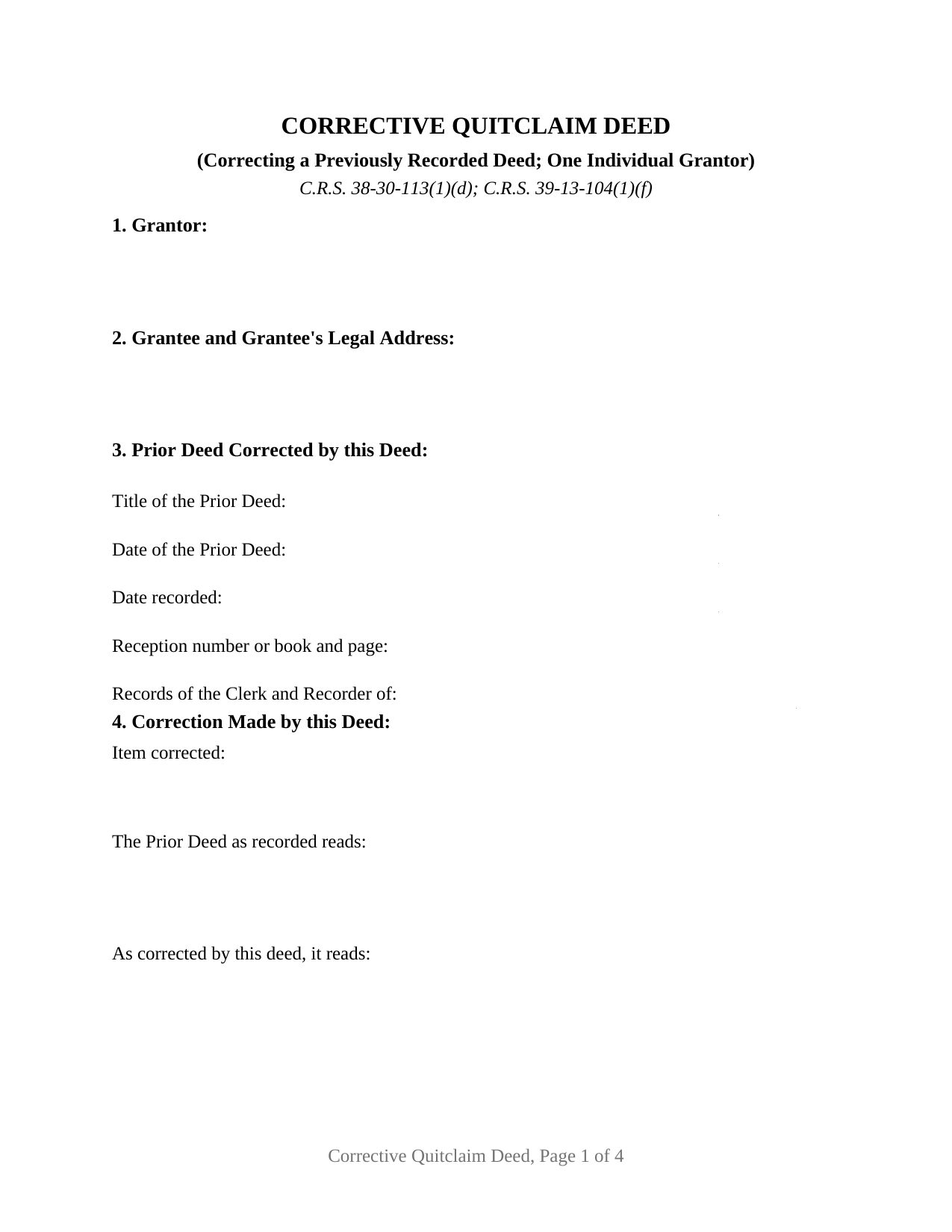
Gilpin County Quitclaim Deed (Corrective) Form
Fill in the blank Quitclaim Deed (Corrective) form formatted to comply with all Colorado recording and content requirements.
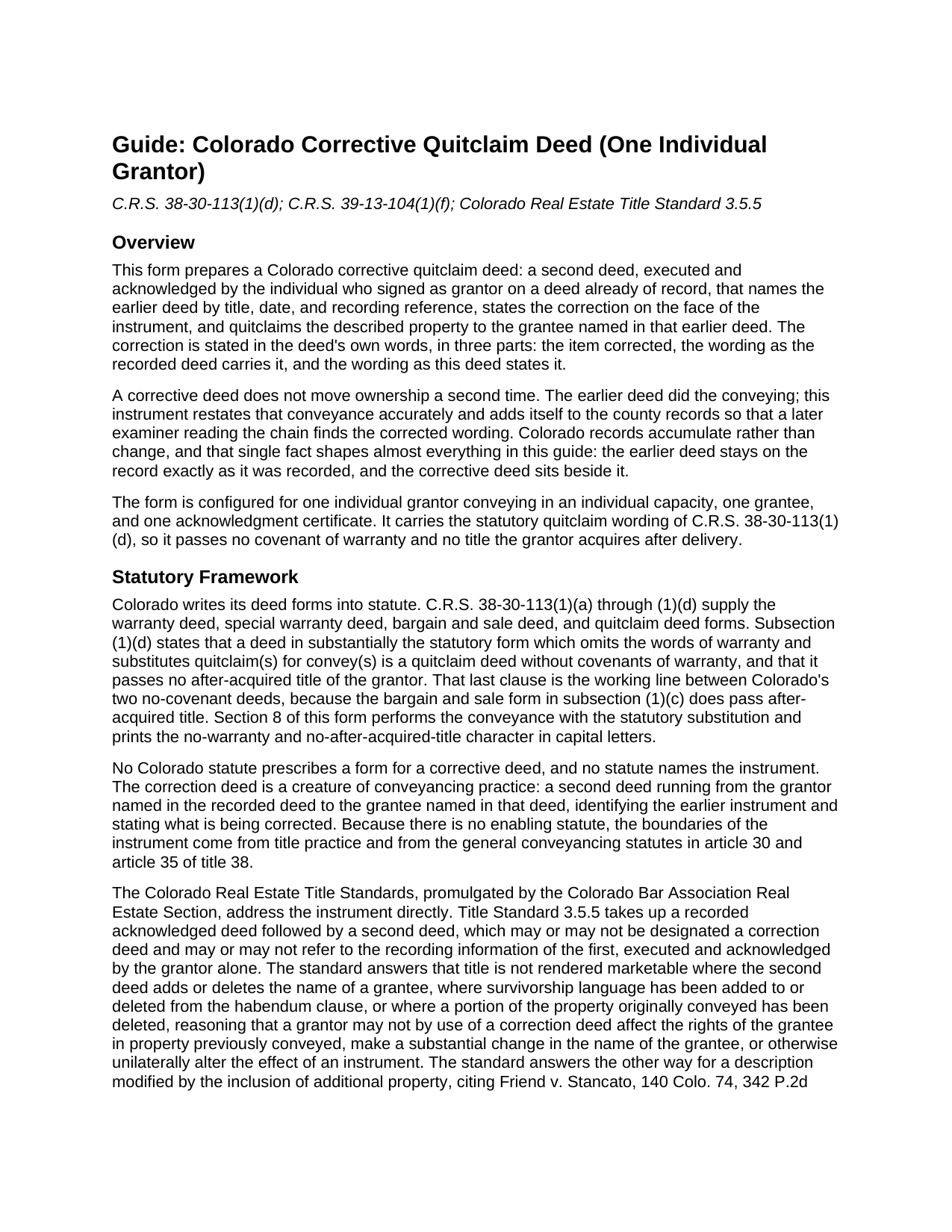
Gilpin County Quitclaim Deed (Corrective) Guide
Line by line guide explaining every blank on the Quitclaim Deed (Corrective) form.
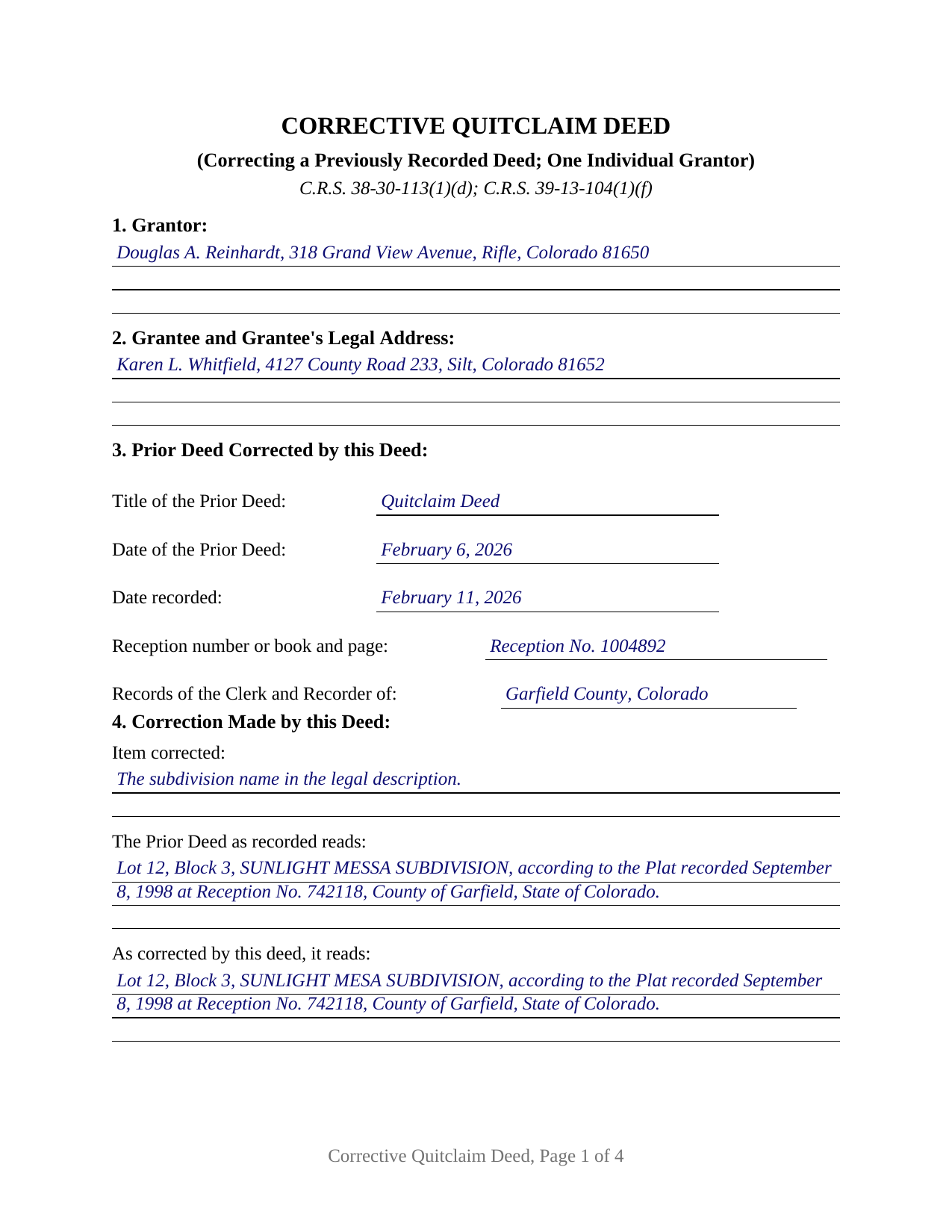
Gilpin County Completed Example of the Quitclaim Deed (Corrective) Document
Example of a properly completed Colorado Quitclaim Deed (Corrective) document for reference.
All 3 documents above included • One-time purchase • No recurring fees
Immediate Download • Secure Checkout
Additional Colorado and Gilpin County documents included at no extra charge:
Where to Record Your Documents
Gilpin County Clerk & Recorder
Central City, Colorado 80427
Hours: 8:00am to 4:30pm M-F
Phone: (303) 582-5321
Recording Tips for Gilpin County:
- Bring your driver's license or state-issued photo ID
- Ensure all signatures are in blue or black ink
- Bring extra funds - fees can vary by document type and page count
- Check margin requirements - usually 1-2 inches at top
- Leave recording info boxes blank - the office fills these
Cities and Jurisdictions in Gilpin County
Properties in any of these areas use Gilpin County forms:
- Black Hawk
- Central City
- Rollinsville
Hours, fees, requirements, and more for Gilpin County
How do I get my forms?
Forms are available for immediate download after payment. The Gilpin County forms will be in your account ready to download to your computer. An account is created for you during checkout if you don't have one. Forms are NOT emailed.
Are these forms guaranteed to be recordable in Gilpin County?
Yes. Our form blanks are guaranteed to meet or exceed the applicable formatting requirements used for recording in Gilpin County, including margin requirements, font requirements, and other layout standards. This guarantee applies to formatting, not to the legal sufficiency of information entered by the user or the suitability of a form for a particular transaction.
Can I reuse these forms?
Yes. You can reuse the forms for your personal use. For example, if you have multiple properties in Gilpin County you only need to order once.
What do I need to use these forms?
The forms are PDFs that you fill out on your computer. The free Adobe Acrobat Reader is recommended, and most PDF apps also work. You do NOT enter your property information online - you download the blank forms and complete them privately on your own computer.
Are there any recurring fees?
No. This is a one-time purchase. Nothing to cancel, no memberships, no recurring fees.
How much does it cost to record in Gilpin County?
Recording fees in Gilpin County vary. Contact the recorder's office at (303) 582-5321 for current fees.
Questions answered? Let's get started!
A recorded Colorado deed cannot be edited. The clerk and recorder keeps the image as filed, so an error in a deed already on the record is answered by a second deed recorded beside it, naming the first instrument, stating the correction in the deed's own words, and quitclaiming the same property to the same grantee. This fillable corrective quitclaim deed prepares that second instrument for the individual who signed the deed being corrected.
A record that adds rather than edits
Colorado's real property records accumulate. An endorsed deed keeps its own date and its own rank in the priority order C.R.S. 38-35-109 sets for whoever records first without notice. A corrective deed, often written correction deed, works inside that structure: a later deed from the same grantor to the same grantee over the same land, placing accurate wording where a title examiner reading forward will meet it.
The correction, printed in three parts
Section 3 ties the two filings together with the earlier deed's title, its signing date, its recording date, its reception number or book and page, and the office of record. That reference does real work, because under C.R.S. 38-35-108 a reference in a recorded deed to another instrument is not notice to a stranger to it unless that instrument is itself recorded in the county. Section 4 then prints the correction in three entries: the item corrected, the wording the recorded deed carries, and the wording this deed states. A misspelled subdivision name, a miskeyed plat reception number, an omitted signing date, a defective acknowledgment: a scrivener's error of that scale is what the arrangement exists to place on the record.
Statutory quitclaim wording doing corrective work
The conveyance is Colorado's statutory quitclaim, reached under C.R.S. 38-30-113(1)(d) by leaving the warranty words out and putting quitclaim where convey would stand, yielding a deed with no covenant of title and no interest the grantor picks up later. Section 8 performs it for a stated purpose, correcting the deed identified in Section 3 and confirming the conveyance that deed made, then draws its boundary: the correction stated in Section 4 and nothing further, every other term standing as recorded, no new consideration.
How far one grantor's signature reaches
The Colorado Real Estate Title Standards mark the instrument's outer edge, and the guide walks them with citations. Standard 3.5.5 takes up a second deed executed and acknowledged by the grantor alone, answering that title is not rendered marketable where a grantee's name has been added or deleted, where survivorship language has entered or left the habendum clause, or where part of the property already conveyed has been deleted, since a grantor may not unilaterally alter the effect of a delivered instrument. It answers the other way where the description takes in additional property, citing Friend v. Stancato.
One grantor, one grantee, one certificate
The form recites exactly one grantor, a natural person signing in an individual capacity who is named as grantor on the deed being corrected, and exactly one grantee, that deed's own grantee. The grantee entry takes a complete legal address, an omission C.R.S. 38-35-109(2) answers by sending the deed back unrecorded. One signature line and one acknowledgment certificate follow, on the individual short form at C.R.S. 24-21-516(1)(a). A release carrying a misspelled subdivision name, a description pointing at the wrong plat reception number, and a deed whose acknowledgment came back defective present the posture this deed addresses. The form is not set up for two grantors on the earlier deed, for a joinder signature by the grantee, for an entity or trustee grantor, or for an attorney-in-fact signature.
No documentary fee on a correction
Recording happens with the clerk and recorder of the county holding the land, at the flat statutory charge quoted as 43 dollars on county fee schedules since July 2025. C.R.S. 39-13-104(1)(f) exempts any instrument which confirms or corrects a deed previously recorded, and C.R.S. 39-13-104(2) has an exemption claimed as the instrument reaches the counter, which Section 6 holds. The transfer declaration accompanies a conveyance document, defined at C.R.S. 39-14-101(2) as a document on which the fee is imposed, so county practice on exempt corrective filings varies.
Three files arrive with the purchase: the corrective quitclaim deed as a fillable PDF, a worked Garfield County example correcting a misspelled subdivision name, and a guide covering the numbered sections, the title standard limits, the notarization, and the trip to the recorder. The materials are informational and are not legal advice.
Important: Your property must be located in Gilpin County to use these forms. Documents should be recorded at the county recording office listed above.
This Quitclaim Deed (Corrective) meets all recording requirements specific to Gilpin County.
Our Promise
The documents you receive here are guaranteed to meet or exceed the applicable Gilpin County recording format requirements. If there is a rejection caused by our formatting, we will correct the issue or refund your payment. This guarantee applies to document formatting only and does not extend to information entered by the user, the selection of the form, or the legal effect of the completed document.
Save Time and Money
Get your Gilpin County Quitclaim Deed (Corrective) form done right the first time with Deeds.com Uniform Conveyancing Blanks. At Deeds.com, we understand that your time and money are valuable resources, and we don't want you to face a penalty fee or rejection imposed by a county recorder for submitting nonstandard documents. We constantly review and update our forms to meet rapidly changing state and county recording requirements for roughly 3,500 counties and local jurisdictions.
4.8 out of 5 - ( 4,825 Reviews )
Gretchen B. 2 out of 5 stars
I wanna give more stars because the required information is there, but the character spacing is disjointed on the first page, rendering a gap-filled, awkward-looking document. Also, the opening parenthesis for the first field on the first page is on the wrong line and is backwards, which sets the wrong tone especially since it's the first thing you have to fill out.
Thank you for your feedback. We really appreciate it. Have a great day!
Connie J L. 5 out of 5 stars
Fast and easy to use. Easy to print.
Thank you!
Maria S. 3 out of 5 stars
The paperwork/forms are fine, but there isn't enough explanation for me to figure out how to file the extra forms (which I do need in my case). The main form, Deed Upon Death is fine. I think the price is pretty high for these forms. I wouldn't have purchased it because there are places to get them for much cheaper (about 6 dollars), but this site had the extra forms I wanted (property in a trust and another form). Unfortunately these were included as a "courtesy" and there are no instructions for them. So three stars for being clear about what was in the package, having the right forms that I need, but instructions for putting them to use and price took a couple of stars off. Downloading was easy and once you download you can type the info into the PDF--that makes working with the forms much easier.
Thank you for the feedback Maria. Regarding the supplement documents, it is best to get assistance from the agency that requires them. These are not legal documents, they should provide full support and guidance for them.
Curtise L. 5 out of 5 stars
Excellent experience. Quickly responded and was able to get us exactly what we needed!
Thank you!
Quinn R. 5 out of 5 stars
DEEDS.COM IS THE BEST WAY TO E-RECORD DEEDS. THEY ARE FAST, POLITE AND A FANTASTIC DEAL FOR THE SERVICE THAT THEY OFFER!!!
Thank you!
Evaristo R. 2 out of 5 stars
I was very excited to use the website but unfortunately they had a problem retrieving my Deed but thank you for the opportunity.
Thank you for your feedback. We really appreciate it. Have a great day!
Norma M. 5 out of 5 stars
this is great because it saves money and gets the job done
Thank you for your feedback. We really appreciate it. Have a great day!
Heidi J. 3 out of 5 stars
The form was useful, however the formatting is terrible once completed. A lot of white space with no option to remove extra spacing or to improve the overall formatting.
Thank you for your feedback, Heidi. We’re glad to hear the form itself was useful. We also understand your concern about the formatting and extra spacing once completed. Our forms are designed to meet strict county recording requirements, which can sometimes result in additional white space. That said, we’re always working to improve usability and presentation without compromising acceptance. Your input helps us identify where refinements are possible, and we’ll keep it in mind as we continue updating our templates.
Richard R. 4 out of 5 stars
Deeds.com got the job done. My deed was successfully recorded.
Thank you for your feedback. We really appreciate it. Have a great day!
Donald S. 5 out of 5 stars
Good
Thank you!
Gwen R. 5 out of 5 stars
Happy with the forms no complaints at all.
Thank you Gwen!
Kathleen S. 5 out of 5 stars
The process was easy and the Staff was very helpful. Document was recorded quickly.
We appreciate your business and value your feedback. Thank you. Have a wonderful day!
Audrey A. 5 out of 5 stars
Great!
Thank you!
Suzy I. 5 out of 5 stars
I was overwhelmed with information about what forms I needed to complete the probate process, and this site was very helpful! Everything was in one place to download. Thanks!
We appreciate your business and value your feedback. Thank you. Have a wonderful day!
iris e. 5 out of 5 stars
Easy to use website. customer service messages you back super quickly. They also double check your work and if anything is missing they message me right away. Price is reasonable. I highly recommend their services. 5 Star hands Down!!
We are grateful for your engagement and feedback, which help us to serve you better. Thank you for being an integral part of our community.