New Castle County Revocation of Transfer on Death Deed Form
Last validated September 23, 2026 by our Forms Development TeamFormatted for recording in New Castle County, for property anywhere in the county: rural and unincorporated areas as well as Bear, Claymont, Delaware City, Hockessin, Kirkwood, Middletown, Montchanin, New Castle and 9 more.
- 3 documents included
- Immediate PDF download
- Formatting guarantee
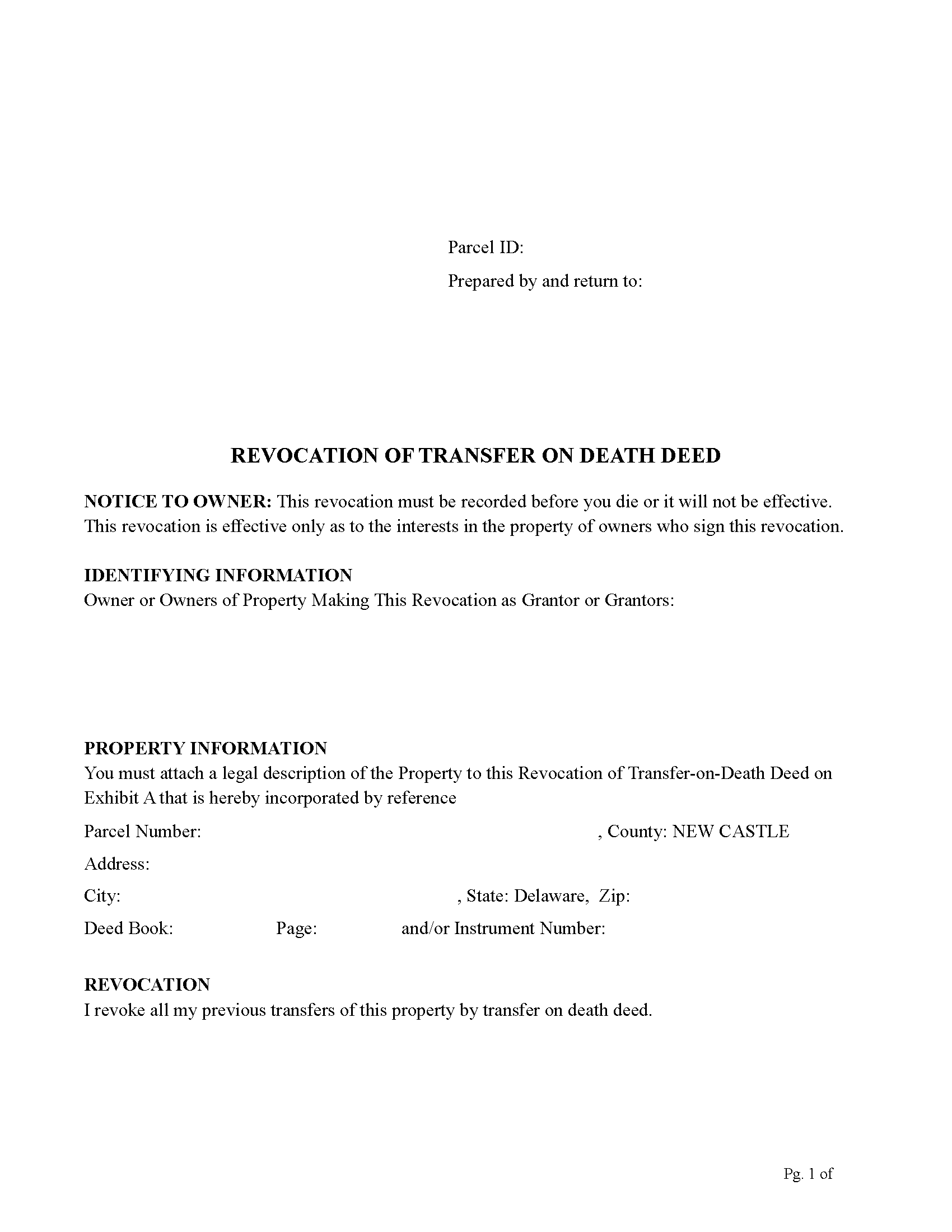
New Castle County Revocation of Transfer on Death Deed Form
Fill in the blank Revocation of Transfer on Death Deed form formatted to comply with all Delaware recording and content requirements.
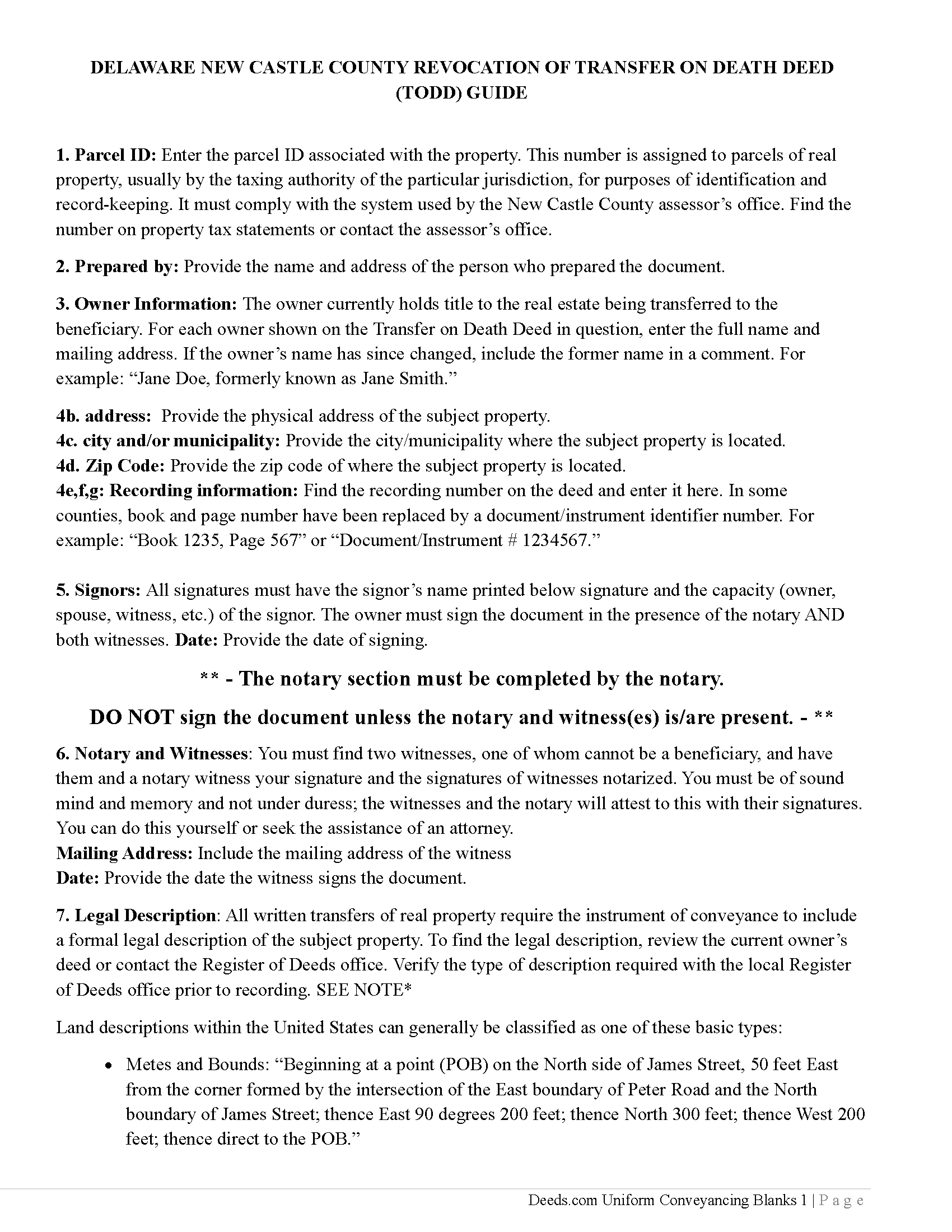
New Castle County Revocation of Transfer on Death Deed Guide
Line by line guide explaining every blank on the Revocation of Transfer on Death Deed form.
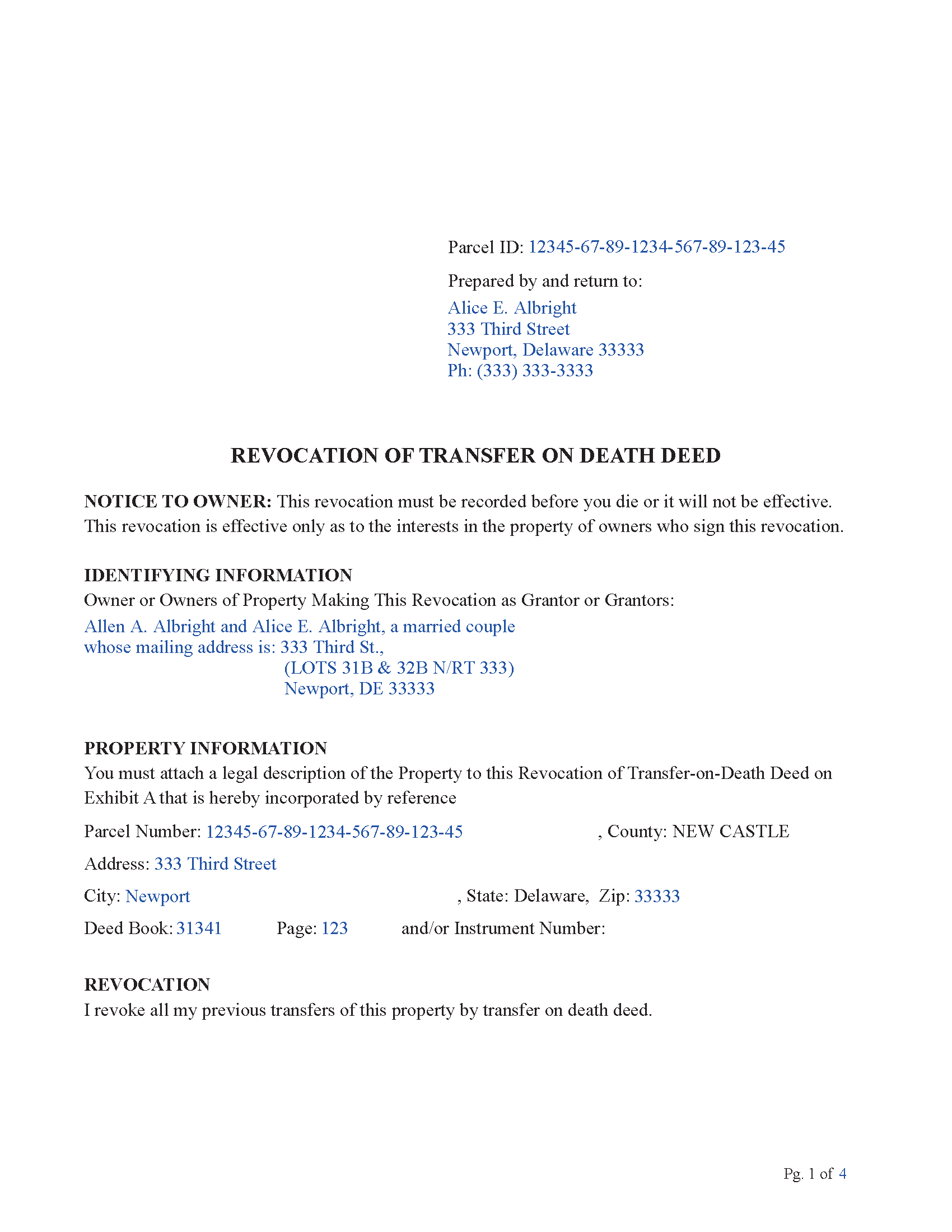
New Castle County Completed Example of the Revocation of Transfer on Death Deed Document
Example of a properly completed Delaware Revocation of Transfer on Death Deed document for reference.
All 3 documents above included • One-time purchase • No recurring fees
Immediate Download • Secure Checkout
Additional Delaware and New Castle County documents included at no extra charge:
Where to Record Your Documents
Recorder of Deeds
Wilmington, Delaware 19801
Hours: 8:30 to 4:00 Monday - Friday / Recording until 3:45
Phone: (302) 395-7700
Recording Tips for New Castle County:
- Bring your driver's license or state-issued photo ID
- Ensure all signatures are in blue or black ink
- Recorded documents become public record - avoid including SSNs
- Recording fees may differ from what's posted online - verify current rates
- Request a receipt showing your recording numbers
Cities and Jurisdictions in New Castle County
Properties in any of these areas use New Castle County forms:
- Bear
- Claymont
- Delaware City
- Hockessin
- Kirkwood
- Middletown
- Montchanin
- New Castle
- Newark
- Odessa
- Port Penn
- Rockland
- Saint Georges
- Townsend
- Wilmington
- Winterthur
- Yorklyn
Hours, fees, requirements, and more for New Castle County
How do I get my forms?
Forms are available for immediate download after payment. The New Castle County forms will be in your account ready to download to your computer. An account is created for you during checkout if you don't have one. Forms are NOT emailed.
Are these forms guaranteed to be recordable in New Castle County?
Yes. Our form blanks are guaranteed to meet or exceed the applicable formatting requirements used for recording in New Castle County, including margin requirements, font requirements, and other layout standards. This guarantee applies to formatting, not to the legal sufficiency of information entered by the user or the suitability of a form for a particular transaction.
Can I reuse these forms?
Yes. You can reuse the forms for your personal use. For example, if you have multiple properties in New Castle County you only need to order once.
What do I need to use these forms?
The forms are PDFs that you fill out on your computer. The free Adobe Acrobat Reader is recommended, and most PDF apps also work. You do NOT enter your property information online - you download the blank forms and complete them privately on your own computer.
Are there any recurring fees?
No. This is a one-time purchase. Nothing to cancel, no memberships, no recurring fees.
How much does it cost to record in New Castle County?
Recording fees in New Castle County vary. Contact the recorder's office at (302) 395-7700 for current fees.
Questions answered? Let's get started!
How you can revoke a TODD
a. Once a Transfer on Death Deed has been recorded, it can only be revoked in writing.
It cannot be revoked by tearing it up, crossing it out, or writing “void” on it.
To revoke a TODD (or part of it), the revoking document must:
1. Be one of these three types of documents:
A new Transfer on Death Deed that clearly cancels the earlier TODD (either by saying so directly or by naming different beneficiaries in a way that conflicts with the old one), or
A separate written revocation document that clearly states the TODD (or part of it) is revoked, or
A regular deed signed during your lifetime (such as a warranty or quitclaim deed) that clearly states the TODD (or part of it) is revoked.
2. Be properly signed and recorded:
It must be signed and notarized after the TODD being revoked was signed, and
It must be recorded before the owner dies in the same county where the TODD was recorded.
3. Be witnessed by two people.
(b) If more than one owner signed the TODD
If a TODD was signed by more than one property owner:
1. One owner cannot cancel the TODD for the others.
If one owner revokes the TODD, it only affects that owner’s share.
2. For joint owners with survivorship rights:
The TODD is canceled only if all living joint owners revoke it together.
(c) What you cannot do
After a TODD is recorded, you cannot revoke it by a physical act, such as:
tearing it up
writing on it
destroying it
marking it “void”
Only a properly recorded written document can revoke it.
(d) Selling or transferring the property during life
This rule does not limit your ability to sell, gift, or otherwise transfer the property while you are alive.
If you transfer the property during your lifetime, that transfer automatically overrides the TODD.
Summary:
A TODD can only be revoked by a new written, recorded document.
Physical acts do not revoke it.
If there are multiple owners, each owner controls only their own share.
Joint owners must all revoke together to cancel a joint TODD.
Selling or deeding the property during life still works normally.
Important: Your property must be located in New Castle County to use these forms. Documents should be recorded at the county recording office listed above.
This Revocation of Transfer on Death Deed meets all recording requirements specific to New Castle County.
Our Promise
The documents you receive here are guaranteed to meet or exceed the applicable New Castle County recording format requirements. If there is a rejection caused by our formatting, we will correct the issue or refund your payment. This guarantee applies to document formatting only and does not extend to information entered by the user, the selection of the form, or the legal effect of the completed document.
Save Time and Money
Get your New Castle County Revocation of Transfer on Death Deed form done right the first time with Deeds.com Uniform Conveyancing Blanks. At Deeds.com, we understand that your time and money are valuable resources, and we don't want you to face a penalty fee or rejection imposed by a county recorder for submitting nonstandard documents. We constantly review and update our forms to meet rapidly changing state and county recording requirements for roughly 3,500 counties and local jurisdictions.
4.8 out of 5 - ( 4,825 Reviews )
Daniel W. 5 out of 5 stars
They are amazing. So fast and friendly.
We appreciate your business and value your feedback. Thank you. Have a wonderful day!
Melissa W. 5 out of 5 stars
So easy to use!
Thank you!
RUSSELL E. 5 out of 5 stars
Awesome and quick service again, just like always from KvH. Thanks!
We are sincerely grateful for your feedback and are committed to providing the highest quality service. Thank you for your trust in us.
Kyle K. 5 out of 5 stars
Deeds is extremely helpful and cost effective for small and large businesses. Saves me time to do more valuable tasks.
Thank you for your feedback. We really appreciate it. Have a great day!
Eleanor W. 5 out of 5 stars
Easy to find the form I needed. And the instructions helpful on how to fill out the form.
We appreciate your business and value your feedback. Thank you. Have a wonderful day!
JOE M. 5 out of 5 stars
The form I needed were easy to find. And very affordable. Great service.
Thank you for your feedback. We really appreciate it. Have a great day!
DeBe W. 5 out of 5 stars
Thanks for the quick response. That really helps when you're under a time deadline.
Your feedback is greatly appreciated. Thank you for taking the time to share your experience!
michele d. 4 out of 5 stars
It was easy to download, received it quickly, the sample really helped. I would like if some of the text was editable. for instance - the addresses were defaulted with the state of filing while we lived in another one.
Thank you for your feedback. We really appreciate it. Have a great day!
Timothy G. 5 out of 5 stars
Very happy with the cost and with the speed in which the deed was recorded.
We appreciate your business and value your feedback. Thank you. Have a wonderful day!
Gail W. 5 out of 5 stars
Deeds.com had the forms I needed, along with completed examples. Fast download. Easy to use site. Thanks!
Thank you!
Angie K. 4 out of 5 stars
Thank You!
Thank you Angie.
Kay Y. 5 out of 5 stars
Fast and easy service.
Your words of encouragement and feedback are greatly appreciated. They motivate us to maintain high standards in our service.
Marites T. 5 out of 5 stars
Extremely helpful team of professionals who are patient when you need to get things filed correctly. Very small price for the comfort of knowing your DOCUMENTS are FILED with you local Recorder's Office. Some of the filings, if they are correctly formatted are already uploaded and official within a few hours. Here's the ALTERNATIVE you may encounter. For Example: King County Recorder's Office moved which means most filings are backed up 7-10 days if you DROP your filing in a BOX with your CHECK or MAIL IT. Neither is a great option, since they have no WALK IN HOURS.
We appreciate your business and value your feedback. Thank you. Have a wonderful day!
Geneen C. 5 out of 5 stars
Love this site. The form directions are easy and I finished in less than an hour! Totally recommend it.
Thank you for your feedback. We really appreciate it. Have a great day!
Anna L W. 5 out of 5 stars
Was insecure about being able to access the information but pleasantly found that the site was easy to use. Seems that I can use it repeatedly to go back and reprint the forms once I paid.
We appreciate your business and value your feedback. Thank you. Have a wonderful day!