Montgomery County Quitclaim Deed (Married Grantor with Non-Owner Spouse Joinder) Form
Last validated September 29, 2026 by our Forms Development TeamFormatted for recording in Montgomery County, for property anywhere in the county: rural and unincorporated areas as well as Butler, Coffeen, Donnellson, Farmersville, Fillmore, Harvel, Hillsboro, Irving and 9 more.
- 3 documents included
- Immediate PDF download
- Formatting guarantee
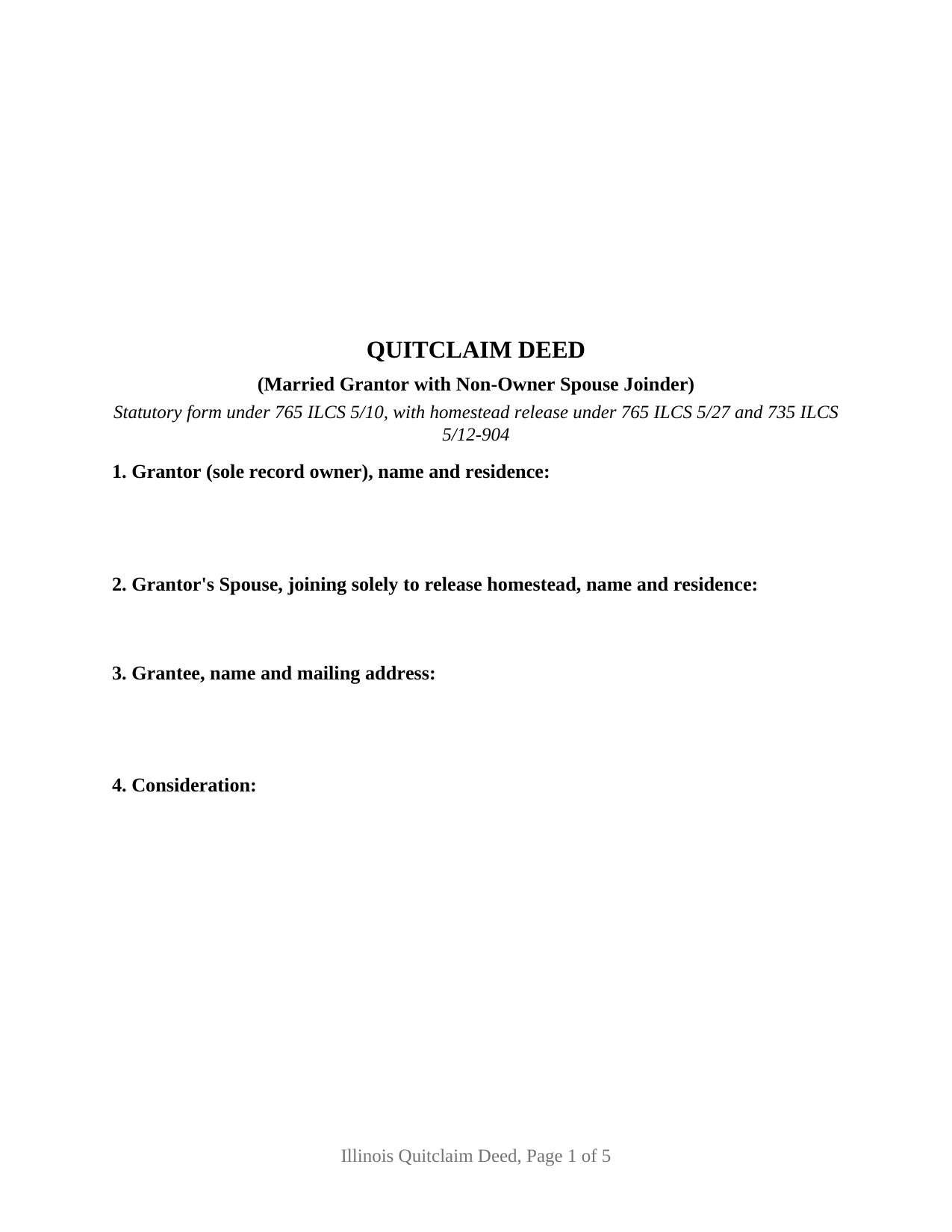
Montgomery County Quitclaim Deed (Married Grantor with Non-Owner Spouse Joinder) Form
Fill in the blank Quitclaim Deed (Married Grantor with Non-Owner Spouse Joinder) form formatted to comply with all Illinois recording and content requirements.
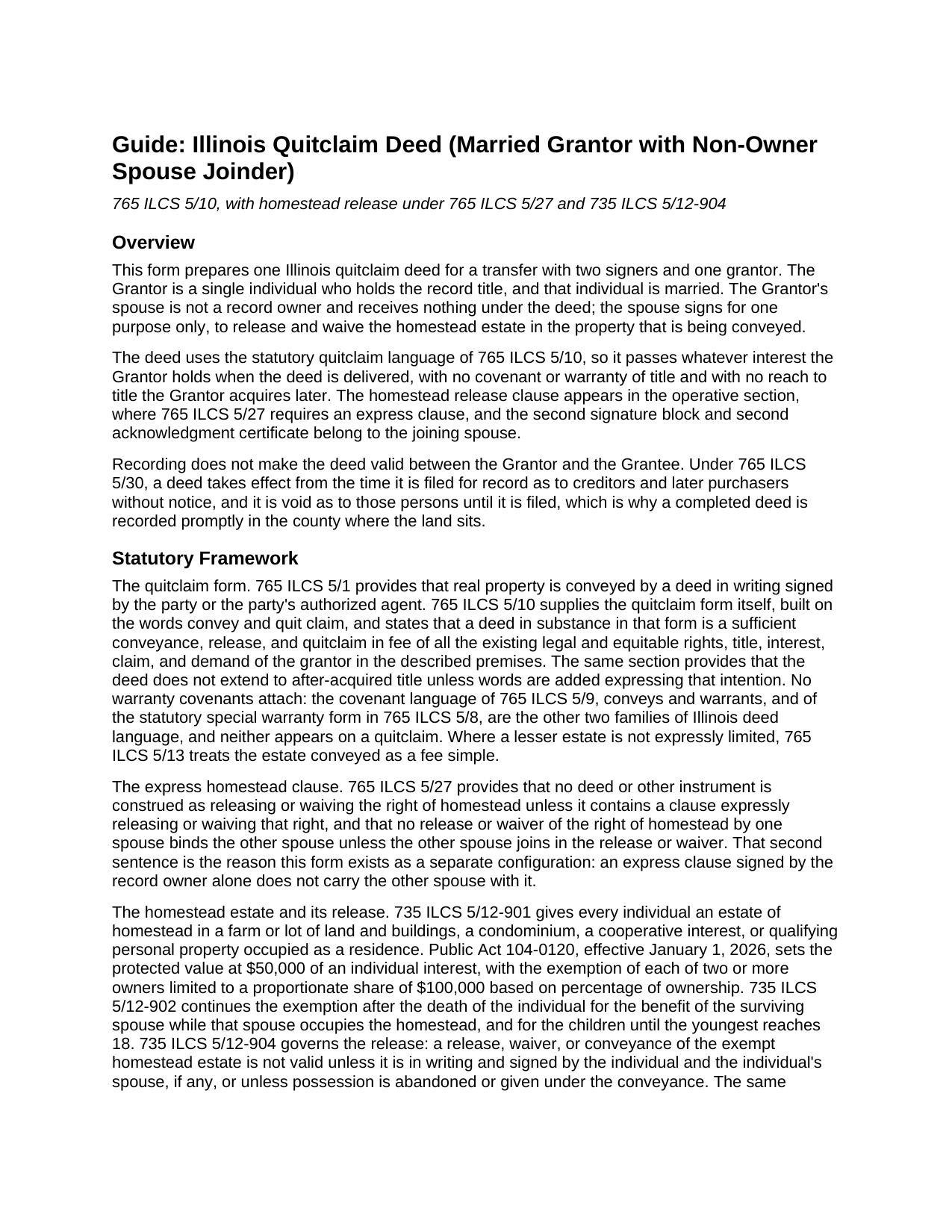
Montgomery County Quitclaim Deed (Married Grantor with Non-Owner Spouse Joinder) Guide
Line by line guide explaining every blank on the Quitclaim Deed (Married Grantor with Non-Owner Spouse Joinder) form.
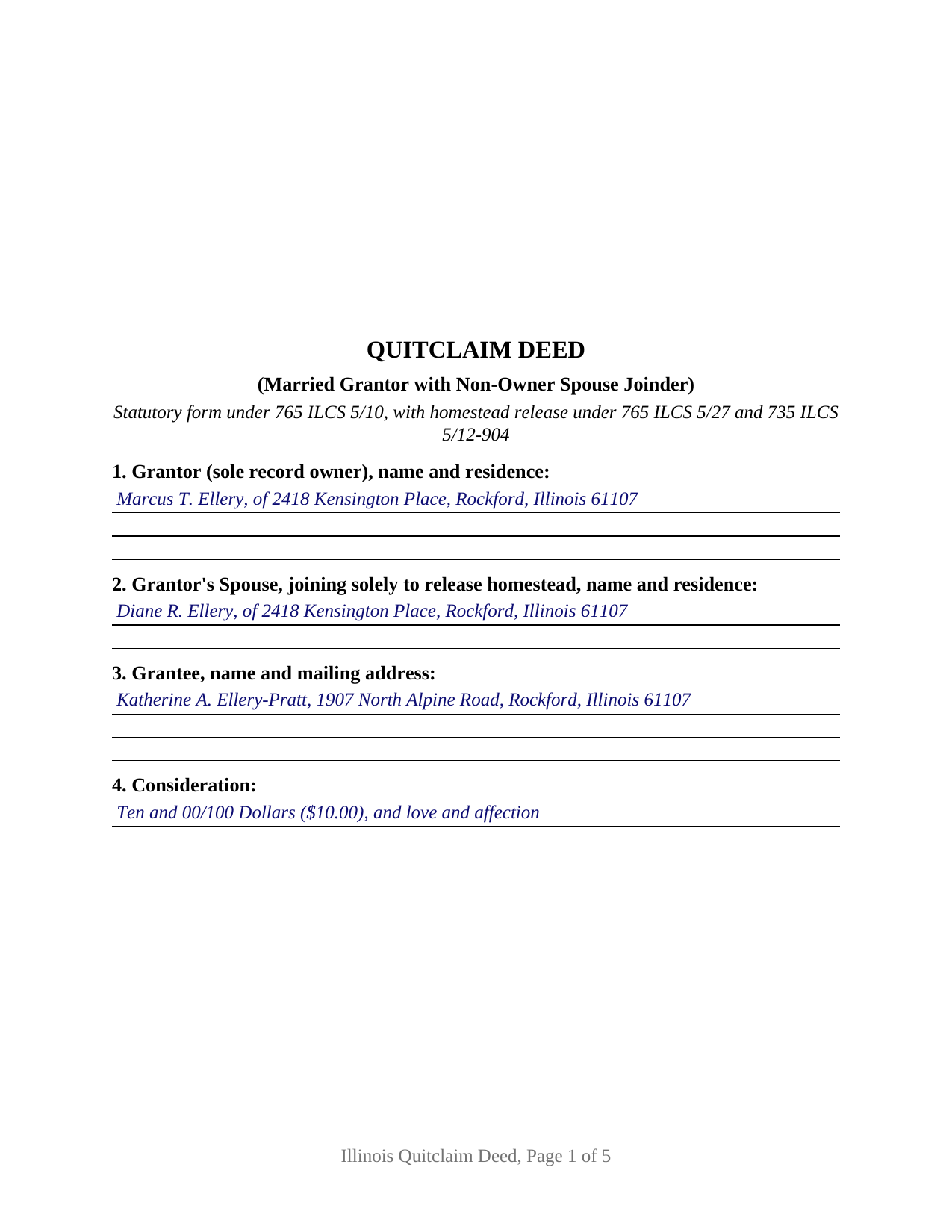
Montgomery County Completed Example of the Quitclaim Deed (Married Grantor with Non-Owner Spouse Joinder) Document
Example of a properly completed Illinois Quitclaim Deed (Married Grantor with Non-Owner Spouse Joinder) document for reference.
All 3 documents above included • One-time purchase • No recurring fees
Immediate Download • Secure Checkout
Additional Illinois and Montgomery County documents included at no extra charge:
Where to Record Your Documents
Montgomery County Clerk & Recorder
Hillsboro, Illinois 62049-0595
Hours: 8:00 to 4:00 Monday through Friday
Phone: (217) 532-9530
Recording Tips for Montgomery County:
- Bring your driver's license or state-issued photo ID
- Ensure all signatures are in blue or black ink
- Recorded documents become public record - avoid including SSNs
- Recording fees may differ from what's posted online - verify current rates
- Request a receipt showing your recording numbers
Cities and Jurisdictions in Montgomery County
Properties in any of these areas use Montgomery County forms:
- Butler
- Coffeen
- Donnellson
- Farmersville
- Fillmore
- Harvel
- Hillsboro
- Irving
- Litchfield
- Nokomis
- Ohlman
- Panama
- Raymond
- Taylor Springs
- Waggoner
- Walshville
- Witt
Hours, fees, requirements, and more for Montgomery County
How do I get my forms?
Forms are available for immediate download after payment. The Montgomery County forms will be in your account ready to download to your computer. An account is created for you during checkout if you don't have one. Forms are NOT emailed.
Are these forms guaranteed to be recordable in Montgomery County?
Yes. Our form blanks are guaranteed to meet or exceed the applicable formatting requirements used for recording in Montgomery County, including margin requirements, font requirements, and other layout standards. This guarantee applies to formatting, not to the legal sufficiency of information entered by the user or the suitability of a form for a particular transaction.
Can I reuse these forms?
Yes. You can reuse the forms for your personal use. For example, if you have multiple properties in Montgomery County you only need to order once.
What do I need to use these forms?
The forms are PDFs that you fill out on your computer. The free Adobe Acrobat Reader is recommended, and most PDF apps also work. You do NOT enter your property information online - you download the blank forms and complete them privately on your own computer.
Are there any recurring fees?
No. This is a one-time purchase. Nothing to cancel, no memberships, no recurring fees.
How much does it cost to record in Montgomery County?
Recording fees in Montgomery County vary. Contact the recorder's office at (217) 532-9530 for current fees.
Questions answered? Let's get started!
Illinois asks for a signature that catches sellers off guard: a spouse who owns no part of the property signs the deed anyway. This quitclaim deed is arranged around that signature. One married individual holds the record title and conveys it; the spouse who is not on title signs a separate labeled block for one purpose, releasing the homestead estate.
Why a spouse who owns nothing signs
Two statutes work together. 765 ILCS 5/27 provides that no deed is construed as releasing or waiving the right of homestead unless it contains a clause expressly doing so, and that a release by one spouse does not bind the other spouse unless the other joins in it. 735 ILCS 5/12-904 makes a release, waiver, or conveyance of the exempt homestead estate invalid unless it is in writing signed by the individual and that individual's spouse, if any, treating abandonment of possession, or possession given under the conveyance, as the alternatives. The estate protects $50,000 of an individual interest as of January 1, 2026. A deed of an occupied Illinois residence signed by the record owner alone leaves that question open in the chain of title, where a title examiner reads it.
One grantor, one joining spouse, two certificates
The deed names a single grantor in Section 1 and the joining spouse in Section 2, and the operative section keeps the two roles apart. The Grantor conveys and quit claims every interest the Grantor holds, with the express homestead release printed where the Conveyances Act calls for it. A separate sentence states that the spouse joins solely to release and waive homestead rights, conveys no interest, takes on no obligation of the Grantor, and makes no covenant of title, and the second signature block repeats that limitation in its own label. The labeling carries weight: deciding mortgage cases, Illinois appellate courts have given effect to this kind of qualified signature rather than treating the signer as a party to the obligation. Each signer has an acknowledgment certificate, so the two may appear before different notaries on different days, and the certificate form in 765 ILCS 5/26 itself contemplates a spouse acknowledging and being named with the spouse designation.
Titles that present this pattern include a residence one spouse bought before the marriage and still holds alone, a house that came to one spouse by gift or inheritance during the marriage, and a parcel one spouse has always held alone while the couple lives in it. The form is not set up for two record owners signing as grantors, for entirety property where both spouses are already tenants, or for a transfer to the owner's own spouse, which 735 ILCS 5/12-904 excepts from the joinder requirement.
What a quit claim deed moves and what it leaves behind
Under 765 ILCS 5/10, the words convey and quit claim pass, in fee, all existing legal and equitable rights the grantor holds, and nothing more: no covenant of title, no warranty against encumbrances, and no reach to title acquired later unless express words are added for it. Mortgages, judgments, easements, and plat restrictions of record ride through untouched, and moving the record title does nothing to the Grantor's loan liability.
The paperwork a recorder expects with it
Illinois makes certain content a condition of recording, and each item has its labeled place: who prepared the instrument, the grantee name and mailing address, where the recorded original is returned, the document number of the deed the Grantor took title by, and the address for the next tax bills. Page geometry answers the county fee statutes, with letter size sheets, half inch clean margins, and the blank corner the recorder stamps. Section 11 handles transfer tax in either direction, through the PTAX-203 declaration or MyDec, or a completed notation of the paragraph of 35 ILCS 200/31-45 relied on for an exempt transfer. Cook County adds a layer, since the recorder there mails notice to the owners of record whenever a quit claim deed is recorded.
Three files arrive with the purchase: the deed as a fillable PDF, a completed example filled in start to finish for a Winnebago County homestead transfer with the joinder signature in place, and a guide covering each section, the homestead statutes and the decisions reading them, notarization including remote notarization, and county recording steps. All of it is general information about Illinois law rather than legal advice, and an Illinois attorney or title company can speak to one particular homestead and chain of title.
Important: Your property must be located in Montgomery County to use these forms. Documents should be recorded at the county recording office listed above.
This Quitclaim Deed (Married Grantor with Non-Owner Spouse Joinder) meets all recording requirements specific to Montgomery County.
Our Promise
The documents you receive here are guaranteed to meet or exceed the applicable Montgomery County recording format requirements. If there is a rejection caused by our formatting, we will correct the issue or refund your payment. This guarantee applies to document formatting only and does not extend to information entered by the user, the selection of the form, or the legal effect of the completed document.
Save Time and Money
Get your Montgomery County Quitclaim Deed (Married Grantor with Non-Owner Spouse Joinder) form done right the first time with Deeds.com Uniform Conveyancing Blanks. At Deeds.com, we understand that your time and money are valuable resources, and we don't want you to face a penalty fee or rejection imposed by a county recorder for submitting nonstandard documents. We constantly review and update our forms to meet rapidly changing state and county recording requirements for roughly 3,500 counties and local jurisdictions.
4.8 out of 5 - ( 4,825 Reviews )
Sherri S. 5 out of 5 stars
Easy to access forms, and reasonably priced. I'll definitely use again in the future.
We appreciate your business and value your feedback. Thank you. Have a wonderful day!
Elena R. 4 out of 5 stars
Very helpful forms and guide. Would use again if needed.
Thank you for your feedback. We really appreciate it. Have a great day!
Paul M. 5 out of 5 stars
Great site! Got what I needed and I'm not the brightest bulb in the box when it comes to this interwebz stuff.
Thank you!
CARRIE T. 5 out of 5 stars
Thought it was pretty simple to use.
Thank you!
Frank R. 5 out of 5 stars
Our notary. Marie was prompt, courteous and professional. Would definitely use again and reccomend
Thank you for your feedback. We really appreciate it. Have a great day!
Martin B. 5 out of 5 stars
Excellent Detailed and clear Easy to use
We appreciate your business and value your feedback. Thank you. Have a wonderful day!
Ronald P. 5 out of 5 stars
Very easy to use... awaiting info
Thank you for your feedback. We really appreciate it. Have a great day!
Monty H. 5 out of 5 stars
Perfection. The filled-out form was especially helpful and I appreciate not having to share personal/financial information over the Internet, as required by so many other legal form service providers.
We appreciate your business and value your feedback. Thank you. Have a wonderful day!
Bobbie N. 5 out of 5 stars
Thank you so much for making the site so easy to use.
Thank you for your feedback. We really appreciate it. Have a great day!
Burr A. 5 out of 5 stars
So far so good. Prompt and responsive. Thank you.
Thank you!
Eduardo A. 5 out of 5 stars
Perfect, blank forms, just what I ordered. Easy to download, understand, and complete.
Thank you!
Omid B. 5 out of 5 stars
Super efficient, extremely responsive , and above all quick turnaround. Thank you! Will definitely use your services again!
Thank you!
Frank G B. 5 out of 5 stars
site is very helpful and easy to use.
We appreciate your business and value your feedback. Thank you. Have a wonderful day!
Deidre E. 5 out of 5 stars
Best thing since sliced bread. Do your homework. Find the documents with Deeds.com and bypass expensive and unnecessary lawyers fees.
We deeply appreciate the trust you have placed in our services. Thank you for your valuable feedback and for choosing us.
Elaine L. 5 out of 5 stars
5 STAR, THIS WAS A GREAT EXPERIENCE, FAST VERY RESOURCEFUL TOOL TO PROVIDE FOR MY CLIENTS. Thank you
Thank you!