Montgomery County Quitclaim Deed (Trustee Grantor) Form
Last validated September 11, 2026 by our Forms Development TeamFormatted for recording in Montgomery County, for property anywhere in the county: rural and unincorporated areas as well as Butler, Coffeen, Donnellson, Farmersville, Fillmore, Harvel, Hillsboro, Irving and 9 more.
- 3 documents included
- Immediate PDF download
- Formatting guarantee
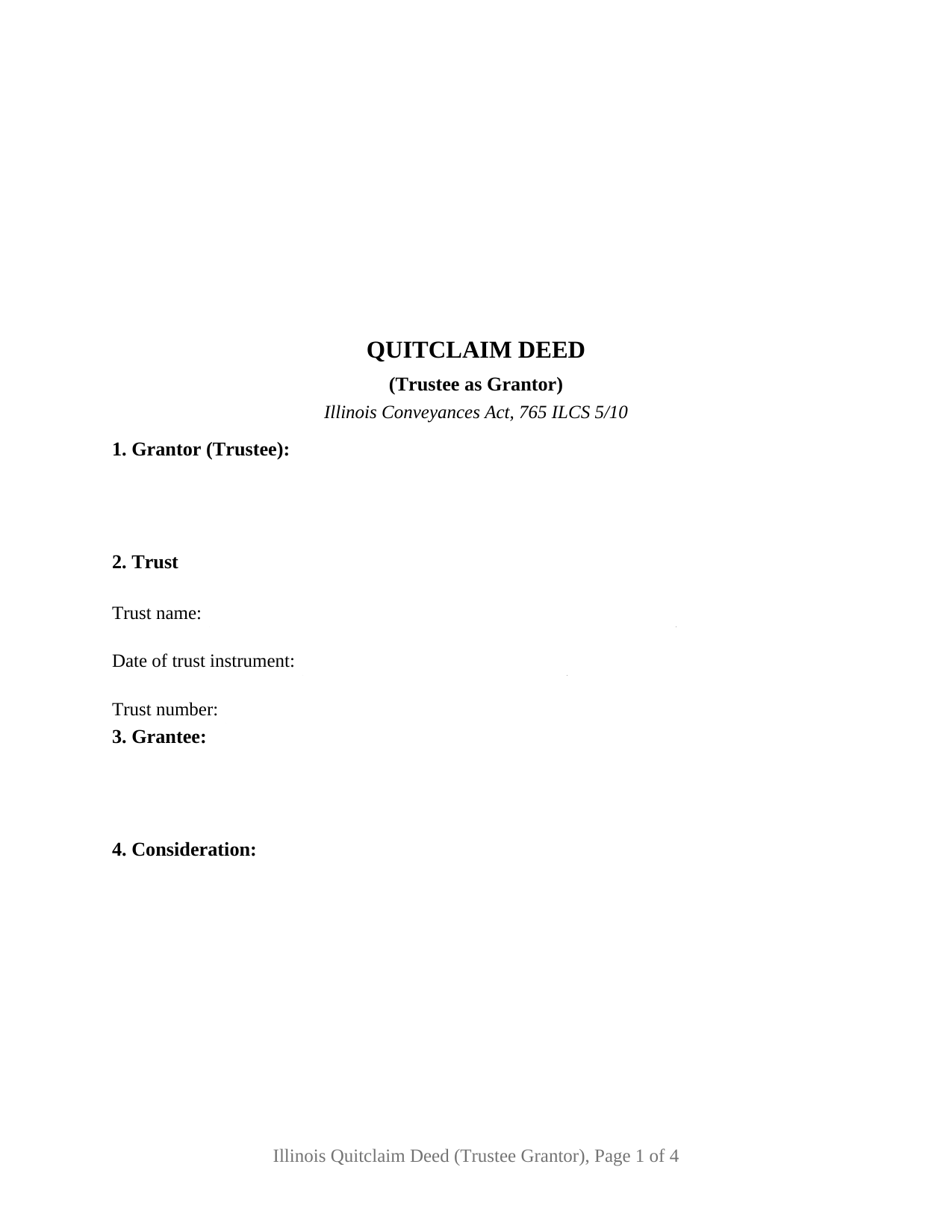
Montgomery County Quitclaim Deed (Trustee Grantor) Form
Fill in the blank Quitclaim Deed (Trustee Grantor) form formatted to comply with all Illinois recording and content requirements.
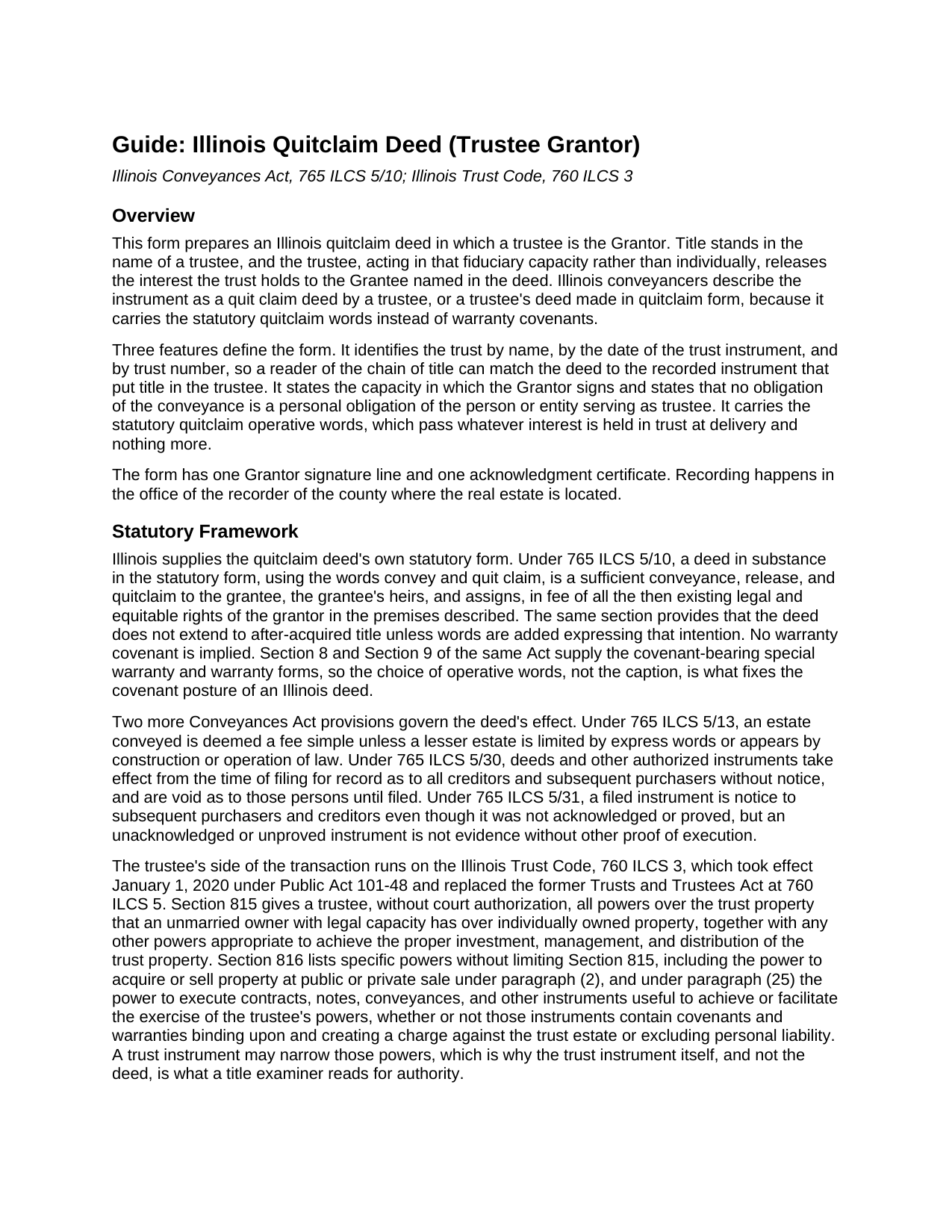
Montgomery County Quitclaim Deed (Trustee Grantor) Guide
Line by line guide explaining every blank on the Quitclaim Deed (Trustee Grantor) form.
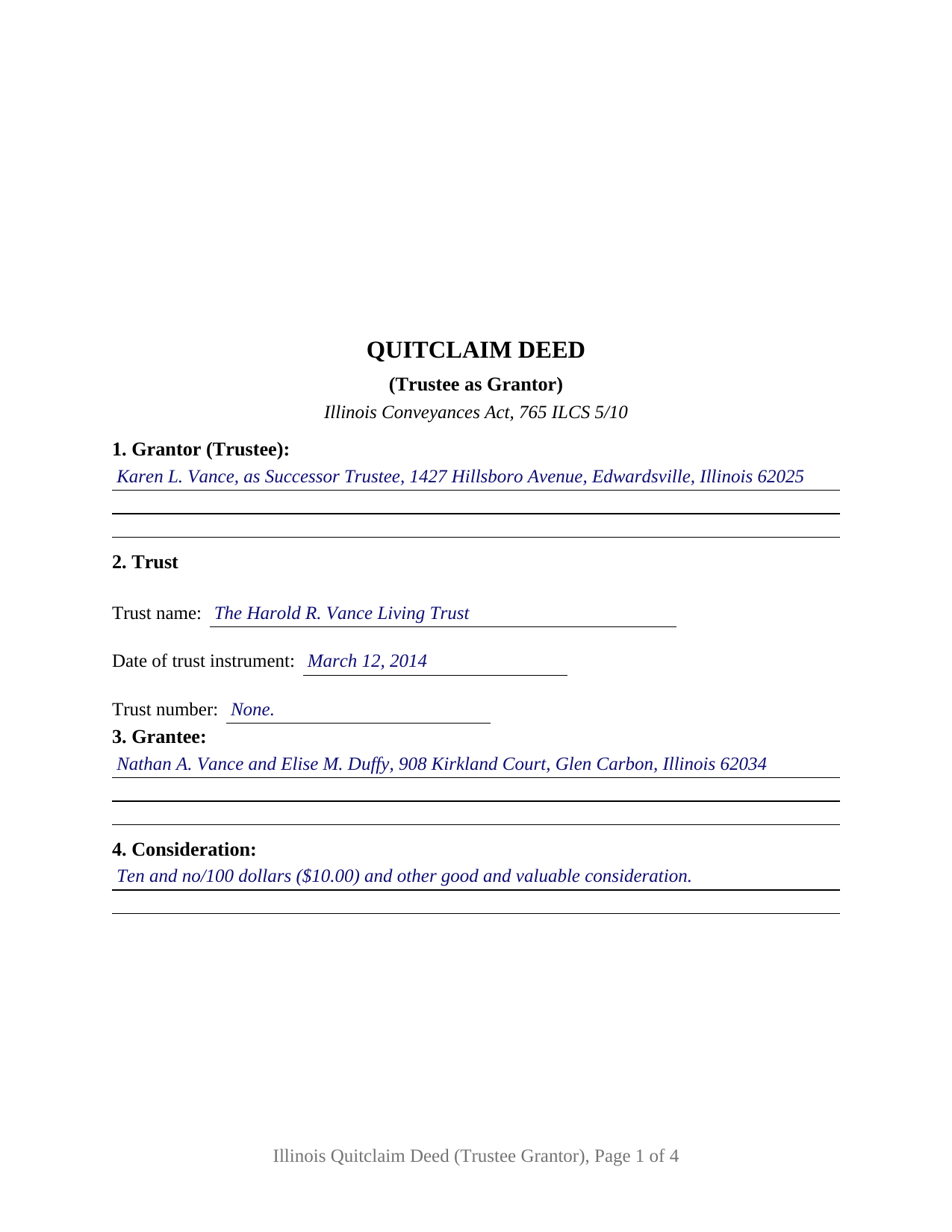
Montgomery County Completed Example of the Quitclaim Deed (Trustee Grantor) Document
Example of a properly completed Illinois Quitclaim Deed (Trustee Grantor) document for reference.
All 3 documents above included • One-time purchase • No recurring fees
Immediate Download • Secure Checkout
Additional Illinois and Montgomery County documents included at no extra charge:
Where to Record Your Documents
Montgomery County Clerk & Recorder
Hillsboro, Illinois 62049-0595
Hours: 8:00 to 4:00 Monday through Friday
Phone: (217) 532-9530
Recording Tips for Montgomery County:
- Bring your driver's license or state-issued photo ID
- Ensure all signatures are in blue or black ink
- Check that your notary's commission hasn't expired
- Documents must be on 8.5 x 11 inch white paper
- Double-check legal descriptions match your existing deed
Cities and Jurisdictions in Montgomery County
Properties in any of these areas use Montgomery County forms:
- Butler
- Coffeen
- Donnellson
- Farmersville
- Fillmore
- Harvel
- Hillsboro
- Irving
- Litchfield
- Nokomis
- Ohlman
- Panama
- Raymond
- Taylor Springs
- Waggoner
- Walshville
- Witt
Hours, fees, requirements, and more for Montgomery County
How do I get my forms?
Forms are available for immediate download after payment. The Montgomery County forms will be in your account ready to download to your computer. An account is created for you during checkout if you don't have one. Forms are NOT emailed.
Are these forms guaranteed to be recordable in Montgomery County?
Yes. Our form blanks are guaranteed to meet or exceed the applicable formatting requirements used for recording in Montgomery County, including margin requirements, font requirements, and other layout standards. This guarantee applies to formatting, not to the legal sufficiency of information entered by the user or the suitability of a form for a particular transaction.
Can I reuse these forms?
Yes. You can reuse the forms for your personal use. For example, if you have multiple properties in Montgomery County you only need to order once.
What do I need to use these forms?
The forms are PDFs that you fill out on your computer. The free Adobe Acrobat Reader is recommended, and most PDF apps also work. You do NOT enter your property information online - you download the blank forms and complete them privately on your own computer.
Are there any recurring fees?
No. This is a one-time purchase. Nothing to cancel, no memberships, no recurring fees.
How much does it cost to record in Montgomery County?
Recording fees in Montgomery County vary. Contact the recorder's office at (217) 532-9530 for current fees.
Questions answered? Let's get started!
A trust cannot hold a pen. When Illinois real estate stands in a trustee's name and the time comes to move it back out, the deed is signed by whoever occupies that office, in the capacity the office carries. This quitclaim deed is arranged for exactly that conveyance: one trustee as the sole Grantor, with the trust identified by name, date, and number.
The office signs, not the trust
Section 1 names the person or entity serving as trustee, and Section 12 gives that signer a single signature line, because the power to convey belongs to the office. 760 ILCS 3/815 gives a trustee, without court authorization, all powers over trust property that an unmarried owner with legal capacity has over individually owned property, and 760 ILCS 3/816 adds specific powers, among them sale and the execution of conveyances. A successor trustee named years later conveys under that same authority. What narrows it is the trust instrument, which is why this deed identifies the trust instead of reprinting its terms, and why underwriters read the instrument or a certification of trust under 760 ILCS 3/1013, prepared separately and not included here.
Capacity stated, personal liability disclaimed
The operative section says the Grantor acts as trustee and not individually, and adds that no obligation arising from the conveyance is personal to the person or entity serving as trustee. That answers 760 ILCS 3/1010(a): a trustee escapes personal liability on a contract properly entered into in the fiduciary capacity where that capacity was disclosed. The other side of the relationship is 760 ILCS 3/1012, which protects someone dealing with a trustee in good faith and for value, without knowledge that the trustee is exceeding its powers.
Express trust or land trust, on the grantor side
Illinois keeps two title-holding regimes, and the trust entries accept either. A revocable or irrevocable trust is an express trust under the Illinois Trust Code, in force since January 1, 2020. A land trust sits outside that Code by the terms of 760 ILCS 3/102, leaving the trust agreement and Illinois common law to govern the land trustee, whose beneficiaries hold personal property under In re Estate of Alpert. The difference shows on the grantor side: a land trustee ordinarily conveys at its beneficiaries' written direction, and the trust number blank is how a numbered land trust is recognized in a chain of title.
What the trustee grantor configuration carries
The form recites one Grantor block, three trust entries, one signature line whose printed name states the capacity, and one acknowledgment certificate tracking the substance of 765 ILCS 5/26. Patterns presenting this configuration include a successor trustee distributing a parcel to the beneficiaries once a revocable trust turns distributive, a trustee releasing a fractional interest to the co-owner buying it out, and a land trustee closing a numbered trust. The form is not set up for two cotrustees signing together, and it is not the receiving side of the relationship, where a grantee clause runs to a trustee and to successors in trust. Homestead property carrying the entirety statement 765 ILCS 1005/1c permits inside a revocable trust is its own case, because that section makes a deed effective only on both tenants' signatures.
Only what the trust held
765 ILCS 5/10 makes a deed in quitclaim form a release in fee of the legal and equitable rights the grantor holds at delivery, carrying no covenant of title, and after-acquired title stays outside unless words are added reaching it. Mortgages, judgments, tax liens, easements, and plat restrictions of record follow the parcel into the Grantee's hands.
At the recorder's counter
The deed gathers the face-of-document items Illinois conditions recording on, then settles transfer tax either way. A taxable trustee's deed travels with the PTAX-203 declaration or its MyDec electronic equivalent and the revenue stamps; an exempt one records on the signed and dated notation the form prints, with a blank for the paragraph of 35 ILCS 200/31-45 relied on. Page geometry follows the statewide format standards, so the printed deed lands in the standard class.
Three files arrive with the purchase: the fillable trustee quitclaim deed, an example completed from the trust entries through the notary's commission date for a Madison County distribution, and a guide walking every numbered section, the trust and homestead questions, notarization, and recording. None of this is legal advice; it describes Illinois law in general terms, and a question about one particular trust or title belongs with an Illinois attorney.
Important: Your property must be located in Montgomery County to use these forms. Documents should be recorded at the county recording office listed above.
This Quitclaim Deed (Trustee Grantor) meets all recording requirements specific to Montgomery County.
Our Promise
The documents you receive here are guaranteed to meet or exceed the applicable Montgomery County recording format requirements. If there is a rejection caused by our formatting, we will correct the issue or refund your payment. This guarantee applies to document formatting only and does not extend to information entered by the user, the selection of the form, or the legal effect of the completed document.
Save Time and Money
Get your Montgomery County Quitclaim Deed (Trustee Grantor) form done right the first time with Deeds.com Uniform Conveyancing Blanks. At Deeds.com, we understand that your time and money are valuable resources, and we don't want you to face a penalty fee or rejection imposed by a county recorder for submitting nonstandard documents. We constantly review and update our forms to meet rapidly changing state and county recording requirements for roughly 3,500 counties and local jurisdictions.
4.8 out of 5 - ( 4,847 Reviews )
Gretchen N. 5 out of 5 stars
The filled out form could have been placed on the real form then deleted with current info. Form quite simplified but example & help good.
Thank you for your feedback Gretchen.
Kristopher K. 3 out of 5 stars
Process is easy but system would not accept 3 different credit cards on first day. No phone number to call. Sent message and response was all 3 cards must have been declined. However, next day one of those cards went through with no problem.
Thank you for your feedback. Unfortunately we have no control over which payment get approved or declined.
Melvin M. 4 out of 5 stars
loads of forms and instructions....for a good buy...it would help to know where to send the forms after completing them...
We appreciate your business and value your feedback. Thank you. Have a wonderful day!
David M. 5 out of 5 stars
Best $20 ever spent. I'm a bit of an idiot with these things, thankfully there are professionals who know what they are doing so I don't screw things up...
Thank you!
Larry G. 5 out of 5 stars
After purchasing the Quit Claim Deed, I felt I had purchased something I could have gotten free somewhere else. But after reviewing all the other information Deed.com provided, I realized you saved me a lot of time that would have been wasted on research. Money well spent.
Thank you for your feedback. We really appreciate it. Have a great day!
Laurie S. 5 out of 5 stars
This was super easy and fast!
We appreciate your business and value your feedback. Thank you. Have a wonderful day!
Thomas D. 2 out of 5 stars
The documents themselves are fine and the information provided with them is helpful. I find the actual processing of the documents, however, to be difficult particularly once the document has been saved. First, I note that the box for the date only allows entry of the last 2 digits of the year. Unfortunately, my download only allows me to enter one of the 2 digits required. When I delete it repeatedly, it eventually allows both digits to be entered but puts them in extremely small text and in superscrypt. I have not found a solution to this problem and am not sure the deed can even be recorded with this problem. Another problem is that if you try to revise the document after you have saved it the curser goes to the end of the line after each key entry. This means that there basically is no way to efficiently save the document for reworking later since you will have to delete everything you have entered in the text box unless you only need to make a single keystroke change or are willing to replace the curser after each entry. Try that with a long property description! Please note that I am using a Mac to prepare my documents and perhaps this is part of an "incompatibility problem". However, I didn't see a disclaimer regarding Mac use and so would expect the documents to perform correctly. Overall, I give the program a "2 star" rating because I am experiencing significant difficulties in entering dates in the documents even before saving them and because saving your work for later revision appears to be basically unworkable.
Thank you for your feedback Thomas, we appreciate you being specific about the issues you encountered. Adobe and Mac have a fairly long history of issues working together.
Gene K. 5 out of 5 stars
I am still in the trial stage. I am an older lawyer. Any help I can get is worth it. Once you get used to the format and data fill in the deed thing is excellent. Very professional if not a little slow. I have only done three deeds in one state so I will have to see how it goes. I like the product and their attitude towards pleasing the customer. We'll see when I try the recording part.
We appreciate your business and value your feedback. Thank you. Have a wonderful day!
Jackie C. 5 out of 5 stars
It was easy to access the documents for a minimal fee.
Thank you for your feedback. We really appreciate it. Have a great day!
Donald C. 5 out of 5 stars
As promised, my forms were immediately ready for download. The forms were exactly what i wanted. I couldnt be happier and i cant even guess how much money i saved. They were even formatted to the exact font, spacing and margin used by my county. It is obvious a lot of time and effort was put into the preparation of these documents. They are absolutely perfect. Check it out, you wont be disappointed and the price is much less than i expected. Don caldwell
We appreciate your business and value your feedback. Thank you. Have a wonderful day!
Marsella F. 5 out of 5 stars
Thank you so much!! This is a fantastic tool!! Marsella F.
Thank you for your feedback. We really appreciate it. Have a great day!
Michael L. 5 out of 5 stars
Pretty good stuff, not exactly clear on the deed transfer costs and all
Thank you for your feedback. We really appreciate it. Have a great day!
Kenneth K. 5 out of 5 stars
It was fast and easy to use.
Thank you!
Thomas S. 1 out of 5 stars
Not good. The blanks on the form, supposedly especially tailored for the specific county, didn't have enough space for a document name or the doc #. I had to retype the whole doc myself.
Thank you for your feedback. We’re sorry the form did not provide enough room for the prior document information you needed to enter. We have canceled the order and reversed the payment. We are also reviewing the field spacing for the prior document title and recording number so we can improve the form. No further action is needed from you.
Deb D. 5 out of 5 stars
Excellent website - easy to use, and found exactly the form I needed right away. Highly recommend.
Thank you for your feedback. We really appreciate it. Have a great day!