Baltimore City Quitclaim Deed (Interspousal) Form
Last validated October 13, 2026 by our Forms Development TeamFormatted for recording in Baltimore City, for property anywhere in the county or independent city: rural and unincorporated areas as well as Baltimore, Brooklyn.
- 3 documents included
- Immediate PDF download
- Formatting guarantee
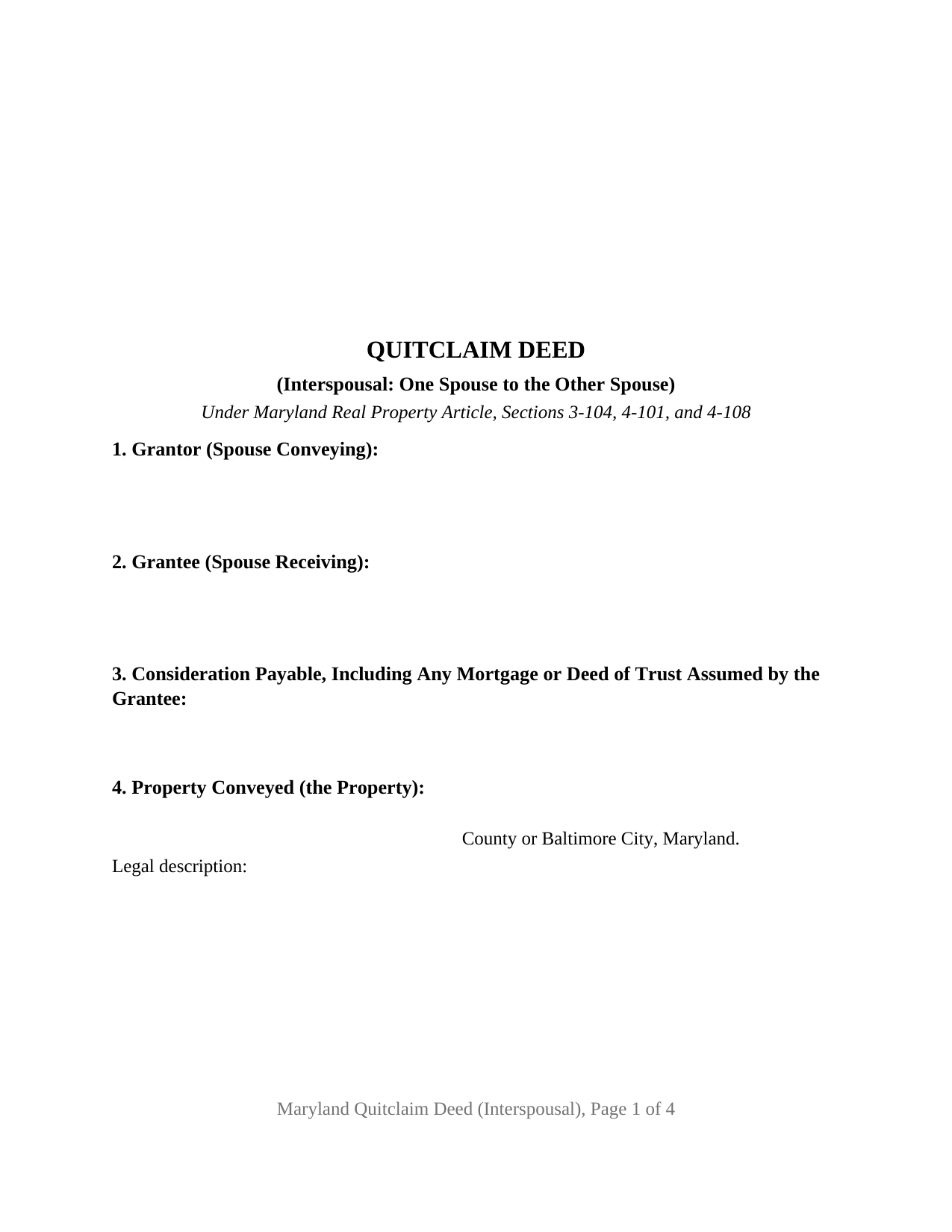
Baltimore City Quitclaim Deed (Interspousal) Form
Fill in the blank Quitclaim Deed (Interspousal) form formatted to comply with all Maryland recording and content requirements.
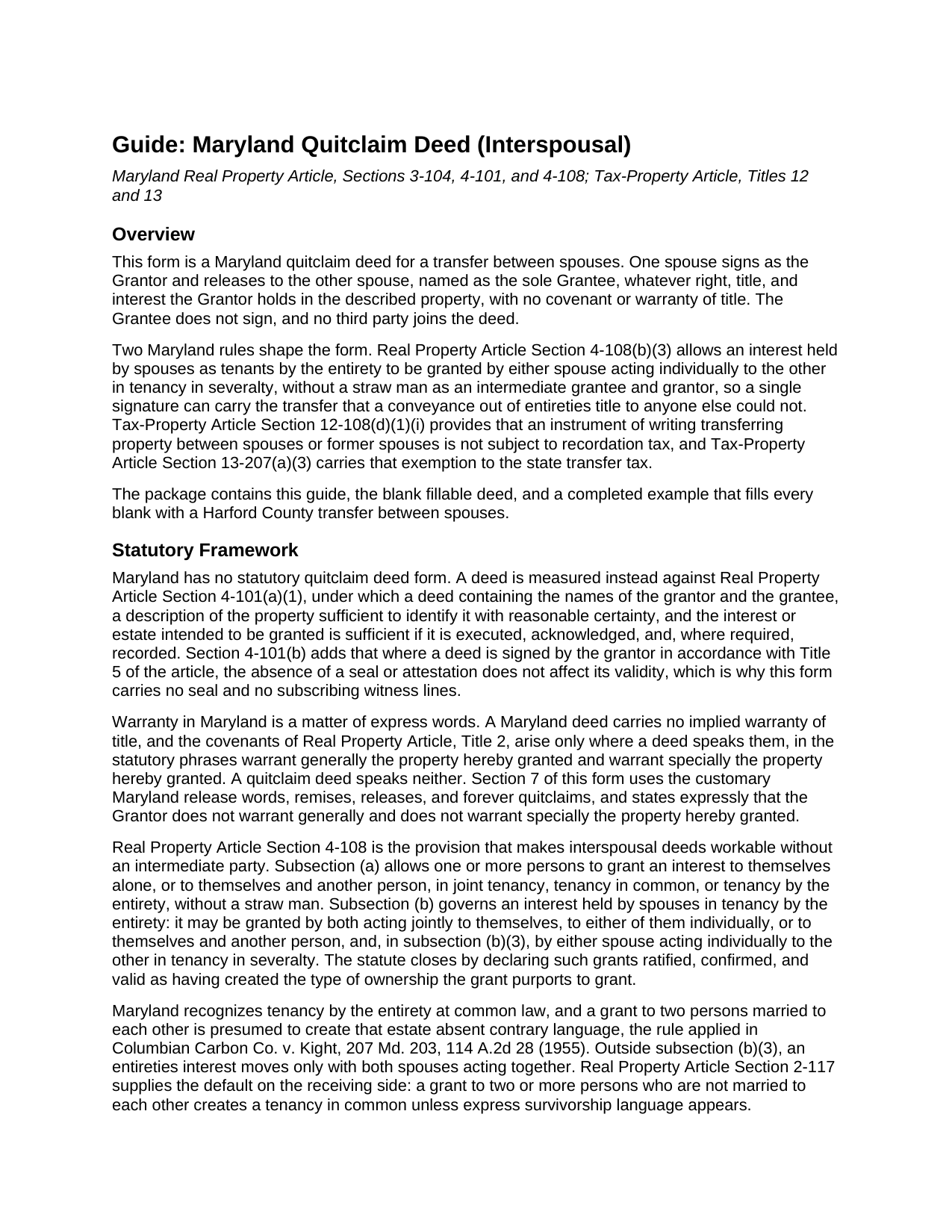
Baltimore City Quitclaim Deed (Interspousal) Guide
Line by line guide explaining every blank on the Quitclaim Deed (Interspousal) form.
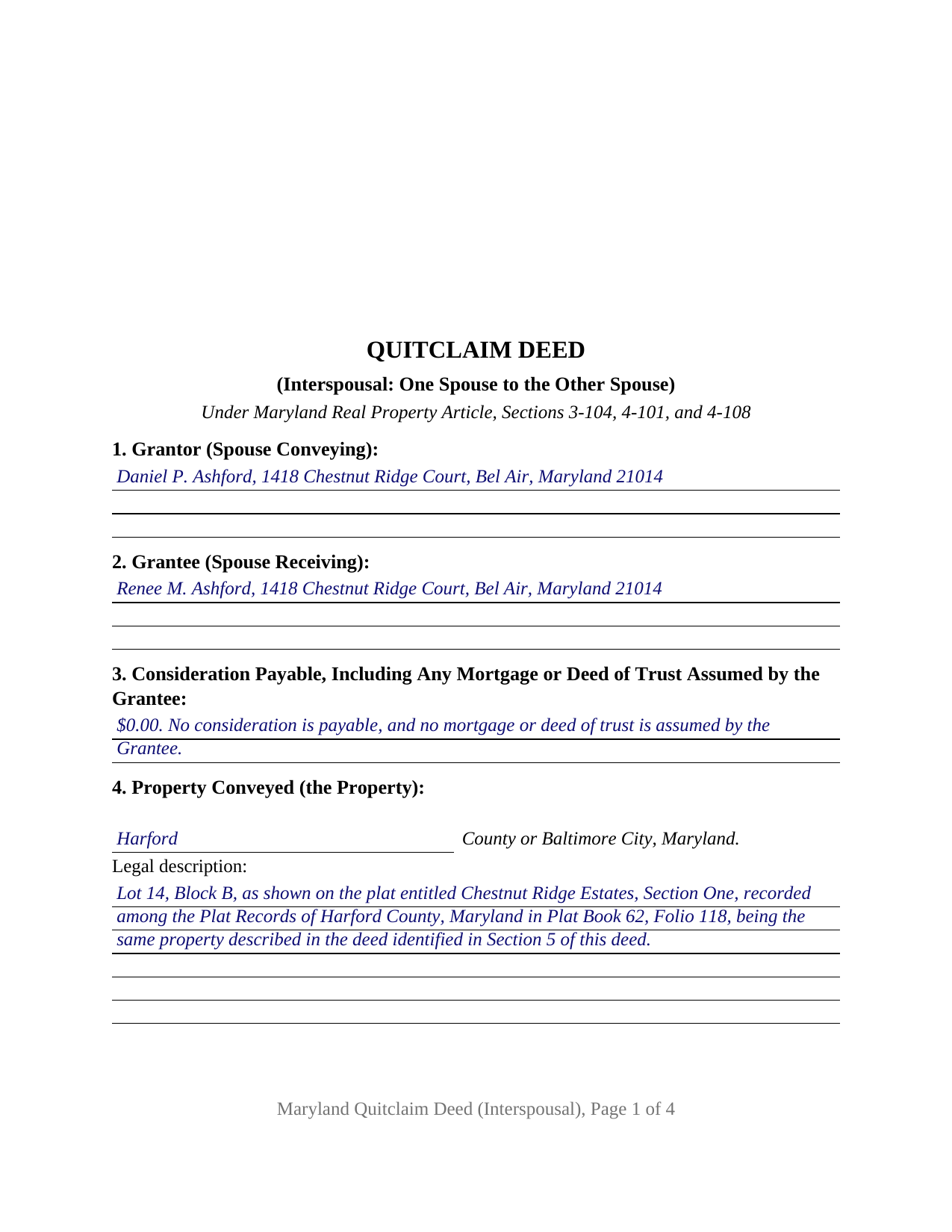
Baltimore City Completed Example of the Quitclaim Deed (Interspousal) Document
Example of a properly completed Maryland Quitclaim Deed (Interspousal) document for reference.
All 3 documents above included • One-time purchase • No recurring fees
Immediate Download • Secure Checkout
Additional Maryland and Baltimore City documents included at no extra charge:
Where to Record Your Documents
City of Baltimore Land Records
Baltimore, Maryland 21202
Hours: 8:30 to 4:30 Monday through Friday
Phone: 410-333-3760
Recording Tips for Baltimore City:
- Bring your driver's license or state-issued photo ID
- Ensure all signatures are in blue or black ink
- Leave recording info boxes blank - the office fills these
- Make copies of your documents before recording - keep originals safe
- Recorded documents become public record - avoid including SSNs
Cities and Jurisdictions in Baltimore City
Properties in any of these areas use Baltimore City forms:
- Baltimore
- Brooklyn
Hours, fees, requirements, and more for Baltimore City
How do I get my forms?
Forms are available for immediate download after payment. The Baltimore City forms will be in your account ready to download to your computer. An account is created for you during checkout if you don't have one. Forms are NOT emailed.
Are these forms guaranteed to be recordable in Baltimore City?
Yes. Our form blanks are guaranteed to meet or exceed the applicable formatting requirements used for recording in Baltimore City, including margin requirements, font requirements, and other layout standards. This guarantee applies to formatting, not to the legal sufficiency of information entered by the user or the suitability of a form for a particular transaction.
Can I reuse these forms?
Yes. You can reuse the forms for your personal use. For example, if you have multiple properties in Baltimore City you only need to order once.
What do I need to use these forms?
The forms are PDFs that you fill out on your computer. The free Adobe Acrobat Reader is recommended, and most PDF apps also work. You do NOT enter your property information online - you download the blank forms and complete them privately on your own computer.
Are there any recurring fees?
No. This is a one-time purchase. Nothing to cancel, no memberships, no recurring fees.
How much does it cost to record in Baltimore City?
Recording fees in Baltimore City vary. Contact the recorder's office at 410-333-3760 for current fees.
Questions answered? Let's get started!
Both parties to this Maryland quitclaim deed are married to each other, and only one of them signs it. The Grantor is the spouse whose name the land records carry, and the Grantee is the other spouse, taking whatever right, title, and interest the Grantor holds at delivery, with no covenant or warranty of title attached. A single signature reaches further on an interspousal deed than anywhere else in the Maryland quit claim line, for two reasons sitting in different articles of the Code: one statute lets a spouse act alone where an entireties estate is involved, and another lifts the recording taxes off the transfer entirely.
The one grant a spouse may make alone
Maryland presumes that a married couple takes title as tenants by the entirety, and that estate normally moves only when both spouses sign, since neither may convey, encumber, sever, or partition it acting alone. Real Property Article Section 4-108(b)(3) states the exception this deed is built on: an interest held by spouses in tenancy by the entirety may be granted by either spouse acting individually to the other in tenancy in severalty, without a straw man as an intermediate grantee and grantor. The conveyance section states that result on the face of the instrument, so the record itself shows what became of the entireties estate. Where the Grantor instead owns alone or holds an undivided share, the same release words carry that interest without the subsection.
A deed the recordation and transfer taxes do not reach
Tax-Property Article Section 12-108(d)(1)(i) provides that an instrument of writing transferring property between spouses or former spouses is not subject to recordation tax, and Section 13-207(a)(3) makes the same instrument exempt from the state transfer tax to the same extent, so the county rate charged per $500 and the state tax of Section 13-203 both drop out of the calculation. County transfer taxes are creatures of local ordinance, confirmed with the county finance office. Consideration is still recited: Section 12-104(a) calls for the consideration payable, including the principal amount of any mortgage the Grantee assumes, to appear in the deed's recitals or acknowledgment or in an affidavit. A transfer without payment enters zero, which also answers Tax-General Article Section 10-912, exempting the deed from nonresident withholding. The exemption is cited on the Land Instrument Intake Sheet, the separate cover form that travels with the deed.
What the interspousal configuration recites
The form recites exactly one Grantor, a married record owner signing personally, and exactly one Grantee, that owner's spouse, with one printed name line, one acknowledgment certificate, and a certificate of preparation carrying a capacity blank. The Grantee signs nothing. Ownership patterns presenting this configuration run through the land records: spouses holding as tenants by the entirety who consolidate the whole title in one spouse's name, a refinance in which the lender's requirements leave both the new loan and the record title with a single spouse, and a couple who place a rental parcel in the name of the spouse who manages it. The form is not set up as a conveyance to anyone other than the Grantor's spouse, as a deed signed by both spouses together, as a release by an unmarried sole owner, or as an instrument signed in a trustee, personal representative, or attorney-in-fact capacity.
Formalities Maryland measures at the counter
Real Property Article Section 4-101(b) provides that the absence of a seal or attestation does not affect a deed's validity, so acknowledgment before a notarial officer is the governing formality and the form carries no witness lines. The certificate follows the short form at State Government Article Section 18-216, and Maryland authorizes notarial acts for remotely located individuals when the statutory conditions are met. A printed name sits with the signature under Section 3-104(d), the preparation certificate answers Section 3-104(f), and the page geometry answers Section 3-104(e)(1)(i)2: three inches of official-use space across the top of page one, an inch clear at each side of every page, and body type set at 12 points against a statutory minimum of 8. On October 1, 2025 a power to refuse a nonconforming instrument joined the treble recording charge already in that statute.
The download holds the blank fillable deed configured for one spouse conveying to the other, a completed example filling every blank with a Harford County transfer, and a plain-language guide covering each section, the vesting a grantee may take, signing, the taxes, and recording. The contents are informational only and are not legal advice.
Important: Your property must be located in Baltimore City to use these forms. Documents should be recorded at the county or independent city recording office listed above.
This Quitclaim Deed (Interspousal) meets all recording requirements specific to Baltimore City.
Our Promise
The documents you receive here are guaranteed to meet or exceed the applicable Baltimore City recording format requirements. If there is a rejection caused by our formatting, we will correct the issue or refund your payment. This guarantee applies to document formatting only and does not extend to information entered by the user, the selection of the form, or the legal effect of the completed document.
Save Time and Money
Get your Baltimore City Quitclaim Deed (Interspousal) form done right the first time with Deeds.com Uniform Conveyancing Blanks. At Deeds.com, we understand that your time and money are valuable resources, and we don't want you to face a penalty fee or rejection imposed by a county recorder for submitting nonstandard documents. We constantly review and update our forms to meet rapidly changing state and county recording requirements for roughly 3,500 counties and local jurisdictions.
4.8 out of 5 - ( 4,828 Reviews )
JOHN R. 5 out of 5 stars
This is an Outstanding Website for easy access in expediting my property investment needs. Thank you for this much needed online service.
Thank you!
Kenneth D. 5 out of 5 stars
I was very pleased with the service and the product. All the extras were a nice addition to my order. With the example and instructions, I was able to fill out my correction deed correctly. I filed it and it was accepted with zero reservations by my clerk and recorder's office. The expected result (which was to remove a name from the current deed) happened almost immediately. I definitely recommend deeds.com .
We appreciate your business and value your feedback. Thank you. Have a wonderful day!
Karen W. 5 out of 5 stars
Great experience. Easy.
We appreciate your business and value your feedback. Thank you. Have a wonderful day!
Charles B. 5 out of 5 stars
Excellent andeasy to navigate website for non-lawyers. Needed some forms for a specific county in a specific state, and Deeds.com took me right there, where I downloaded the forms and a guide on how to fill them out.
We appreciate your business and value your feedback. Thank you. Have a wonderful day!
MARY LACEY M. 5 out of 5 stars
The service provided by the staff at Deeds.com is consistently excellent with prompt replies and smooth recording transactions. I am grateful to have their service available as driving to downtown Phoenix to record documents is always a daunting prospect. Their assistance in recording our firm's documents has been 100% accurate and a pleasure.
Thank you for your positive words! We’re thrilled to hear about your experience.
Mary S. 5 out of 5 stars
Really, really great. Instructions are so helpful.
We appreciate your business and value your feedback. Thank you. Have a wonderful day!
Thomas G. 5 out of 5 stars
fast and easy
Thank you!
Darren D. 5 out of 5 stars
Easy-peasy to find, download and use the forms!
We appreciate your business and value your feedback. Thank you. Have a wonderful day!
Debby P. 5 out of 5 stars
First time user and the service was great.. I typically go to recording kiosk at the libraries. This was fast and easy.. I appreciate the great service
Thank you for your feedback. We really appreciate it. Have a great day!
Diana L. 5 out of 5 stars
Easy to use but need to go through the courthouse to do what I need to do.
Thank you!
Jackson J. 5 out of 5 stars
Thank you for your help the website is simple and easy to use and dealing with this county for the 1st time there were a few things i was not too sure about but your staff was prompt and responsive and anytime there was a glitch we were promptly able to resolve the issue until the deed was accepted and recorded by the county great service thanks again.
We appreciate your business and value your feedback. Thank you. Have a wonderful day!
Lori W. 5 out of 5 stars
Great resource! Nice to have these forms and information available. No problems at the recorder, in fact it was the recorder that referred me to deeds.com they like their forms so much.
Thank you for your feedback. We really appreciate it. Have a great day!
Lois S. 5 out of 5 stars
This website made it easy to quickly research what was recorded/released on the title of my home.
Thank you for your feedback. We really appreciate it. Have a great day!
Emily P. 4 out of 5 stars
Used the quitclaim form and the erecording service. Very smooth transaction, everything worked as it should.
Thank you for your feedback. We really appreciate it. Have a great day!
Jose G. C. 4 out of 5 stars
It was OK but unfortunately useless. The jurisdictions are now requesting that documents such as Notices of Commencement not only be recorded at their offices, but also certified. This last service is not provided by Deeds, or at least I could not find it in your website and did not receive a response when I asked if you did. Thus, we are going back to traditional means of recording/certifying
Thank you for your feedback Jose. We do hope that you find something more suitable to your needs elsewhere. Have a wonderful day.