Berkshire County Contractor Full Conditional Lien Waiver Form
Last validated August 27, 2026 by our Forms Development TeamFormatted for recording in Berkshire County, for property anywhere in the county: rural and unincorporated areas as well as Adams, Ashley Falls, Becket, Berkshire, Cheshire, Dalton, Drury, East Otis and 26 more.
- 3 documents included
- Immediate PDF download
- Formatting guarantee
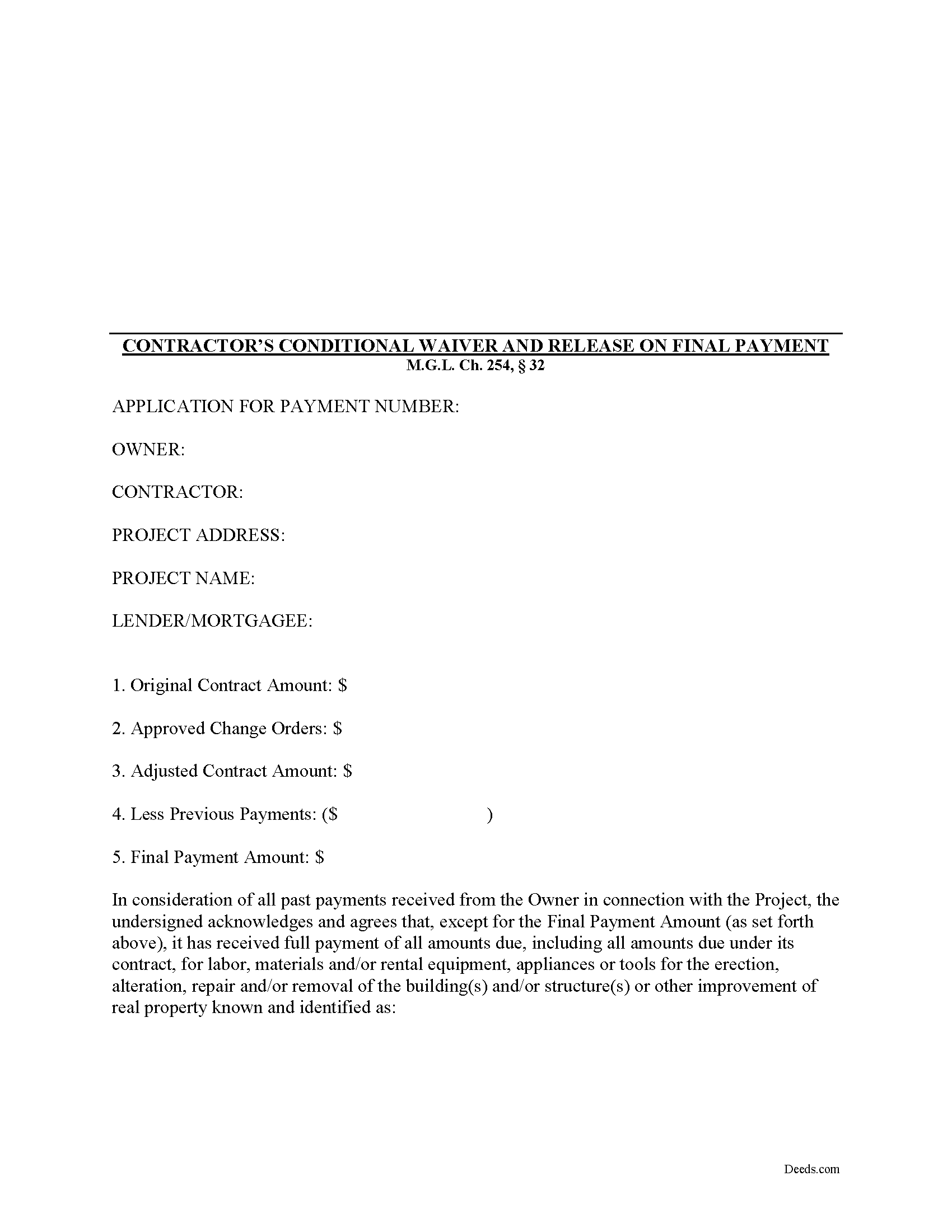
Berkshire County Contractor Full Conditional Lien Waiver Form
Fill in the blank Contractor Full Conditional Lien Waiver form formatted to comply with all Massachusetts recording and content requirements.
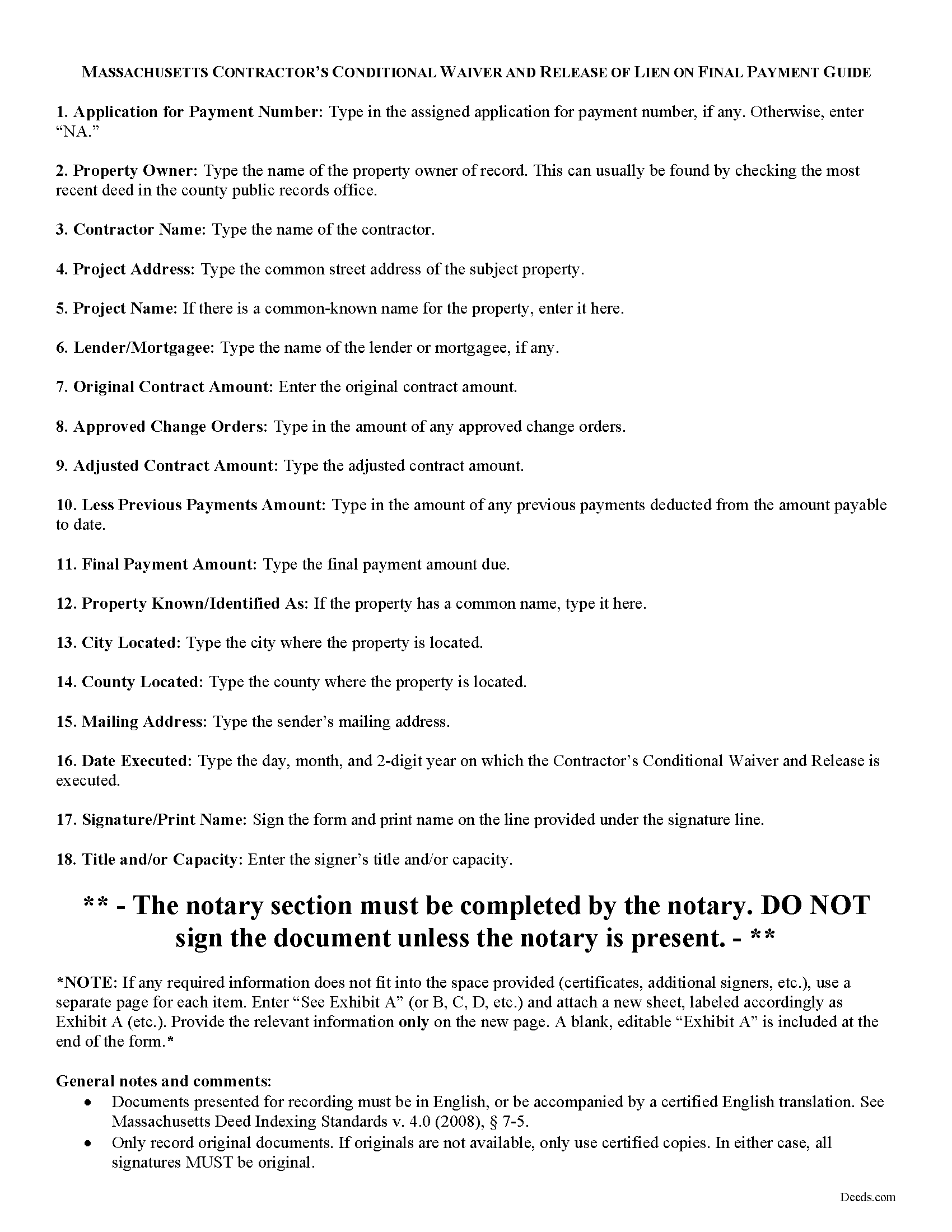
Berkshire County Contractor Full Conditional Lien Waiver Guide
Line by line guide explaining every blank on the form.
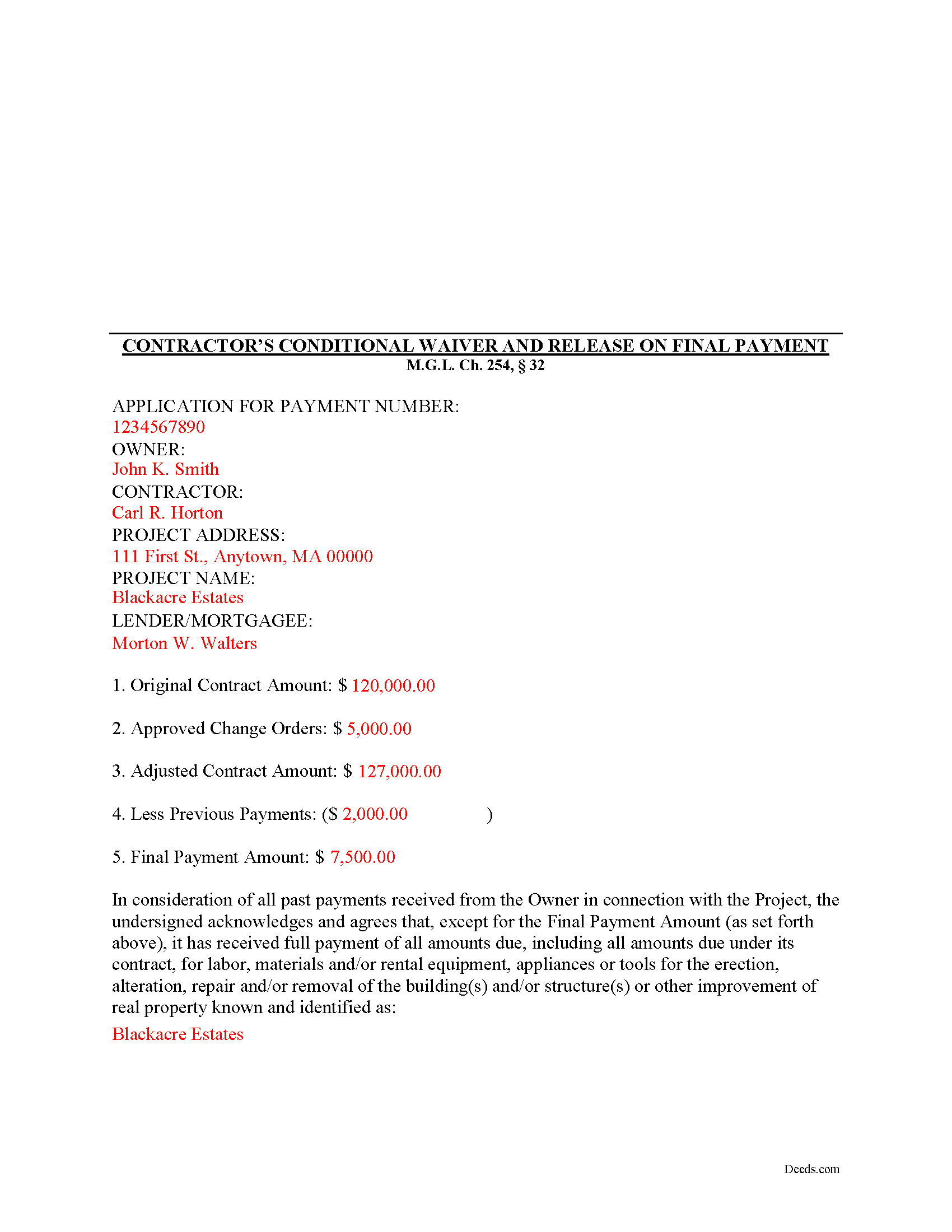
Berkshire County Completed Example of the Contractor Full Conditional Lien Waiver Document
Example of a properly completed form for reference.
All 3 documents above included • One-time purchase • No recurring fees
Immediate Download • Secure Checkout
Additional Massachusetts and Berkshire County documents included at no extra charge:
Where to Record Your Documents
Berkshire Middle District Registry of Deeds
Pittsfield, Massachusetts 01201
Hours: 8:30 to 4:30 M-F / Recording until 4:00
Phone: (413) 443-7438
Northern Berkshire District Registry of Deeds
Adams, Massachusetts 01220
Hours: 8:30 to 4:30 M-F / Recording until 4:00
Phone: (413) 743-0035
Southern Berkshire District Registry of Deeds
Great Barrington, Massachusetts 01230
Hours: 8:30 to 4:30 M-F / Recording until 4:00
Phone: (413) 528-0146
Recording Tips for Berkshire County:
- Bring your driver's license or state-issued photo ID
- Ensure all signatures are in blue or black ink
- Check that your notary's commission hasn't expired
- Documents must be on 8.5 x 11 inch white paper
- Double-check legal descriptions match your existing deed
Cities and Jurisdictions in Berkshire County
Properties in any of these areas use Berkshire County forms:
- Adams
- Ashley Falls
- Becket
- Berkshire
- Cheshire
- Dalton
- Drury
- East Otis
- Glendale
- Great Barrington
- Hinsdale
- Housatonic
- Lanesboro
- Lee
- Lenox
- Lenox Dale
- Mill River
- Monterey
- North Adams
- North Egremont
- Otis
- Pittsfield
- Richmond
- Sandisfield
- Savoy
- Sheffield
- South Egremont
- South Lee
- Southfield
- Stockbridge
- Tyringham
- West Stockbridge
- Williamstown
- Windsor
Hours, fees, requirements, and more for Berkshire County
How do I get my forms?
Forms are available for immediate download after payment. The Berkshire County forms will be in your account ready to download to your computer. An account is created for you during checkout if you don't have one. Forms are NOT emailed.
Are these forms guaranteed to be recordable in Berkshire County?
Yes. Our form blanks are guaranteed to meet or exceed the applicable formatting requirements used for recording in Berkshire County, including margin requirements, font requirements, and other layout standards. This guarantee applies to formatting, not to the legal sufficiency of information entered by the user or the suitability of a form for a particular transaction.
Can I reuse these forms?
Yes. You can reuse the forms for your personal use. For example, if you have multiple properties in Berkshire County you only need to order once.
What do I need to use these forms?
The forms are PDFs that you fill out on your computer. The free Adobe Acrobat Reader is recommended, and most PDF apps also work. You do NOT enter your property information online - you download the blank forms and complete them privately on your own computer.
Are there any recurring fees?
No. This is a one-time purchase. Nothing to cancel, no memberships, no recurring fees.
How much does it cost to record in Berkshire County?
Recording fees in Berkshire County vary. Contact the recorder's office at (413) 443-7438 for current fees.
Questions answered? Let's get started!
Massachusetts Contractor's Full Conditional Lien Waiver
The Contractor's Full Conditional Lien Waiver is useful for situations where a contractor seeks full payment, but will only waive lien rights after the bank pays the check.
Lien waivers are used between contractors (also subcontractors and suppliers) and property owners as a quid-pro-quo arrangement between the contractor and owner. The purpose of a waiver is to influence payment from the owner in return for the contractor waiving future mechanic's lien rights.
In Massachusetts, any promise or agreement that bars the filing of a Notice of Contract is void and unenforceable, but that prohibition does not apply to full or partial lien waivers or dissolutions of liens. M.G.L. Ch. 254, 32. Therefore, the parties can use waivers to facilitate payment and ease concerns of hidden liens.
In general, Massachusetts recognizes four types of lien waivers: Partial Waiver by Contractor, Full Conditional Waiver by Contractor, Partial Waiver by Subcontractor, and Full Conditional Waiver by Subcontractor. Id. As their titles suggest, contractors should use a contractor's waiver and subcontractors should use a waiver designated for a subcontractor. Only offer full waivers on a full and final payment; the waiver is conditioned on the payment clearing the bank.
Lawful waivers identify the parties to the contract, the claimant, the property, the nature of work, payment information, and anything else necessary for clarity or to meet local requirements. The claimant (or authorized representative) must sign the completed waiver in front of a notary, then submit the document to the recording office for the county where the property is located.
Using lien waivers properly can ensure smoother relations between the parties on a construction job and alleviate and feelings of mistrust or concern. This article is provided for informational purposes only and should not be relied upon as a substitute for advice from an attorney. Please speak with a Massachusetts attorney if you have any questions about lien waivers or for any other issues concerning mechanic's liens.
Important: Your property must be located in Berkshire County to use these forms. Documents should be recorded at the county recording office listed above.
This Contractor Full Conditional Lien Waiver meets all recording requirements specific to Berkshire County.
Our Promise
The documents you receive here are guaranteed to meet or exceed the applicable Berkshire County recording format requirements. If there is a rejection caused by our formatting, we will correct the issue or refund your payment. This guarantee applies to document formatting only and does not extend to information entered by the user, the selection of the form, or the legal effect of the completed document.
Save Time and Money
Get your Berkshire County Contractor Full Conditional Lien Waiver form done right the first time with Deeds.com Uniform Conveyancing Blanks. At Deeds.com, we understand that your time and money are valuable resources, and we don't want you to face a penalty fee or rejection imposed by a county recorder for submitting nonstandard documents. We constantly review and update our forms to meet rapidly changing state and county recording requirements for roughly 3,500 counties and local jurisdictions.
4.8 out of 5 - ( 4,828 Reviews )
Norman K. 5 out of 5 stars
Easy to use, would like to convert to a Word doc though
Thank you!
Pat A. 5 out of 5 stars
I was impressed that the forms were easy to read and the directions were helpful. Thank you for providing this.
Thank you!
Darrell W. 5 out of 5 stars
Fast and easy to use. Nice to have available online.
Thank you for your feedback. We really appreciate it. Have a great day!
Randy B. 5 out of 5 stars
The form was exactly what we needed and the directions were spot on and perfectly clear. Filling out government forms can be an experience filled with anxiety but deeds.com made it easy and practically worry free.
Thanks Randy, we really appreciate your feedback.
Felicia T. 5 out of 5 stars
Great service with all the added resources on the form I requested. Question: How long do the forms stay available on my account?
Thanks for the feedback Felicia. Our goal is to keep the documents available in your account indefinitely. It's a good idea to download the documents and store them yourself just in case.
Guido d. 5 out of 5 stars
Excellent service. Easy to use, easy to upload, and very cost effective!
Thank you for your feedback. We really appreciate it. Have a great day!
Gregory h. 5 out of 5 stars
OUtsdtanding. Quick and easy, both of which are a huge plus
We appreciate your business and value your feedback. Thank you. Have a wonderful day!
Robert A. 5 out of 5 stars
A well constructed site, easy to navigate and a pleasure to use. I'd give it a 10 on 10
Thank you for your feedback. We really appreciate it. Have a great day!
Vickie W. 5 out of 5 stars
Very easy to download and appreciated the other information and affidavits.
We appreciate your business and value your feedback. Thank you. Have a wonderful day!
Jane H. 5 out of 5 stars
So far, so good!
Thank you Jane. Have a great day!
Maria M. 5 out of 5 stars
EASY, PAINLESS, LOVED THE USER FRIENDLY INSTRUCTIONS
Thank you for your feedback. We really appreciate it. Have a great day!
Betty G. 5 out of 5 stars
I was very impressed with your site! My experience was excellent. Made my quest an easy one. Thank you!
Thank you so much Betty. We appreciate you!
edward s. 5 out of 5 stars
This is the go to place for quick work. They are awesome.
Thank you!
MARY LACEY M. 5 out of 5 stars
The service provided by the staff at Deeds.com is consistently excellent with prompt replies and smooth recording transactions. I am grateful to have their service available as driving to downtown Phoenix to record documents is always a daunting prospect. Their assistance in recording our firm's documents has been 100% accurate and a pleasure.
Thank you for your positive words! We’re thrilled to hear about your experience.
kabir r. 5 out of 5 stars
Wonderful quitclaim forms, very happy
Thank you!