Plymouth County Subcontractor Partial Waiver and Subordination of Lien Form
Last validated October 7, 2026 by our Forms Development TeamFormatted for recording in Plymouth County, for property anywhere in the county: rural and unincorporated areas as well as Abington, Accord, Brant Rock, Bridgewater, Brockton, Bryantville, Carver, Duxbury and 40 more.
- 3 documents included
- Immediate PDF download
- Formatting guarantee
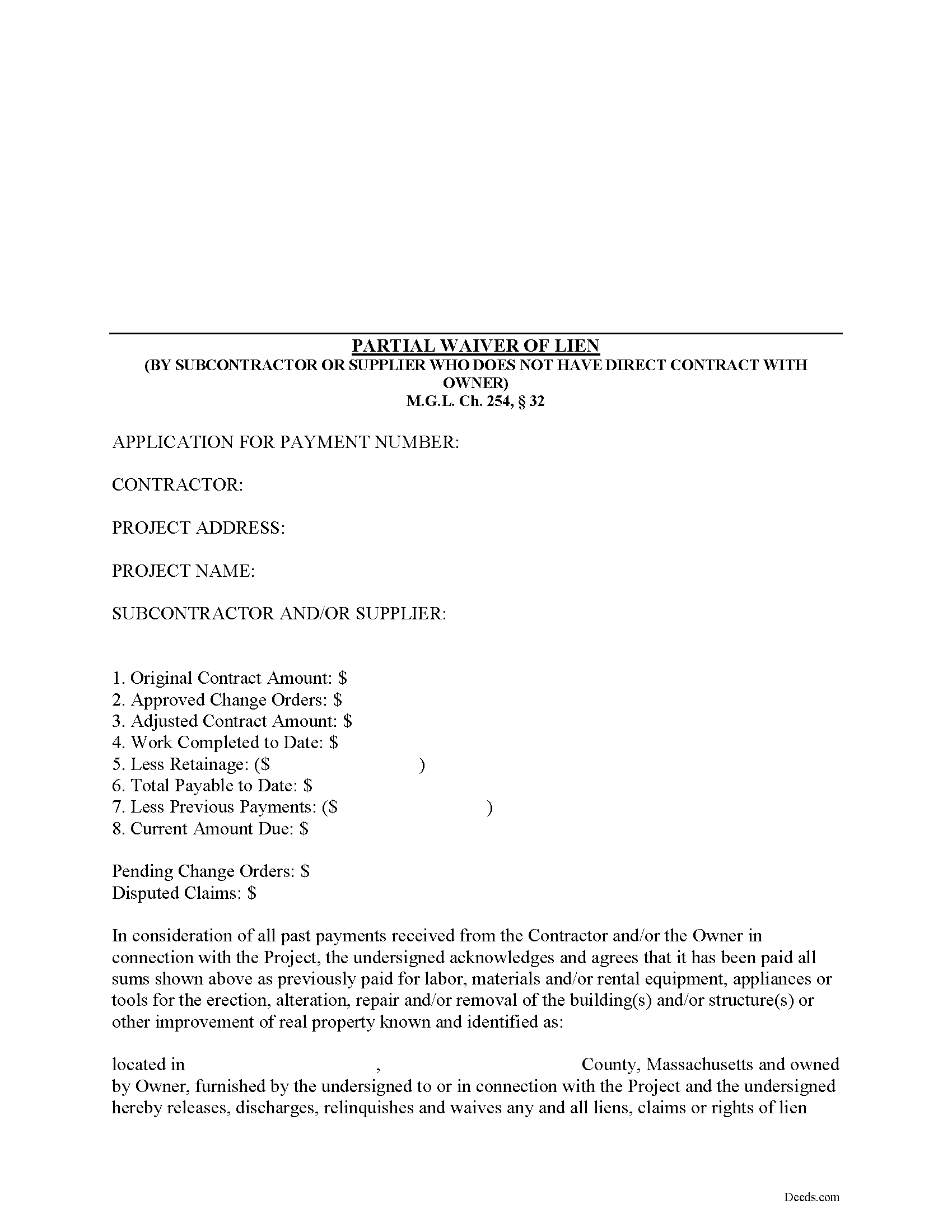
Plymouth County Subcontractor Partial Waiver and Subordination of Lien Form
Fill in the blank Subcontractor Partial Waiver and Subordination of Lien form formatted to comply with all Massachusetts recording and content requirements.
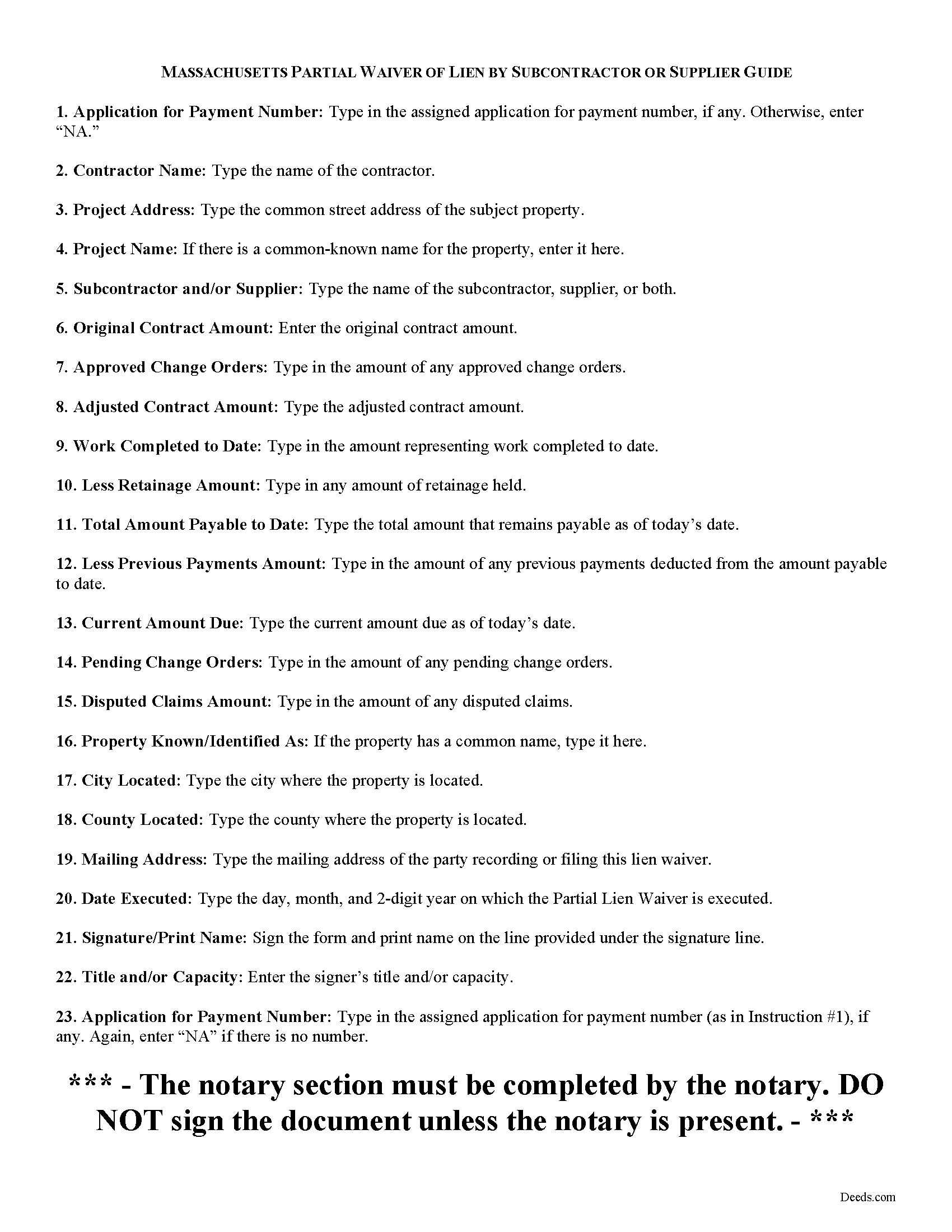
Plymouth County Subcontractor Partial Waiver and Subordination of Lien Guide
Line by line guide explaining every blank on the form.
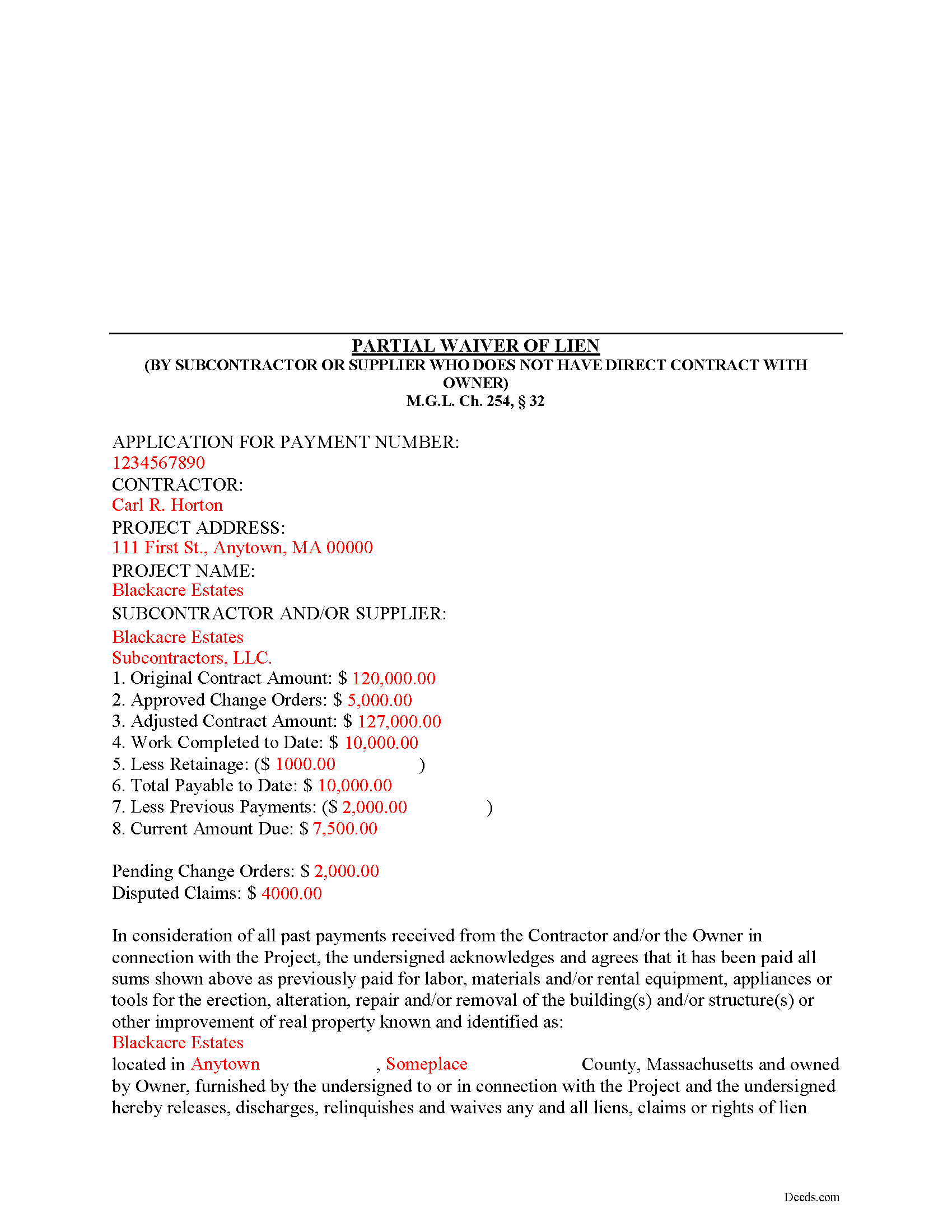
Plymouth County Completed Example of the Subcontractor Partial Waiver and Subordination of Lien Document
Example of a properly completed form for reference.
All 3 documents above included • One-time purchase • No recurring fees
Immediate Download • Secure Checkout
Additional Massachusetts and Plymouth County documents included at no extra charge:
Where to Record Your Documents
Plymouth - Main Office with Land Court
Plymouth, Massachusetts 02360
Hours: 8:15 to 4:30 M-F / Recording until 4:00
Phone: (508) 830-9200
Brockton Satellite Office
Brockton, Massachusetts 02301
Hours: 8:30 to 12:00 & 12:45 to 4:15 M-F / Recording until 4:00
Phone: (508) 830-9200
Rockland Satellite Office
Rockland, Massachusetts 02370
Hours: 8:30 to 12:00 & 12:45 to 4:15 M-F / Recording until 4:00
Phone: (508) 830-9200
Recording Tips for Plymouth County:
- Bring your driver's license or state-issued photo ID
- Ensure all signatures are in blue or black ink
- Recording fees may differ from what's posted online - verify current rates
- Request a receipt showing your recording numbers
- Ask about accepted payment methods when you call ahead
Cities and Jurisdictions in Plymouth County
Properties in any of these areas use Plymouth County forms:
- Abington
- Accord
- Brant Rock
- Bridgewater
- Brockton
- Bryantville
- Carver
- Duxbury
- East Bridgewater
- East Wareham
- Elmwood
- Green Harbor
- Greenbush
- Halifax
- Hanover
- Hanson
- Hingham
- Hull
- Humarock
- Kingston
- Lakeville
- Manomet
- Marion
- Marshfield
- Marshfield Hills
- Mattapoisett
- Middleboro
- Minot
- Monponsett
- North Carver
- North Marshfield
- North Pembroke
- North Scituate
- Norwell
- Ocean Bluff
- Onset
- Pembroke
- Plymouth
- Plympton
- Rochester
- Rockland
- Scituate
- South Carver
- Wareham
- West Bridgewater
- West Wareham
- White Horse Beach
- Whitman
Hours, fees, requirements, and more for Plymouth County
How do I get my forms?
Forms are available for immediate download after payment. The Plymouth County forms will be in your account ready to download to your computer. An account is created for you during checkout if you don't have one. Forms are NOT emailed.
Are these forms guaranteed to be recordable in Plymouth County?
Yes. Our form blanks are guaranteed to meet or exceed the applicable formatting requirements used for recording in Plymouth County, including margin requirements, font requirements, and other layout standards. This guarantee applies to formatting, not to the legal sufficiency of information entered by the user or the suitability of a form for a particular transaction.
Can I reuse these forms?
Yes. You can reuse the forms for your personal use. For example, if you have multiple properties in Plymouth County you only need to order once.
What do I need to use these forms?
The forms are PDFs that you fill out on your computer. The free Adobe Acrobat Reader is recommended, and most PDF apps also work. You do NOT enter your property information online - you download the blank forms and complete them privately on your own computer.
Are there any recurring fees?
No. This is a one-time purchase. Nothing to cancel, no memberships, no recurring fees.
How much does it cost to record in Plymouth County?
Recording fees in Plymouth County vary. Contact the recorder's office at (508) 830-9200 for current fees.
Questions answered? Let's get started!
Massachusetts Subcontractors Partial Waiver and Subordination of Lien
The Subcontractor's Partial Waiver and Subordination of Lien form is useful for situations where a subcontractor seeks a partial payment to waive lien rights up to a specific date.
Lien waivers are used between contractors (also subcontractors and suppliers) and property owners as a quid-pro-quo arrangement between the contractor and owner. The purpose of a waiver is to influence payment from the owner in return for the contractor waiving future mechanic's lien rights.
In Massachusetts, any promise or agreement that bars the filing of a Notice of Contract is void and unenforceable, but that prohibition does not apply to full or partial lien waivers or dissolutions of liens. M.G.L. Ch. 254, 32. Therefore, the parties can use waivers to facilitate payment and ease concerns of hidden liens.
In general, Massachusetts recognizes four types of lien waivers: Partial Waiver by Contractor, Full Conditional Waiver by Contractor, Partial Waiver by Subcontractor, and Full Conditional Waiver by Subcontractor. Id. As their titles suggest, contractors should use a contractor's waiver and subcontractors should use a waiver designated for a subcontractor. Partial lien waivers should be provided upon a partial or progress payment and the waiver only applies to forfeit lien rights according to the terms stated within it.
Lawful waivers identify the parties to the contract, the claimant, the property, the nature of work, relevant dates, payment information, and anything else necessary for clarity or to meet local requirements. The claimant (or authorized representative) must sign the completed waiver in front of a notary, then submit the document to the recording office for the county where the property is located.
Using lien waivers properly can ensure smoother relations between the parties on a construction job and alleviate and feelings of mistrust or concern. This article is provided for informational purposes only and should not be relied upon as a substitute for advice from an attorney. Please speak with a Massachusetts attorney if you have any questions about lien waivers or for any other issues concerning mechanic's liens.
Important: Your property must be located in Plymouth County to use these forms. Documents should be recorded at the county recording office listed above.
This Subcontractor Partial Waiver and Subordination of Lien meets all recording requirements specific to Plymouth County.
Our Promise
The documents you receive here are guaranteed to meet or exceed the applicable Plymouth County recording format requirements. If there is a rejection caused by our formatting, we will correct the issue or refund your payment. This guarantee applies to document formatting only and does not extend to information entered by the user, the selection of the form, or the legal effect of the completed document.
Save Time and Money
Get your Plymouth County Subcontractor Partial Waiver and Subordination of Lien form done right the first time with Deeds.com Uniform Conveyancing Blanks. At Deeds.com, we understand that your time and money are valuable resources, and we don't want you to face a penalty fee or rejection imposed by a county recorder for submitting nonstandard documents. We constantly review and update our forms to meet rapidly changing state and county recording requirements for roughly 3,500 counties and local jurisdictions.
4.8 out of 5 - ( 4,827 Reviews )
JAMES D. 5 out of 5 stars
Slick as can be and so convenient. Worked like a charm
Thank you for your feedback. We really appreciate it. Have a great day!
Eddy O. 5 out of 5 stars
Your site was very helpful.
Thank you for your feedback. We really appreciate it. Have a great day!
JESSICA B. 5 out of 5 stars
easy to move through the site and create an account.
Thank you!
Michael B. 5 out of 5 stars
It was a breeze to utilize.
Thank you!
John Y. 5 out of 5 stars
Too much money for a form!
Thank you!
james b. 5 out of 5 stars
worked great
Thank you!
dill h. 5 out of 5 stars
easy-peasy
We appreciate your business and value your feedback. Thank you. Have a wonderful day!
Peggy L. 5 out of 5 stars
Download worked exactly as portrayed - will definitely use service again when needed.
Thank you, Peggy. Glad everything worked as expected. We will be here whenever you need us again.
Conrad R. 5 out of 5 stars
Easy to obtain form, easy to use. Came with instrucions and references to state statutes. Very Helpful.
We appreciate your business and value your feedback. Thank you. Have a wonderful day!
Claire W. 5 out of 5 stars
The price is right, and very simple to follow
Thank you!
Penelope V. 5 out of 5 stars
This website was very handy and had everything I needed. Thanks!
We appreciate your business and value your feedback. Thank you. Have a wonderful day!
Amanda S. 5 out of 5 stars
Thank you! My husband and I went in the get notary stamps for a Special Warranty Deed and a Post Nuptial Agreement. The representative was very knowledgeable and thorough with the notary process. She made sure we read and understood all documents that we were signing and they required us to recite in sworn statements that everything there was true and understood! I will be using the notary service again at Bank of America! The representative was very respectful and had a nice smile the entire time to make our visit great!
Thank you!
Yunyan B. 5 out of 5 stars
Great website, fraction of the price if doing title research elsewhere
Thank you for your feedback. We really appreciate it. Have a great day!
Michael S. 5 out of 5 stars
So far so good! Easy site to navigate for old farts like me
We appreciate your business and value your feedback. Thank you. Have a wonderful day!
Robert W. 5 out of 5 stars
The forms were as I expected them to be. The guide was very helpful. Overall very good.
Thanks Robert. We appreciate your feedback.