Stearns County Transfer on Death Deed (Entity Beneficiary) Form
Last validated November 1, 2026 by our Forms Development TeamFormatted for recording in Stearns County, for property anywhere in the county: rural and unincorporated areas as well as Albany, Avon, Belgrade, Brooten, Cold Spring, Collegeville, Elrosa, Freeport and 16 more.
- 3 documents included
- Immediate PDF download
- Formatting guarantee
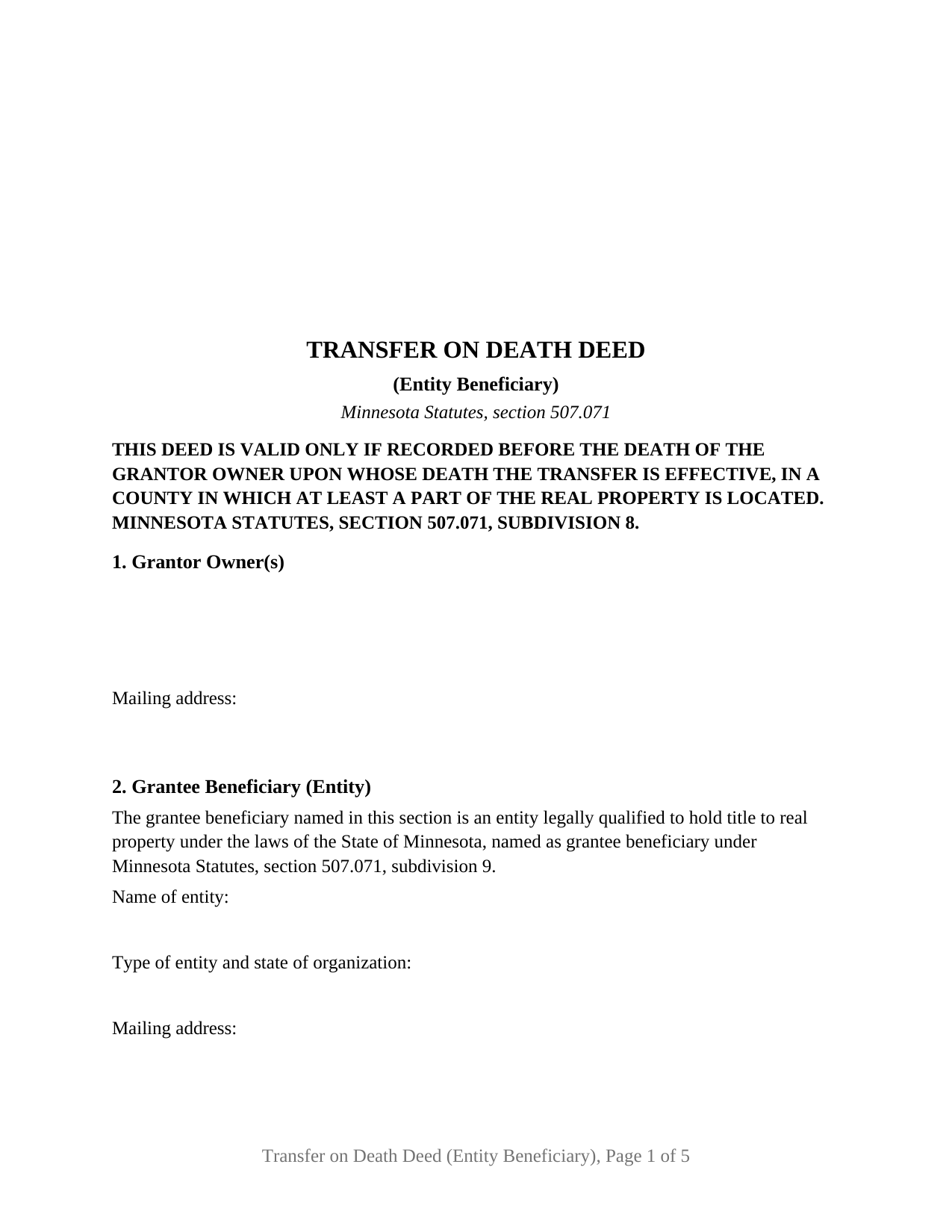
Stearns County Transfer on Death Deed (Entity Beneficiary) Form
Fill in the blank Transfer on Death Deed (Entity Beneficiary) form formatted to comply with all Minnesota recording and content requirements.
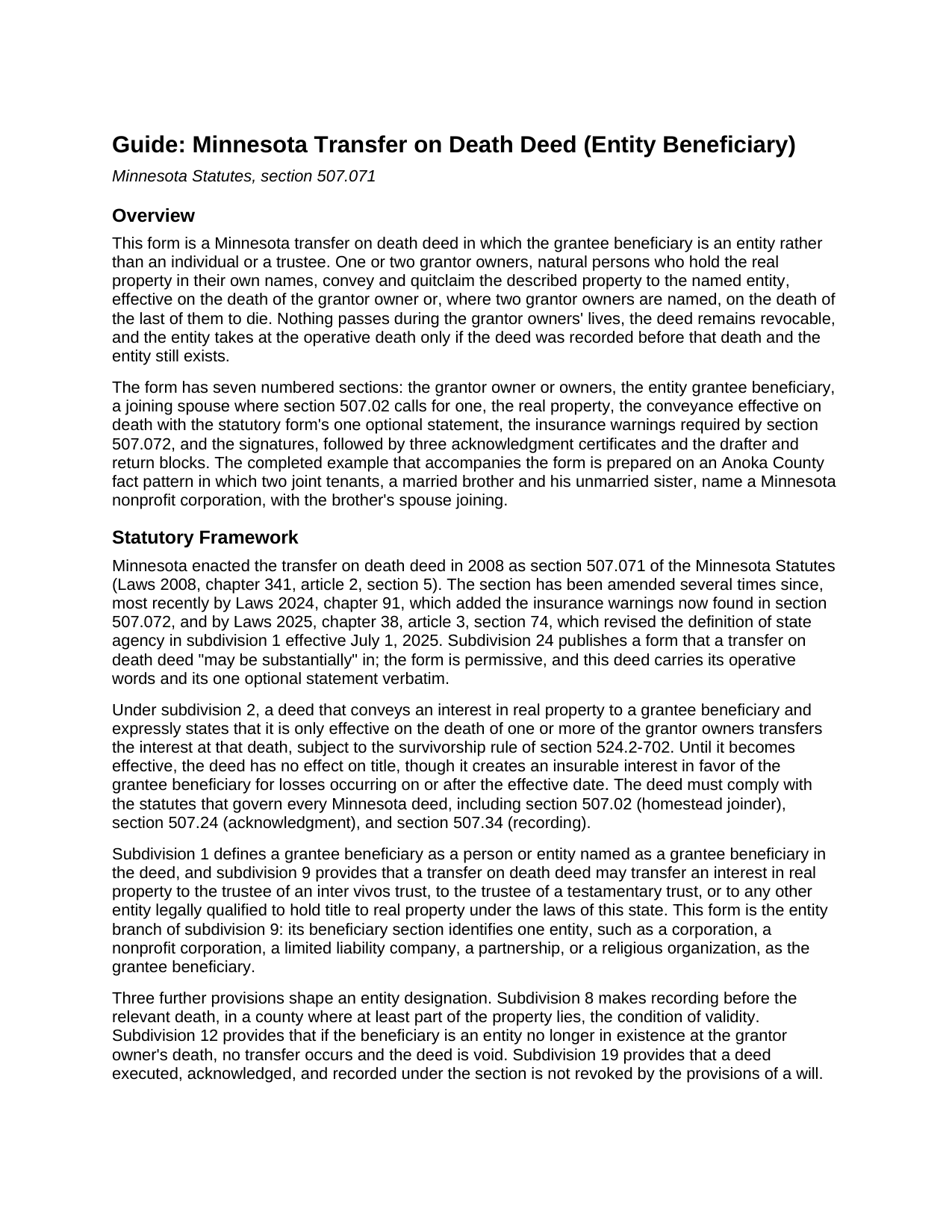
Stearns County Transfer on Death Deed (Entity Beneficiary) Guide
Line by line guide explaining every blank on the Transfer on Death Deed (Entity Beneficiary) form.
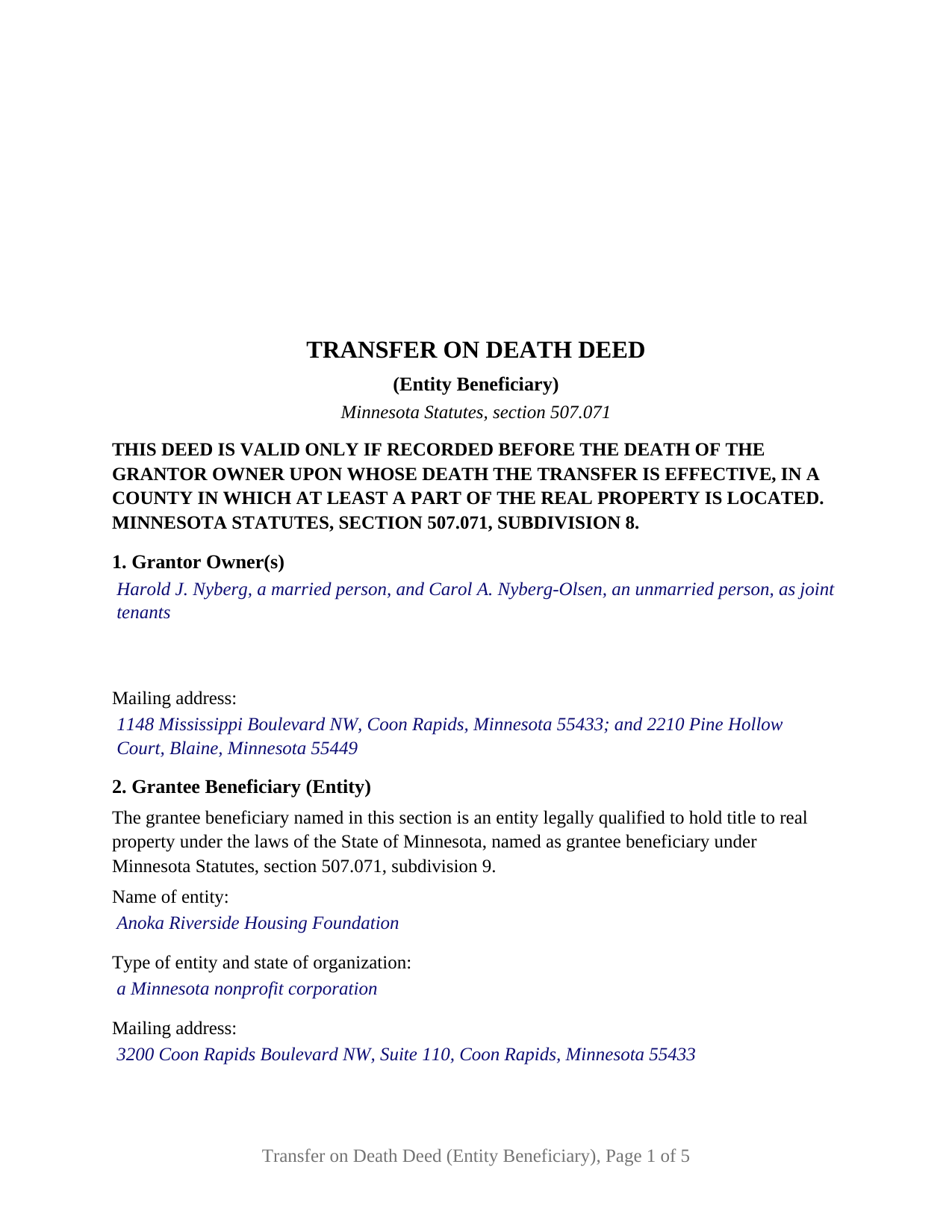
Stearns County Completed Example of the Transfer on Death Deed (Entity Beneficiary) Document
Example of a properly completed Minnesota Transfer on Death Deed (Entity Beneficiary) document for reference.
All 3 documents above included • One-time purchase • No recurring fees
Immediate Download • Secure Checkout
Additional Minnesota and Stearns County documents included at no extra charge:
Where to Record Your Documents
Service Center, Room 2203
Waite Park, Minnesota 56387
Hours: 8:00am to 4:30pm M-F
Phone: (320) 656-3855
Recording Tips for Stearns County:
- Bring your driver's license or state-issued photo ID
- Ensure all signatures are in blue or black ink
- Ask about accepted payment methods when you call ahead
- Ask for certified copies if you need them for other transactions
- Ask if they accept credit cards - many offices are cash/check only
Cities and Jurisdictions in Stearns County
Properties in any of these areas use Stearns County forms:
- Albany
- Avon
- Belgrade
- Brooten
- Cold Spring
- Collegeville
- Elrosa
- Freeport
- Greenwald
- Holdingford
- Kimball
- Melrose
- New Munich
- Paynesville
- Richmond
- Rockville
- Roscoe
- Saint Cloud
- Saint Joseph
- Saint Martin
- Saint Stephen
- Sartell
- Sauk Centre
- Waite Park
Hours, fees, requirements, and more for Stearns County
How do I get my forms?
Forms are available for immediate download after payment. The Stearns County forms will be in your account ready to download to your computer. An account is created for you during checkout if you don't have one. Forms are NOT emailed.
Are these forms guaranteed to be recordable in Stearns County?
Yes. Our form blanks are guaranteed to meet or exceed the applicable formatting requirements used for recording in Stearns County, including margin requirements, font requirements, and other layout standards. This guarantee applies to formatting, not to the legal sufficiency of information entered by the user or the suitability of a form for a particular transaction.
Can I reuse these forms?
Yes. You can reuse the forms for your personal use. For example, if you have multiple properties in Stearns County you only need to order once.
What do I need to use these forms?
The forms are PDFs that you fill out on your computer. The free Adobe Acrobat Reader is recommended, and most PDF apps also work. You do NOT enter your property information online - you download the blank forms and complete them privately on your own computer.
Are there any recurring fees?
No. This is a one-time purchase. Nothing to cancel, no memberships, no recurring fees.
How much does it cost to record in Stearns County?
Recording fees in Stearns County vary. Contact the recorder's office at (320) 656-3855 for current fees.
Questions answered? Let's get started!
A corporation, a limited liability company, a nonprofit, or a church can be the one that takes Minnesota real property when its owner dies. This transfer on death deed is written for that designation: one or two grantor owners naming a single entity as grantee beneficiary under Minnesota Statutes, section 507.071, subdivision 9. The entity signs nothing and takes title at the operative death only if it still exists.
An entity as the beneficiary the statute names
Subdivision 9 permits a Minnesota TOD deed to name, beyond an individual, the trustee of a trust or any other entity legally qualified to hold title to real property under the laws of this state. This form takes the second branch. Section 2 opens with fixed text identifying the grantee beneficiary as such an entity and receives the entity's exact legal name as its organizational documents and the Secretary of State's records state it, its type and state of organization, and a mailing address. Nothing asks who its officers or members are; the entity itself is the beneficiary.
What happens if the entity is gone
Subdivision 12 states the lapse rule that belongs to this configuration: if the beneficiary is an entity no longer in existence at the grantor owner's death, no transfer occurs and the deed is void. A dissolved corporation or an organization merged away under another name presents that question when the deed would operate. The deed names no successor beneficiary; subdivision 5 permits one only where the deed states the condition on which the successor's interest vests, and the statute supplies no words for it.
Agricultural land and the question of qualification
The phrase legally qualified to hold title does real work in Minnesota. Section 500.24, subdivision 3, bars a corporation, limited liability company, pension or investment fund, trust, or limited partnership from owning or acquiring agricultural land outside the exceptions it defines, among them the family farm corporation and gifted land an educational, religious, or charitable nonprofit disposes of within ten years, and section 500.221 adds an 80 percent citizen or permanent resident ownership requirement. The guide describes both statutes; a city lot raises neither.
What the configuration recites
The grantor side is free form: Section 1 receives one or two natural persons with marital status designated, as the statutory form in subdivision 24 asks, however they hold. Two owner signature blocks, OWNER and SECOND OWNER (if applicable), follow, each with its own acknowledgment certificate. A third section and block, JOINING SPOUSE (if applicable), carries a fixed sentence under which a spouse who owns no interest signs solely to release marital interests under section 507.02 and is not a grantor owner. The operative sentence conveys and quitclaims to the named entity in the statutory form's words, effective at the single grantor owner's death or at the death of the last of two to die, with the form's one optional after-acquired statement and its single box beneath, unmarked on the blank. A sole owner leaving a home to a congregation, a parent naming the family's operating company, and two joint tenants naming a charitable foundation present the patterns this deed recites. It is not set up for an individual or trustee grantee beneficiary, for more than one beneficiary, for three or more owners, or for a trustee, entity, or attorney-in-fact signing as grantor.
Recording before death, and the two warnings
Subdivision 8 makes recording the condition of validity: the deed is valid if recorded, before the death on which it operates, in a county where at least part of the land lies, and it travels light, with no auditor certification, no certificate of real estate value, and, under section 287.22, no state deed tax. The deed carries the section 507.091 drafter statement and the two warnings section 507.072, subdivision 7, has placed on every Minnesota beneficiary deed recorded on or after August 1, 2024. Once the operative death occurs, an affidavit of identity and survivorship and a county agency clearance certificate complete the title record; each is prepared and recorded separately and neither is included in this package.
The purchase delivers the fillable transfer on death deed to an entity, a completed example on an Anoka County fact pattern in which a married brother and his unmarried sister, joint tenants, name a Minnesota nonprofit corporation with the brother's spouse joining, and the guide covering each section and recording. This description and the guide describe the form and the statutes behind it in general terms and are not legal advice.
Important: Your property must be located in Stearns County to use these forms. Documents should be recorded at the county recording office listed above.
This Transfer on Death Deed (Entity Beneficiary) meets all recording requirements specific to Stearns County.
Our Promise
The documents you receive here are guaranteed to meet or exceed the applicable Stearns County recording format requirements. If there is a rejection caused by our formatting, we will correct the issue or refund your payment. This guarantee applies to document formatting only and does not extend to information entered by the user, the selection of the form, or the legal effect of the completed document.
Save Time and Money
Get your Stearns County Transfer on Death Deed (Entity Beneficiary) form done right the first time with Deeds.com Uniform Conveyancing Blanks. At Deeds.com, we understand that your time and money are valuable resources, and we don't want you to face a penalty fee or rejection imposed by a county recorder for submitting nonstandard documents. We constantly review and update our forms to meet rapidly changing state and county recording requirements for roughly 3,500 counties and local jurisdictions.
4.8 out of 5 - ( 4,840 Reviews )
Kristen H. 5 out of 5 stars
This was such a money saver. I was told by someone at the courthouse that I had to have a lawyer prepare the paper work for my mom. They stated that family members couldn't prepare the papers. I was hopeful when I found that I could prepare the survivorship affidavit on Deeds. I was able to prepare everything myself and had no issues today when at the courthouse for all the changes. Thank you!
We appreciate your business and value your feedback. Thank you. Have a wonderful day!
Elaine S. 4 out of 5 stars
Being new at this, the system was somewhat difficult to understand at first. It took a couple of tries before I got it. It seems to be somewhat slow as well. However, it's a wonderful idea to have documents recorded from the comfort of your home, especially in the times that we are in with COVID19. I definitely don't mind paying the fee which I thought was reasonable.
Thank you!
SHANE P. 5 out of 5 stars
Easy to use.
Thank you!
Wesley R T. 5 out of 5 stars
Great service and easy use
We appreciate your business and value your feedback. Thank you. Have a wonderful day!
Virginia C. 5 out of 5 stars
I had a nice surprise seeing how fast the process was to download in a safe manner the documents. The example and guide to fill the original document are very valuable to facilitate the filling in. Thank you!!
Thank you for your feedback. We really appreciate it. Have a great day!
Frankie A. 4 out of 5 stars
Deeds.com recorded documents for me without any issue. It's a good service and provides a lot of assistance on its web site. However, I asked for a printed receipt (i.e. an pdf copy of one), but after a staff provided me with an obvious answer, they simply ignored my follow up requests. I also asked a simple formatting question that they should have been able to answer; instead, they passed the buck and referred me to the recorder, which currently is a very time-consuming venture. They also have no telephone number for any issue. Generally, the service saves me the time and effort of physically recording a document, but when you think about $19.00 per recording seems like a steep price for the services rendered.
We appreciate your feedback Frankie. We are glad that we were able to submit your documents as requested. Sorry to hear that we let you down in other areas. We do encourage you to shop around for services that may better suit your needs. Have a wonderful day.
Lori F. 5 out of 5 stars
These folks are so amazing! They were very kind, patient and the communication was above and beyond. Basically, THEY ROCK!
Thank you!
Gary G. 5 out of 5 stars
Ordered the forms I needed for my state and county and everything worked out perfectly. All the forms came with examples (filled in) and very detailed instructions for each block that required an entry. I was able to fill everything out on my computer and save the files for future use, if required. Deeds provides an excellent product. I highly recommend their products and will use their services again.
Thank you for your feedback. We really appreciate it. Have a great day!
David B. 5 out of 5 stars
The requested forms were easy to access. Thank you.
Thank you!
Timothy N. 5 out of 5 stars
Extremely easy and fast recording of real estate records. I was impressed that it was less than 6 hours from the time I uploaded the document to Deeds.com to receiving confirmation that it was recorded by the county clerk. I would highly recommend this service to save you time and quickly get documents recorded!
Thank you for your feedback. We really appreciate it. Have a great day!
Kathryn M. 5 out of 5 stars
Never know an online service was available for recording county documents. It was so easy and simple and FAST! Within a matter of a couple hours it's done. I would definitely recommend Deeds.com to anyone.
Thank you Kathryn, we really appreciate that.
April C. 5 out of 5 stars
Spot on forms and process. YMMV but way more efficient and cost effective than contacting an ambulance... attorney.
Thank you!
Barbara S. 5 out of 5 stars
I had an issue due to the fact that I had many beneficiaries. I was and still am not sure how to handle this. We do have Adobe Pro and can modify the form, if needed. But I would like to talk to your organization for more information.
While we are unable to assist you specifically with completing the document we can note that this is addressed in the guide. Information that does not fit in the available space should be included in an exhibit page.
chris a. 5 out of 5 stars
It was easy to complete the deed but on the third page I only need one signature in stead of 3 I need to delete 2 or put n//a in those blocks I will continue to use your services and have recommended it to others
Thank you for your feedback. We really appreciate it. Have a great day!
Rex M. 5 out of 5 stars
fulfilled all NC requirements
Thank you!