Bolivar County Quitclaim Deed (Married Couple as Grantors) Form
Last validated October 4, 2026 by our Forms Development TeamFormatted for recording in Bolivar County, for property anywhere in the county: rural and unincorporated areas as well as Alligator, Benoit, Beulah, Boyle, Cleveland, Duncan, Gunnison, Merigold and 7 more.
- 3 documents included
- Immediate PDF download
- Formatting guarantee
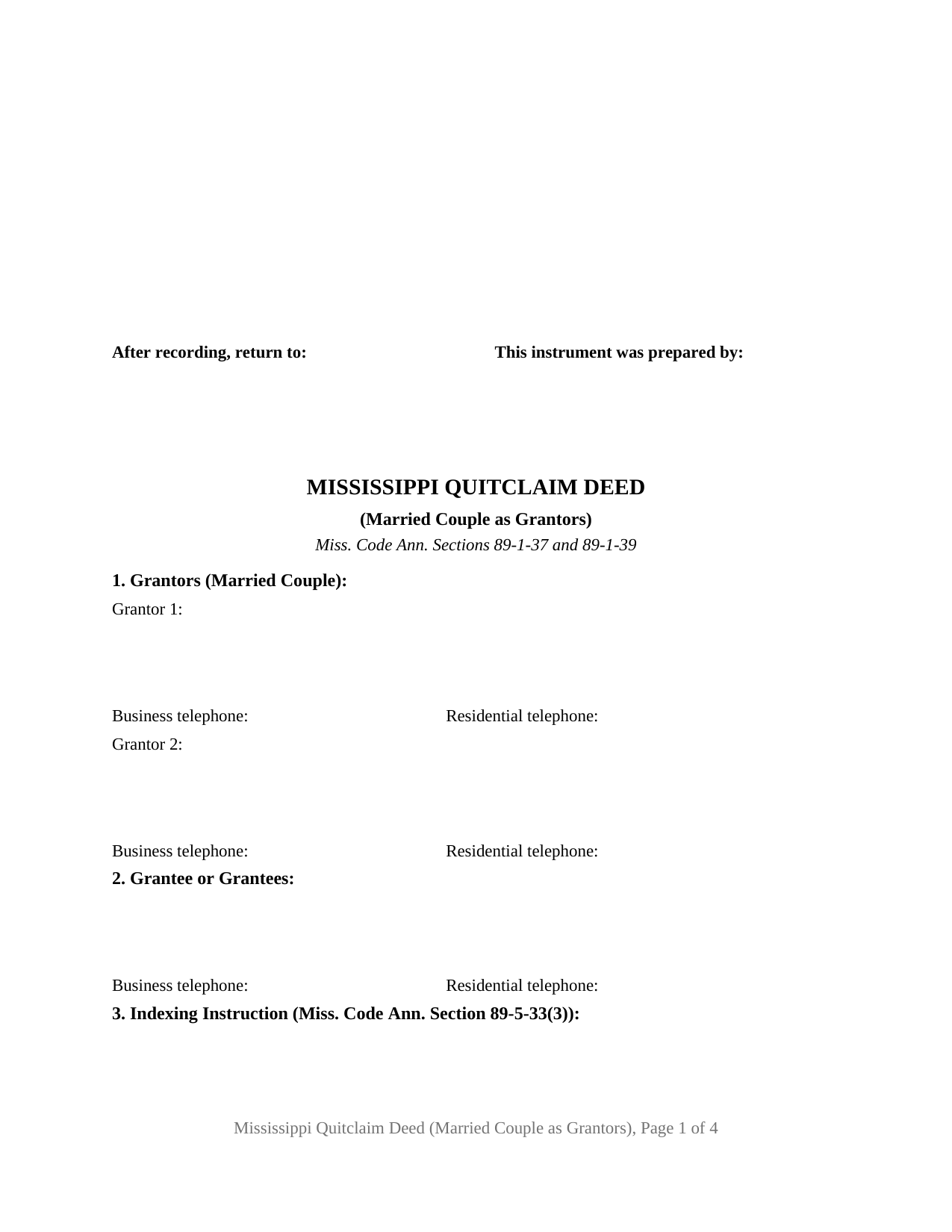
Bolivar County Quitclaim Deed (Married Couple as Grantors) Form
Fill in the blank Quitclaim Deed (Married Couple as Grantors) form formatted to comply with all Mississippi recording and content requirements.
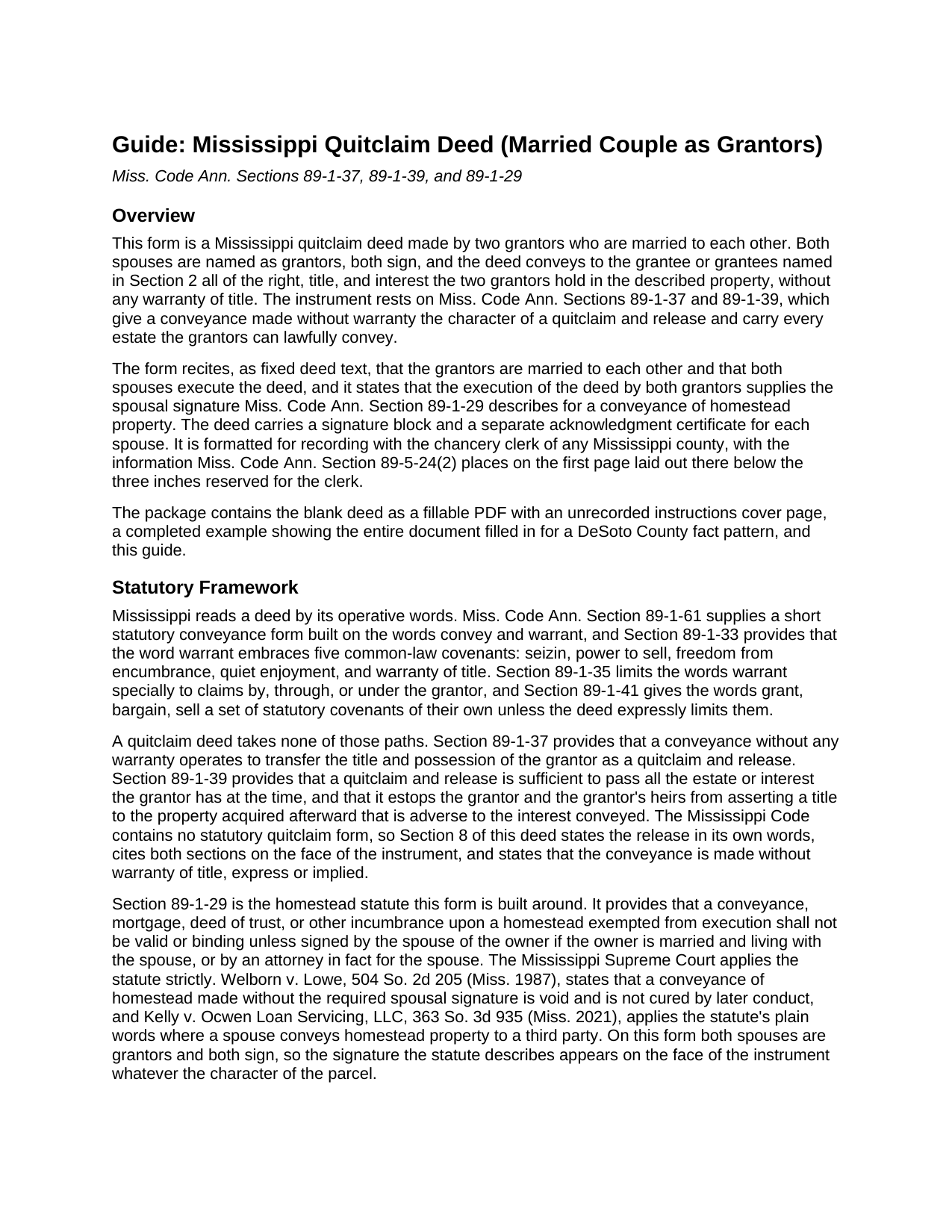
Bolivar County Quitclaim Deed (Married Couple as Grantors) Guide
Line by line guide explaining every blank on the Quitclaim Deed (Married Couple as Grantors) form.
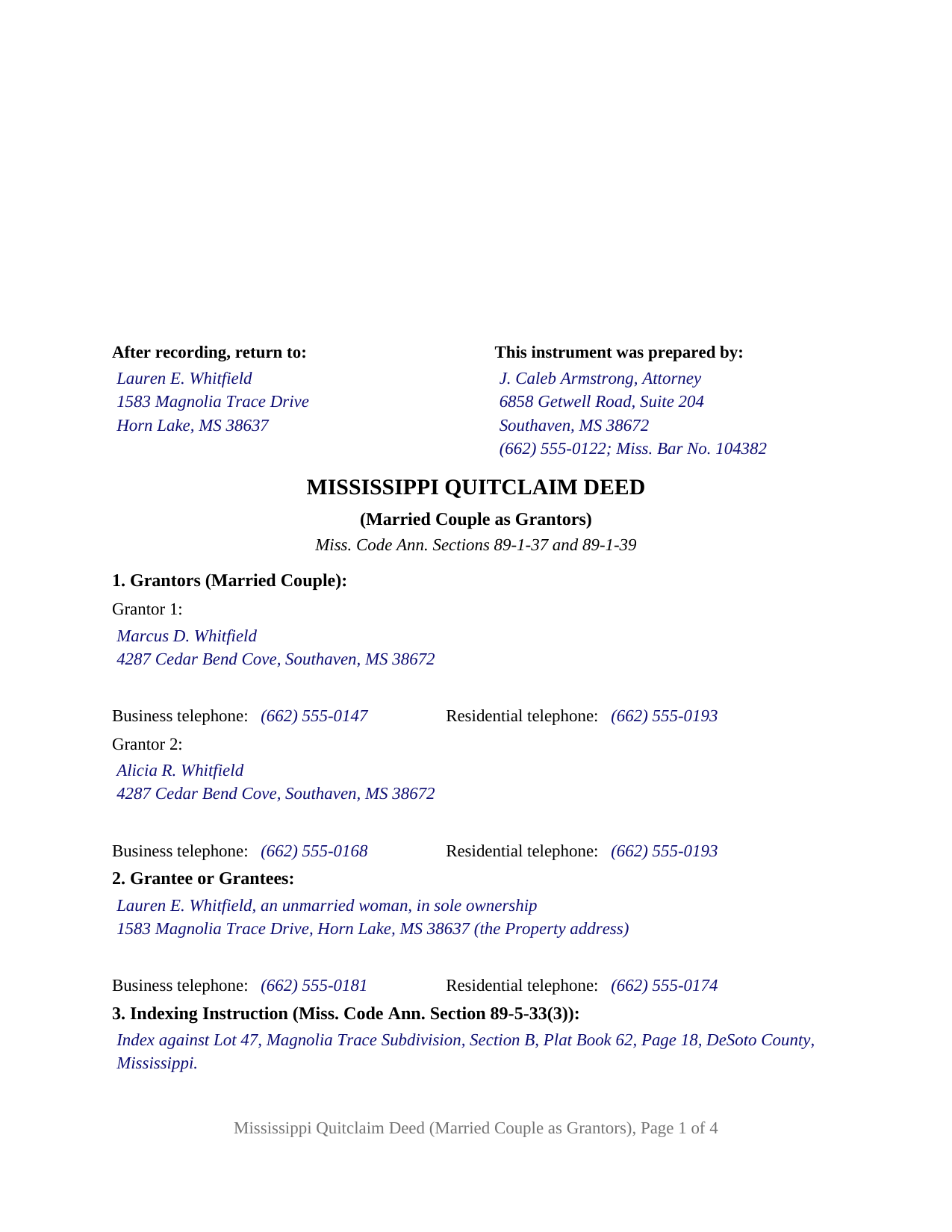
Bolivar County Completed Example of the Quitclaim Deed (Married Couple as Grantors) Document
Example of a properly completed Mississippi Quitclaim Deed (Married Couple as Grantors) document for reference.
All 3 documents above included • One-time purchase • No recurring fees
Immediate Download • Secure Checkout
Additional Mississippi and Bolivar County documents included at no extra charge:
Where to Record Your Documents
Chancery Clerk - First Judicial District
Rosedale, Mississippi 38769
Hours: 8:00am-5:00pm M-F
Phone: (662) 759-3762
Chancery Clerk - Second Judicial District
Cleveland, Mississippi 38762 / 38732
Hours:
Phone: (662) 843-2071
Recording Tips for Bolivar County:
- Bring your driver's license or state-issued photo ID
- Ensure all signatures are in blue or black ink
- Request a receipt showing your recording numbers
- Ask about accepted payment methods when you call ahead
- Ask for certified copies if you need them for other transactions
Cities and Jurisdictions in Bolivar County
Properties in any of these areas use Bolivar County forms:
- Alligator
- Benoit
- Beulah
- Boyle
- Cleveland
- Duncan
- Gunnison
- Merigold
- Mound Bayou
- Pace
- Rosedale
- Scott
- Shaw
- Shelby
- Winstonville
Hours, fees, requirements, and more for Bolivar County
How do I get my forms?
Forms are available for immediate download after payment. The Bolivar County forms will be in your account ready to download to your computer. An account is created for you during checkout if you don't have one. Forms are NOT emailed.
Are these forms guaranteed to be recordable in Bolivar County?
Yes. Our form blanks are guaranteed to meet or exceed the applicable formatting requirements used for recording in Bolivar County, including margin requirements, font requirements, and other layout standards. This guarantee applies to formatting, not to the legal sufficiency of information entered by the user or the suitability of a form for a particular transaction.
Can I reuse these forms?
Yes. You can reuse the forms for your personal use. For example, if you have multiple properties in Bolivar County you only need to order once.
What do I need to use these forms?
The forms are PDFs that you fill out on your computer. The free Adobe Acrobat Reader is recommended, and most PDF apps also work. You do NOT enter your property information online - you download the blank forms and complete them privately on your own computer.
Are there any recurring fees?
No. This is a one-time purchase. Nothing to cancel, no memberships, no recurring fees.
How much does it cost to record in Bolivar County?
Recording fees in Bolivar County vary. Contact the recorder's office at (662) 759-3762 for current fees.
Questions answered? Let's get started!
A married couple signs this Mississippi quitclaim deed together: the form names both spouses as grantors, states the marriage on the face of the instrument, and carries a signature block and a notarial certificate for each of them. Built on Mississippi's without-warranty conveyance statutes, the deed moves every interest either spouse holds in the described property to the grantee or grantees through one recorded instrument, free of any title covenant.
A homestead answer written into the deed
Section 89-1-29 of the Mississippi Code provides that a conveyance of homestead property is not valid or binding unless the owner's spouse signs it whenever the owner is married and living with that spouse, and the Mississippi Supreme Court enforces the rule severely: a homestead conveyance missing the required spousal signature is void from the start, and later conduct does not revive it. This deed resolves that question structurally. Both spouses appear as grantors, both sign, and the operative section states that the joint execution supplies the Section 89-1-29 signature for any homestead interest in the property. A title examiner reading the record sees the statutory signature on the face of one instrument, whether the parcel was the couple's homestead, a rental house, or vacant land.
One instrument for whatever the couple holds
Mississippi gives married co-owners no automatic survivorship: under Section 89-1-7, a deed to two or more people, spouses included, produces a tenancy in common unless a joint tenancy or tenancy by the entirety with right of survivorship manifestly appears from the instrument, and title sometimes stands in one spouse's name alone. A quitclaim by both spouses reaches every one of those arrangements with the same words. Each grantor conveys all of that grantor's right, title, and interest, so undivided halves, a survivorship estate, and a lone record interest with a joining spouse all pass through the same operative sentence. The conveyance runs without warranty: under Section 89-1-37 it operates as a quitclaim and release, and under Section 89-1-39 it passes every estate and interest the grantors can lawfully convey while estopping them and their heirs from asserting a later-acquired title against it.
Two spouse-grantors, two certificates
The form recites exactly two grantors, married to each other. Each grantor entry collects the mailing address and telephone numbers Section 27-3-51 requires of every party to a recorded Mississippi deed, the signature section carries a block for each spouse with the printed name beneath the line, and a notarial acknowledgment certificate in the Section 89-3-7(2) statutory short form follows for each signer, so the spouses may acknowledge on different dates or in different counties or states. Married owners conveying the family house to an adult child, spouses deeding jointly held land to the trustee of their revocable living trust, and a couple releasing inherited acreage to the relative who farms it present the pattern this deed recites. The form is not set up as a conveyance by one spouse to the other, by a sole unmarried owner, by co-owners who are not married to each other, or by three or more grantors; each of those patterns calls for a different party and signature architecture. A search for a quit claim deed for a husband and wife, in the two-word spelling, reaches the same instrument prepared here.
Intake the chancery clerk can index
With two grantors the form collects a double portion of Mississippi's intake data. Section 27-3-51 lets the clerk refuse a deed that omits any party's contact information, so the deed gathers it for both spouses and for each grantee on its face. The indexing instruction Section 89-5-33(3) requires stands distinctly set apart as a numbered section of the deed, stating the lot, block, and subdivision for platted land or the section, township, and range for acreage. The first page arranges the preparer block, return address, title, party entries, and that indexing instruction below the three-inch recording reserve, per Section 89-5-24(2), with the legal description opening page two, and Section 25-7-9 sets the base recording charge at twenty-five dollars for five pages or fewer, which covers this four-page deed. No statewide transfer tax attaches to an ordinary Mississippi deed.
The package downloads with three pieces: the blank two-spouse quitclaim deed as a fillable PDF, a completed example that carries a DeSoto County transfer from the preparer block through both notarial certificates, and a plain-language guide covering every numbered section, the homestead rule, the signing formalities, and the recording steps. The materials describe Mississippi law in general terms and are not legal advice.
Important: Your property must be located in Bolivar County to use these forms. Documents should be recorded at the county recording office listed above.
This Quitclaim Deed (Married Couple as Grantors) meets all recording requirements specific to Bolivar County.
Our Promise
The documents you receive here are guaranteed to meet or exceed the applicable Bolivar County recording format requirements. If there is a rejection caused by our formatting, we will correct the issue or refund your payment. This guarantee applies to document formatting only and does not extend to information entered by the user, the selection of the form, or the legal effect of the completed document.
Save Time and Money
Get your Bolivar County Quitclaim Deed (Married Couple as Grantors) form done right the first time with Deeds.com Uniform Conveyancing Blanks. At Deeds.com, we understand that your time and money are valuable resources, and we don't want you to face a penalty fee or rejection imposed by a county recorder for submitting nonstandard documents. We constantly review and update our forms to meet rapidly changing state and county recording requirements for roughly 3,500 counties and local jurisdictions.
4.8 out of 5 - ( 4,828 Reviews )
MARISSA G. 5 out of 5 stars
I recomemed this webside
Thank you for your feedback. We really appreciate it. Have a great day!
Monica S. 5 out of 5 stars
Great forms, thank you so much.
Thank you for your feedback. We really appreciate it. Have a great day!
William A B. 5 out of 5 stars
Good service...deed release form as required.
Thank you!
roger m. 5 out of 5 stars
super clean interface i thank you very much
Thank you!
Robin G. 5 out of 5 stars
Very responsive and helpful.
Thank you!
Jan C. 5 out of 5 stars
Wow - finding your service was a lifesaver! I know my forms, but I don't have the time right now to draft them from "scratch". So once I found this site it was a couple of quick clicks and VOILA!! almost a done deal. Thanks for the assistance.
Thank you for your feedback. We really appreciate it. Have a great day!
Alexis R. 5 out of 5 stars
Excellent service and reasonable fees. Highly recommend this company.
We appreciate your business and value your feedback. Thank you. Have a wonderful day!
Dennis F. 4 out of 5 stars
The release of mortgage form was OK, and accepted at the recorder's office, but there were some problems. Many of the fields to type in were too small to accept the data, and I could not find a way to change the field size or use a smaller font. Otherwise I was satisfied.
Your feedback is a crucial part of our dedication to ongoing improvement. Thank you for your insightful comments.
Judy C. 5 out of 5 stars
Both sets of deeds were complete and easy to understand. Both states accepted the forms to transfer property.
We appreciate your business and value your feedback. Thank you. Have a wonderful day!
Jimmy P. 5 out of 5 stars
They sent me everything I would need to do this. Easy purchase -Easy download. Great!! I'll be back here for all my document needs.
We appreciate your business and value your feedback. Thank you. Have a wonderful day!
Suhila C. 5 out of 5 stars
This site is awesome. It has everything I need to purchase and sell (transfer deed ownership) land and property. I cannot wait to get our new land and building for business. Thanks, Suhila
We appreciate your business and value your feedback. Thank you. Have a wonderful day!
SHIRLEY H. 3 out of 5 stars
I like that they have all the forms, but I could not find it they would submit the forms to the recorders office
Thank you!
Roger S. 1 out of 5 stars
status was canceled. said i needed to record directly. would be 5 stars if it worked.
Sorry for the inconvenience Roger. Unfortunately, not all jurisdictions in the country have progressed to the point of being able to accept all document types for e-recording.
Joseph F. 5 out of 5 stars
I Found Deeds.com to be fabulous. I had no idea how or where to start to get a quitclaim deed. deeds.com made it effortless and easy to complete the paperwork with great instructions and information. I highly recommend deeds.com
Thank you for your feedback. We really appreciate it. Have a great day!
Elaine D. 5 out of 5 stars
Easement deed contract was easy to complete, however after additional research raises some concerns because the Ohio deed does not list a requirement for witness signatures and does not provide lines or an area for witness signatures. The document does provide the necessary area for the notary information and the grantor and grantee.
Thank you for your feedback. We really appreciate it. Have a great day!