Bolivar County Quitclaim Deed (Partnership or Limited Partnership Grantor) Form
Last validated November 4, 2026 by our Forms Development TeamFormatted for recording in Bolivar County, for property anywhere in the county: rural and unincorporated areas as well as Alligator, Benoit, Beulah, Boyle, Cleveland, Duncan, Gunnison, Merigold and 7 more.
- 3 documents included
- Immediate PDF download
- Formatting guarantee
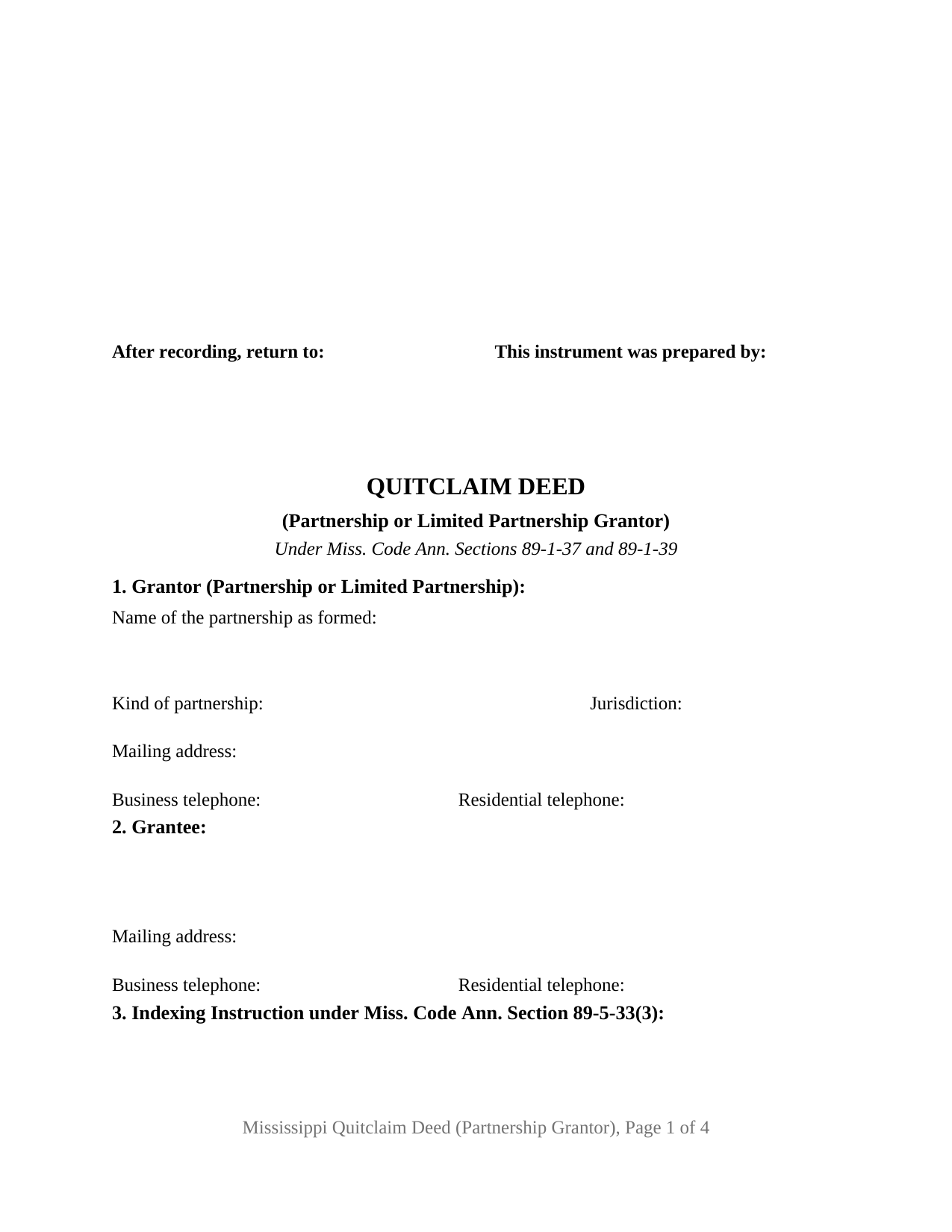
Bolivar County Quitclaim Deed (Partnership or Limited Partnership Grantor) Form
Fill in the blank Quitclaim Deed (Partnership or Limited Partnership Grantor) form formatted to comply with all Mississippi recording and content requirements.
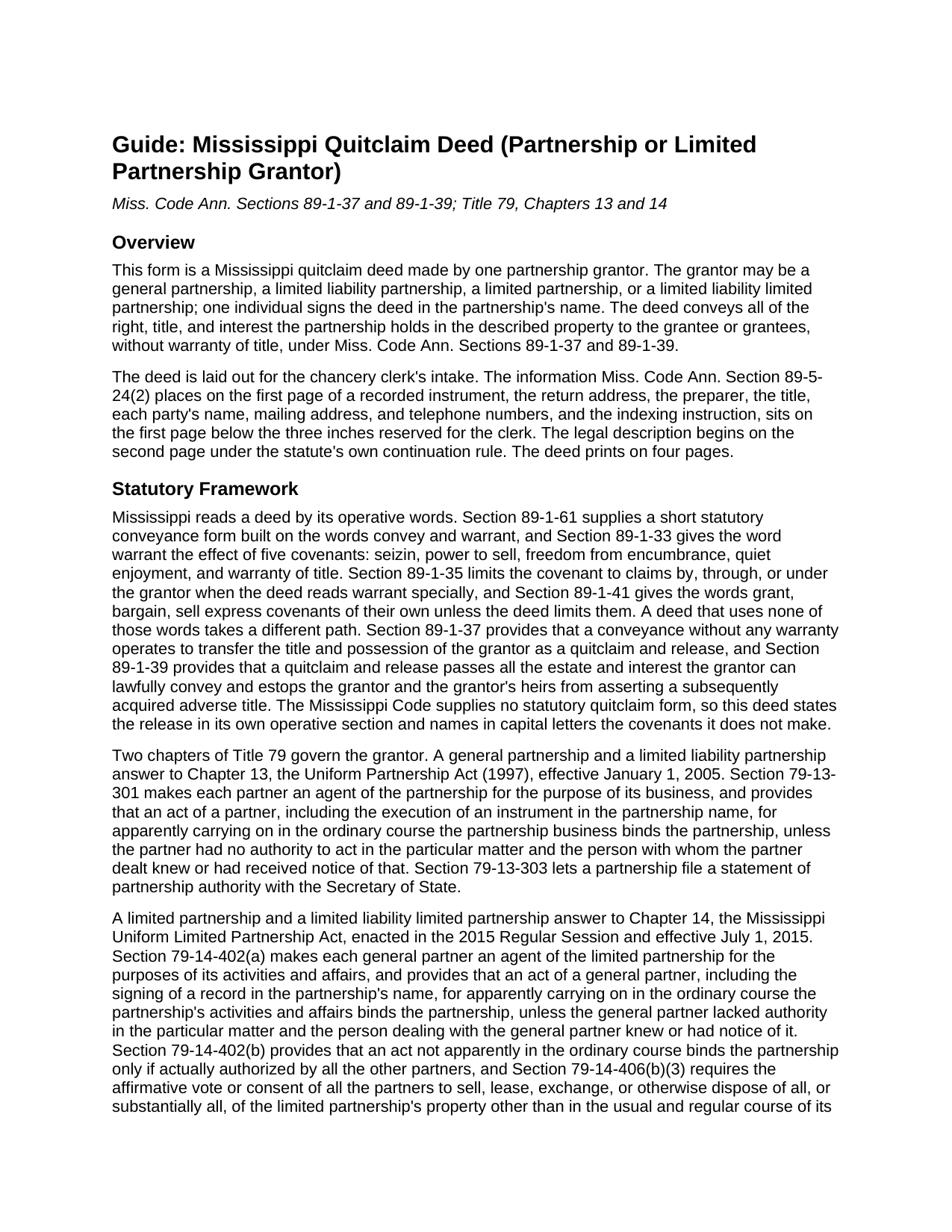
Bolivar County Quitclaim Deed (Partnership or Limited Partnership Grantor) Guide
Line by line guide explaining every blank on the Quitclaim Deed (Partnership or Limited Partnership Grantor) form.
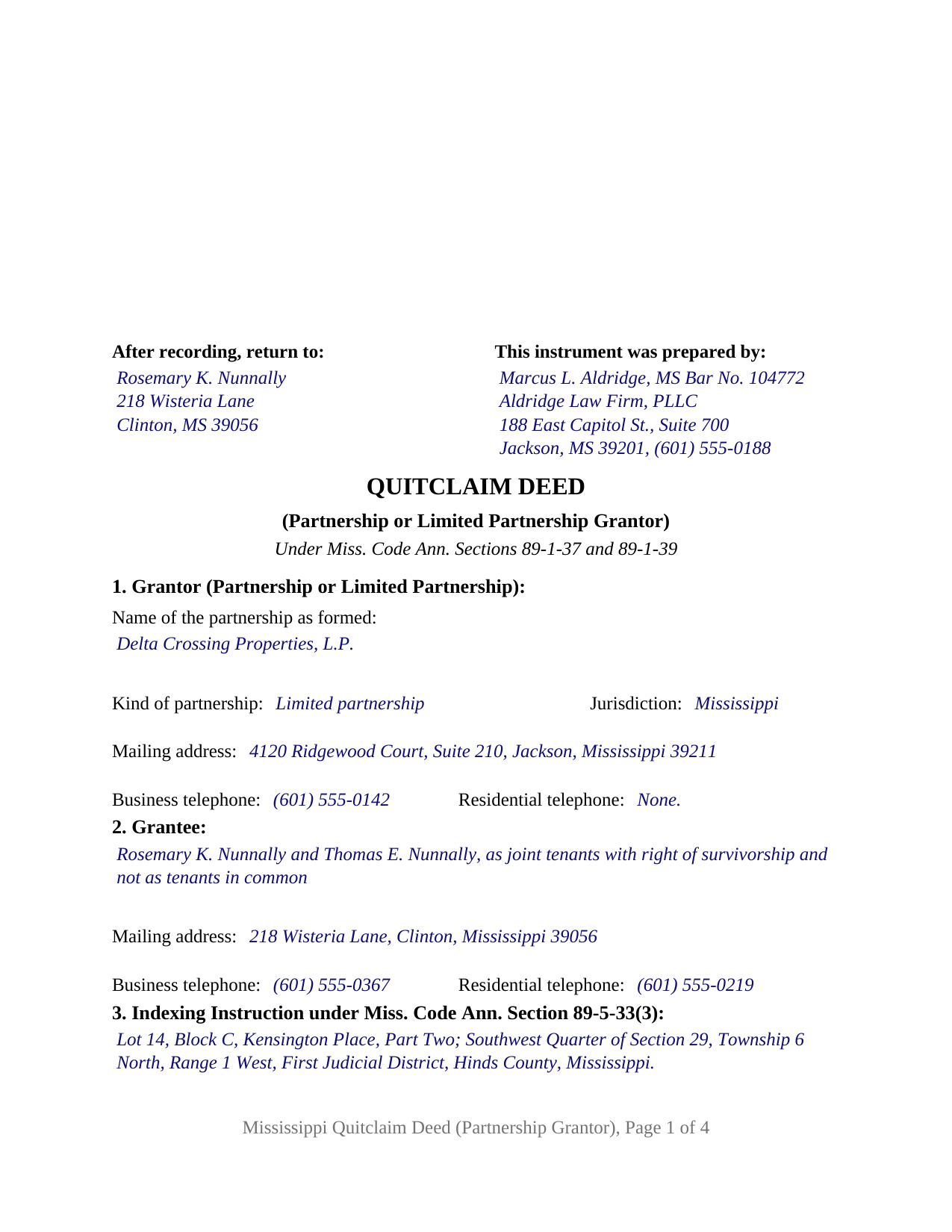
Bolivar County Completed Example of the Quitclaim Deed (Partnership or Limited Partnership Grantor) Document
Example of a properly completed Mississippi Quitclaim Deed (Partnership or Limited Partnership Grantor) document for reference.
All 3 documents above included • One-time purchase • No recurring fees
Immediate Download • Secure Checkout
Additional Mississippi and Bolivar County documents included at no extra charge:
Where to Record Your Documents
Chancery Clerk - First Judicial District
Rosedale, Mississippi 38769
Hours: 8:00am-5:00pm M-F
Phone: (662) 759-3762
Chancery Clerk - Second Judicial District
Cleveland, Mississippi 38762 / 38732
Hours:
Phone: (662) 843-2071
Recording Tips for Bolivar County:
- Bring your driver's license or state-issued photo ID
- Ensure all signatures are in blue or black ink
- Make copies of your documents before recording - keep originals safe
- Recorded documents become public record - avoid including SSNs
- Recording fees may differ from what's posted online - verify current rates
Cities and Jurisdictions in Bolivar County
Properties in any of these areas use Bolivar County forms:
- Alligator
- Benoit
- Beulah
- Boyle
- Cleveland
- Duncan
- Gunnison
- Merigold
- Mound Bayou
- Pace
- Rosedale
- Scott
- Shaw
- Shelby
- Winstonville
Hours, fees, requirements, and more for Bolivar County
How do I get my forms?
Forms are available for immediate download after payment. The Bolivar County forms will be in your account ready to download to your computer. An account is created for you during checkout if you don't have one. Forms are NOT emailed.
Are these forms guaranteed to be recordable in Bolivar County?
Yes. Our form blanks are guaranteed to meet or exceed the applicable formatting requirements used for recording in Bolivar County, including margin requirements, font requirements, and other layout standards. This guarantee applies to formatting, not to the legal sufficiency of information entered by the user or the suitability of a form for a particular transaction.
Can I reuse these forms?
Yes. You can reuse the forms for your personal use. For example, if you have multiple properties in Bolivar County you only need to order once.
What do I need to use these forms?
The forms are PDFs that you fill out on your computer. The free Adobe Acrobat Reader is recommended, and most PDF apps also work. You do NOT enter your property information online - you download the blank forms and complete them privately on your own computer.
Are there any recurring fees?
No. This is a one-time purchase. Nothing to cancel, no memberships, no recurring fees.
How much does it cost to record in Bolivar County?
Recording fees in Bolivar County vary. Contact the recorder's office at (662) 759-3762 for current fees.
Questions answered? Let's get started!
Mississippi keeps its partnerships in two separate chapters of the business code, and a deed out of a partnership has to answer to one of them. This deed prepares that conveyance for a single partnership grantor, without warranty of title, and the deed's own face carries the answer: blanks for the kind of partnership, the individual signing in the partnership name, and the authority relied on.
Two chapters, and a blank instead of an assumption
A general partnership and a limited liability partnership answer to Title 79, Chapter 13, the Uniform Partnership Act (1997), effective January 1, 2005. A limited partnership and a limited liability limited partnership answer to Chapter 14, the Mississippi Uniform Limited Partnership Act, enacted in the 2015 Regular Session and effective July 1, 2015. Section 79-14-114 even polices the name, requiring the words limited partnership or the abbreviation LP or L.P. Section 1 therefore takes the kind of partnership beside the name as formed and the jurisdiction of organization.
Where a single signature gets its force
Section 79-14-402(a) makes each general partner an agent of a limited partnership, so a general partner's act, including signing a record in the partnership's name, in the apparent ordinary course of its activities binds the partnership unless that partner lacked authority and the person dealt with knew or had notice of it. Section 79-14-406(b)(3) then requires every partner's consent to dispose of all, or substantially all, of the partnership's property outside the usual and regular course. Hence Section 4, which records a capacity and a named authority: a dated provision of the partnership agreement, a consent of the partners, or a statement of partnership authority under Section 79-13-303, obtained separately and not included here.
Without warranty, and an estoppel that runs one way
No warranty words appear in the operative section, and in Mississippi that omission fixes the deed's character. Section 89-1-37 gives a deed drawn without warranty the character of a quitclaim and release, reaching the title and possession the grantor holds and nothing beyond it, while Section 89-1-39 carries whatever estate the grantor may lawfully convey and estops the grantor and the grantor's heirs from asserting a later-acquired adverse title. A capitalized section lists the five covenants Section 89-1-33 packs into the word warrant, states that the partnership makes not one of them, and keeps the phrase grant, bargain, sell off the page, since Section 89-1-41 loads those words with covenants of their own. Liens, easements, mineral reservations, and a deed of trust the partnership signed ride through intact.
One partnership, one signer, one certificate
The form recites exactly one partnership grantor and exactly one individual signing in its name. A single signature block carries the signing capacity on its printed name line, and one acknowledgment certificate follows in the short-form wording the Revised Mississippi Law on Notarial Acts brought to Section 89-3-7(2). Section 11 fixes the signer's role: acting in the partnership name and not individually, in no covenant, and giving no warranty of title. A family limited partnership distributing a parcel to a partner while winding up, and a partnership clearing a fractional record interest left from an earlier purchase, both present the entity conveyance this deed recites. It is not drafted for an individual grantor, for two partnerships conveying together, or for a limited liability company or corporation, each answering to its own organic statute. A search for a quit claim deed by a partnership, in the two word spelling, arrives here as well.
What the chancery clerk reads first
The first page keeps its upper three inches free for the clerk's stamp, and every item Section 89-5-24(2) assigns to page one sits underneath: return address, preparer, title, both parties' contact data, and the indexing instruction, the legal description opening page two under the statute's continuation sentence. Section 27-3-51 conditions recording on a mailing address and telephone numbers for every party, which an entity answers with its business address and telephone; a clerk may refuse a deed that omits them. Section 89-5-33(3) directs that the indexing instruction be distinctly set apart, so it holds a numbered section of its own. The deed runs four pages, inside the twenty-five dollars Section 25-7-9 charges for five.
Three files download together: the blank partnership quitclaim deed as a fillable PDF, a completed Hinds County example running from the preparer block to the notarial certificate, and a plain-language guide to the numbered sections, signing, and recording. The package describes Mississippi law generally and is not legal advice.
Important: Your property must be located in Bolivar County to use these forms. Documents should be recorded at the county recording office listed above.
This Quitclaim Deed (Partnership or Limited Partnership Grantor) meets all recording requirements specific to Bolivar County.
Our Promise
The documents you receive here are guaranteed to meet or exceed the applicable Bolivar County recording format requirements. If there is a rejection caused by our formatting, we will correct the issue or refund your payment. This guarantee applies to document formatting only and does not extend to information entered by the user, the selection of the form, or the legal effect of the completed document.
Save Time and Money
Get your Bolivar County Quitclaim Deed (Partnership or Limited Partnership Grantor) form done right the first time with Deeds.com Uniform Conveyancing Blanks. At Deeds.com, we understand that your time and money are valuable resources, and we don't want you to face a penalty fee or rejection imposed by a county recorder for submitting nonstandard documents. We constantly review and update our forms to meet rapidly changing state and county recording requirements for roughly 3,500 counties and local jurisdictions.
4.8 out of 5 - ( 4,845 Reviews )
Thomas D. 2 out of 5 stars
The documents themselves are fine and the information provided with them is helpful. I find the actual processing of the documents, however, to be difficult particularly once the document has been saved. First, I note that the box for the date only allows entry of the last 2 digits of the year. Unfortunately, my download only allows me to enter one of the 2 digits required. When I delete it repeatedly, it eventually allows both digits to be entered but puts them in extremely small text and in superscrypt. I have not found a solution to this problem and am not sure the deed can even be recorded with this problem. Another problem is that if you try to revise the document after you have saved it the curser goes to the end of the line after each key entry. This means that there basically is no way to efficiently save the document for reworking later since you will have to delete everything you have entered in the text box unless you only need to make a single keystroke change or are willing to replace the curser after each entry. Try that with a long property description! Please note that I am using a Mac to prepare my documents and perhaps this is part of an "incompatibility problem". However, I didn't see a disclaimer regarding Mac use and so would expect the documents to perform correctly. Overall, I give the program a "2 star" rating because I am experiencing significant difficulties in entering dates in the documents even before saving them and because saving your work for later revision appears to be basically unworkable.
Thank you for your feedback Thomas, we appreciate you being specific about the issues you encountered. Adobe and Mac have a fairly long history of issues working together.
Raymond N. 4 out of 5 stars
The process of obtaining the forms that I wanted was very easy and the cost reasonable. The site is easy to follow and explains everything. Thank you for being here.
We appreciate your business and value your feedback. Thank you. Have a wonderful day!
Frank K. 5 out of 5 stars
One thing I suggest is use the nomenclature Borrower / Lender / instead of Mortgatator / Mortgatee… Had to google which is which ? !
Thank you for your feedback. We really appreciate it. Have a great day!
Jerry B. 5 out of 5 stars
Easy to use and fully comprehensive.
Thank you for your feedback Jerry, we appreciate you.
Kaleigh S. 5 out of 5 stars
I used Deeds.com to record two judgments with the County Recorder's Office. The site was very easy to use and I had my recorded copies back the very next day. I highly recommend their service!
We appreciate your business and value your feedback. Thank you. Have a wonderful day!
Bonnee G. 5 out of 5 stars
Arrived at your site from my county's government site. Saw that all the forms I think I need were included in one package deal, hopefully its the correct package. I Although I've not looked into other aspects of the site, retrieving the forms was pretty easy. Thank you
Thank you for your feedback. We really appreciate it. Have a great day!
Terriana H. 5 out of 5 stars
Order processed and fulfilled in the same day!
Thank you!
JOANN S. 5 out of 5 stars
easy to use and understand forms. saved completed on my computer with no issues, even emailed them to my son for printing. recommend.
Thank you for the kind words Joann, have an amazing day!
James B. 5 out of 5 stars
Was a lot easier than driving to the County Building and faster than expected. Thank you!
We appreciate your business and value your feedback. Thank you. Have a wonderful day!
Robert T. 5 out of 5 stars
Thanks to Deeds.com, our law office was able to get the deed of trust filed without having to run around town wasting gas and they were very efficient and quick with getting it done in a timely manner.
We appreciate your business and value your feedback. Thank you. Have a wonderful day!
Todd W. 2 out of 5 stars
Communication is hard. The reps need to be empowered and encouraged to call the customers when necessary. They encourage 300 dpi resolution and under 2 MB PDF file, which is not even possible with our scanner. They made a vague comment about a legal description looking abbreviated but did not explain. They refused to call me. They said the county said "Image is light please darken", but the image looked fine to me. Maybe not their fault, but they refused to help work with the county on that for me. I followed their suggestion though and re-scanned at 300 dpi, but they misunderstood me and did not re-submit it right away. Over 48 hours later, it's still not recorded yet. I hope it will be today.
Thank you for your feedback Todd.
BARRY D. 5 out of 5 stars
Could not have been easier. Instructions were clear. Guidelines and example were clearly written. Erecording worked fast and let me skip a dreaded trip downtown to be ignored by government employees who hate their jobs.
Thank you for your positive words! We’re thrilled to hear about your experience.
Tricia M. 5 out of 5 stars
The document I purchased (QuitClaim Deed) had detailed directions explaining how to complete the form. This made it easy to complete without any doubt that it was completed incorrectly (which was my fear). I also used the E-File service and it was processed very quickly without any issues. Thank you for making this process simple! I will definitely use this service again.
We appreciate your business and value your feedback. Thank you. Have a wonderful day!
Jamie P. 5 out of 5 stars
The forms are easy to download. Easy to fill out. The information on the site and on the web provided by Deeds.com have been immensely helpful.
Thank you!
Kim C. 5 out of 5 stars
Very user-friendly and easy to obtain exactly what I needed. I am impressed by the sample forms as well. I will definitely be using Deeds.com again!!
Thank you for your feedback. We really appreciate it. Have a great day!