Carroll County Gift Deed Form
Last validated October 2, 2026 by our Forms Development TeamFormatted for recording in Carroll County, for property anywhere in the county: rural and unincorporated areas as well as Bartlett, Center Conway, Center Ossipee, Center Sandwich, Center Tuftonboro, Chatham, Chocorua, Conway and 24 more.
- 3 documents included
- Immediate PDF download
- Formatting guarantee
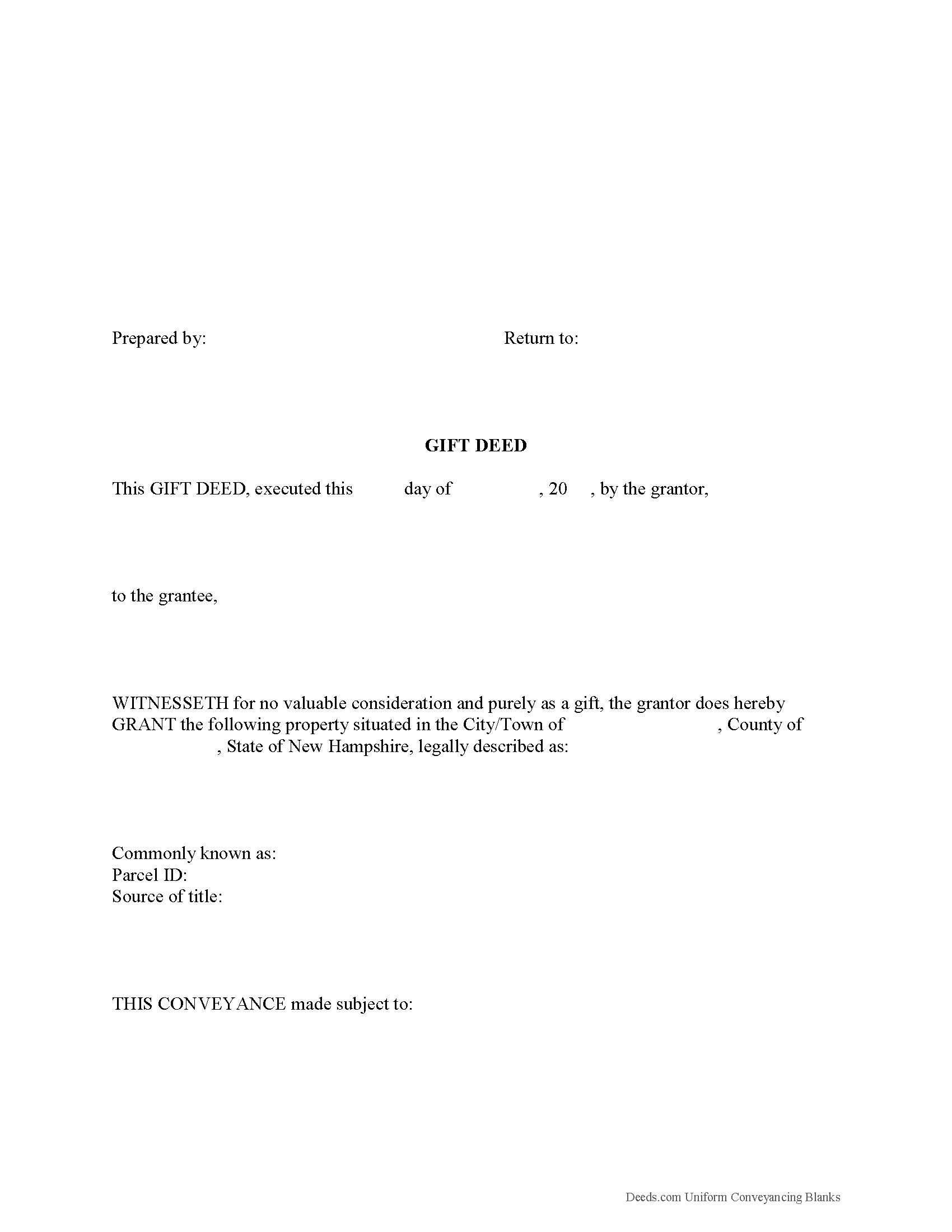
Carroll County Gift Deed Form
Fill in the blank form formatted to comply with all recording and content requirements.
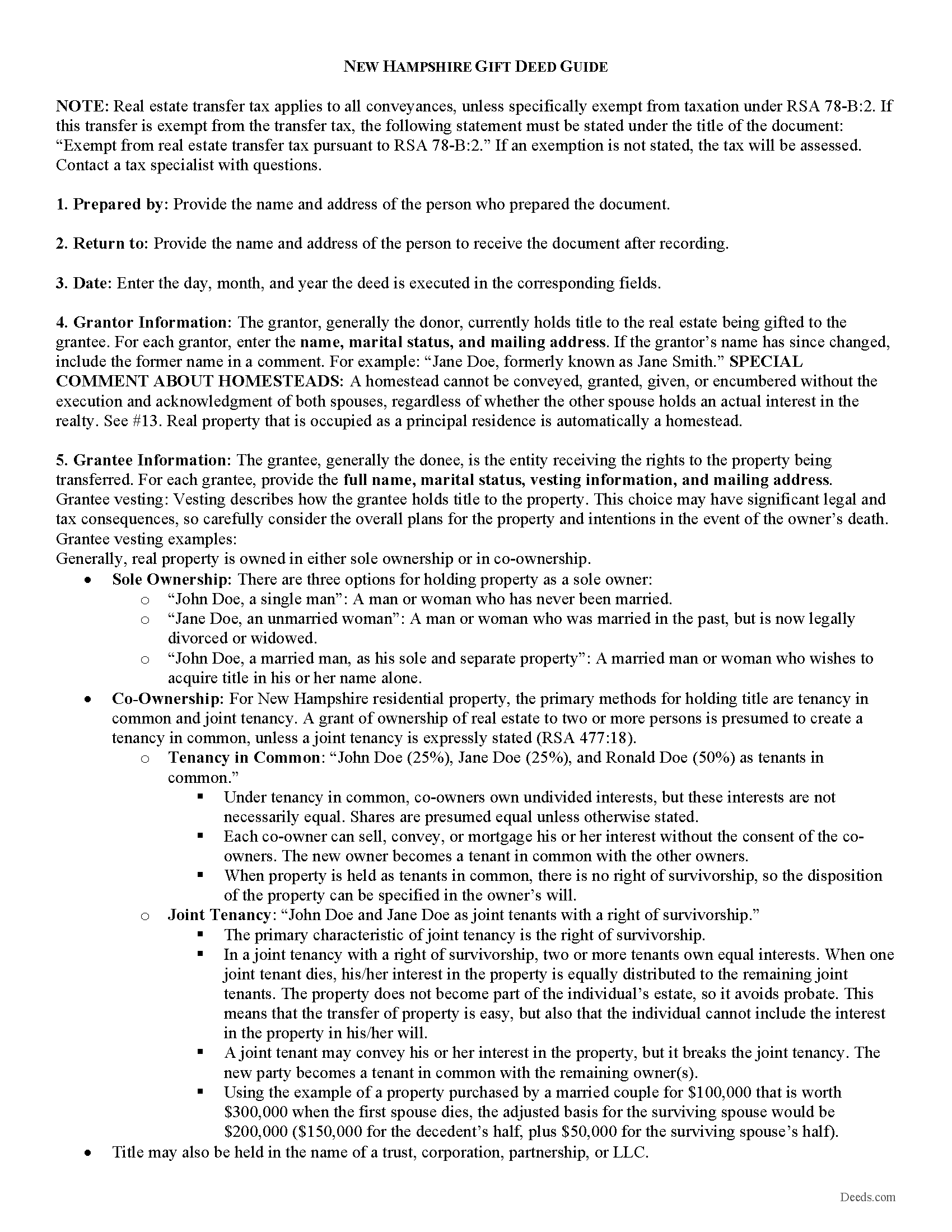
Carroll County Gift Deed Guide
Line by line guide explaining every blank on the form.
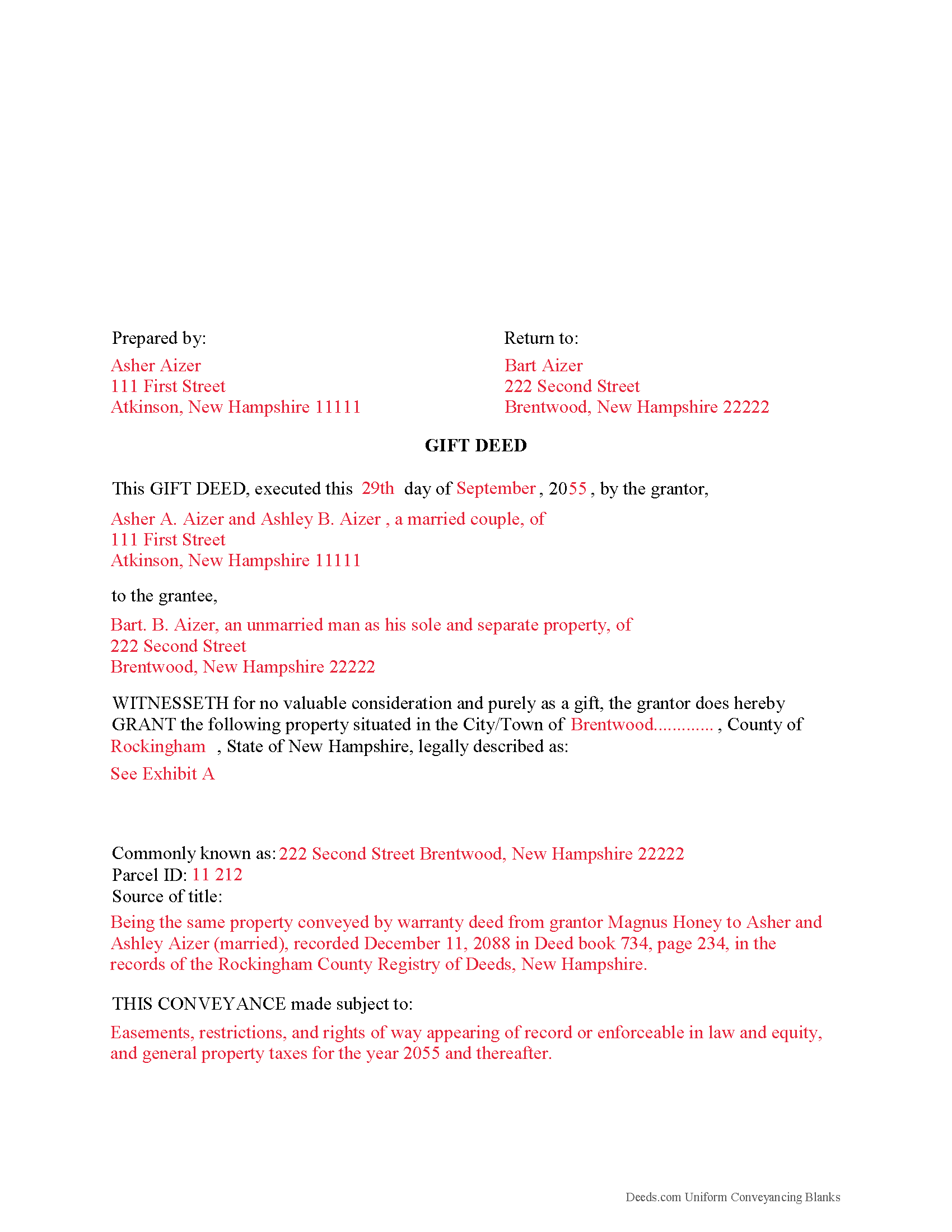
Carroll County Completed Example of the Gift Deed Document
Example of a properly completed form for reference.
All 3 documents above included • One-time purchase • No recurring fees
Immediate Download • Secure Checkout
Additional New Hampshire and Carroll County documents included at no extra charge:
Where to Record Your Documents
Registry Of Deeds
Ossipee, New Hampshire 03864
Hours: 9:00am to 5:00pm M-F
Phone: (603) 539-4872
Recording Tips for Carroll County:
- Bring your driver's license or state-issued photo ID
- Ensure all signatures are in blue or black ink
- Recording fees may differ from what's posted online - verify current rates
- Request a receipt showing your recording numbers
- Ask about accepted payment methods when you call ahead
Cities and Jurisdictions in Carroll County
Properties in any of these areas use Carroll County forms:
- Bartlett
- Center Conway
- Center Ossipee
- Center Sandwich
- Center Tuftonboro
- Chatham
- Chocorua
- Conway
- East Wakefield
- Eaton Center
- Effingham
- Freedom
- Glen
- Intervale
- Jackson
- Kearsarge
- Madison
- Melvin Village
- Mirror Lake
- Moultonborough
- North Conway
- North Sandwich
- Ossipee
- Sanbornville
- Silver Lake
- South Tamworth
- Tamworth
- Union
- West Ossipee
- Wolfeboro
- Wolfeboro Falls
- Wonalancet
Hours, fees, requirements, and more for Carroll County
How do I get my forms?
Forms are available for immediate download after payment. The Carroll County forms will be in your account ready to download to your computer. An account is created for you during checkout if you don't have one. Forms are NOT emailed.
Are these forms guaranteed to be recordable in Carroll County?
Yes. Our form blanks are guaranteed to meet or exceed the applicable formatting requirements used for recording in Carroll County, including margin requirements, font requirements, and other layout standards. This guarantee applies to formatting, not to the legal sufficiency of information entered by the user or the suitability of a form for a particular transaction.
Can I reuse these forms?
Yes. You can reuse the forms for your personal use. For example, if you have multiple properties in Carroll County you only need to order once.
What do I need to use these forms?
The forms are PDFs that you fill out on your computer. The free Adobe Acrobat Reader is recommended, and most PDF apps also work. You do NOT enter your property information online - you download the blank forms and complete them privately on your own computer.
Are there any recurring fees?
No. This is a one-time purchase. Nothing to cancel, no memberships, no recurring fees.
How much does it cost to record in Carroll County?
Recording fees in Carroll County vary. Contact the recorder's office at (603) 539-4872 for current fees.
Questions answered? Let's get started!
A gift deed, or deed of gift, is a legal document voluntarily transferring title to real property from one party (the grantor or donor) to another (the grantee or donee). A gift deed typically transfers real property between family or close friends. Gift deeds are also used to donate to a non-profit organization or charity. The deed serves as proof that the transfer is indeed a gift and without consideration (any conditions or form of compensation).
Valid deeds must meet the following requirements: The grantor must intend to make a present gift of the property, the grantor must deliver the property to the grantee, and the grantee must accept the gift. Gift deeds must contain language that explicitly states no consideration is expected or required, because any ambiguity or reference to consideration can make the deed contestable in court. A promise to transfer ownership in the future is not a gift, and any deed that does not immediately transfer the interest in the property, or meet any of the aforementioned requirements, can be revoked [1].
A lawful gift deed must also include the grantor's full name and marital status, as well as the grantee's full name, marital status, mailing address, and vesting. Vesting describes how the grantee holds title to the property. For New Hampshire residential property, the primary methods for holding title are tenancy in common and joint tenancy. A grant of ownership of real estate to two or more persons is presumed to create a tenancy in common, unless a joint tenancy is expressly stated (RSA 477:18).
As with any conveyance of real estate, a gift deed requires a complete legal description of the parcel. Recite the source of title to establish a clear chain of title, and detail any restrictions associated with the property. A Real Estate Transfer Tax Declaration of Consideration must be filed for both the grantor and grantee (RSA 78-B:1). Contact a tax specialist to determine the appropriate version of the form. The grantee must file an original Form PA-34, Inventory of Property Transfer, with the Department of Revenue Administration within 30 days of recording of the deed, and also file a copy of the PA-34 with the local assessing official of the municipality where the property is located (RSA 74:18). Record the completed deed at the local County Registry of Deed's office.
The IRS levies a federal gift tax on any transfer of property from one individual to another with no consideration, or consideration that is less than the full market value. Gifts of real property in New Hampshire are subject to this federal gift tax, but the state does not require an additional gift tax. In accordance with federal law, individuals are permitted an annual exclusion of $15,000 on gifts. This means that gifts valued below $15,000 do not require a federal gift tax return (Form 709). Even so, grantors should consider filing one for many gifts of real property [2]. The grantor is responsible for paying the federal gift tax; however, if the grantor does not pay the gift tax, the grantee will be held liable [1].
With gifts of real property, the recipient of the gift (grantee) is not required to declare the amount of the gift as income, but if the property accrues income after the transaction, the recipient is responsible for paying the requisite state and federal income taxes [3].
This article is provided for informational purposes only and is not a substitute for the advice of an attorney. Contact a lawyer with any questions about gift deeds or other issues related to the transfer of real property. For questions regarding federal and state tax laws, consult a tax specialist.
[1] https://nationalparalegal.edu/public_documents/courseware_asp_files/realProperty/PersonalProperty/InterVivosGifts.asp
[2] http://msuextension.org/publications/FamilyFinancialManagement/MT199105HR.pdf
[3] https://www.irs.gov/businesses/small-businesses-self-employed/frequently-asked-questions-on-gift-taxes
(New Hampshire Gift Deed Package includes form, guidelines, and completed example)
Important: Your property must be located in Carroll County to use these forms. Documents should be recorded at the county recording office listed above.
This Gift Deed meets all recording requirements specific to Carroll County.
Our Promise
The documents you receive here are guaranteed to meet or exceed the applicable Carroll County recording format requirements. If there is a rejection caused by our formatting, we will correct the issue or refund your payment. This guarantee applies to document formatting only and does not extend to information entered by the user, the selection of the form, or the legal effect of the completed document.
Save Time and Money
Get your Carroll County Gift Deed form done right the first time with Deeds.com Uniform Conveyancing Blanks. At Deeds.com, we understand that your time and money are valuable resources, and we don't want you to face a penalty fee or rejection imposed by a county recorder for submitting nonstandard documents. We constantly review and update our forms to meet rapidly changing state and county recording requirements for roughly 3,500 counties and local jurisdictions.
4.8 out of 5 - ( 4,823 Reviews )
Bradley B. 5 out of 5 stars
Just as advertised.
Thank you for your feedback. We really appreciate it. Have a great day!
Curtis T. 5 out of 5 stars
Deeds support was awesome and constant. Thank you.
Thank you!
Mark R. 4 out of 5 stars
All documents were site specific and up-to-date. Not recorded yet but have high hopes.
Thank you for your feedback. We really appreciate it. Have a great day!
Shantu S. 5 out of 5 stars
Easy to follow directions and complete the Deed.
Thank you!
Beth O. 5 out of 5 stars
Easy peasy! Thank y'all so much.
Thank you!
Gregory G. 5 out of 5 stars
Quick and Easy/Immediate Access after payment. Now seeking other forms needed ASAP! Thanks!
Thank you!
Eric G. 3 out of 5 stars
Need to offer option to download ALL forms as a single (bookmarked) PDF, rather than as separates... Quite inefficient as is.
Thank you for your feedback. We really appreciate it. Have a great day!
irene a. 5 out of 5 stars
good forms thanks, irene
Thank you Irene.
Gina B. 5 out of 5 stars
This website is reliable and informative. So glad I can across this website. They provide a wide range of documents that are always provided on the recording county website. Thanks!
Thank you!
Turto T. 5 out of 5 stars
The documents were accurate and event well packaged. They contained all the information that was needed to establish revocable trusts and transfer the property into the trusts. All of this with decent price.
Thank you for your feedback. We really appreciate it. Have a great day!
Juanita G. 5 out of 5 stars
Easy and efficient service. The communication is on point. Thank you!
Thank you for your positive words! We’re thrilled to hear about your experience.
Corey G. 5 out of 5 stars
Very informative and helpful Thank you so much
Thank you for the kinds words Corey, glad we could help.
Sharon D. 4 out of 5 stars
I found all the forms I needed to complete a Quit Claim Deed on Deeds.com. All the forms are available for download to fill in on my laptop computer. So far the experience has been very good. My only issue would be that the Quit Claim instructions could be more thorough and easier to understand. I am guessing that the State of New Jersey made up the instructions? Unfortunately this has cost me a huge amount of extra time to parse out EXACTLY the terms I need to write on the Quit Claim Deed form. I haven't started the Tax Forms, but hope they will be more straightforward. In general, I DO recommend Deeds.com!
Thanks for the recommendation, Sharon. We appreciate you flagging the New Jersey instructions, and we'll review them with an eye toward making things clearer and more straightforward. Feedback like yours is how we keep improving.
Michael S. 5 out of 5 stars
Thanks for making what I thought would be complicated, so easy. I loved being able to avoid getting a lawyer along with their high fees.
Glad to hear the process was straightforward for you, Michael. Thanks for choosing us—we appreciate your feedback!
chungming a. 5 out of 5 stars
easy to use website.
Thank you!