Salem County Certificate of Trust Form
Last validated October 23, 2026 by our Forms Development TeamFormatted for recording in Salem County, for property anywhere in the county: rural and unincorporated areas as well as Alloway, Deepwater, Elmer, Hancocks Bridge, Monroeville, Norma, Pedricktown, Penns Grove and 4 more.
- 3 documents included
- Immediate PDF download
- Formatting guarantee
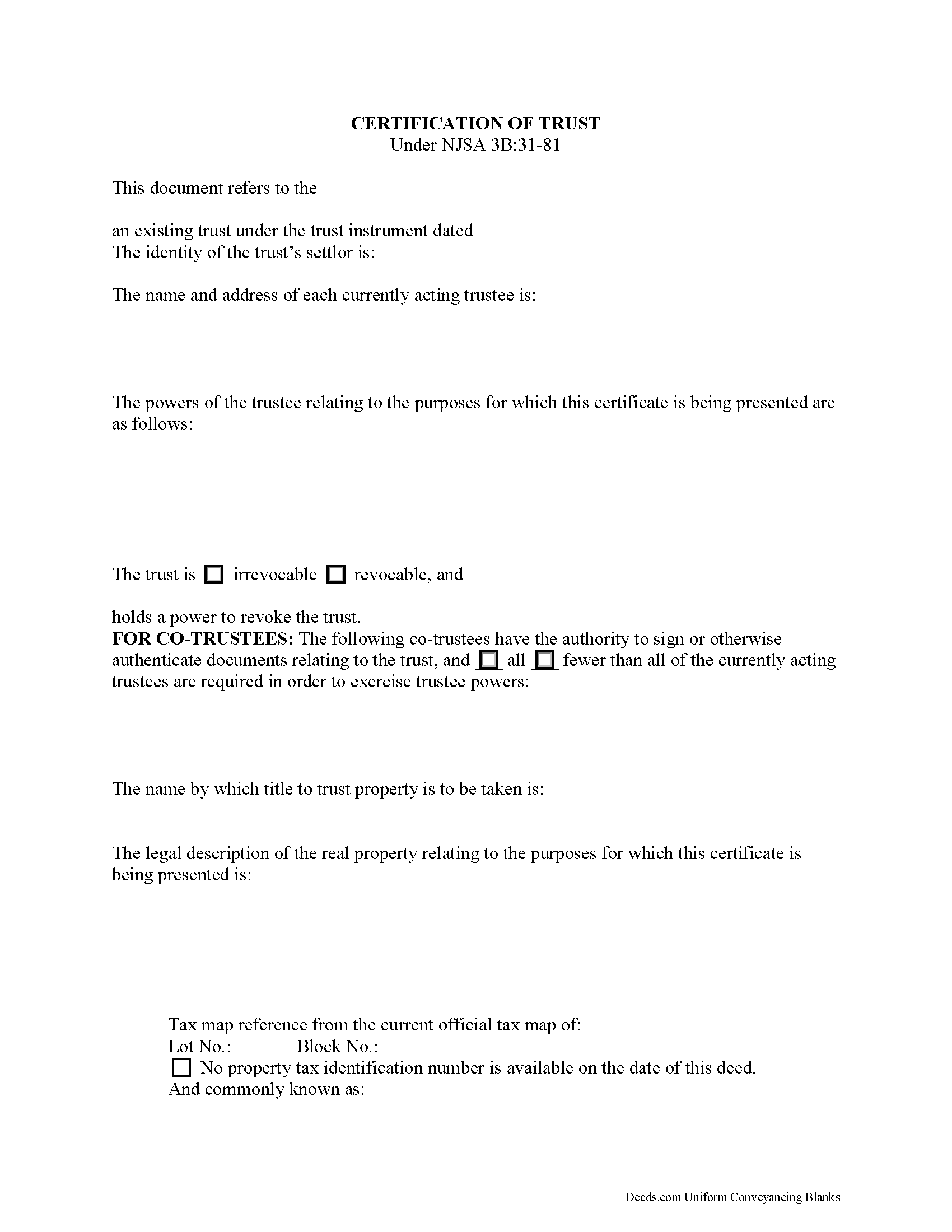
Salem County Certificate of Trust Form
Fill in the blank form formatted to comply with all recording and content requirements.
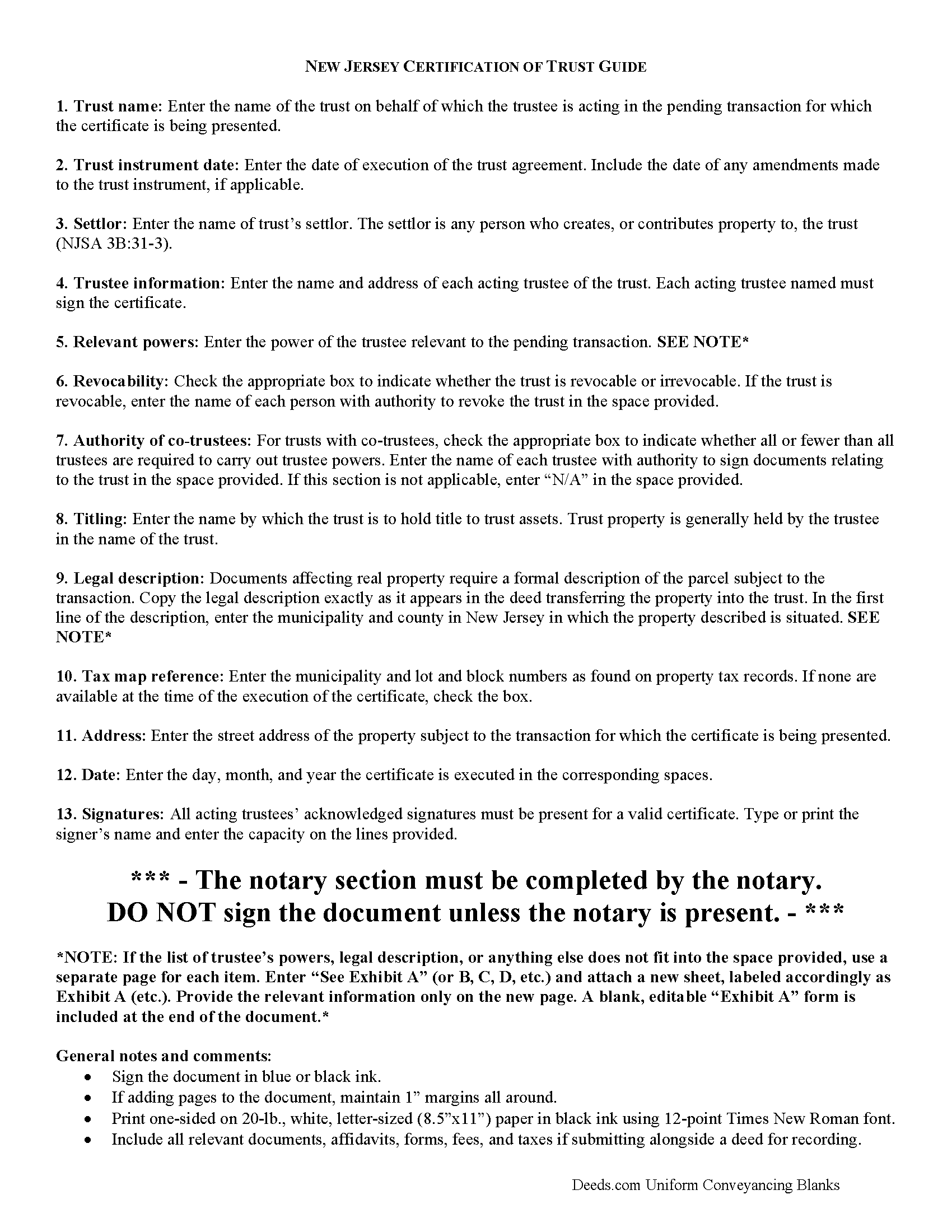
Salem County Certificate of Trust Guide
Line by line guide explaining every blank on the form.
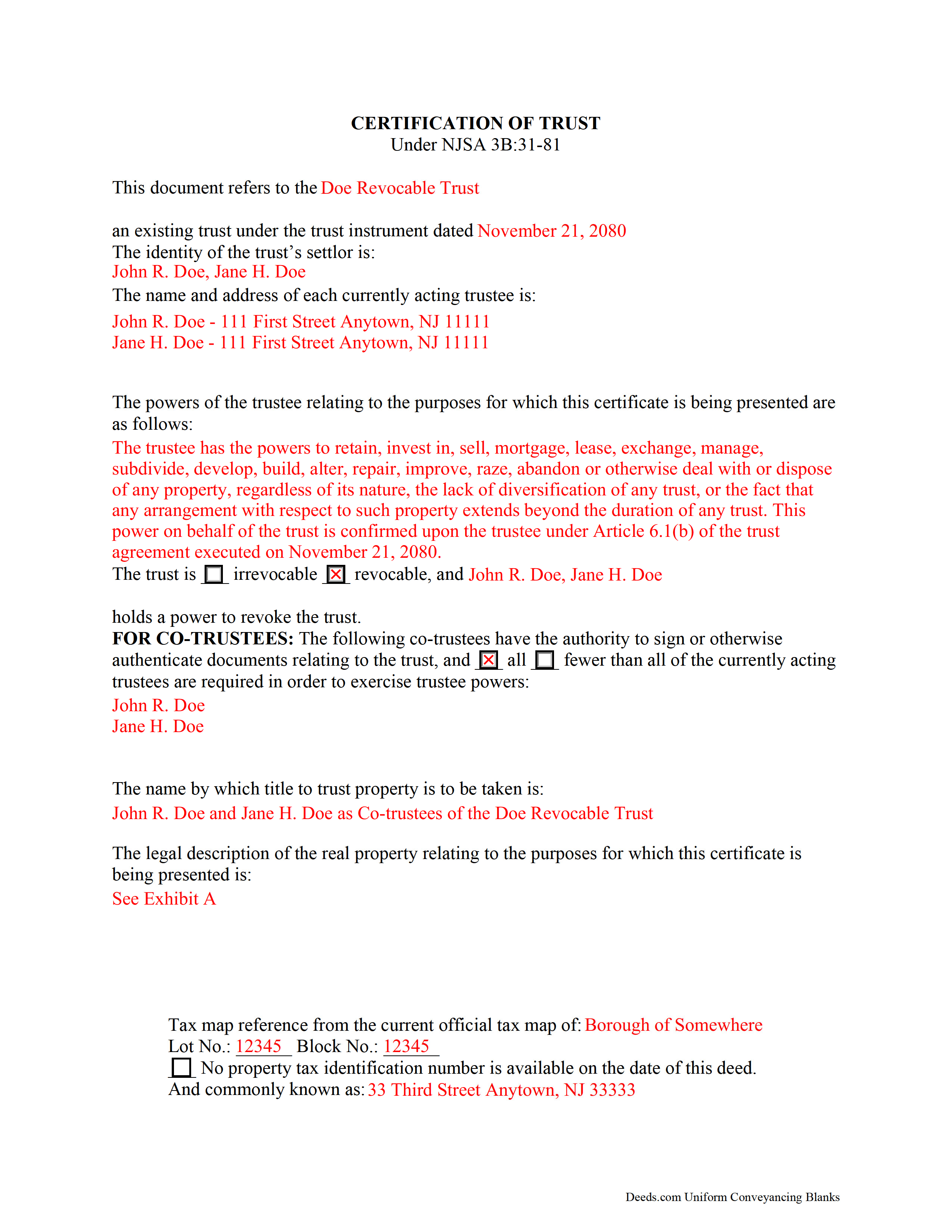
Salem County Completed Example of the Certificate of Trust Document
Example of a properly completed form for reference.
All 3 documents above included • One-time purchase • No recurring fees
Immediate Download • Secure Checkout
Additional New Jersey and Salem County documents included at no extra charge:
Where to Record Your Documents
Salem County Clerk
Salem, New Jersey 08079
Hours: 8:30 to 4:30 M-F / Transactions until 4:00
Phone: (856) 935-7510 x8219
Recording Tips for Salem County:
- Bring your driver's license or state-issued photo ID
- Ensure all signatures are in blue or black ink
- White-out or correction fluid may cause rejection
- Ask about their eRecording option for future transactions
- Avoid the last business day of the month when possible
Cities and Jurisdictions in Salem County
Properties in any of these areas use Salem County forms:
- Alloway
- Deepwater
- Elmer
- Hancocks Bridge
- Monroeville
- Norma
- Pedricktown
- Penns Grove
- Pennsville
- Quinton
- Salem
- Woodstown
Hours, fees, requirements, and more for Salem County
How do I get my forms?
Forms are available for immediate download after payment. The Salem County forms will be in your account ready to download to your computer. An account is created for you during checkout if you don't have one. Forms are NOT emailed.
Are these forms guaranteed to be recordable in Salem County?
Yes. Our form blanks are guaranteed to meet or exceed the applicable formatting requirements used for recording in Salem County, including margin requirements, font requirements, and other layout standards. This guarantee applies to formatting, not to the legal sufficiency of information entered by the user or the suitability of a form for a particular transaction.
Can I reuse these forms?
Yes. You can reuse the forms for your personal use. For example, if you have multiple properties in Salem County you only need to order once.
What do I need to use these forms?
The forms are PDFs that you fill out on your computer. The free Adobe Acrobat Reader is recommended, and most PDF apps also work. You do NOT enter your property information online - you download the blank forms and complete them privately on your own computer.
Are there any recurring fees?
No. This is a one-time purchase. Nothing to cancel, no memberships, no recurring fees.
How much does it cost to record in Salem County?
Recording fees in Salem County vary. Contact the recorder's office at (856) 935-7510 x8219 for current fees.
Questions answered? Let's get started!
Trusts in New Jersey are governed by the New Jersey Uniform Trust Code (NJSA 3B:31). A trust is an estate planning vehicle whereby one person (the settlor) transfers assets to another person (the trustee), who holds them for the benefit of another (the beneficiary). The settlor establishes the terms of the trust in an unrecorded document called a trust instrument.
When a trustee enters into a transaction involving real property held in the trust, additional documentation confirming the trustee's authority to act on behalf of the trust may be requested. To maintain the trust's privacy, the trustee may provide a certificate of trust under 3B:3-81 to parties outside of the trust arrangement instead of furnishing the entire trust instrument.
The certificate, signed by all acting trustees of the trust in the presence of a notary public, provides the recipient with only the information about the trust necessary for the transaction at hand. Recipients of a certificate may rely on the information provided within as factual (requesting the entire trust instrument opens the recipient to certain liabilities under 3B:31-81(g)). The document certifies that the trust is in existence and that the trustee has authority to act in the transaction for which the certificate is being presented.
The form gives the trust's name and date of execution and the settlor's identity. Other requirements include the name and address of each acting trustee, a description of the relevant powers conferred upon the trustee by the trust instrument, and, in the case of co-trustees, identification of the trustees having authority to sign trust documents, and how many of the total trustees are required to exercise trustee powers. Recipients of a certificate of trust can request the excerpts from the trust instrument that designate the trustee and confer the specific powers that enable the trustee to enter into the transaction at hand (3B:31-81(e)).
As the document is used in transactions involving real property, it should also include the legal description, complete with municipality and county and tax map reference, of the subject real estate.
In addition, the certificate identifies the trust as either irrevocable or revocable, and who, if any, has a power to revoke the trust, as well as the name by which the trust will hold title to acquired assets. Finally, it includes a statement that the trust has not been modified in any way that invalidates the certified statements contained within the document.
Consult a lawyer with any questions regarding certifications of trust.
(New Jersey COT Package includes form, guidelines, and completed example)
Important: Your property must be located in Salem County to use these forms. Documents should be recorded at the county recording office listed above.
This Certificate of Trust meets all recording requirements specific to Salem County.
Our Promise
The documents you receive here are guaranteed to meet or exceed the applicable Salem County recording format requirements. If there is a rejection caused by our formatting, we will correct the issue or refund your payment. This guarantee applies to document formatting only and does not extend to information entered by the user, the selection of the form, or the legal effect of the completed document.
Save Time and Money
Get your Salem County Certificate of Trust form done right the first time with Deeds.com Uniform Conveyancing Blanks. At Deeds.com, we understand that your time and money are valuable resources, and we don't want you to face a penalty fee or rejection imposed by a county recorder for submitting nonstandard documents. We constantly review and update our forms to meet rapidly changing state and county recording requirements for roughly 3,500 counties and local jurisdictions.
4.8 out of 5 - ( 4,836 Reviews )
Tod F. 5 out of 5 stars
In 15 minutes I had my out of state documents. I am very pleased with the ease of acquiring them. I will definitely be using Deeds.com again if the need arises.
We appreciate your business and value your feedback. Thank you. Have a wonderful day!
Teresa R. 5 out of 5 stars
FANTASTIC. Sometimes we think know something, glad I found out I was wrong before it was too late.
Thank you!
Roger W. 5 out of 5 stars
worked very good or me
Thank you Roger, have a great day!
Laura L. 5 out of 5 stars
Used a form from this service. Best part about these forms is that they don't let you get in trouble by removing or changing things that should not be changed. It's easy to look at something and think why is this margin so big, why is this field so small and want to change it only to find out it is incredibly important. That's why they are the deed document pros.
Thank you for the thoughtful review! We're so glad to hear you found our forms reliable and well-structured. It’s true—what might look like an odd margin or a small field is often there for a very specific legal or recording reason. We’ve seen how small changes can lead to big headaches, which is why we design our documents to be both user-friendly and compliant with strict recording standards. We really appreciate you recognizing the care that goes into each one. Thanks again for choosing us!
John L. 5 out of 5 stars
First time user but very pleased with user friendly service and reasonable cost.
Thank you!
Colleen B. 5 out of 5 stars
Looks good. We will see how it goes.
Thank you!
Norbert C. 5 out of 5 stars
Great resource and everything went smoothly except email was performed through autofill prompted by the system but the autofill added a letter that gave wrong email. I can still sign in with wrong email since the system recognizes it as mine even though it is wrong. May be my fault and not the system since I did not catch the discrepancy in time. I would suggest a field that allows a correction to any misinformation prior to signing out from the initial sign on. Still think it is a great resource if all documents are processed and accepted by the pwers to be. Thanks.
Thank you!
PAUL D. 5 out of 5 stars
Got what I needed and it all was good according to the County Recorder.
We’re glad to hear things went well. Thank you for the review.
Darlene D. 5 out of 5 stars
A little confusing to try to save your docouments and how to process them but once figured out easy to do.
Thank you!
RUTH A. 5 out of 5 stars
I truly appreciate the service that you have for the customers. This very convenient and easy to follow. Thank you very much for this service.
Thank you for your feedback. We really appreciate it. Have a great day!
Linda R. 5 out of 5 stars
I was happy to have my payment cancelled when no information was found. And I was given a link to contact the deed office directly.
Thank you!
Ismael R. 5 out of 5 stars
Very informative and acess was instant and precise.
Great to hear — thank you for taking the time to write a review.
Suzette D. 5 out of 5 stars
easy to use and gave examples!
We appreciate your business and value your feedback. Thank you. Have a wonderful day!
Koko H. 5 out of 5 stars
Five star. Prompt and easy way to obtain information. Good value.
We appreciate your business and value your feedback. Thank you. Have a wonderful day!
Elizabeth M. 5 out of 5 stars
So fare easy and straight forward
Thank you for your feedback. We really appreciate it. Have a great day!