Salem County Easement Deed Form
Last validated October 5, 2026 by our Forms Development TeamFormatted for recording in Salem County, for property anywhere in the county: rural and unincorporated areas as well as Alloway, Deepwater, Elmer, Hancocks Bridge, Monroeville, Norma, Pedricktown, Penns Grove and 4 more.
- 4 documents included
- Immediate PDF download
- Formatting guarantee
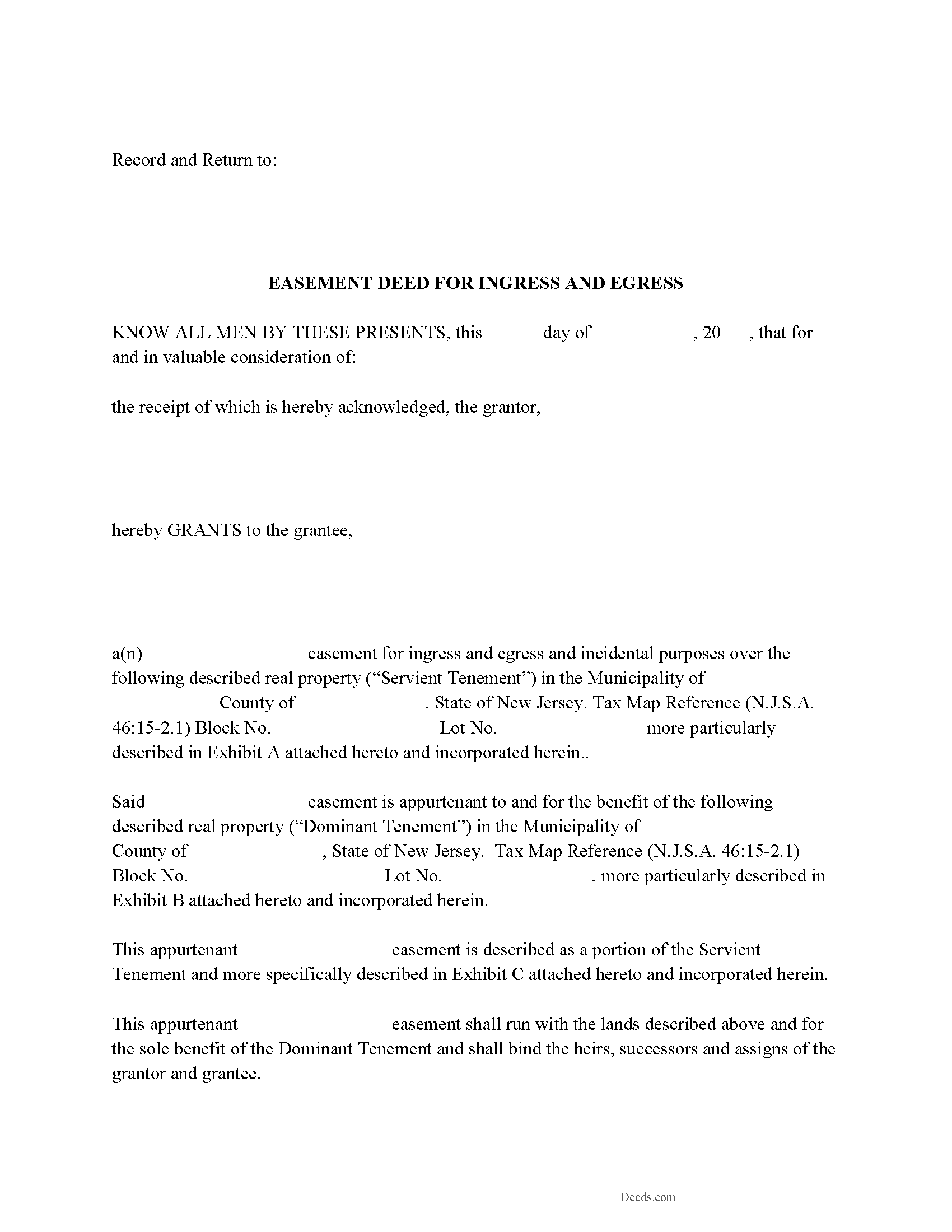
Salem County Easement Deed Form
Fill in the blank form formatted to comply with all recording and content requirements.
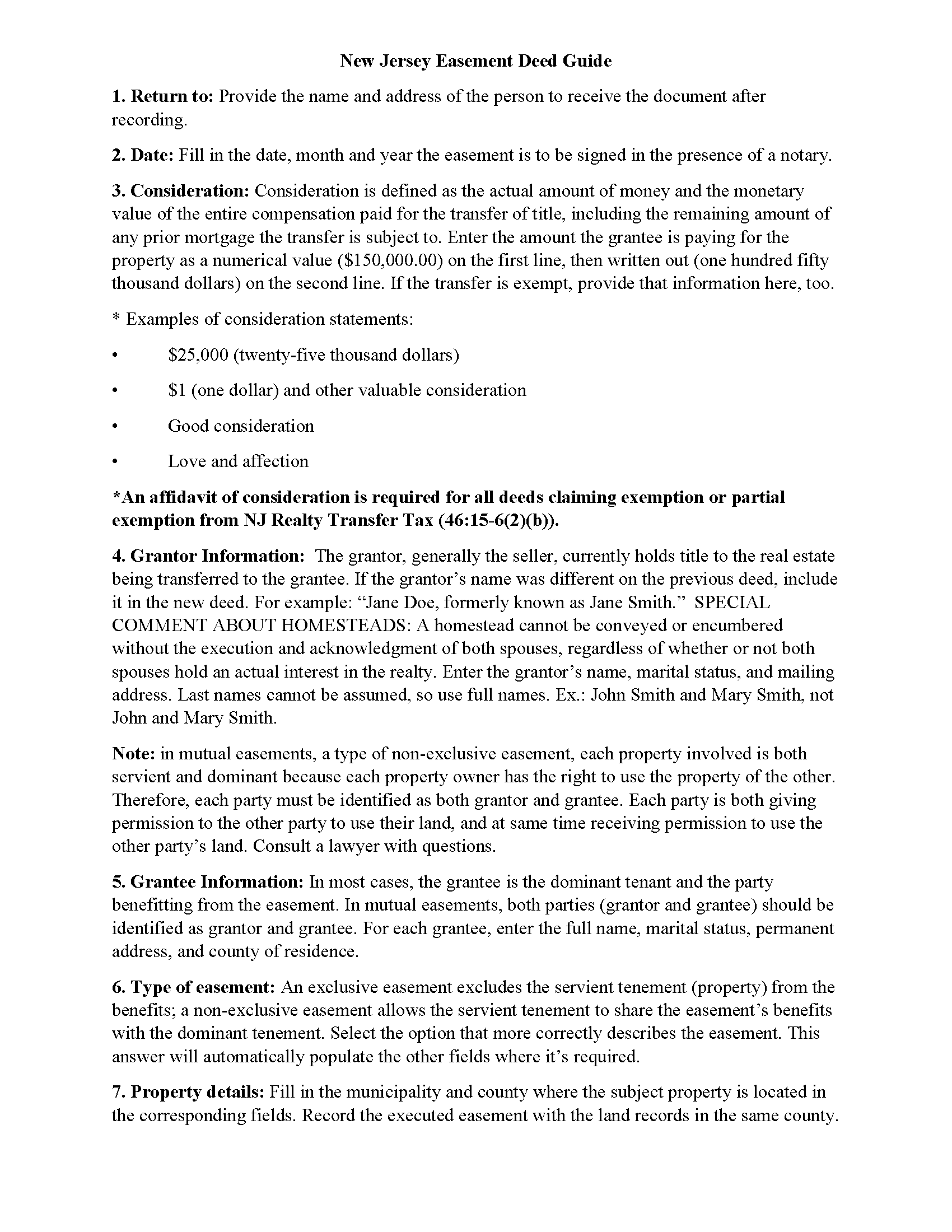
Salem County Easement Deed Guide
Line by line guide explaining every blank on the form.
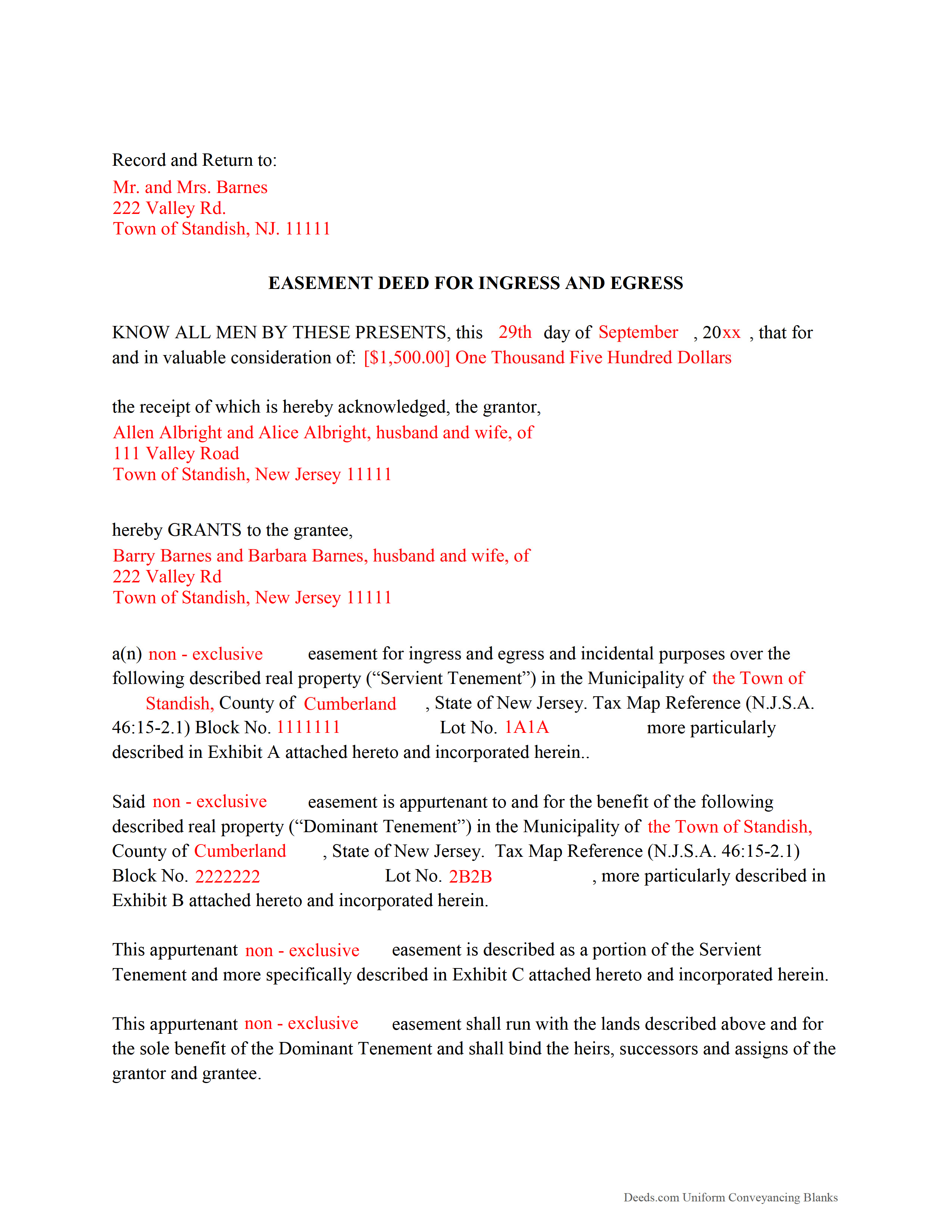
Salem County Completed Example of the Easement Deed Document
Example of a properly completed form for reference.
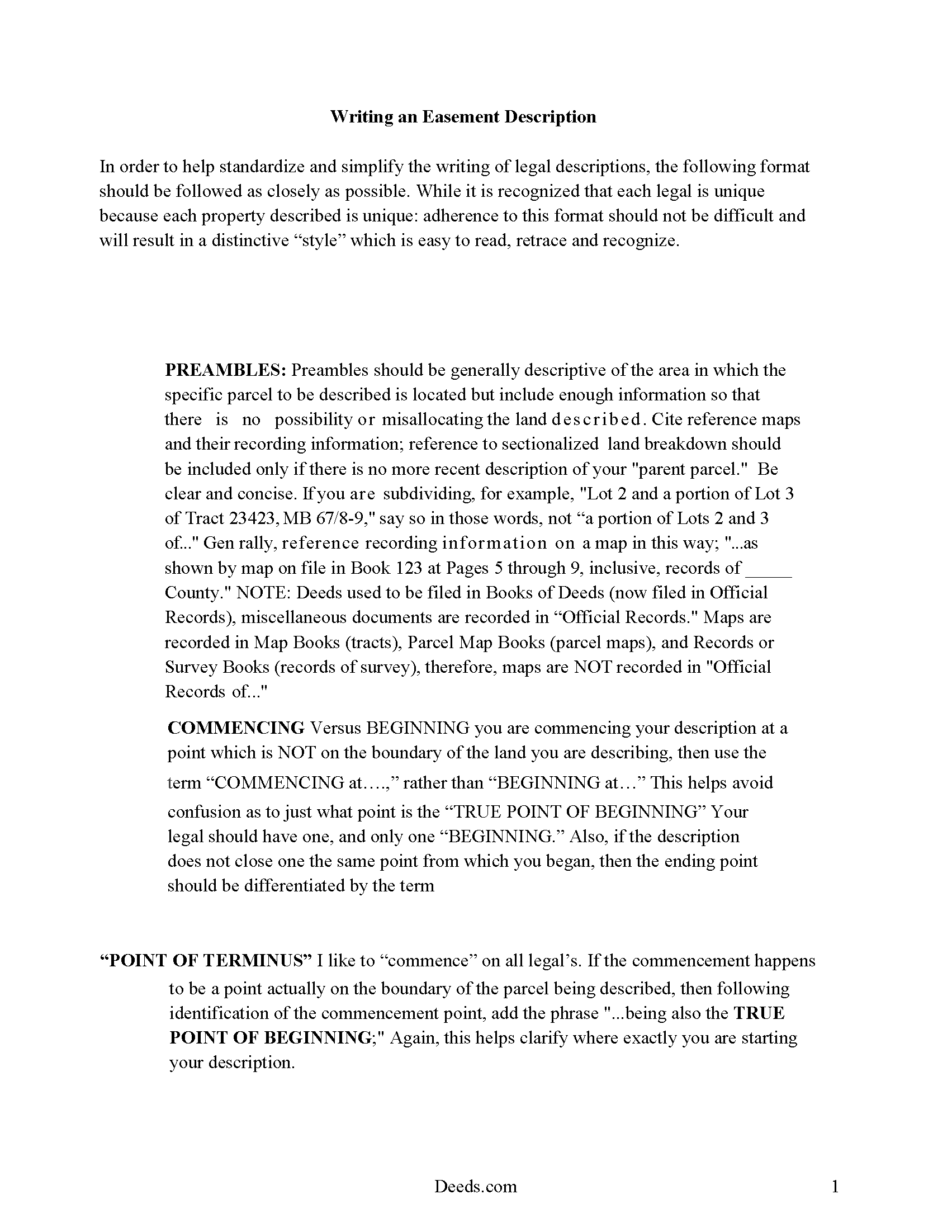
Salem County Guide to writing an Easement Description
A Description of the Easement will be required. This will show how to write an acceptable description for a Right of Way Easement, which gives access, to and from - point A to point B.
All 4 documents above included • One-time purchase • No recurring fees
Immediate Download • Secure Checkout
Additional New Jersey and Salem County documents included at no extra charge:
Where to Record Your Documents
Salem County Clerk
Salem, New Jersey 08079
Hours: 8:30 to 4:30 M-F / Transactions until 4:00
Phone: (856) 935-7510 x8219
Recording Tips for Salem County:
- Bring your driver's license or state-issued photo ID
- Ensure all signatures are in blue or black ink
- Recording fees may differ from what's posted online - verify current rates
- Request a receipt showing your recording numbers
- Ask about accepted payment methods when you call ahead
Cities and Jurisdictions in Salem County
Properties in any of these areas use Salem County forms:
- Alloway
- Deepwater
- Elmer
- Hancocks Bridge
- Monroeville
- Norma
- Pedricktown
- Penns Grove
- Pennsville
- Quinton
- Salem
- Woodstown
Hours, fees, requirements, and more for Salem County
How do I get my forms?
Forms are available for immediate download after payment. The Salem County forms will be in your account ready to download to your computer. An account is created for you during checkout if you don't have one. Forms are NOT emailed.
Are these forms guaranteed to be recordable in Salem County?
Yes. Our form blanks are guaranteed to meet or exceed the applicable formatting requirements used for recording in Salem County, including margin requirements, font requirements, and other layout standards. This guarantee applies to formatting, not to the legal sufficiency of information entered by the user or the suitability of a form for a particular transaction.
Can I reuse these forms?
Yes. You can reuse the forms for your personal use. For example, if you have multiple properties in Salem County you only need to order once.
What do I need to use these forms?
The forms are PDFs that you fill out on your computer. The free Adobe Acrobat Reader is recommended, and most PDF apps also work. You do NOT enter your property information online - you download the blank forms and complete them privately on your own computer.
Are there any recurring fees?
No. This is a one-time purchase. Nothing to cancel, no memberships, no recurring fees.
How much does it cost to record in Salem County?
Recording fees in Salem County vary. Contact the recorder's office at (856) 935-7510 x8219 for current fees.
Questions answered? Let's get started!
Frequent easements in New Jersey include public utility easements, driveway easements, and easements for encroachments. An easement is the right to use another person's property for a specific purpose, and can be either affirmative or negative. Easements in this state are typically created by an express grant, which is often a formal agreement between the parties involved, which is then set forth in a recorded easement deed. The easement deed should specify the terms and duration of the easement. An easement obtained for the purpose of exposure of a solar energy device can be created in writing and will be subject to the same conveyancing and recording requirements as other easements (46:3-25).
In order to be eligible for recording, an easement deed should be signed by the grantor and acknowledged before an officer specified in 46:14-6.1 of the New Jersey Statutes. Deeds may be acknowledged in New Jersey or in another state. The officer taking the acknowledgment should sign a certificate stating such acknowledgment or proof, which will be recorded with the easement deed (46:14-2.1).
The act of recording an easement deed provides constructive notice of the contents. Any recorded deed affecting the title to real property, including easement deeds, are from the time of recording, notice to all subsequent purchasers, mortgagees, and judgment creditors of the execution of the recorded document and its contents (46:26A-12). An easement deed or other conveyance of an interest in real property in New Jersey will not be effective against subsequent judgment creditors without notice, or against subsequent bona fide purchasers and mortgagees for valuable consideration without notice and whose conveyance or mortgage is recorded, unless that conveyance is evidenced by a document that is recorded first (46:26A-12). Easement deeds must be recorded in the county where the property is located.
(New Jersey ED Package includes form, guidelines, and completed example)
Important: Your property must be located in Salem County to use these forms. Documents should be recorded at the county recording office listed above.
This Easement Deed meets all recording requirements specific to Salem County.
Our Promise
The documents you receive here are guaranteed to meet or exceed the applicable Salem County recording format requirements. If there is a rejection caused by our formatting, we will correct the issue or refund your payment. This guarantee applies to document formatting only and does not extend to information entered by the user, the selection of the form, or the legal effect of the completed document.
Save Time and Money
Get your Salem County Easement Deed form done right the first time with Deeds.com Uniform Conveyancing Blanks. At Deeds.com, we understand that your time and money are valuable resources, and we don't want you to face a penalty fee or rejection imposed by a county recorder for submitting nonstandard documents. We constantly review and update our forms to meet rapidly changing state and county recording requirements for roughly 3,500 counties and local jurisdictions.
4.8 out of 5 - ( 4,832 Reviews )
STEPHEN C. 5 out of 5 stars
Excellent service. Easy to use. Thank you.
We appreciate your business and value your feedback. Thank you. Have a wonderful day!
GARY S. 5 out of 5 stars
I thought your forms are great. Easy to use with instructions provided.
We appreciate your business and value your feedback. Thank you. Have a wonderful day!
Deborah C. 5 out of 5 stars
I would recommend these forms to others.
Thank you!
Jorge F. 3 out of 5 stars
It would be helpful for documents to be in word format as well and for PDF version not to be locked.
Thank you for your feedback. We really appreciate it. Have a great day!
Camesha Y. 5 out of 5 stars
Was working with a notary client that need to do a deed. We got on this site, ordered the blank forms, he filled them out and we printed them so he could sign. Really clean forms, easy to understand and complete in a hurry. I will be letting all my clients know about this site.
That's terrific Camesha, glad to hear. Have a great day!
Jim H. 5 out of 5 stars
Well written form, and the guidance document and example supplied were very helpful.
Thank you!
RICHARD M. 5 out of 5 stars
EASY TO USE AND GREAT I COULD DOWNLOAD MULTIPLE DOCUMENTS
Thank you!
Michael D. 5 out of 5 stars
Great service
Thank you!
Dennis D. 5 out of 5 stars
Downloaded perfect. Can hardly wait to get them done.
Thank you!
Marjorie D. 5 out of 5 stars
Makes recording fast and easy. Great service!
Knowing our customers are happy is our top priority. Thank you for the wonderful feedback!
ARNOLD E. 5 out of 5 stars
SO FAR SO GOOD! I AM STILL COMPLETING THE QUIT CLAIM DEED. THANKS....ARNIE
Thank you Arnold, we really appreciate your feedback.
Christopher B. 5 out of 5 stars
Record retrieval by staff is very prompt!!! Great customer service for sure!
Thank you for your feedback. We really appreciate it. Have a great day!
Richard W. 5 out of 5 stars
Very nice web site with available forms. Being out of state we appreciated instruction sheet details. Rick and Jean Weber, Chicago
We appreciate your business and value your feedback. Thank you. Have a wonderful day!
Deanna K. 5 out of 5 stars
Great service. Prompt and great communication tools. Affordably priced.
We appreciate your business and value your feedback. Thank you. Have a wonderful day!
Charlotte H. 5 out of 5 stars
Easy to use and download. Everything we needed with a guide for accuracy.
Thank you!