Salem County Correction Deed Form
Last validated October 22, 2026 by our Forms Development TeamFormatted for recording in Salem County, for property anywhere in the county: rural and unincorporated areas as well as Alloway, Deepwater, Elmer, Hancocks Bridge, Monroeville, Norma, Pedricktown, Penns Grove and 4 more.
- 3 documents included
- Immediate PDF download
- Formatting guarantee
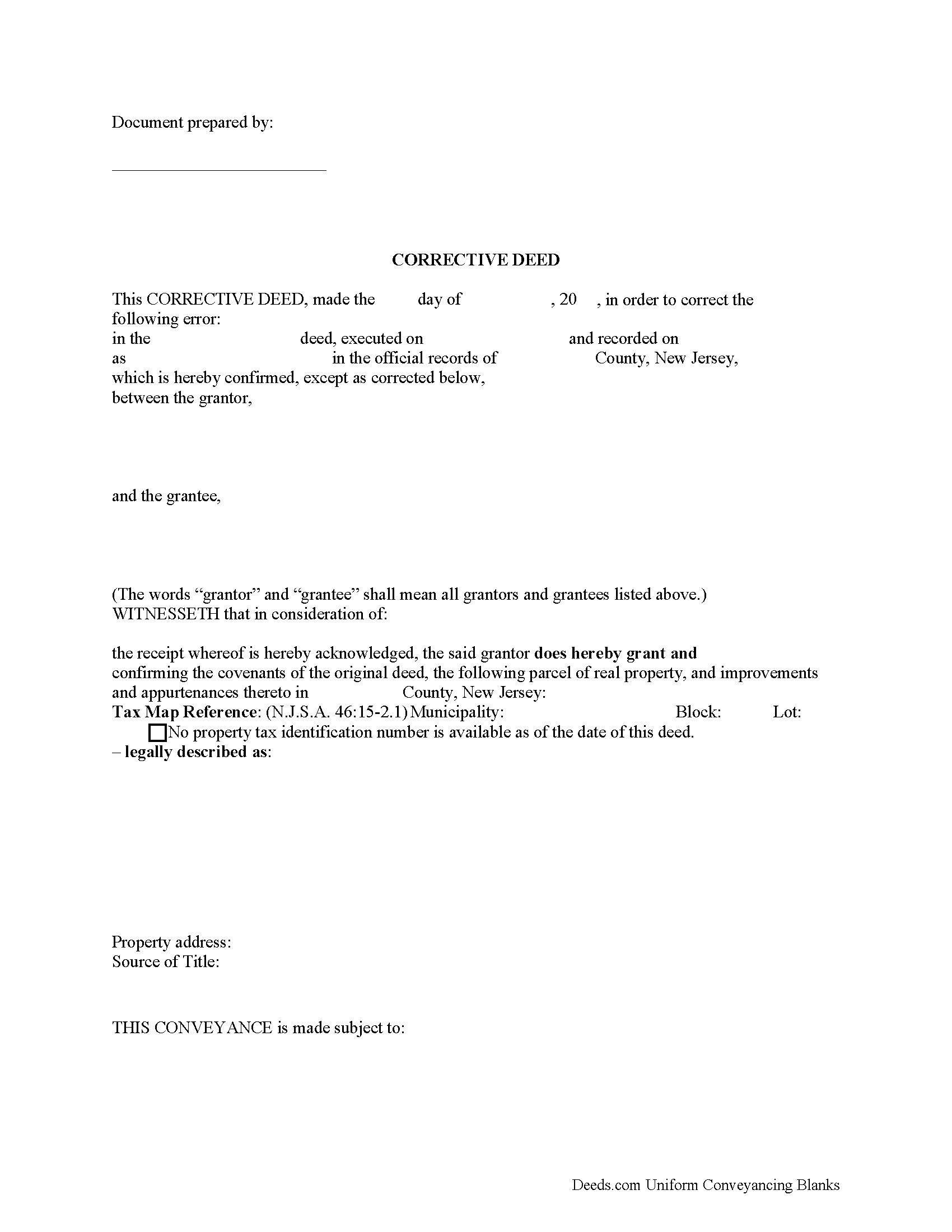
Salem County Correction Deed Form
Fill in the blank form formatted to comply with all recording and content requirements.
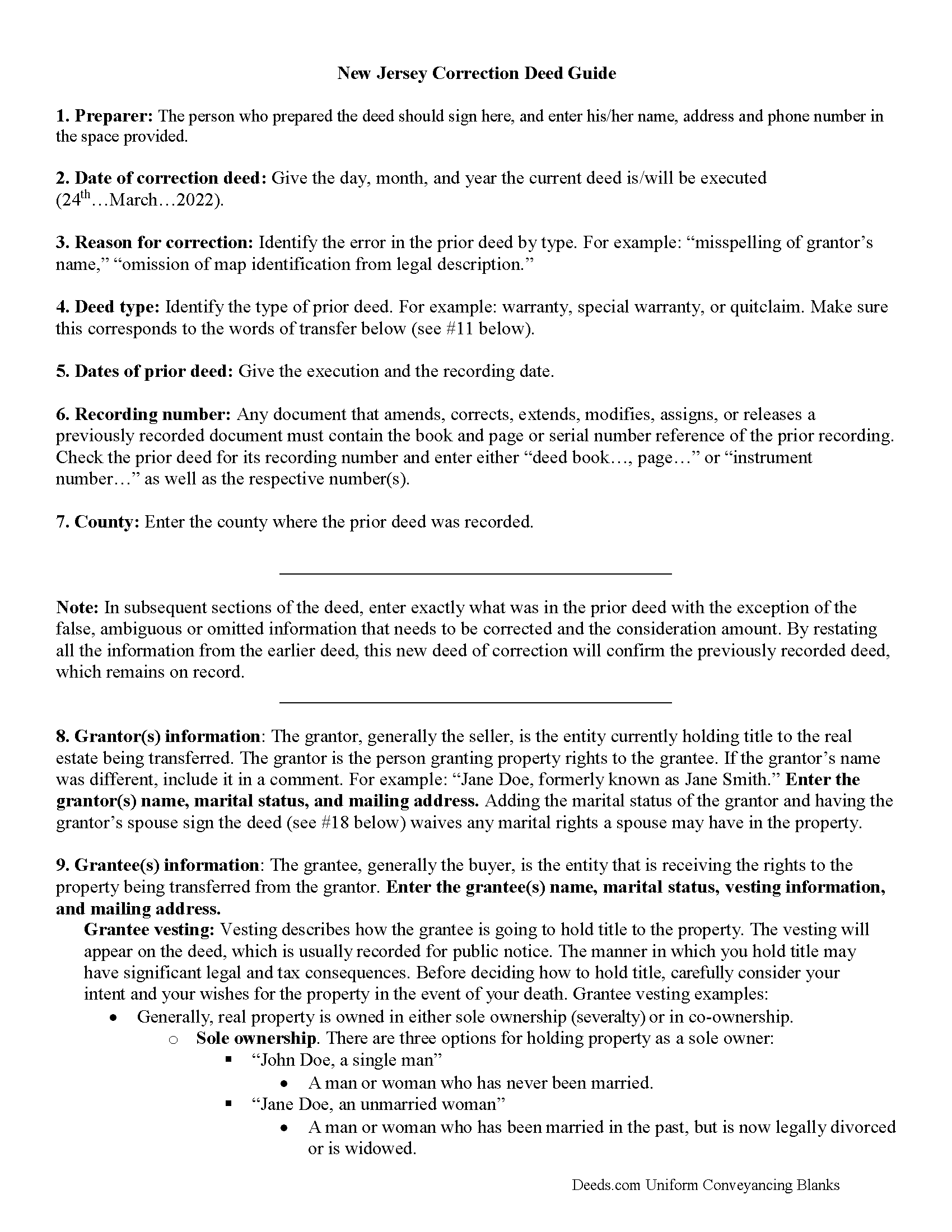
Salem County Correction Deed Guide
Line by line guide explaining every blank on the form.
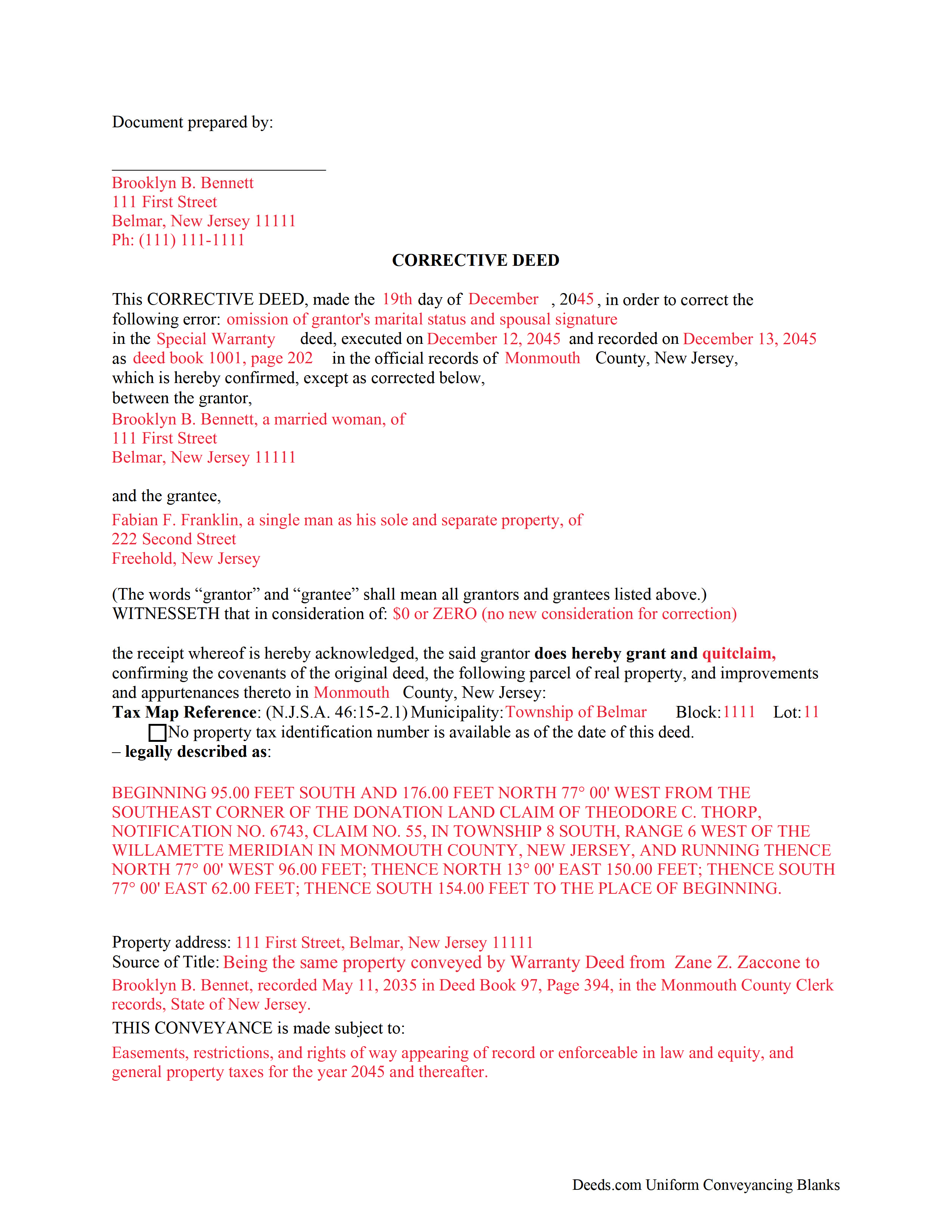
Salem County Completed Example of the Correction Deed Form
Example of a properly completed form for reference.
All 3 documents above included • One-time purchase • No recurring fees
Immediate Download • Secure Checkout
Additional New Jersey and Salem County documents included at no extra charge:
Where to Record Your Documents
Salem County Clerk
Salem, New Jersey 08079
Hours: 8:30 to 4:30 M-F / Transactions until 4:00
Phone: (856) 935-7510 x8219
Recording Tips for Salem County:
- Bring your driver's license or state-issued photo ID
- Ensure all signatures are in blue or black ink
- Ask if they accept credit cards - many offices are cash/check only
- Check that your notary's commission hasn't expired
- Documents must be on 8.5 x 11 inch white paper
Cities and Jurisdictions in Salem County
Properties in any of these areas use Salem County forms:
- Alloway
- Deepwater
- Elmer
- Hancocks Bridge
- Monroeville
- Norma
- Pedricktown
- Penns Grove
- Pennsville
- Quinton
- Salem
- Woodstown
Hours, fees, requirements, and more for Salem County
How do I get my forms?
Forms are available for immediate download after payment. The Salem County forms will be in your account ready to download to your computer. An account is created for you during checkout if you don't have one. Forms are NOT emailed.
Are these forms guaranteed to be recordable in Salem County?
Yes. Our form blanks are guaranteed to meet or exceed the applicable formatting requirements used for recording in Salem County, including margin requirements, font requirements, and other layout standards. This guarantee applies to formatting, not to the legal sufficiency of information entered by the user or the suitability of a form for a particular transaction.
Can I reuse these forms?
Yes. You can reuse the forms for your personal use. For example, if you have multiple properties in Salem County you only need to order once.
What do I need to use these forms?
The forms are PDFs that you fill out on your computer. The free Adobe Acrobat Reader is recommended, and most PDF apps also work. You do NOT enter your property information online - you download the blank forms and complete them privately on your own computer.
Are there any recurring fees?
No. This is a one-time purchase. Nothing to cancel, no memberships, no recurring fees.
How much does it cost to record in Salem County?
Recording fees in Salem County vary. Contact the recorder's office at (856) 935-7510 x8219 for current fees.
Questions answered? Let's get started!
Use the corrective deed to correct an error in a previously recorded warranty, special warranty, or quitclaim deed in New Jersey.
Once a deed has been recorded, it cannot be changed and remains part of the public record. It is possible, however, to amend that record by adding a newly executed deed. The method used depends upon the reasons for changing. For corrections or omissions in the existing deed, file a corrective deed, or re-record the original deed after making the changes on it. In order to include/omit a name from the existing deed, however, a new standard conveyance, such as a warranty or quitclaim deed from the current owner (instead of the original grantor), may be more appropriate.
The errors usually adjusted by a corrective deed are minor omissions or typographical mistakes, sometimes called scrivener's errors. Among those are misspelled names, omitted or wrong middle initial, a minor error in the property description, or an omitted execution date. The corrective deed, also called deed of correction or deed of confirmation, must state that its sole purpose is to correct a specific error, which is usually identified by type. For example: an error in the grantor's name, or an error in the grantor's marital status. The latter might also require an additional signature by the grantor's spouse in the acknowledgement section of the deed.
In some counties, it is common practice to re-record the prior deed and to make the correction, error identification and reference to the earlier recording on the face of it. The entire deed, including new signature and acknowledgement page(s), must be re-recorded for new fees. As with the prior deed, the corrective deed (or re-recorded deed) must be accompanied by two copies of the affidavit of consideration (RTF-1 form), identifying and explaining the exemption under #4. In addition, submit the GIT/REP-4a form, which is a tax waiver form for corrected deeds without consideration. Download both forms from the website of New Jersey's Department of the Treasury.
(New Jersey CD Package includes form, guidelines, and completed example)
Important: Your property must be located in Salem County to use these forms. Documents should be recorded at the county recording office listed above.
This Correction Deed meets all recording requirements specific to Salem County.
Our Promise
The documents you receive here are guaranteed to meet or exceed the applicable Salem County recording format requirements. If there is a rejection caused by our formatting, we will correct the issue or refund your payment. This guarantee applies to document formatting only and does not extend to information entered by the user, the selection of the form, or the legal effect of the completed document.
Save Time and Money
Get your Salem County Correction Deed form done right the first time with Deeds.com Uniform Conveyancing Blanks. At Deeds.com, we understand that your time and money are valuable resources, and we don't want you to face a penalty fee or rejection imposed by a county recorder for submitting nonstandard documents. We constantly review and update our forms to meet rapidly changing state and county recording requirements for roughly 3,500 counties and local jurisdictions.
4.8 out of 5 - ( 4,832 Reviews )
Angela W. 5 out of 5 stars
All went well.
Thank you for your feedback. We really appreciate it. Have a great day!
Cheryl C. 5 out of 5 stars
So far this looks like exactly what I need and at a reasonable price. Glad it was so easy to find online. Thank you.
Thank you for your feedback. We really appreciate it. Have a great day!
David Y. 5 out of 5 stars
Really great forms. Did the quitclaim, everything was perfect, recorded with no problems at all. Thanks!
Thank you!
Yosvany D. 5 out of 5 stars
Very easy and fast service for legal forms.
Thank you for your feedback. We really appreciate it. Have a great day!
Janice T. 5 out of 5 stars
The downloads were a great help in understanding of both what a Warranty Deed was and how to follow the steps as well as filling out the forms.
Thank you for your feedback. We really appreciate it. Have a great day!
Gregory G. 5 out of 5 stars
Quick and Easy/Immediate Access after payment. Now seeking other forms needed ASAP! Thanks!
Thank you!
BRIAN M. 5 out of 5 stars
Excellent Service, Fast and efficient. Thank You!
Thank you!
Rita M. 5 out of 5 stars
I have not received the deed via email. That is what I was expecting. Let me know if I am incorrect in my thinking.
Thanks for reaching out. While we do send some email notifications, we do not email documents. All orders are available via your account. You can log into your account from the menu button at the top left of most pages on the website.
Michael M. 5 out of 5 stars
My sale is a land contract and it is complicated. We were thinking we'd have to get an attorney. Your site is very thorough and helpful. We will still have an attorney look over our final papers --and we are still waiting on my deed from the bank to finalize our input. Had several questions, but they seemed to be answered as I went along. The actual process of downloading and saving and having a link went very smoothly. Thank you.
We appreciate your business and value your feedback. Thank you. Have a wonderful day!
ieva r. 5 out of 5 stars
Excellent! I was worried because I saw some negative reviews online but I really needed an e-recording company and they completed everything perfectly. I will most definitely recommend them and use them again in the future. All the staff was super nice and very helpful.
We appreciate your business and value your feedback. Thank you. Have a wonderful day!
Karen P. 5 out of 5 stars
Very easy to use.
Thank you!
Joni F. 5 out of 5 stars
It was easy to navigate and I found my information without any trouble.
Thank you!
Frank H. 4 out of 5 stars
Form and instructions were useful. But I suggest creating a form for transferring a deed pursuant to a trust. The existing form is based on a will going through probate so it doesn't fit the trust situation in some respects.
Thank you for your feedback. We really appreciate it. Have a great day!
john c. 1 out of 5 stars
Not impressed
Thank you!
Brian C. 5 out of 5 stars
***** so easy thanks.
Thanks Brian, we appreciate your feedback.