Columbus County Quitclaim Deed (Interspousal) Form
Last validated October 7, 2026 by our Forms Development TeamFormatted for recording in Columbus County, for property anywhere in the county: rural and unincorporated areas as well as Bolton, Brunswick, Cerro Gordo, Chadbourn, Clarendon, Delco, Evergreen, Fair Bluff and 6 more.
- 3 documents included
- Immediate PDF download
- Formatting guarantee
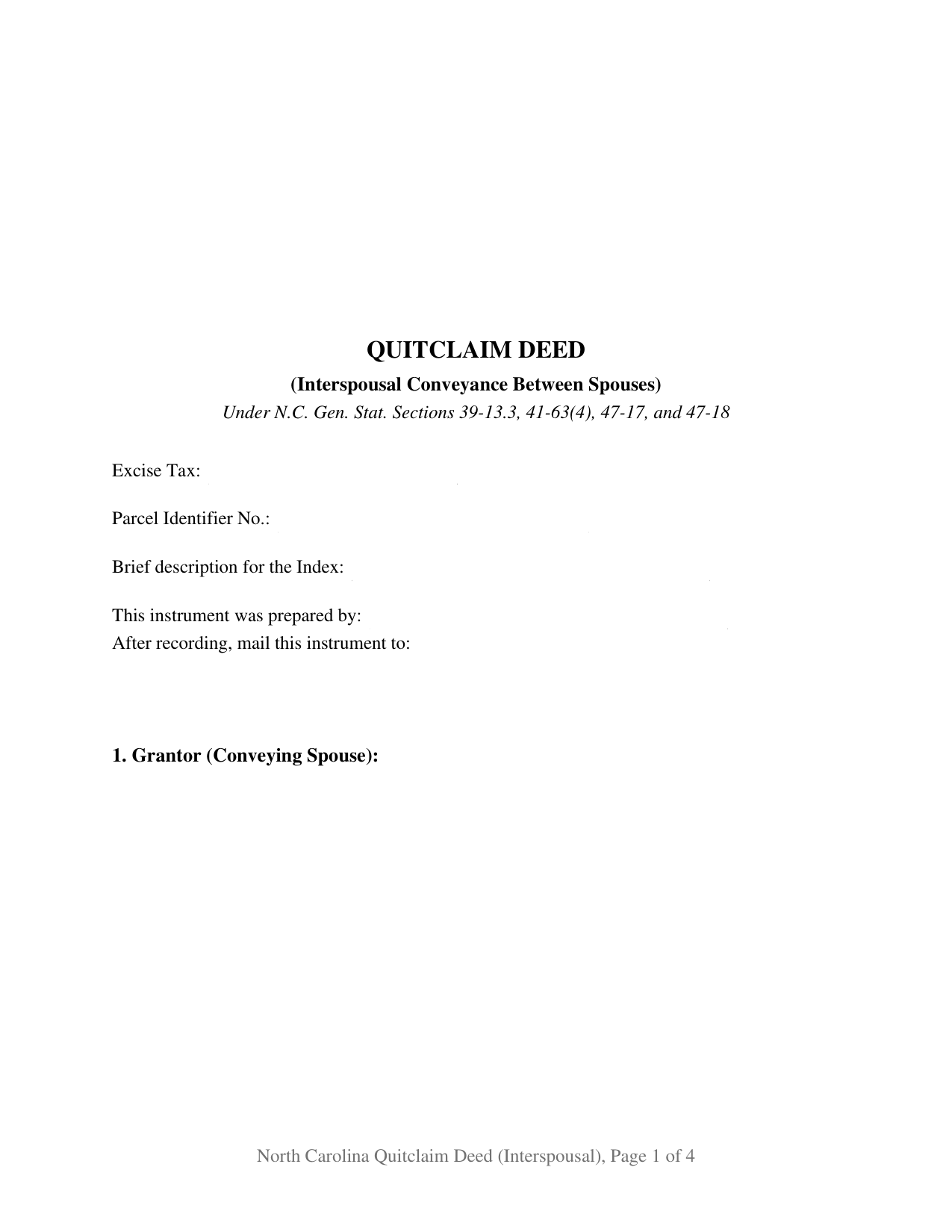
Columbus County Quitclaim Deed (Interspousal) Form
Fill in the blank Quitclaim Deed (Interspousal) form formatted to comply with all North Carolina recording and content requirements.
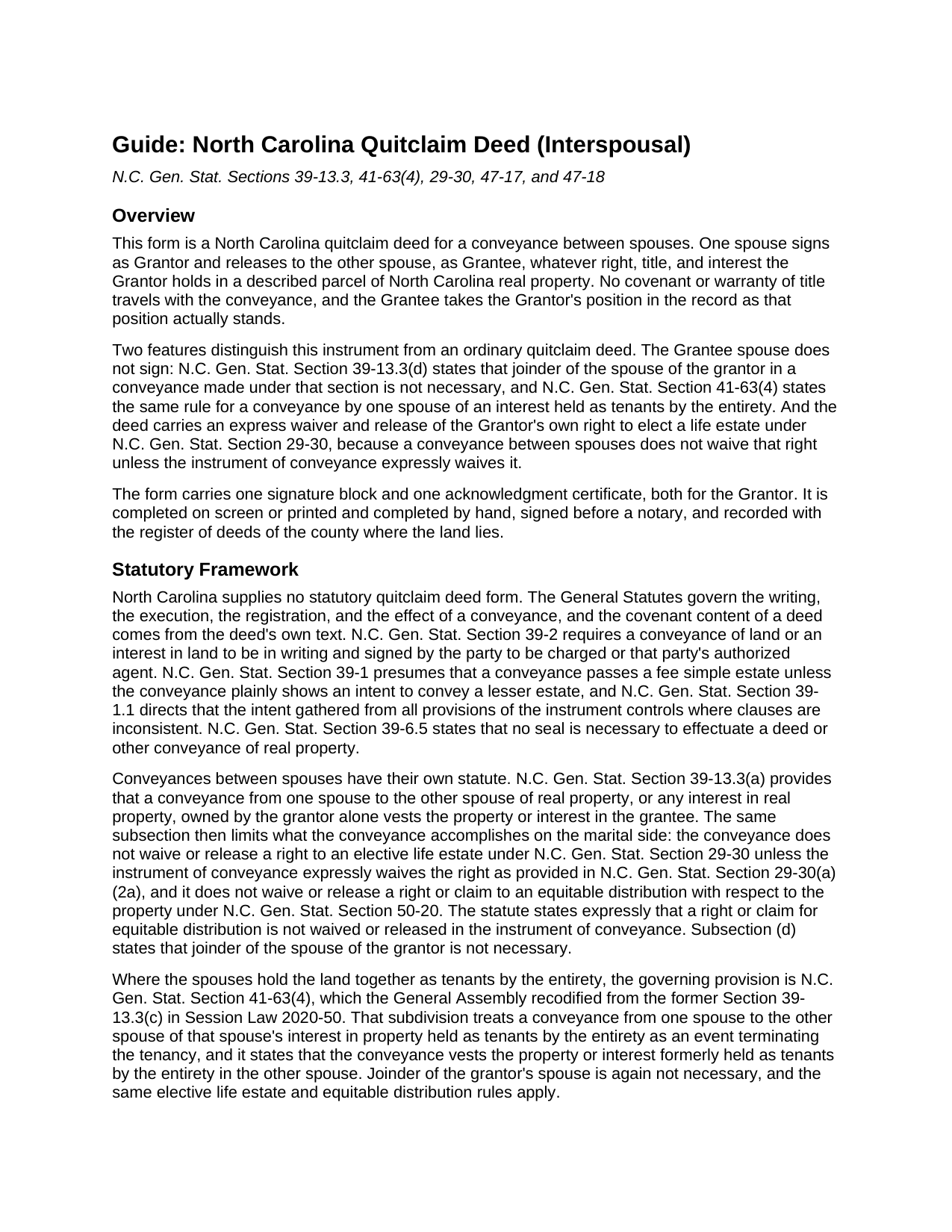
Columbus County Quitclaim Deed (Interspousal) Guide
Line by line guide explaining every blank on the Quitclaim Deed (Interspousal) form.
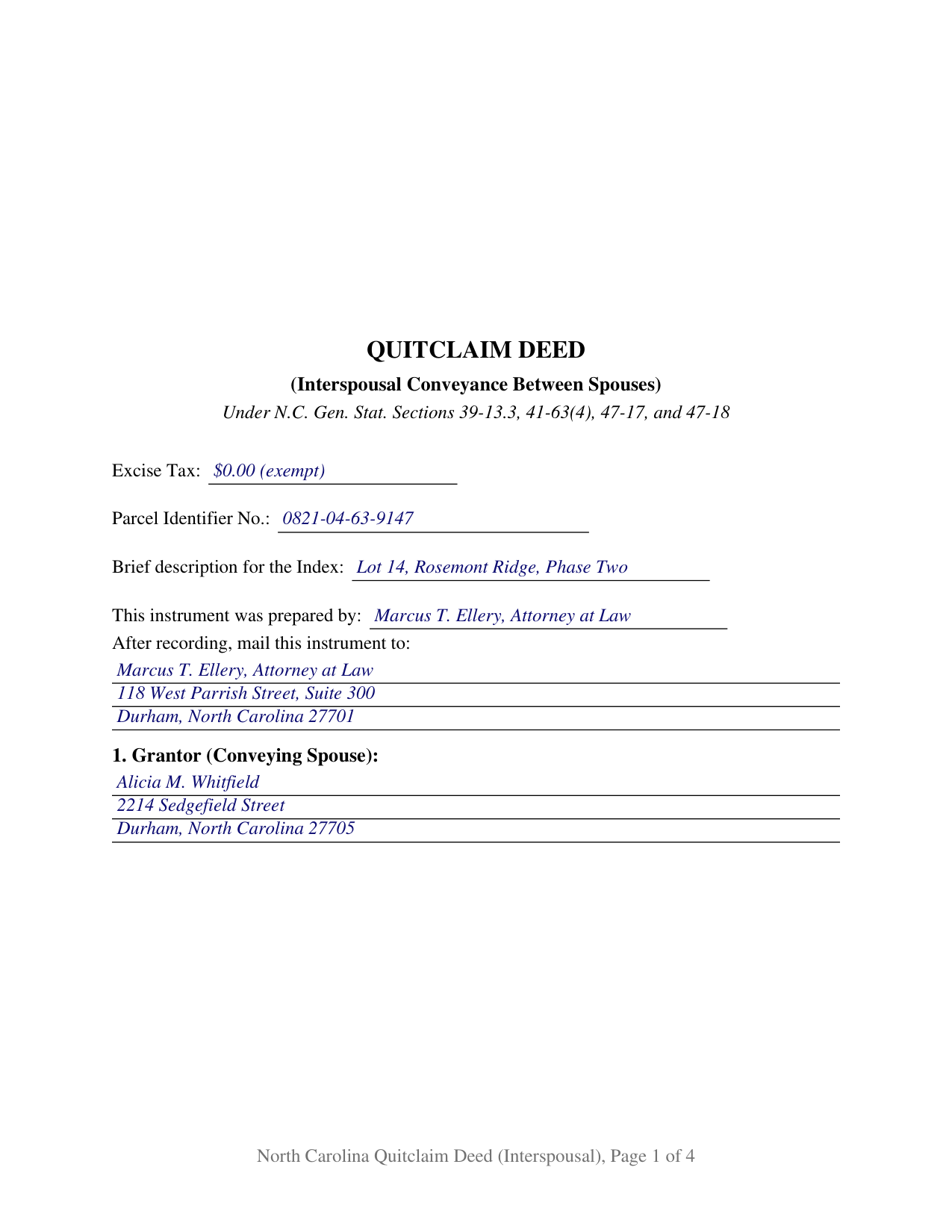
Columbus County Completed Example of the Quitclaim Deed (Interspousal) Document
Example of a properly completed North Carolina Quitclaim Deed (Interspousal) document for reference.
All 3 documents above included • One-time purchase • No recurring fees
Immediate Download • Secure Checkout
Additional North Carolina and Columbus County documents included at no extra charge:
Where to Record Your Documents
Columbus County Register of Deeds
Whiteville, North Carolina 28472
Hours: 8:30 to 5:00 M-F
Phone: (910) 640-6625
Recording Tips for Columbus County:
- Bring your driver's license or state-issued photo ID
- Ensure all signatures are in blue or black ink
- Ask if they accept credit cards - many offices are cash/check only
- Check that your notary's commission hasn't expired
- Documents must be on 8.5 x 11 inch white paper
Cities and Jurisdictions in Columbus County
Properties in any of these areas use Columbus County forms:
- Bolton
- Brunswick
- Cerro Gordo
- Chadbourn
- Clarendon
- Delco
- Evergreen
- Fair Bluff
- Hallsboro
- Lake Waccamaw
- Nakina
- Riegelwood
- Tabor City
- Whiteville
Hours, fees, requirements, and more for Columbus County
How do I get my forms?
Forms are available for immediate download after payment. The Columbus County forms will be in your account ready to download to your computer. An account is created for you during checkout if you don't have one. Forms are NOT emailed.
Are these forms guaranteed to be recordable in Columbus County?
Yes. Our form blanks are guaranteed to meet or exceed the applicable formatting requirements used for recording in Columbus County, including margin requirements, font requirements, and other layout standards. This guarantee applies to formatting, not to the legal sufficiency of information entered by the user or the suitability of a form for a particular transaction.
Can I reuse these forms?
Yes. You can reuse the forms for your personal use. For example, if you have multiple properties in Columbus County you only need to order once.
What do I need to use these forms?
The forms are PDFs that you fill out on your computer. The free Adobe Acrobat Reader is recommended, and most PDF apps also work. You do NOT enter your property information online - you download the blank forms and complete them privately on your own computer.
Are there any recurring fees?
No. This is a one-time purchase. Nothing to cancel, no memberships, no recurring fees.
How much does it cost to record in Columbus County?
Recording fees in Columbus County vary. Contact the recorder's office at (910) 640-6625 for current fees.
Questions answered? Let's get started!
A deed between spouses does two jobs at once in North Carolina: it moves whatever interest one spouse holds to the other, and it settles what becomes of the marital rights the conveying spouse keeps in that land. This fillable North Carolina quitclaim deed is drawn for exactly that transfer. One married record owner signs as Grantor, that owner's husband or wife is named as Grantee, and the instrument carries an express waiver of the elective life estate the Grantor would otherwise hold in the property conveyed.
The spouse who receives title signs nothing
Most North Carolina deeds out of a marriage answer to a joinder rule. This one answers to an exemption from it. G.S. 39-13.3(d) states that joinder of the spouse of the grantor is not necessary in a conveyance made under that section, and G.S. 41-63(4) says the same where the interest released is one spouse's share of entirety property. So the deed recites one Grantor with one signature line, one printed name line for the register's index, and a single acknowledgment certificate. The Grantee's name sits in the grantee blank and nowhere near a signature rule.
The waiver the conveyance does not supply by itself
Handing a parcel to a spouse and handing over the marital claims that attach to it are separate acts, and G.S. 39-13.3(a) keeps them separate. A conveyance from one spouse to the other does not waive the grantor spouse's right to an elective life estate under G.S. 29-30 unless the instrument expressly waives that right, in the terms G.S. 29-30(a)(2a) describes. Session Law 2025-25 rewrote both statutes effective October 1, 2025: a general release of marital rights buried in a deed is not the express waiver the statute looks for. Section 10 of this form states that waiver as its own numbered section, and states the limit on the other side as well, since G.S. 39-13.3(a)(2) provides that a claim to equitable distribution under G.S. 50-20 is not released in an instrument of conveyance.
Two title positions this form recites
The form recites one conveying spouse, one receiving spouse, and a statement that the two are married to each other. Both interspousal positions in the North Carolina records fit that language: a parcel one spouse owns alone, which vests in the other spouse under G.S. 39-13.3(a), and one spouse's interest in entirety property, which under G.S. 41-63(4) ends the entirety and leaves the whole in the Grantee. A Source of Title blank carries the book and page of the deed that created the position, where a title examiner reads which of the two it is. Configurations presenting this shape include a refinance whose title work calls for one spouse to stand outside the chain, and a couple consolidating an inherited parcel in the name of the spouse who inherited it. The form is not set up as a conveyance to both spouses, the pattern G.S. 41-56(b) addresses, and recites no joinder line and no second conveying owner.
The no warranty side of a transfer inside a marriage
No North Carolina statute prescribes a quitclaim deed, so this instrument, also searched as a quit claim deed or a non-warranty deed, works through its own words: the Grantor remises, releases, and forever quitclaims the Grantor's right, title, and interest, if any, without covenant or warranty of title. Under G.S. 39-1 the conveyance passes the Grantor's whole estate unless the deed plainly shows a lesser one, and a deed of trust on the land rides through the transfer untouched.
A gift between spouses and a zero on the excise line
The first page gathers what the register of deeds reads: an entry naming the drafter, which G.S. 47-17.1 turns into a condition of acceptance; the excise figure; the parcel identifier; and the return address. G.S. 105-228.29 lists transfers outside the excise tax, among them a gift and a transfer for which no consideration is due or paid, the classes most conveyances between spouses fall in. The body states each party's mailing address and whether the property takes in the primary residence of a grantor, as G.S. 105-317.2 asks.
The download holds the interspousal quitclaim deed as a fillable PDF, a completed example worked through a Durham County gift from one spouse to the other, and a plain language guide that takes the deed section by section and covers the waiver statutes, the excise treatment of a spousal gift, and the recording trip. These materials are informational and are not legal advice.
Important: Your property must be located in Columbus County to use these forms. Documents should be recorded at the county recording office listed above.
This Quitclaim Deed (Interspousal) meets all recording requirements specific to Columbus County.
Our Promise
The documents you receive here are guaranteed to meet or exceed the applicable Columbus County recording format requirements. If there is a rejection caused by our formatting, we will correct the issue or refund your payment. This guarantee applies to document formatting only and does not extend to information entered by the user, the selection of the form, or the legal effect of the completed document.
Save Time and Money
Get your Columbus County Quitclaim Deed (Interspousal) form done right the first time with Deeds.com Uniform Conveyancing Blanks. At Deeds.com, we understand that your time and money are valuable resources, and we don't want you to face a penalty fee or rejection imposed by a county recorder for submitting nonstandard documents. We constantly review and update our forms to meet rapidly changing state and county recording requirements for roughly 3,500 counties and local jurisdictions.
4.8 out of 5 - ( 4,828 Reviews )
Tawnya P. 5 out of 5 stars
I can't believe I haven't found Deeds.com sooner. They made my job so much easier!! They make recording documents effortless. I'm so grateful.
Thank you for your feedback. We really appreciate it. Have a great day!
yasin a. 5 out of 5 stars
good service
Thank you!
Howard K. 5 out of 5 stars
Great products, quick downloads, the "guides" are extremely helpful. Overall 5 stars!
Thank you!
Timothy N. 5 out of 5 stars
Extremely easy and fast recording of real estate records. I was impressed that it was less than 6 hours from the time I uploaded the document to Deeds.com to receiving confirmation that it was recorded by the county clerk. I would highly recommend this service to save you time and quickly get documents recorded!
Thank you for your feedback. We really appreciate it. Have a great day!
Robert J. 5 out of 5 stars
Ordered the quitclaim forms. Amazing value! Received everything I needed and then some. The forms were easy to use and understand with the help of the guide. The best part was that once completed I used deeds.com's e-recording service to submit the document for recording (our county offices are still closed). Outstanding!
Thank you for the kinds words Robert, glad we could help.
Glenn W. 5 out of 5 stars
I love this tool and it is easy to work with. The interface is straight forward and notifications are consistently accurate.
Thank you for your feedback. We really appreciate it. Have a great day!
Wilma M. 5 out of 5 stars
Amazingly easy. Thank you
Thank you!
Gerry H. 5 out of 5 stars
Very good instruction for filling out the forms!
We appreciate your business and value your feedback. Thank you. Have a wonderful day!
Kathleen Z. 5 out of 5 stars
Very simple. By creating the deed and filing it myself, I am saving a legal fee of $300!
We appreciate your business and value your feedback. Thank you. Have a wonderful day!
RICHARD H. 5 out of 5 stars
Wonderful
Thank you!
Quinn R. 5 out of 5 stars
DEEDS.COM IS THE BEST WAY TO E-RECORD DEEDS. THEY ARE FAST, POLITE AND A FANTASTIC DEAL FOR THE SERVICE THAT THEY OFFER!!!
Thank you!
Ronald S. 5 out of 5 stars
got what i wanted
Thank you for your feedback. We really appreciate it. Have a great day!
John T. 5 out of 5 stars
I bought a quitclaim deed package, and it was very easy to use. Prints nicely. Two thumbs up!
We appreciate your business and value your feedback. Thank you. Have a wonderful day!
MICHAEL H. 5 out of 5 stars
Smooth and efficient. Great site for what you may need.
We’re always here to help. Thank you for your feedback.
Blaine G. 3 out of 5 stars
Pretty good promissory note...but unable to delete some of the not needed stuff. Fill in blanks are fine but not all the template language is appropriate in my situation
Thank you for your feedback. We really appreciate it. Have a great day!