Wayne County Quitclaim Deed (Interspousal) Form
Last validated October 21, 2026 by our Forms Development TeamFormatted for recording in Wayne County, for property anywhere in the county: rural and unincorporated areas as well as Apple Creek, Burbank, Creston, Dalton, Doylestown, Fredericksburg, Kidron, Marshallville and 8 more.
- 3 documents included
- Immediate PDF download
- Formatting guarantee
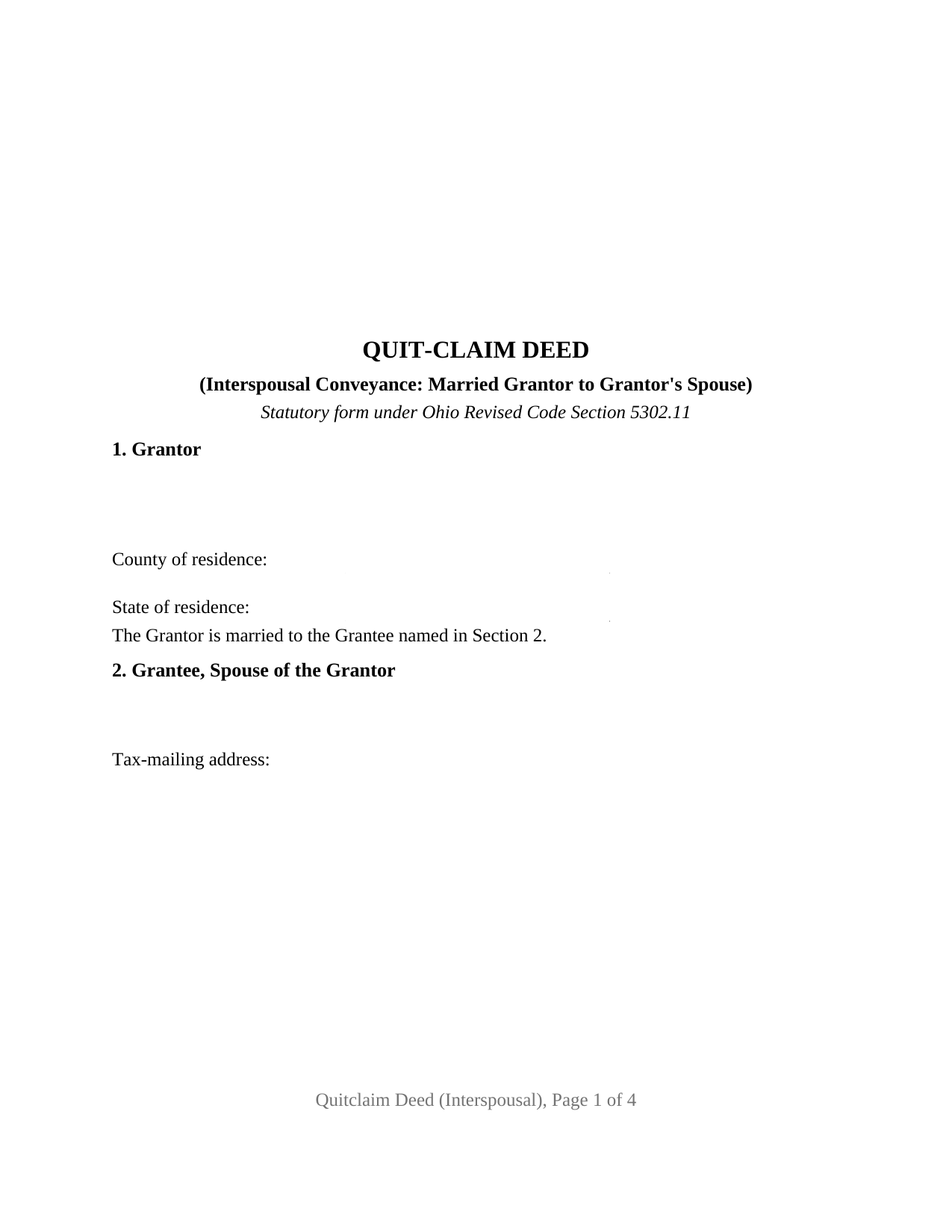
Wayne County Quitclaim Deed (Interspousal) Form
Fill in the blank Quitclaim Deed (Interspousal) form formatted to comply with all Ohio recording and content requirements.
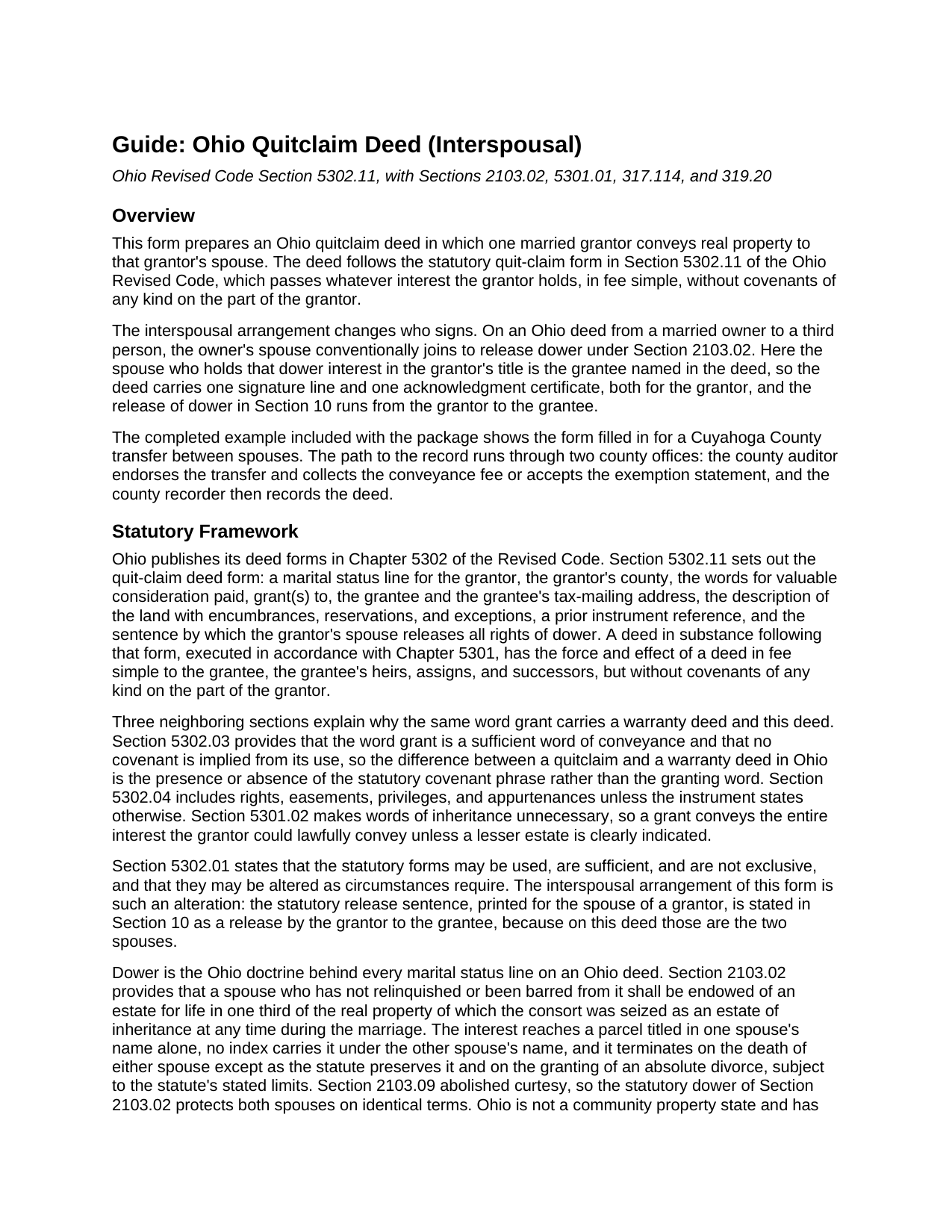
Wayne County Quitclaim Deed (Interspousal) Guide
Line by line guide explaining every blank on the Quitclaim Deed (Interspousal) form.
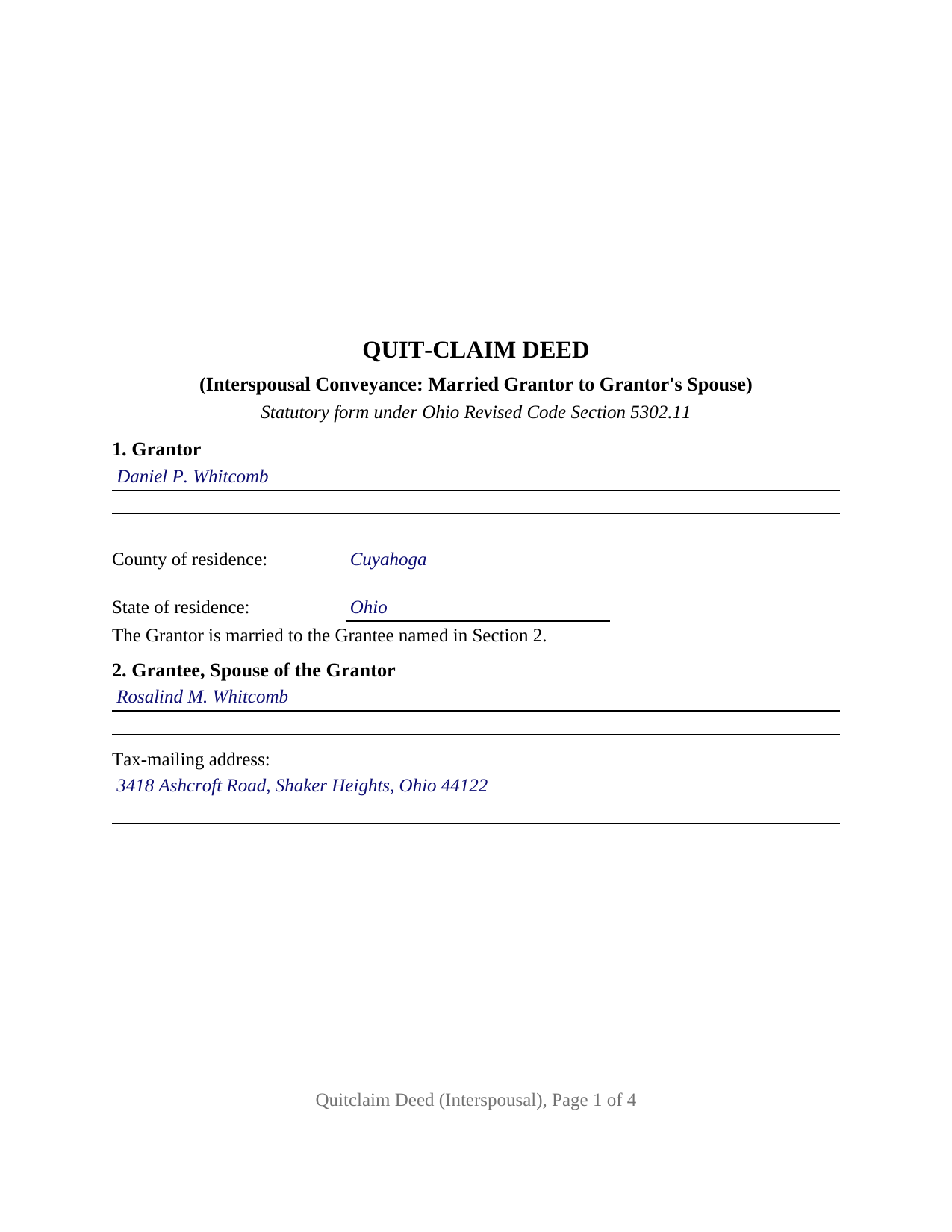
Wayne County Completed Example of the Quitclaim Deed (Interspousal) Document
Example of a properly completed Ohio Quitclaim Deed (Interspousal) document for reference.
All 3 documents above included • One-time purchase • No recurring fees
Immediate Download • Secure Checkout
Additional Ohio and Wayne County documents included at no extra charge:
Where to Record Your Documents
Wayne County Recorder
Wooster, Ohio 44691
Hours: 8:00 to 4:30 M-F
Phone: 330-287-5460
Recording Tips for Wayne County:
- Bring your driver's license or state-issued photo ID
- Ensure all signatures are in blue or black ink
- Leave recording info boxes blank - the office fills these
- Make copies of your documents before recording - keep originals safe
- Recorded documents become public record - avoid including SSNs
Cities and Jurisdictions in Wayne County
Properties in any of these areas use Wayne County forms:
- Apple Creek
- Burbank
- Creston
- Dalton
- Doylestown
- Fredericksburg
- Kidron
- Marshallville
- Mount Eaton
- Orrville
- Rittman
- Shreve
- Smithville
- Sterling
- West Salem
- Wooster
Hours, fees, requirements, and more for Wayne County
How do I get my forms?
Forms are available for immediate download after payment. The Wayne County forms will be in your account ready to download to your computer. An account is created for you during checkout if you don't have one. Forms are NOT emailed.
Are these forms guaranteed to be recordable in Wayne County?
Yes. Our form blanks are guaranteed to meet or exceed the applicable formatting requirements used for recording in Wayne County, including margin requirements, font requirements, and other layout standards. This guarantee applies to formatting, not to the legal sufficiency of information entered by the user or the suitability of a form for a particular transaction.
Can I reuse these forms?
Yes. You can reuse the forms for your personal use. For example, if you have multiple properties in Wayne County you only need to order once.
What do I need to use these forms?
The forms are PDFs that you fill out on your computer. The free Adobe Acrobat Reader is recommended, and most PDF apps also work. You do NOT enter your property information online - you download the blank forms and complete them privately on your own computer.
Are there any recurring fees?
No. This is a one-time purchase. Nothing to cancel, no memberships, no recurring fees.
How much does it cost to record in Wayne County?
Recording fees in Wayne County vary. Contact the recorder's office at 330-287-5460 for current fees.
Questions answered? Let's get started!
On most Ohio deeds from a married owner, the release of dower is a second person's signature. On a deed between spouses it is not: the spouse whose dower attaches to the grantor's title is the one receiving the property. This form is set up for that record, a married grantor conveying Ohio real property to the grantor's own spouse under Ohio Revised Code Section 5302.11, with one signature line, one certificate, and a numbered dower release running toward the grantee.
The release that points at the grantee
Ohio still keeps dower. Under Section 2103.02 a married owner's spouse holds a one third life estate in property the owner was seized of as an estate of inheritance during the marriage, unless that spouse relinquished it or is barred, and the interest attaches even where the deed carries one name. The statutory quit-claim form answers dower with a release sentence printed for the grantor's spouse to sign. On an interspousal conveyance that sentence has nowhere else to go, since the grantor's spouse is the grantee: Section 10 states the release grantor to grantee, and no third signature or second certificate appears. Dower runs both ways, so the release also reaches the mirror image interest arising in the grantor once the grantee holds title.
What a quitclaim moves between spouses
The operative words belong to the statute. Section 5302.11 gives a deed following its form the effect of a fee simple conveyance carrying no covenant of any kind from the grantor, and Section 5302.03 says the word grant implies no covenant. The grantee takes the interest as it stands: a recorded mortgage keeps encumbering the property, and the note obligation stays with whoever signed the note. Section 5302.01 makes the statutory forms alterable as circumstances require, the authority for printing the dower sentence in the interspousal direction. Searches for a quit claim deed, the hyphenated quit-claim spelling the Revised Code uses, or an interspousal transfer deed reach this one.
One grantor, one grantee, and the marriage between them
The form recites exactly one grantor and one grantee who are married to each other. Section 1 states the grantor's name, residence, and the marriage to the grantee; Section 2 heads the grantee entry as the spouse of the grantor and takes that spouse's tax-mailing address. A spouse who bought an Ohio house before the wedding and moves it into the other spouse's name alone, and one who took title by inheritance and conveys to the other spouse, present the record this deed recites. Its edges: one grantee means no joint lives and remainder to the survivor language from Section 5302.17, and one signer means every blank below the conveyance belongs to the grantor and the notarial officer.
A gift between spouses at the auditor's window
Ohio deeds answer to the county auditor before the county recorder, and the fee arithmetic is where a spousal transfer parts company with a sale. Section 319.54(G)(3) has the auditor charge ten cents per hundred dollars of value and lists the exemptions, among them (d), a conveyance to evidence a gift, in trust or otherwise and whether revocable or irrevocable, between husband and wife. Form DTE 100EX carries that line as item (d) and calls for an affidavit of facts alongside it; those auditor filings are prepared separately and are not part of this package. Section 322.01 keeps an exempt instrument outside the county permissive transfer tax, and Section 317.22 holds the deed back from the record until the auditor's stamp and transfer endorsement appear on it.
The page geometry answers Section 317.114: page one keeps its top three inches clear for the recorder's endorsement, the sides and bottom hold an inch, later pages open an inch and a half down, and the print sits above 10 point. A covered instrument missing those numbers is not turned away; the recorder accepts it and collects twenty dollars more. Section 319.20 accounts for two further entries, the address for the grantee's tax bills and the reference identifying the instrument through which the grantor claims title, and Section 317.111 for the preparer statement.
The download holds three items: the interspousal Ohio quitclaim deed as a fillable PDF, a completed example for a Cuyahoga County conveyance between spouses, and a plain language guide covering the numbered sections, the dower mechanics, the ownership forms an Ohio grantee may take, and the recording path. The materials describe Ohio law and this form in general terms; they are not legal advice.
Important: Your property must be located in Wayne County to use these forms. Documents should be recorded at the county recording office listed above.
This Quitclaim Deed (Interspousal) meets all recording requirements specific to Wayne County.
Our Promise
The documents you receive here are guaranteed to meet or exceed the applicable Wayne County recording format requirements. If there is a rejection caused by our formatting, we will correct the issue or refund your payment. This guarantee applies to document formatting only and does not extend to information entered by the user, the selection of the form, or the legal effect of the completed document.
Save Time and Money
Get your Wayne County Quitclaim Deed (Interspousal) form done right the first time with Deeds.com Uniform Conveyancing Blanks. At Deeds.com, we understand that your time and money are valuable resources, and we don't want you to face a penalty fee or rejection imposed by a county recorder for submitting nonstandard documents. We constantly review and update our forms to meet rapidly changing state and county recording requirements for roughly 3,500 counties and local jurisdictions.
4.8 out of 5 - ( 4,856 Reviews )
Jana C H. 5 out of 5 stars
Form was the one I needed and the instructions along with a sample form was all I needed.
We appreciate your business and value your feedback. Thank you. Have a wonderful day!
Robert S. 5 out of 5 stars
The cost was well worth it. It was very easy to download, fill in the necessary information and then print the deed. I filed my need deed today and everything was complete and accurate because of the example you provided.
Thanks Robert, we appreciate your feedback!
Carol R. 5 out of 5 stars
I found the site to be useful,informative and very accessable. Thank You
Thank you!
Mary H. 5 out of 5 stars
Easy, convenient, and very reasonably priced. I really appreciate the comprehensive step-by-step instructions to complete the forms. I would recommend their services and will use them again if needed.
We’re glad you had a positive experience. Thank you.
SHEDDRICK H. 5 out of 5 stars
I got exactly what I paid for. No fraudulent transaction on my card. I like that. This is an excellent service. Straight and to the point help. That e-recording process looks like a winner. When I get my forms filled out I might use that.
We appreciate your business and value your feedback. Thank you. Have a wonderful day!
Jose G. C. 4 out of 5 stars
It was OK but unfortunately useless. The jurisdictions are now requesting that documents such as Notices of Commencement not only be recorded at their offices, but also certified. This last service is not provided by Deeds, or at least I could not find it in your website and did not receive a response when I asked if you did. Thus, we are going back to traditional means of recording/certifying
Thank you for your feedback Jose. We do hope that you find something more suitable to your needs elsewhere. Have a wonderful day.
John B. 4 out of 5 stars
I purchased the Notice of Completion form because the City of Chula Vista did not have a "fillable" version of this form on their website. The Deeds.com version of this form is somewhat different than the City's version (8 numbered paragraphs vs. 11 numbered paragraphs.) However, it contains the same information in a different format. This form provided more blank space to fill in important items- like a long ownership name- than the version on the City's website. The recorder's office was satisfied with this form as I hand-delivered it to the Recorder's Office and they approved it for recording. Overall, I found this form easy to use and found the extra blank space for writing on the form helpful. My one comment for possible improvement is: it would be even more helpful (particularly for attorney users) to have strike-out capability. I would have liked having the ability to strike-out inapplicable portions of long awkward sentences. Still, I would use this form again.
Your feedback means a lot to us. Thank you.
BENILDA S. 5 out of 5 stars
The forums were well formatted and easy to fill out. The inclusion of a completed sample form was a great help.
We’re glad to hear things went well. Thank you for the review.
Jose F. 5 out of 5 stars
When I found this website, I was confused and hesitant to use this website to submit paperwork that needed to be submitted to the Clerks of Courts in Miami. I am glad I decided to go through with it. It was the easiest process I have encountered even with working with the City. Highly recommend as it is super easy to use and received that everything was approved and recorded in two working days. Thank you so much for bringing my stress level lower as many uncertainties of how to process my paperwork. Will use it again to finish my project as the City continues to not accept walk ins. Thank you so much.
So glad we were able help Jose, have a amazing day!
William P. 1 out of 5 stars
VERY difficult to work with. Nice people. But difficult system. Ask for MANY changes. Why dont you do that as a
Sorry to hear of your struggle William. We do hope that you found something more suitable to your needs elsewhere.
Kevin M. 5 out of 5 stars
All I can say is WOW. They were so fast and professional. I received my copy of my deed that same day I requested it. There was some confusion on my part but within minutes it was explained.
We appreciate your business and value your feedback. Thank you. Have a wonderful day!
John S. 1 out of 5 stars
You dont really know what your buying until after you spend the money. Cant use any of them
Thank you for your feedback. Best practice is to know what you need before purchasing. Buying legal documents should not be a exploratory endeavor. Your order has been canceled. We do hope that you find something more suitable to your needs elsewhere.
Kartik S. 5 out of 5 stars
I am extremely happy with the products. I have used Quitclaim Deed. The instructions with a sample completed deed are thorough!
Thank you, Kartik. Glad the quitclaim deed worked out and that the guide and completed sample made the process clear. That is exactly why we include them with every form. We appreciate you taking the time to share your experience.
Evelyn A. 5 out of 5 stars
Was easy to use. Just didnt find what i needed
Thank you for your feedback. We really appreciate it. Have a great day!
Kimberly F. 5 out of 5 stars
Wow! This process was incredibly easy and no commitments to monthly memberships.
Thanks for the kind words Kimberly. Have an amazing day!