Jefferson County Quitclaim Deed (Partnership or Limited Partnership Grantor) Form
Last validated October 26, 2026 by our Forms Development TeamFormatted for recording in Jefferson County, for property anywhere in the county: rural and unincorporated areas as well as Adena, Amsterdam, Bergholz, Bloomingdale, Brilliant, Dillonvale, East Springfield, Empire and 14 more.
- 3 documents included
- Immediate PDF download
- Formatting guarantee
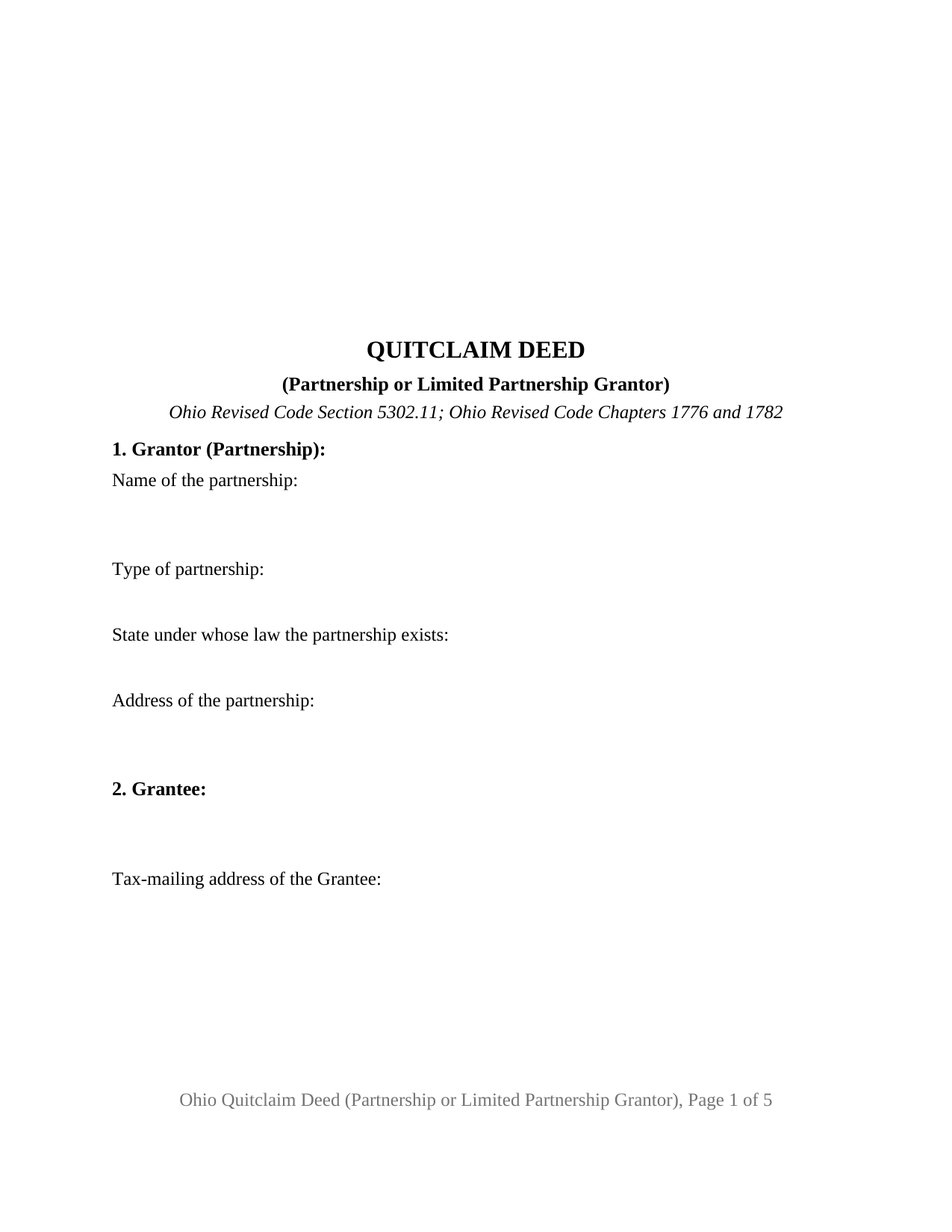
Jefferson County Quitclaim Deed (Partnership or Limited Partnership Grantor) Form
Fill in the blank Quitclaim Deed (Partnership or Limited Partnership Grantor) form formatted to comply with all Ohio recording and content requirements.
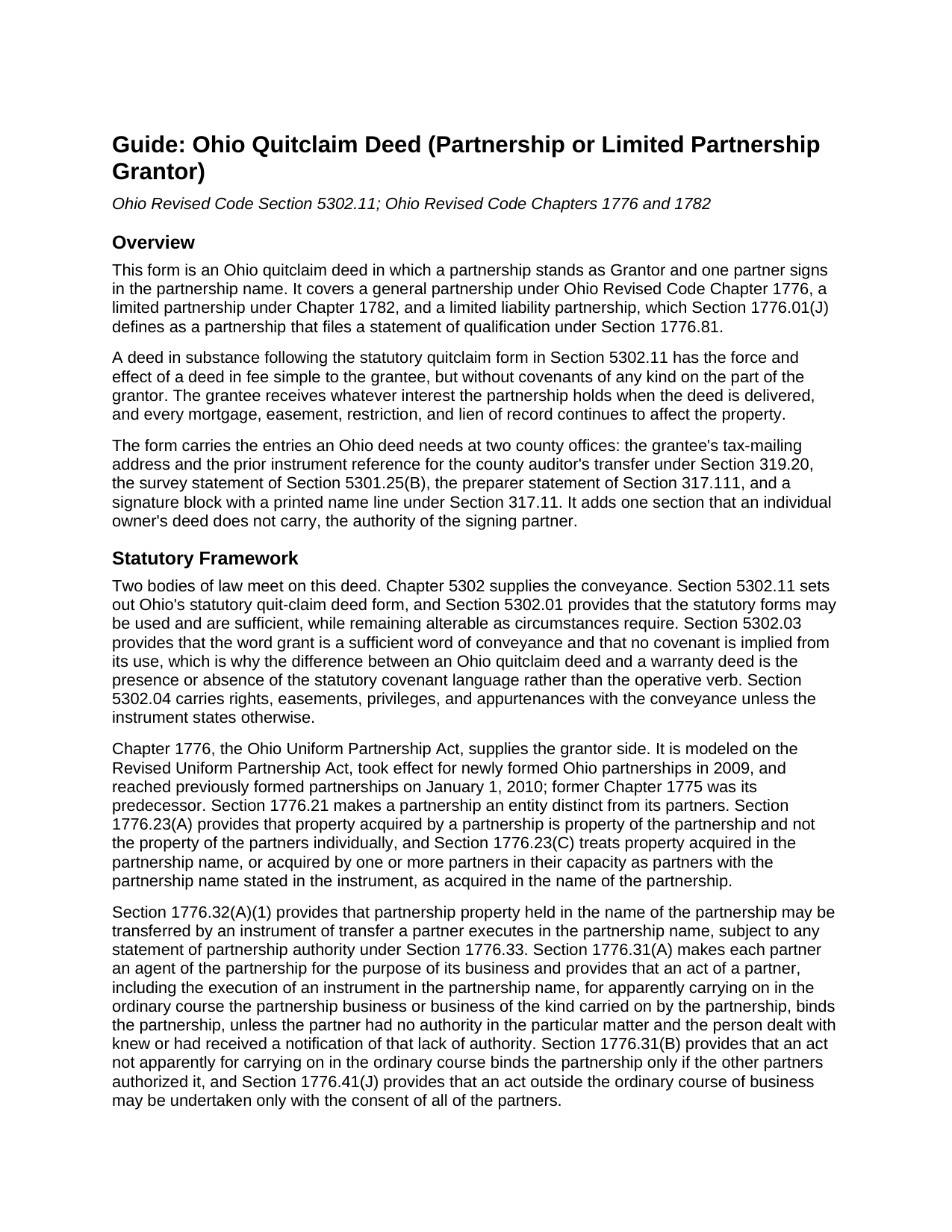
Jefferson County Quitclaim Deed (Partnership or Limited Partnership Grantor) Guide
Line by line guide explaining every blank on the Quitclaim Deed (Partnership or Limited Partnership Grantor) form.
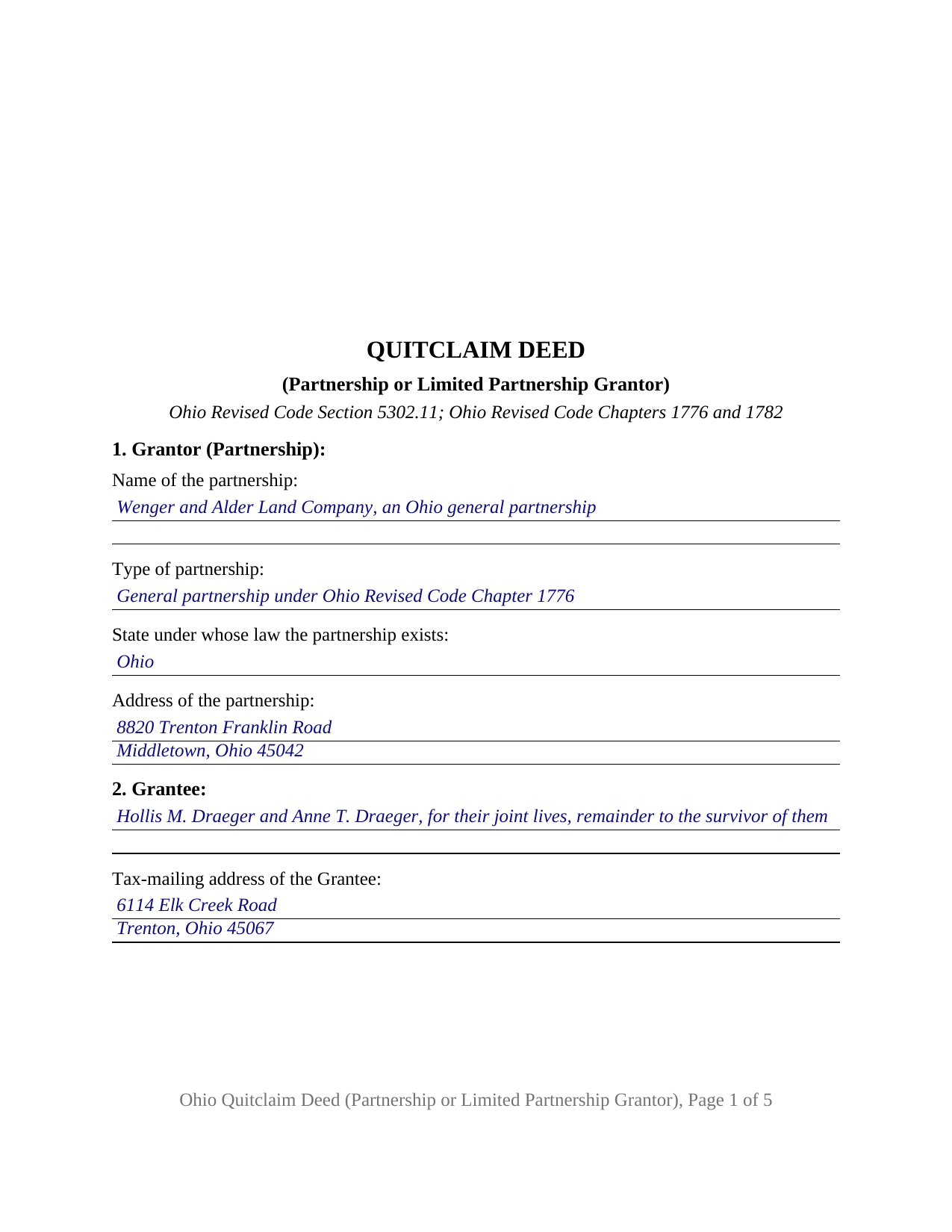
Jefferson County Completed Example of the Quitclaim Deed (Partnership or Limited Partnership Grantor) Document
Example of a properly completed Ohio Quitclaim Deed (Partnership or Limited Partnership Grantor) document for reference.
All 3 documents above included • One-time purchase • No recurring fees
Immediate Download • Secure Checkout
Additional Ohio and Jefferson County documents included at no extra charge:
Where to Record Your Documents
Jefferson County Recorder
Steubenville, Ohio 43952
Hours: 8:30am to 4:30pm Monday through Friday
Phone: 740-283-8566
Recording Tips for Jefferson County:
- Bring your driver's license or state-issued photo ID
- Ensure all signatures are in blue or black ink
- Check that your notary's commission hasn't expired
- Documents must be on 8.5 x 11 inch white paper
- Double-check legal descriptions match your existing deed
Cities and Jurisdictions in Jefferson County
Properties in any of these areas use Jefferson County forms:
- Adena
- Amsterdam
- Bergholz
- Bloomingdale
- Brilliant
- Dillonvale
- East Springfield
- Empire
- Hammondsville
- Irondale
- Mingo Junction
- Mount Pleasant
- Piney Fork
- Rayland
- Richmond
- Smithfield
- Steubenville
- Stratton
- Tiltonsville
- Toronto
- Wolf Run
- Yorkville
Hours, fees, requirements, and more for Jefferson County
How do I get my forms?
Forms are available for immediate download after payment. The Jefferson County forms will be in your account ready to download to your computer. An account is created for you during checkout if you don't have one. Forms are NOT emailed.
Are these forms guaranteed to be recordable in Jefferson County?
Yes. Our form blanks are guaranteed to meet or exceed the applicable formatting requirements used for recording in Jefferson County, including margin requirements, font requirements, and other layout standards. This guarantee applies to formatting, not to the legal sufficiency of information entered by the user or the suitability of a form for a particular transaction.
Can I reuse these forms?
Yes. You can reuse the forms for your personal use. For example, if you have multiple properties in Jefferson County you only need to order once.
What do I need to use these forms?
The forms are PDFs that you fill out on your computer. The free Adobe Acrobat Reader is recommended, and most PDF apps also work. You do NOT enter your property information online - you download the blank forms and complete them privately on your own computer.
Are there any recurring fees?
No. This is a one-time purchase. Nothing to cancel, no memberships, no recurring fees.
How much does it cost to record in Jefferson County?
Recording fees in Jefferson County vary. Contact the recorder's office at 740-283-8566 for current fees.
Questions answered? Let's get started!
An Ohio partnership holds its real property in its own name, and one partner's signature in that name is what moves it. This quitclaim deed form is arranged around that execution: a partnership, limited partnership, or limited liability partnership stands as Grantor under Ohio Revised Code Section 5302.11, one partner signs in the firm's name, and a numbered section records the authority behind the signature.
Title that stands in the firm's name
Chapter 1776 of the Revised Code settles whose property it is. Section 1776.21 makes a partnership an entity distinct from its partners, and Section 1776.23(A) puts property acquired by a partnership in the partnership rather than in the partners individually. Section 1776.32(A)(1) supplies the mechanics: partnership property held in the name of the partnership may be transferred by an instrument of transfer a partner executes in the partnership name. An older deed naming individual partners without the firm points instead to Section 1776.32(A)(2) and to those holders, a record other than this one.
The authority the record can carry
Section 1776.31(A) makes each partner an agent of the partnership, binding the firm on an act apparently carrying on its business in the ordinary course. A land sale often is not, and Section 1776.41(J) allows such an act only with the consent of all of the partners. Ohio adds a route reaching the county recorder: under Section 1776.33 a partnership may file a statement of partnership authority naming the partners authorized to execute an instrument transferring real property, and a certified copy recorded with the recorder is conclusive as to real property in that county in favor of a person giving value without knowledge to the contrary, while a recorded limitation is deemed known. Section 1776.33(G) cancels a filed statement five years on, so an old one may be spent. Section 8 takes the authority relied on and the reference of any statement of record.
A general partner on a limited partnership's deed
A limited partnership is formed by filing a certificate of limited partnership with the Secretary of State under Section 1782.08, and Section 1782.02(A) has its name include Limited Partnership, L.P., Limited, or Ltd. Section 1782.24(A) gives a general partner all the rights and powers of a partner in a partnership without limited partners, carrying the Chapter 1776 rules onto the deed, while Section 1782.19 keeps limited partners off the signature page. Dower drops out too, Section 2103.02 reaching property of which a married individual was seized, so no marital status entry and no release of dower print here.
Covenants the statute leaves out
Section 5302.11 gives its form fee simple effect while withholding every covenant on the grantor's part, and under Section 5302.03 granting words add none, so the grantee inherits the firm's position in the record, mortgage and easement along with it. Searches for a quit claim deed, the hyphenated quit-claim spelling, or a partnership property transfer arrive here.
One partnership, one signing partner
Section 1 states the firm's name as record title reads it, its type, its state of existence, and its address; Section 11 states the signing partner's capacity above a single signature block; Section 10 recites that the partner signs in the partnership name and in that capacity, not individually. One acknowledgment certificate follows, matching the one signature. A farm partnership moving acreage into a successor entity during a reorganization, a limited partnership passing its last parcel out while winding up, and a partnership clearing an index entry still reading in its name after an earlier sale, present the partnership grantor record this deed recites. Exactly one signing partner appears; where partnership records call for two, the execution runs wider than the block drawn here.
What the transfer counter reads
Ohio hands a deed to the county auditor first. Form DTE 100, or the exemption statement DTE 100EX, travels with it under Section 319.202, and the auditor endorses the transfer that Section 317.22 makes a condition of recording. Recorder charges under Sections 317.32 and 317.36 begin at thirty-four dollars for two pages, thirty-nine with a county preservation surcharge.
Three files arrive with the purchase: this Ohio quitclaim deed for a partnership or limited partnership grantor as a fillable PDF, a completed example built on a Butler County conveyance by an Ohio general partnership, and a plain language guide to the numbered sections, the Chapter 1776 and 1782 authority rules, the ownership forms an Ohio grantee may take, and the county steps. It describes Ohio law generally and is not legal advice.
Important: Your property must be located in Jefferson County to use these forms. Documents should be recorded at the county recording office listed above.
This Quitclaim Deed (Partnership or Limited Partnership Grantor) meets all recording requirements specific to Jefferson County.
Our Promise
The documents you receive here are guaranteed to meet or exceed the applicable Jefferson County recording format requirements. If there is a rejection caused by our formatting, we will correct the issue or refund your payment. This guarantee applies to document formatting only and does not extend to information entered by the user, the selection of the form, or the legal effect of the completed document.
Save Time and Money
Get your Jefferson County Quitclaim Deed (Partnership or Limited Partnership Grantor) form done right the first time with Deeds.com Uniform Conveyancing Blanks. At Deeds.com, we understand that your time and money are valuable resources, and we don't want you to face a penalty fee or rejection imposed by a county recorder for submitting nonstandard documents. We constantly review and update our forms to meet rapidly changing state and county recording requirements for roughly 3,500 counties and local jurisdictions.
4.8 out of 5 - ( 4,836 Reviews )
Sylvia S. 5 out of 5 stars
Thank you for making my life easier!!
Thank you for your feedback. We really appreciate it. Have a great day!
Barbara M. 5 out of 5 stars
Easy to do.
We appreciate your business and value your feedback. Thank you. Have a wonderful day!
Fred A. 5 out of 5 stars
Very nice forms offer, very thoughtful to include other related forms that may be necessary. The site was easy to use, and very fast. Thank You.
Thank you!
Boyd B. 5 out of 5 stars
I had an issue because of what I was doing, thanks to these guys. I received an email and lickety-split done no more problems.
We appreciate your business and value your feedback. Thank you. Have a wonderful day!
April C. 5 out of 5 stars
Great service fast and patience great team their staff kvh was very great part of team .I need it filed the same day . I will recommend them to others
Thank you for your feedback. We really appreciate it. Have a great day!
Henry D. 4 out of 5 stars
The deed form served my purpose and saved the expense of using an attorney. Easy to use. It would have helped some if the entire doc could be modified by user.
Thank you for your feedback. It helps us continue improving.
Neira S. 5 out of 5 stars
No problem with Recorders Office using your document. It is now completed and recorded.
Thank you Neira, have a wonderful day!
Frank T. 5 out of 5 stars
Great service, fast easy to use, accurate forms for our project. Thank you. FTM
Thank you for your feedback. We really appreciate it. Have a great day!
Shawn S. 5 out of 5 stars
Listen, I love your services. It's been such a convenience utilizing it.
We appreciate your business and value your feedback. Thank you. Have a wonderful day!
Monica T. 5 out of 5 stars
Super easy to use. Very pleased. The turn around time was very fast. I have another one pending. Thank you!
We are grateful for your feedback and looking forward to serving you again. Thank you!
Julius D. 5 out of 5 stars
Worked great....WV accepted this document and made the whole process easy...thanks
We appreciate your business and value your feedback. Thank you. Have a wonderful day!
Kathryn C. 5 out of 5 stars
I truly appreciate you and you service for all you do to help me ThankYou kathrynchertock
Thank you for your feedback. We really appreciate it. Have a great day!
Rico J. 5 out of 5 stars
Plenty of great information.
Thank you!
Karen S. 5 out of 5 stars
Deeds.com made everything easy, with instructions and samples it was simple to fill out the forms. I loved that it was county specific.
Thank you for your feedback. We really appreciate it. Have a great day!
Gordon J. 5 out of 5 stars
The experience was generally very satisfactory. I was able to fill out the Trust Deed and send it via email no problem. However, I was not able to send the filled out form of the Note. It always erased my fill-ins when it was sent. I found that very frustrating.
Thank you, Gordon. Glad the Trust Deed worked well. Issues like the one you reported with the Note can sometimes be related to how the file is opened or sent. Using Adobe Reader to fill, save, and send the form is recommended. We also pass along all feedback like this to our team to confirm there are no issues.