Perry County Contractor Notice of All Liens Paid Form
Last validated October 2, 2026 by our Forms Development TeamFormatted for recording in Perry County, for property anywhere in the county: rural and unincorporated areas as well as Linden, Lobelville.
- 3 documents included
- Immediate PDF download
- Formatting guarantee
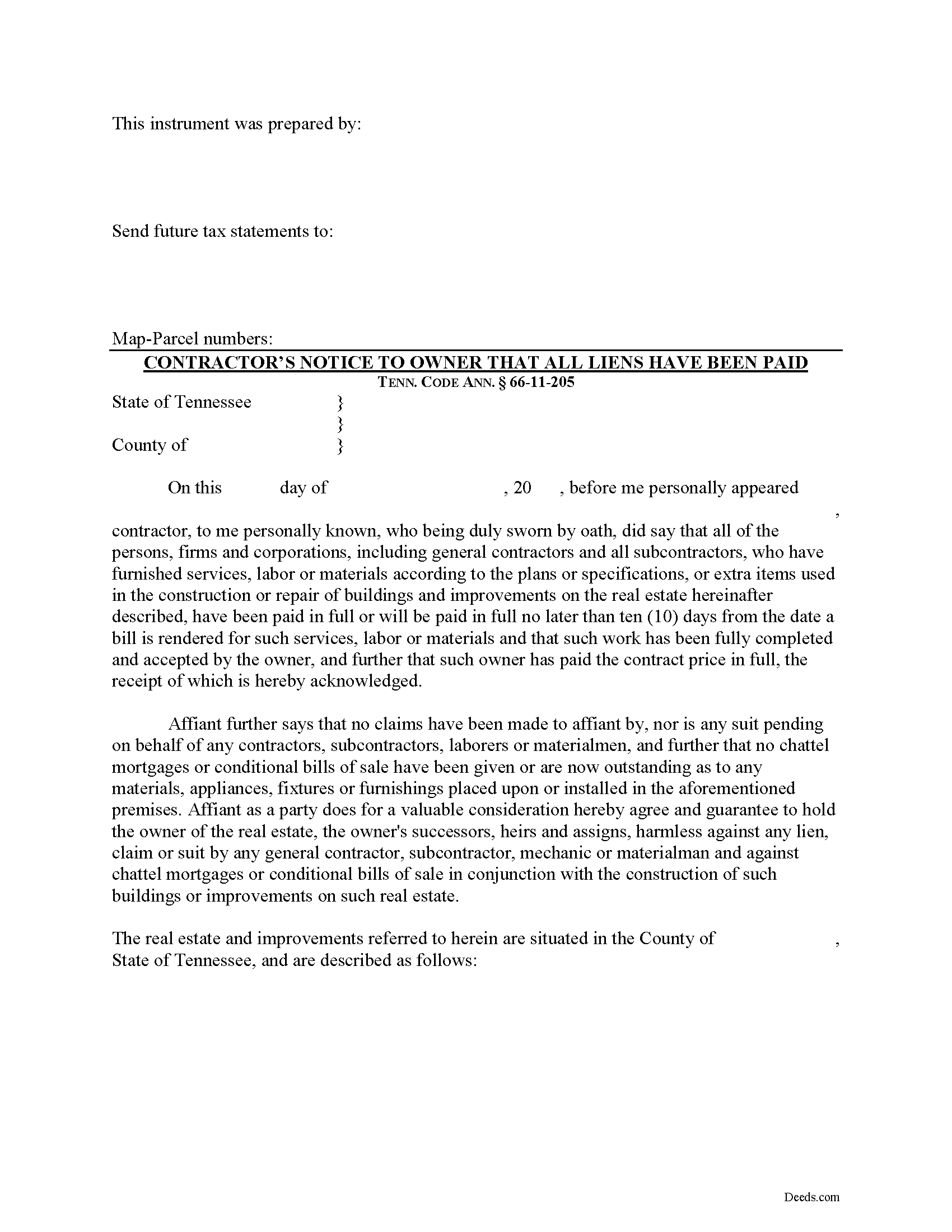
Perry County Contractor Notice of All Liens Paid Form
Fill in the blank Contractor Notice of All Liens Paid form formatted to comply with all Tennessee recording and content requirements.
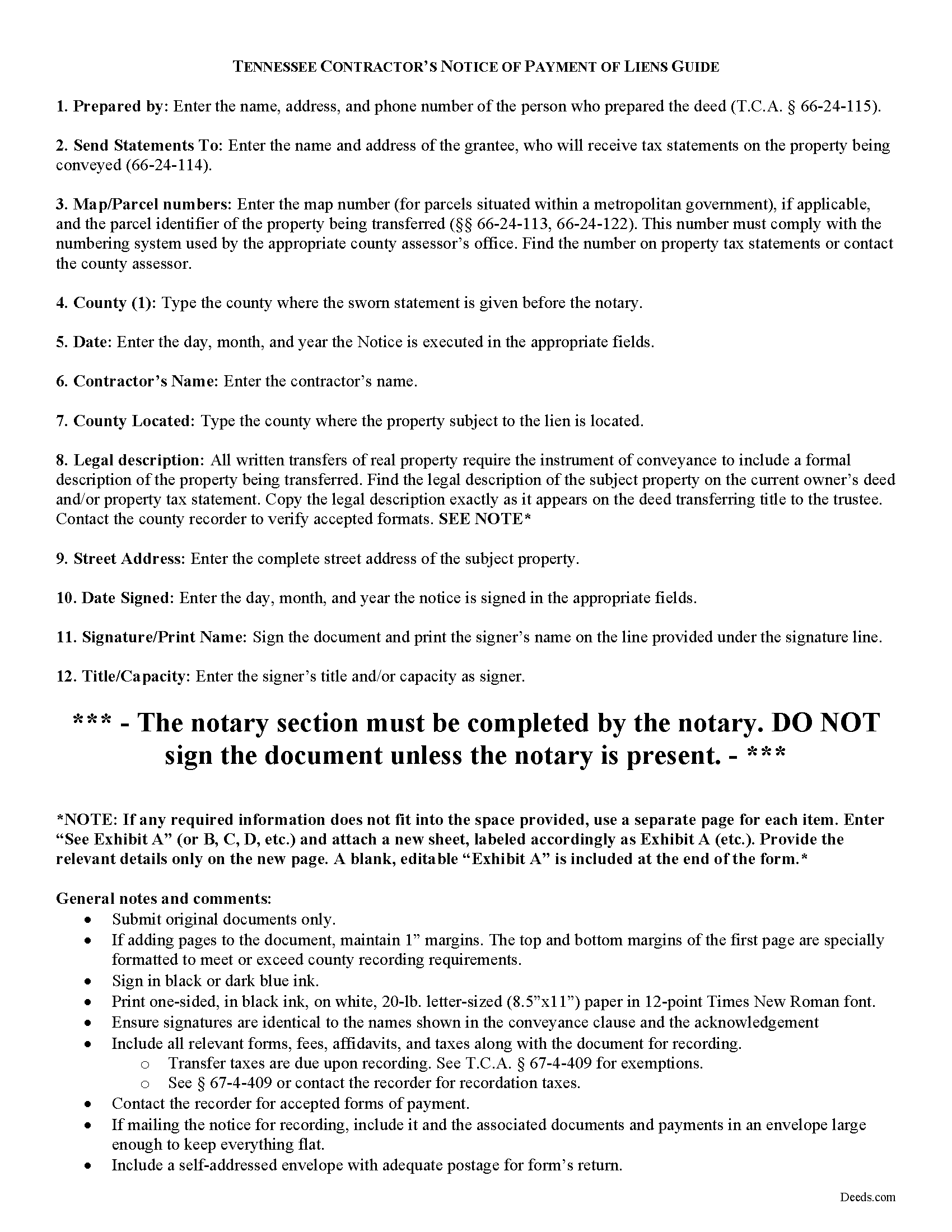
Perry County Contractor Notice of All Liens Paid Guide
Line by line guide explaining every blank on the form.
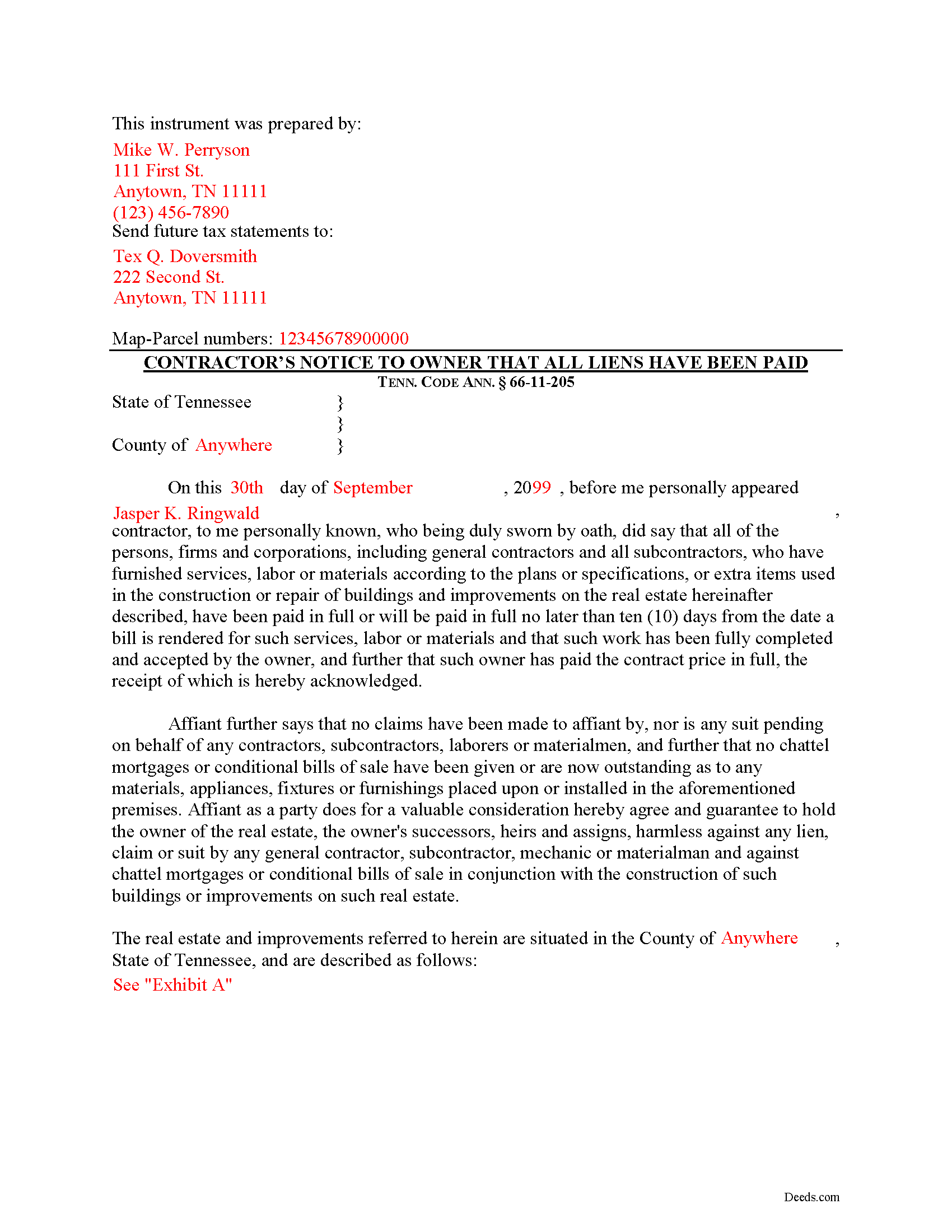
Perry County Completed Example of the Contractor Notice of All Liens Paid Document
Example of a properly completed form for reference.
All 3 documents above included • One-time purchase • No recurring fees
Immediate Download • Secure Checkout
Additional Tennessee and Perry County documents included at no extra charge:
Where to Record Your Documents
Perry County Register of Deeds
Linden, Tennessee 37096
Hours: 8:30am to 4:00pm.M-F
Phone: (931) 589-2210
Recording Tips for Perry County:
- Bring your driver's license or state-issued photo ID
- Ensure all signatures are in blue or black ink
- Both spouses typically need to sign if property is jointly owned
- Bring extra funds - fees can vary by document type and page count
- Check margin requirements - usually 1-2 inches at top
Cities and Jurisdictions in Perry County
Properties in any of these areas use Perry County forms:
- Linden
- Lobelville
Hours, fees, requirements, and more for Perry County
How do I get my forms?
Forms are available for immediate download after payment. The Perry County forms will be in your account ready to download to your computer. An account is created for you during checkout if you don't have one. Forms are NOT emailed.
Are these forms guaranteed to be recordable in Perry County?
Yes. Our form blanks are guaranteed to meet or exceed the applicable formatting requirements used for recording in Perry County, including margin requirements, font requirements, and other layout standards. This guarantee applies to formatting, not to the legal sufficiency of information entered by the user or the suitability of a form for a particular transaction.
Can I reuse these forms?
Yes. You can reuse the forms for your personal use. For example, if you have multiple properties in Perry County you only need to order once.
What do I need to use these forms?
The forms are PDFs that you fill out on your computer. The free Adobe Acrobat Reader is recommended, and most PDF apps also work. You do NOT enter your property information online - you download the blank forms and complete them privately on your own computer.
Are there any recurring fees?
No. This is a one-time purchase. Nothing to cancel, no memberships, no recurring fees.
How much does it cost to record in Perry County?
Recording fees in Perry County vary. Contact the recorder's office at (931) 589-2210 for current fees.
Questions answered? Let's get started!
Upon completion of the contract or improvement and upon receipt of the contract price, the contractor must deliver by registered mail or otherwise to the owner or owners of the real property a sworn affidavit stating that all liens have been paid in full or will be paid in full no later than ten (10) days from the date a bill is rendered for such services. Tenn. Prop. Code 66-11-205. The sworn affidavit must be executed and signed in the presence of a notary public.
The notice identifies the parties, the location and nature of the work or improvements, relevant dates, and anything else necessary for the specific situation.
This article is provided for informational purposes only and should not be considered legal advice or relied upon as any substitute for speaking with an attorney. Please consult a Tennessee attorney familiar with construction law for any questions about the notice of payment of all liens or for any other issues regarding mechanic's liens.
Important: Your property must be located in Perry County to use these forms. Documents should be recorded at the county recording office listed above.
This Contractor Notice of All Liens Paid meets all recording requirements specific to Perry County.
Our Promise
The documents you receive here are guaranteed to meet or exceed the applicable Perry County recording format requirements. If there is a rejection caused by our formatting, we will correct the issue or refund your payment. This guarantee applies to document formatting only and does not extend to information entered by the user, the selection of the form, or the legal effect of the completed document.
Save Time and Money
Get your Perry County Contractor Notice of All Liens Paid form done right the first time with Deeds.com Uniform Conveyancing Blanks. At Deeds.com, we understand that your time and money are valuable resources, and we don't want you to face a penalty fee or rejection imposed by a county recorder for submitting nonstandard documents. We constantly review and update our forms to meet rapidly changing state and county recording requirements for roughly 3,500 counties and local jurisdictions.
4.8 out of 5 - ( 4,839 Reviews )
Robert B. 5 out of 5 stars
Liked the fact that the forms were fill in the blank. Good to have the option of re-doing them if needed, and I needed ;)
Thank you for your feedback. We really appreciate it. Have a great day!
Sara Beth M B. 5 out of 5 stars
great service!!!!! wish this service was listed on the Washoe County Recorder website so people who aren't companies could find it.
Thank you for your feedback. We really appreciate it. Have a great day!
Robert K. 5 out of 5 stars
I used your TOD document to deed my home to my daughter. Your sample document was very helpful. I had to do it a few times but finally got it right. I didn't check but It was surely cheaper than a lawyer fee.
Thank you for your feedback. We really appreciate it. Have a great day!
Ron E. 5 out of 5 stars
Flawless. I ordered the forms needed, along with completed samples. I filled them out, and I was on my way to the recorders office. I would use deeds.com without hesitation.
Thank you for your feedback. We really appreciate it. Have a great day!
Ray L. 5 out of 5 stars
This was my first time using Deeds.com It was very easy to understand and use. I was pleasantly suprised.
We appreciate your business and value your feedback. Thank you. Have a wonderful day!
Lawrence D. 5 out of 5 stars
My first time using it; very fast service. I am an estate planning attorney (44 years). None of my old title company contacts are around anymore to provide deed copies, so this is a great source. I will be using it again.
Thank you Lawrence, we appreciate your feedback. Have a fantastic day!
Ann W. 5 out of 5 stars
GREAT forms, easy to use and most importantly... compliant. Worth it and then some!
Thank you!
Sandra G. 4 out of 5 stars
We were referred to the site by banking friend. It does take time to read through and figure out what a person needs, form-wise, to accomplish the goal. Once that was decided, check out and the download was very easy. What a great savings in cost and time.
Thank you Sandra, glad we could help. Also, please thank your friend for us. Have a wonderful day.
James B. 5 out of 5 stars
This was very easy to do. Great experience. These are the forms I needed. I would recommend these to anyone.
Thank you!
Christopher M. 5 out of 5 stars
This was so painless and fast!
Thank you Christopher, that means a lot to us.
Jason J. 5 out of 5 stars
My first submission was super quick and easy. I had trouble with the second submission, as I was not aware of what the county would require, but the team at Deeds.com walked me through every step of the process. Will definitely use again and refer business partners to Deeds.com!
Thank you, Jason! We’re glad your first submission went smoothly and appreciate your patience with the second. County requirements can vary, and we’re always here to help make the process as simple as possible. We look forward to assisting you — and your business partners — again soon!
Robert R. 5 out of 5 stars
Just joined. Recommended by a strong source. Looking forward to doing business.
Thank you!
John P. 5 out of 5 stars
very good. received what i ordered in a timely fashion despite my incompetence.
Thank you for your feedback. We really appreciate it. Have a great day!
Maria-Luisa: M. 5 out of 5 stars
So far so good!
Thank you!
Loren H. 5 out of 5 stars
I really appreciate your forms according to South Dakota laws and statues. Your forms allow me to effectively do estate planning without extensive legal expenses. The "Revocable Transfer of Death Deed" is perfect to protect against extensive probate problems for seniors in retirement. Thank you and May God Bless.
We appreciate your business and value your feedback. Thank you. Have a wonderful day!