Vernon County Release of Lis Pendens Form
Last validated October 12, 2026 by our Forms Development TeamFormatted for recording in Vernon County, for property anywhere in the county: rural and unincorporated areas as well as Chaseburg, Coon Valley, De Soto, Genoa, Hillsboro, La Farge, Ontario, Readstown and 3 more.
- 3 documents included
- Immediate PDF download
- Formatting guarantee
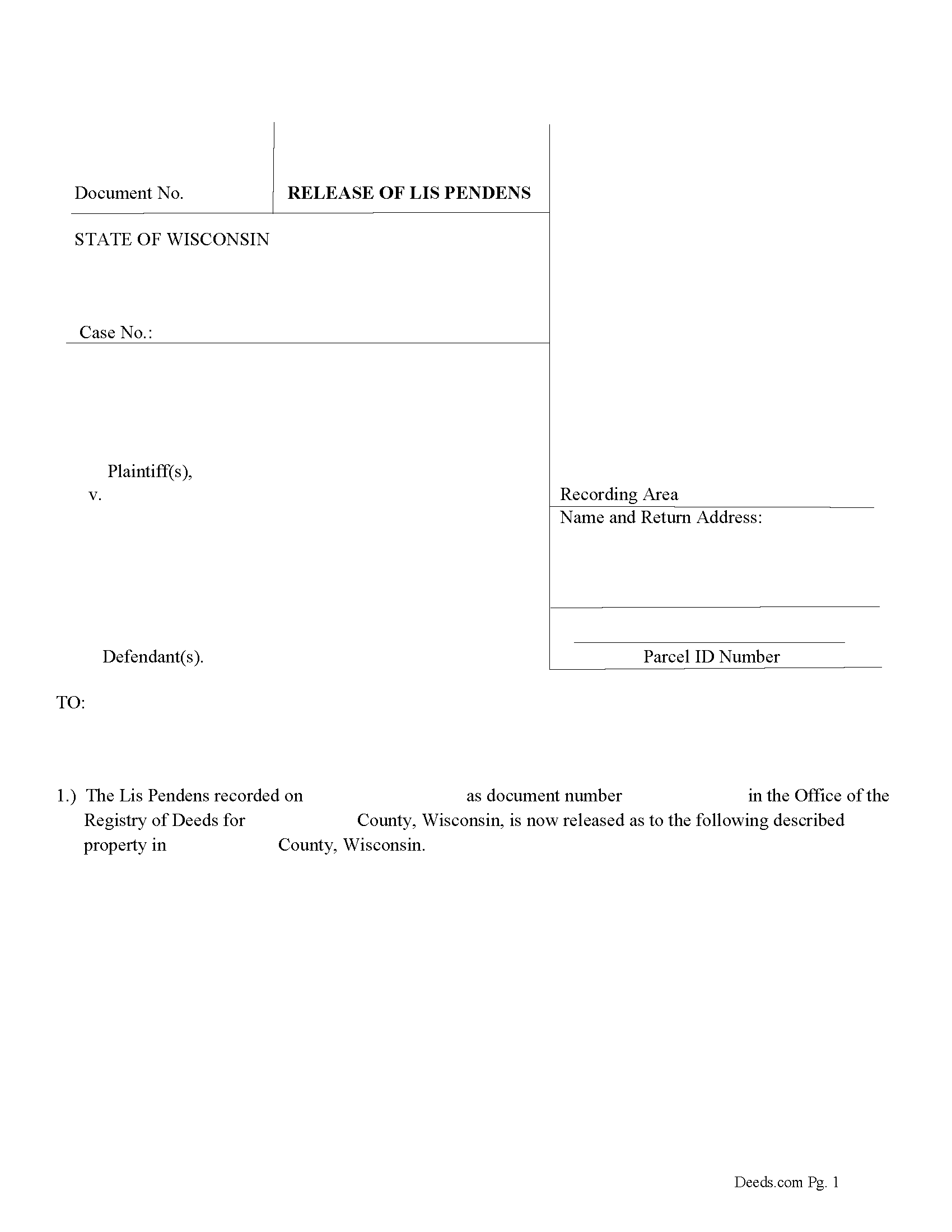
Vernon County Release of Lis Pendens Form
Fill in the blank form formatted to comply with all recording and content requirements.
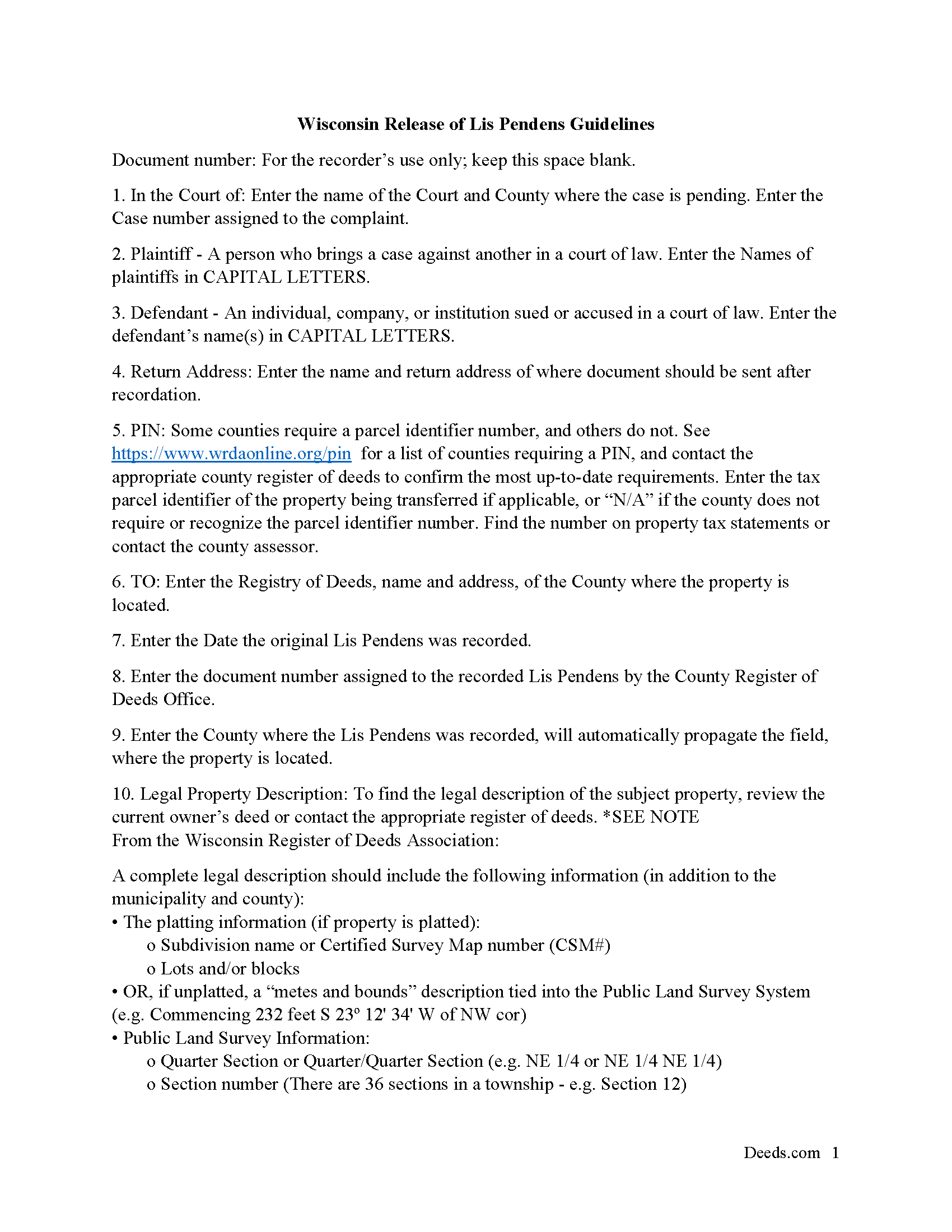
Vernon County Notice of Release Guide
Line by line guide explaining every blank on the form.
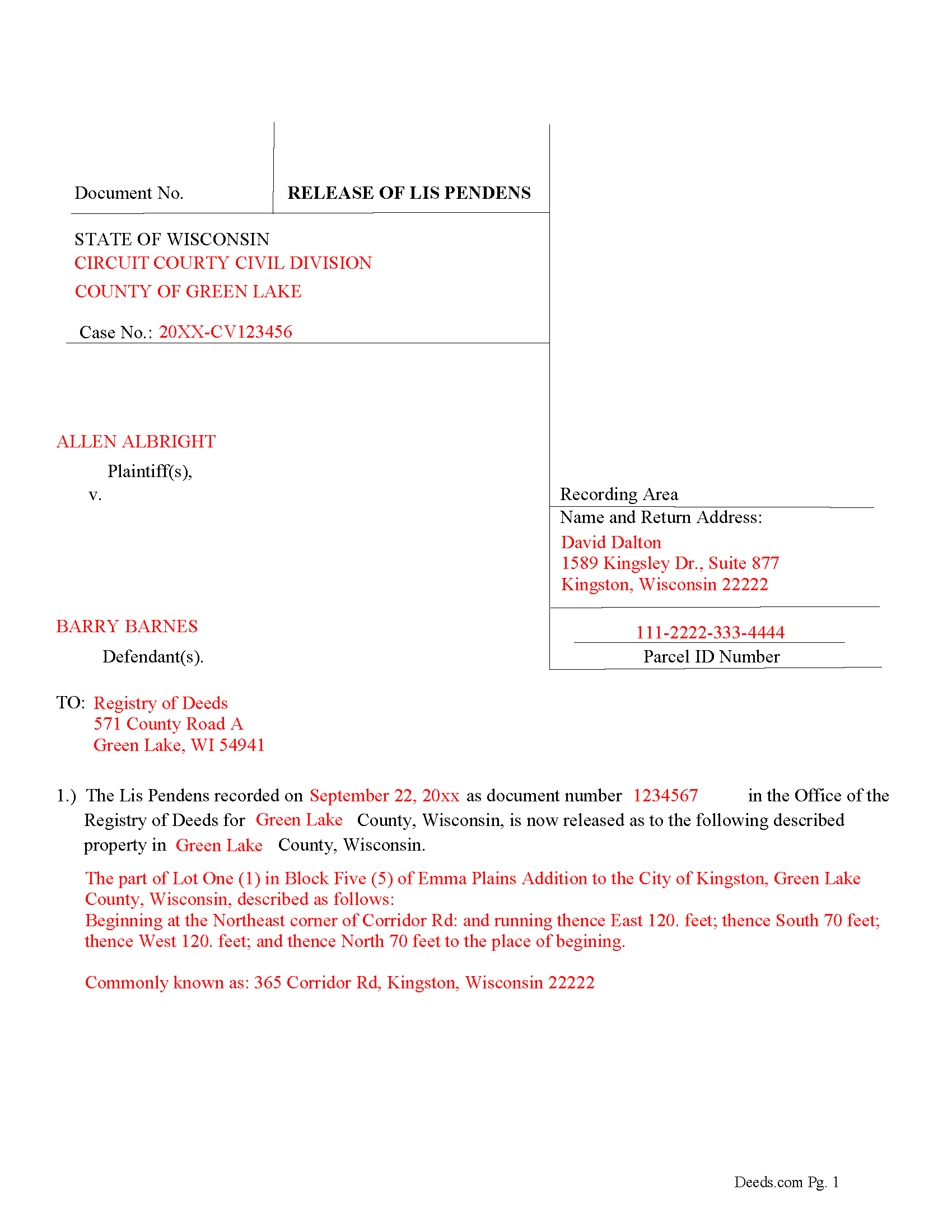
Vernon County Completed Example of the Release of Lis Pendens document
Example of a properly completed form for reference.
All 3 documents above included • One-time purchase • No recurring fees
Immediate Download • Secure Checkout
Additional Wisconsin and Vernon County documents included at no extra charge:
Where to Record Your Documents
Vernon County Register of Deeds
Viroqua, Wisconsin 54665
Hours: Mon-Fri 8:30 to 4:30
Phone: (608) 637-5371
Recording Tips for Vernon County:
- Bring your driver's license or state-issued photo ID
- Ensure all signatures are in blue or black ink
- Bring extra funds - fees can vary by document type and page count
- Check margin requirements - usually 1-2 inches at top
- Leave recording info boxes blank - the office fills these
Cities and Jurisdictions in Vernon County
Properties in any of these areas use Vernon County forms:
- Chaseburg
- Coon Valley
- De Soto
- Genoa
- Hillsboro
- La Farge
- Ontario
- Readstown
- Stoddard
- Viroqua
- Westby
Hours, fees, requirements, and more for Vernon County
How do I get my forms?
Forms are available for immediate download after payment. The Vernon County forms will be in your account ready to download to your computer. An account is created for you during checkout if you don't have one. Forms are NOT emailed.
Are these forms guaranteed to be recordable in Vernon County?
Yes. Our form blanks are guaranteed to meet or exceed the applicable formatting requirements used for recording in Vernon County, including margin requirements, font requirements, and other layout standards. This guarantee applies to formatting, not to the legal sufficiency of information entered by the user or the suitability of a form for a particular transaction.
Can I reuse these forms?
Yes. You can reuse the forms for your personal use. For example, if you have multiple properties in Vernon County you only need to order once.
What do I need to use these forms?
The forms are PDFs that you fill out on your computer. The free Adobe Acrobat Reader is recommended, and most PDF apps also work. You do NOT enter your property information online - you download the blank forms and complete them privately on your own computer.
Are there any recurring fees?
No. This is a one-time purchase. Nothing to cancel, no memberships, no recurring fees.
How much does it cost to record in Vernon County?
Recording fees in Vernon County vary. Contact the recorder's office at (608) 637-5371 for current fees.
Questions answered? Let's get started!
Use this form to release a previously recorded Lis Pendens.
For use in Wisconsin only.
(Wisconsin Release of LP Package includes form, guidelines, and completed example)
Important: Your property must be located in Vernon County to use these forms. Documents should be recorded at the county recording office listed above.
This Release of Lis Pendens meets all recording requirements specific to Vernon County.
Our Promise
The documents you receive here are guaranteed to meet or exceed the applicable Vernon County recording format requirements. If there is a rejection caused by our formatting, we will correct the issue or refund your payment. This guarantee applies to document formatting only and does not extend to information entered by the user, the selection of the form, or the legal effect of the completed document.
Save Time and Money
Get your Vernon County Release of Lis Pendens form done right the first time with Deeds.com Uniform Conveyancing Blanks. At Deeds.com, we understand that your time and money are valuable resources, and we don't want you to face a penalty fee or rejection imposed by a county recorder for submitting nonstandard documents. We constantly review and update our forms to meet rapidly changing state and county recording requirements for roughly 3,500 counties and local jurisdictions.
4.8 out of 5 - ( 4,830 Reviews )
John C. 5 out of 5 stars
Ease and speed of recording are remarkable. This is especially true of deeds with problems: I often get feedback within minutes and can correct problems immediately and still complete the filing in the same day. I wish more counties accepted electronic filing! It would be helpful to list counties that do/do not accept electronic filing so I would not have to upload documents to find out my effort was fruitless.
We are grateful for your feedback and looking forward to serving you again. Thank you!
Stephanie B. 5 out of 5 stars
Site is SO easy to use. Thank you for such a valuable resource.
Thank you for your feedback. We really appreciate it. Have a great day!
Samuel T. 5 out of 5 stars
So far, so good. explanations provided for the forms and instructions on how I should proceed were clear as a bell, and it was nice to get immediate delivery of the forms. I'll be looking for other ways to take advantage of this site, for sure.
Thank you!
Steven B. 5 out of 5 stars
Easy peazy to find the right forms and they come with instructions and a sample.
Your feedback is appreciated. Thank you for letting us know how we did.
Samuel Shera Singh B. 5 out of 5 stars
I found the documents I needed and so many more that I will utilize for business, personal and family needs. Also I made a purchase of an additional document I did not need that serves the same purpose as one I purchased and Deeds.com had no issue refunding the unnecessary document in an unbelievably quick response and refund. I would recommend this document provider to everyone including legal office management.
Thank you for your feedback. We really appreciate it. Have a great day!
James H. 5 out of 5 stars
Clear and easy instructions. Prompt processing and confirmation. I am still in the middle of submitting my document for recording, but I am confident that the Deeds.com service will deliver as promised. Definitely a valuable tool with important legal doucments.
We appreciate your business and value your feedback. Thank you. Have a wonderful day!
Marsella F. 5 out of 5 stars
Thank you so much!! This is a fantastic tool!! Marsella F.
Thank you for your feedback. We really appreciate it. Have a great day!
Marolyn V. 3 out of 5 stars
The booklet is too wordy. Not concise enough for someone who is inexperienced at filling out your form. It would be nice to have a picture example of what you are talking about. When we got to the Registars office we found out they do not have a notary. Would have been nice to know before we went. The form asks for page and book which is no longer needed. So why have it on there?
Thank you, Marolyn, this is useful feedback. A completed sample is actually included with the form, and your note tells us we should make it easier to find and tie it more directly to the instructions, so we'll do that. We'll also add a "before you begin" checklist and a clearer note that the document needs to be notarized in advance, since recording offices don't provide notary service. On the book and page: that reference is required by the Utah statute this affidavit is filed under (§ 57-1-5.1) and still applies to older deeds recorded before counties moved to entry-number-only indexing around 2000. You enter whichever reference appears on your recorded deed and leave the rest blank. Appreciate you taking the time to write in.
JAN F. 5 out of 5 stars
One day start to finish and so easy to complete.
Happy we could assist. Thank you for sharing your experience.
DONALD L P. 5 out of 5 stars
HAD WRONG PASSWORD; PROGRAM MADE CHANGE EASY.
Thank you!
Ken J. 5 out of 5 stars
I liked the software, it's very easy to use. Once it's saved as a .pdf document on your computer, the source document is lost when you log out. I wish it could be saved and then edited on their site later instead of having to create a new document from scratch each time.
Thank you for your feedback. We really appreciate it. Have a great day!
kabir r. 5 out of 5 stars
Wonderful quitclaim forms, very happy
Thank you!
Jearsel W. 5 out of 5 stars
I was surprised how helpful the completed example was. It was nice to see what the form should look like when it is filled out. Great job!
That's wonderful to hear Jearsel, thanks for your feedback. Have an awesome day.
JAMES M. 5 out of 5 stars
The forms are just what I needed! Easy to navigate.
We appreciate your business and value your feedback. Thank you. Have a wonderful day!
Larry S. 5 out of 5 stars
I think it needs to be easier to enlarge print to fit an 8"x12" sheet of paper. Printing off samples is difficult to read as it is too small
Thank you for your feedback. We really appreciate it. Have a great day!