Saint Clair County Full Release of Memorandum and Notice of Agreement Form
Last validated October 1, 2026 by our Forms Development TeamFormatted for recording in Saint Clair County, for property anywhere in the county: rural and unincorporated areas as well as Ashville, Cook Springs, Cropwell, Margaret, Moody, Odenville, Pell City, Ragland and 4 more.
- 3 documents included
- Immediate PDF download
- Formatting guarantee
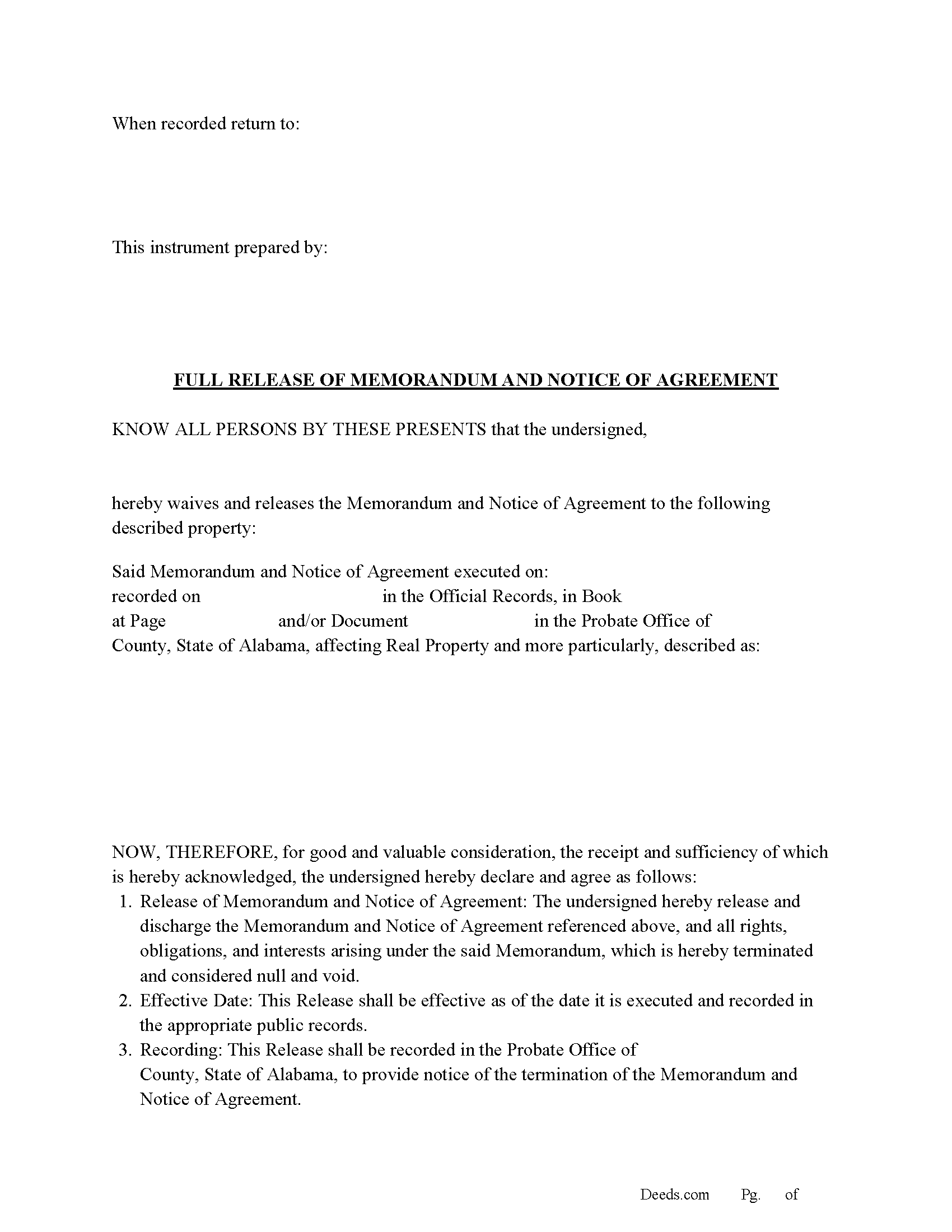
Saint Clair County Full Release of Memorandum and Notice of Agreement Form
Fill in the blank Full Release of Memorandum and Notice of Agreement form formatted to comply with all Alabama recording and content requirements.
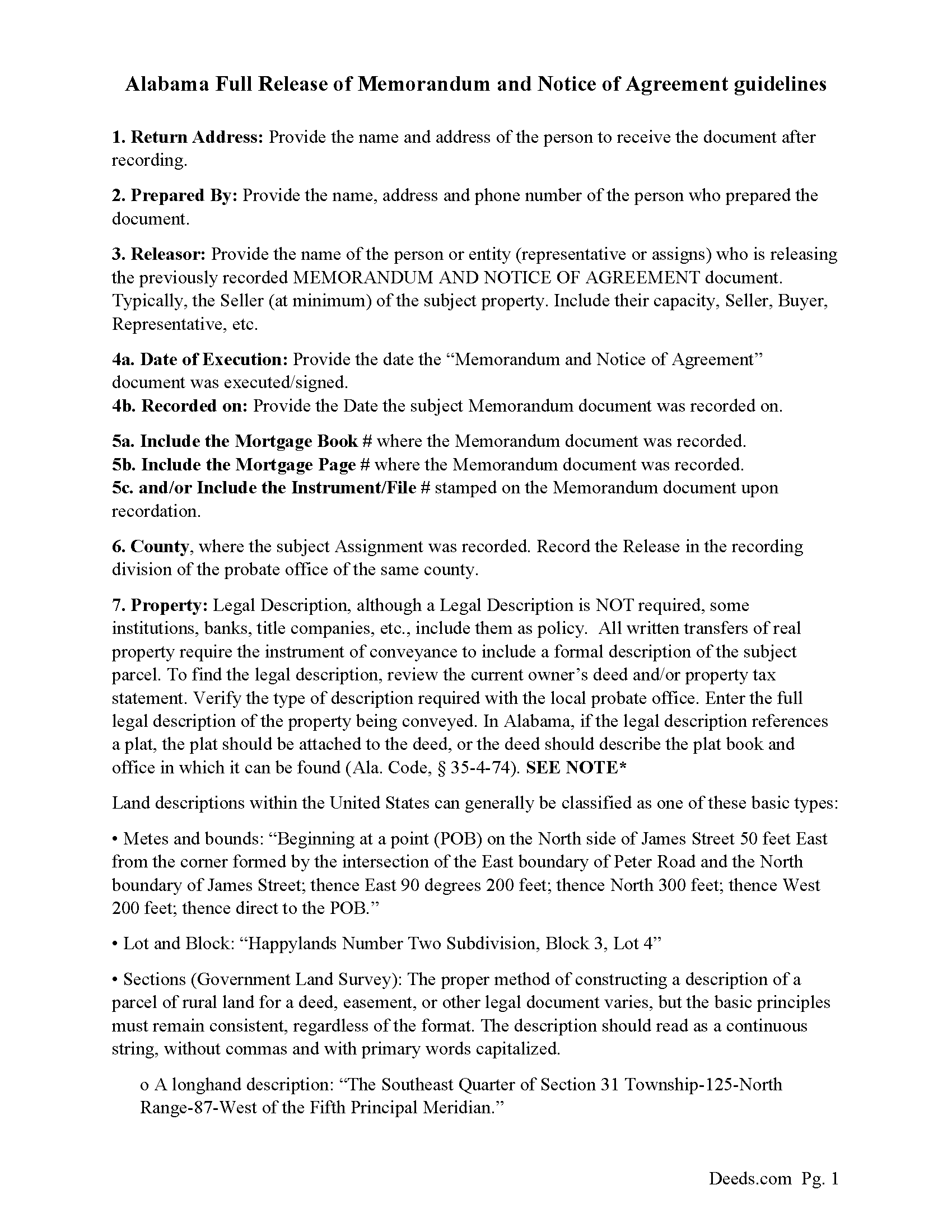
Saint Clair County Full Release of Memorandum and Notice of Agreement Guide
Line by line guide explaining every blank on the Full Release of Memorandum and Notice of Agreement form.
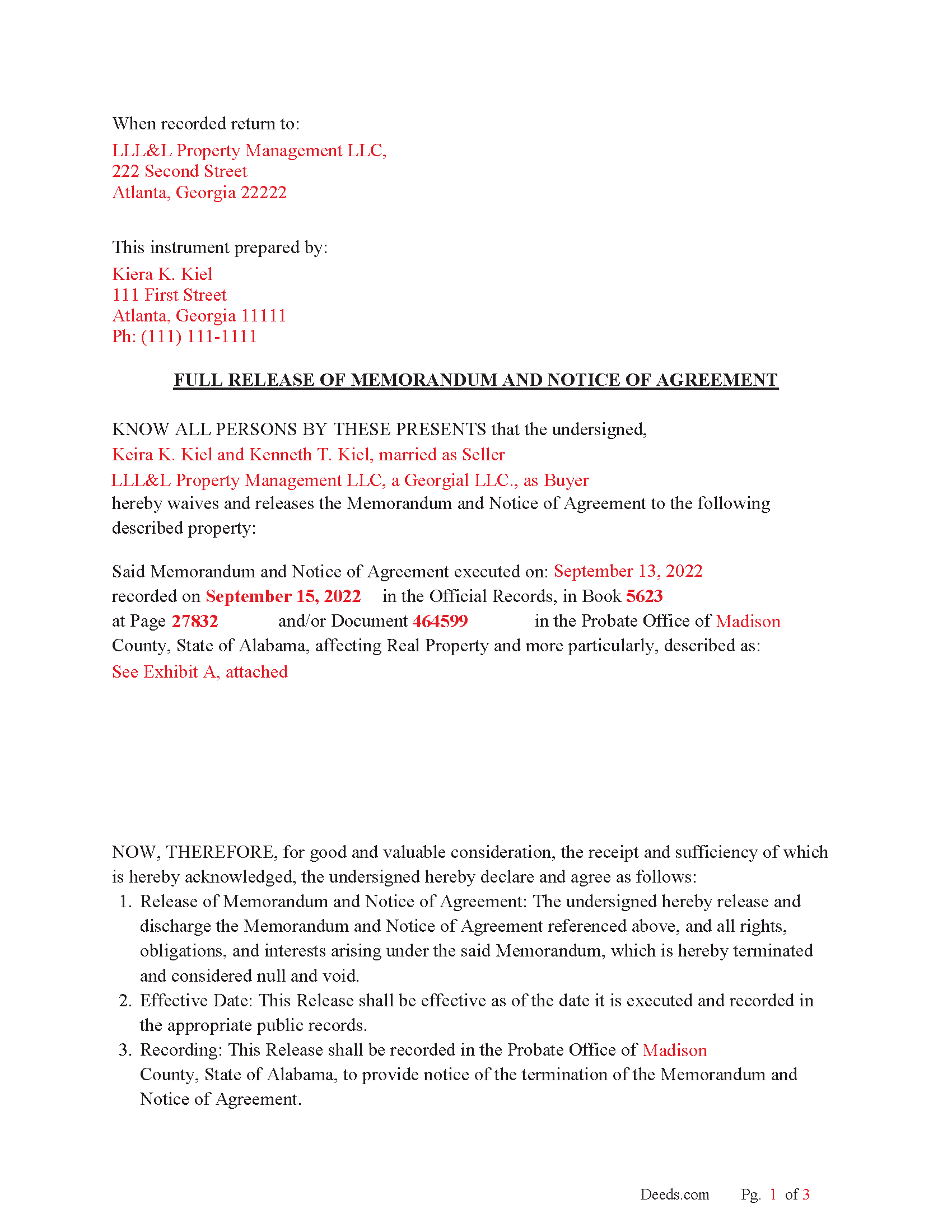
Saint Clair County Completed Example of the Full Release of Memorandum and Notice of Agreement Document
Example of a properly completed Alabama Full Release of Memorandum and Notice of Agreement document for reference.
All 3 documents above included • One-time purchase • No recurring fees
Immediate Download • Secure Checkout
Additional Alabama and Saint Clair County documents included at no extra charge:
Where to Record Your Documents
St. Clair County Probate Office
Ashville, Alabama 35953
Hours: 8:00am - 4:30pm M-F
Phone: (205) 594-2120
Pell City Probate Office
Pell City, Alabama 35125
Hours: 8:00am - 4:30pm M-F
Phone: (205) 338-9449
Recording Tips for Saint Clair County:
- Bring your driver's license or state-issued photo ID
- Ensure all signatures are in blue or black ink
- Ask for certified copies if you need them for other transactions
- Ask if they accept credit cards - many offices are cash/check only
- Check that your notary's commission hasn't expired
Cities and Jurisdictions in Saint Clair County
Properties in any of these areas use Saint Clair County forms:
- Ashville
- Cook Springs
- Cropwell
- Margaret
- Moody
- Odenville
- Pell City
- Ragland
- Riverside
- Springville
- Steele
- Wattsville
Hours, fees, requirements, and more for Saint Clair County
How do I get my forms?
Forms are available for immediate download after payment. The Saint Clair County forms will be in your account ready to download to your computer. An account is created for you during checkout if you don't have one. Forms are NOT emailed.
Are these forms guaranteed to be recordable in Saint Clair County?
Yes. Our form blanks are guaranteed to meet or exceed the applicable formatting requirements used for recording in Saint Clair County, including margin requirements, font requirements, and other layout standards. This guarantee applies to formatting, not to the legal sufficiency of information entered by the user or the suitability of a form for a particular transaction.
Can I reuse these forms?
Yes. You can reuse the forms for your personal use. For example, if you have multiple properties in Saint Clair County you only need to order once.
What do I need to use these forms?
The forms are PDFs that you fill out on your computer. The free Adobe Acrobat Reader is recommended, and most PDF apps also work. You do NOT enter your property information online - you download the blank forms and complete them privately on your own computer.
Are there any recurring fees?
No. This is a one-time purchase. Nothing to cancel, no memberships, no recurring fees.
How much does it cost to record in Saint Clair County?
Recording fees in Saint Clair County vary. Contact the recorder's office at (205) 594-2120 for current fees.
Questions answered? Let's get started!
An Alabama Full Release of Memorandum and Notice of Agreement is used to remove a previously recorded memorandum of contract or notice of agreement from the county probate records after the underlying purchase agreement has been terminated or completed. This matters in Alabama because recorded memoranda are indexed in the probate office and can cloud title until formally released. Alabama recording rules—such as required acknowledgments, preparer identification, marital-status recitals, and county-based indexing—mean the release must be properly executed and recorded to clear the public record and restore marketable title.
What the Alabama Full Release of Memorandum and Notice of Agreement does
This document formally cancels a recorded memorandum or notice that referenced a real estate purchase agreement. In Alabama, memoranda are often recorded to give public notice that a property is under contract. When the contract is fulfilled, expires, or is terminated, the recorded notice remains in the chain of title until a release is recorded. The release removes that cloud so the property can be sold, refinanced, or otherwise conveyed without the prior agreement appearing as an active claim.
Alabama statutory framework and recording status
In Alabama, instruments affecting real property are recorded in the office of the Judge of Probate in the county where the property is located (Ala. Code § 35-4-62). Recording serves as public notice of the contents of the instrument (Ala. Code § 35-4-63), and priority is governed by Alabama's recording statute protecting later purchasers and lenders without notice (Ala. Code § 35-4-90). Because a memorandum of agreement can impair title, recording a proper release in the same county is the step that removes that notice from the public record.
Execution requirements for an Alabama release
An Alabama Full Release of Memorandum and Notice of Agreement must be executed with the same care as other recordable real-estate instruments. The releasing party—often the buyer named in the original memorandum, or both parties depending on how the memorandum was drafted—must sign the release. Alabama requires execution to be attested by at least one witness if the signer writes his or her name, unless a proper acknowledgment is used (Ala. Code § 35-4-20). Acknowledgment before a notary public satisfies the statutory execution requirement for recording (Ala. Code § 35-4-23).
Names should match the parties listed in the recorded memorandum exactly, including any entity designations or capacity language. If the original memorandum included multiple parties, the release should address all parties whose interests are being cleared to avoid leaving partial clouds in the title record.
Alabama-specific traps that cause recording or title problems
- Marital-status recital: Alabama requires that the marital status of the grantor or releasing party be stated before the probate judge records the instrument (Ala. Code § 35-4-73). Omitting this can delay recording.
- Preparer identification: The name and address of the person who prepared the document must appear on the instrument (Ala. Code § 35-4-110). This is a common rejection point for generic forms.
- Reference to the original recording: The release should clearly identify the previously recorded memorandum by recording information (book/page or instrument number). Without this, probate staff may not be able to index the release properly.
- County-specific recording: The release must be recorded in the same county where the original memorandum was recorded. Recording in the wrong county does not clear the title where the property is actually located.
- Exact name matching: Differences between the names in the memorandum and the release can cause indexing errors or leave unresolved title questions in Alabama’s grantor-grantee index system.
- Execution completeness: If the original memorandum involved multiple parties, failing to obtain all necessary signatures for the release can leave the memorandum partially effective in the public record.
- Plat or legal description consistency: If the memorandum referenced a subdivision or recorded plat, the release should be consistent with that description so the probate office can properly connect the documents (Ala. Code § 35-4-74).
Recording process in Alabama
The completed release is recorded with the Judge of Probate in the county where the property is located. Recording promptly is important because the memorandum remains part of the public record—and a potential title issue—until the release is indexed and recorded. Once recorded, the release provides notice that the prior agreement no longer affects the property.
Alabama probate offices collect recording fees and may assess recordation taxes depending on the nature of the instrument presented under Title 40, Chapter 22. While a release typically does not carry the same tax implications as a deed or mortgage, the probate office determines the applicable fees at the time of recording (Ala. Code §§ 40-22-1, 40-22-2).
Vesting considerations in Alabama
Although this form does not transfer ownership, it must align with the parties who held rights under the recorded memorandum. Alabama requires clear identification of parties in recorded instruments, and survivorship is not presumed in co-ownership unless expressly stated in the creating instrument (Ala. Code § 35-4-7). Matching the parties and their capacities ensures the release effectively clears the title record without ambiguity.
What is included in the download package
The Alabama Full Release of Memorandum and Notice of Agreement package includes the form, detailed instructions, and a completed example. It is designed for Alabama recording requirements, addressing probate-office filing, acknowledgment or witness compliance, preparer identification, marital-status recitals, and proper reference to the original recorded memorandum.
Important: Your property must be located in Saint Clair County to use these forms. Documents should be recorded at the county recording office listed above.
This Full Release of Memorandum and Notice of Agreement meets all recording requirements specific to Saint Clair County.
Our Promise
The documents you receive here are guaranteed to meet or exceed the applicable Saint Clair County recording format requirements. If there is a rejection caused by our formatting, we will correct the issue or refund your payment. This guarantee applies to document formatting only and does not extend to information entered by the user, the selection of the form, or the legal effect of the completed document.
Save Time and Money
Get your Saint Clair County Full Release of Memorandum and Notice of Agreement form done right the first time with Deeds.com Uniform Conveyancing Blanks. At Deeds.com, we understand that your time and money are valuable resources, and we don't want you to face a penalty fee or rejection imposed by a county recorder for submitting nonstandard documents. We constantly review and update our forms to meet rapidly changing state and county recording requirements for roughly 3,500 counties and local jurisdictions.
4.8 out of 5 - ( 4,832 Reviews )
Jenny B. 5 out of 5 stars
Thank you! Will use you again in the future.
We appreciate your business and value your feedback. Thank you. Have a wonderful day!
Joyce S. 5 out of 5 stars
The site was very easy to understand and to download the required documents I need to prepare a release. Response of the documents ready for my use was very efficient.
We appreciate your business and value your feedback. Thank you. Have a wonderful day!
Elena R. 4 out of 5 stars
Very helpful forms and guide. Would use again if needed.
Thank you for your feedback. We really appreciate it. Have a great day!
Cherie J K. 5 out of 5 stars
needed to prepare a corrective deed and found this great website to print the corrective deed and instructions and example of corrective deed
We appreciate your business and value your feedback. Thank you. Have a wonderful day!
Diane S. 5 out of 5 stars
Money well spent. I used the example and filled out with no problem.
We appreciate your business and value your feedback. Thank you. Have a wonderful day!
frederic m. 5 out of 5 stars
surprisingly good, gave me all the info I needed to prepare a deed and necessary attachments for recording.
Thank you!
Billie W. 5 out of 5 stars
Excellent way to do this kind of transaction.
Thank you!
Vickie G. 5 out of 5 stars
The form and instruction were perfect. Thank you.
Thank You Vickie!
Thomas W. 5 out of 5 stars
Found what I needed, thanks.
Thank you!
Susan S. 5 out of 5 stars
What a delight to find this Website. Professionally done and easy to work with.
Thank you for your feedback. We really appreciate it. Have a great day!
Michael R. 5 out of 5 stars
A suggestion: Include instructions on how to add your spouse to the deed, rather than transferring completely to a third party
Thank you for your thoughtful feedback. Adding a spouse to a deed is a common need, and suggestions like yours help us identify where additional guidance would be useful. We’ll take this into consideration as we continue improving our resources.
Rod G. 5 out of 5 stars
You guys have it DOWN!! You made it easy to navigate your site and services. You explained things effectively. You are helpful and fast. NO WAY would even entertain using a different deed/ document recording service. I'll be back! Thank you. Rod
We appreciate your business and value your feedback. Thank you. Have a wonderful day!
Lori S. 5 out of 5 stars
The documents I created on deeds com turned out beautiful and very professional looking. The example they gave along with the instruction booklet made it very easy t create a professional looking document for our land Sale. I was very pleased with how easy it was and would recommend it to anyone needing professional documents without having to go thru an attorney or title company. I was very impressed!
We appreciate your business and value your feedback. Thank you. Have a wonderful day!
Lane C. 5 out of 5 stars
The documents worked perfectly! Thanks
Thank you for your feedback. We really appreciate it. Have a great day!
Elizabeth L. 5 out of 5 stars
Used this site and the forms a few times now and always a good experience. It's so nice to be able to download these forms to my computer and work on them there. So many others want you to do everything online, pain in my opinion. Thank you Deeds!
Thank you for your feedback. We really appreciate it. Have a great day!