Greenlee County Quitclaim Deed (Corrective) Form
Last validated October 26, 2026 by our Forms Development TeamFormatted for recording in Greenlee County, for property anywhere in the county: rural and unincorporated areas as well as Blue, Clifton, Duncan, Morenci.
- 3 documents included
- Immediate PDF download
- Formatting guarantee
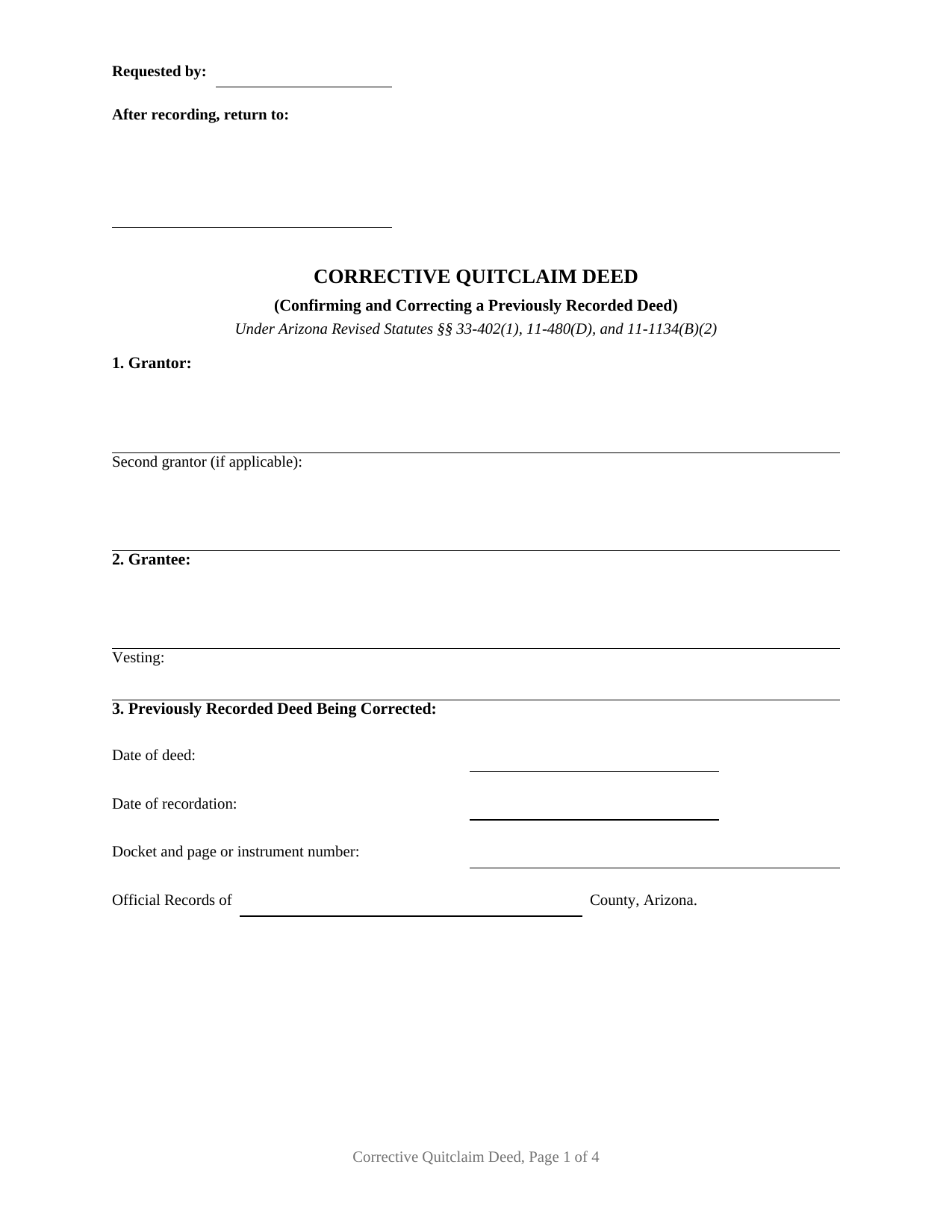
Greenlee County Quitclaim Deed (Corrective) Form
Fill in the blank Quitclaim Deed (Corrective) form formatted to comply with all Arizona recording and content requirements.
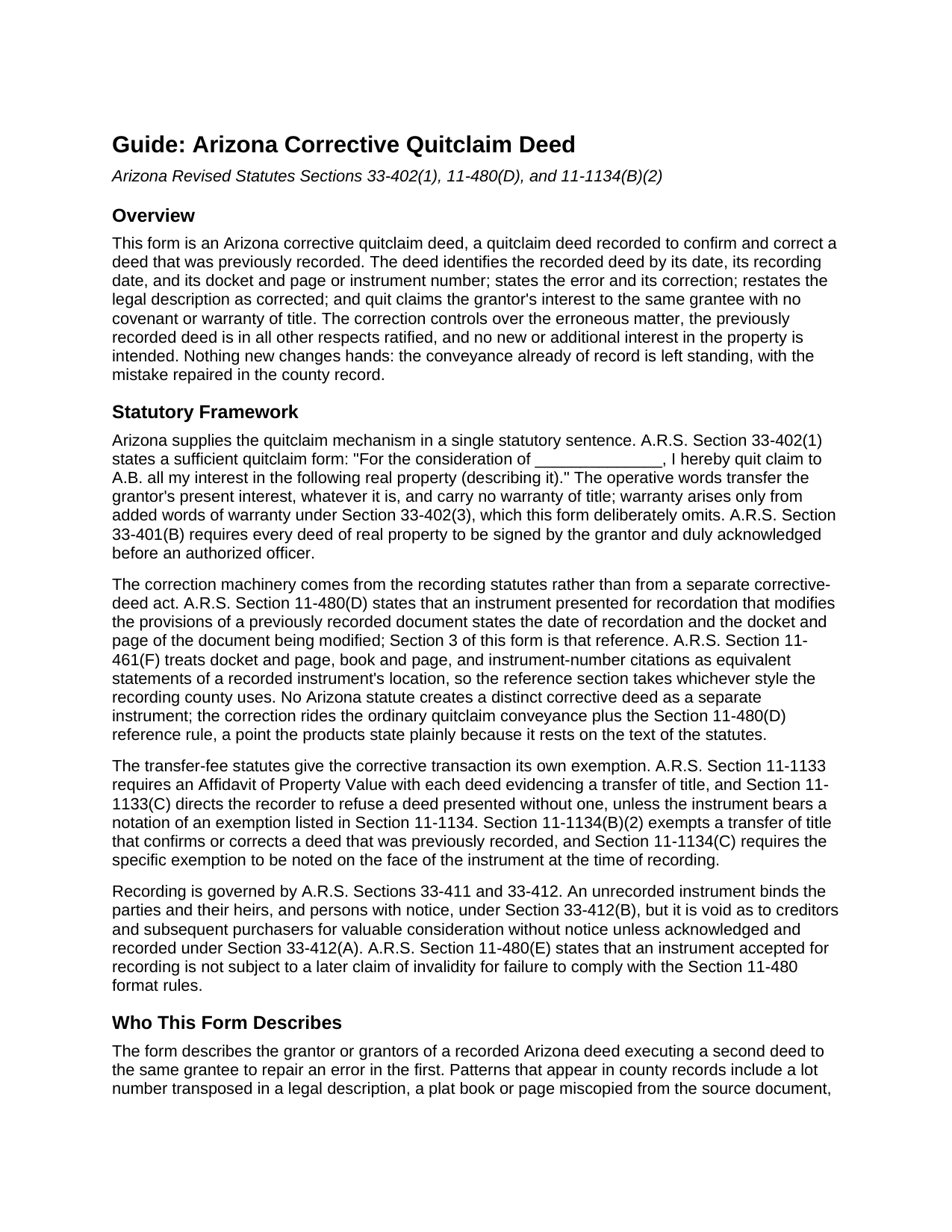
Greenlee County Quitclaim Deed (Corrective) Guide
Line by line guide explaining every blank on the Quitclaim Deed (Corrective) form.
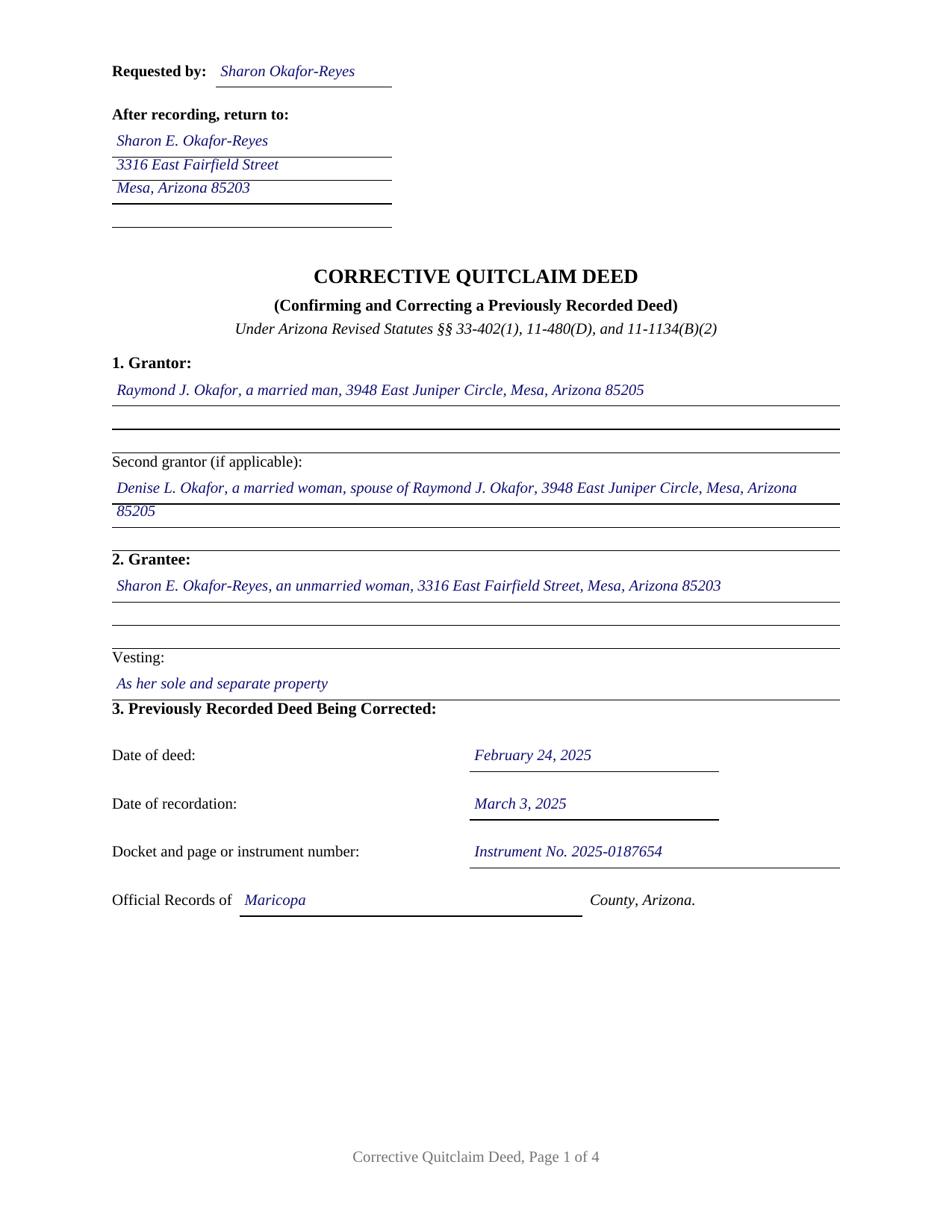
Greenlee County Completed Example of the Quitclaim Deed (Corrective) Document
Example of a properly completed Arizona Quitclaim Deed (Corrective) document for reference.
All 3 documents above included • One-time purchase • No recurring fees
Immediate Download • Secure Checkout
Additional Arizona and Greenlee County documents included at no extra charge:
Where to Record Your Documents
County Recorder
Clifton, Arizona 85533
Hours: Monday thru Friday 8:00 am until 5:00 pm
Phone: 928-865-2632 or 928-865-1717
Recording Tips for Greenlee County:
- Bring your driver's license or state-issued photo ID
- Ensure all signatures are in blue or black ink
- Avoid the last business day of the month when possible
- Both spouses typically need to sign if property is jointly owned
- Bring extra funds - fees can vary by document type and page count
Cities and Jurisdictions in Greenlee County
Properties in any of these areas use Greenlee County forms:
- Blue
- Clifton
- Duncan
- Morenci
Hours, fees, requirements, and more for Greenlee County
How do I get my forms?
Forms are available for immediate download after payment. The Greenlee County forms will be in your account ready to download to your computer. An account is created for you during checkout if you don't have one. Forms are NOT emailed.
Are these forms guaranteed to be recordable in Greenlee County?
Yes. Our form blanks are guaranteed to meet or exceed the applicable formatting requirements used for recording in Greenlee County, including margin requirements, font requirements, and other layout standards. This guarantee applies to formatting, not to the legal sufficiency of information entered by the user or the suitability of a form for a particular transaction.
Can I reuse these forms?
Yes. You can reuse the forms for your personal use. For example, if you have multiple properties in Greenlee County you only need to order once.
What do I need to use these forms?
The forms are PDFs that you fill out on your computer. The free Adobe Acrobat Reader is recommended, and most PDF apps also work. You do NOT enter your property information online - you download the blank forms and complete them privately on your own computer.
Are there any recurring fees?
No. This is a one-time purchase. Nothing to cancel, no memberships, no recurring fees.
How much does it cost to record in Greenlee County?
Recording fees in Greenlee County vary. Contact the recorder's office at 928-865-2632 or 928-865-1717 for current fees.
Questions answered? Let's get started!
This Arizona quitclaim deed does its work by pointing at another deed. It is a corrective quitclaim deed: the grantor who signed a deed already of record signs again, the new deed identifies the recorded deed by its recording date and its docket and page or instrument number, states the error, and carries the corrected content into the county record with the quitclaim words of A.R.S. Section 33-402(1). Nothing new changes hands; the conveyance that already happened is confirmed, with the mistake repaired.
The reference the recording statute requires
Arizona writes the pointing mechanism into its recording statute. Under A.R.S. Section 11-480(D), an instrument presented for recordation that modifies the provisions of a previously recorded document states the date of recordation and the docket and page of the document being modified. A correction deed is the classic instrument that rule reaches, so this form gives the reference its own numbered section: the date of the deed being corrected, its recording date, its docket and page or instrument number, and the county whose Official Records contain it, all copied from the recorder's stamp or online index. A.R.S. Section 11-461(F) treats docket and page, book and page, and instrument numbers as equivalent record locations, so the section takes whichever style the recording county uses.
What a correction recites, and who signs it
The form carries a dedicated correction section that states, in plain sentences, what the recorded deed says in error and what the correct content is, followed by the legal description as corrected and the grantee's vesting restated. The operative section then quit claims the grantor's interest to the same grantee, provides that the correction controls over the erroneous matter, and ratifies the previously recorded deed in all other respects, expressly creating no new interest and carrying no warranty of title. A lot number transposed in a legal description, a plat book or page miscopied from the source document, a grantee's name misspelled on the recorded instrument, and vesting words left out of the granting clause present the pattern this deed recites. The signers are the grantor or grantors of the recorded deed: the form carries two grantor entries, two signature blocks, and two acknowledgment certificates on the A.R.S. Section 41-265 short form, so spouses who conveyed community real property together re-execute together, and a single grantor leaves the second blocks blank. The form is not set up as a vehicle for adding a grantee or changing the terms of the transaction; a transfer that changes the substance is a new conveyance rather than a correction.
Exemption code B2, on the face of the deed
The Affidavit of Property Value that rides with most Arizona title transfers stays home here. A.R.S. Section 11-1134(B)(2) exempts a transfer of title that confirms or corrects a deed that was previously recorded, and Section 11-1134(C) requires the specific exemption to be noted on the face of the instrument at recording. The form positions the notation line under the property description, in the Department of Revenue style the completed example shows: A.R.S. 11-1134 B2. With that notation the deed records for the flat thirty dollar fee of Section 11-475, which already folds in the two dollar transfer fee; without it, Section 11-1133(C) directs the recorder to refuse a deed arriving with neither notation nor affidavit.
Recording the correction
The corrective deed is recorded in the same county as the deed it corrects, drafted to the A.R.S. Section 11-480 format standards, with a caption, ten point or larger type, and a reserved first page top area whose left portion carries the requesting party and return address. Once the instrument is accepted, Section 11-480(E) shields it from later format based invalidity claims. Corrections notarized on or after September 12, 2026 also pick up the state's anti-fraud act: a thumbprint in the notary journal for deed signers and photo identification for in-person recording.
The download includes the blank corrective deed as a fillable PDF, a completed example correcting a transposed lot number on a Mesa parcel recorded in Maricopa County, and a section by section guide covering the prior deed reference, the correction statement, the exemption notation, signing, and recording. The materials are informational and are not legal advice.
Important: Your property must be located in Greenlee County to use these forms. Documents should be recorded at the county recording office listed above.
This Quitclaim Deed (Corrective) meets all recording requirements specific to Greenlee County.
Our Promise
The documents you receive here are guaranteed to meet or exceed the applicable Greenlee County recording format requirements. If there is a rejection caused by our formatting, we will correct the issue or refund your payment. This guarantee applies to document formatting only and does not extend to information entered by the user, the selection of the form, or the legal effect of the completed document.
Save Time and Money
Get your Greenlee County Quitclaim Deed (Corrective) form done right the first time with Deeds.com Uniform Conveyancing Blanks. At Deeds.com, we understand that your time and money are valuable resources, and we don't want you to face a penalty fee or rejection imposed by a county recorder for submitting nonstandard documents. We constantly review and update our forms to meet rapidly changing state and county recording requirements for roughly 3,500 counties and local jurisdictions.
4.8 out of 5 - ( 4,836 Reviews )
Betty M. 5 out of 5 stars
Glad to find the Easement Forms for Halifax County, NC online. Thanks
Thank you for your feedback. We really appreciate it. Have a great day!
Gerald S. 5 out of 5 stars
Very pleased with the services provided by deeds.com. Quick response time after information was provided.
We appreciate your business and value your feedback. Thank you. Have a wonderful day!
STANLEY K. 5 out of 5 stars
I AM DELIGHTED TO BE PARTY TO DEEDS.COM. THE PROCESS IS DOWN-TO-EARTH AND VERY USER FRIENDLY. I MUST SAY THAT JUST THE SAVINGS IN TRAVEL TIME AND MONEY IS IN ITSELF VERY REFRESHING. THIS ON LINE PROCESS IS SO CONVENIENT FOR MY OVERALL EFFORT AND OF COURSE FOR OUR CLIENTS AS WELL. I GOT BACKED UP IN RECORDING WHEN THE VIRUS BEGAN RAGING AND PERSONAL VISITS TO LAND RECORDS BECAME A THING OF THE PAST.I FOUND THE SITE WITH A SUGGESTION FROM DC LAND RECORDS' ASSISTANT BY PHONE. I ONLY WISH I'D KNOWN ABOUT THIS AWESOME SERVICE BEFORE 2020. HATS OFF TO DEEDS.COM!
Thank you for your feedback. We really appreciate it. Have a great day!
Pegi B. 5 out of 5 stars
This service is fast and easy to use. We will definitely use this service again. Thank you.
We appreciate your business and value your feedback. Thank you. Have a wonderful day!
Linda K C. 5 out of 5 stars
I wanted to do an Enhancement Life Quitclaim deed and the county government lady didn’t know what I was even talking about. I ordered the deed from Deeds.com and filled it all in,submitted to the county clerk who took 10 minutes to study it before she accepted the deed. This was the easiest transaction I’ve ever made! I actually felt smarter than the clerk who worked at the count office over 20 years.
Thank you, Linda! We’re glad the process went smoothly and that our forms helped you complete your recording with confidence. We appreciate you taking the time to share your experience!
Mary S. 5 out of 5 stars
Wonderful!! So easy to locate the file you need and printing is a snap!! Thank you so much for this service! I will definitely be sharing your site!!
We appreciate your business and value your feedback. Thank you. Have a wonderful day!
MARIA G. 5 out of 5 stars
I tried 3 local attorneys and got no where , wrong information, to busy and another one was very rude. One said he'd do it then didn't. I was so stressed and tried a different online form company advertising an in person attorney within hours. They did call back but gave me the wrong answer. I needed a form used in NC and knew about it from the clerk of the court. The deadline was approaching, I looked one more time and found Deeds.com. They have the form and the much need instructions and for less than $30.00. I am so pleased and also relived!
Thank you for your feedback. We really appreciate it. Have a great day!
Karen S. 5 out of 5 stars
Excellent support! They were patient and knowledgeable.
Thank you!
Janet R. 5 out of 5 stars
The site was easy to navigate...all the information needed to fill in the forms was included, which was very helpful and a pleasant surprise...form completed in short order...made taking care of business quick and easy...Thanks for the thoughtful and excellent help, I will share the link with others and I will use the site again...Thanks
We appreciate your business and value your feedback. Thank you. Have a wonderful day!
Joyce S. 5 out of 5 stars
The site was very easy to understand and to download the required documents I need to prepare a release. Response of the documents ready for my use was very efficient.
We appreciate your business and value your feedback. Thank you. Have a wonderful day!
John C. 5 out of 5 stars
Ease and speed of recording are remarkable. This is especially true of deeds with problems: I often get feedback within minutes and can correct problems immediately and still complete the filing in the same day. I wish more counties accepted electronic filing! It would be helpful to list counties that do/do not accept electronic filing so I would not have to upload documents to find out my effort was fruitless.
We are grateful for your feedback and looking forward to serving you again. Thank you!
James D. 4 out of 5 stars
good product, but would prefer an editable document, such as word
Thanks for your feedback James.
Joseph B. 5 out of 5 stars
All very good
Thank you!
Walter P. 4 out of 5 stars
Good forms for deep prep.A lot of detail needed to complete the deed.
Thank you for your feedback. We really appreciate it. Have a great day!
Nello P. 5 out of 5 stars
very satisfied, useful, and of great assistance
Thank you!