Placer County Administrator Deed Form
Last validated October 21, 2026 by our Forms Development TeamFormatted for recording in Placer County, for property anywhere in the county: rural and unincorporated areas as well as Alta, Applegate, Auburn, Carnelian Bay, Colfax, Dutch Flat, Emigrant Gap, Foresthill and 16 more.
- 3 documents included
- Immediate PDF download
- Formatting guarantee
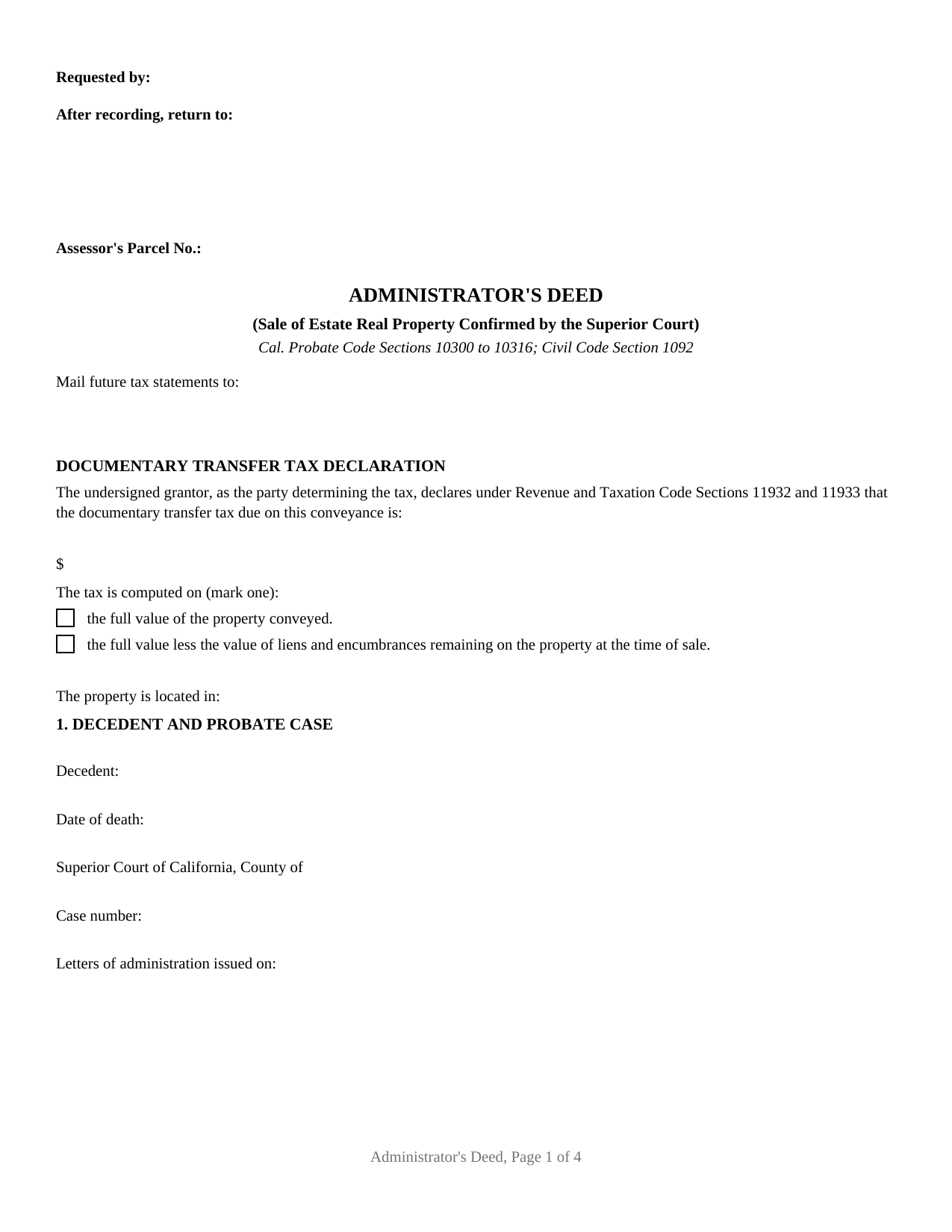
Placer County Administrator Deed Form
Fill in the blank Administrator Deed form formatted to comply with all California recording and content requirements.
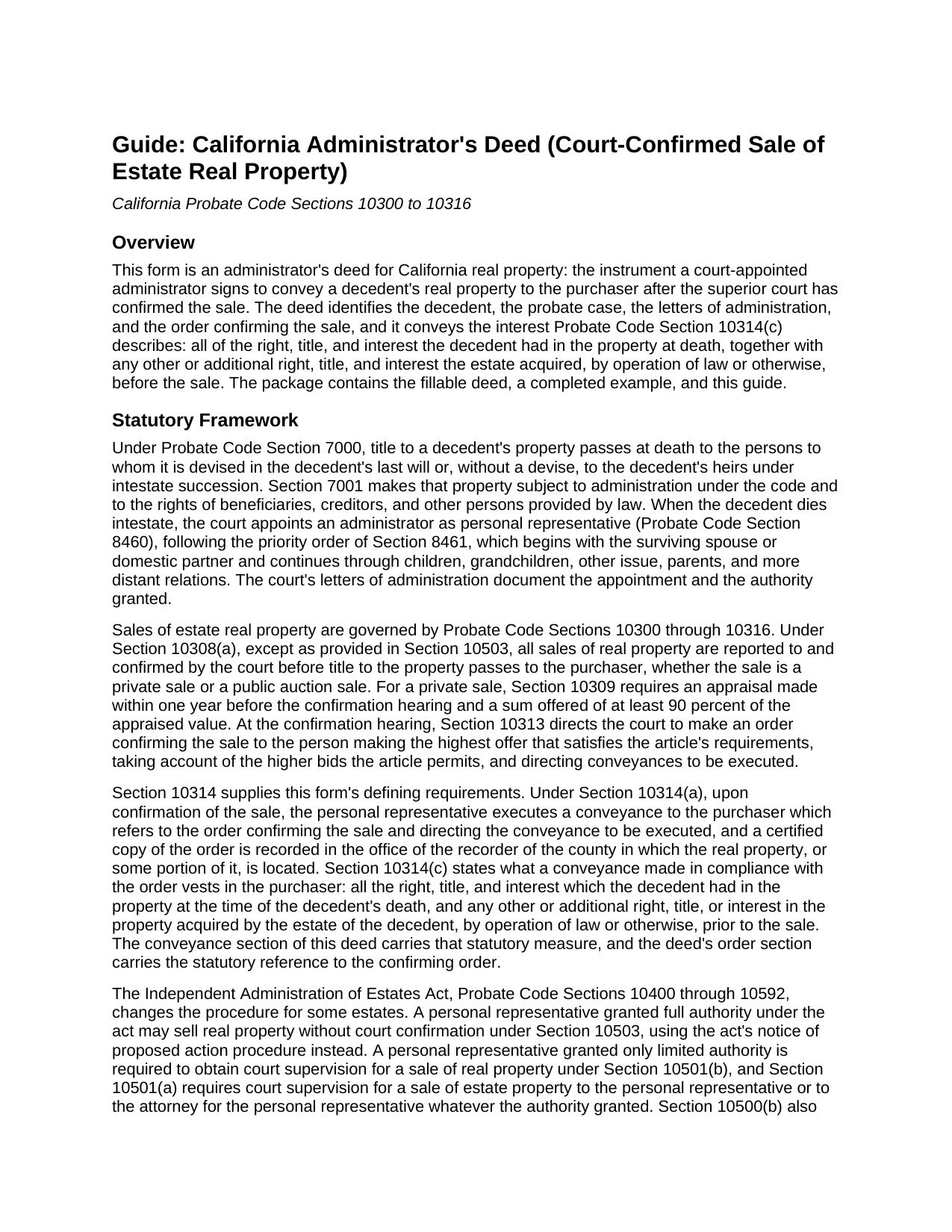
Placer County Administrator Deed Guide
Line by line guide explaining every blank on the Administrator Deed form.
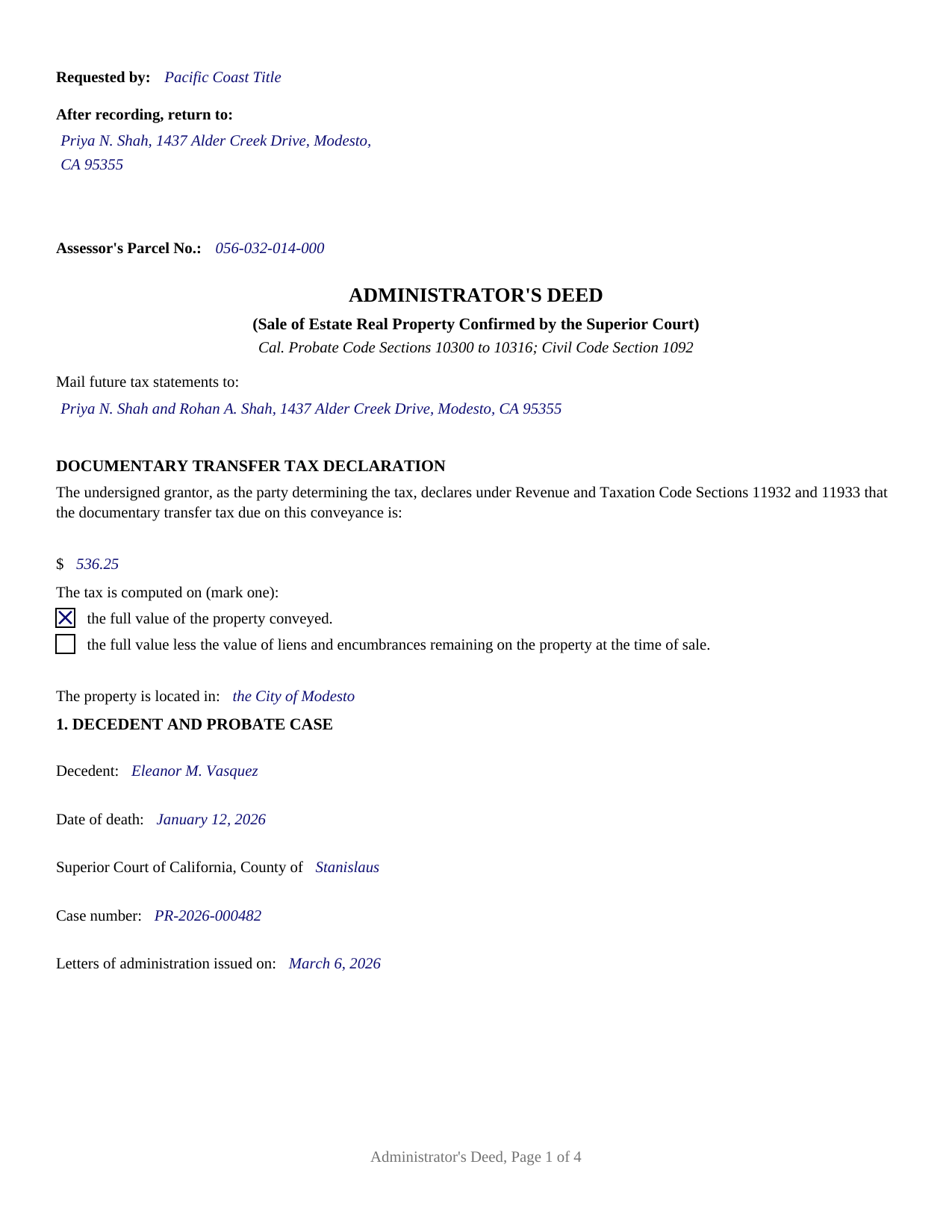
Placer County Completed Example of the Administrator Deed Document
Example of a properly completed California Administrator Deed document for reference.
All 3 documents above included • One-time purchase • No recurring fees
Immediate Download • Secure Checkout
Additional California and Placer County documents included at no extra charge:
Where to Record Your Documents
Placer County Clerk-Recorder
Auburn, California 95603
Hours: Mon to Fri 8:00 to 5:00 / Recording until 4:00
Phone: (530) 886-5600
Satellite Office
Auburn, California 95603
Hours: Monday through Friday 8 a.m. to 4 p.m.
Phone: (530) 886-5600
Recording Tips for Placer County:
- Bring your driver's license or state-issued photo ID
- Ensure all signatures are in blue or black ink
- Ask if they accept credit cards - many offices are cash/check only
- Check that your notary's commission hasn't expired
- Documents must be on 8.5 x 11 inch white paper
Cities and Jurisdictions in Placer County
Properties in any of these areas use Placer County forms:
- Alta
- Applegate
- Auburn
- Carnelian Bay
- Colfax
- Dutch Flat
- Emigrant Gap
- Foresthill
- Gold Run
- Granite Bay
- Homewood
- Kings Beach
- Lincoln
- Loomis
- Meadow Vista
- Newcastle
- Olympic Valley
- Penryn
- Rocklin
- Roseville
- Sheridan
- Tahoe City
- Tahoe Vista
- Weimar
Hours, fees, requirements, and more for Placer County
How do I get my forms?
Forms are available for immediate download after payment. The Placer County forms will be in your account ready to download to your computer. An account is created for you during checkout if you don't have one. Forms are NOT emailed.
Are these forms guaranteed to be recordable in Placer County?
Yes. Our form blanks are guaranteed to meet or exceed the applicable formatting requirements used for recording in Placer County, including margin requirements, font requirements, and other layout standards. This guarantee applies to formatting, not to the legal sufficiency of information entered by the user or the suitability of a form for a particular transaction.
Can I reuse these forms?
Yes. You can reuse the forms for your personal use. For example, if you have multiple properties in Placer County you only need to order once.
What do I need to use these forms?
The forms are PDFs that you fill out on your computer. The free Adobe Acrobat Reader is recommended, and most PDF apps also work. You do NOT enter your property information online - you download the blank forms and complete them privately on your own computer.
Are there any recurring fees?
No. This is a one-time purchase. Nothing to cancel, no memberships, no recurring fees.
How much does it cost to record in Placer County?
Recording fees in Placer County vary. Contact the recorder's office at (530) 886-5600 for current fees.
Questions answered? Let's get started!
A California administrator's deed is the conveyance that closes a court-confirmed probate sale. When a person dies without a will, the superior court appoints an administrator to manage the estate, and the administrator's sale of estate real property ordinarily returns to the courtroom: under Probate Code Section 10308, the sale is reported to and confirmed by the court before title passes to the purchaser. This fillable administrator's deed is the instrument executed after that confirmation, prepared to California recording standards.
A deed that waits for the order
Court confirmation is what separates a probate sale from an ordinary sale. For a private sale, Probate Code Section 10309 requires an appraisal within one year before the confirmation hearing and an offer of at least 90 percent of the appraised value. At the hearing, the court weighs any higher bids the statute permits, then makes an order confirming the sale to the highest qualifying offer and directing a conveyance to be executed (Section 10313). Section 10314 puts the deed itself under statutory instruction: the personal representative executes a conveyance to the purchaser which refers to the order confirming the sale, and a certified copy of the order is recorded in the county where the property lies. The form's order section carries that statutory reference, with the probate case identified by court, county, and case number.
What the conveyance carries
The conveyance section tracks Probate Code Section 10314(c). Acting solely as administrator of the estate and not individually, the administrator grants the purchaser all of the right, title, and interest the decedent had in the property at death, together with any other or additional interest the estate acquired, by operation of law or otherwise, before the sale. Around that operative sentence, the instrument identifies the decedent and the date of death, the letters of administration, the date the confirming order was entered, the confirmed sale price, and the property by county, legal description, and street address. The grantee entry is free form: one or more purchasers, with any vesting designation California recognizes entered after the names, and the guide describes the recognized forms of ownership with their statutes.
Built for the recording counter
California recording law shapes the page. The top 2.5 inches of the first page stay clear for the recorder, with the requester, the return address, and the assessor's parcel number in the left portion of that space (Government Code Section 27361.6). The first page shows the name and address for future tax statements, a requirement Government Code Section 27321.5 attaches to every deed conveying fee title. A confirmed estate sale for value is ordinarily subject to documentary transfer tax, so the face of the deed carries the declaration of the amount due and how it was computed (Revenue and Taxation Code Sections 11932 and 11933), and the tax is paid when the deed records. The administrator's execution is acknowledged before a notarial officer, whose certificate carries the boxed notice and the wording California law prescribes (Civil Code Section 1189). Buyers and title companies sometimes search for this instrument as a probate deed, an estate deed, or a personal representative deed of sale; in a court-supervised California administration it is the administrator's deed, and its distinguishing mark is the order it refers to.
The purchase delivers this administrator's deed as a fillable PDF, a completed example showing a court-confirmed Stanislaus County sale, and a guide that walks the form section by section, from the transfer tax declaration through the acknowledgment certificate. Statutory process documents the sale involves, such as the petition for confirmation and the certified copy of the order confirming sale, are prepared through the court or its clerk separately and are not included in this package. The materials are informational only and are not legal advice.
Important: Your property must be located in Placer County to use these forms. Documents should be recorded at the county recording office listed above.
This Administrator Deed meets all recording requirements specific to Placer County.
Our Promise
The documents you receive here are guaranteed to meet or exceed the applicable Placer County recording format requirements. If there is a rejection caused by our formatting, we will correct the issue or refund your payment. This guarantee applies to document formatting only and does not extend to information entered by the user, the selection of the form, or the legal effect of the completed document.
Save Time and Money
Get your Placer County Administrator Deed form done right the first time with Deeds.com Uniform Conveyancing Blanks. At Deeds.com, we understand that your time and money are valuable resources, and we don't want you to face a penalty fee or rejection imposed by a county recorder for submitting nonstandard documents. We constantly review and update our forms to meet rapidly changing state and county recording requirements for roughly 3,500 counties and local jurisdictions.
4.8 out of 5 - ( 4,860 Reviews )
Robert K. 5 out of 5 stars
I used your TOD document to deed my home to my daughter. Your sample document was very helpful. I had to do it a few times but finally got it right. I didn't check but It was surely cheaper than a lawyer fee.
Thank you for your feedback. We really appreciate it. Have a great day!
JESSICA B. 5 out of 5 stars
easy to move through the site and create an account.
Thank you!
MARY LACEY M. 5 out of 5 stars
Excellent service! From setting up an account to successfully recording, the instructions were clear and easy to follow. I am very pleased to have this service available, and favorably impressed by our current Maricopa County Recorder for pursuing its availability. Thank you.
We appreciate your business and value your feedback. Thank you. Have a wonderful day!
Ruth L. 5 out of 5 stars
Easy to use form. I filled it out and took it to the county office. Entire process took less than 20 min.
We appreciate your business and value your feedback. Thank you. Have a wonderful day!
Sven S. 5 out of 5 stars
great experience so far! Im using Deeds.com for e-recording. Easy to use website, document upload is a snap, you are walked through and reminded if theres something missing.
We appreciate your business and value your feedback. Thank you. Have a wonderful day!
Richard A. 5 out of 5 stars
Deeds.com was easy to use and provided everything needed to do a quitclaim deed!
Thank you!
Donna M. 5 out of 5 stars
I thought the price was rather extreme $39 for three pieces of paper, but I guess that’s what I needed
Thank you for the feedback, Donna. We know nobody enjoys paying for paperwork. Each form is prepared to meet your county's specific recording requirements and includes a guide and a completed example, so it's accepted the first time. We appreciate your business.
Kimberly F. 5 out of 5 stars
Ordered and received the quitclaim form. Exactly what I expected, perfect.
Thank you for your feedback. We really appreciate it. Have a great day!
Thomas D. 2 out of 5 stars
The documents themselves are fine and the information provided with them is helpful. I find the actual processing of the documents, however, to be difficult particularly once the document has been saved. First, I note that the box for the date only allows entry of the last 2 digits of the year. Unfortunately, my download only allows me to enter one of the 2 digits required. When I delete it repeatedly, it eventually allows both digits to be entered but puts them in extremely small text and in superscrypt. I have not found a solution to this problem and am not sure the deed can even be recorded with this problem. Another problem is that if you try to revise the document after you have saved it the curser goes to the end of the line after each key entry. This means that there basically is no way to efficiently save the document for reworking later since you will have to delete everything you have entered in the text box unless you only need to make a single keystroke change or are willing to replace the curser after each entry. Try that with a long property description! Please note that I am using a Mac to prepare my documents and perhaps this is part of an "incompatibility problem". However, I didn't see a disclaimer regarding Mac use and so would expect the documents to perform correctly. Overall, I give the program a "2 star" rating because I am experiencing significant difficulties in entering dates in the documents even before saving them and because saving your work for later revision appears to be basically unworkable.
Thank you for your feedback Thomas, we appreciate you being specific about the issues you encountered. Adobe and Mac have a fairly long history of issues working together.
Suzanne A. 5 out of 5 stars
The purchase and download from Deeds.com were pleasantly straightforward. The actual of filing not so obvious in our case.
Your insights are invaluable to us and help us strive for better service. Thank you for taking the time to share your thoughts.
John R. 5 out of 5 stars
5stars for prompt and fast! Website needs work. Hard to navigate for first time users and hard to find where to pay. Emails are more clear than the "message center". Not sure what happened to my other documents, lol
Thank you for your feedback. We really appreciate it. Have a great day!
Kathy B. 4 out of 5 stars
Works easy enough and good directions on the form, however no help when I got locked out. Had to do a completely new account name and email address.
Thank you!
George T. 5 out of 5 stars
Very good. Thanks.
Thank you!
ziad k. 5 out of 5 stars
FIRST TIME USER EXCELENT SERVICE.
Thank you for your feedback. We really appreciate it. Have a great day!
Lorrie P. 5 out of 5 stars
What a wonderful and easy task using deeds.com. I searched on line for the proper procedure to file a quit claim deed. It looked to confusing to do mysellf until I found deeds.com. With their instructions, I was able to fill out all the proper forms and file with the court in two days. Saved me at least a thousand dollars if I had an attorney do the same. Thank you. I will definitely use them again.
Thank you for your feedback. We really appreciate it. Have a great day!