Placer County Notice of Completion Form
Last validated October 9, 2026 by our Forms Development TeamFormatted for recording in Placer County, for property anywhere in the county: rural and unincorporated areas as well as Alta, Applegate, Auburn, Carnelian Bay, Colfax, Dutch Flat, Emigrant Gap, Foresthill and 16 more.
- 3 documents included
- Immediate PDF download
- Formatting guarantee
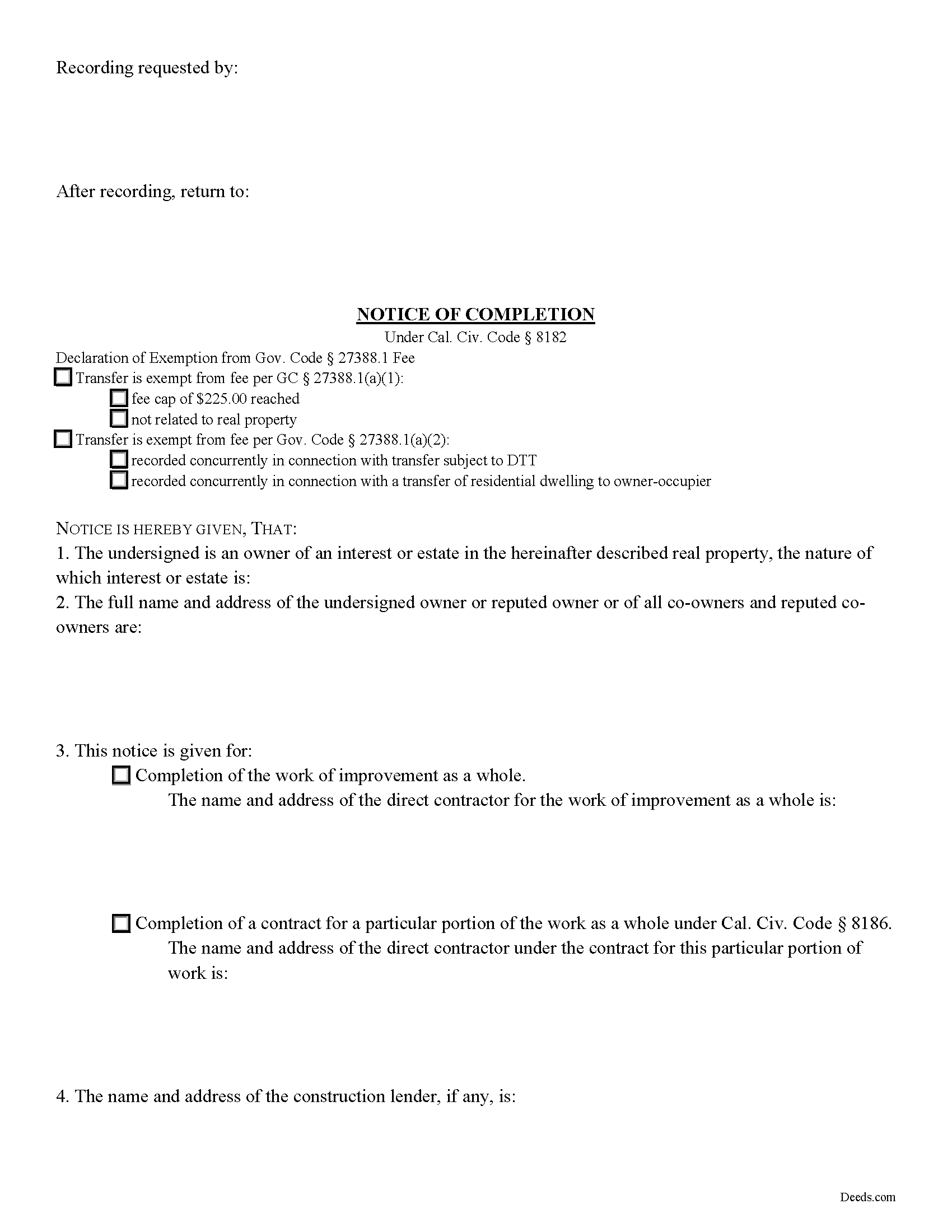
Placer County Notice of Completion Form
Fill in the blank Notice of Completion form formatted to comply with all California recording and content requirements.
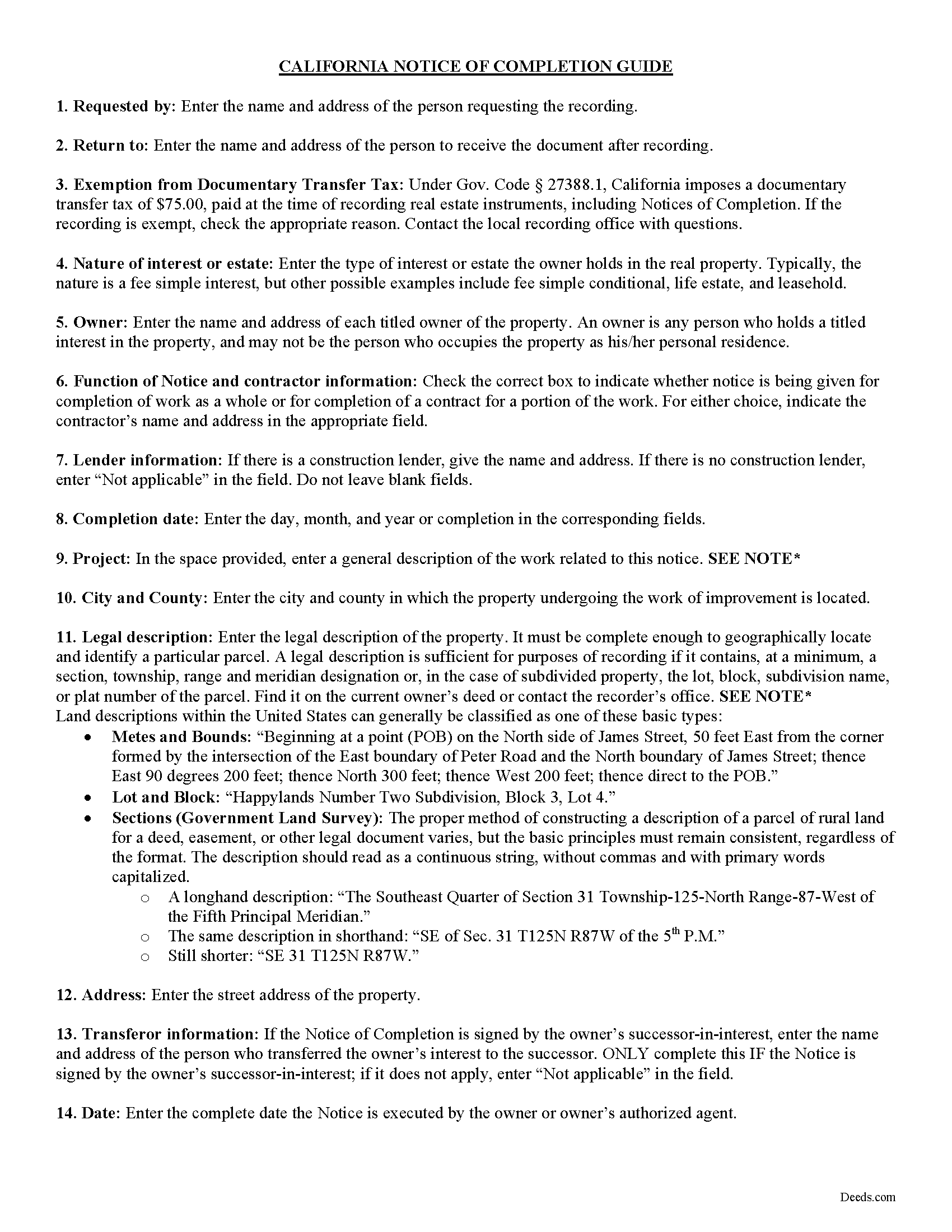
Placer County Notice of Completion Guide
Line by line guide explaining every blank on the form.
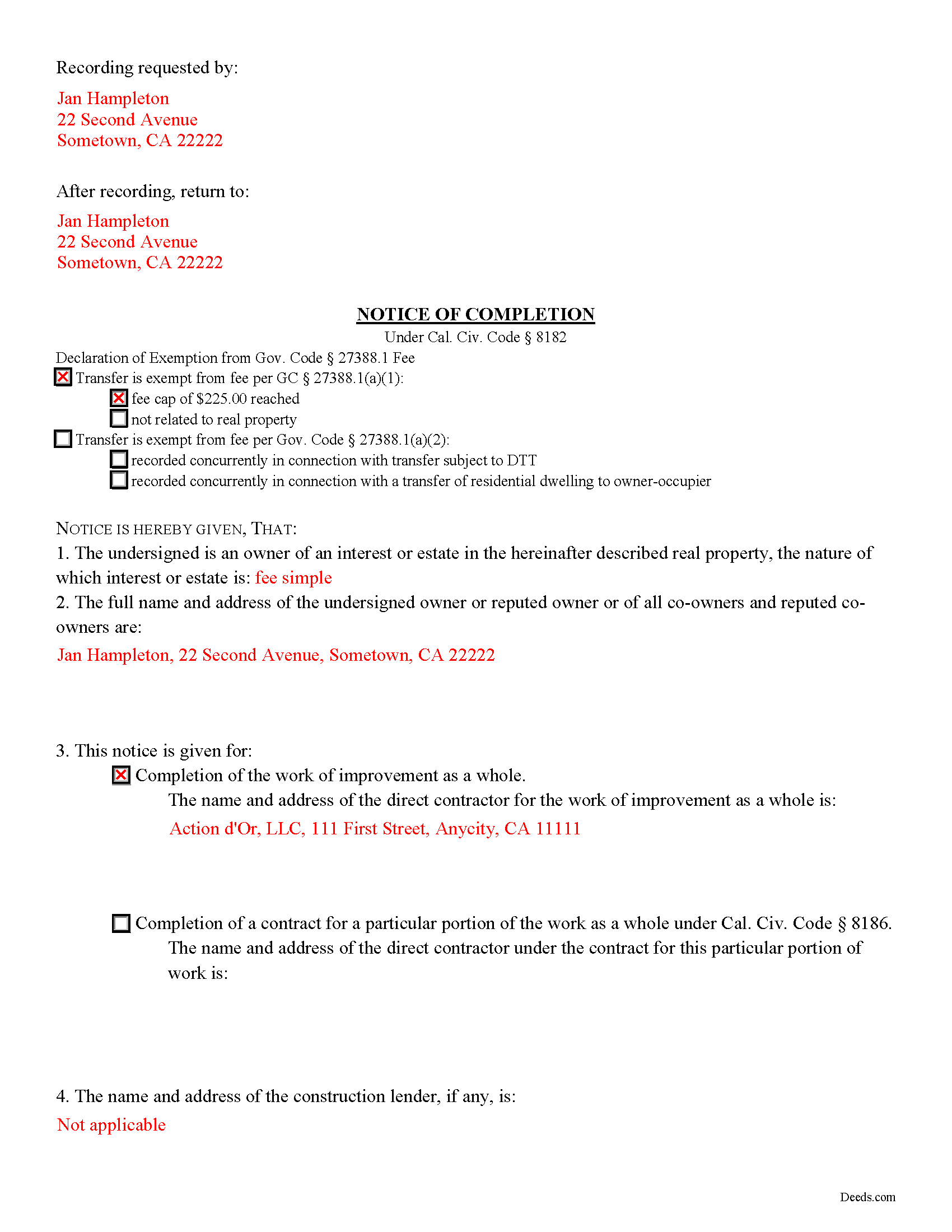
Placer County Completed Example of the Notice of Completion Document
Example of a properly completed form for reference.
All 3 documents above included • One-time purchase • No recurring fees
Immediate Download • Secure Checkout
Additional California and Placer County documents included at no extra charge:
Where to Record Your Documents
Placer County Clerk-Recorder
Auburn, California 95603
Hours: Mon to Fri 8:00 to 5:00 / Recording until 4:00
Phone: (530) 886-5600
Satellite Office
Auburn, California 95603
Hours: Monday through Friday 8 a.m. to 4 p.m.
Phone: (530) 886-5600
Recording Tips for Placer County:
- Bring your driver's license or state-issued photo ID
- Ensure all signatures are in blue or black ink
- Avoid the last business day of the month when possible
- Both spouses typically need to sign if property is jointly owned
- Bring extra funds - fees can vary by document type and page count
Cities and Jurisdictions in Placer County
Properties in any of these areas use Placer County forms:
- Alta
- Applegate
- Auburn
- Carnelian Bay
- Colfax
- Dutch Flat
- Emigrant Gap
- Foresthill
- Gold Run
- Granite Bay
- Homewood
- Kings Beach
- Lincoln
- Loomis
- Meadow Vista
- Newcastle
- Olympic Valley
- Penryn
- Rocklin
- Roseville
- Sheridan
- Tahoe City
- Tahoe Vista
- Weimar
Hours, fees, requirements, and more for Placer County
How do I get my forms?
Forms are available for immediate download after payment. The Placer County forms will be in your account ready to download to your computer. An account is created for you during checkout if you don't have one. Forms are NOT emailed.
Are these forms guaranteed to be recordable in Placer County?
Yes. Our form blanks are guaranteed to meet or exceed the applicable formatting requirements used for recording in Placer County, including margin requirements, font requirements, and other layout standards. This guarantee applies to formatting, not to the legal sufficiency of information entered by the user or the suitability of a form for a particular transaction.
Can I reuse these forms?
Yes. You can reuse the forms for your personal use. For example, if you have multiple properties in Placer County you only need to order once.
What do I need to use these forms?
The forms are PDFs that you fill out on your computer. The free Adobe Acrobat Reader is recommended, and most PDF apps also work. You do NOT enter your property information online - you download the blank forms and complete them privately on your own computer.
Are there any recurring fees?
No. This is a one-time purchase. Nothing to cancel, no memberships, no recurring fees.
How much does it cost to record in Placer County?
Recording fees in Placer County vary. Contact the recorder's office at (530) 886-5600 for current fees.
Questions answered? Let's get started!
Under Cal. Civ. Code 8182, a real property owner can record a notice of completion at any time up to 15 days after the date of completion on a work of improvement. The notice of completion is an important document in the California mechanic's lien process, as it limits the time a claimant is allotted to file a claim of lien. A direct contractor has 60 days after the owner's filing of a notice of completion to file a claim of lien. If no notice of completion is filed within 15 days of completion of the project, the contractor has 90 days to file a claim of lien.
A lawful notice contains the name and address of each owner and the nature of the owner's interest or estate in the property, as well as the construction lender's name and address, if applicable. The notice gives the completion date and a general description of the work of improvement, as well as a legal description of the property on which the improvement is made, along with the property's address.
In California, a notice of completion may relate to the completion of a contract for work on an improvement as a whole or a contract for a portion of work. In either instance, the notice states the name and address of the direct contractor and the nature of the notice.
The notice is signed and verified by the owner, who is the person (or persons) with titled interest in the property. This may or may not be the person occupying the property. The notice may be signed by an owner's successor; if this is the case, the notice must state the name and address of the transferor.
Within 10 days of recording a notice of completion, the owner must serve copies to the direct contractor and any claimant who has given the owner preliminary notice. Failure to give notice to the contractor or a claimant that a notice has been filed within 10 days of recording the notice renders the notice ineffective to shorten the length of time a contractor has to file a claim of lien.
The method of serving notice on the requisite parties must comply with Section 8100 of the Civil Code of California. Proof of service of notice is required along with the notice when recording. The declaration of proof of service evidences the method of serving notice and is signed by the person serving notice and acknowledged in the presence of a notary public.
Record a notice of completion in the recorder's office of the county where the property is situated. Ensure that the document is in recordable form as established by Cal. Gov. Code Sec. 27361.6.
Consult a lawyer with questions about notices of completion, mechanic's lien laws, or for any other issues regarding real property in the State of California.
Important: Your property must be located in Placer County to use these forms. Documents should be recorded at the county recording office listed above.
This Notice of Completion meets all recording requirements specific to Placer County.
Our Promise
The documents you receive here are guaranteed to meet or exceed the applicable Placer County recording format requirements. If there is a rejection caused by our formatting, we will correct the issue or refund your payment. This guarantee applies to document formatting only and does not extend to information entered by the user, the selection of the form, or the legal effect of the completed document.
Save Time and Money
Get your Placer County Notice of Completion form done right the first time with Deeds.com Uniform Conveyancing Blanks. At Deeds.com, we understand that your time and money are valuable resources, and we don't want you to face a penalty fee or rejection imposed by a county recorder for submitting nonstandard documents. We constantly review and update our forms to meet rapidly changing state and county recording requirements for roughly 3,500 counties and local jurisdictions.
4.8 out of 5 - ( 4,829 Reviews )
Michael G M. 5 out of 5 stars
The download files should have the name of the form included. The present numeric soup is frustrating to navigate.
Thank you for your feedback. We really appreciate it. Have a great day!
michael b. 5 out of 5 stars
Your web site is very user friendly and easy to navigate I was very pleased with the experience
Thank you!
Kateri S. 4 out of 5 stars
I had to add a section on the form to accomodate the former Grantor/Grantee informtion before it could be recorded
Your insights are invaluable to us and help us strive for better service. Thank you for taking the time to share your thoughts.
Cheryl C. 5 out of 5 stars
Very pleased. I spent a fair amount of time chasing a blank form only to be told it couldn't be given to me - I had to go through my attorney. Going thru the deeds.com was a breeze; the blank form looked exactly like one I had filed before :-)
We appreciate your business and value your feedback. Thank you. Have a wonderful day!
Diana C. 5 out of 5 stars
Great service!!! I was feeling overwhelmed but then I found deeds! I spent about 10 mins ordering, then went to bed and by morning my deed was there!! Very efficient! Thanks so much! So worth the little bit of dollars!
We appreciate your business and value your feedback. Thank you. Have a wonderful day!
Samantha S. 5 out of 5 stars
I really appreciated Deeds.com. It was quick and easy to use. Saved me substantial time completing my deed recording.
Thank you for your feedback. We really appreciate it. Have a great day!
James S. 5 out of 5 stars
unbelievable Deeds Rocks Start to finish 2=Day Recommended by Coconino County Recorders office in Arizona there were incomplete sections. I would correct and resubmit . All done Yeah!!!!!!
Thank you for your feedback. We really appreciate it. Have a great day!
Tom B. 4 out of 5 stars
I ended up loading the same file twice and was unable to delete one of them. I did send e request in to have one deleted and I did get a response back that only one file was processed. This was done in a timely manner but required more additional time. It would have been nice to be able to delete the file myself and finish the process at the same time. Other than this every thing did go very well. Thank you
Thank you for your feedback. We really appreciate it. Have a great day!
Spencer A. 5 out of 5 stars
Deeds.com made it so easy to file my paper work with the county. It saved me half a days travel and cost me about a tank of gas. This service was well worth the saved travel time and energy. I would highly recommend this service to other individuals. The other companies I spoke with only service law firms, title companies & banks etc. Thanks deed.com, I'll be back and will refer all my friends too.
Thank you so much Spencer, we really appreciate your feedback!
Donna R. 5 out of 5 stars
Great service. Just started using Deeds.com yesterday. So far, so good.
Thank you for your feedback. We really appreciate it. Have a great day!
Kathy P. 4 out of 5 stars
Can you also make a search that includes the parcel number because that is all I had to go with and regular name searches didn't come up with anything I needed.
Your insights are invaluable to us and help us strive for better service. Thank you for taking the time to share your thoughts.
Michael K. 5 out of 5 stars
Service seems smooth. I just wonder what the turn around time on recording is (I need proof of recordation).
Thank you!
Jon I. 5 out of 5 stars
I liked the information I download. Just what I was looking for.
We appreciate your business and value your feedback. Thank you. Have a wonderful day!
Abby H. 5 out of 5 stars
Purchased the forms to make a deed. They were available immediately as promised. Easy to use. The guide and example was a big help. Will definitely use again if/when needed. Thanks.
Thank you Abby, we appreciate you. Have a great day!
Francis L. 2 out of 5 stars
You have duplicate documents in your listing of documents. please clean up.
Thank you!