Monona County Quitclaim Deed (Individual Grantor) Form
Last validated October 9, 2026 by our Forms Development TeamFormatted for recording in Monona County, for property anywhere in the county: rural and unincorporated areas as well as Blencoe, Castana, Mapleton, Moorhead, Onawa, Rodney, Soldier, Ute and 1 more.
- 3 documents included
- Immediate PDF download
- Formatting guarantee
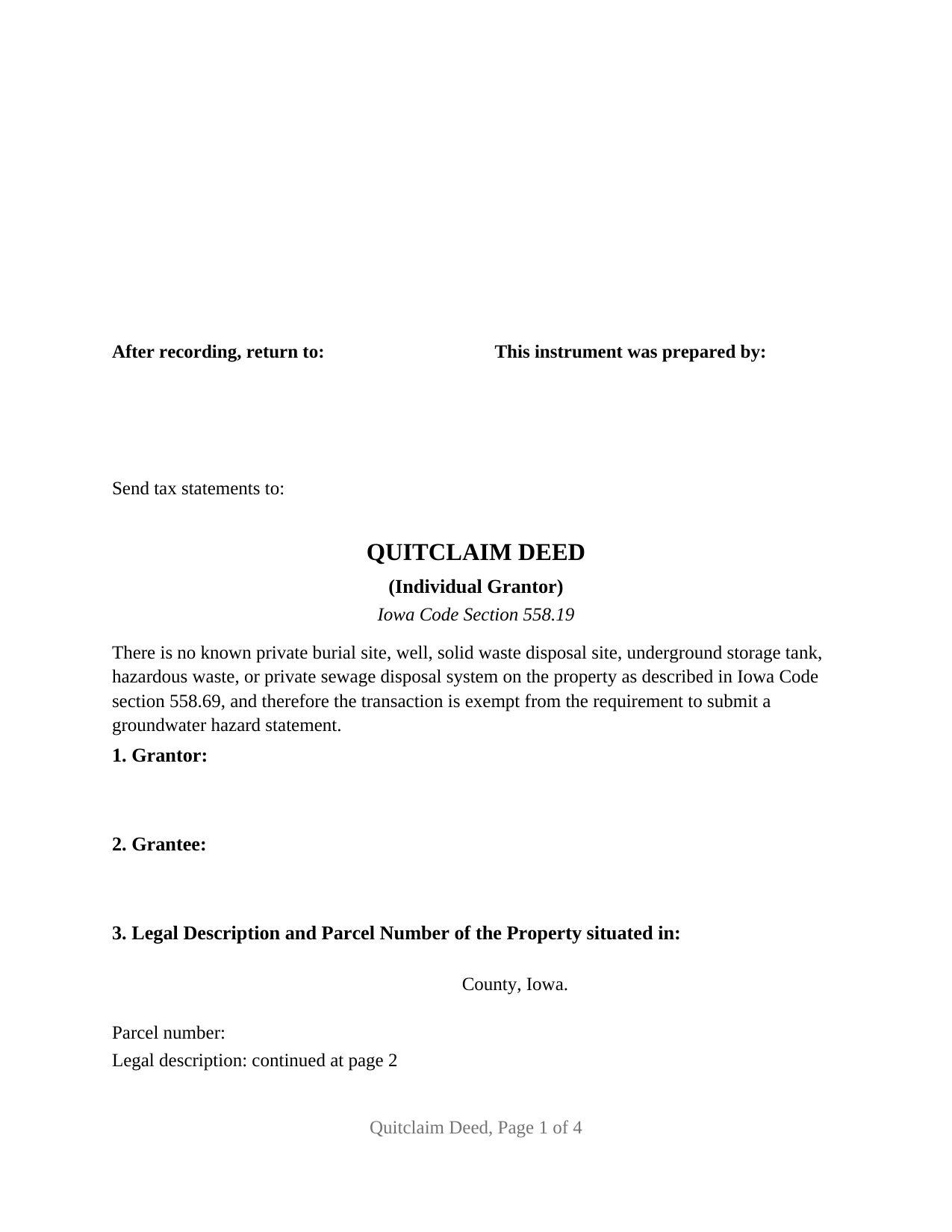
Monona County Quitclaim Deed (Individual Grantor) Form
Fill in the blank Quitclaim Deed (Individual Grantor) form formatted to comply with all Iowa recording and content requirements.
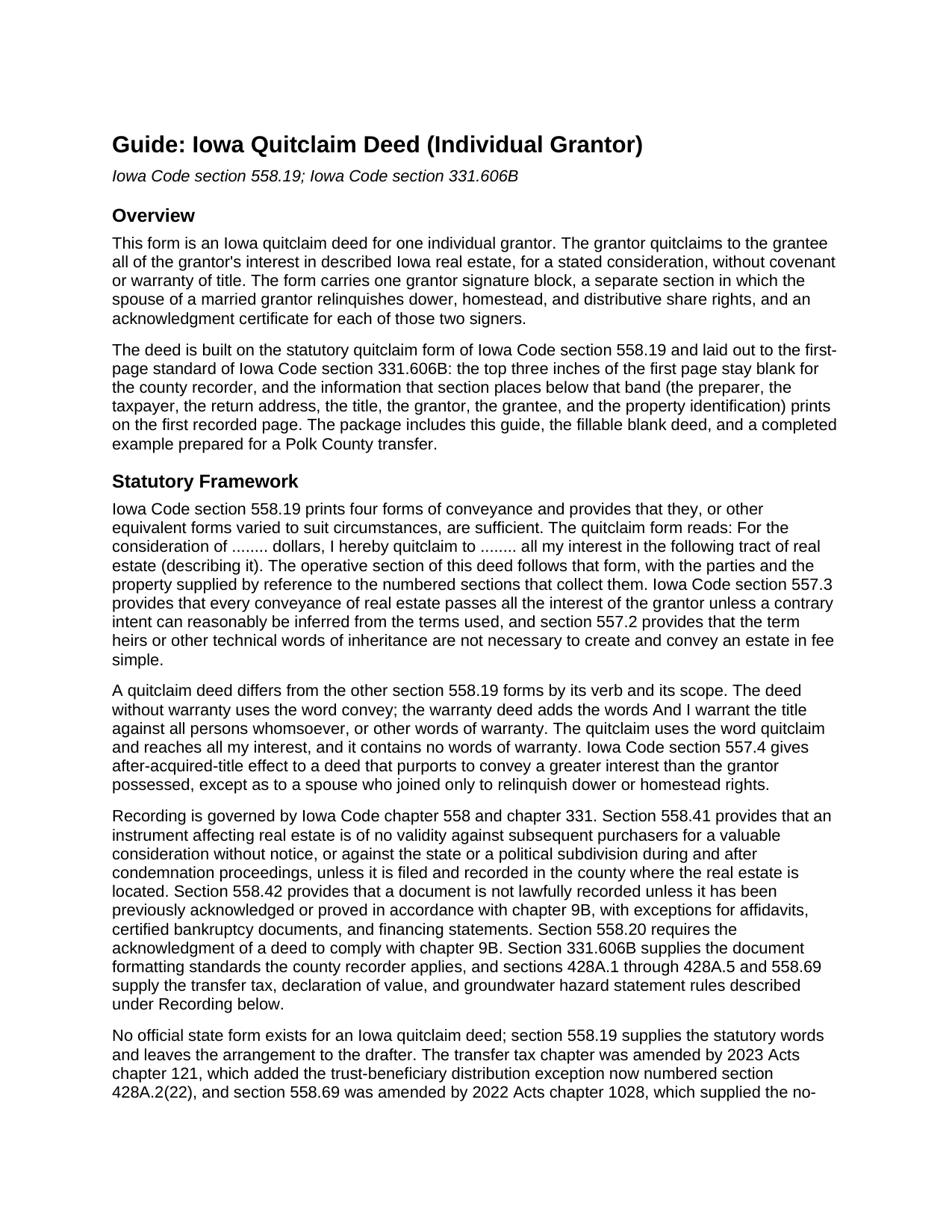
Monona County Quitclaim Deed (Individual Grantor) Guide
Line by line guide explaining every blank on the Quitclaim Deed (Individual Grantor) form.
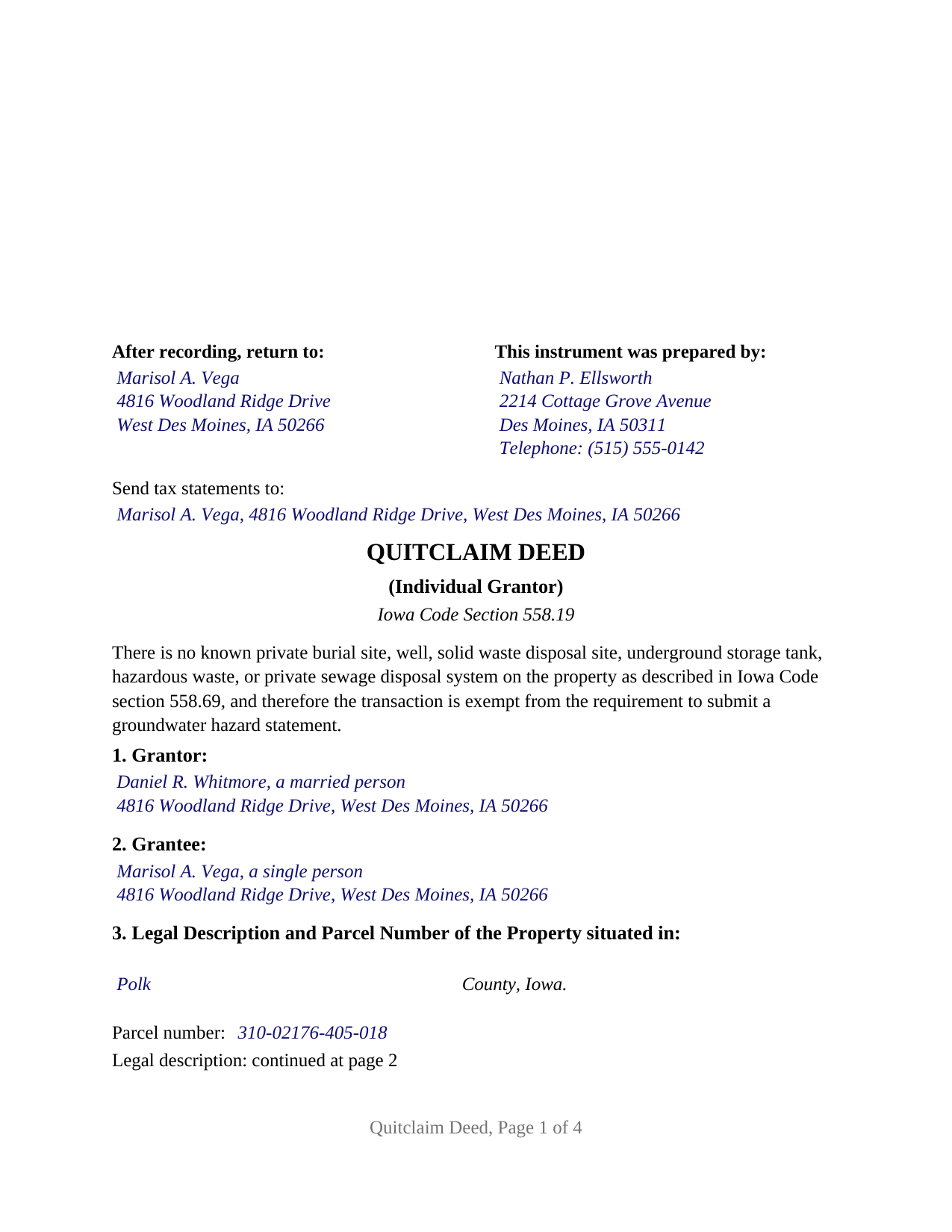
Monona County Completed Example of the Quitclaim Deed (Individual Grantor) Document
Example of a properly completed Iowa Quitclaim Deed (Individual Grantor) document for reference.
All 3 documents above included • One-time purchase • No recurring fees
Immediate Download • Secure Checkout
Additional Iowa and Monona County documents included at no extra charge:
Where to Record Your Documents
Monona County Recorder
Onawa, Iowa 51040
Hours: 8:00am to 4:30pm M-F
Phone: 712-433-2575
Recording Tips for Monona County:
- Bring your driver's license or state-issued photo ID
- Ensure all signatures are in blue or black ink
- Documents must be on 8.5 x 11 inch white paper
- Double-check legal descriptions match your existing deed
- Verify all names are spelled correctly before recording
Cities and Jurisdictions in Monona County
Properties in any of these areas use Monona County forms:
- Blencoe
- Castana
- Mapleton
- Moorhead
- Onawa
- Rodney
- Soldier
- Ute
- Whiting
Hours, fees, requirements, and more for Monona County
How do I get my forms?
Forms are available for immediate download after payment. The Monona County forms will be in your account ready to download to your computer. An account is created for you during checkout if you don't have one. Forms are NOT emailed.
Are these forms guaranteed to be recordable in Monona County?
Yes. Our form blanks are guaranteed to meet or exceed the applicable formatting requirements used for recording in Monona County, including margin requirements, font requirements, and other layout standards. This guarantee applies to formatting, not to the legal sufficiency of information entered by the user or the suitability of a form for a particular transaction.
Can I reuse these forms?
Yes. You can reuse the forms for your personal use. For example, if you have multiple properties in Monona County you only need to order once.
What do I need to use these forms?
The forms are PDFs that you fill out on your computer. The free Adobe Acrobat Reader is recommended, and most PDF apps also work. You do NOT enter your property information online - you download the blank forms and complete them privately on your own computer.
Are there any recurring fees?
No. This is a one-time purchase. Nothing to cancel, no memberships, no recurring fees.
How much does it cost to record in Monona County?
Recording fees in Monona County vary. Contact the recorder's office at 712-433-2575 for current fees.
Questions answered? Let's get started!
The last signature block on this Iowa quitclaim deed is written to operate only if someone signs it. The form recites one individual grantor, a natural person conveying in that person's own right, and prints a spousal relinquishment section that takes effect only when the spouse of a married grantor signs beneath it. An unmarried grantor leaves the block empty; a married grantor's spouse signs it. The grantor's marital status is entered as a fact, never fixed by the form.
A relinquishment that waits for a signature
Iowa Code section 561.13(1) is the reason: where the owner is married, a conveyance of the homestead is not valid unless and until the owner's spouse executes the same instrument or a like one, and the Iowa Supreme Court in Martin v. Martin, 720 N.W.2d 732 (Iowa 2006), applied that rule against both spouses where the signature was absent. Section 10 answers the statute conditionally: a spouse of the Grantor signing below executes the deed solely to relinquish all rights of dower, homestead, and distributive share in the described real estate, and the relinquishment operates only if a spouse of the Grantor signs below. Section 561.13(2) makes that shape work, since a spouse who specifically relinquishes homestead rights in the instrument is not required to join in the granting clause. The spouse signs a block headed SPOUSE OF GRANTOR and conveys nothing.
What one grantor quitclaims
Section 8 follows the quitclaim form that Iowa Code section 558.19 prints: for the consideration stated in the deed, the Grantor quitclaims to the Grantee all of the Grantor's interest in the described real estate, together with all appurtenances, without covenant or warranty of title. The grantee receives the position the grantor held, and the quit claim deed says nothing about its quality; liens, easements, and unpaid taxes remain on the land.
One individual, one grantee entry, two certificates
Section 1 names the grantor with a mailing address and the status the record calls for; the example reads a married person. Section 2 takes one grantee, or co-grantees with the co-ownership words they select under Iowa Code section 557.15. Each signature is followed by its own certificate in the individual-capacity short form of Iowa Code section 9B.16. Records in this shape appear when a former spouse conveys to the other under a dissolution decree, when one of several heirs releases an undivided inherited share to the heir who keeps the property, and when an owner sells a lot for a price. The form is not set up for two grantors, for an entity grantor, or for a signer acting as trustee, executor, conservator, or attorney in fact.
The line on page one that points to page two
Iowa Code section 331.606B(2) lists what an instrument carries on its first page below the three-inch recorder's margin, from the preparer and the taxpayer's complete mailing address through the parties' names and the legal description and parcel identification number, and section 331.606B(3) adds the rule for a first page that cannot hold everything: the page reference where the information is located is noted on the first page. On this deed the administrative blocks, the title, the groundwater sentence of Iowa Code section 558.69(8A), the grantor, the grantee, the county, and the parcel number print on recorded page one, and its final line reads Legal description: continued at page 2, where the six-line description box opens. For a document dated on or after July 1, 2009, section 331.606B(7)(b) makes a missing taxpayer address a ground for refusal rather than a ten dollar fee.
Tax, exception, and the forms that travel with the deed
Iowa Code section 428A.1 taxes a conveyance at eighty cents for each five hundred dollars of consideration above the first five hundred, and section 428A.4 has the recorder refuse a taxable deed until it is paid or a signed statement of an exception under Iowa Code section 428A.2 accompanies it. Section 7 is that statement. The example conveys for one dollar and claims subsection 21, consideration of five hundred dollars or less, a ground section 428A.1(2) also releases from the declaration of value, so it records with neither tax nor declaration.
The purchase delivers the fillable blank deed, a completed example prepared as a Polk County conveyance by a married grantor with his wife relinquishing, and a plain language guide to the sections, the signing, the tax, and the recording. The materials are informational and are not legal advice.
Important: Your property must be located in Monona County to use these forms. Documents should be recorded at the county recording office listed above.
This Quitclaim Deed (Individual Grantor) meets all recording requirements specific to Monona County.
Our Promise
The documents you receive here are guaranteed to meet or exceed the applicable Monona County recording format requirements. If there is a rejection caused by our formatting, we will correct the issue or refund your payment. This guarantee applies to document formatting only and does not extend to information entered by the user, the selection of the form, or the legal effect of the completed document.
Save Time and Money
Get your Monona County Quitclaim Deed (Individual Grantor) form done right the first time with Deeds.com Uniform Conveyancing Blanks. At Deeds.com, we understand that your time and money are valuable resources, and we don't want you to face a penalty fee or rejection imposed by a county recorder for submitting nonstandard documents. We constantly review and update our forms to meet rapidly changing state and county recording requirements for roughly 3,500 counties and local jurisdictions.
4.8 out of 5 - ( 4,839 Reviews )
Richard H. 5 out of 5 stars
Excellent service, very user friendly
Thank you!
Steve M. 5 out of 5 stars
I was only able to download the QC form. Had to print the other docs
Thank you for your feedback. We really appreciate it. Have a great day!
Ken D. 5 out of 5 stars
The service was easy, fast, and worked well. I will be back.
We appreciate your business and value your feedback. Thank you. Have a wonderful day!
Darlene P. 5 out of 5 stars
Deeds.com was a money saver for me. It made a daunting task of preparing a Quit Claim Deed a very simple task. I was happy that my documentation was accepted by my state and County first round. Thank you Deeds.com
We appreciate your business and value your feedback. Thank you. Have a wonderful day!
barbara s. 5 out of 5 stars
you provided the service requested for a reasonable fee
Thank you!
Debra P. 5 out of 5 stars
Looked everywhere to find what I needed. Found your website and there it was. Very pleased with the speed that I received my documents in. Will definitely keep you in my go to.
Thank you!
Marcia H. 5 out of 5 stars
This was so easy and fast! Plus it had all the information I needed in one place. The example was right on point too!
Thank you for your feedback. We really appreciate it. Have a great day!
Lisa G. 5 out of 5 stars
Rec'd downloads for quitclaim deed process in Florida. Recorded with the clerk of courts today and the form was done perfectly--she had no changes to make. Well worth the money--thanks
Glad to hear Lisa, we appreciate you taking the time to leave your feedback.
Christian M. 5 out of 5 stars
Easy to find the necessary documents needed
We appreciate your business and value your feedback. Thank you. Have a wonderful day!
Charlie T. 5 out of 5 stars
I really like the service and will be definitely be using it again to submit future deeds.
Thank you!
Darius M. 5 out of 5 stars
I receive the specific legal forms that I needed as well as a guide on how to fill out the form. Very pleased. I saved $300.00 in lawyers fees by filling out the Quickclaim deed myself.
Thank you for your feedback. We really appreciate it. Have a great day!
Daniel D. 5 out of 5 stars
Well done. A little pricy.
Thank you!
Laurie J. 5 out of 5 stars
Very satisfied with what I purchased.
Thank you for your positive words! We’re thrilled to hear about your experience.
Sherri S. 5 out of 5 stars
Easy to access forms, and reasonably priced. I'll definitely use again in the future.
We appreciate your business and value your feedback. Thank you. Have a wonderful day!
Tricia M. 5 out of 5 stars
The document I purchased (QuitClaim Deed) had detailed directions explaining how to complete the form. This made it easy to complete without any doubt that it was completed incorrectly (which was my fear). I also used the E-File service and it was processed very quickly without any issues. Thank you for making this process simple! I will definitely use this service again.
We appreciate your business and value your feedback. Thank you. Have a wonderful day!