Waldo County Notice of Death Affidavit Form
Last validated September 18, 2026 by our Forms Development TeamFormatted for recording in Waldo County, for property anywhere in the county: rural and unincorporated areas as well as Belfast, Brooks, Burnham, Frankfort, Freedom, Islesboro, Liberty, Lincolnville and 12 more.
- 3 documents included
- Immediate PDF download
- Formatting guarantee
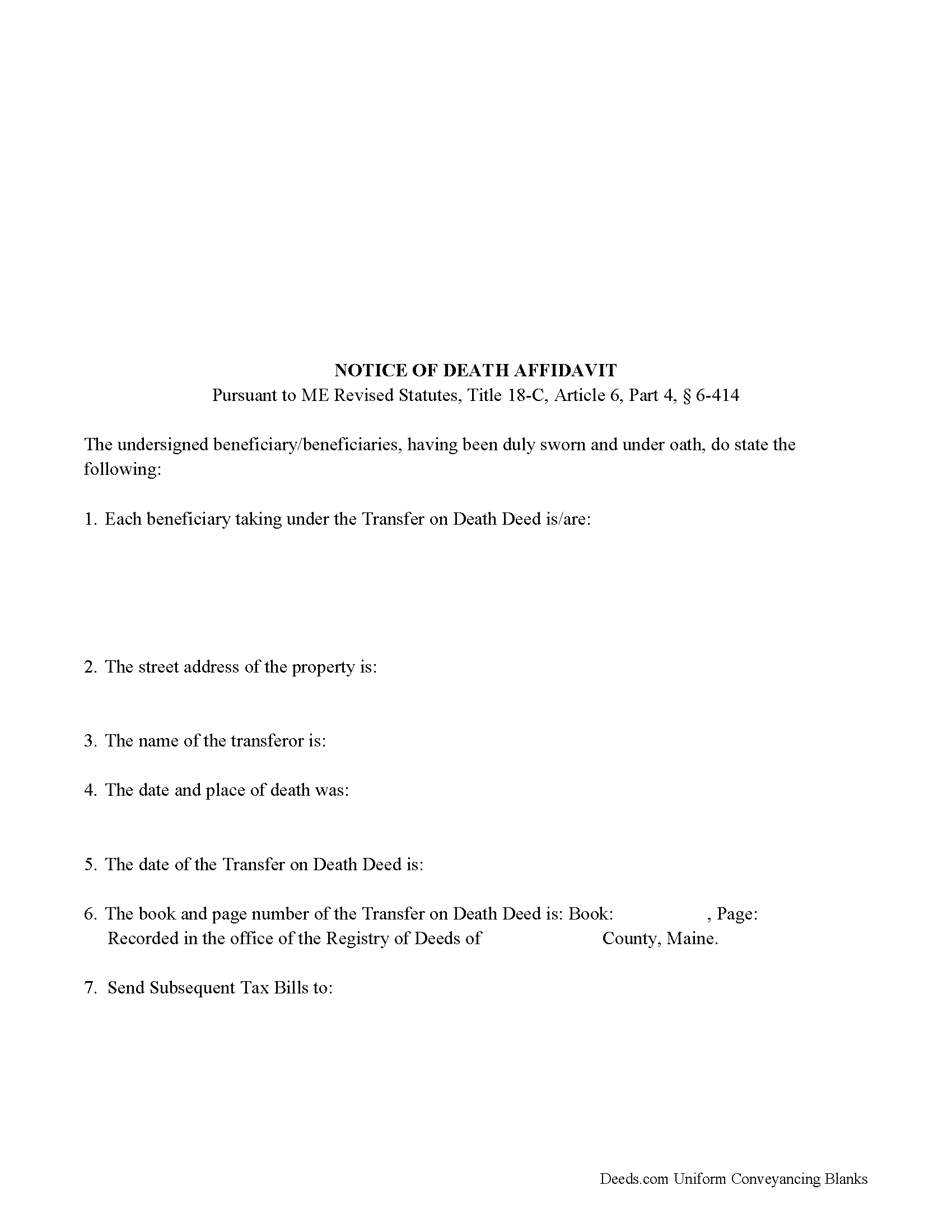
Waldo County Notice of Death Affidavit Form
Fill in the blank form formatted to comply with all recording and content requirements.
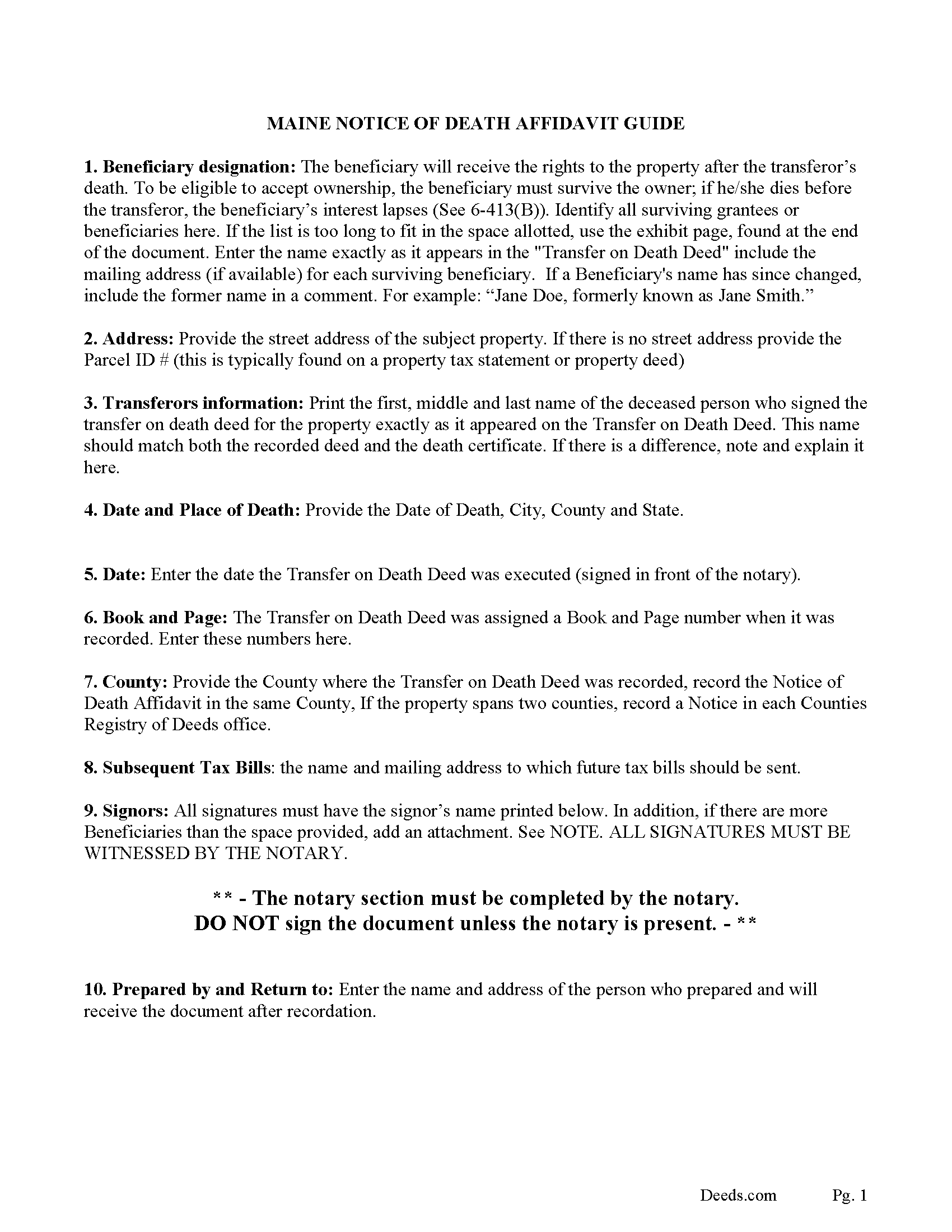
Waldo County Notice of Death Affidavit Guide
Line by line guide explaining every blank on the form.
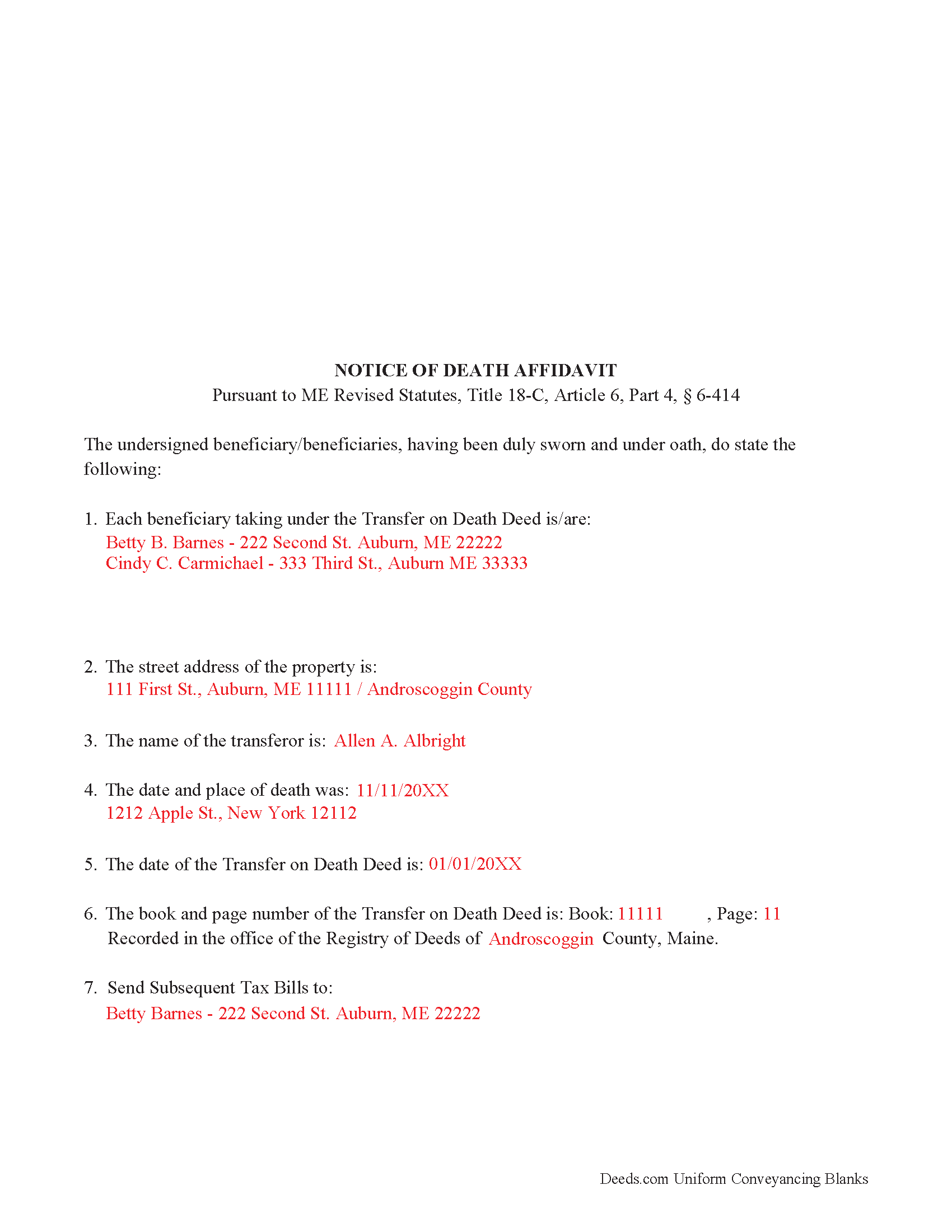
Waldo County Completed Example of the Notice of Death Affidavit Document
Example of a properly completed form for reference.
All 3 documents above included • One-time purchase • No recurring fees
Immediate Download • Secure Checkout
Additional Maine and Waldo County documents included at no extra charge:
Where to Record Your Documents
Registry of Deeds
Belfast, Maine 04915
Hours: 8:00 to 4:00 Monday through Friday
Phone: (207) 338-1710
Recording Tips for Waldo County:
- Bring your driver's license or state-issued photo ID
- Ensure all signatures are in blue or black ink
- Recorded documents become public record - avoid including SSNs
- Recording fees may differ from what's posted online - verify current rates
- Request a receipt showing your recording numbers
Cities and Jurisdictions in Waldo County
Properties in any of these areas use Waldo County forms:
- Belfast
- Brooks
- Burnham
- Frankfort
- Freedom
- Islesboro
- Liberty
- Lincolnville
- Lincolnville Center
- Monroe
- Morrill
- Palermo
- Sandy Point
- Searsmont
- Searsport
- Stockton Springs
- Thorndike
- Troy
- Unity
- Winterport
Hours, fees, requirements, and more for Waldo County
How do I get my forms?
Forms are available for immediate download after payment. The Waldo County forms will be in your account ready to download to your computer. An account is created for you during checkout if you don't have one. Forms are NOT emailed.
Are these forms guaranteed to be recordable in Waldo County?
Yes. Our form blanks are guaranteed to meet or exceed the applicable formatting requirements used for recording in Waldo County, including margin requirements, font requirements, and other layout standards. This guarantee applies to formatting, not to the legal sufficiency of information entered by the user or the suitability of a form for a particular transaction.
Can I reuse these forms?
Yes. You can reuse the forms for your personal use. For example, if you have multiple properties in Waldo County you only need to order once.
What do I need to use these forms?
The forms are PDFs that you fill out on your computer. The free Adobe Acrobat Reader is recommended, and most PDF apps also work. You do NOT enter your property information online - you download the blank forms and complete them privately on your own computer.
Are there any recurring fees?
No. This is a one-time purchase. Nothing to cancel, no memberships, no recurring fees.
How much does it cost to record in Waldo County?
Recording fees in Waldo County vary. Contact the recorder's office at (207) 338-1710 for current fees.
Questions answered? Let's get started!
In Maine a Notice of Death Affidavit is appropriate for use by a surviving beneficiary identified in a recorded Transfer on Death Deed. The beneficiaries record the Notice of Death Affidavit (in the registry of deeds in the county where the real property is located) (to confirm title following the death of the transferor.)
The Notice of Death Affidavit must contain:
1. (The name and address, if known, of each beneficiary taking under the transfer on death deed)
2. (The street address of the property)
3. (The date of the transfer on death deed)
4. (The book and page number at which the transfer on death deed was recorded prior to the transferor's death)
5. (The name of the deceased transferor)
6. (The date and place of death)
7. (The name and address to which all future tax bills should be mailed)
8. (The affidavit must be notarized.) (ME revised statute 6-414)
(Maine Notice of Death Affidavit Package includes form, guidelines, and completed example)
Important: Your property must be located in Waldo County to use these forms. Documents should be recorded at the county recording office listed above.
This Notice of Death Affidavit meets all recording requirements specific to Waldo County.
Our Promise
The documents you receive here are guaranteed to meet or exceed the applicable Waldo County recording format requirements. If there is a rejection caused by our formatting, we will correct the issue or refund your payment. This guarantee applies to document formatting only and does not extend to information entered by the user, the selection of the form, or the legal effect of the completed document.
Save Time and Money
Get your Waldo County Notice of Death Affidavit form done right the first time with Deeds.com Uniform Conveyancing Blanks. At Deeds.com, we understand that your time and money are valuable resources, and we don't want you to face a penalty fee or rejection imposed by a county recorder for submitting nonstandard documents. We constantly review and update our forms to meet rapidly changing state and county recording requirements for roughly 3,500 counties and local jurisdictions.
4.8 out of 5 - ( 4,819 Reviews )
Margaret S. 5 out of 5 stars
Forms & Guide easy to use. It would have been helpful if the counties with identical form packages were identified. I bought two packages when I could have used one.
Thank you for your feedback Margaret. We have processed a refund for one of your payments. Have a great day.
Lynda D S. 5 out of 5 stars
Sorry, I did not see that I was in the wrong review and just sent a review of a "product" I ordered online. As for Deeds.com I was very happy with the process and speed of getting the forms. I have used this site before. Highly recommend.
We appreciate your business and value your feedback. Thank you. Have a wonderful day!
Jacqueline C. 3 out of 5 stars
Was relieved to see your site actually delivered what I paid for.
Thank you!
david t. 5 out of 5 stars
No review provided.
Thank you!
Laurie D. 5 out of 5 stars
Comforting that you include an example of a completed TOD Deed form. Just downloaded all forms for my state & county and I'm SURE this will save a paying for a massive attorney fee!
We are grateful for your feedback and looking forward to serving you again. Thank you!
Daniel M. 5 out of 5 stars
It was quick and easy!! I recommend this site for your needs!!
Really appreciate you Daniel, thanks for the kind words.
Marlin M. 5 out of 5 stars
5 stars!
Thank you!
Carolyn R. 5 out of 5 stars
Definitely 5 stars. Everything was taken care of well within 24 hours. If our law firm needs to record a single document in a different county again, we will use your service. Thanks!
Thank you for your feedback. We really appreciate it. Have a great day!
Sarah N. 1 out of 5 stars
This is not at all the form that I needed. I am trying to disclaim my interest in a property, but this form is much too rigid to work for my case. It would have been nice to know some of the more specific details before purchasing the document.
Thank you for your feedback. Sorry hear of your confusion. We have canceled your order and payment. We do hope that you are able to find something more suitable to your needs. Have a wonderful day.
Patrick N. 5 out of 5 stars
Everything I expected. Faster and less expensive than my lawyer.
Thank you!
Mark E. 4 out of 5 stars
This was easy to use and only contained one glaring error-where to send the completed form to finish the process. I’ve completed the form, does this mean I get the amended deed sent to me? I think not.
Your insights are invaluable to us and help us strive for better service. Thank you for taking the time to share your thoughts.
Jimmy P. 5 out of 5 stars
They sent me everything I would need to do this. Easy purchase -Easy download. Great!! I'll be back here for all my document needs.
We appreciate your business and value your feedback. Thank you. Have a wonderful day!
Sammy K. 5 out of 5 stars
A very streamlined, easy-yo-follow process of recording documents during the COVID-19 era. There was no delay in reviewing and submitting the uploaded documents to the deed office in the jurisdiction. Thanks!
We appreciate your business and value your feedback. Thank you. Have a wonderful day!
Laurie B. 5 out of 5 stars
You have made this process so simple - I can see it would have been complicated and frustrating without Deeds.com. Thank you!
Thank you!
Pamela J. 5 out of 5 stars
The form was short, and explainable.. so that is my feed back on that...but we have not received anything back to actually see if we filled the form out correctly. So I definitely can not say if I'm satisfied with it or not until I know that it is approved. I would recommend Coos County web site for Forms to people. Thank you.
Thank you for your feedback. We really appreciate it. Have a great day!