Waldo County Notice of Furnishing Form
Last validated September 24, 2026 by our Forms Development TeamFormatted for recording in Waldo County, for property anywhere in the county: rural and unincorporated areas as well as Belfast, Brooks, Burnham, Frankfort, Freedom, Islesboro, Liberty, Lincolnville and 12 more.
- 3 documents included
- Immediate PDF download
- Formatting guarantee
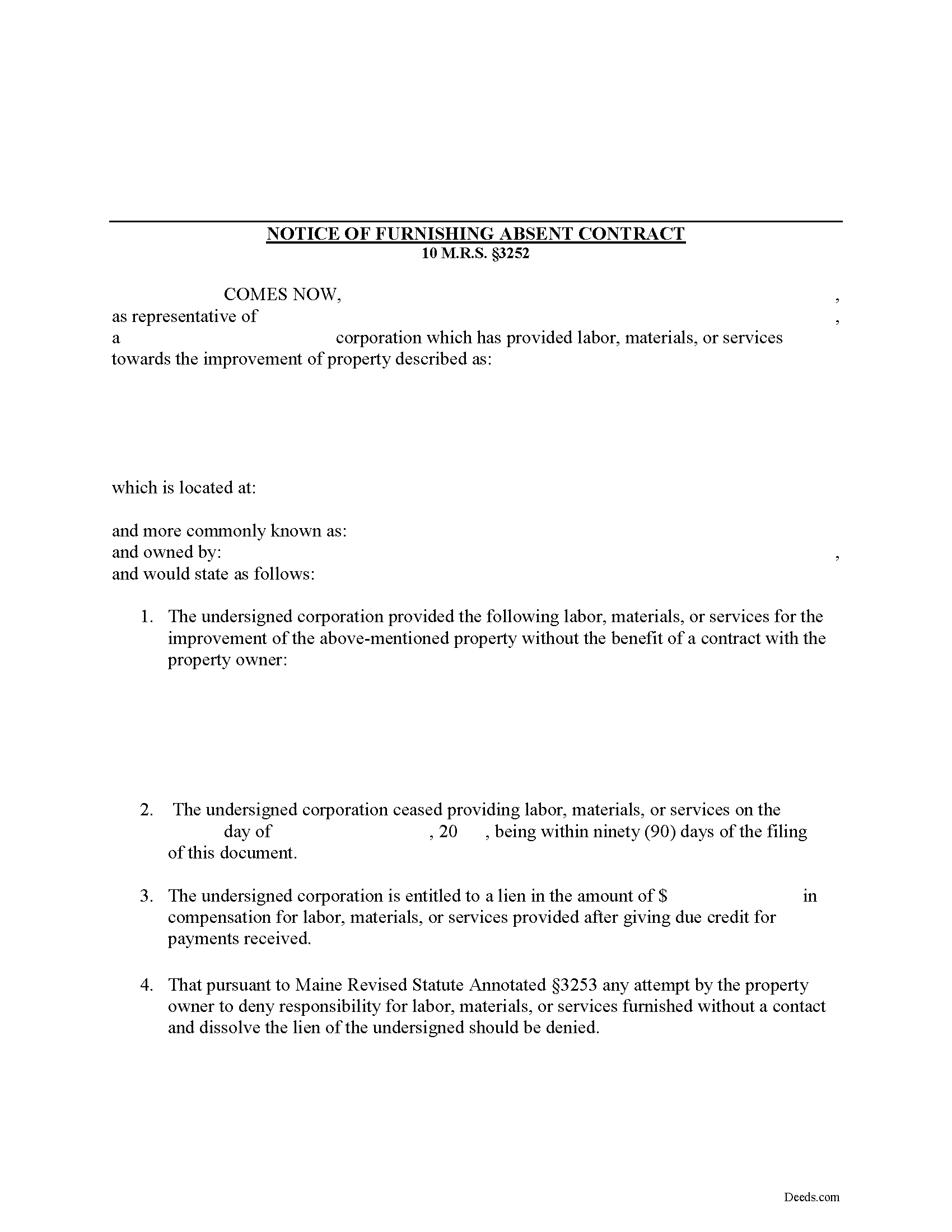
Waldo County Notice of Furnishing Form
Fill in the blank Notice of Furnishing form formatted to comply with all Maine recording and content requirements.
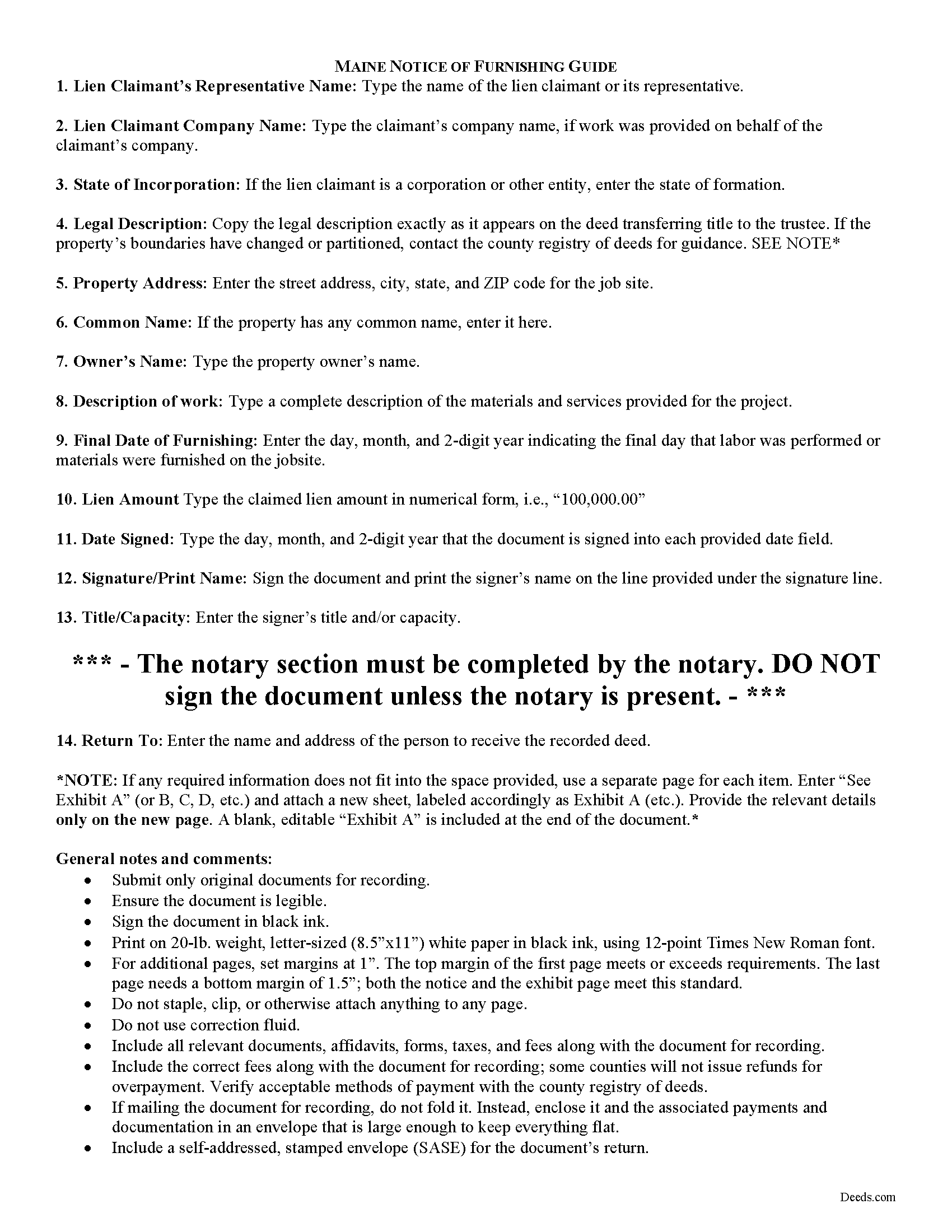
Waldo County Notice of Furnishing Guide
Line by line guide explaining every blank on the form.
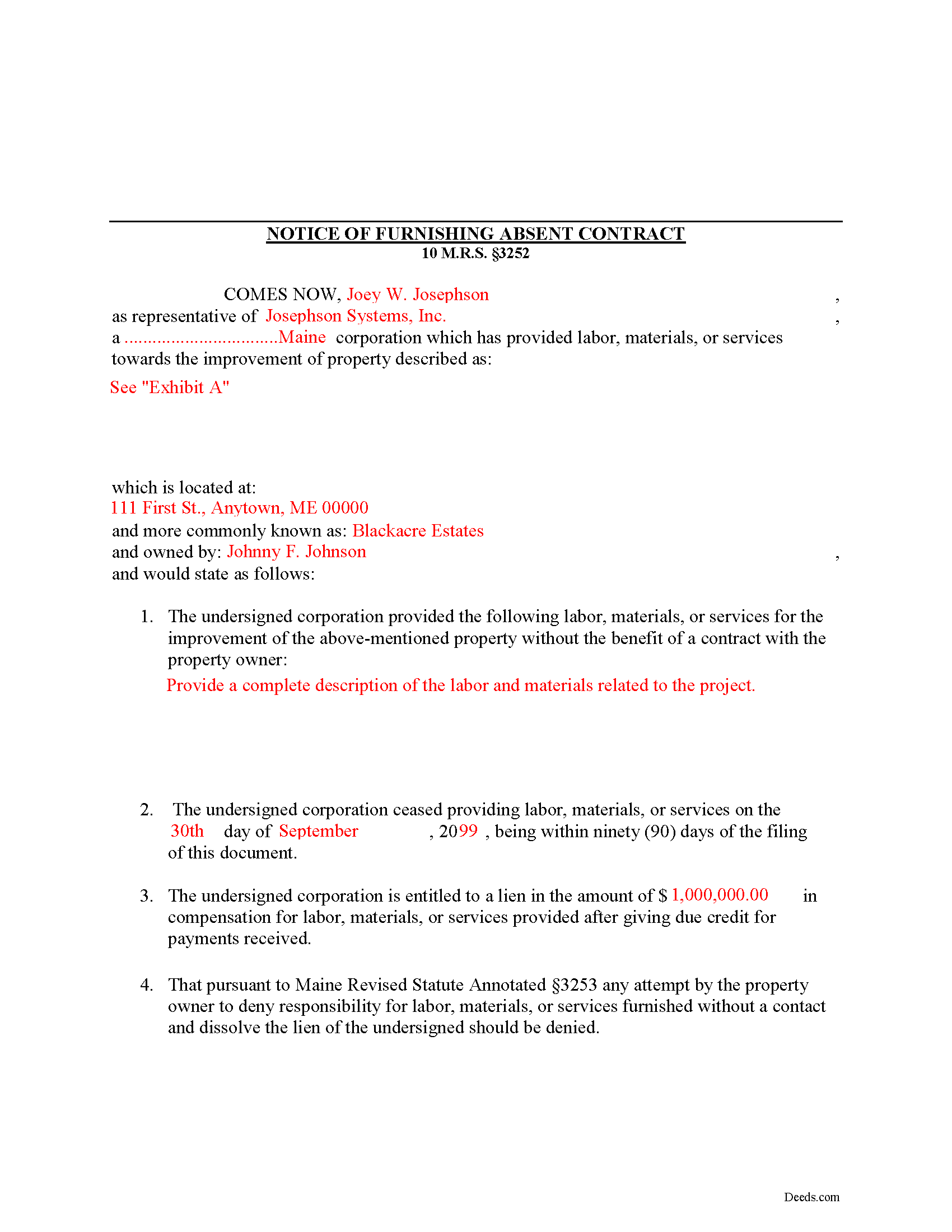
Waldo County Completed Example of the Notice of Furnishing Document
Example of a properly completed form for reference.
All 3 documents above included • One-time purchase • No recurring fees
Immediate Download • Secure Checkout
Additional Maine and Waldo County documents included at no extra charge:
Where to Record Your Documents
Registry of Deeds
Belfast, Maine 04915
Hours: 8:00 to 4:00 Monday through Friday
Phone: (207) 338-1710
Recording Tips for Waldo County:
- Bring your driver's license or state-issued photo ID
- Ensure all signatures are in blue or black ink
- Recorded documents become public record - avoid including SSNs
- Recording fees may differ from what's posted online - verify current rates
- Request a receipt showing your recording numbers
Cities and Jurisdictions in Waldo County
Properties in any of these areas use Waldo County forms:
- Belfast
- Brooks
- Burnham
- Frankfort
- Freedom
- Islesboro
- Liberty
- Lincolnville
- Lincolnville Center
- Monroe
- Morrill
- Palermo
- Sandy Point
- Searsmont
- Searsport
- Stockton Springs
- Thorndike
- Troy
- Unity
- Winterport
Hours, fees, requirements, and more for Waldo County
How do I get my forms?
Forms are available for immediate download after payment. The Waldo County forms will be in your account ready to download to your computer. An account is created for you during checkout if you don't have one. Forms are NOT emailed.
Are these forms guaranteed to be recordable in Waldo County?
Yes. Our form blanks are guaranteed to meet or exceed the applicable formatting requirements used for recording in Waldo County, including margin requirements, font requirements, and other layout standards. This guarantee applies to formatting, not to the legal sufficiency of information entered by the user or the suitability of a form for a particular transaction.
Can I reuse these forms?
Yes. You can reuse the forms for your personal use. For example, if you have multiple properties in Waldo County you only need to order once.
What do I need to use these forms?
The forms are PDFs that you fill out on your computer. The free Adobe Acrobat Reader is recommended, and most PDF apps also work. You do NOT enter your property information online - you download the blank forms and complete them privately on your own computer.
Are there any recurring fees?
No. This is a one-time purchase. Nothing to cancel, no memberships, no recurring fees.
How much does it cost to record in Waldo County?
Recording fees in Waldo County vary. Contact the recorder's office at (207) 338-1710 for current fees.
Questions answered? Let's get started!
Mechanic's liens are governed under Title 10, Chapter 603 of the Maine Code. In Maine, persons providing labor or furnishing materials or equipment without a contract with the owner should serve the owner with a Notice of Furnishing to protect their lien rights.
If labor, materials or services were not furnished by a contract with the owner of the property affected, the owner may prevent a lien by giving written notice to the person performing or furnishing the same that he will not be obligated to pay for that work. 10 M.R.S. section 3252. The person furnishing labor or materials can act first by serving the Notice of Furnishing before the owner provides a notice of non-responsibility. By doing this, he or she preserves lien rights.
A notice of furnishing identifies the parties, relevant dates and payments, the location and a description of the materials and/or services. Submit the completed, signed, and notarized document to the local office responsible for maintaining land records, and give the property owner a certified copy of the recorded document.
This article is provided for informational purposes only and should not be relied upon as substitute for the advice from an attorney. For any questions regarding the Notice of Furnishing, or any other issues related to liens in Maine, please speak with a licensed attorney.
(Maine NOF Package includes form, guidelines, and completed example)
Important: Your property must be located in Waldo County to use these forms. Documents should be recorded at the county recording office listed above.
This Notice of Furnishing meets all recording requirements specific to Waldo County.
Our Promise
The documents you receive here are guaranteed to meet or exceed the applicable Waldo County recording format requirements. If there is a rejection caused by our formatting, we will correct the issue or refund your payment. This guarantee applies to document formatting only and does not extend to information entered by the user, the selection of the form, or the legal effect of the completed document.
Save Time and Money
Get your Waldo County Notice of Furnishing form done right the first time with Deeds.com Uniform Conveyancing Blanks. At Deeds.com, we understand that your time and money are valuable resources, and we don't want you to face a penalty fee or rejection imposed by a county recorder for submitting nonstandard documents. We constantly review and update our forms to meet rapidly changing state and county recording requirements for roughly 3,500 counties and local jurisdictions.
4.8 out of 5 - ( 4,821 Reviews )
Tamara H. 5 out of 5 stars
Absolutely awesome, all the information and forms I needed Thanks Tamie Hamilton
We appreciate your business and value your feedback. Thank you. Have a wonderful day!
Cody M. 5 out of 5 stars
They respond fast, the process is simple, and it's obviously convenient. I'm not sure what else there is to say, other than it's I would say a reasonable fee to pay them to do it.
Thank you for your positive words! We’re thrilled to hear about your experience.
Della M. 5 out of 5 stars
Very easy to purchase with immediate use of all of the forms that you need for probate of property. My parents had died and left equal shares of their home to my 2 brothers and I.
Thank you!
Linda I. 5 out of 5 stars
So far so good. It was reasonably easy to download and complete the form using information found in my closing paperwork. I haven't yet had my form notarized but plan to do so this week and submit the packet to my county auditor.
Thank you for your feedback. We really appreciate it. Have a great day!
Jeanette S. 5 out of 5 stars
Your site was easy to figure out after a few mistakes on my part. Messages were returned quickly. Very convenient for our recording of documents. I will recommend using this method for recording in future. Thank you for working fast in our recording.
Thank you for your feedback. We really appreciate it. Have a great day!
Shabaz W. 5 out of 5 stars
Very convenient
Thank you!
Kermit W. 5 out of 5 stars
Straightforward instructions and very quick turnaround.
Thank you for your feedback. We really appreciate it. Have a great day!
William P. 5 out of 5 stars
Warranty Deed was just what I needed.Easy to complete and accepted by the county.
Thank you!
Harley N. 5 out of 5 stars
Well thought out and user friendly website. The forms were easily fillable as well.
Thank you for your feedback. We really appreciate it. Have a great day!
Noal S. 5 out of 5 stars
The download package is very thorough and complete for the Corrective Deed I needed to file. The material is state/county specific and includes a completed example. The price is reasonable compared to an attorney fee from $400 to $600
We appreciate your business and value your feedback. Thank you. Have a wonderful day!
Lenore H. 5 out of 5 stars
I was very pleased with the service I received yesterday at the recorders office. no complaints at all. Served promptly and efficiently.
Thank you!
Valarie H. 5 out of 5 stars
Thank you for offering this service. We were getting several different answers on how to solve our problem, and all of them involved getting an attorney. You saved us a ton of money and using your document made everything super easy...no attorney needed! Thank you!
Thank you for your feedback. We really appreciate it. Have a great day!
Ron M. 5 out of 5 stars
The download of forms, etc. was easy and the guides that were provided were good, but more information would have been nice as to where to find tax map #, parcel #, and district mentioned in Exemptions from Property Transfer Fees (and Declaration of Consideration or Value. In general, I was quite pleased with your product.
We appreciate your business and value your feedback. Thank you. Have a wonderful day!
Kathy H. 5 out of 5 stars
Very accommodating and self explanatory.
It was a pleasure serving you. Thank you for the positive feedback!
Angela B. 5 out of 5 stars
The site made everything very easy to understand and access. I was able to get everything I needed and the cost was reasonable.
We appreciate your business and value your feedback. Thank you. Have a wonderful day!