Waldo County Notice to Owner Form
Last validated October 19, 2026 by our Forms Development TeamFormatted for recording in Waldo County, for property anywhere in the county: rural and unincorporated areas as well as Belfast, Brooks, Burnham, Frankfort, Freedom, Islesboro, Liberty, Lincolnville and 12 more.
- 3 documents included
- Immediate PDF download
- Formatting guarantee
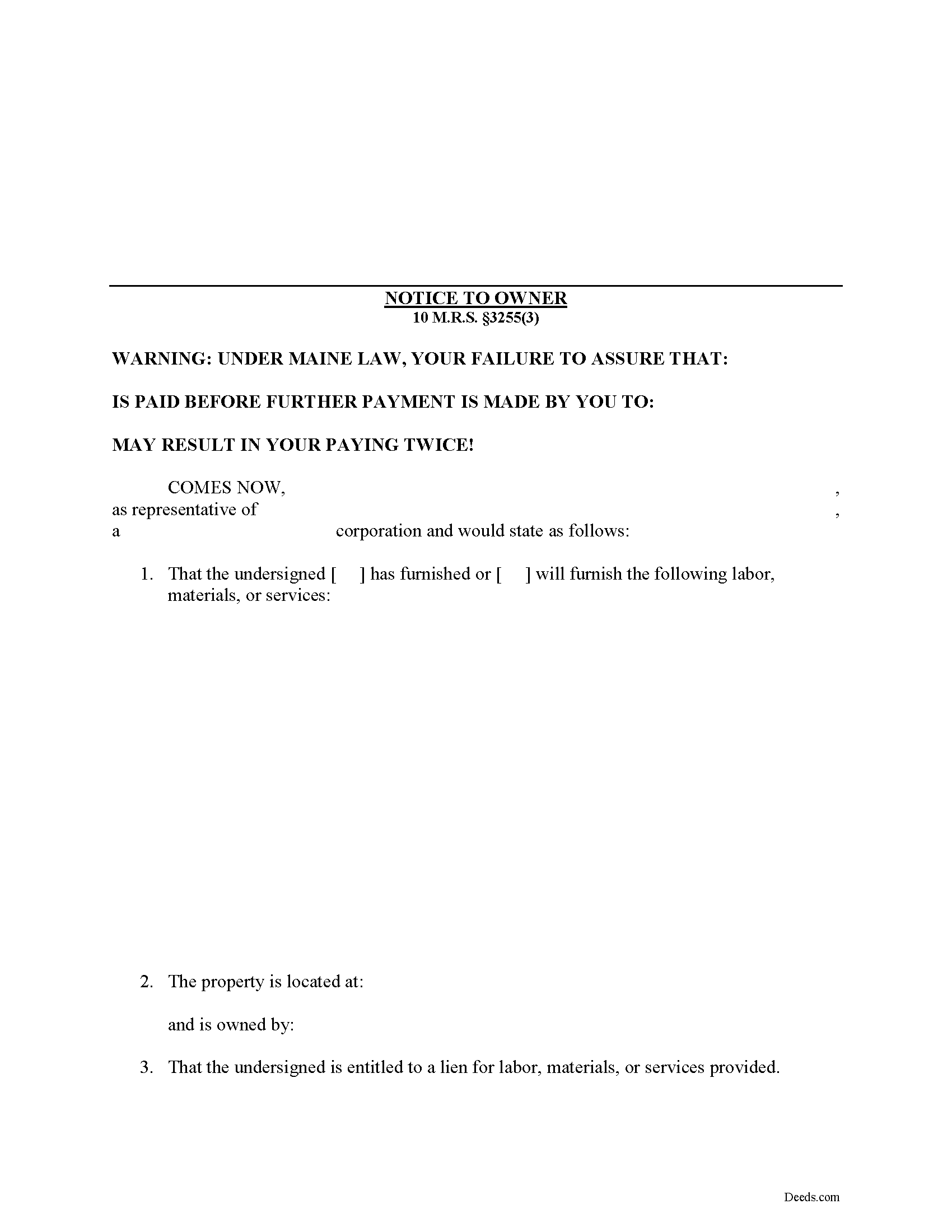
Waldo County Notice to Owner Form
Fill in the blank Notice to Owner form formatted to comply with all Maine recording and content requirements.
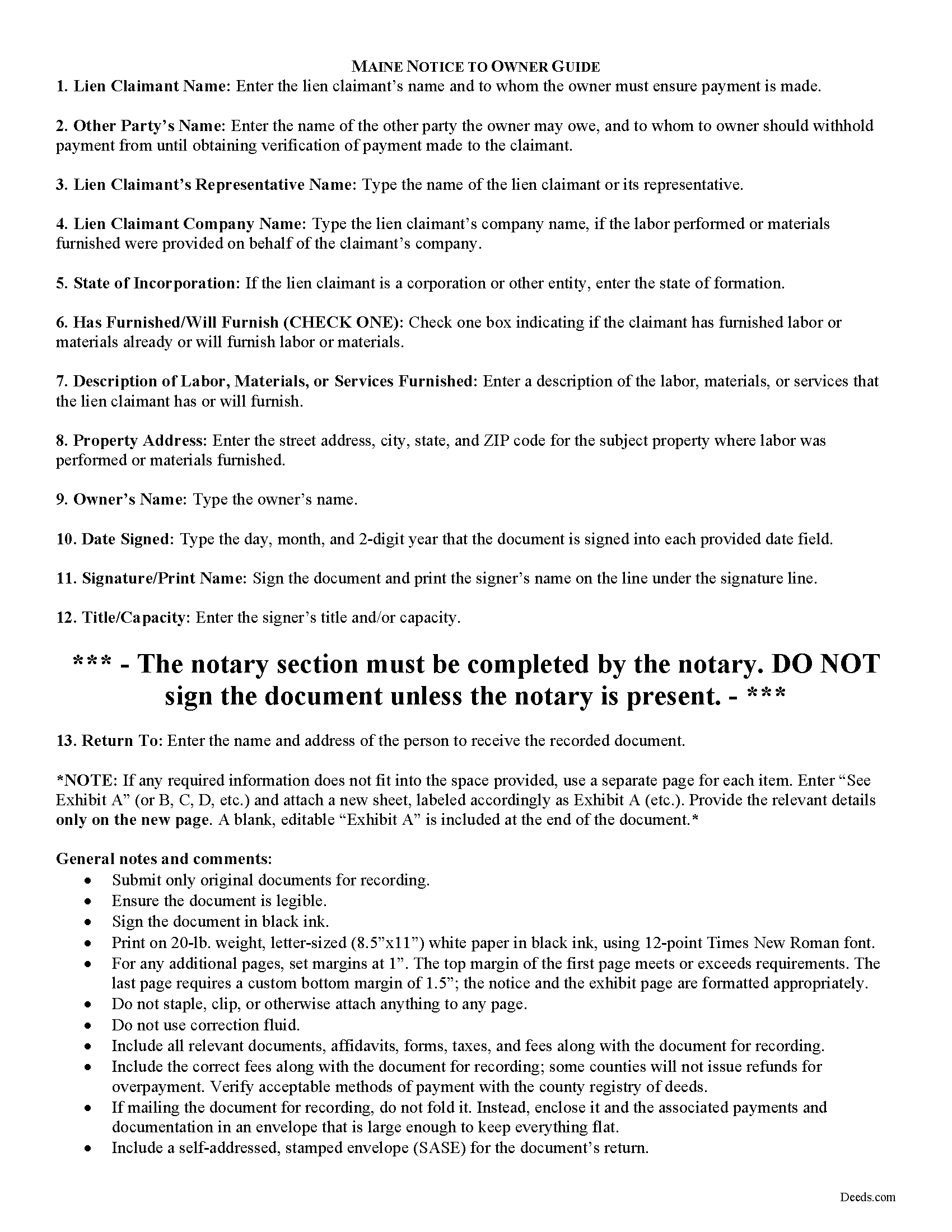
Waldo County Notice to Owner Guide
Line by line guide explaining every blank on the form.
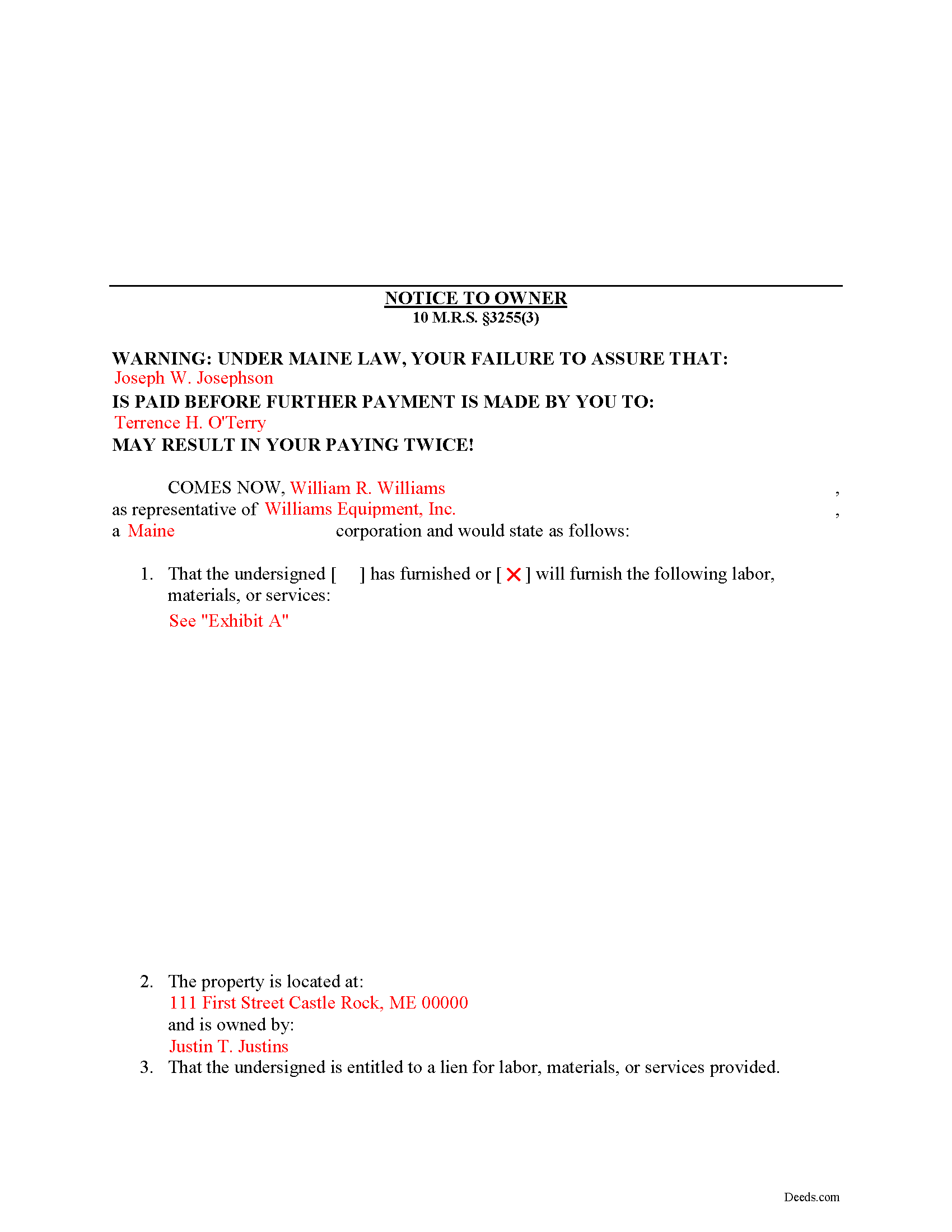
Waldo County Completed Example of the Notice to Owner Document
Example of a properly completed form for reference.
All 3 documents above included • One-time purchase • No recurring fees
Immediate Download • Secure Checkout
Additional Maine and Waldo County documents included at no extra charge:
Where to Record Your Documents
Registry of Deeds
Belfast, Maine 04915
Hours: 8:00 to 4:00 Monday through Friday
Phone: (207) 338-1710
Recording Tips for Waldo County:
- Bring your driver's license or state-issued photo ID
- Ensure all signatures are in blue or black ink
- Make copies of your documents before recording - keep originals safe
- Recorded documents become public record - avoid including SSNs
- Recording fees may differ from what's posted online - verify current rates
Cities and Jurisdictions in Waldo County
Properties in any of these areas use Waldo County forms:
- Belfast
- Brooks
- Burnham
- Frankfort
- Freedom
- Islesboro
- Liberty
- Lincolnville
- Lincolnville Center
- Monroe
- Morrill
- Palermo
- Sandy Point
- Searsmont
- Searsport
- Stockton Springs
- Thorndike
- Troy
- Unity
- Winterport
Hours, fees, requirements, and more for Waldo County
How do I get my forms?
Forms are available for immediate download after payment. The Waldo County forms will be in your account ready to download to your computer. An account is created for you during checkout if you don't have one. Forms are NOT emailed.
Are these forms guaranteed to be recordable in Waldo County?
Yes. Our form blanks are guaranteed to meet or exceed the applicable formatting requirements used for recording in Waldo County, including margin requirements, font requirements, and other layout standards. This guarantee applies to formatting, not to the legal sufficiency of information entered by the user or the suitability of a form for a particular transaction.
Can I reuse these forms?
Yes. You can reuse the forms for your personal use. For example, if you have multiple properties in Waldo County you only need to order once.
What do I need to use these forms?
The forms are PDFs that you fill out on your computer. The free Adobe Acrobat Reader is recommended, and most PDF apps also work. You do NOT enter your property information online - you download the blank forms and complete them privately on your own computer.
Are there any recurring fees?
No. This is a one-time purchase. Nothing to cancel, no memberships, no recurring fees.
How much does it cost to record in Waldo County?
Recording fees in Waldo County vary. Contact the recorder's office at (207) 338-1710 for current fees.
Questions answered? Let's get started!
Mechanic's liens are governed under Title 10, Chapter 603 of the Maine Code. In Maine, persons furnishing labor, equipment, materials or services without a direct contract with the owner should to send a Notice to Owner document to preserve lien rights. The notice to owner informs the owner of a subordinate contractor's potential lien claim, and reminds them to ensure that, before paying any other party, they should confirm the claimant sending the notice is paid or the owner could end up paying twice for the same labor and materials. Basically, this document protects the property owner and the subcontractor sending the notice, from any unscrupulous actions by the prime contractor.
If the labor, materials or services were not performed or furnished by a contract with the owner of the property affected, a lien may only be enforced against the property affected to the extent of the balance due to the person with whom the owner has directly contracted to perform or furnish the labor, materials and services on which that lien claim is based. 10 M.R.S. section 3255(3). The defense shall only be available with respect to sums paid by the owner to the prime contractor, where payment was made prior to commencement of an action to enforce such lien by the person performing or furnishing labor, materials or services without a contract with the owner or a written notice from the person performing or furnishing labor, materials or services without a contract with the owner. Id.
The Notice must set forth a description of the property sufficiently accurate to identify it; include the names of the owners; a statement that the person giving notice is going to perform or furnish, is performing or furnishing or has performed or furnished labor, materials or services; and notice that the person giving the notice may claim a lien. Id.
Submit the completed, signed, and notarized notice to the local office responsible for maintaining land records, and deliver a certified copy of the recorded document to the property owner and the prime contractor.
This article is provided for informational purposes only and should not be relied upon as substitute for the advice from an attorney. For any questions regarding sending notice to the owner, or any other issues related to liens in Maine, please speak with a licensed attorney.
Important: Your property must be located in Waldo County to use these forms. Documents should be recorded at the county recording office listed above.
This Notice to Owner meets all recording requirements specific to Waldo County.
Our Promise
The documents you receive here are guaranteed to meet or exceed the applicable Waldo County recording format requirements. If there is a rejection caused by our formatting, we will correct the issue or refund your payment. This guarantee applies to document formatting only and does not extend to information entered by the user, the selection of the form, or the legal effect of the completed document.
Save Time and Money
Get your Waldo County Notice to Owner form done right the first time with Deeds.com Uniform Conveyancing Blanks. At Deeds.com, we understand that your time and money are valuable resources, and we don't want you to face a penalty fee or rejection imposed by a county recorder for submitting nonstandard documents. We constantly review and update our forms to meet rapidly changing state and county recording requirements for roughly 3,500 counties and local jurisdictions.
4.8 out of 5 - ( 4,841 Reviews )
Wayne T. 5 out of 5 stars
I was skeptical when I first came upon this website. Not sure why I had such a negative feeling, but after I received the printed deed I felt relieved and completely satisfied. This is a great website for everyone who wouldn't want to retrieve their deed in person and worth the reasonable fee.
We appreciate your business and value your feedback. Thank you. Have a wonderful day!
Nancy H. 5 out of 5 stars
Easy to use site. Would continue to go to for future needs.
We appreciate your business and value your feedback. Thank you. Have a wonderful day!
Patricia C. 4 out of 5 stars
I found there were a large number of documents available to download. The file naming on the PDFs could be more descriptive, and it would be nice to be able to download a complete set with one click.
Thank you for your feedback. We really appreciate it. Have a great day!
Tuesday G. 5 out of 5 stars
This was a great site to use. They responded quickly when needed. And with i 24 hours the deed was filed. Very happy with with site and company! Thank you!
We appreciate your business and value your feedback. Thank you. Have a wonderful day!
Heather G. 5 out of 5 stars
This entire process was painless. I couldn't be happier with how simple and easy it was to get the document I needed.
We’re so glad the process was smooth and easy, Heather—thanks for sharing your experience!
Michael O. 5 out of 5 stars
Great experience. Pre-printed forms, line explanations and samples - solve a lot of problems, eliminate many headaches and research. Thank You!!!
We appreciate your business and value your feedback. Thank you. Have a wonderful day!
Robert B. 5 out of 5 stars
The forms were easy to download and fill.
Thank you!
Peter M. 5 out of 5 stars
Quick and complete. Thanks!
Thank you!
John v. 4 out of 5 stars
Process is well laid out, clear and concise. Check out is easy. Recommendations: * Assign names to the downloadable files that are meaningful, such as: WARRANTY DEED instead of the useless and cryptic 1420490866F11417.pdf. * Provide a ONE BUTTON DOWNLOAD for all forms ordered. It's aggravating to have to click on each of the 20 documents and download them individually.
Thank you for your feedback. We really appreciate it. Have a great day!
Daniel M. 5 out of 5 stars
It was quick and easy!! I recommend this site for your needs!!
Really appreciate you Daniel, thanks for the kind words.
Larry T. 5 out of 5 stars
Excellent service!!!!! A 5STAR
Thanks Larry! We appreciate you.
Joseph S. 5 out of 5 stars
The best solution in creating deeds.
Thank you!
Paula M. 5 out of 5 stars
So far it seems good. I am still trying to send information to this company so they can help me with the deed.
Thank you for your feedback. We really appreciate it. Have a great day!
Joyce B. 5 out of 5 stars
Thanks, the documents were easy to follow and complete.
Thank you for your feedback. We really appreciate it. Have a great day!
Monica M. 5 out of 5 stars
I was very impressed with the quick responses I received from my questions. Usually when forced to communicate via email, responses aren't received right away. Thank you for being on top of things.
Thank you!