Plymouth County Quitclaim Deed (Corrective) Form
Last validated October 9, 2026 by our Forms Development TeamFormatted for recording in Plymouth County, for property anywhere in the county: rural and unincorporated areas as well as Abington, Accord, Brant Rock, Bridgewater, Brockton, Bryantville, Carver, Duxbury and 40 more.
- 3 documents included
- Immediate PDF download
- Formatting guarantee
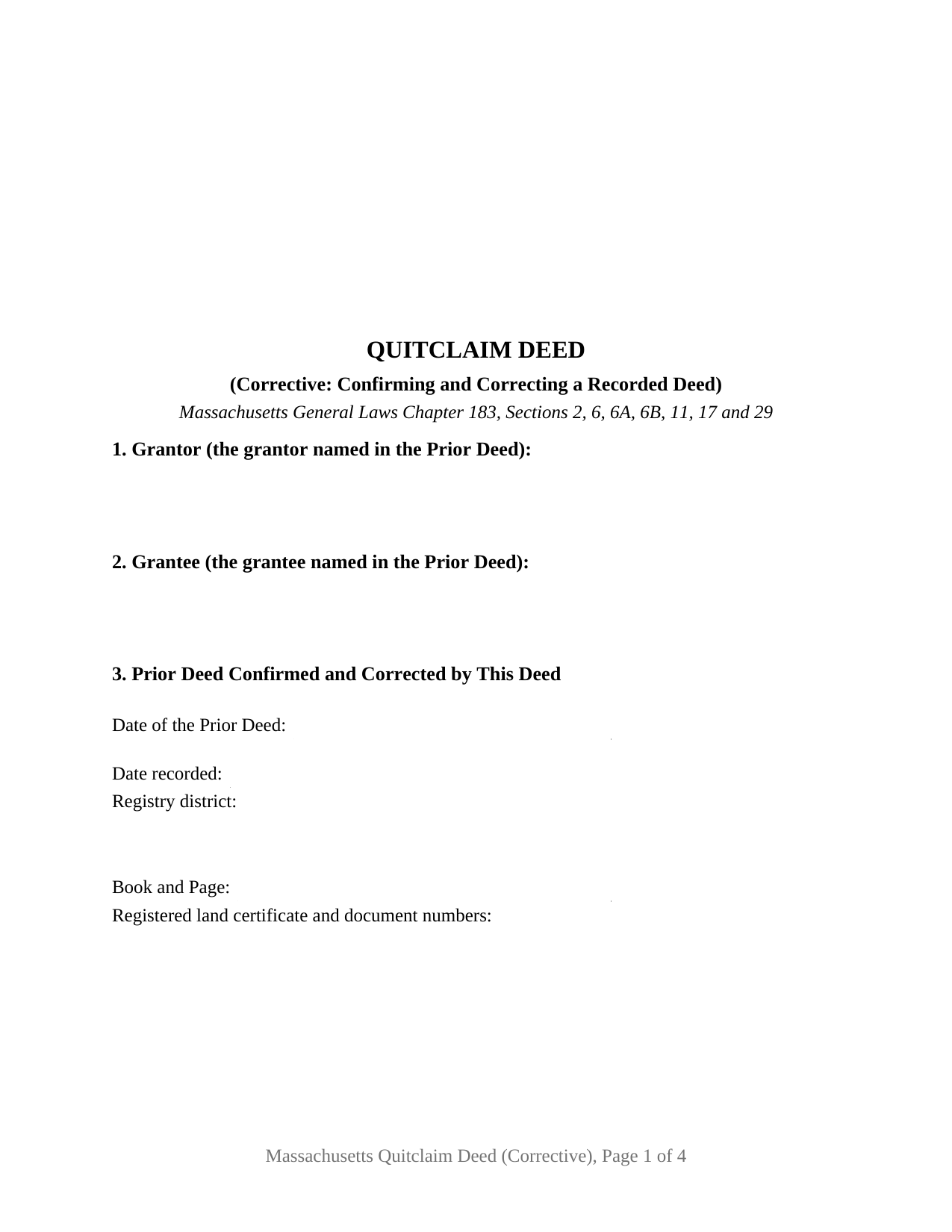
Plymouth County Quitclaim Deed (Corrective) Form
Fill in the blank Quitclaim Deed (Corrective) form formatted to comply with all Massachusetts recording and content requirements.
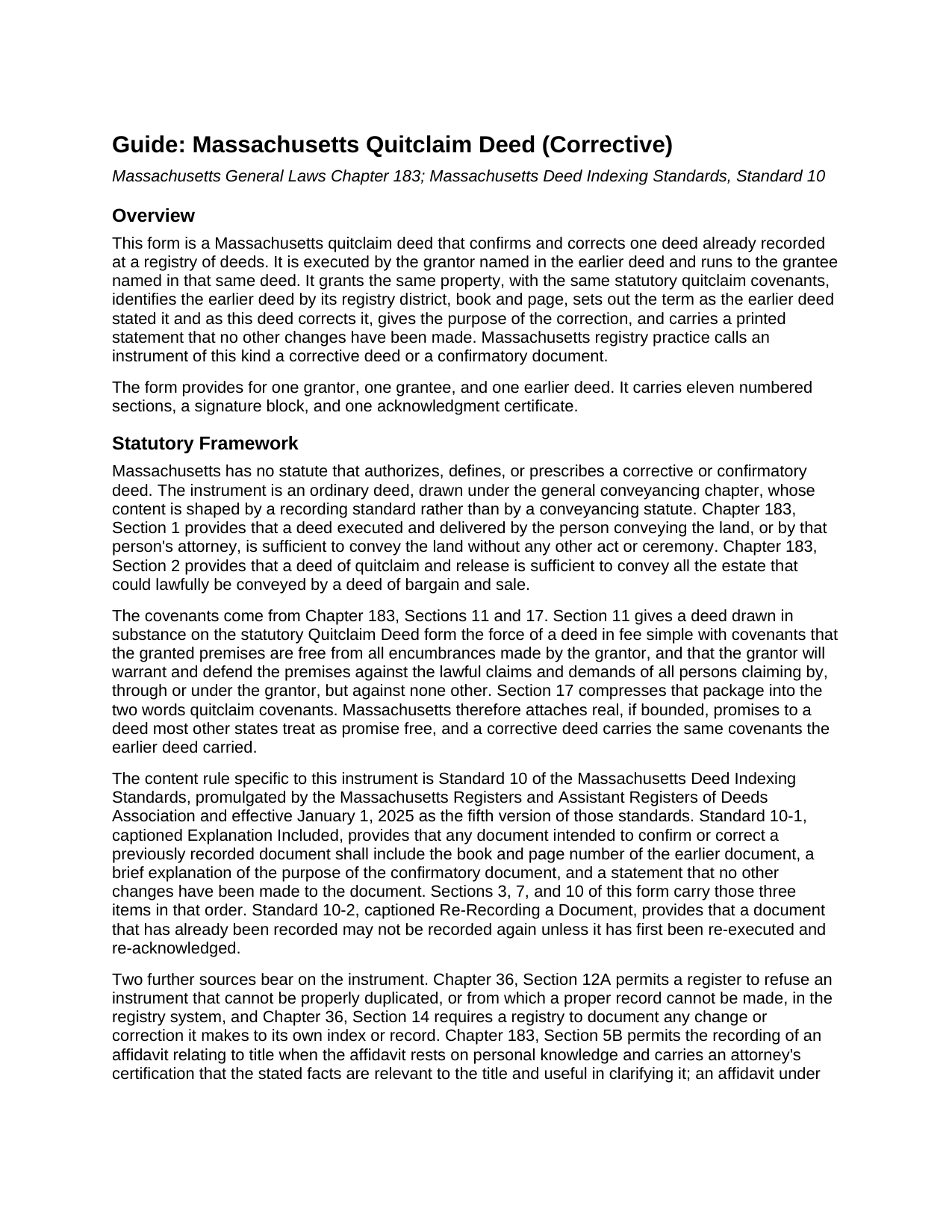
Plymouth County Quitclaim Deed (Corrective) Guide
Line by line guide explaining every blank on the Quitclaim Deed (Corrective) form.
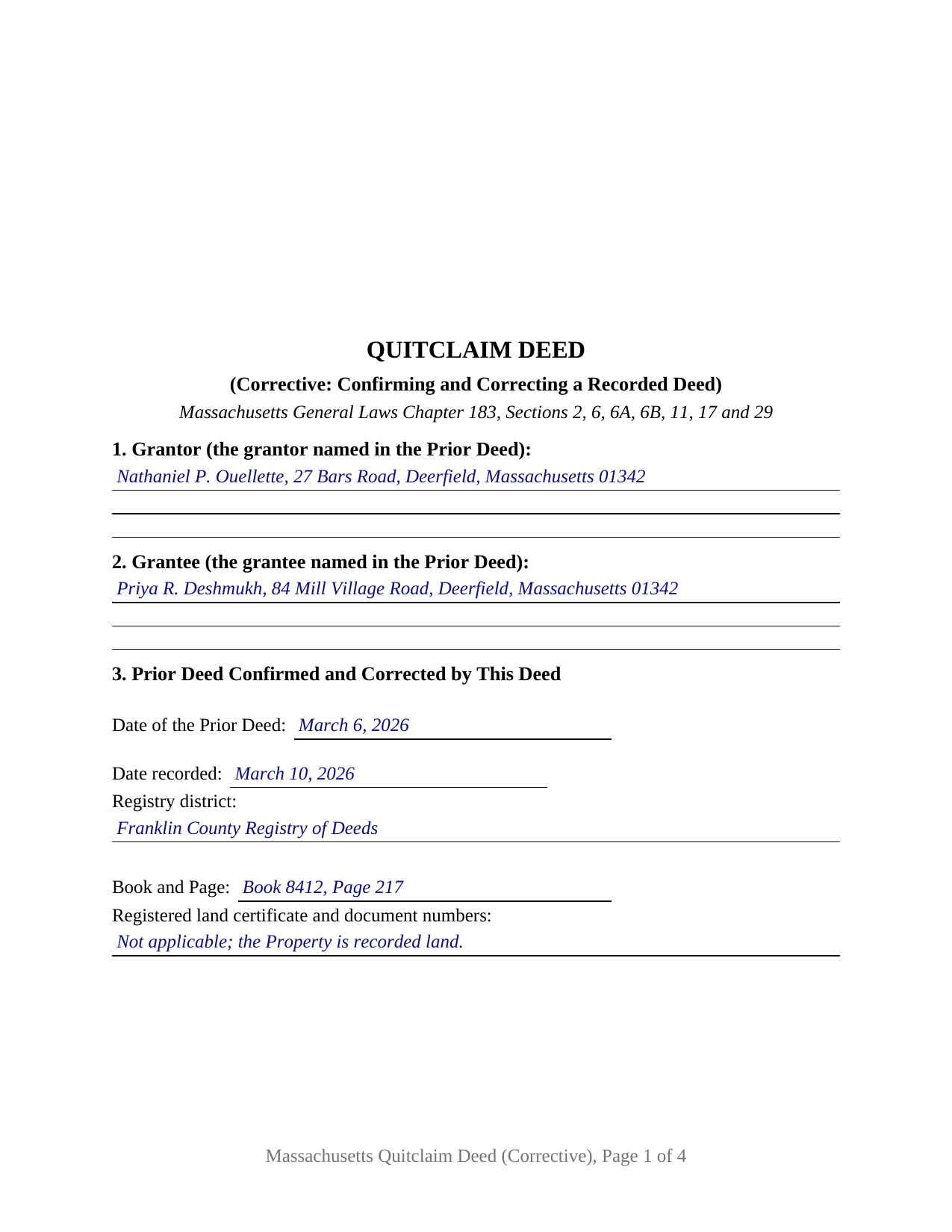
Plymouth County Completed Example of the Quitclaim Deed (Corrective) Document
Example of a properly completed Massachusetts Quitclaim Deed (Corrective) document for reference.
All 3 documents above included • One-time purchase • No recurring fees
Immediate Download • Secure Checkout
Additional Massachusetts and Plymouth County documents included at no extra charge:
Where to Record Your Documents
Plymouth - Main Office with Land Court
Plymouth, Massachusetts 02360
Hours: 8:15 to 4:30 M-F / Recording until 4:00
Phone: (508) 830-9200
Brockton Satellite Office
Brockton, Massachusetts 02301
Hours: 8:30 to 12:00 & 12:45 to 4:15 M-F / Recording until 4:00
Phone: (508) 830-9200
Rockland Satellite Office
Rockland, Massachusetts 02370
Hours: 8:30 to 12:00 & 12:45 to 4:15 M-F / Recording until 4:00
Phone: (508) 830-9200
Recording Tips for Plymouth County:
- Bring your driver's license or state-issued photo ID
- Ensure all signatures are in blue or black ink
- Avoid the last business day of the month when possible
- Both spouses typically need to sign if property is jointly owned
- Bring extra funds - fees can vary by document type and page count
Cities and Jurisdictions in Plymouth County
Properties in any of these areas use Plymouth County forms:
- Abington
- Accord
- Brant Rock
- Bridgewater
- Brockton
- Bryantville
- Carver
- Duxbury
- East Bridgewater
- East Wareham
- Elmwood
- Green Harbor
- Greenbush
- Halifax
- Hanover
- Hanson
- Hingham
- Hull
- Humarock
- Kingston
- Lakeville
- Manomet
- Marion
- Marshfield
- Marshfield Hills
- Mattapoisett
- Middleboro
- Minot
- Monponsett
- North Carver
- North Marshfield
- North Pembroke
- North Scituate
- Norwell
- Ocean Bluff
- Onset
- Pembroke
- Plymouth
- Plympton
- Rochester
- Rockland
- Scituate
- South Carver
- Wareham
- West Bridgewater
- West Wareham
- White Horse Beach
- Whitman
Hours, fees, requirements, and more for Plymouth County
How do I get my forms?
Forms are available for immediate download after payment. The Plymouth County forms will be in your account ready to download to your computer. An account is created for you during checkout if you don't have one. Forms are NOT emailed.
Are these forms guaranteed to be recordable in Plymouth County?
Yes. Our form blanks are guaranteed to meet or exceed the applicable formatting requirements used for recording in Plymouth County, including margin requirements, font requirements, and other layout standards. This guarantee applies to formatting, not to the legal sufficiency of information entered by the user or the suitability of a form for a particular transaction.
Can I reuse these forms?
Yes. You can reuse the forms for your personal use. For example, if you have multiple properties in Plymouth County you only need to order once.
What do I need to use these forms?
The forms are PDFs that you fill out on your computer. The free Adobe Acrobat Reader is recommended, and most PDF apps also work. You do NOT enter your property information online - you download the blank forms and complete them privately on your own computer.
Are there any recurring fees?
No. This is a one-time purchase. Nothing to cancel, no memberships, no recurring fees.
How much does it cost to record in Plymouth County?
Recording fees in Plymouth County vary. Contact the recorder's office at (508) 830-9200 for current fees.
Questions answered? Let's get started!
The rule that shapes a Massachusetts corrective deed is not in the General Laws. It is Standard 10-1 of the Massachusetts Deed Indexing Standards, which asks any document intended to confirm or correct a previously recorded document for three things: the book and page number of the earlier document, a brief explanation of the purpose of the confirmatory document, and a statement that no other changes have been made. This fillable Massachusetts quitclaim deed is built around those three items, for one grantor putting right one deed already on the record.
Three items a registry standard asks for
Section 3 of the form takes the first: the date of the earlier deed, the date it was recorded, the registry district that recorded it, its book and page, and the certificate of title and document numbers where the land is registered. Section 7 takes the second, the brief explanation of purpose, in a sentence or two naming the error. Section 10 carries the third in capital letters, along with the limits that travel with it: the deed passes no interest beyond the interest the earlier deed passed, adds no grantor and no grantee, and terminates no estate of homestead that the earlier deed left standing. Section 6 sits between them, setting out the term as the earlier deed had it and as this deed puts it, side by side.
A deed signed and acknowledged on its own day
Standard 10-2 is why a correction arrives as a fresh instrument rather than a marked-up copy: a document that has already been recorded may not be recorded again unless it has first been re-executed and re-acknowledged. So this deed carries its own date, its own signature, and its own acknowledgment certificate in the substance of the General Laws Chapter 222, Section 15 short form, and the completed example shows a July 2026 signature on a deed correcting a March 2026 conveyance in Deerfield. The covenants stay the ordinary Massachusetts ones. Chapter 183, Sections 11 and 17 attach to the two words quitclaim covenants a promise that the premises are free of encumbrances the grantor made, plus a defense against claims by, through or under the grantor and against none other, and a corrective deed carries the same package the deed it corrects carried.
One grantor, one grantee, one earlier deed
Sections 1 and 2 name the grantor and the grantee of the earlier deed, and Section 3 identifies exactly one recorded instrument. A misspelled surname, a dropped middle initial, a wrong plan book page in a title reference, an omitted marital status, and a mistaken date each present the single-deed pattern this form recites. What the form is not built to do is move an interest: adding a person to the title, dropping one, switching a tenancy in common to a joint tenancy, or describing land the earlier deed never described are conveyances whatever the caption says, and they answer to the deeds excise and to the covenant analysis of a conveyance. One signature block appears, for the grantor who signed the deed being corrected; a deed signed by co-owners, by an entity, by a trustee, or by an attorney in fact follows that deed's own signature pattern. Searches for a Massachusetts correction deed, a confirmatory deed, or a scrivener's error deed describe this configuration.
Stamps already bought
Chapter 64D taxes a deed whereby realty sold is conveyed for more than one hundred dollars, and Department of Revenue Directive 89-16 states that the excise reaches only transactions in which realty is sold, and not deeds given without consideration. Section 9 is what tells the registry which case it has: the excise paid on the earlier deed, the book and page where that deed sits, and the fact that nothing passes under this one. One electronic filing rule follows: the indexing standards keep a deed exempt from the deeds excise off the electronic channel unless the submitter clears it with the registry beforehand. Filing happens in the registry district covering the land, at the statewide $155 deed fee, and Chapter 36, Section 24B sends the transfer information on to the local assessors.
The download delivers this corrective quitclaim deed as a fillable PDF, the completed example filled through every blank, and a guide walking each numbered section, the acknowledgment certificate, and the recording steps. The materials describe Massachusetts law in general terms and are not legal advice.
Important: Your property must be located in Plymouth County to use these forms. Documents should be recorded at the county recording office listed above.
This Quitclaim Deed (Corrective) meets all recording requirements specific to Plymouth County.
Our Promise
The documents you receive here are guaranteed to meet or exceed the applicable Plymouth County recording format requirements. If there is a rejection caused by our formatting, we will correct the issue or refund your payment. This guarantee applies to document formatting only and does not extend to information entered by the user, the selection of the form, or the legal effect of the completed document.
Save Time and Money
Get your Plymouth County Quitclaim Deed (Corrective) form done right the first time with Deeds.com Uniform Conveyancing Blanks. At Deeds.com, we understand that your time and money are valuable resources, and we don't want you to face a penalty fee or rejection imposed by a county recorder for submitting nonstandard documents. We constantly review and update our forms to meet rapidly changing state and county recording requirements for roughly 3,500 counties and local jurisdictions.
4.8 out of 5 - ( 4,823 Reviews )
Wendy S. 5 out of 5 stars
Very easy and affordable.
We appreciate your business and value your feedback. Thank you. Have a wonderful day!
Vertina B. 5 out of 5 stars
The website is well established and easy to use. I got everything I was supposed to get. I had no problem downloading the forms. All of the forms printed well.
We appreciate your business and value your feedback. Thank you. Have a wonderful day!
Terrill M. 5 out of 5 stars
Great forms and information
We appreciate your business and value your feedback. Thank you. Have a wonderful day!
Cecelia C. 5 out of 5 stars
Service was fantastic. So helpful and they promptly get back with you. No reason to drive if you are out of state and need to get a deed filed. Safe way to file if you don't want to go to public office or can't physically get there.
Thank you for your feedback. We really appreciate it. Have a great day!
Darrel V. 5 out of 5 stars
Pretty easy to use and timely, too!
We appreciate your business and value your feedback. Thank you. Have a wonderful day!
LOUISE W. 5 out of 5 stars
Thank you for your help on my Quit Claim deed. I am very pleased with your patience and the resolving of the deed.
Thank you for your feedback. We really appreciate it. Have a great day!
RHONDA G. 4 out of 5 stars
Was driven to this site by the county website. It took a bit of work having to create an account, etc. The example was useful; however the example only showed both parties in the same county, nor did the instructions mention anything about differing counties. This caused an oversight on my part.
Your insights are invaluable to us and help us strive for better service. Thank you for taking the time to share your thoughts.
Sandra S. 5 out of 5 stars
Very helpful, with blank and sample completed documents. The only thing I was confused about was the "legal description" of my property. The documents weren't too helpful on what that meant. Otherwise they were great. It saved me $200 to prepare these myself.
Thank you for your feedback. We really appreciate it. Have a great day!
Kenneth R. 5 out of 5 stars
Easy to use and saves money.
Thank you!
Edward M. 5 out of 5 stars
Thank you for your excellence form services. I can download all the forms easily. If you have the guide on how to fill out all of those forms, that more helpful for me. I don't know how the use E-Recording? Can you tell me how? If my friends ask me about the legal forms services, I will tell them to use your Website. If I wrote some words wrong, please correct them before display publicly.
Thank you for your feedback. We really appreciate it. Have a great day!
James W. 5 out of 5 stars
It turned out that I was able to search for what I needed on the local county website, which is what your site suggested be tried. I was impressed with your honesty and practical instructions for searches your site gave. I'm pretty sure I'll be back.
Thank you for your feedback James. Glad to hear we were able to steer you in the right direction.
Robert K. 5 out of 5 stars
Very user friendly - I found the affidavit I needed right away together with the guide to filling it out.
Thank you!
Donna W. 5 out of 5 stars
Answered all of my questions and was very easy to use. I will use Deeds.com to do all of my real estate forms from now on. Thanks.
Thank you!
Nancy B. 5 out of 5 stars
Deeds.com is a godsend! Being able to download the pertinent state and county specific forms reassured me of having the correct t forms in which to proceed. The cost was most reasonable. Thanks for this service.
Thank you!
Barbara J. 5 out of 5 stars
Process was simple and fast. Awaiting response form agency. I’m happy to have found deeds.com for a speedy service.
We appreciate your business and value your feedback. Thank you. Have a wonderful day!