Essex County Statement of Account Form
Last validated October 9, 2026 by our Forms Development TeamFormatted for recording in Essex County, for property anywhere in the county: rural and unincorporated areas as well as Amesbury, Andover, Beverly, Boxford, Byfield, Danvers, Essex, Georgetown and 31 more.
- 3 documents included
- Immediate PDF download
- Formatting guarantee
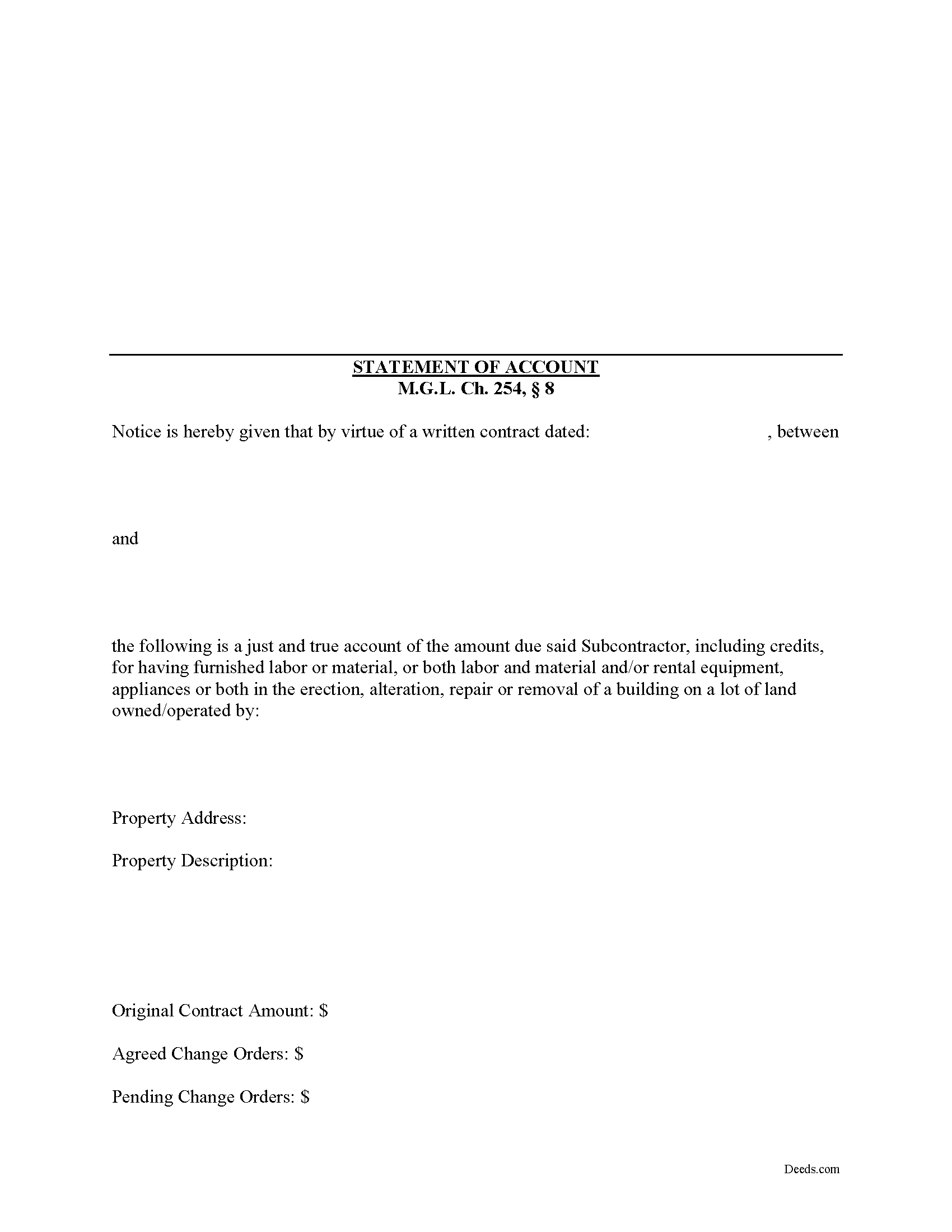
Essex County Statement of Account Form
Fill in the blank Statement of Account form formatted to comply with all Massachusetts recording and content requirements.
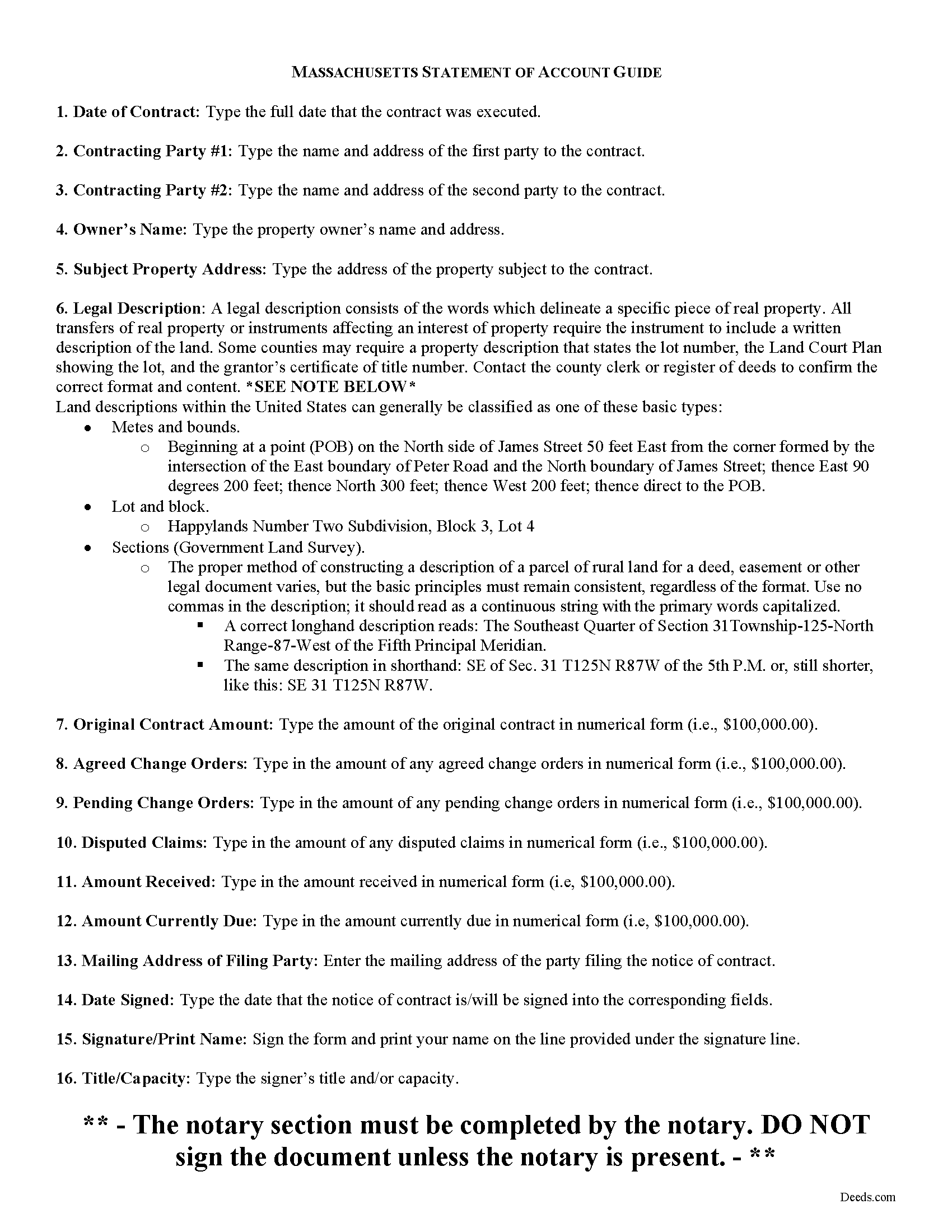
Essex County Statement of Account Guide
Line by line guide explaining every blank on the form.
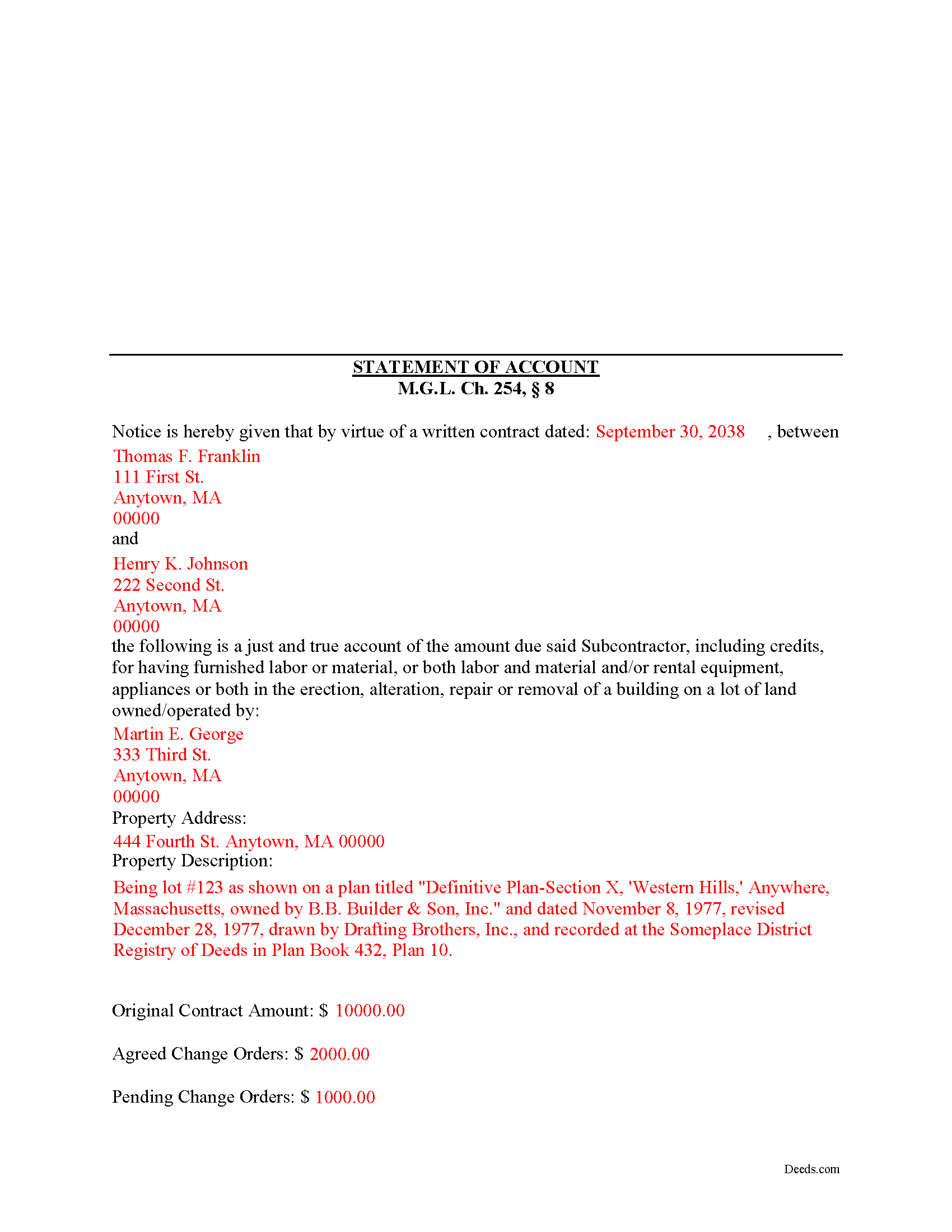
Essex County Completed Example of the Statement of Account Document
Example of a properly completed form for reference.
All 3 documents above included • One-time purchase • No recurring fees
Immediate Download • Secure Checkout
Additional Massachusetts and Essex County documents included at no extra charge:
Where to Record Your Documents
Essex County Registry of Deeds, Northern District
Lawrence, Massachusetts 01843
Hours: 8:00 to 4:30 Mon-Fri / Recording until 4:00
Phone: (978) 557-1900
Essex County Register of Deeds, Southern District
Salem, Massachusetts 01970
Hours: 8:00 to 4:30 Mon-Fri / Recording until 4:00
Phone: (978) 542-1704
Recording Tips for Essex County:
- Bring your driver's license or state-issued photo ID
- Ensure all signatures are in blue or black ink
- Recording fees may differ from what's posted online - verify current rates
- Request a receipt showing your recording numbers
- Ask about accepted payment methods when you call ahead
Cities and Jurisdictions in Essex County
Properties in any of these areas use Essex County forms:
- Amesbury
- Andover
- Beverly
- Boxford
- Byfield
- Danvers
- Essex
- Georgetown
- Gloucester
- Groveland
- Hamilton
- Hathorne
- Haverhill
- Ipswich
- Lawrence
- Lynn
- Lynnfield
- Manchester
- Marblehead
- Merrimac
- Methuen
- Middleton
- Nahant
- Newbury
- Newburyport
- North Andover
- Peabody
- Prides Crossing
- Rockport
- Rowley
- Salem
- Salisbury
- Saugus
- South Hamilton
- Swampscott
- Topsfield
- Wenham
- West Boxford
- West Newbury
Hours, fees, requirements, and more for Essex County
How do I get my forms?
Forms are available for immediate download after payment. The Essex County forms will be in your account ready to download to your computer. An account is created for you during checkout if you don't have one. Forms are NOT emailed.
Are these forms guaranteed to be recordable in Essex County?
Yes. Our form blanks are guaranteed to meet or exceed the applicable formatting requirements used for recording in Essex County, including margin requirements, font requirements, and other layout standards. This guarantee applies to formatting, not to the legal sufficiency of information entered by the user or the suitability of a form for a particular transaction.
Can I reuse these forms?
Yes. You can reuse the forms for your personal use. For example, if you have multiple properties in Essex County you only need to order once.
What do I need to use these forms?
The forms are PDFs that you fill out on your computer. The free Adobe Acrobat Reader is recommended, and most PDF apps also work. You do NOT enter your property information online - you download the blank forms and complete them privately on your own computer.
Are there any recurring fees?
No. This is a one-time purchase. Nothing to cancel, no memberships, no recurring fees.
How much does it cost to record in Essex County?
Recording fees in Essex County vary. Contact the recorder's office at (978) 557-1900 for current fees.
Questions answered? Let's get started!
According to the Massachusetts mechanic's lien procedure, a Statement of Account is the second document that must be filed.
The time for filing depends upon whether certain other filings have been made. For instance, if a Notice of Substantial Completion has been filed or recorded, the Statement of Account must be filed ninety (90) days after the filing or recording of the Notice of Substantial Completion. M.G.L. Ch. 254, 8.
If a Notice of Termination has been filed or recorded, the Statement of Account must be filed one hundred and twenty (120) days after the filing or recording of the Notice of Termination. Id.
Otherwise, the Statement of Account must be filed one hundred and twenty (120) days after the last day a person who is entitled to enforce a lien under a written contract or anyone claiming by, through or under him, performed or furnished labor or material or both labor and materials or furnished rental equipment, appliances or tools, files or records in the registry of deeds in the county or district where the land lies a statement, giving a just and true account of the amount due or to become due him, with all just credits, a brief description of the property, and the names of the owners set forth in the notice of contract. Id.
In addition, liens for design professions or their subcontracts will be dissolved unless a like statement is filed or recorded at the appropriate registry of deeds within thirty (30) days after the last day that a notice of contract may be filed or recorded. Id.
A lien for labor only will be dissolved unless a like statement, giving the names of the owner of record at the time the work was performed or at the time of filing the statement, is filed or recorded in the appropriate registry of deeds within the ninety (90) days provided to claim a lien. Id.
Nothing prohibits the filing or recording of a statement under this section prior to the filing or recording of the notices of substantial completion or termination. Id.
The Statement of Accounts contains the following information: 1) names and addresses of the parties to the written contract; 2) owner's name and address; 3) address of subject property; 4) a legal property description of the subject property; and 5) the original contract amount as well as all change orders, amounts in dispute, amounts received, and amount currently due. Id. The statement must be filed and recorded in the county register of deeds in the county where the subject property is located.
This article is provided for informational purposes only and should not be relied upon as a substitute for advice from an attorney. Please speak with a Massachusetts attorney if you have any questions about a Statement of Account or for any other issues concerning mechanic's liens.
Important: Your property must be located in Essex County to use these forms. Documents should be recorded at the county recording office listed above.
This Statement of Account meets all recording requirements specific to Essex County.
Our Promise
The documents you receive here are guaranteed to meet or exceed the applicable Essex County recording format requirements. If there is a rejection caused by our formatting, we will correct the issue or refund your payment. This guarantee applies to document formatting only and does not extend to information entered by the user, the selection of the form, or the legal effect of the completed document.
Save Time and Money
Get your Essex County Statement of Account form done right the first time with Deeds.com Uniform Conveyancing Blanks. At Deeds.com, we understand that your time and money are valuable resources, and we don't want you to face a penalty fee or rejection imposed by a county recorder for submitting nonstandard documents. We constantly review and update our forms to meet rapidly changing state and county recording requirements for roughly 3,500 counties and local jurisdictions.
4.8 out of 5 - ( 4,828 Reviews )
ROBERT B. 5 out of 5 stars
The staff of DEEDS.COM is in a class of excellence all by themselves! From my own personal experience, I had multiple problems with some documents I was submitting. DEEDS.COM stayed with me and held my hand through the project until it was completed! I have never met the staff at DEEDS, but their personal service & professionalism make me feel like part of the DEEDS Family! If I ever need legal documents submitted to government agencies nationwide ever again, THE ONLY STOP ONLINE I WILL MAKE WILL BE DEEDS.COM!
Thank you for your feedback. We really appreciate it. Have a great day!
Tisha J. 5 out of 5 stars
A quick and efficient way to record! Awesome customer service and SUPER FAST turnaround time.!
Thank you!
Steve F. 5 out of 5 stars
Fast Service, Easy to use. Highly Recommend!
Thank you!
Jermaine H. 5 out of 5 stars
Great informative site.... helped me find exactly what I was looking for. DETAILED information on my property!
Thank you for your feedback. We really appreciate it. Have a great day!
Dave S. 5 out of 5 stars
Easy to use and get forms I needed. Corporate need for an invoice/receipt could be a bit easier - have to print screen to get any info.
Thank you for your feedback Dave, we really appreciate it.
Dianne C. 5 out of 5 stars
Love it
Thank you!
Kimberly F. 5 out of 5 stars
Ordered and received the quitclaim form. Exactly what I expected, perfect.
Thank you for your feedback. We really appreciate it. Have a great day!
Debra B. 5 out of 5 stars
Easy to process and file with the courthouse.
We appreciate your business and value your feedback. Thank you. Have a wonderful day!
DONNA P. 5 out of 5 stars
Deeds.com was quick, efficient, and cost effective. Deeds.com works with individuals where I found other companies only offer services to title companies, settlement companies, etc. Thank you Deeds.com!
Thank you for your feedback. We really appreciate it. Have a great day!
Thomas M. 5 out of 5 stars
Thomas hopefully these are the correct forms I need wish me luck
Thank you!
Susan A. 5 out of 5 stars
Very convenient. Instructions and samples are a plus because I often see documents incorrectly completed. Take the time to do it right.
We appreciate your business and value your feedback. Thank you. Have a wonderful day!
Todd W. 2 out of 5 stars
Communication is hard. The reps need to be empowered and encouraged to call the customers when necessary. They encourage 300 dpi resolution and under 2 MB PDF file, which is not even possible with our scanner. They made a vague comment about a legal description looking abbreviated but did not explain. They refused to call me. They said the county said "Image is light please darken", but the image looked fine to me. Maybe not their fault, but they refused to help work with the county on that for me. I followed their suggestion though and re-scanned at 300 dpi, but they misunderstood me and did not re-submit it right away. Over 48 hours later, it's still not recorded yet. I hope it will be today.
Thank you for your feedback Todd.
Mark S. 5 out of 5 stars
Quick and easy. Had what I was searching for. Simple to pay and download.
Thank you!
Jose G. 5 out of 5 stars
One of the best downloads ever. Very easy to do. For the price, well worth it. Thanks
Thank you for your feedback. We really appreciate it. Have a great day!
Tracie R. 5 out of 5 stars
Great company and very fast at getting deeds to me. :)5 star!!
Thank you!