Itasca County Quitclaim Deed (Two Grantors) Form
Last validated October 9, 2026 by our Forms Development TeamFormatted for recording in Itasca County, for property anywhere in the county: rural and unincorporated areas as well as Bigfork, Bovey, Bowstring, Calumet, Cohasset, Coleraine, Deer River, Effie and 16 more.
- 3 documents included
- Immediate PDF download
- Formatting guarantee
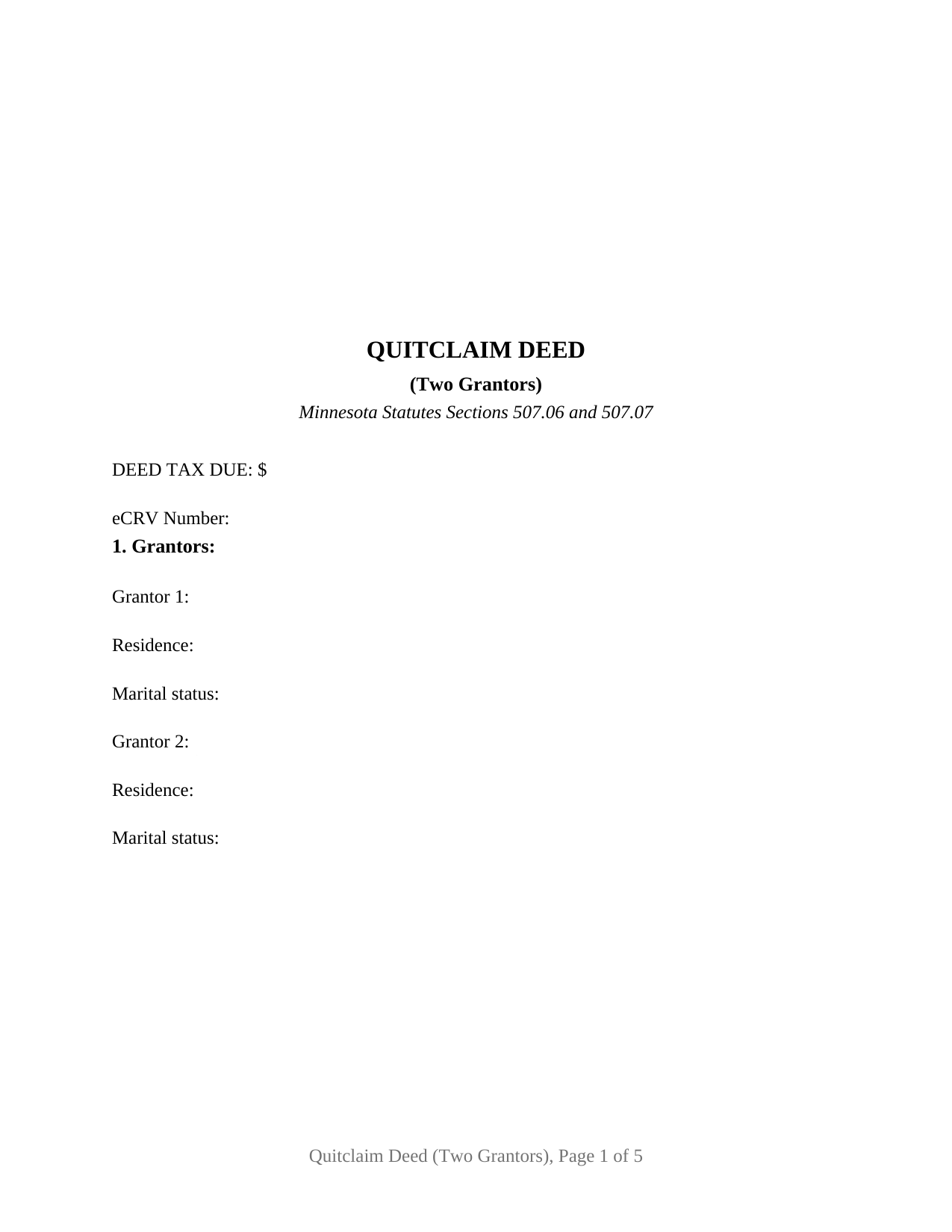
Itasca County Quitclaim Deed (Two Grantors) Form
Fill in the blank Quitclaim Deed (Two Grantors) form formatted to comply with all Minnesota recording and content requirements.
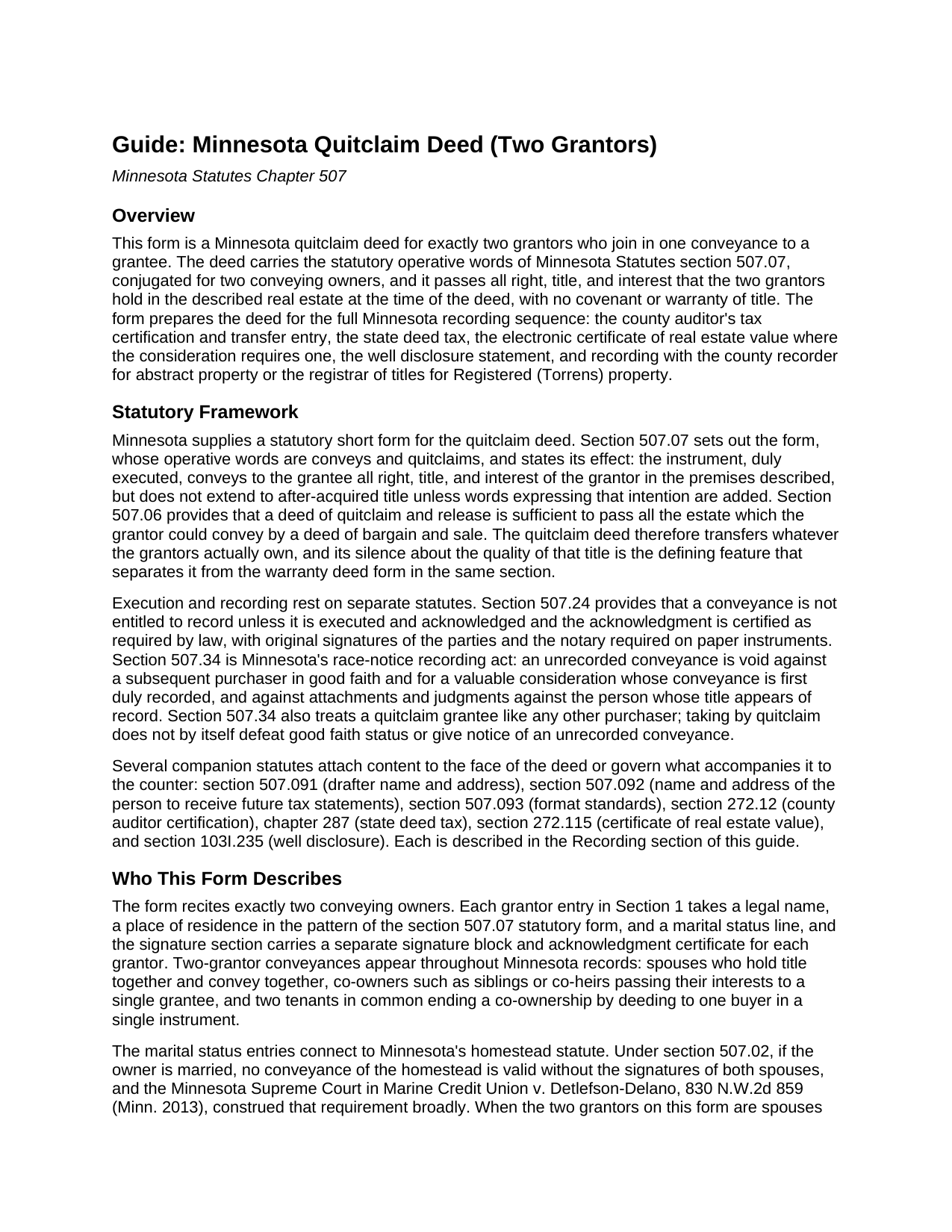
Itasca County Quitclaim Deed (Two Grantors) Guide
Line by line guide explaining every blank on the Quitclaim Deed (Two Grantors) form.

Itasca County Completed Example of the Quitclaim Deed (Two Grantors) Document
Example of a properly completed Minnesota Quitclaim Deed (Two Grantors) document for reference.
All 3 documents above included • One-time purchase • No recurring fees
Immediate Download • Secure Checkout
Additional Minnesota and Itasca County documents included at no extra charge:
Where to Record Your Documents
Itasca County Recorder
Grand Rapids, Minnesota 55744-2600
Hours: 8:00 to 4:30 M-F
Phone: (218) 327-2856
Recording Tips for Itasca County:
- Bring your driver's license or state-issued photo ID
- Ensure all signatures are in blue or black ink
- Ask about accepted payment methods when you call ahead
- Ask for certified copies if you need them for other transactions
- Ask if they accept credit cards - many offices are cash/check only
Cities and Jurisdictions in Itasca County
Properties in any of these areas use Itasca County forms:
- Bigfork
- Bovey
- Bowstring
- Calumet
- Cohasset
- Coleraine
- Deer River
- Effie
- Goodland
- Grand Rapids
- Jacobson
- Keewatin
- Marble
- Marcell
- Max
- Nashwauk
- Pengilly
- Spring Lake
- Squaw Lake
- Swan River
- Taconite
- Talmoon
- Warba
- Wirt
Hours, fees, requirements, and more for Itasca County
How do I get my forms?
Forms are available for immediate download after payment. The Itasca County forms will be in your account ready to download to your computer. An account is created for you during checkout if you don't have one. Forms are NOT emailed.
Are these forms guaranteed to be recordable in Itasca County?
Yes. Our form blanks are guaranteed to meet or exceed the applicable formatting requirements used for recording in Itasca County, including margin requirements, font requirements, and other layout standards. This guarantee applies to formatting, not to the legal sufficiency of information entered by the user or the suitability of a form for a particular transaction.
Can I reuse these forms?
Yes. You can reuse the forms for your personal use. For example, if you have multiple properties in Itasca County you only need to order once.
What do I need to use these forms?
The forms are PDFs that you fill out on your computer. The free Adobe Acrobat Reader is recommended, and most PDF apps also work. You do NOT enter your property information online - you download the blank forms and complete them privately on your own computer.
Are there any recurring fees?
No. This is a one-time purchase. Nothing to cancel, no memberships, no recurring fees.
How much does it cost to record in Itasca County?
Recording fees in Itasca County vary. Contact the recorder's office at (218) 327-2856 for current fees.
Questions answered? Let's get started!
Two owners, one deed. The Minnesota Quitclaim Deed (Two Grantors) is a quitclaim conveyance built around a pair of record owners who convey together: Section 1 recites two grantors by name, with a residence and marital status line under each, and the deed closes with two signature blocks and two notary acknowledgment certificates, so each owner's execution stands on its own in the record. Everything the two grantors hold in the described Minnesota real estate passes to the grantee in a single recorded instrument, with no covenant or warranty of title.
Both halves of the title in one conveyance
Co-owned Minnesota land sits in one of the estates Minnesota Statutes section 500.19 recognizes, a joint tenancy where the deed expressly declared one, and otherwise a tenancy in common. Either way, a grantee who wants the whole parcel wants both interests, and a deed executed by both owners delivers the whole in one instrument instead of leaving the chain to assemble it from two. The two-grantor pattern fills Minnesota's indexes: spouses who took title together and convey together, siblings holding inherited fractional shares that move to a single buyer, and co-owners closing out a shared investment. The conveyance section speaks for both: the grantors, and each of them, convey and quitclaim to the grantee all interest in the described real estate, the section 507.07 quitclaim wording conjugated for a plural grantor, together with the hereditaments and appurtenances and an express statement that no title acquired later passes unless the deed adds words to that effect.
The homestead question answered on the face
Minnesota's homestead statute, section 507.02, makes a married owner's conveyance of the homestead valid only when both spouses sign. A two-grantor quitclaim deed meets that rule on its face whenever the conveying pair are spouses: both are grantors, both sign, and the marital status entries under the grantor names put the relationship in the record. When the two grantors are not married to each other, the same entries document each owner's status, and the guide describes what section 507.02 asks where a married co-owner's homestead is part of the land conveyed. That is the difference between this configuration and a single-owner conveyance: here the signature section itself can carry the whole statutory answer.
Two signatures, two certificates
The signature section dates the deed and gives each grantor a labeled block with a printed name and date line, followed by a separate acknowledgment certificate for each signer in the short form Minnesota notaries complete under section 358.66. Because the certificates are independent, the two grantors may appear before different notaries, in different counties or even different states, on different days, a practical point when co-owners live apart, as inheriting siblings often do. The certificates satisfy the acknowledgment step of section 507.24, the statute that keeps unacknowledged conveyances out of the Minnesota record, and the deed carries original signatures for paper recording.
Prepared for the counter, shown by example
The completed example walks a Dakota County transfer through the numbers: a married couple quitclaims a platted Eagan lot to a single grantee for $92,500, the deed tax line shows $305.25 at Minnesota's 0.0033 rate, the eCRV confirmation number sits on the face, and well disclosure statement (A) certifies no known wells on the property. The blank form carries the same machinery for any two-grantor transfer: the drafter statement and the tax statement address that Minnesota recording law makes conditions of recording, an Abstract or Registered (Torrens) entry that routes the deed to the recorder or the registrar of titles, and a full three inch first-page reserve for the county's recording and tax certification stamps. Searchers who reach this page looking for a quit claim deed for two sellers, joint owners, or co-heirs are looking at the same instrument Minnesota practice records every day under the statutory name.
The package delivers the Minnesota quitclaim deed form for two grantors as a fillable PDF, a completed example showing the Dakota County fact pattern above, and a guide covering every numbered section, the co-ownership forms a grantee may take under section 500.19, and the auditor, deed tax, eCRV, well disclosure, and recording steps. The materials are informational and are not legal advice.
Important: Your property must be located in Itasca County to use these forms. Documents should be recorded at the county recording office listed above.
This Quitclaim Deed (Two Grantors) meets all recording requirements specific to Itasca County.
Our Promise
The documents you receive here are guaranteed to meet or exceed the applicable Itasca County recording format requirements. If there is a rejection caused by our formatting, we will correct the issue or refund your payment. This guarantee applies to document formatting only and does not extend to information entered by the user, the selection of the form, or the legal effect of the completed document.
Save Time and Money
Get your Itasca County Quitclaim Deed (Two Grantors) form done right the first time with Deeds.com Uniform Conveyancing Blanks. At Deeds.com, we understand that your time and money are valuable resources, and we don't want you to face a penalty fee or rejection imposed by a county recorder for submitting nonstandard documents. We constantly review and update our forms to meet rapidly changing state and county recording requirements for roughly 3,500 counties and local jurisdictions.
4.8 out of 5 - ( 4,849 Reviews )
Melody P. 5 out of 5 stars
Thanks again for such expedient and excellent service!
Thank you!
DONALD S. 5 out of 5 stars
Using the Administrators Deed, pay attention to "Exhibit A". The blank will allow you to type a full legal description BUT it will not save it. Use "Exhibit A" to type the legal description. The form was great and I filed it this morning with no problems.
Thank you for your feedback. We really appreciate it. Have a great day!
Sonya B. 5 out of 5 stars
Easy to order what I needed.
Thank you!
Robert W. 5 out of 5 stars
Exactly what I needed. Thank you
Thank you!
Sherry F. 5 out of 5 stars
Good product and service.
Thank you!
Ronald P. 3 out of 5 stars
Forms easy to download but experienced problems trying to type in my information into the forms. Then when I went to print a form, Adobe wanted to charge me for printing. I ended up printing the blank forms and then filling them out manually.
Thank you, Ronald. We're glad you found the forms easy to download, though we're sorry to hear about the printing and fill-in experience. Our forms are designed to be fillable and printable using free software like Adobe Reader. If you ever run into issues, our support team is happy to help!
Donna G. 5 out of 5 stars
Very happy with this service, comprehensive detailed instructions as well as correct forms for my location
We appreciate your business and value your feedback. Thank you. Have a wonderful day!
joab k. 3 out of 5 stars
Usable mediocre average stuff. functional but not extraordinary but the price and service is quite good
Thank you for your feedback. We really appreciate it. Have a great day!
Juliet M. 5 out of 5 stars
So far I am having a good experience.
It was a pleasure serving you. Thank you for the positive feedback!
Armando R. 5 out of 5 stars
Great service, quick and affordable. Thank you!
Thank you!
THOMAS C. 5 out of 5 stars
Very fast service
We appreciate your business and value your feedback. Thank you. Have a wonderful day!
Ronald L. 3 out of 5 stars
There is not enough room on the form to describe my property which was taken directly from the previous deed. Other than that worked as expected.
Thank you for your feedback. We really appreciate it. Have a great day!
Teri B. 5 out of 5 stars
Glad to have all of the helpful extra information, even though they don't answer all questions for all situations. So, I accessed public records and asked questions at the auditor's office. Also, on my Mac computer, filling out the actual deed form is a challenge because the screen jumps to the last page everytime I try to type a few letters or hit the return key, so I'm rollling back up to the first 2 pages after most keystrokes. A bit annoying. Overall, happy to have these form options are available! There is really no need to wait and pay for an attorney when all the information needed is available via public records. Fill in the blanks!
Thanks so much for the feedback Teri. There are known issues between Adobe and Mac, we try to work around them as much as possible. Have a wonderful day!
Joshua P. 5 out of 5 stars
Easy fill in the blanks form. Just FYI make sure you have a copy of whatever deed you are changing and the tax records. You will want the language to be identical.
Thank you for your feedback. We really appreciate it. Have a great day!
Linda W. 5 out of 5 stars
Received feedback in a timely manner and got a quick reponse.
Thank you!