Copiah County Transfer on Death Deed (Sole Owner, Trust Beneficiary) Form
Last validated November 8, 2026 by our Forms Development TeamFormatted for recording in Copiah County, for property anywhere in the county: rural and unincorporated areas as well as Crystal Springs, Gallman, Georgetown, Hazlehurst, Wesson.
- 3 documents included
- Immediate PDF download
- Formatting guarantee
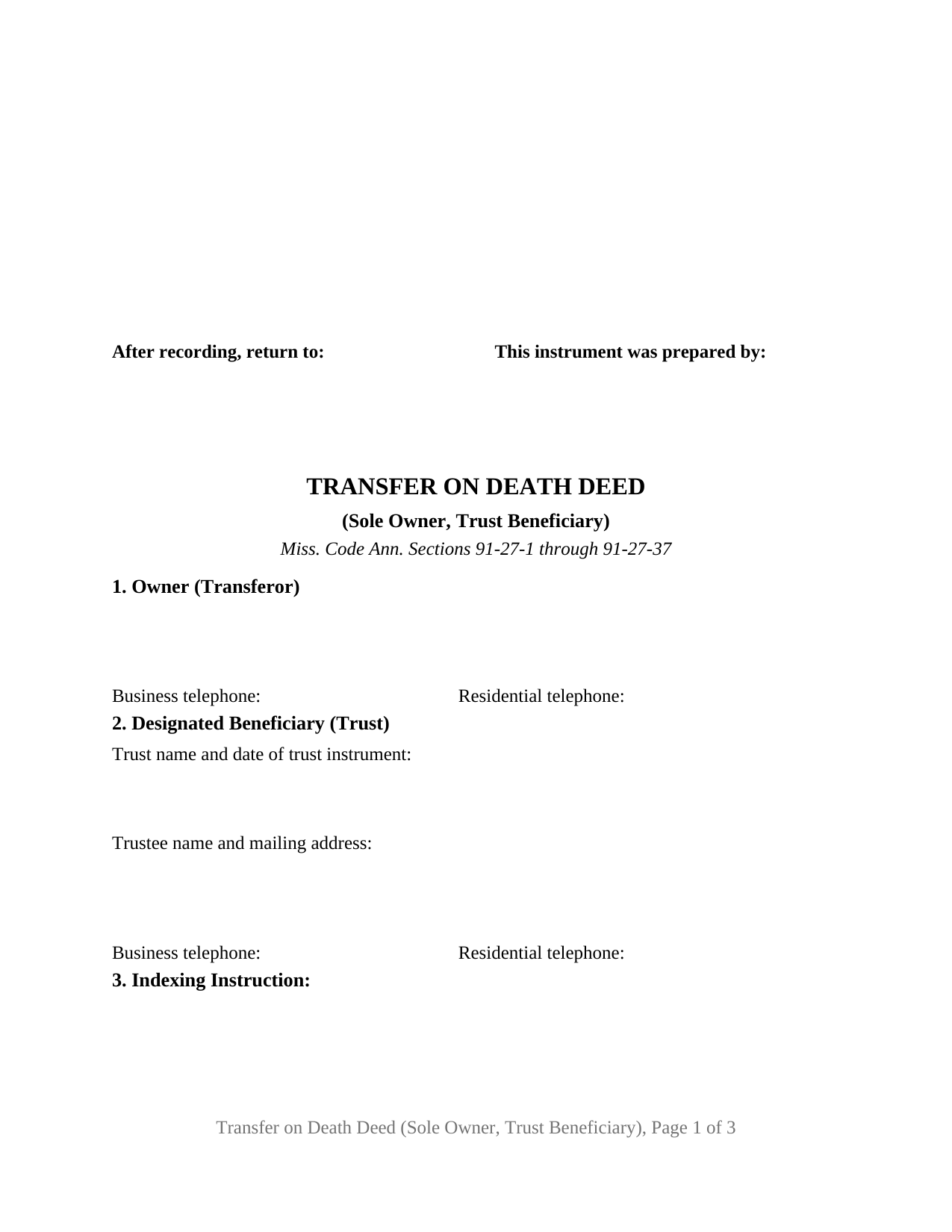
Copiah County Transfer on Death Deed (Sole Owner, Trust Beneficiary) Form
Fill in the blank Transfer on Death Deed (Sole Owner, Trust Beneficiary) form formatted to comply with all Mississippi recording and content requirements.
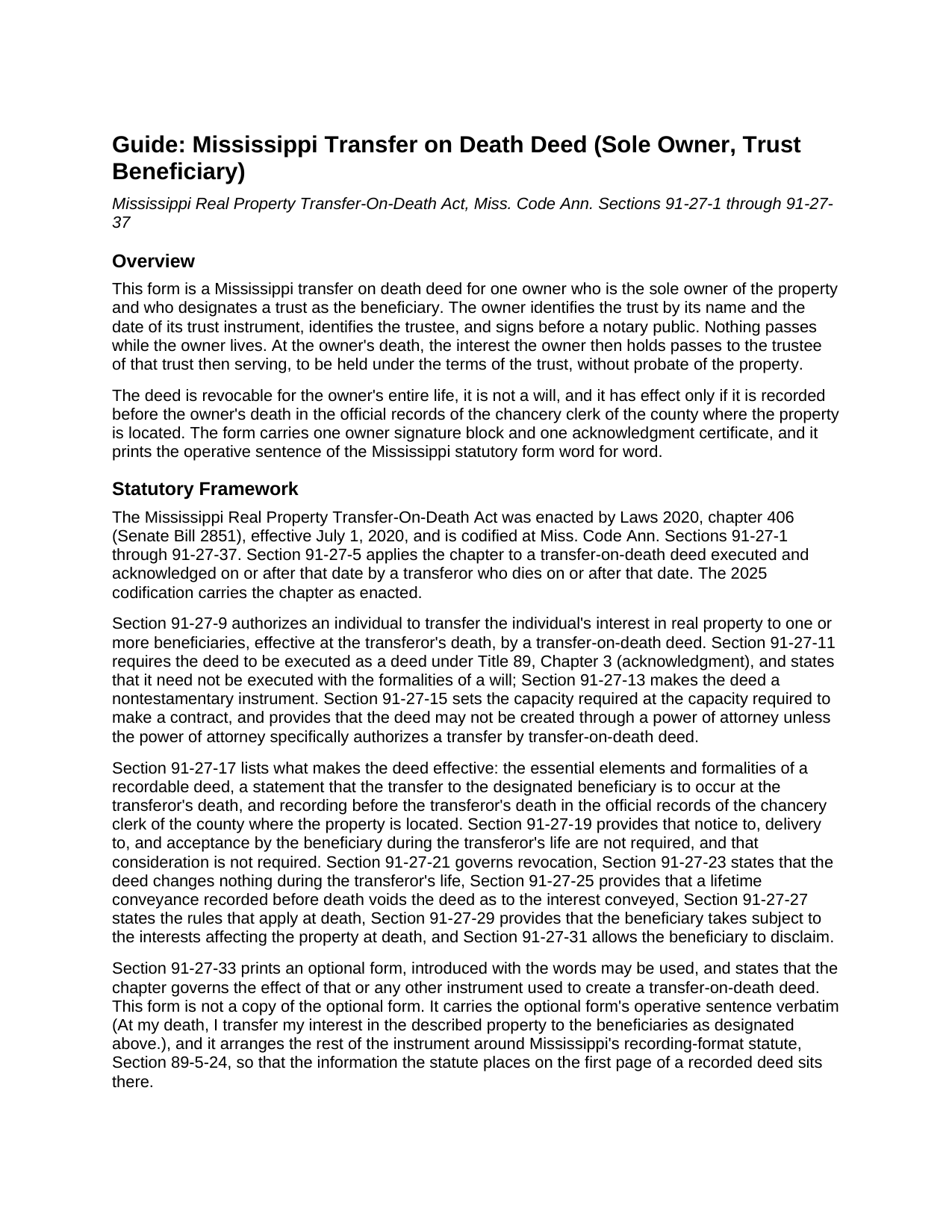
Copiah County Transfer on Death Deed (Sole Owner, Trust Beneficiary) Guide
Line by line guide explaining every blank on the Transfer on Death Deed (Sole Owner, Trust Beneficiary) form.
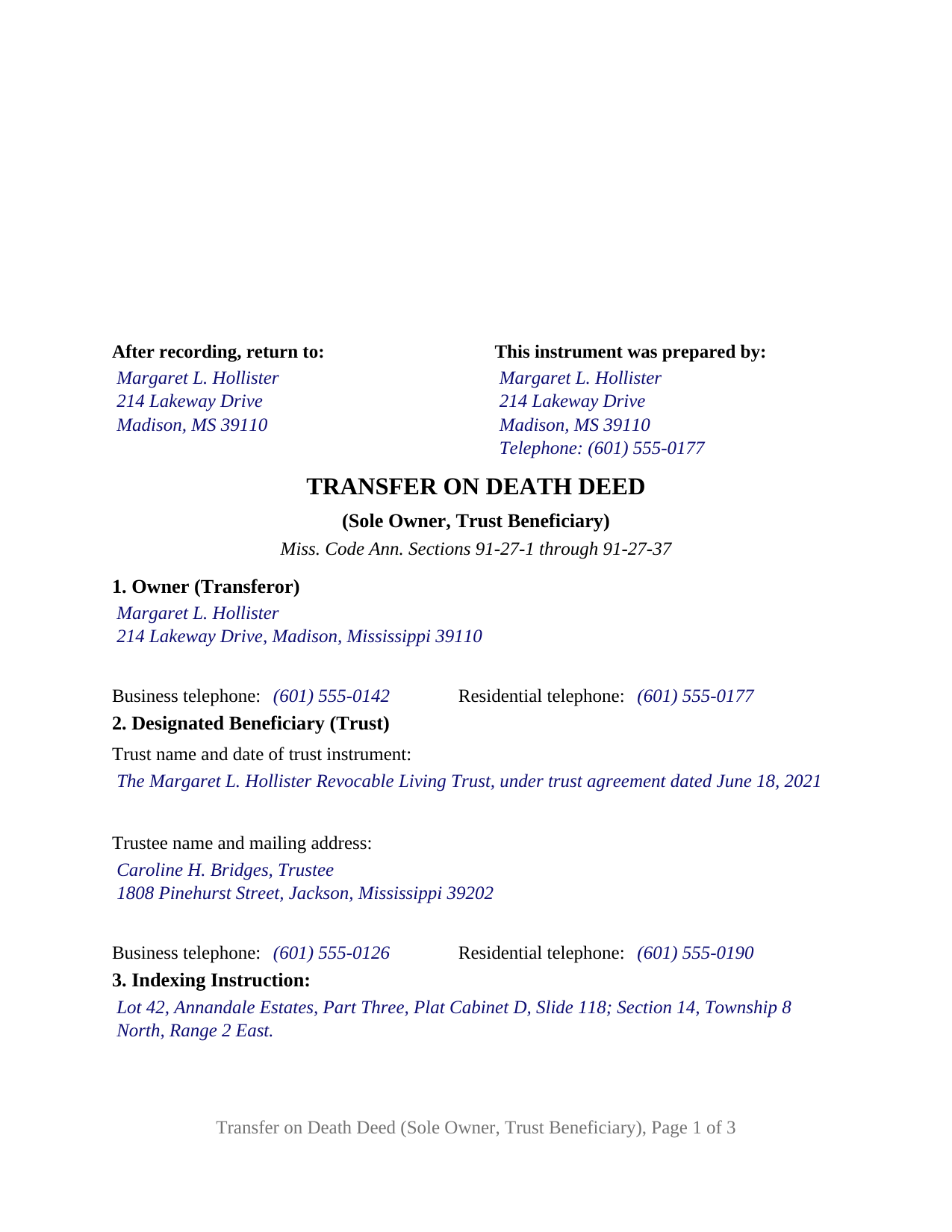
Copiah County Completed Example of the Transfer on Death Deed (Sole Owner, Trust Beneficiary) Document
Example of a properly completed Mississippi Transfer on Death Deed (Sole Owner, Trust Beneficiary) document for reference.
All 3 documents above included • One-time purchase • No recurring fees
Immediate Download • Secure Checkout
Additional Mississippi and Copiah County documents included at no extra charge:
Where to Record Your Documents
Copiah County Chancery Clerk
Hazelhurst, Mississippi 39083
Hours: 8:00am-5:00pm M-F
Phone: (601) 894-3021
Recording Tips for Copiah County:
- Bring your driver's license or state-issued photo ID
- Ensure all signatures are in blue or black ink
- Recording fees may differ from what's posted online - verify current rates
- Request a receipt showing your recording numbers
- Ask about accepted payment methods when you call ahead
Cities and Jurisdictions in Copiah County
Properties in any of these areas use Copiah County forms:
- Crystal Springs
- Gallman
- Georgetown
- Hazlehurst
- Wesson
Hours, fees, requirements, and more for Copiah County
How do I get my forms?
Forms are available for immediate download after payment. The Copiah County forms will be in your account ready to download to your computer. An account is created for you during checkout if you don't have one. Forms are NOT emailed.
Are these forms guaranteed to be recordable in Copiah County?
Yes. Our form blanks are guaranteed to meet or exceed the applicable formatting requirements used for recording in Copiah County, including margin requirements, font requirements, and other layout standards. This guarantee applies to formatting, not to the legal sufficiency of information entered by the user or the suitability of a form for a particular transaction.
Can I reuse these forms?
Yes. You can reuse the forms for your personal use. For example, if you have multiple properties in Copiah County you only need to order once.
What do I need to use these forms?
The forms are PDFs that you fill out on your computer. The free Adobe Acrobat Reader is recommended, and most PDF apps also work. You do NOT enter your property information online - you download the blank forms and complete them privately on your own computer.
Are there any recurring fees?
No. This is a one-time purchase. Nothing to cancel, no memberships, no recurring fees.
How much does it cost to record in Copiah County?
Recording fees in Copiah County vary. Contact the recorder's office at (601) 894-3021 for current fees.
Questions answered? Let's get started!
This Mississippi transfer on death deed is built for one owner who holds the property alone and wants it to pass, at death, into a trust the owner has already created. The deed names the trust as the designated beneficiary, identifies its trustee, and provides in fixed text that the interest vests at the owner's death in the trustee of that trust then serving, including any successor trustee, to be held under the trust's terms. It is a transfer on death deed, also searched as a TOD deed or beneficiary deed, prepared under the Mississippi Real Property Transfer-On-Death Act, Miss. Code Ann. Sections 91-27-1 through 91-27-37, in the sole owner, trust beneficiary configuration.
The trustee then serving takes, whoever that turns out to be
A trust does not die, but its trustee can resign, decline, or pass away between the day the deed is signed and the day the owner dies. A transfer on death deed that named the trustee by name alone would carry that risk forward for years. This form resolves it on the face of the deed: Section 2 identifies the trust by its name and the date of its trust instrument and identifies the trustee now in office with a mailing address and telephone numbers, and Section 7 then provides that at the owner's death the interest vests in the trustee of that trust then serving, including any successor trustee, to hold as trustee under the terms of the trust. A change of trustee during the owner's life therefore changes nothing on the recorded deed, and where the owner is the trustee of the owner's own revocable living trust, the deed carries the designation to the successor trustee the trust instrument names.
Why a Mississippi transfer on death deed can run to a trust
Section 91-27-3(b) defines a designated beneficiary as a person designated to receive real property in a transfer on death deed, and Section 91-27-3(d) defines a person to include a trust, alongside an individual, a corporation, a limited liability company, and the other entities the chapter lists. The Mississippi Uniform Trust Code supplies the title mechanics: Section 91-8-407(c)(3) provides that any estate in real property may be acquired in the trust name and that title so acquired can be conveyed in the trust name or by the trustees, as trustees of the trust, and Section 91-8-407(b)(1) requires a trust of or in real property to rest on a written instrument signed by the settlor. The deed itself does not create or fund the trust. The trust exists before the deed is signed, the deed designates it, and the property becomes trust property only at the owner's death and only if the deed is then of record.
One owner, one signature, one certificate
This is the sole owner configuration of the Mississippi transfer on death deed, and the deed recites it as fixed text: the person named in Section 1 is the sole owner of the described property. The form carries one owner signature block and one acknowledgment certificate in the Section 89-3-7(2) short form, and nobody else signs. The trustee does not sign, because Section 91-27-19 makes the deed effective without notice to, delivery to, or acceptance by the beneficiary during the owner's life. The owner signs personally; Section 91-27-15 sets the capacity at that required to make a contract and bars creating the deed through a power of attorney unless the power specifically authorizes it, and the deed says in its own words that it is made personally and not through an agent. An unmarried owner who built a revocable living trust around the home, and a widowed owner whose trust already holds the rest of the estate and whose house is the one asset left outside it, present the pattern this deed recites. The form is not set up as a deed for two owners, for a co-owner of property held with another person, for an entity or trustee as the owner, for an individual beneficiary, or for an alternate beneficiary; it carries no spouse signature line, and the guide describes the homestead statute a married owner of a Mississippi homestead would read beside this deed.
Effective only once it is of record
Nothing passes while the owner lives. Section 91-27-23 provides that the recorded deed does not affect the owner's right to transfer or encumber the property, leaves homestead rights and ad valorem tax exemptions in place, and creates no interest in favor of the trustee; the owner may revoke it under Section 91-27-21 by a later recorded instrument, and a will does not revoke it. Section 91-27-17(3) supplies the condition that makes the deed work: unless it has been recorded, before the owner dies, in the official records kept by the chancery clerk of the county where the land lies, it is not effective, and the form prints that condition in capital letters at the head of its operative section. Because Mississippi's recording statute, Section 89-5-24(2), places the preparer, the parties' names, addresses, and telephone numbers, the return address, the title, and the indexing instruction on the first page of a recorded deed below the clerk's three-inch margin, the first page of this deed is laid out to hold the owner's block, the trust and trustee block with the telephone numbers Section 27-3-51 asks of every grantor and grantee, and the Section 89-5-33(3) indexing instruction, with the legal description opening page two under the statute's own continuation sentence.
What the trust takes, and subject to what
At the owner's death the trustee takes whatever interest the owner then holds, in accordance with the deed, under Section 91-27-27(4). The transfer is made without covenant or warranty of title, which Section 91-27-27(3) attaches to every transfer on death deed, and under Section 91-27-29 the trustee takes subject to every mortgage, lien, encumbrance, contract, and other interest affecting the property at that moment. The chapter conditions a designated beneficiary's interest on surviving the owner and provides that an interest which fails to survive lapses; it states no separate rule for a beneficiary that is a trust, so a trust that has been revoked or terminated before the owner's death is a question the guide flags rather than answers. The deed carries no alternate beneficiary. A trustee who prefers not to take may disclaim under Section 91-27-31, by a separate instrument prepared and recorded apart from this deed and not included in this package. The memorandum of trust Section 91-8-407(b)(2) allows to be filed as constructive notice of the trust, and the certification of trust a trustee may furnish under Section 91-8-1013, are likewise separate documents outside this package.
The package includes the fillable Mississippi transfer on death deed for a sole owner designating a trust, a completed example filled in for an owner in Madison County designating her revocable living trust, and the guide that walks through each numbered section, the acknowledgment, the trust and homestead statutes that bear on the deed, and recording at the chancery clerk's office. This description, like the guide, describes the form and the Mississippi statutes behind it in general terms only; neither one is legal advice.
Important: Your property must be located in Copiah County to use these forms. Documents should be recorded at the county recording office listed above.
This Transfer on Death Deed (Sole Owner, Trust Beneficiary) meets all recording requirements specific to Copiah County.
Our Promise
The documents you receive here are guaranteed to meet or exceed the applicable Copiah County recording format requirements. If there is a rejection caused by our formatting, we will correct the issue or refund your payment. This guarantee applies to document formatting only and does not extend to information entered by the user, the selection of the form, or the legal effect of the completed document.
Save Time and Money
Get your Copiah County Transfer on Death Deed (Sole Owner, Trust Beneficiary) form done right the first time with Deeds.com Uniform Conveyancing Blanks. At Deeds.com, we understand that your time and money are valuable resources, and we don't want you to face a penalty fee or rejection imposed by a county recorder for submitting nonstandard documents. We constantly review and update our forms to meet rapidly changing state and county recording requirements for roughly 3,500 counties and local jurisdictions.
4.8 out of 5 - ( 4,847 Reviews )
nancy h. 5 out of 5 stars
Once I figured out what I wanted it was great!
Thank you Nancy.
Marolyn V. 3 out of 5 stars
The booklet is too wordy. Not concise enough for someone who is inexperienced at filling out your form. It would be nice to have a picture example of what you are talking about. When we got to the Registars office we found out they do not have a notary. Would have been nice to know before we went. The form asks for page and book which is no longer needed. So why have it on there?
Thank you, Marolyn, this is useful feedback. A completed sample is actually included with the form, and your note tells us we should make it easier to find and tie it more directly to the instructions, so we'll do that. We'll also add a "before you begin" checklist and a clearer note that the document needs to be notarized in advance, since recording offices don't provide notary service. On the book and page: that reference is required by the Utah statute this affidavit is filed under (§ 57-1-5.1) and still applies to older deeds recorded before counties moved to entry-number-only indexing around 2000. You enter whichever reference appears on your recorded deed and leave the rest blank. Appreciate you taking the time to write in.
Delia C. 5 out of 5 stars
Your service is a life saver! I'm a paralegal and new to lien releases especially in Platte Co., MO. The clerk was not helpful and I so appreciate your service in accomplishing this very important task!!
We appreciate your business and value your feedback. Thank you. Have a wonderful day!
Stephenie A. 5 out of 5 stars
No review provided.
Thank you!
Carleton G. 5 out of 5 stars
I found everything I needed. Very easy to use. I am very satisfied.
We appreciate your business and value your feedback. Thank you. Have a wonderful day!
Robert D. 5 out of 5 stars
I was trying to register a financial statement (non real estate document). There was no link or statement on the home page to indicate that this could be done. All I had to do was to create an account, name and then upload the document. It took me over a day and several phone calls to the local deed recording office to try to figure this out. A simple link or statement to this effect would have saved me a lot of time
Thank you for your feedback. We really appreciate it. Have a great day!
Jacqueline H. 5 out of 5 stars
Thank you for all your assistance and patience in doing the deed. I can honestly say that DEEDs.com will be permanently on my list as a go to company. I will use the company as a referral to friends and family.
We appreciate your business and value your feedback. Thank you. Have a wonderful day!
Colleen K. 5 out of 5 stars
This product was easy to use and instructions were helpful.
We appreciate your business and value your feedback. Thank you. Have a wonderful day!
Ralph W. 5 out of 5 stars
very professional
Thank you!
Terri A. 5 out of 5 stars
So far so good --- I'm helping a friend with her property! Thanks!
Thank you Terri.
JOHN L. 5 out of 5 stars
Not just good, very good. Very intuitive and very responsive. It just works!
Thank you for your feedback. We really appreciate it. Have a great day!
Michael E. 5 out of 5 stars
First time user and my experience was just great! Great people to work with and would recommend to others!
Thank you!
Tracy B. 5 out of 5 stars
I was happy with the way this worked and the quick responses. Unfortunately, my documents could not be pulled. I will use this service again in the future.
Thank you for your feedback. We really appreciate it. Have a great day!
Hilda R. 5 out of 5 stars
It very convenient and fast. Thank you Hilda Reyes
Thanks so much Hilda, have a great day!
Bernice L. 5 out of 5 stars
Finally able to print out the forms after a few tries. Honestly, I think it could have been designed a little better. I am almost 80; however, very computer savvy, but finally managed to get what I needed.
Thank you for your feedback. We really appreciate it. Have a great day!