Salem County Quitclaim Deed (Trustee Grantor) Form
Last validated October 7, 2026 by our Forms Development TeamFormatted for recording in Salem County, for property anywhere in the county: rural and unincorporated areas as well as Alloway, Deepwater, Elmer, Hancocks Bridge, Monroeville, Norma, Pedricktown, Penns Grove and 4 more.
- 3 documents included
- Immediate PDF download
- Formatting guarantee
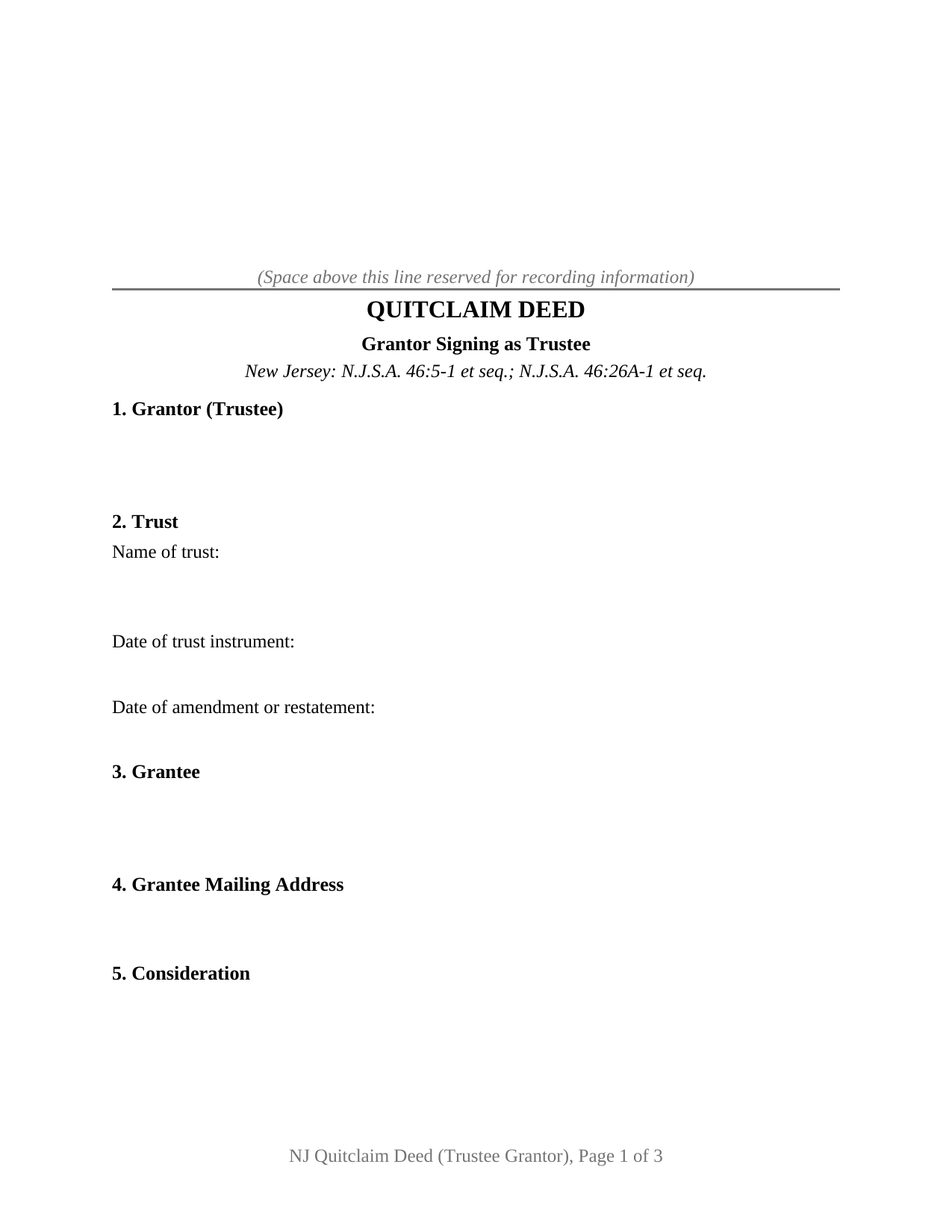
Salem County Quitclaim Deed (Trustee Grantor) Form
Fill in the blank Quitclaim Deed (Trustee Grantor) form formatted to comply with all New Jersey recording and content requirements.
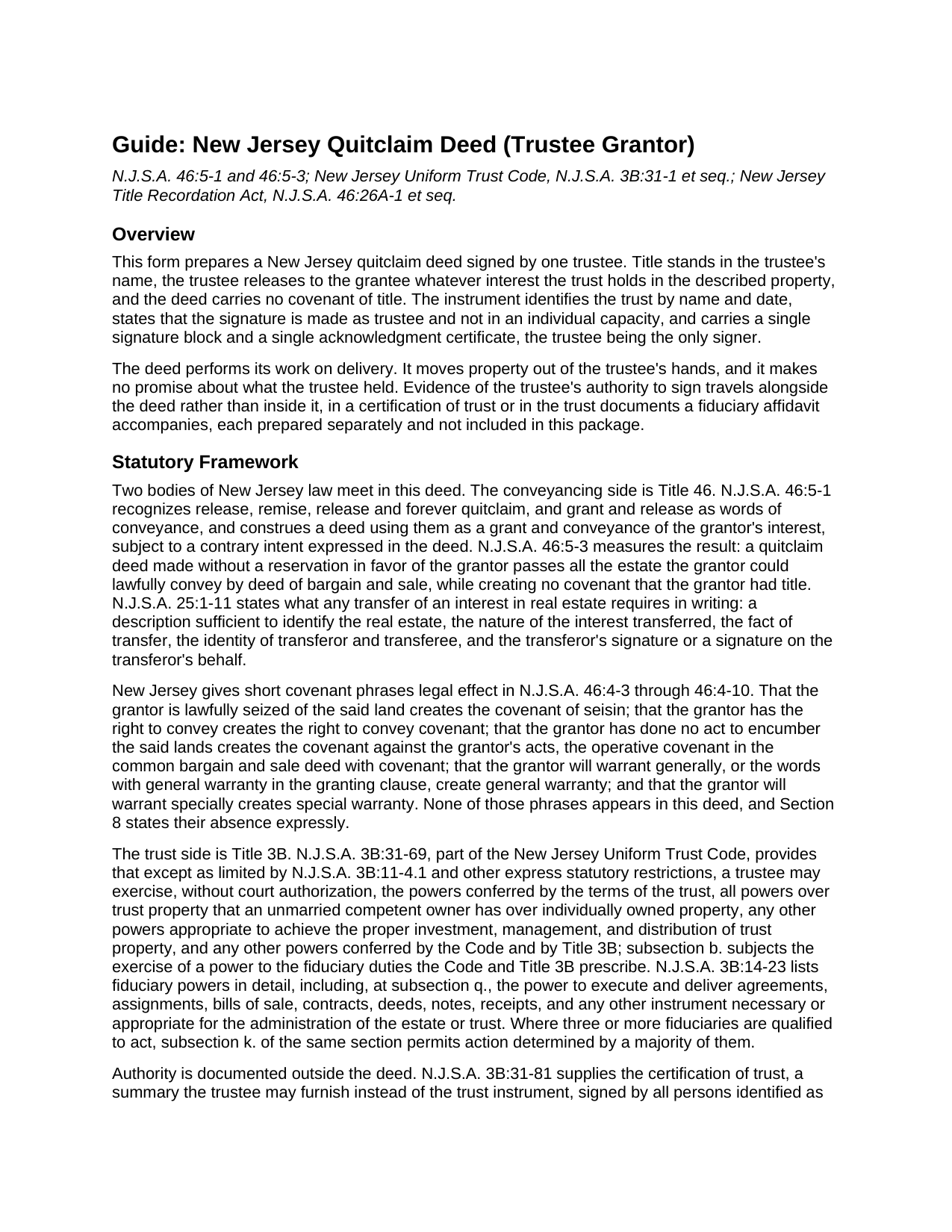
Salem County Quitclaim Deed (Trustee Grantor) Guide
Line by line guide explaining every blank on the Quitclaim Deed (Trustee Grantor) form.
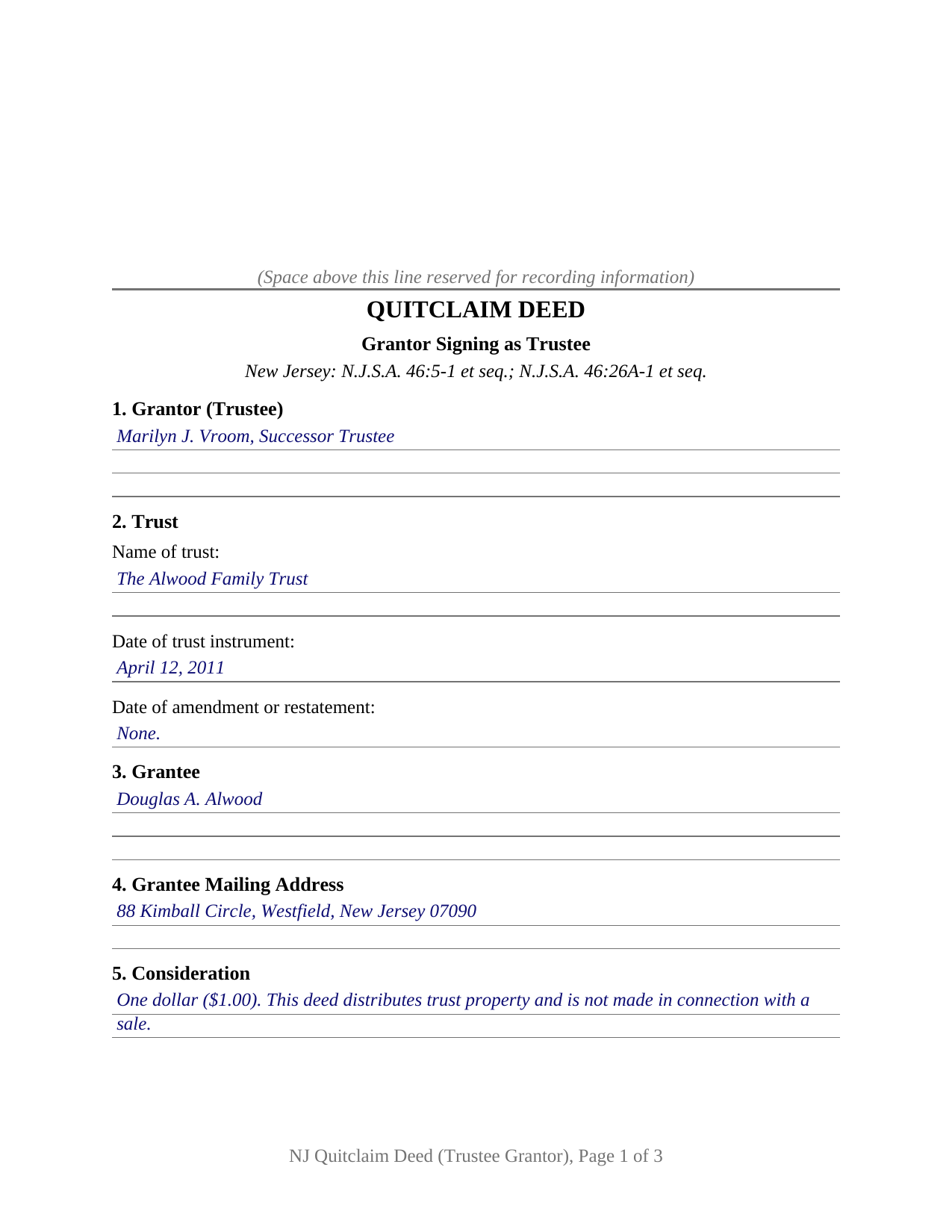
Salem County Completed Example of the Quitclaim Deed (Trustee Grantor) Document
Example of a properly completed New Jersey Quitclaim Deed (Trustee Grantor) document for reference.
All 3 documents above included • One-time purchase • No recurring fees
Immediate Download • Secure Checkout
Additional New Jersey and Salem County documents included at no extra charge:
Where to Record Your Documents
Salem County Clerk
Salem, New Jersey 08079
Hours: 8:30 to 4:30 M-F / Transactions until 4:00
Phone: (856) 935-7510 x8219
Recording Tips for Salem County:
- Bring your driver's license or state-issued photo ID
- Ensure all signatures are in blue or black ink
- Check that your notary's commission hasn't expired
- Documents must be on 8.5 x 11 inch white paper
- Double-check legal descriptions match your existing deed
Cities and Jurisdictions in Salem County
Properties in any of these areas use Salem County forms:
- Alloway
- Deepwater
- Elmer
- Hancocks Bridge
- Monroeville
- Norma
- Pedricktown
- Penns Grove
- Pennsville
- Quinton
- Salem
- Woodstown
Hours, fees, requirements, and more for Salem County
How do I get my forms?
Forms are available for immediate download after payment. The Salem County forms will be in your account ready to download to your computer. An account is created for you during checkout if you don't have one. Forms are NOT emailed.
Are these forms guaranteed to be recordable in Salem County?
Yes. Our form blanks are guaranteed to meet or exceed the applicable formatting requirements used for recording in Salem County, including margin requirements, font requirements, and other layout standards. This guarantee applies to formatting, not to the legal sufficiency of information entered by the user or the suitability of a form for a particular transaction.
Can I reuse these forms?
Yes. You can reuse the forms for your personal use. For example, if you have multiple properties in Salem County you only need to order once.
What do I need to use these forms?
The forms are PDFs that you fill out on your computer. The free Adobe Acrobat Reader is recommended, and most PDF apps also work. You do NOT enter your property information online - you download the blank forms and complete them privately on your own computer.
Are there any recurring fees?
No. This is a one-time purchase. Nothing to cancel, no memberships, no recurring fees.
How much does it cost to record in Salem County?
Recording fees in Salem County vary. Contact the recorder's office at (856) 935-7510 x8219 for current fees.
Questions answered? Let's get started!
Land leaves a trust the same way it arrived, by deed. This New Jersey quitclaim deed prepares that exit: a single trustee signs as grantor, releases to the grantee the interest the trust holds in the land, and promises nothing at all about it. The person holding the pen owns none of it individually, and the deed says so in capital letters.
Authority That Lives Outside the Instrument
A trustee's power to sign comes from the trust instrument and Title 3B; no words printed on a deed supply it. N.J.S.A. 3B:31-69 lets a trustee exercise, without court authorization, the powers the trust terms confer plus all powers an unmarried competent owner has over individually owned property, each exercise answering to the fiduciary duties Title 3B prescribes, and N.J.S.A. 3B:14-23 names the power to execute and deliver deeds among a fiduciary's powers. Proof of authority is a separate instrument: a certification of trust under N.J.S.A. 3B:31-81, which states the trustee's powers and whether all or fewer than all co-trustees are required to act, or a trust document recorded with a fiduciary affidavit as N.J.S.A. 46:26A-4(a) permits. Both are drawn up on their own and travel outside this package.
How Far the Release Reaches
N.J.S.A. 46:5-1 counts remise, release and forever quitclaim among the phrases that carry an interest, and N.J.S.A. 46:5-3 marks the edge: absent a reservation, the grantee ends up with the estate the grantor could lawfully pass by a deed of bargain and sale, and with no covenant that the grantor held title. Assurance would have to come from the abbreviated covenant phrases of N.J.S.A. 46:4-3 through 46:4-10, seisin through general warranty, and Section 8 lists each of them as absent. A mortgage on the trust property, a judgment, an easement, or an unpaid municipal charge travels with the land untouched.
One Trustee, One Signature, One Certificate
The form runs a single grantor block for the person signing as trustee, a trust section taking the trust name and the dates of the trust instrument and of any amendment or restatement, a grantee block with a mailing address and words of vesting, one signature block, and one certificate, the trustee being the only signer. It is not set up as a deed for a trusteeship whose instrument requires more than one trustee to act, a grantor who owns in an individual name, a personal representative acting under letters, or a deed carrying covenants. Patterns that present this configuration include a successor trustee distributing trust real property to a beneficiary after the settlor's death, a trustee releasing property back to the living settlor of a revocable trust, and a trustee releasing an undivided share the trust holds alongside other owners.
A Certificate Built for a Capacity
The notarial statute expects a representative signature to be labeled as one. N.J.S.A. 52:7-19 makes a certificate sufficient when it takes a short form set out in N.J.S.A. 52:7-10.12, and those forms include an acknowledgment in a representative capacity, which follows the acknowledger's name with as, the type of authority such as officer or trustee, and the party on whose behalf it was executed. Acknowledgment runs under N.J.S.A. 46:14-2.1 before an officer N.J.S.A. 46:14-6.1 names, or through communication technology under N.J.S.A. 52:7-10.10. The by-line blank takes the name with the trustee capacity, and the printed name under the signature line answers N.J.S.A. 46:26A-3(a)(4).
Filings the County Counts
Recordability under N.J.S.A. 46:26A-3 turns on details this deed collects: the grantee's mailing address, often nowhere near the property on a trust distribution, the lot and block or a statement that none has been assigned, and the name of the person who prepared the deed. Consideration is recited as N.J.S.A. 46:15-6 directs, and a nominal transfer commonly claims a Realty Transfer Fee exemption on Form RTF-1, the exemption for consideration under one hundred dollars or for a transfer not made in connection with a sale. Division of Taxation guidance treats trusts like other sellers, so the applicable GIT/REP form accompanies the deed; without it no county recording officer accepts it. Priority runs from the record: an unrecorded release loses to a later purchaser or mortgagee for value, without notice, who records first.
The download holds this deed as a fillable PDF, a completed example set in Union County, distributing trust land to one beneficiary, and a plain-language guide covering each numbered section, the statutes behind it, the notarial rules, and the affidavits and fees collected at recording. The materials are informational and are not legal advice.
Important: Your property must be located in Salem County to use these forms. Documents should be recorded at the county recording office listed above.
This Quitclaim Deed (Trustee Grantor) meets all recording requirements specific to Salem County.
Our Promise
The documents you receive here are guaranteed to meet or exceed the applicable Salem County recording format requirements. If there is a rejection caused by our formatting, we will correct the issue or refund your payment. This guarantee applies to document formatting only and does not extend to information entered by the user, the selection of the form, or the legal effect of the completed document.
Save Time and Money
Get your Salem County Quitclaim Deed (Trustee Grantor) form done right the first time with Deeds.com Uniform Conveyancing Blanks. At Deeds.com, we understand that your time and money are valuable resources, and we don't want you to face a penalty fee or rejection imposed by a county recorder for submitting nonstandard documents. We constantly review and update our forms to meet rapidly changing state and county recording requirements for roughly 3,500 counties and local jurisdictions.
4.8 out of 5 - ( 4,832 Reviews )
James C. 4 out of 5 stars
Worked well.
Thank you!
Greg R. 5 out of 5 stars
I really had no problem navigating the forms. It was helpful!
Appreciate you taking the time to share that, Greg. Glad it was a smooth experience
Gary M. 5 out of 5 stars
Death of JT form was excellent. You have the best documents out there. I wish I could have read the sample just so I knew my information was entered correctly. Real problem is County wants a bar code on documents to get recorded. Now? Need four deed forms so the expense starts to be prohibitive. I would rather pay more and get multiple access.
Thank you for your feedback. We really appreciate it. Have a great day!
charles b. 5 out of 5 stars
The product I needed was available, easy to download, access and complete. The instructions were very helpful. I had previously purchased another product which was terrible. I highly recommend Deeds.com
We appreciate your business and value your feedback. Thank you. Have a wonderful day!
Raymond N. 4 out of 5 stars
The process of obtaining the forms that I wanted was very easy and the cost reasonable. The site is easy to follow and explains everything. Thank you for being here.
We appreciate your business and value your feedback. Thank you. Have a wonderful day!
Rhonda L. 5 out of 5 stars
This was one of the most simple but efficient process. Walked me thru every step. Total process was less than 2 weeks.
Thank you!
Maria G. 5 out of 5 stars
Very easy and fast. Couldnt ask for anything better.
We appreciate your business and value your feedback. Thank you. Have a wonderful day!
Charles C. 5 out of 5 stars
Easy to use. Good price. I like that it came with instructions and an example.
Thank you for your feedback. We really appreciate it. Have a great day!
Kimberly B. 5 out of 5 stars
Absolutely recommend Deeds.com! The process to recording your document is explained step by step. If you have any questions, you just send a message and almost instantly a staff member will reply. Super quick processing. I uploaded my document late Friday afternoon, it was reviewed by Deeds.com staff and sent to the county for recording on Monday. By Tuesday, my document was successfully recorded by the County Recorder's Office and a copy of my recorded document was available for me, as well!
We appreciate your business and value your feedback. Thank you. Have a wonderful day!
Cindy A. 5 out of 5 stars
Easy to understand and use. However, need to add line for phone number for preparer - Thanks
Thank you for your feedback. We really appreciate it. Have a great day!
Kimberly R. 5 out of 5 stars
Very easy to use. Very informative. I think this is a very good service and is worth the $19 especially if you value time.
Thank you for your feedback. We really appreciate it. Have a great day!
Shirley T. 4 out of 5 stars
Quit Claim deed for North Carolina did not include all of the information I needed (two separate notary sections), but I was able to re-create another notary section in Word, and then insert it in the appropriate place after printing both documents. Otherwise, the document worked as described.
Thank you for your feedback. We really appreciate it. Have a great day!
Kathy-Louise A. 5 out of 5 stars
I found the process of downloading and completing the documents very user friendly. Thank you for the Declare Value instructions. It was easy to follow, though a sample of the declaration form would be very useful. I didn't know how to list my "capacity" so I left it blank so the recorder could advise me. Otherwise, thank you so much for being available for people who are capable of completing simple legal tasks without the expense of a lawyer. Thank you, thank you, thank you!!!
Your appreciative words mean the world to us. Thank you.
Bonnie A. 5 out of 5 stars
I wish you could send copy in mail
Thank you for your feedback. We really appreciate it. Have a great day!
JESSICA B. 5 out of 5 stars
easy to move through the site and create an account.
Thank you!