Calhoun County Personal Representative Deed of Distribution Form
Last validated October 12, 2026 by our Forms Development TeamFormatted for recording in Calhoun County, for property anywhere in the county: rural and unincorporated areas as well as Cameron, Saint Matthews.
- 3 documents included
- Immediate PDF download
- Formatting guarantee
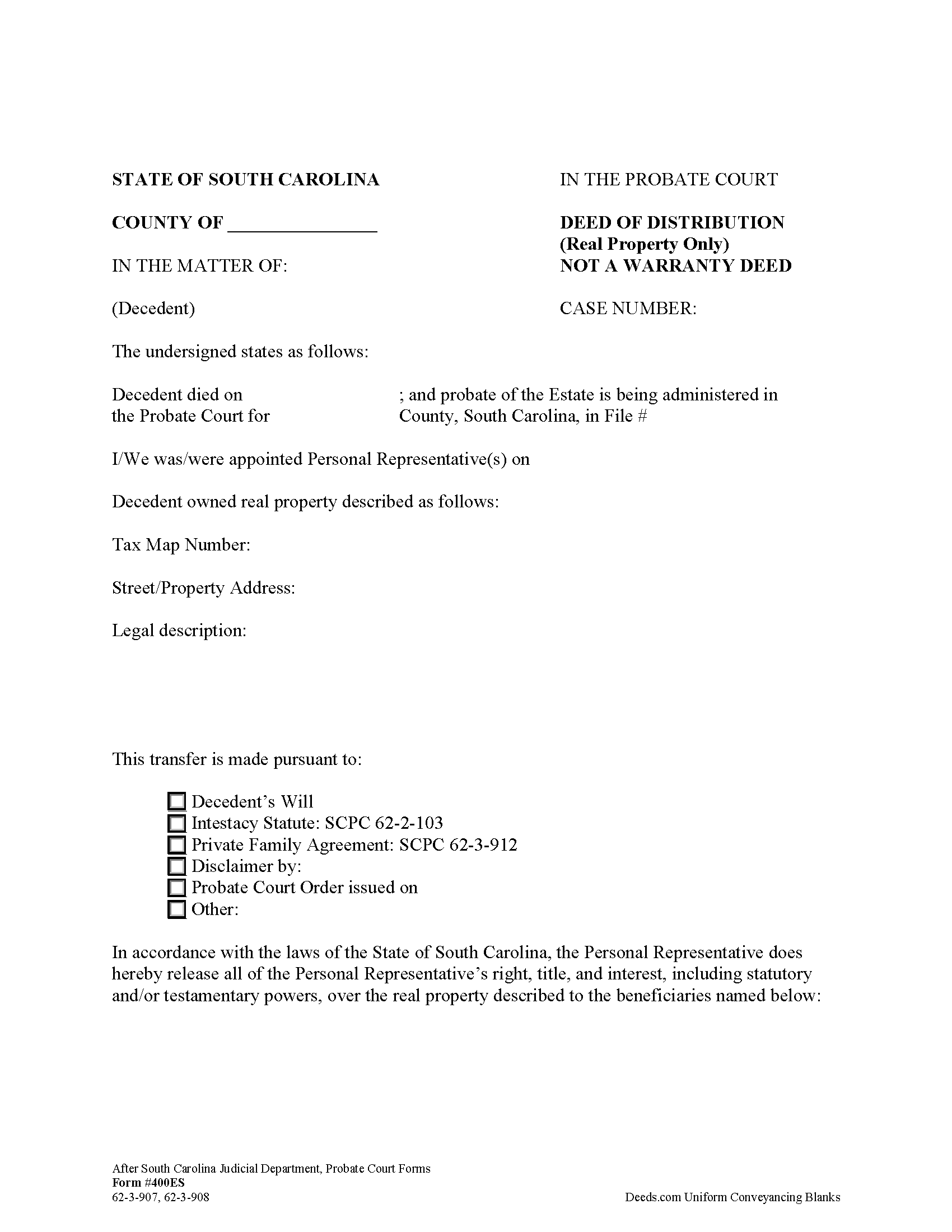
Calhoun County Personal Representative Deed of Distribution Form
Fill in the blank form formatted to comply with all recording and content requirements.
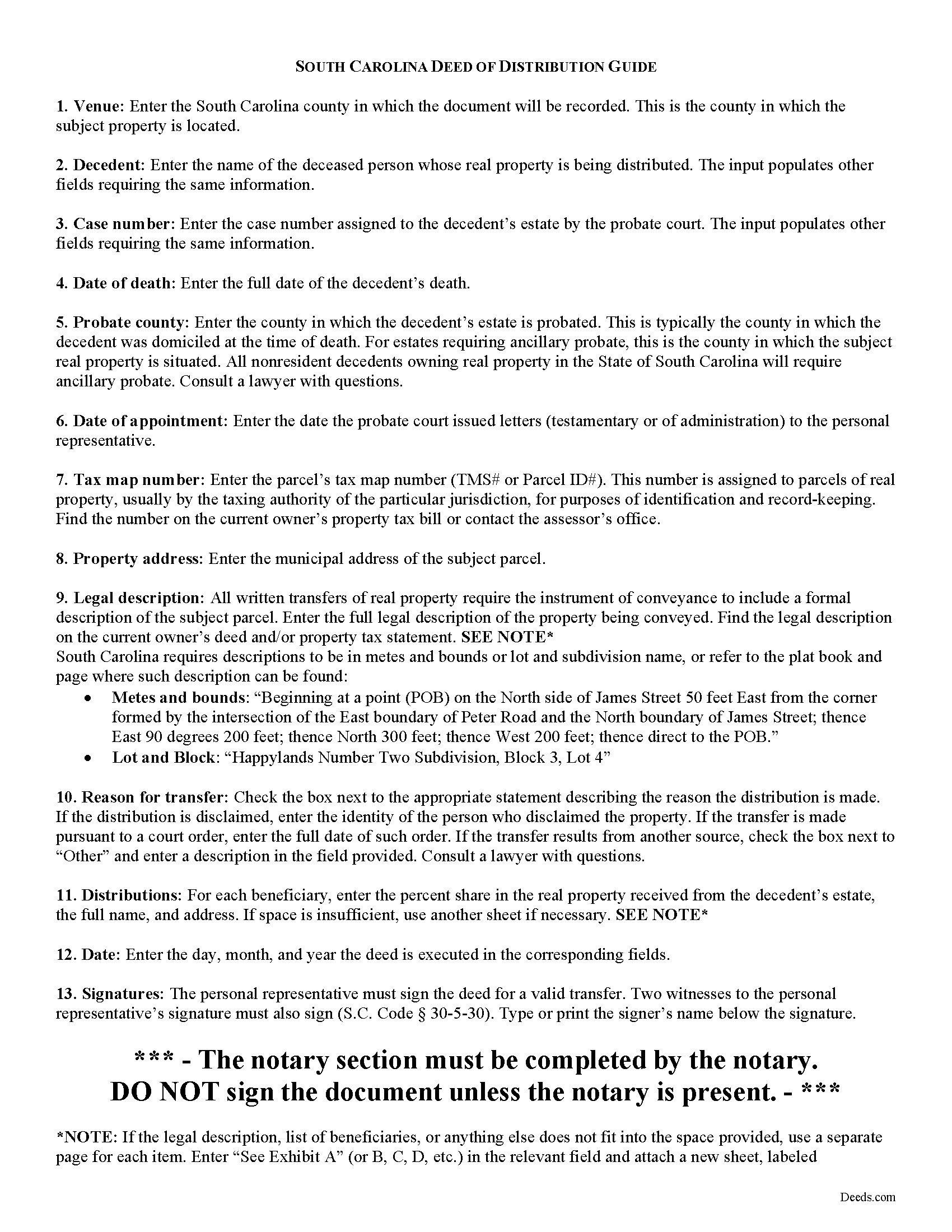
Calhoun County Personal Representative Deed of Distribution Guide
Line by line guide explaining every blank on the form.
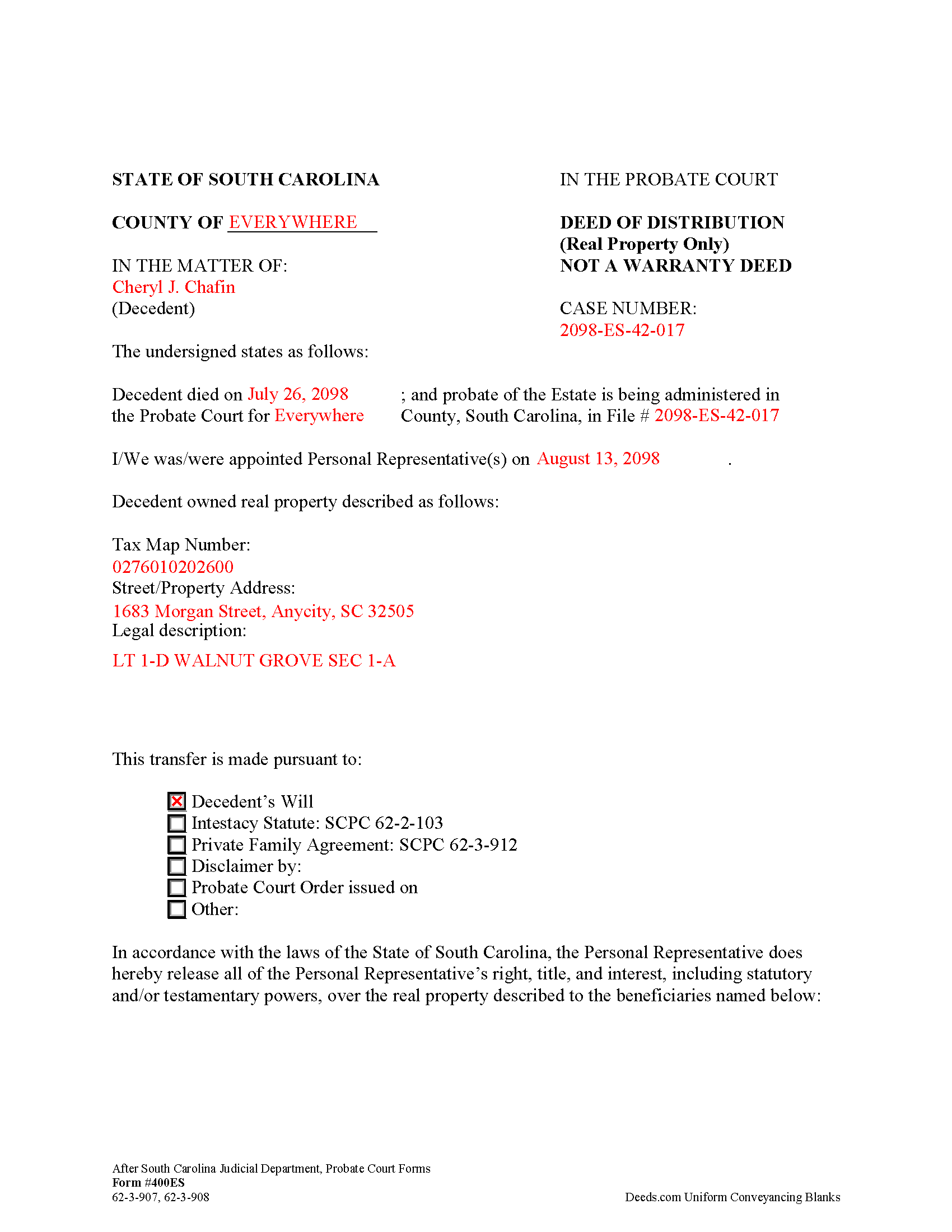
Calhoun County Completed Example of the Personal Representative Deed of Distribution Form
Example of a properly completed form for reference.
All 3 documents above included • One-time purchase • No recurring fees
Immediate Download • Secure Checkout
Additional South Carolina and Calhoun County documents included at no extra charge:
Where to Record Your Documents
Calhoun County Clerk of Court
St. Matthews, South Carolina 29135
Hours: 9:00 to 5:00 M-F
Phone: 803-874-3524
Recording Tips for Calhoun County:
- Bring your driver's license or state-issued photo ID
- Ensure all signatures are in blue or black ink
- Double-check legal descriptions match your existing deed
- Verify all names are spelled correctly before recording
- White-out or correction fluid may cause rejection
Cities and Jurisdictions in Calhoun County
Properties in any of these areas use Calhoun County forms:
- Cameron
- Saint Matthews
Hours, fees, requirements, and more for Calhoun County
How do I get my forms?
Forms are available for immediate download after payment. The Calhoun County forms will be in your account ready to download to your computer. An account is created for you during checkout if you don't have one. Forms are NOT emailed.
Are these forms guaranteed to be recordable in Calhoun County?
Yes. Our form blanks are guaranteed to meet or exceed the applicable formatting requirements used for recording in Calhoun County, including margin requirements, font requirements, and other layout standards. This guarantee applies to formatting, not to the legal sufficiency of information entered by the user or the suitability of a form for a particular transaction.
Can I reuse these forms?
Yes. You can reuse the forms for your personal use. For example, if you have multiple properties in Calhoun County you only need to order once.
What do I need to use these forms?
The forms are PDFs that you fill out on your computer. The free Adobe Acrobat Reader is recommended, and most PDF apps also work. You do NOT enter your property information online - you download the blank forms and complete them privately on your own computer.
Are there any recurring fees?
No. This is a one-time purchase. Nothing to cancel, no memberships, no recurring fees.
How much does it cost to record in Calhoun County?
Recording fees in Calhoun County vary. Contact the recorder's office at 803-874-3524 for current fees.
Questions answered? Let's get started!
In South Carolina, title to a decedent's real property devolves at death to the decedent's heirs (intestate estates) and devisees (testate estates) (S.C. Code 62-3-101). Though title passes by operation of law, the estate is still subject to administration in probate. Probate is the legal process of settling the decedent's estate and distributing assets to those entitled to receive it. A PR may not make distribution of the estate without first obtaining permission from the court.
The personal representative (PR) of the estate executes a deed of distribution following an order for distribution from the court to distribute real property from a decedent's estate. The deed of distribution (Form 400ES) evidences the legal succession of title of the decedent's interest in real property and releases the PR's powers over the subject property.
The deed, given under 62-3-907, 62-3-908 is "conclusive evidence that the distributee has succeeded to the interest of the estate...against all persons interested in the estate" (62-3-908).
Apart from meeting all state and local standards for documents affecting title to real property, the deed of distribution must identify the reason for the transfer (i.e., a will, laws of intestacy, a family agreement, disclaimer, or order), and name each beneficiary and the percent of the decedent's interest in the subject property he or she is inheriting.
The deed of distribution is signed by the acting PR in the presence of a notary public and two witnesses before recording in the Register of Deeds' office of the county where the subject property is situated. A certified copy should be delivered to the probate court.
Consult a lawyer with questions regarding probate and deeds of distribution in South Carolina, as each situation is unique.
(South Carolina PRDOD Package includes form, guidelines, and completed example)
Important: Your property must be located in Calhoun County to use these forms. Documents should be recorded at the county recording office listed above.
This Personal Representative Deed of Distribution meets all recording requirements specific to Calhoun County.
Our Promise
The documents you receive here are guaranteed to meet or exceed the applicable Calhoun County recording format requirements. If there is a rejection caused by our formatting, we will correct the issue or refund your payment. This guarantee applies to document formatting only and does not extend to information entered by the user, the selection of the form, or the legal effect of the completed document.
Save Time and Money
Get your Calhoun County Personal Representative Deed of Distribution form done right the first time with Deeds.com Uniform Conveyancing Blanks. At Deeds.com, we understand that your time and money are valuable resources, and we don't want you to face a penalty fee or rejection imposed by a county recorder for submitting nonstandard documents. We constantly review and update our forms to meet rapidly changing state and county recording requirements for roughly 3,500 counties and local jurisdictions.
4.8 out of 5 - ( 4,830 Reviews )
STACIA V. 4 out of 5 stars
I filled out the forms that were somewhat easy. I was surprised that it was recorded by the county recording office. I just hope that it really worked. I think it did. I will find out later this year.
Thank you!
Charmaine D. 5 out of 5 stars
Very easy to use.
Thank you!
Cleatous S. 3 out of 5 stars
The deed form is hard to fill in. There is no way to fill in the county in the "reviewed by" section. Also, there is no place for the Grantee's address on the form. I had to include it in the fill-in space for the legal description.
Thank you!
Pat K. 5 out of 5 stars
It has been very easy. Like that the recording is so fast.
Thank you for your feedback. We really appreciate it. Have a great day!
Rod G. 5 out of 5 stars
You guys have it DOWN!! You made it easy to navigate your site and services. You explained things effectively. You are helpful and fast. NO WAY would even entertain using a different deed/ document recording service. I'll be back! Thank you. Rod
We appreciate your business and value your feedback. Thank you. Have a wonderful day!
Tim M. 5 out of 5 stars
This is my first time using this amazing service. I wish I was told about this before I went all the way downtown, drove thru construction zones, paid for parking only to be told the computer system had crashed. I was referred to Deeds.com and I will not use the downtown system again.
Your feedback is greatly appreciated. Thank you for taking the time to share your experience!
Westcliffe C. 5 out of 5 stars
Like the setup Good idea on forms that help at a great price
Thank you for your feedback. We really appreciate it. Have a great day!
Shirley S. 3 out of 5 stars
Laborious process to gain access; need to indicate PRIINT when complete and inform that if page is backspaced, entered info disappears, necessitating starting all over again. There is only one “A” provision, when some documents have several more. Space is too limited in some instances to provide what is necessary for recording. Thank you
Your feedback is valuable to us and helps us improve. Thank you for sharing your thoughts!
Melissa S. 5 out of 5 stars
As a person working in the title industry, I recommend this site to everyone needing a blank deed. Thank you for staying user friendly.
Thank you, Melissa! An endorsement from someone who works with these transactions every day carries real weight with us. We work hard to keep the whole process painless, so it's wonderful to hear it's landing that way. All the best to you!
Steve F. 5 out of 5 stars
Fast Service, Easy to use. Highly Recommend!
Thank you!
DONALD S. 5 out of 5 stars
Using the Administrators Deed, pay attention to "Exhibit A". The blank will allow you to type a full legal description BUT it will not save it. Use "Exhibit A" to type the legal description. The form was great and I filed it this morning with no problems.
Thank you for your feedback. We really appreciate it. Have a great day!
JOHN P. 5 out of 5 stars
I thought your service would comply with my request quicker.
Looks like it took 4 minutes to complete your order, sorry it took so long.
Linda S. 5 out of 5 stars
I had no problem signing up to Deeds.com. It was easy and effective. I was able to retrieve my records.
Thank you!
Darrel V. 5 out of 5 stars
Pretty easy to use and timely, too!
We appreciate your business and value your feedback. Thank you. Have a wonderful day!
Roger V. 5 out of 5 stars
Very easy to use.
Thank you Roger, we appreciate your feedback.