Grays Harbor County Mechanics Lien Notice to Construction Lender Form
Last validated October 16, 2026 by our Forms Development TeamFormatted for recording in Grays Harbor County, for property anywhere in the county: rural and unincorporated areas as well as Aberdeen, Amanda Park, Copalis Beach, Copalis Crossing, Cosmopolis, Elma, Grayland, Hoquiam and 13 more.
- 3 documents included
- Immediate PDF download
- Formatting guarantee
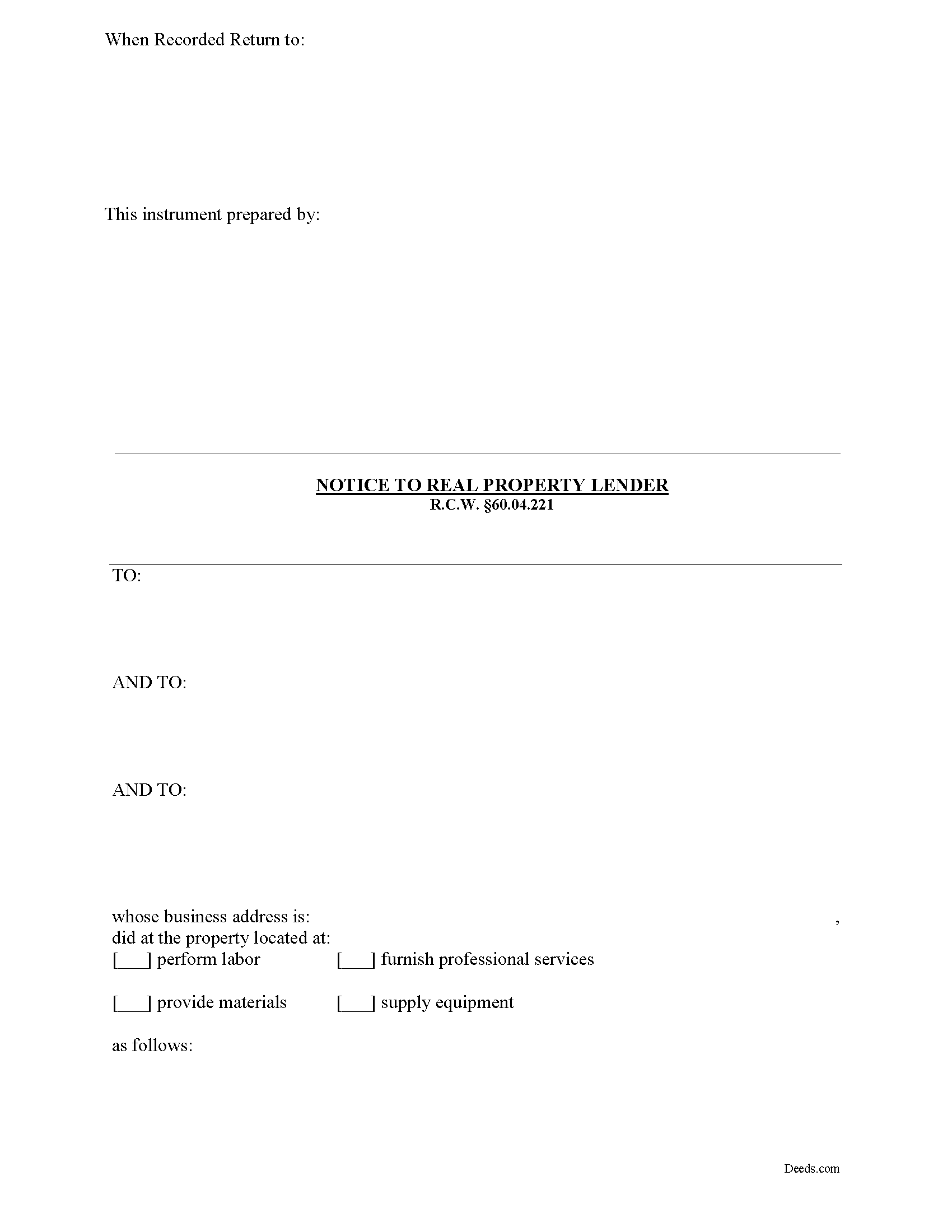
Grays Harbor County Mechanics Lien Notice to Construction Lender Form
Fill in the blank Mechanics Lien Notice to Construction Lender form formatted to comply with all Washington recording and content requirements.
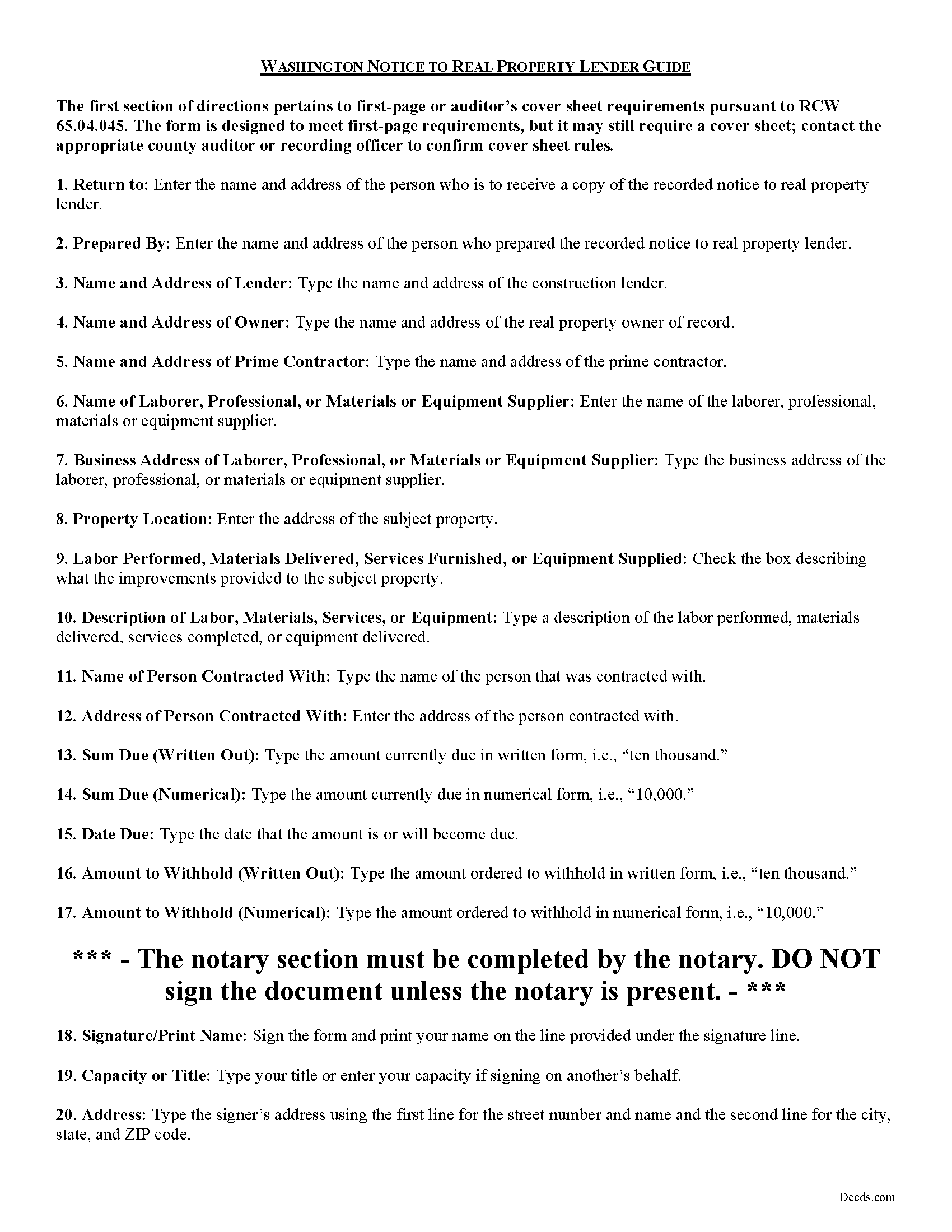
Grays Harbor County Notice to Construction Lender Guide
Line by line guide explaining every blank on the form.
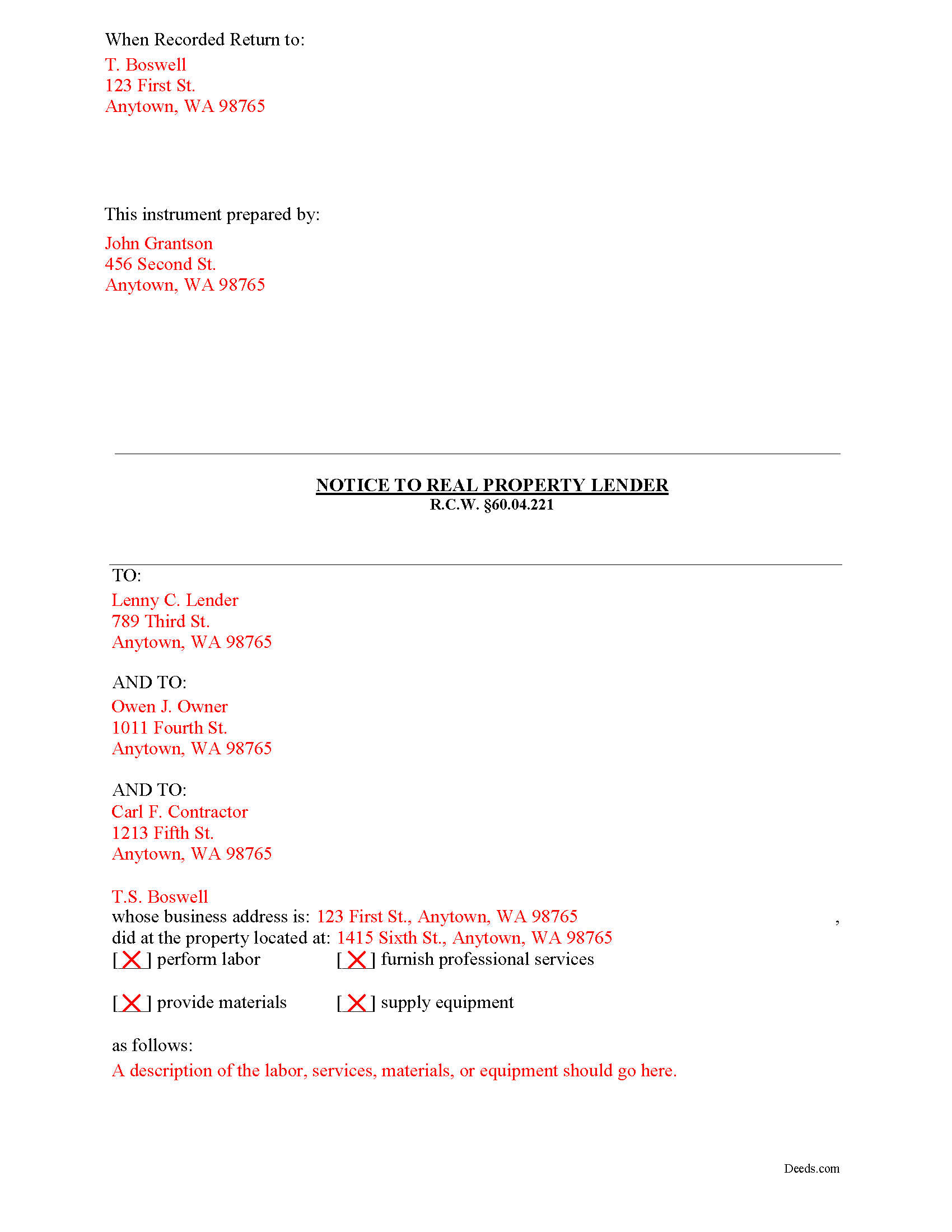
Grays Harbor County Completed Example of the Notice to Construction Lender Document
Example of a properly completed form for reference.
All 3 documents above included • One-time purchase • No recurring fees
Immediate Download • Secure Checkout
Additional Washington and Grays Harbor County documents included at no extra charge:
Where to Record Your Documents
Grays Harbor County Auditor: Recording
Montesano, Washington 98563
Hours: Monday through Friday 9:00am - 12:00 & 12:30 - 4:30pm
Phone: (360) 964-1557
Recording Tips for Grays Harbor County:
- Bring your driver's license or state-issued photo ID
- Ensure all signatures are in blue or black ink
- Both spouses typically need to sign if property is jointly owned
- Bring extra funds - fees can vary by document type and page count
- Check margin requirements - usually 1-2 inches at top
Cities and Jurisdictions in Grays Harbor County
Properties in any of these areas use Grays Harbor County forms:
- Aberdeen
- Amanda Park
- Copalis Beach
- Copalis Crossing
- Cosmopolis
- Elma
- Grayland
- Hoquiam
- Humptulips
- Malone
- Mccleary
- Moclips
- Montesano
- Neilton
- Oakville
- Ocean Shores
- Pacific Beach
- Quinault
- Satsop
- Taholah
- Westport
Hours, fees, requirements, and more for Grays Harbor County
How do I get my forms?
Forms are available for immediate download after payment. The Grays Harbor County forms will be in your account ready to download to your computer. An account is created for you during checkout if you don't have one. Forms are NOT emailed.
Are these forms guaranteed to be recordable in Grays Harbor County?
Yes. Our form blanks are guaranteed to meet or exceed the applicable formatting requirements used for recording in Grays Harbor County, including margin requirements, font requirements, and other layout standards. This guarantee applies to formatting, not to the legal sufficiency of information entered by the user or the suitability of a form for a particular transaction.
Can I reuse these forms?
Yes. You can reuse the forms for your personal use. For example, if you have multiple properties in Grays Harbor County you only need to order once.
What do I need to use these forms?
The forms are PDFs that you fill out on your computer. The free Adobe Acrobat Reader is recommended, and most PDF apps also work. You do NOT enter your property information online - you download the blank forms and complete them privately on your own computer.
Are there any recurring fees?
No. This is a one-time purchase. Nothing to cancel, no memberships, no recurring fees.
How much does it cost to record in Grays Harbor County?
Recording fees in Grays Harbor County vary. Contact the recorder's office at (360) 964-1557 for current fees.
Questions answered? Let's get started!
Getting a Construction Lender to Withhold Funds
As part of the construction lien process, you might find it useful to send a notice to the construction lender ordering the lender to withhold distribution of funds from the loan proceeds until you are paid. This is another potential weapon in the lien claimant's arsenal. In some states, this notice is called as a "stop notice" because it instructions the lender to stop payment. The notice can be used as a first step or as an alternative to securing a mechanic's lien.
Any potential lien claimant who has not received a payment within five days after the date required by their contract, invoice, employee benefit plan agreement, or purchase order may give a notice to a construction lender within thirty-five days of the date required for payment of the contract, invoice, employee benefit plan agreement, or purchase order. See R.C.W. 60.04.221(1).
The notice must be signed by the potential lien claimant or some person authorized to act on his or her behalf. R.C.W. 60.04.221(2). The notice must be provided in writing to the lender at the office administering the construction financing, along with a copy given to the owner and the appropriate prime contractor. R.C.W. 60.04.221(3).
Two methods can be used to serve the notice: (1) mailing the notice by certified or registered mail to the lender, owner, and appropriate prime contractor; or (2) delivering or serving the notice personally and obtaining evidence of delivery in the form of a receipt or other acknowledgment signed by the lender, owner, and appropriate prime contractor, or an affidavit of service. Id.
The notice must include the following information: (1) the name of the person, firm, trustee, or corporation filing the notice, (2) the name of the prime contractor, common law agent, or construction agent ordering the same, (3) a common or street address of the real property being improved or the legal description of the real property, and (4) the name, business address, and telephone number of the lien claimant. R.C.W. 60.04.221(4).
After the lender receives a copy of the notice, the lender must then withhold from the next and subsequent draws the amount claimed to be due as stated in the notice. R.C.W. 60.04.221(5). Alternatively, the lender may obtain from the prime contractor or borrower a payment bond for the benefit of the potential lien claimant in an amount sufficient to cover the amount stated in the potential lien claimant's notice. Id. The lender is obligated to withhold amounts only to the extent that sufficient interim or construction financing funds remain undisbursed as of the date the lender receives the notice. Id.
Once the notice is received by the lender, sums that are withheld shall not be disbursed by the lender, except by the written agreement of the potential lien claimant, owner, and prime contractor, or court order. R.C.W. 60.04.221(6).
If the lender fails to abide by the terms of the notice, then the mortgage, deed of trust, or other encumbrance securing the lender will be made secondary to the lien of the potential lien claimant to the extent of the interim or construction financing wrongfully disbursed, but in no event more than the amount stated in the notice plus costs as fixed by the court, including reasonable attorneys' fees. R.C.W. 60.04.221(7).
Use caution in drafting the notice to the lender and ensure the form is accurate. If there are mistakes, any potential lien claimant will be liable for any loss, cost, or expense, including reasonable attorneys' fees and statutory costs, to a party injured thereby arising out of any unjust, excessive, or premature notice that is filed. R.C.W. 60.04.221(8).
This article is provided for informational purposes only and should not be relied upon as a substitute for the advice of an attorney. If you have any questions about the notice to lender document or any other issues related to liens, please consult with a Washington attorney.
Important: Your property must be located in Grays Harbor County to use these forms. Documents should be recorded at the county recording office listed above.
This Mechanics Lien Notice to Construction Lender meets all recording requirements specific to Grays Harbor County.
Our Promise
The documents you receive here are guaranteed to meet or exceed the applicable Grays Harbor County recording format requirements. If there is a rejection caused by our formatting, we will correct the issue or refund your payment. This guarantee applies to document formatting only and does not extend to information entered by the user, the selection of the form, or the legal effect of the completed document.
Save Time and Money
Get your Grays Harbor County Mechanics Lien Notice to Construction Lender form done right the first time with Deeds.com Uniform Conveyancing Blanks. At Deeds.com, we understand that your time and money are valuable resources, and we don't want you to face a penalty fee or rejection imposed by a county recorder for submitting nonstandard documents. We constantly review and update our forms to meet rapidly changing state and county recording requirements for roughly 3,500 counties and local jurisdictions.
4.8 out of 5 - ( 4,829 Reviews )
Teresa R. 5 out of 5 stars
Zero problems, ended up with quality documents. Will use again.
We appreciate your business and value your feedback. Thank you. Have a wonderful day!
JACQUELINE R. 5 out of 5 stars
We have been waiting for a Title Company to put a release of Lien together for the past 3 months. I figured it was taking way to long and decided to use template here instead. In less than hour I was able to add all the information on the template and provide forms to our Seller to use. We were buying and he didnt think they were necessary. But I refused to pay him in full until he agreed to sign papers at the bank, and of course in front of a notary. We turned around and filed the Release of lien paperwork at County Clerks office, we officially own our house. Thank you!
Thank you for your feedback. We really appreciate it. Have a great day!
Cary C. 5 out of 5 stars
I am very grateful for this service! But I was quite surprised to see the fees went up over 50%! The last 5 or 6 recordings I have done we each only $25.00. Thank you, Sally Center
Thank you for your feedback. We really appreciate it. Have a great day!
Norman J. 5 out of 5 stars
I really enjoyed your service. It was great.
Thank you!
MANUEL O. 5 out of 5 stars
great service Loved!
Thank you!
Marion R. 4 out of 5 stars
YOU WERE NOT ABLE TO PROVIDE SERVICE IN THE COUNTY WE NEEDED IN NEW MEXICO. YOUR RESPONSE WAS QUICK SO I APPRECIATE THAT. THANK YOU
Thank you for your feedback Marion.
Kevin L. 5 out of 5 stars
All the paperwork I need......Great service
We appreciate your business and value your feedback. Thank you. Have a wonderful day!
Dianne W. 5 out of 5 stars
Thank you for responding so quickly to my question. I was able to locate the form and get everything downloaded. Once I saw the icon, it was easy peasy!!
Thank you!
Beverly H. 5 out of 5 stars
Thanks!!
Thank you!
William S. 5 out of 5 stars
Love the ability to e-record a single document as a private citizen. Other companies only want to do business with large volume filers like title companies and attorneys. e-recording was super easy and so efficient. Got confirmation of recording from county clerk less than one hour after submission.
We appreciate your business and value your feedback. Thank you. Have a wonderful day!
Tonya B. 5 out of 5 stars
Easy and fast. I will definitely use this service again.
Thank you for your feedback. We really appreciate it. Have a great day!
Yolanda S. 5 out of 5 stars
very professional
Thank you!
Stacie L. 5 out of 5 stars
The deed is great. However, I do not believe your Statement of Full Consideration is up to date as it does not give the reference for an exemption on the Transfer on Death Deed.
Thank you Stacie. We'll take a look at those supplemental forms. Have a great day!
Tim H. 5 out of 5 stars
Found the service useful and straightforward. The only recommendation would be to send an e-mail notification to the request or when their package is ready for download. Mine, apparently, was ready within and hour or so after placing the request but did not go back onto the site until a day later to find it was ready.
Thank you for your feedback. We really appreciate it. Have a great day!
Bernard H. 5 out of 5 stars
The site is clear and easy to submit requests. I will be using again when needed. No problems and a pleasure to deal with.
Thank you for your feedback. We really appreciate it. Have a great day!