Mingo County Certification of Trust Form
Last validated October 19, 2026 by our Forms Development TeamFormatted for recording in Mingo County, for property anywhere in the county: rural and unincorporated areas as well as Baisden, Borderland, Breeden, Chattaroy, Delbarton, Dingess, Edgarton, Gilbert and 14 more.
- 3 documents included
- Immediate PDF download
- Formatting guarantee
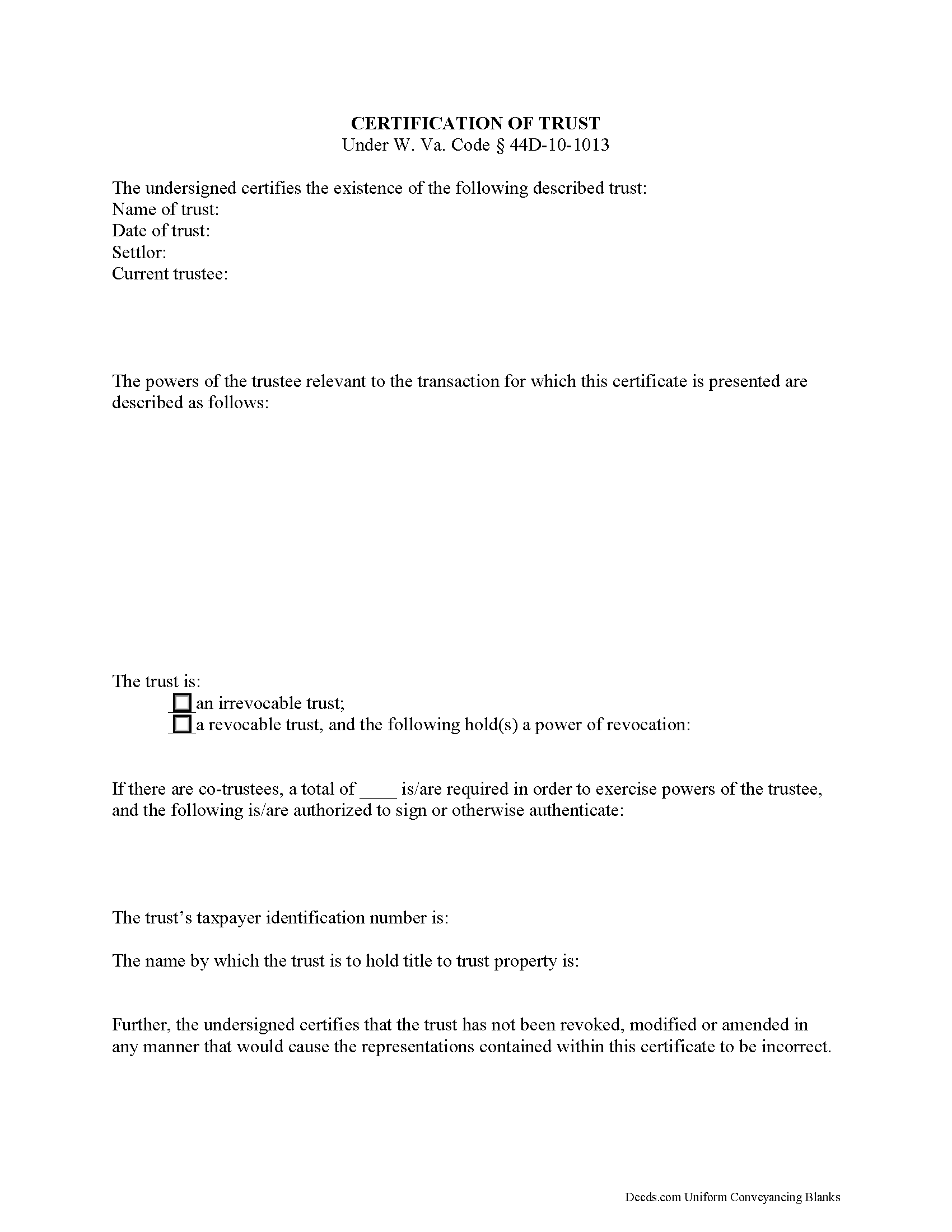
Mingo County Certificate of Trust Form
Fill in the blank form formatted to comply with all recording and content requirements.
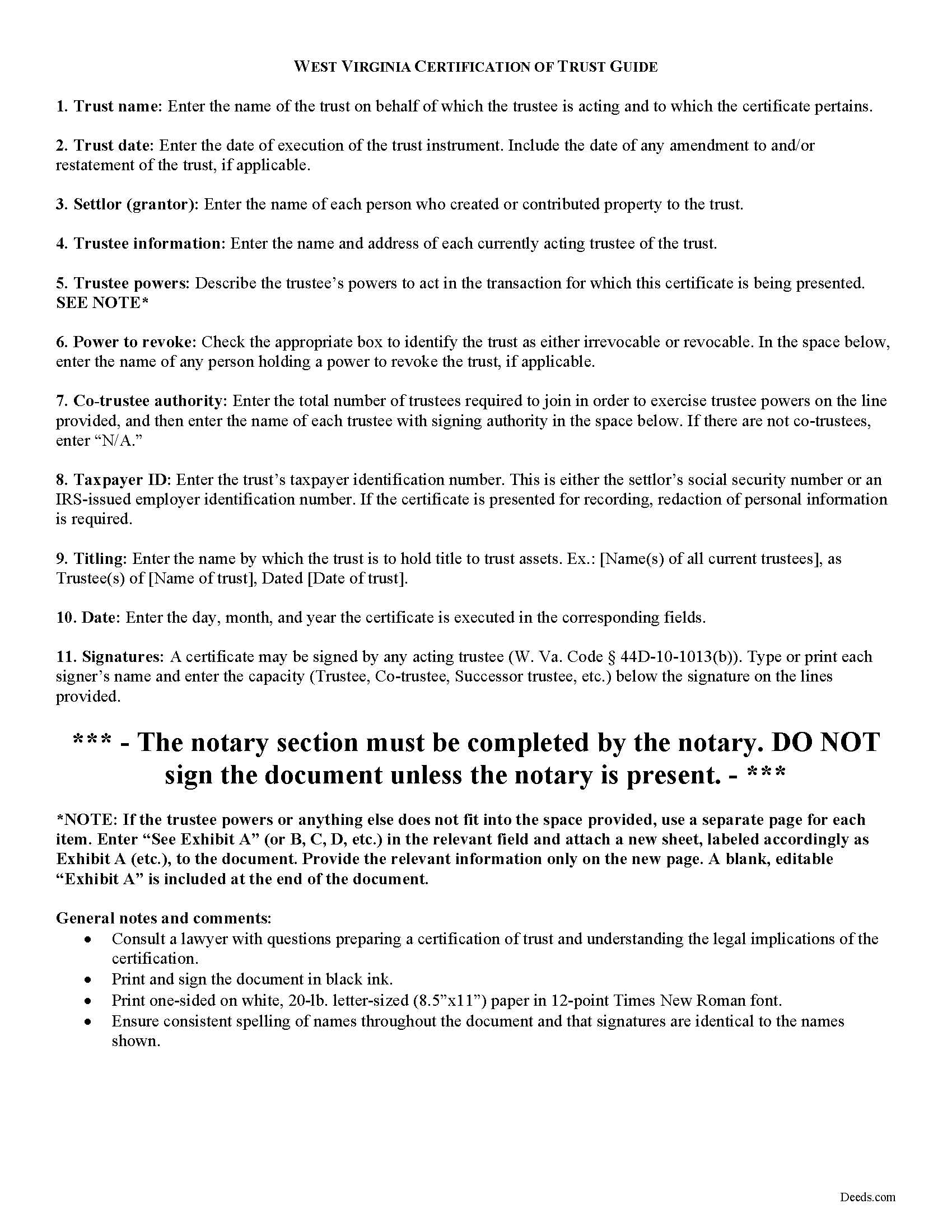
Mingo County Certificate of Trust Guide
Line by line guide explaining every blank on the form.
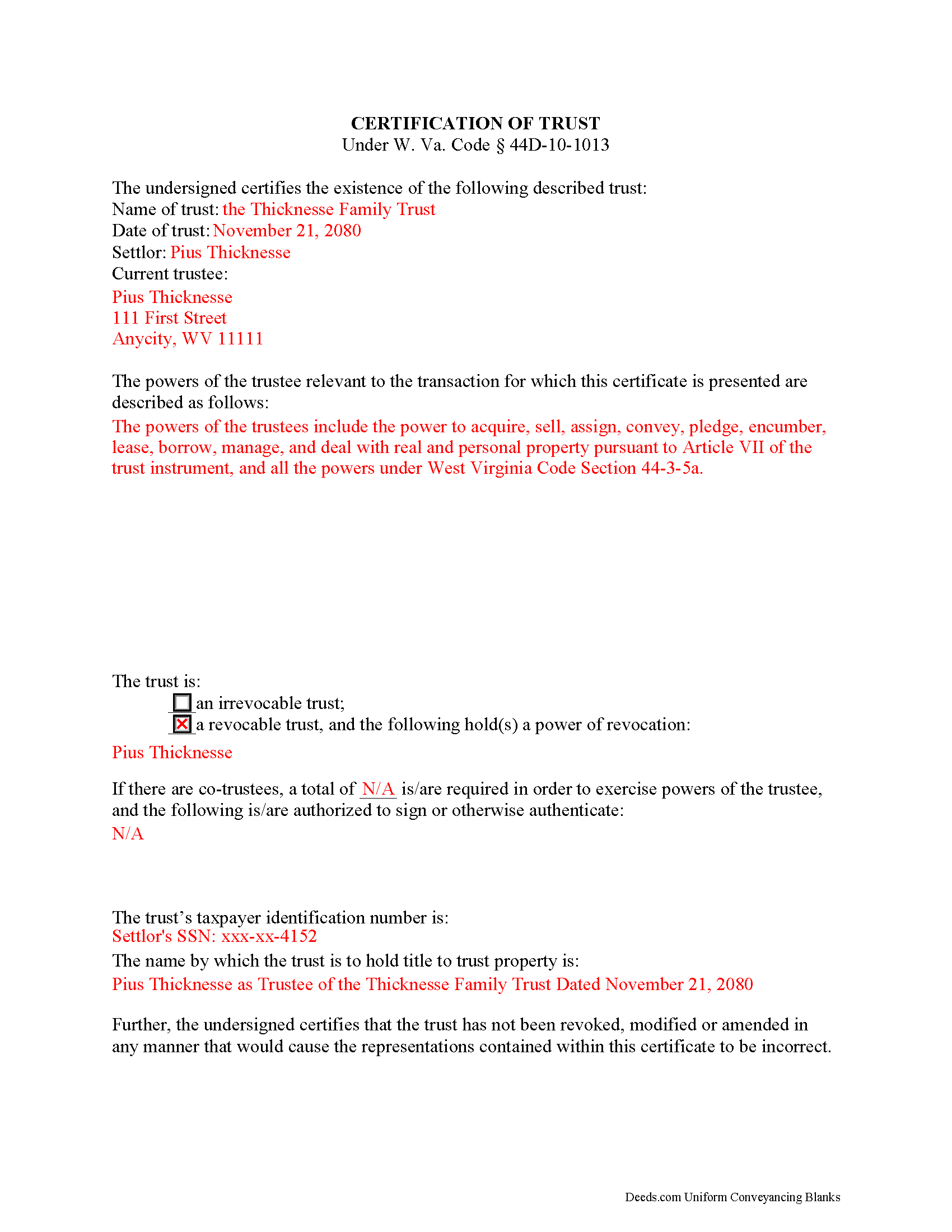
Mingo County Completed Example of the Certificate of Trust Document
Example of a properly completed form for reference.
All 3 documents above included • One-time purchase • No recurring fees
Immediate Download • Secure Checkout
Additional West Virginia and Mingo County documents included at no extra charge:
Where to Record Your Documents
Mingo County Clerk
Williamson, West Virginia 25661
Hours: Mon.-Fri. 8:30 am - 5:00 pm
Phone: (304) 235-0330
Recording Tips for Mingo County:
- Bring your driver's license or state-issued photo ID
- Ensure all signatures are in blue or black ink
- Documents must be on 8.5 x 11 inch white paper
- Double-check legal descriptions match your existing deed
- Verify all names are spelled correctly before recording
Cities and Jurisdictions in Mingo County
Properties in any of these areas use Mingo County forms:
- Baisden
- Borderland
- Breeden
- Chattaroy
- Delbarton
- Dingess
- Edgarton
- Gilbert
- Justice
- Kermit
- Lenore
- Matewan
- Naugatuck
- Newtown
- North Matewan
- Ragland
- Rawl
- Red Jacket
- Varney
- Verner
- Wharncliffe
- Williamson
Hours, fees, requirements, and more for Mingo County
How do I get my forms?
Forms are available for immediate download after payment. The Mingo County forms will be in your account ready to download to your computer. An account is created for you during checkout if you don't have one. Forms are NOT emailed.
Are these forms guaranteed to be recordable in Mingo County?
Yes. Our form blanks are guaranteed to meet or exceed the applicable formatting requirements used for recording in Mingo County, including margin requirements, font requirements, and other layout standards. This guarantee applies to formatting, not to the legal sufficiency of information entered by the user or the suitability of a form for a particular transaction.
Can I reuse these forms?
Yes. You can reuse the forms for your personal use. For example, if you have multiple properties in Mingo County you only need to order once.
What do I need to use these forms?
The forms are PDFs that you fill out on your computer. The free Adobe Acrobat Reader is recommended, and most PDF apps also work. You do NOT enter your property information online - you download the blank forms and complete them privately on your own computer.
Are there any recurring fees?
No. This is a one-time purchase. Nothing to cancel, no memberships, no recurring fees.
How much does it cost to record in Mingo County?
Recording fees in Mingo County vary. Contact the recorder's office at (304) 235-0330 for current fees.
Questions answered? Let's get started!
The certification of trust is part of the Uniform Trust Code, codified in West Virginia at 44D-10-1013, and provides protection for parties doing business with trustees. The document "need not contain the dispositive terms of a trust" ( 44D-10-1013(d)) and, in West Virginia, is generally not recorded with land records. Rather, the certification is presented to third parties such as banks or other financial institutions doing business with a trustee.
Executed by any trustee, the certificate contains only the pertinent information required for the business at hand and is a basic summary of the trust instrument. It states that the trust exists and that it has not been revoked or modified in a way that would invalidate the information presented within. In addition, it requires the name of each settlor and acting trustee; the trustee's relevant powers; the name of anyone having a power to revoke the trust; the trust's taxpayer identification number; and the name by which the trust vests title to property. The form also details the signing authority of co-trustees, if applicable.
Each situation is unique, so contact an attorney with questions about the certification of trust or any other issue relating to trusts in West Virginia.
(West Virginia COT Package includes form, guidelines, and completed example)
Important: Your property must be located in Mingo County to use these forms. Documents should be recorded at the county recording office listed above.
This Certification of Trust meets all recording requirements specific to Mingo County.
Our Promise
The documents you receive here are guaranteed to meet or exceed the applicable Mingo County recording format requirements. If there is a rejection caused by our formatting, we will correct the issue or refund your payment. This guarantee applies to document formatting only and does not extend to information entered by the user, the selection of the form, or the legal effect of the completed document.
Save Time and Money
Get your Mingo County Certification of Trust form done right the first time with Deeds.com Uniform Conveyancing Blanks. At Deeds.com, we understand that your time and money are valuable resources, and we don't want you to face a penalty fee or rejection imposed by a county recorder for submitting nonstandard documents. We constantly review and update our forms to meet rapidly changing state and county recording requirements for roughly 3,500 counties and local jurisdictions.
4.8 out of 5 - ( 4,836 Reviews )
Teresa R. 5 out of 5 stars
FANTASTIC. Sometimes we think know something, glad I found out I was wrong before it was too late.
Thank you!
Christine P. 5 out of 5 stars
Great service! Just what I needed and a bunch of informative extras too. Thanks!
We appreciate your business and value your feedback. Thank you. Have a wonderful day!
Cathy W. 5 out of 5 stars
Easy to use and fee is reasonable.
Thank you!
Valerie W. 5 out of 5 stars
I haven't gotten around to filling out the forms yet, but they look fine to me on the surface. looking forward to getting to them as soon as I can!
Thank you, Valerie. When you’re ready, everything will be available in your account.
Mica M. 5 out of 5 stars
I love deeds.com - hands down, the quickest way to record a warranty deed. The process and communication is so quick - the recording transaction too. Worth the extra $20 to me for my time! I didn't spend over an hour driving around, talking to someone via a kiosk to record the deed, didn't have to spend the energy of loading kids into the car to come with me, etc. The efficiency and timely process is worth the cost! Love having this available! The whole process via deeds.com took less than 5 minutes to upload a document and less than 3 minutes to pay the invoice shortly thereafter. The final recording was in my inbox in less than an hour. Thank you!
Thank you for your feedback. We really appreciate it. Have a great day!
Julie A. 5 out of 5 stars
After receiving the forms online and reviewing them, it was very easy to fill this out and the additional information was very helpful. Saved a lot of money by not having to use a lawyer/paralegal to do this simple task. Will definitely use Deeds.com in the future for any further needs. Thank you
Thank you Julie. We appreciate you taking the time to leave your review. Have a wonderful day.
Sol B. 5 out of 5 stars
Got me all the info I was looking for Thanks you deeds.com
Thank you!
Halilat S. 5 out of 5 stars
Excellent communications. Well done guys!
Thank you for your feedback. We really appreciate it. Have a great day!
Nicole P. 5 out of 5 stars
The forms are great. I kinda expected the guide to be bigger, maybe have some more information. Overall I'm satisfied thus far.
Thank you!
Sheryl G. 5 out of 5 stars
Simple way to complete documents with very detailed instructions. And to be able to e-file them is great too.
We appreciate your business and value your feedback. Thank you. Have a wonderful day!
Terrill B. 5 out of 5 stars
I found it very difficult to find this website, had my accountant search for me. Instructions are invaluable through guide and example. Thank you for them.
We appreciate your business and value your feedback. Thank you. Have a wonderful day!
Penny S. 5 out of 5 stars
Easy to access information needed.
We’re always here to help. Thank you for your feedback.
Nancy O. 5 out of 5 stars
Have not actually filed as yet but package seems to answer all my questions and believe this will be a walk in the park instead a a headache or expensive endeavor. Thanks.
Thank you for your feedback. We really appreciate it. Have a great day!
Roberta M. 5 out of 5 stars
I found a lot of useful information regarding the Lady Bird Deed and feel it will serve my needs as opposed to a Revocable Living Trust. The information was easy to understand and very helpful. The forms seem easy to complete and I plan to get them notarized and filed at the courthouse very soon.
Thank you for your feedback. We really appreciate it. Have a great day!
Timothy L. 5 out of 5 stars
It was very simple and easy to fill out the information need to do the warranty deed.
Thank you for your feedback. We really appreciate it. Have a great day!