Columbia County Quitclaim Deed (Trustee Grantee) Form
Last validated October 6, 2026 by our Forms Development TeamFormatted for recording in Columbia County, for property anywhere in the county: rural and unincorporated areas as well as Arlington, Cambria, Columbus, Doylestown, Fall River, Friesland, Lodi, Pardeeville and 6 more.
- 3 documents included
- Immediate PDF download
- Formatting guarantee
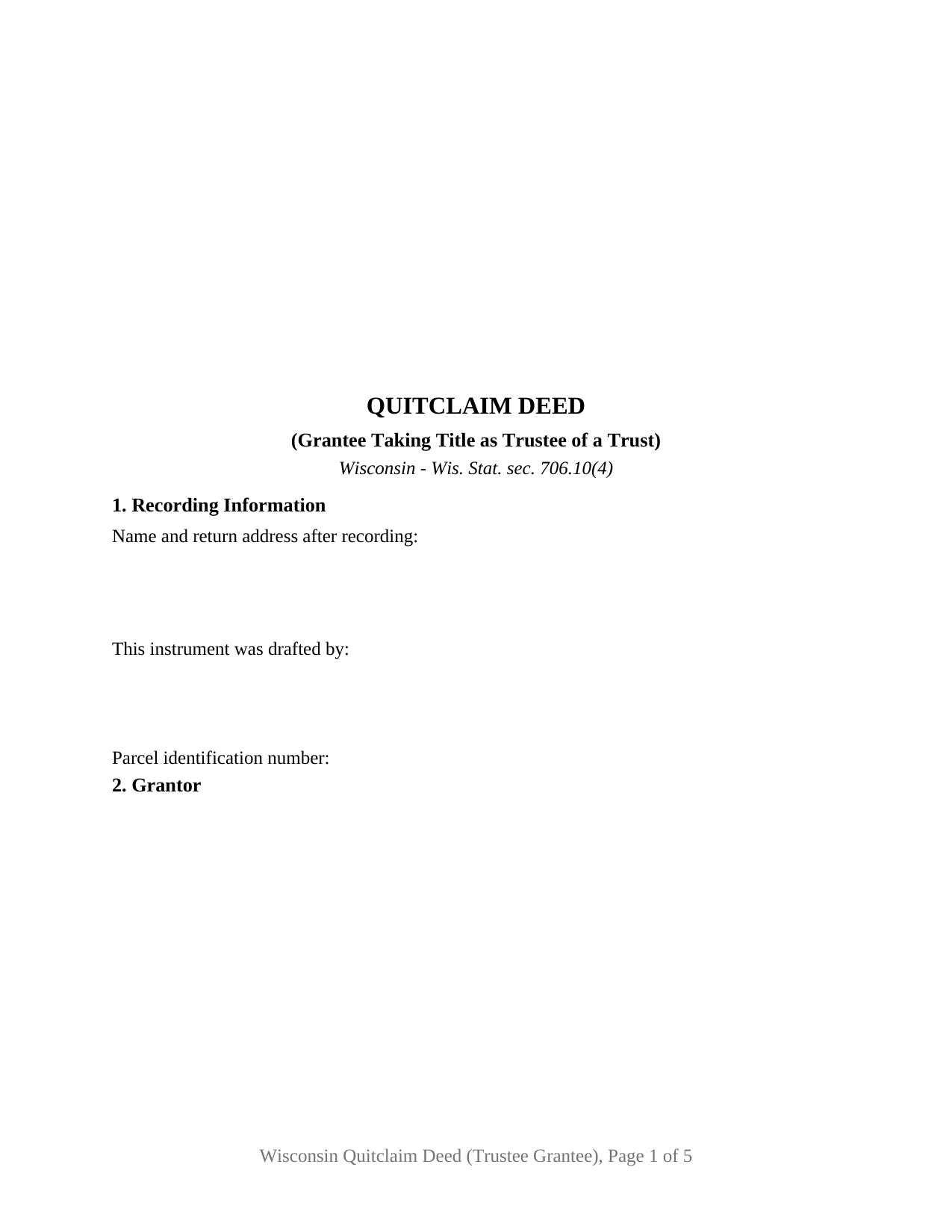
Columbia County Quitclaim Deed (Trustee Grantee) Form
Fill in the blank Quitclaim Deed (Trustee Grantee) form formatted to comply with all Wisconsin recording and content requirements.
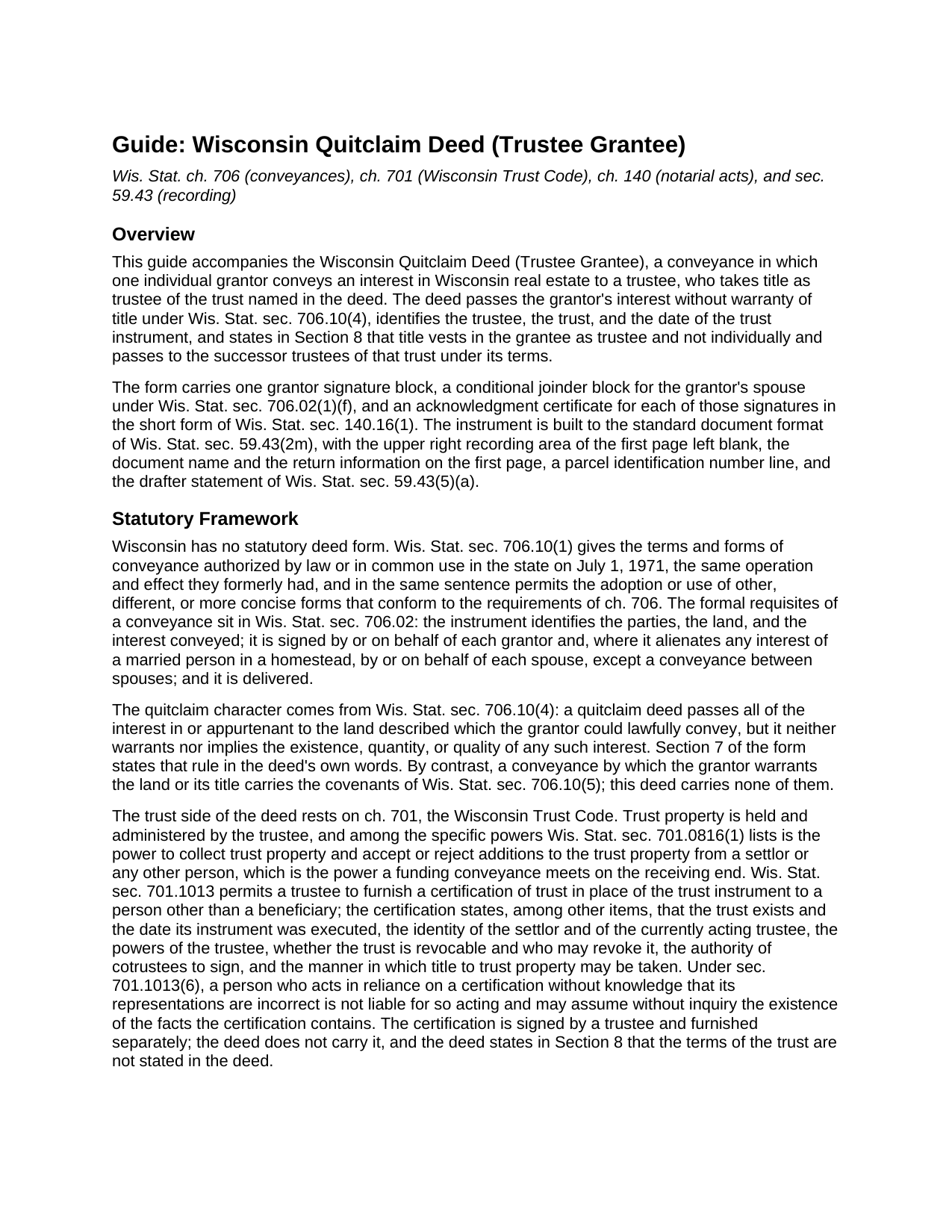
Columbia County Quitclaim Deed (Trustee Grantee) Guide
Line by line guide explaining every blank on the Quitclaim Deed (Trustee Grantee) form.
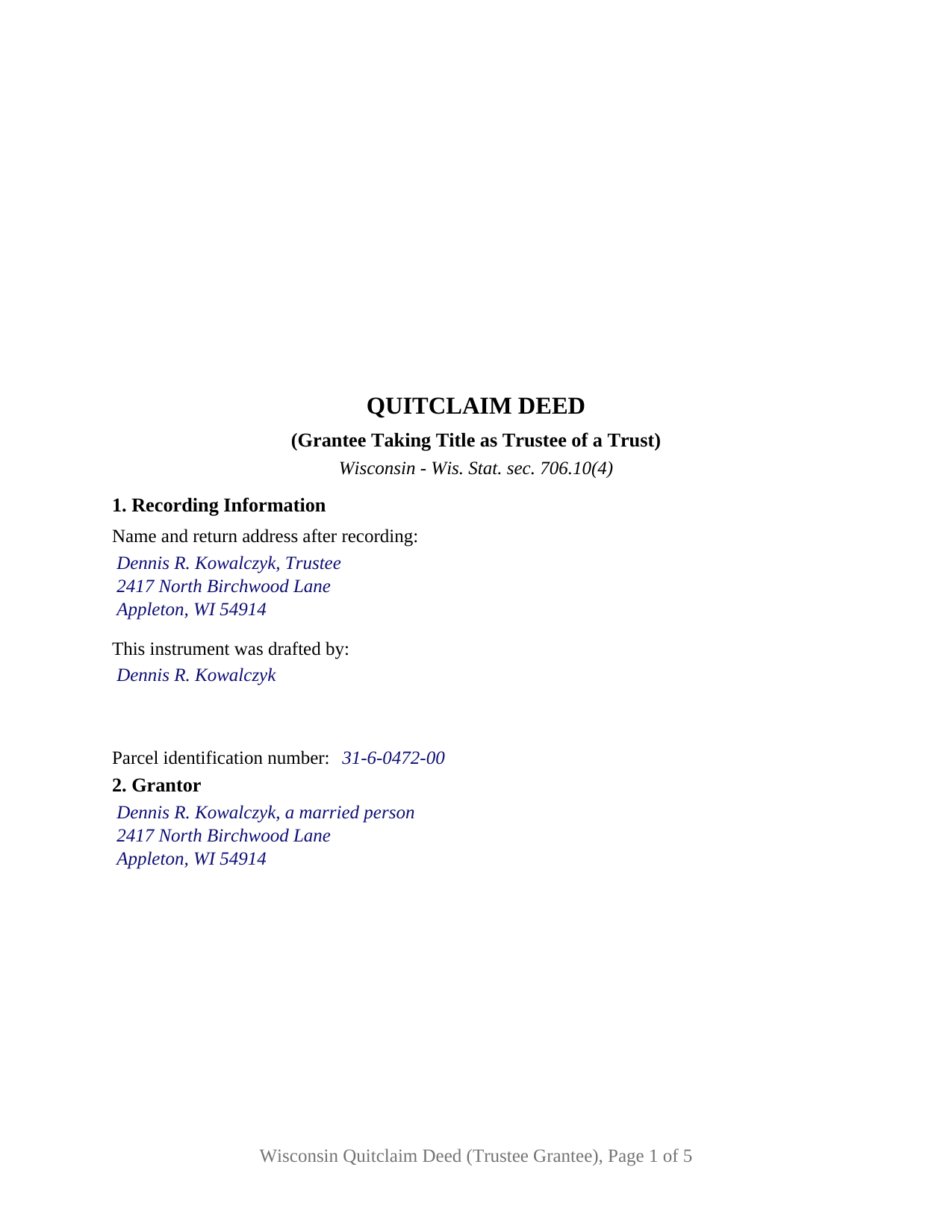
Columbia County Completed Example of the Quitclaim Deed (Trustee Grantee) Document
Example of a properly completed Wisconsin Quitclaim Deed (Trustee Grantee) document for reference.
All 3 documents above included • One-time purchase • No recurring fees
Immediate Download • Secure Checkout
Additional Wisconsin and Columbia County documents included at no extra charge:
Where to Record Your Documents
Columbia County Clerk
Portage, Wisconsin 53901
Hours: Monday - Friday 8:00am - 4:30pm. Please note, the cut-off reception time for recording real estate documents will be 3:30 pm. Documents presented for recording after 3:30 pm will be recorded the next business day.
Phone: (608) 742-9677
Recording Tips for Columbia County:
- Bring your driver's license or state-issued photo ID
- Ensure all signatures are in blue or black ink
- Bring extra funds - fees can vary by document type and page count
- Check margin requirements - usually 1-2 inches at top
- Leave recording info boxes blank - the office fills these
Cities and Jurisdictions in Columbia County
Properties in any of these areas use Columbia County forms:
- Arlington
- Cambria
- Columbus
- Doylestown
- Fall River
- Friesland
- Lodi
- Pardeeville
- Portage
- Poynette
- Randolph
- Rio
- Wisconsin Dells
- Wyocena
Hours, fees, requirements, and more for Columbia County
How do I get my forms?
Forms are available for immediate download after payment. The Columbia County forms will be in your account ready to download to your computer. An account is created for you during checkout if you don't have one. Forms are NOT emailed.
Are these forms guaranteed to be recordable in Columbia County?
Yes. Our form blanks are guaranteed to meet or exceed the applicable formatting requirements used for recording in Columbia County, including margin requirements, font requirements, and other layout standards. This guarantee applies to formatting, not to the legal sufficiency of information entered by the user or the suitability of a form for a particular transaction.
Can I reuse these forms?
Yes. You can reuse the forms for your personal use. For example, if you have multiple properties in Columbia County you only need to order once.
What do I need to use these forms?
The forms are PDFs that you fill out on your computer. The free Adobe Acrobat Reader is recommended, and most PDF apps also work. You do NOT enter your property information online - you download the blank forms and complete them privately on your own computer.
Are there any recurring fees?
No. This is a one-time purchase. Nothing to cancel, no memberships, no recurring fees.
How much does it cost to record in Columbia County?
Recording fees in Columbia County vary. Contact the recorder's office at (608) 742-9677 for current fees.
Questions answered? Let's get started!
The grantee line on this deed names a person and a capacity, because a Wisconsin trust holds no title of its own. Chapter 701 puts trust property in the hands of the trustee, so the instrument that funds a trust with real estate runs to the trustee, identifies the trust behind that trustee, and says on its face that the grantee takes as trustee rather than personally. This form prepares that conveyance under Wis. Stat. § 706.10(4), with one individual grantor and no warranty of title.
Naming the trustee, the trust, and the date
Section 3 gathers four entries: the trustee named as trustee, the name of the trust, the date of the trust instrument, and a mailing address for the grantee. Wis. Stat. § 701.0816 lists the specific powers of a trustee, among them collecting trust property and accepting additions to the trust property from a settlor or any other person, the power a funding conveyance meets on the receiving end. Section 8 then puts the capacity into the deed's own text: title vests in the grantee as trustee and not individually, and it passes to the successor trustees of the named trust under the terms of that trust. A reader of the record years later finds that sentence beside the grantee's name.
What the deed leaves to the certification of trust
The trust's terms stay out of the deed. Wisconsin's certification of trust under Wis. Stat. § 701.1013 is what a title company, lender, or counterparty reads instead: it recites that the trust exists and the date its instrument was executed, the settlor and the acting trustee, whether the trust is revocable and who may revoke it, the authority of cotrustees, and the manner in which title to trust property may be taken. A person who acts in reliance on a certification without knowledge that its representations are incorrect is protected under § 701.1013(6). A certification of trust is signed by a trustee and furnished separately; it is not part of this package.
Exemption 16, and the return filed anyway
Funding a trust usually costs no transfer fee in Wisconsin. Wis. Stat. § 77.25(16) covers a conveyance to a trust where a transfer from the grantor straight to the beneficiary of that trust would itself be exempt, so the question runs through who the beneficiaries are, reaching the spouse exemption at § 77.25(8m) or the family exemption at § 77.25(8). Section 6 of the form is the printed exemption sentence with the subsection left open, because § 77.22(1) makes the stated reason a condition of recording an exempt conveyance. The electronic transfer return is filed regardless: § 77.255 excuses only conveyances exempt under § 77.25(1) or (10m), and a trust conveyance is in neither class. The register of deeds collects the flat $30 document charge set by § 59.43(2)(ag)1.
One grantor signs, and Wisconsin sometimes wants a second name
The grantor side is deliberately narrow: one individual, signing personally, with a marital status entry in Section 9 and a named spouse who joins in Section 11. That joinder answers Wis. Stat. § 706.02(1)(f), which invalidates a conveyance alienating a married person's homestead interest without the signature or joinder of each spouse, and a trustee stands outside the interspousal carve-out in that paragraph. Two short form certificates under Wis. Stat. § 140.16(1) follow the signatures, so the signers may appear before different notarial officers on different days. A settlor moving a homestead into a revocable living trust, an owner adding a rental parcel to a trust funded with other assets, and a relative releasing a fractional interest into a family trust all present the pattern this deed recites. The form is not set up for two grantors, for cotrustees named together on the grantee side, for a corporate or limited liability company grantor, or for a conveyance running the other direction, out of a trust to a beneficiary or a buyer, which is a different instrument entirely. Customers search for it as a quit claim deed to a trust, a deed transferring property into a trust, or a trust funding deed.
The download holds three files: the fillable trustee grantee quitclaim deed, a completed example filled in for an Outagamie County funding transfer with a joining spouse, and a plain language guide to every blank, the signing rules, and the recording package. These materials describe Wisconsin law in general terms, for information only, and are not legal advice.
Important: Your property must be located in Columbia County to use these forms. Documents should be recorded at the county recording office listed above.
This Quitclaim Deed (Trustee Grantee) meets all recording requirements specific to Columbia County.
Our Promise
The documents you receive here are guaranteed to meet or exceed the applicable Columbia County recording format requirements. If there is a rejection caused by our formatting, we will correct the issue or refund your payment. This guarantee applies to document formatting only and does not extend to information entered by the user, the selection of the form, or the legal effect of the completed document.
Save Time and Money
Get your Columbia County Quitclaim Deed (Trustee Grantee) form done right the first time with Deeds.com Uniform Conveyancing Blanks. At Deeds.com, we understand that your time and money are valuable resources, and we don't want you to face a penalty fee or rejection imposed by a county recorder for submitting nonstandard documents. We constantly review and update our forms to meet rapidly changing state and county recording requirements for roughly 3,500 counties and local jurisdictions.
4.8 out of 5 - ( 4,828 Reviews )
Helen A. 5 out of 5 stars
Well not sure yet since I have only downloaded these forms but I read the reviews and this helped me determine if I will use your web site. I will gladly give a good review if this form serves me well!!!
Thank you for your feedback. We really appreciate it. Have a great day!
Joan P. 5 out of 5 stars
Thank you for combining all necessary documents in one simple location.
Thank you!
Stephen U. 5 out of 5 stars
This is another great deal that has come out of the quarantine for covid. Saved me hours and days of time. and provides a way to file deeds that really isn't done effectively anyway else. It was also very inexpensive that you would not expect. I didn't even have to leave home.
Thank you for your feedback. We really appreciate it. Have a great day!
Lisa W. 5 out of 5 stars
The easiest thing to use ever. Amazing and extremely prompt support. They get the job done with all the information you might need
We appreciate your business and value your feedback. Thank you. Have a wonderful day!
Crystal W. 5 out of 5 stars
This is the easiest process.
Thank you for your feedback. We really appreciate it. Have a great day!
Teri B. 5 out of 5 stars
Glad to have all of the helpful extra information, even though they don't answer all questions for all situations. So, I accessed public records and asked questions at the auditor's office. Also, on my Mac computer, filling out the actual deed form is a challenge because the screen jumps to the last page everytime I try to type a few letters or hit the return key, so I'm rollling back up to the first 2 pages after most keystrokes. A bit annoying. Overall, happy to have these form options are available! There is really no need to wait and pay for an attorney when all the information needed is available via public records. Fill in the blanks!
Thanks so much for the feedback Teri. There are known issues between Adobe and Mac, we try to work around them as much as possible. Have a wonderful day!
Diane D. 5 out of 5 stars
Document site was very easy to access and pull up what I needed.
Thank you!
L. Candace H. 5 out of 5 stars
So far it's been good & informative. I have not chosen forms for download but I like the site. Thanks
Thank you!
John Z. 5 out of 5 stars
This was an easy to use program. Easy payment. documents are on my desktop ready to fill out. I will have to update after my property transfer. Zuna
We appreciate your business and value your feedback. Thank you. Have a wonderful day!
Becky B. 1 out of 5 stars
Terrible form format
Thank you for taking the time to leave your feedback Becky. We do hope that you found something more suitable to your needs elsewhere. Have a wonderful day.
Brian C. 5 out of 5 stars
***** so easy thanks.
Thanks Brian, we appreciate your feedback.
Stephen M. 5 out of 5 stars
The process to record took five minutes of my time, and within 45 minutes, my document was recorded! Simple, efficient and affordable! Thanks!
Thank you for your feedback. We really appreciate it. Have a great day!
JOHN H. 5 out of 5 stars
It was simple and fast thanks so much.
We appreciate your business and value your feedback. Thank you. Have a wonderful day!
Mary H. 5 out of 5 stars
I have downloaded all the forms and the guidelines. The information provided is very helpful and easy to access. Thank you
Thank you for your feedback. We really appreciate it. Have a great day!
Sara D. 3 out of 5 stars
Would have been beneficial to have more information about the previous sale history of the property. The report was received in a very timely manner.
Thank you for your feedback. We really appreciate it. Have a great day!