Cochise County Conditional Lien Waiver on Final Payment Form
Last validated September 28, 2026 by our Forms Development TeamFormatted for recording in Cochise County, for property anywhere in the county: rural and unincorporated areas as well as Benson, Bisbee, Bowie, Cochise, Douglas, Dragoon, Elfrida, Fort Huachuca and 12 more.
- 3 documents included
- Immediate PDF download
- Formatting guarantee
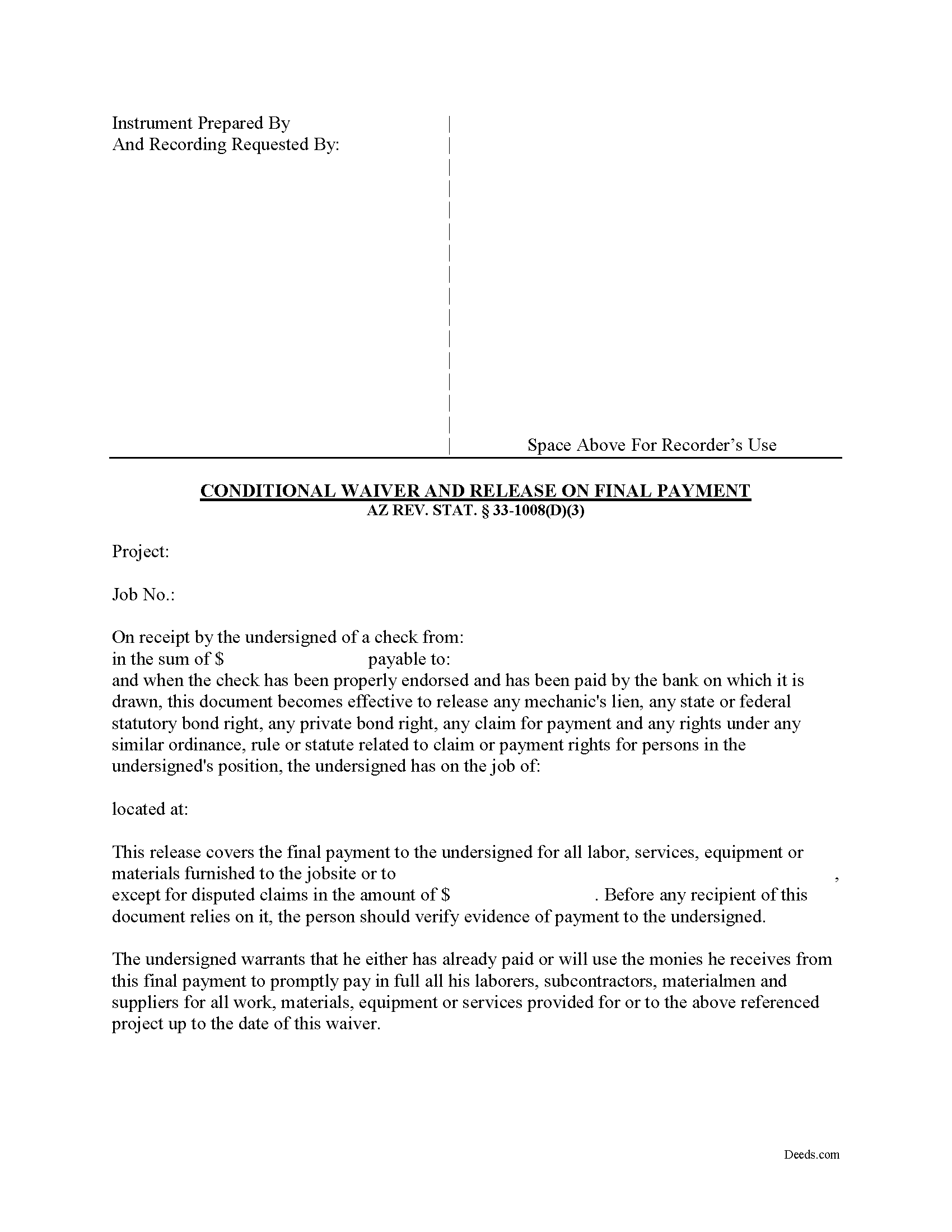
Cochise County Conditional Lien Waiver on Final Payment Form
Fill in the blank form formatted to comply with all recording and content requirements.
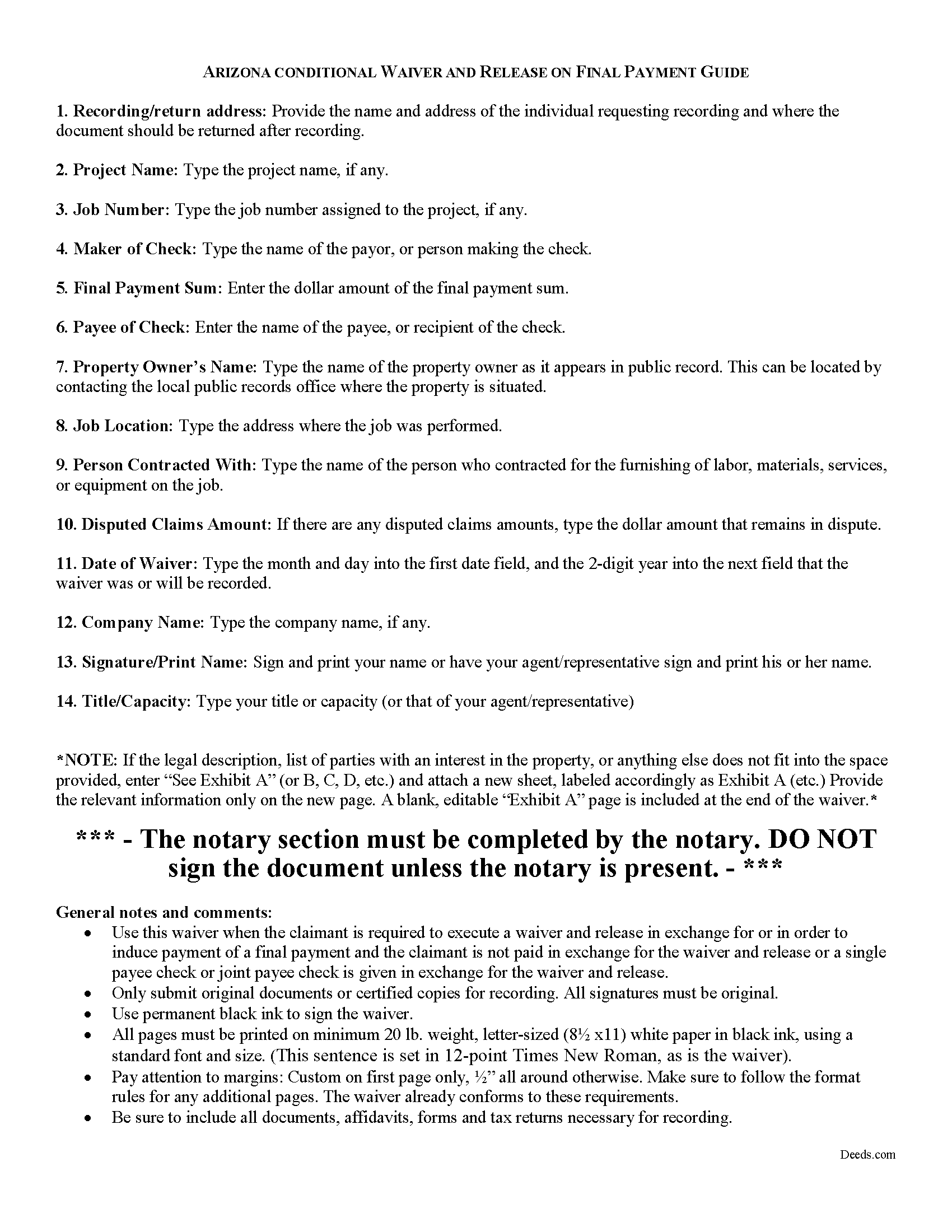
Cochise County Conditional Lien Waiver on Final Payment Guide
Line by line guide explaining every blank on the form.
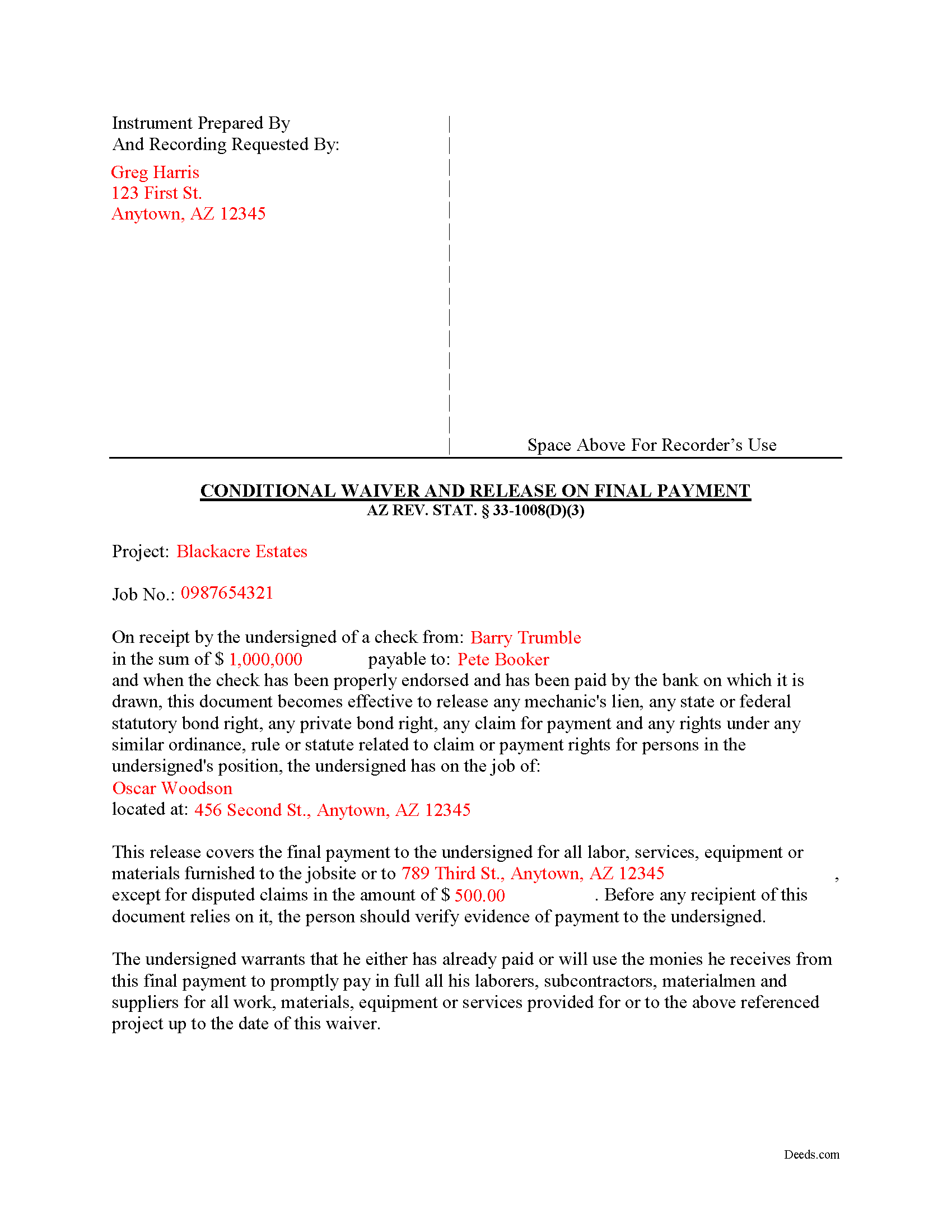
Cochise County Completed Example of the Conditional Lien Waiver on Final Payment Document
Example of a properly completed form for reference.
All 3 documents above included • One-time purchase • No recurring fees
Immediate Download • Secure Checkout
Additional Arizona and Cochise County documents included at no extra charge:
Where to Record Your Documents
Recorder's Office
Bisbee, Arizona 85603
Hours: 8:00am - 5:00pm Monday - Friday
Phone: 520-432-8350
Recording Tips for Cochise County:
- Bring your driver's license or state-issued photo ID
- Ensure all signatures are in blue or black ink
- Ask about their eRecording option for future transactions
- Avoid the last business day of the month when possible
- Both spouses typically need to sign if property is jointly owned
Cities and Jurisdictions in Cochise County
Properties in any of these areas use Cochise County forms:
- Benson
- Bisbee
- Bowie
- Cochise
- Douglas
- Dragoon
- Elfrida
- Fort Huachuca
- Hereford
- Huachuca City
- Mc Neal
- Naco
- Pearce
- Pirtleville
- Pomerene
- Saint David
- San Simon
- Sierra Vista
- Tombstone
- Willcox
Hours, fees, requirements, and more for Cochise County
How do I get my forms?
Forms are available for immediate download after payment. The Cochise County forms will be in your account ready to download to your computer. An account is created for you during checkout if you don't have one. Forms are NOT emailed.
Are these forms guaranteed to be recordable in Cochise County?
Yes. Our form blanks are guaranteed to meet or exceed the applicable formatting requirements used for recording in Cochise County, including margin requirements, font requirements, and other layout standards. This guarantee applies to formatting, not to the legal sufficiency of information entered by the user or the suitability of a form for a particular transaction.
Can I reuse these forms?
Yes. You can reuse the forms for your personal use. For example, if you have multiple properties in Cochise County you only need to order once.
What do I need to use these forms?
The forms are PDFs that you fill out on your computer. The free Adobe Acrobat Reader is recommended, and most PDF apps also work. You do NOT enter your property information online - you download the blank forms and complete them privately on your own computer.
Are there any recurring fees?
No. This is a one-time purchase. Nothing to cancel, no memberships, no recurring fees.
How much does it cost to record in Cochise County?
Recording fees in Cochise County vary. Contact the recorder's office at 520-432-8350 for current fees.
Questions answered? Let's get started!
Lien waivers are part of the Arizona mechanic's lien process.
The waiver, given by a contractor, subcontractor, materials supplier or other party to the construction project (the claimant) acknowledging receipt of payment and waiving any future lien rights to the owner's property. Lien waivers are governed under Arizona Revised Statute 33-1008.
In Arizona, lien waivers require strict compliance with the statute and any document purported to waive a lien must follow the statutory format. AZ REV. STAT. 33-1008(A). Any contract or other form attempting to waive lien rights is void as a matter of law. Id. Additionally, lien waivers filed in the state require evidence of actual payment when the waiver is conditioned on receipt of payment. Id.
There are two classifications of lien waivers: conditional and unconditional. Within either class, there are subcategories of "partial" and "final" waivers. Unconditional waivers take effect without payment confirmation, but conditional waivers are effective only when payment is received, usually verified by a check clearing the bank. So, a conditional waiver given after the final payment releases the claimant's right to lien, but only after any check used to pay the bill clears the bank.
The waiver must contain
- details identifying the job/project,
- the amount and type of payment, including the name of the person who wrote any checks,
- the property owner,
- the location and a description of the work,
- relevant dates,
- and the claimant's signature. 33-1008(D)(3).
This article is provided for informational purposes only and should not be relied on as a substitute for the advice of an attorney. Please contact an Arizona attorney with questions about mechanic's lien waivers.
Important: Your property must be located in Cochise County to use these forms. Documents should be recorded at the county recording office listed above.
This Conditional Lien Waiver on Final Payment meets all recording requirements specific to Cochise County.
Our Promise
The documents you receive here are guaranteed to meet or exceed the applicable Cochise County recording format requirements. If there is a rejection caused by our formatting, we will correct the issue or refund your payment. This guarantee applies to document formatting only and does not extend to information entered by the user, the selection of the form, or the legal effect of the completed document.
Save Time and Money
Get your Cochise County Conditional Lien Waiver on Final Payment form done right the first time with Deeds.com Uniform Conveyancing Blanks. At Deeds.com, we understand that your time and money are valuable resources, and we don't want you to face a penalty fee or rejection imposed by a county recorder for submitting nonstandard documents. We constantly review and update our forms to meet rapidly changing state and county recording requirements for roughly 3,500 counties and local jurisdictions.
4.8 out of 5 - ( 4,820 Reviews )
William W. 5 out of 5 stars
No fuss-No muss. Very easy!
Thank you!
Tamara B. 5 out of 5 stars
Simple and easy to use
Your feedback means a lot to us. Thank you.
Chris K. 2 out of 5 stars
Wasn't able to get the deed from you. Had to wade through the county offices myself.
Sorry we were not able to help you find what you needed.
Catherine R. 5 out of 5 stars
What a great way to put my mind at ease. It was easy to fill out and printed out nicely.
Thank you for your feedback. We really appreciate it. Have a great day!
Beverly D. 5 out of 5 stars
Deeds.com was a great experience in helping me get some important documents recorded.I would recommend them to anyone wanting documents recorded in a timely manner.
We appreciate your business and value your feedback. Thank you. Have a wonderful day!
Keith H. 5 out of 5 stars
These forms were helpful and comprehensive. Thank you.
Thank you for your feedback. We really appreciate it. Have a great day!
Hilary C. 5 out of 5 stars
Within 10 minutes I had my Deed!!! Fantastic!!!!
Thank you for your feedback. We really appreciate it. Have a great day!
Jami B. 5 out of 5 stars
I was blown away by all the information I received for just $19.00!! I am still reading through it. Great job of explaining everything.
Thank you!
Melody P. 5 out of 5 stars
Thank you for always providing great service!
We appreciate your business and value your feedback. Thank you. Have a wonderful day!
Stephen M. 5 out of 5 stars
Using the service is very quick and easy. The staff was very attentive, knowledgeable, professional and followed up promptly, and kept me informed regarding the status of my package.
Thank you, Stephen! We appreciate your feedback and are glad our team made the process smooth and efficient for you.
WILLIAM M. 5 out of 5 stars
After a long search this site is the best all inclusive service. Contacting Customer Service received an timely reply. Highly recommened.
We appreciate your business and value your feedback. Thank you. Have a wonderful day!
Allen O. 5 out of 5 stars
The website was easy to use and the forms will guide me as our family sells interest in property to other family members in Central New York.
Thank you for your feedback. We really appreciate it. Have a great day!
Jerome R. 5 out of 5 stars
Deeds.com handled my needs quickly and very economically. I would recommend them to anyone needing the services they offer.
We appreciate your business and value your feedback. Thank you. Have a wonderful day!
Dave S. 5 out of 5 stars
Easy to use and get forms I needed. Corporate need for an invoice/receipt could be a bit easier - have to print screen to get any info.
Thank you for your feedback Dave, we really appreciate it.
Sharon H. 5 out of 5 stars
I was able to print the deed and follow the instructions and sample deed quite easily. Thank you
We appreciate your business and value your feedback. Thank you. Have a wonderful day!