Placer County Quitclaim Deed (Trustee Grantee) Form
Last validated October 6, 2026 by our Forms Development TeamFormatted for recording in Placer County, for property anywhere in the county: rural and unincorporated areas as well as Alta, Applegate, Auburn, Carnelian Bay, Colfax, Dutch Flat, Emigrant Gap, Foresthill and 16 more.
- 3 documents included
- Immediate PDF download
- Formatting guarantee
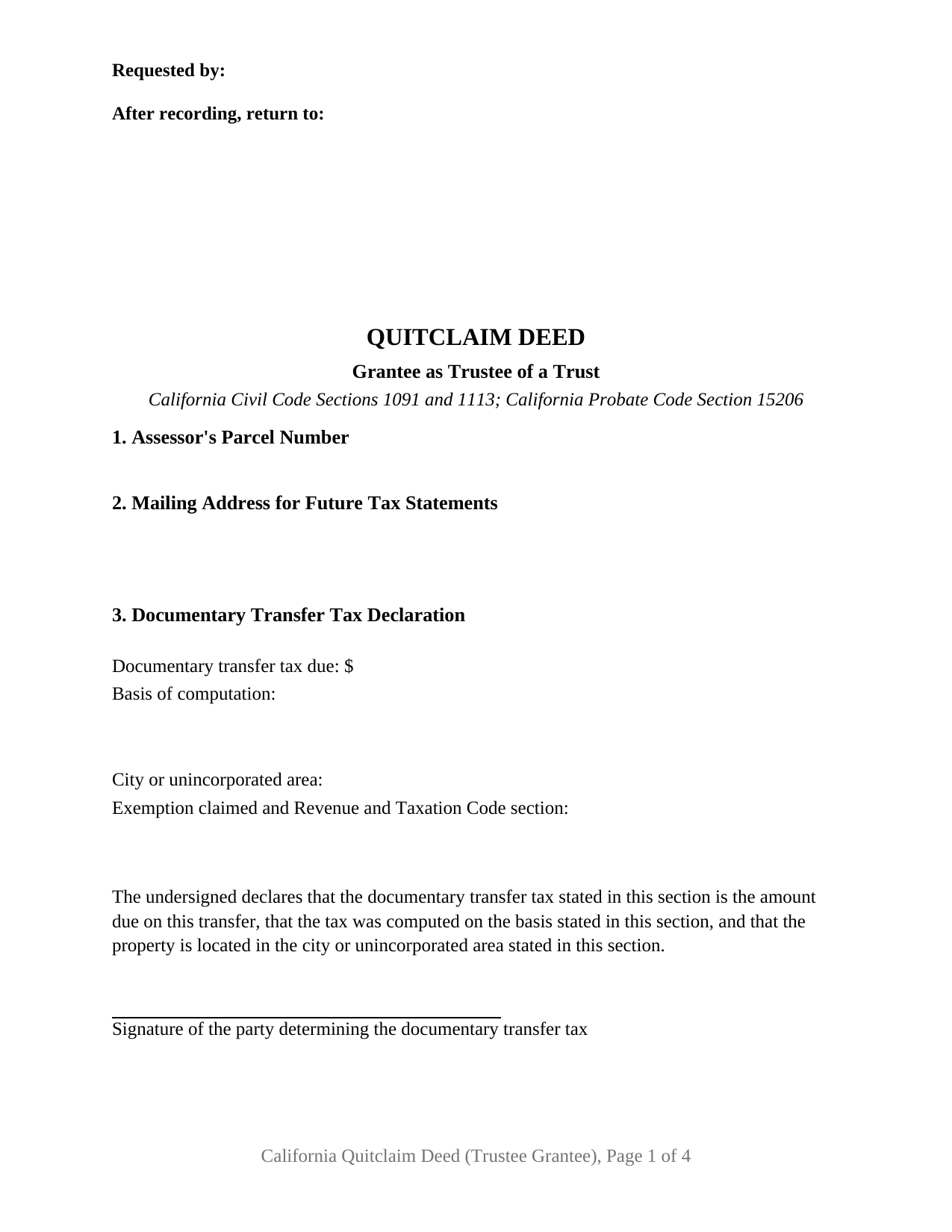
Placer County Quitclaim Deed (Trustee Grantee) Form
Fill in the blank Quitclaim Deed (Trustee Grantee) form formatted to comply with all California recording and content requirements.
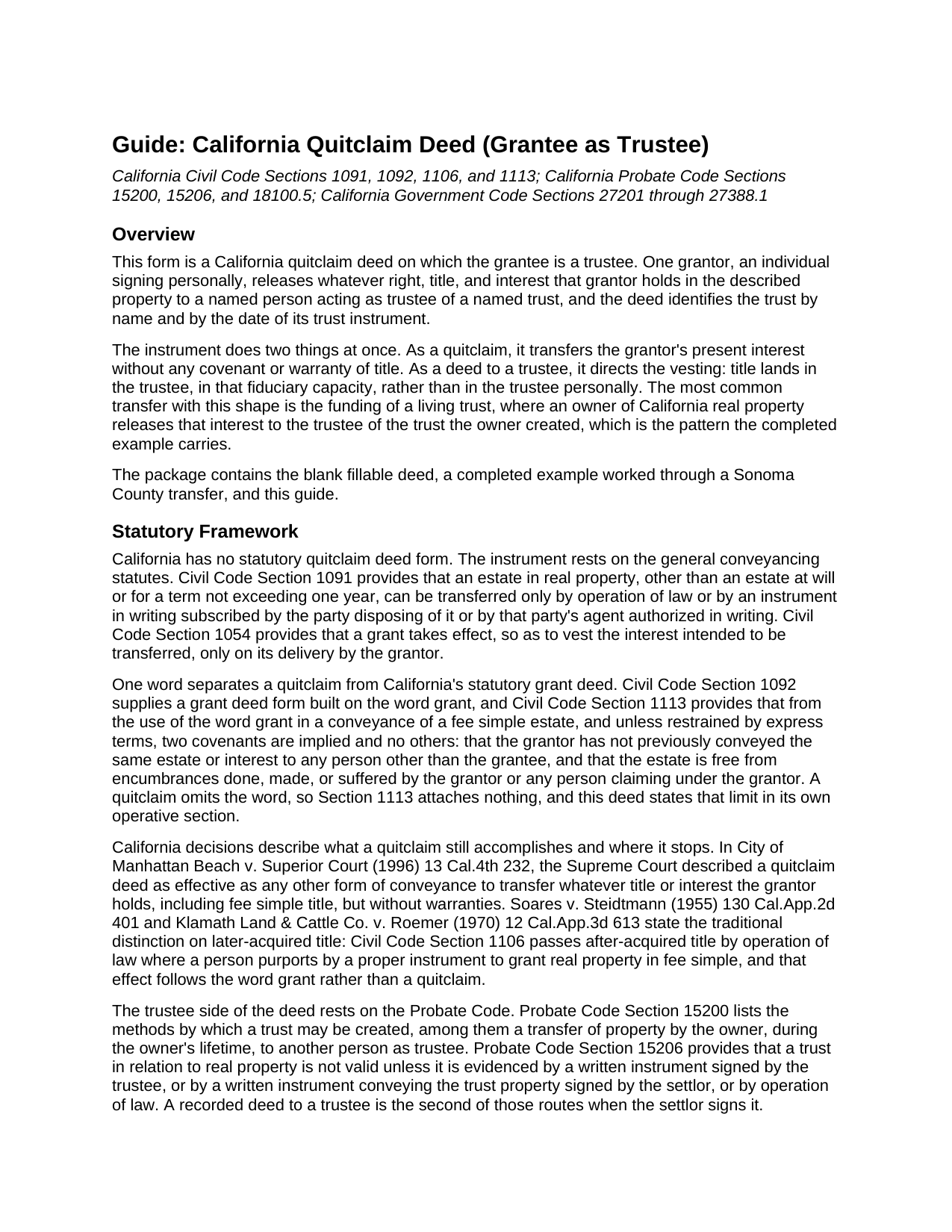
Placer County Quitclaim Deed (Trustee Grantee) Guide
Line by line guide explaining every blank on the Quitclaim Deed (Trustee Grantee) form.
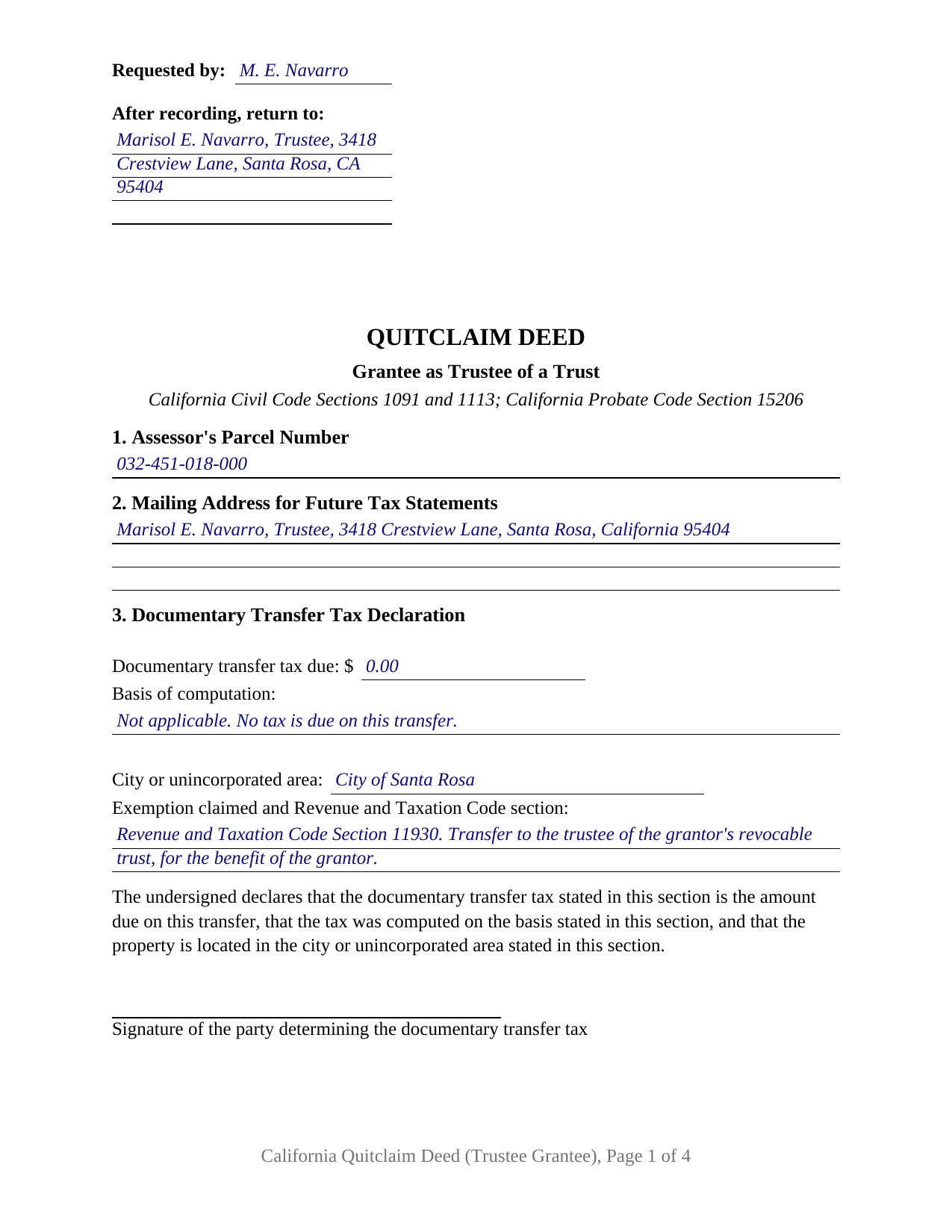
Placer County Completed Example of the Quitclaim Deed (Trustee Grantee) Document
Example of a properly completed California Quitclaim Deed (Trustee Grantee) document for reference.
All 3 documents above included • One-time purchase • No recurring fees
Immediate Download • Secure Checkout
Additional California and Placer County documents included at no extra charge:
Where to Record Your Documents
Placer County Clerk-Recorder
Auburn, California 95603
Hours: Mon to Fri 8:00 to 5:00 / Recording until 4:00
Phone: (530) 886-5600
Satellite Office
Auburn, California 95603
Hours: Monday through Friday 8 a.m. to 4 p.m.
Phone: (530) 886-5600
Recording Tips for Placer County:
- Bring your driver's license or state-issued photo ID
- Ensure all signatures are in blue or black ink
- Both spouses typically need to sign if property is jointly owned
- Bring extra funds - fees can vary by document type and page count
- Check margin requirements - usually 1-2 inches at top
Cities and Jurisdictions in Placer County
Properties in any of these areas use Placer County forms:
- Alta
- Applegate
- Auburn
- Carnelian Bay
- Colfax
- Dutch Flat
- Emigrant Gap
- Foresthill
- Gold Run
- Granite Bay
- Homewood
- Kings Beach
- Lincoln
- Loomis
- Meadow Vista
- Newcastle
- Olympic Valley
- Penryn
- Rocklin
- Roseville
- Sheridan
- Tahoe City
- Tahoe Vista
- Weimar
Hours, fees, requirements, and more for Placer County
How do I get my forms?
Forms are available for immediate download after payment. The Placer County forms will be in your account ready to download to your computer. An account is created for you during checkout if you don't have one. Forms are NOT emailed.
Are these forms guaranteed to be recordable in Placer County?
Yes. Our form blanks are guaranteed to meet or exceed the applicable formatting requirements used for recording in Placer County, including margin requirements, font requirements, and other layout standards. This guarantee applies to formatting, not to the legal sufficiency of information entered by the user or the suitability of a form for a particular transaction.
Can I reuse these forms?
Yes. You can reuse the forms for your personal use. For example, if you have multiple properties in Placer County you only need to order once.
What do I need to use these forms?
The forms are PDFs that you fill out on your computer. The free Adobe Acrobat Reader is recommended, and most PDF apps also work. You do NOT enter your property information online - you download the blank forms and complete them privately on your own computer.
Are there any recurring fees?
No. This is a one-time purchase. Nothing to cancel, no memberships, no recurring fees.
How much does it cost to record in Placer County?
Recording fees in Placer County vary. Contact the recorder's office at (530) 886-5600 for current fees.
Questions answered? Let's get started!
California real property held in trust is not held by the trust. It is held by the trustee, and a deed that moves an interest into a trust says so on its face. This form prepares the trustee grantee configuration of the California quitclaim deed: one grantor releasing whatever interest that grantor holds to a named person acting as trustee, with the trust identified by name and by the date of its instrument.
A Deed That Names a Trustee, Not a Trust
California law treats a trust as a fiduciary relationship rather than a legal entity, so it cannot take title in its own name. The Court of Appeal put it plainly in Boshernitsan v. Bach (2021): only trustees, and not trusts, can hold legal title to property. The trustee holds legal title while the beneficiaries hold equitable title, and Probate Code Section 15200 lists a transfer of property to another person as trustee among the ways a trust comes into being. Section 5 is built around it, carrying the name of the person taking title with the trustee designation, the trust's name, the date of its instrument, and a mailing address. Deeds naming a trust and stopping there turn up in California grantor indexes, and title companies flag them later.
What Passes to the Trustee, and What Is Promised
Nothing is promised. California packs its everyday deed covenants into a single word: Civil Code Section 1113 implies two covenants, and no others, from the word grant, and a quitclaim, often typed as a quit claim deed, leaves that word out. The operative section states the rest expressly. The grantor remises, releases, and forever quitclaims only the interest held when the deed is delivered; title the grantor picks up afterward does not follow the deed; and title vests in the grantee as trustee of the named trust, to be held and administered under the trust instrument and California law. Under Probate Code Section 15206, a written instrument conveying trust property, signed by the settlor, is one of the ways California evidences a trust in relation to real property. The trust instrument itself is a separate document, prepared apart from this deed and not included here.
One Grantor Signs, and the Trustee Does Not
The form recites one grantor, an individual signing personally, and one grantee taking as trustee. A single signature line follows the operative section, and one California acknowledgment certificate follows it, headed by the boxed identity notice Civil Code Section 1189 requires on every certificate taken in the state. A grantee does not execute a quitclaim, so the trustee has no signature line even where the trustee and the grantor are the same person, as when an owner funds a living trust. Patterns presenting this configuration fill California's records: an owner moving a residence to the trustee of a revocable living trust signed years earlier, a cotenant releasing an undivided interest to the trustee of a family trust, and a later transfer to the trustee where an earlier deed named the trust alone. The form is not set up for two grantors, and a grantee taking title in that person's own right presents a different grantee pattern than this deed recites.
Transfer Tax and the Assessor on a Trust Transfer
A transfer into a trust commonly carries no documentary transfer tax, and the deed states why on its face. Revenue and Taxation Code Section 11930 reaches a conveyance of realty, outright or in trust for the benefit of any person, made by inter vivos gift or by reason of a death, and county recorders apply it to a deed transferring the grantor's interest to a revocable trust for the grantor's benefit. Section 3 carries the tax entries the declaration statutes call for, including the exemption line, over the tax determiner's signature. Property tax runs on a separate provision: Revenue and Taxation Code Section 62(d) excludes from change in ownership a transfer into a revocable trust, or into a trust in which the transferor is the present beneficiary, which the assessor administers through the Preliminary Change of Ownership Report accompanying the deed.
Three files make up the package: the fillable deed, a completed example filled in for a Sonoma County transfer to the trustee of a living trust, and a plain language guide covering every numbered section, the notarial certificate, and what a recorder checks at intake. It states what California law provides in general terms, and it is not legal advice about a particular title or trust.
Important: Your property must be located in Placer County to use these forms. Documents should be recorded at the county recording office listed above.
This Quitclaim Deed (Trustee Grantee) meets all recording requirements specific to Placer County.
Our Promise
The documents you receive here are guaranteed to meet or exceed the applicable Placer County recording format requirements. If there is a rejection caused by our formatting, we will correct the issue or refund your payment. This guarantee applies to document formatting only and does not extend to information entered by the user, the selection of the form, or the legal effect of the completed document.
Save Time and Money
Get your Placer County Quitclaim Deed (Trustee Grantee) form done right the first time with Deeds.com Uniform Conveyancing Blanks. At Deeds.com, we understand that your time and money are valuable resources, and we don't want you to face a penalty fee or rejection imposed by a county recorder for submitting nonstandard documents. We constantly review and update our forms to meet rapidly changing state and county recording requirements for roughly 3,500 counties and local jurisdictions.
4.8 out of 5 - ( 4,830 Reviews )
Stacie L. 5 out of 5 stars
The deed is great. However, I do not believe your Statement of Full Consideration is up to date as it does not give the reference for an exemption on the Transfer on Death Deed.
Thank you Stacie. We'll take a look at those supplemental forms. Have a great day!
George A. 5 out of 5 stars
Excellent Service.
Thank you for your feedback. We really appreciate it. Have a great day!
Mary L. 5 out of 5 stars
Super easy, fast recording time. 100% recommend.
We appreciate your business and value your feedback. Thank you. Have a wonderful day!
Gary T. 5 out of 5 stars
Thanks so much. Lawyers wanted $150 but with your help and my facts I knocked it out in less than 1 Hour
Thank you for your feedback. We really appreciate it. Have a great day!
Barry B. 5 out of 5 stars
Convenient and easy.
Thank you!
Colleen K. 5 out of 5 stars
This product was easy to use and instructions were helpful.
We appreciate your business and value your feedback. Thank you. Have a wonderful day!
Frazer W. 5 out of 5 stars
The great part about Deeds.com is that the staff works with filers to get the job done.
Thank you, Frazer! We appreciate your kind words and are glad our team could help get the job done.
Thaddeus E. 5 out of 5 stars
Quick assistance with same day recording. The tech identified barriers to successful Recordation such as image quality and worked with me to get them resolved for timely submission.
We are delighted to have been of service. Thank you for the positive review!
Katherin K. 4 out of 5 stars
Helpful, but some of the blanks aren't large enough, particularly when the grantor is an affiant under a small estate affidavit, and that's the reason for $0 consideration.
Thanks, Katherin — we appreciate the helpful feedback. We’re reviewing the blank sizing and ways to better support small estate affidavit situations, including explanations for $0 consideration.
Victor K. 3 out of 5 stars
The form I needed was correct and paginated as required. It was accepted w/o penalties. I was not happy about the information which I found way too scant. One sample form does not cover enough possibilities, more would be helpful. The instruction page is a bit better but sometimes it is not clear enough - sometimes it is not clear what the numbered items in the form correspond to. There is no guidance about the process and it would take very little to provide it. Example about "description", say where to find. There is a bunch of "free forms" attached but no guide on which are needed and when. Example: at the counter I was given a paper "conveyance" form and asked to fill it - I did not know it was needed and what it did and so I had not d
Thank you for your feedback. We really appreciate it. Have a great day!
Russell L. 5 out of 5 stars
Your Personal Representative's Deed and example for the state of PA were extremely helpful. Exactly what I needed! Two feedback comments: 1. Valuation Factors/Short List in my download is an outdated table dated July 2020. The PA Dept of Revenue website has a more current table dated June 2021. (Maybe same for Valuation Factors/Long List, which I didn't use.) 2. Notarization section on deed page 3 has a gender-related input needed, which confused the Notary Public representative where I live in the state of CO. Notary input the word she to apply to my wife, but wasn't clear to him if the gender input applied to the Grantor or the Notary. He assumed Grantor. Also in our non-binary world, some might find that wording offensive. Thanks again for your documents. Russ Lewis
Thank you!
charles c. 5 out of 5 stars
Great service, well worth the $15 fee. Especially helpful was the review of my documentation and the quick responses. Recommending it to associates who might need this service.
Thank you for your feedback. We really appreciate it. Have a great day!
Karen B. 5 out of 5 stars
Great forms! No issues at all at the recorder office. Will be back for sure if needed.
Wonderful to hear Karen. Thanks for taking the time to share your experience. Have a great day!
Amanda P. 5 out of 5 stars
Quick kind and useful feedback provided related to issues.
We appreciate your business and value your feedback. Thank you. Have a wonderful day!
Gerald G. 5 out of 5 stars
I am researching forms required to change deed from joint owners to individual. Subsequently, forms required when/after a trust is established for real property.
Thank you!