Placer County Quitclaim Deed (Corporation Grantor) Form
Last validated October 2, 2026 by our Forms Development TeamFormatted for recording in Placer County, for property anywhere in the county: rural and unincorporated areas as well as Alta, Applegate, Auburn, Carnelian Bay, Colfax, Dutch Flat, Emigrant Gap, Foresthill and 16 more.
- 3 documents included
- Immediate PDF download
- Formatting guarantee
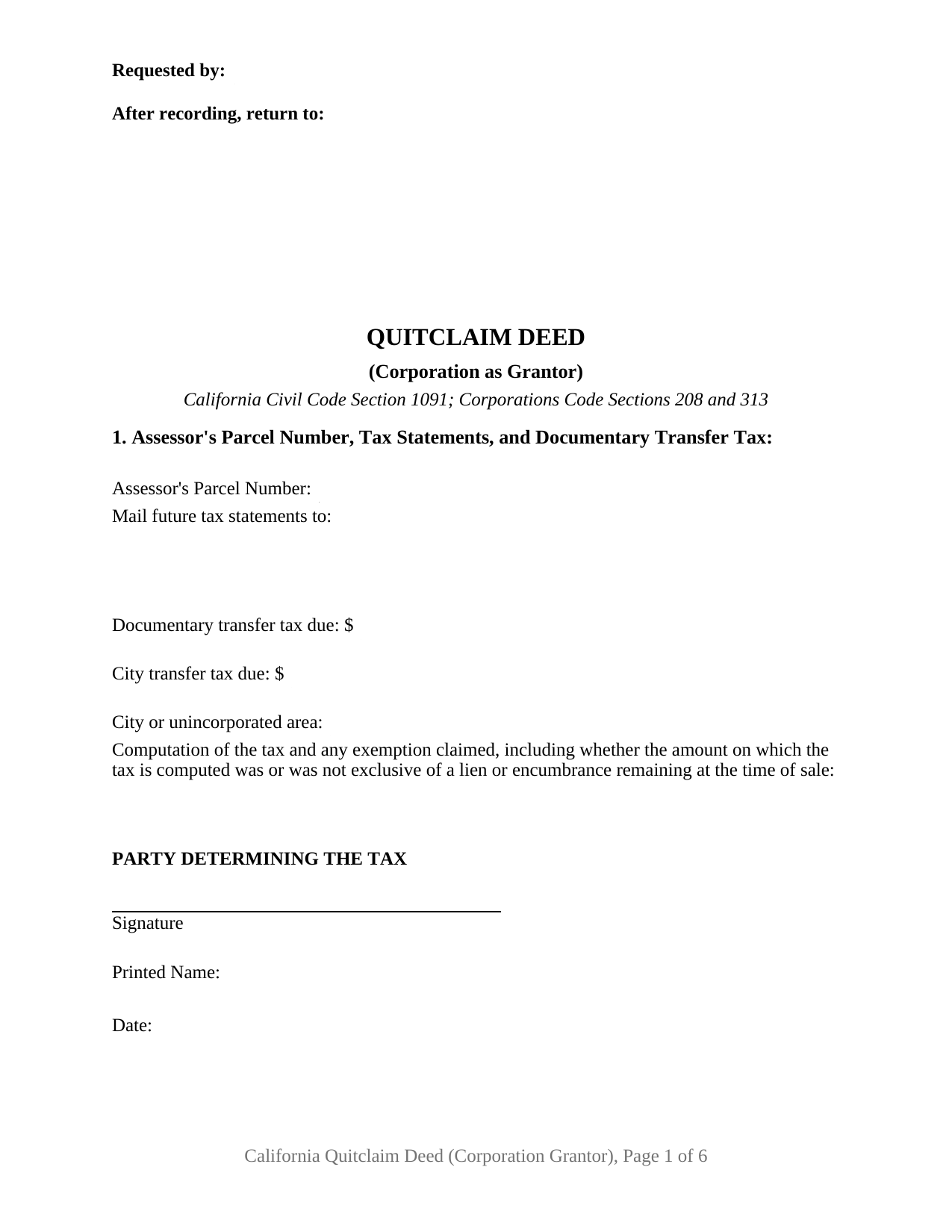
Placer County Quitclaim Deed (Corporation Grantor) Form
Fill in the blank Quitclaim Deed (Corporation Grantor) form formatted to comply with all California recording and content requirements.
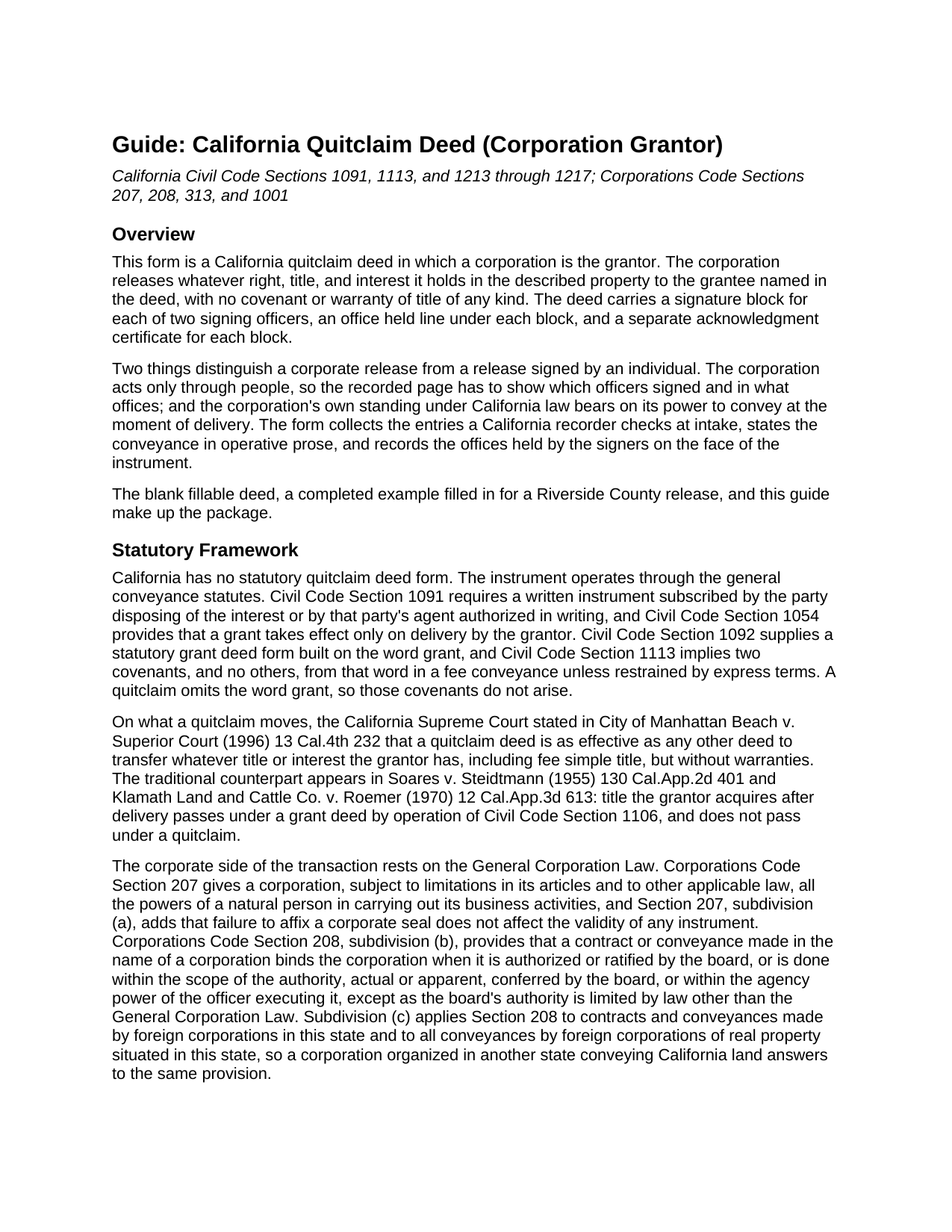
Placer County Quitclaim Deed (Corporation Grantor) Guide
Line by line guide explaining every blank on the Quitclaim Deed (Corporation Grantor) form.
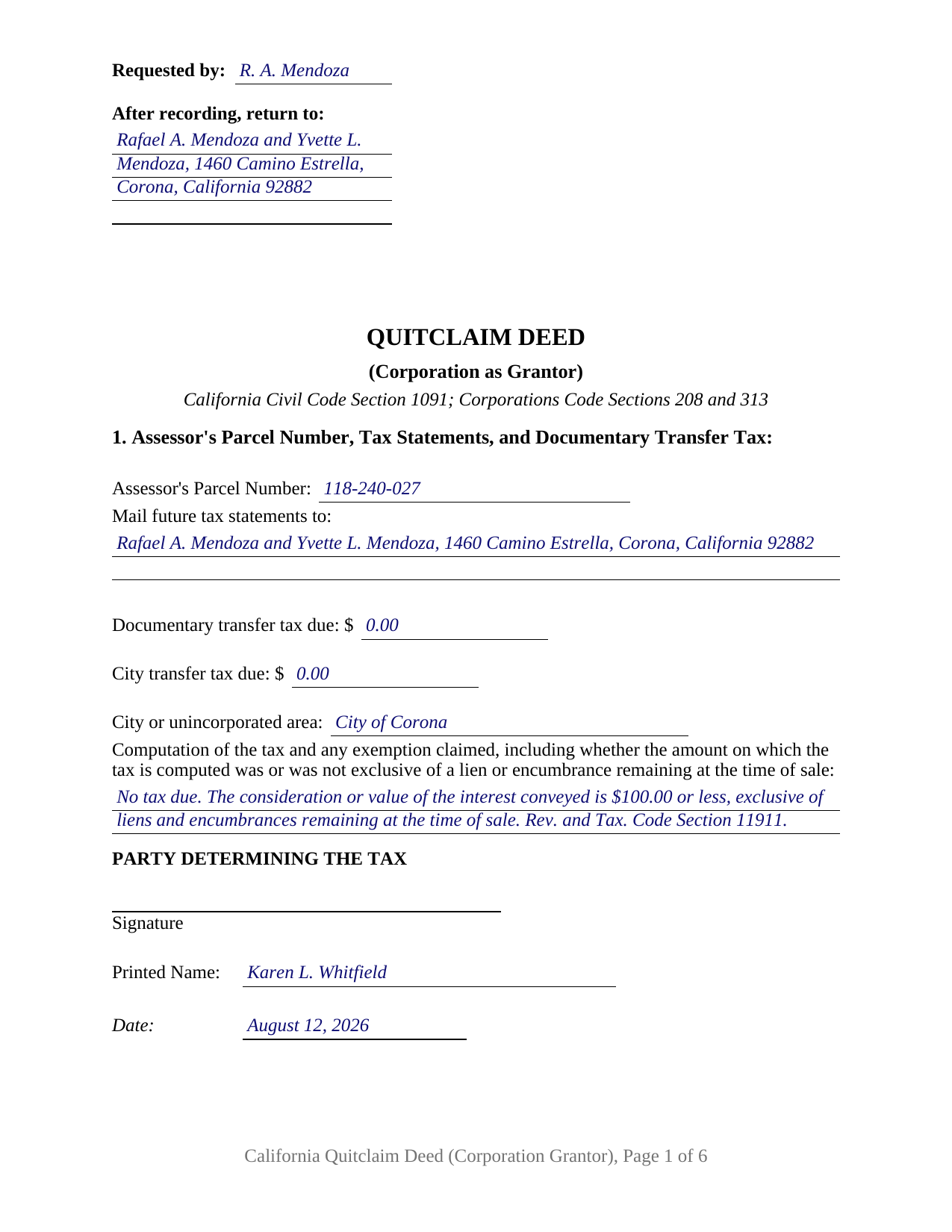
Placer County Completed Example of the Quitclaim Deed (Corporation Grantor) Document
Example of a properly completed California Quitclaim Deed (Corporation Grantor) document for reference.
All 3 documents above included • One-time purchase • No recurring fees
Immediate Download • Secure Checkout
Additional California and Placer County documents included at no extra charge:
Where to Record Your Documents
Placer County Clerk-Recorder
Auburn, California 95603
Hours: Mon to Fri 8:00 to 5:00 / Recording until 4:00
Phone: (530) 886-5600
Satellite Office
Auburn, California 95603
Hours: Monday through Friday 8 a.m. to 4 p.m.
Phone: (530) 886-5600
Recording Tips for Placer County:
- Bring your driver's license or state-issued photo ID
- Ensure all signatures are in blue or black ink
- Leave recording info boxes blank - the office fills these
- Make copies of your documents before recording - keep originals safe
- Recorded documents become public record - avoid including SSNs
Cities and Jurisdictions in Placer County
Properties in any of these areas use Placer County forms:
- Alta
- Applegate
- Auburn
- Carnelian Bay
- Colfax
- Dutch Flat
- Emigrant Gap
- Foresthill
- Gold Run
- Granite Bay
- Homewood
- Kings Beach
- Lincoln
- Loomis
- Meadow Vista
- Newcastle
- Olympic Valley
- Penryn
- Rocklin
- Roseville
- Sheridan
- Tahoe City
- Tahoe Vista
- Weimar
Hours, fees, requirements, and more for Placer County
How do I get my forms?
Forms are available for immediate download after payment. The Placer County forms will be in your account ready to download to your computer. An account is created for you during checkout if you don't have one. Forms are NOT emailed.
Are these forms guaranteed to be recordable in Placer County?
Yes. Our form blanks are guaranteed to meet or exceed the applicable formatting requirements used for recording in Placer County, including margin requirements, font requirements, and other layout standards. This guarantee applies to formatting, not to the legal sufficiency of information entered by the user or the suitability of a form for a particular transaction.
Can I reuse these forms?
Yes. You can reuse the forms for your personal use. For example, if you have multiple properties in Placer County you only need to order once.
What do I need to use these forms?
The forms are PDFs that you fill out on your computer. The free Adobe Acrobat Reader is recommended, and most PDF apps also work. You do NOT enter your property information online - you download the blank forms and complete them privately on your own computer.
Are there any recurring fees?
No. This is a one-time purchase. Nothing to cancel, no memberships, no recurring fees.
How much does it cost to record in Placer County?
Recording fees in Placer County vary. Contact the recorder's office at (530) 886-5600 for current fees.
Questions answered? Let's get started!
California measures a corporate deed by the offices standing behind the signatures. A quitclaim executed for a corporation therefore does something an individual release never has to: it names the entity and states the office each signer holds, so both can be checked against the statute that protects the instrument. This form prepares the California quitclaim deed with a corporation as grantor, built around two officer signature blocks and carrying no warranty of title.
Two Groups of Offices, One Instrument
Corporations Code Section 313 sorts the offices that can sign for a corporation into two groups: the chairperson of the board, the president, and any vice president on one side; the secretary, any assistant secretary, the chief financial officer, and any assistant treasurer on the other. A conveyance signed by an officer from each group is not invalidated as to the corporation by any lack of authority of the signers, unless the other party actually knew of it. In Snukal v. Flightways Manufacturing, Inc. (2000) 23 Cal.4th 754, the California Supreme Court applied the section where one individual in fact occupied offices in both groups. Section 8 answers the statute directly, with a signature block for each of two officers and an office held entry under each.
Authority runs on a different provision. Corporations Code Section 208, subdivision (b), binds the corporation to a conveyance in its name that the board authorized or ratified, or that falls within the executing officer's agency power; subdivision (c) reaches conveyances by foreign corporations of California real property, which is why the grantor section asks for the state or country of incorporation. Section 6 records the board action relied on, and its date.
Standing Is Part of the Power to Convey
One California rule reaches corporate deeds and no others. Under Revenue and Taxation Code Section 23302, subdivision (d), a taxpayer whose powers, rights, and privileges have been suspended or forfeited is not entitled to sell, transfer, or exchange real property in this state while that lasts. Section 23304.1 makes a contract entered into during such a period voidable at the other party's request, with relief available under Section 23305.1. Standing here is not counter paperwork; it reaches the corporation's capacity to deliver the deed.
A Release With Nothing Promised
The instrument, often typed as a quit claim deed, warrants nothing. California ties its two everyday deed covenants to a single statutory word under Civil Code Section 1113, and this deed never uses that word, so neither covenant arises. What moves is the interest the corporation holds at delivery; an interest picked up afterward stays outside, the traditional line California cases draw between this deed and its warranty cousin.
The Configuration, and the Patterns That Present It
The form recites one corporation as grantor, executing through no more than two officers, with a Civil Code Section 1189 acknowledgment certificate for each block, headed by the boxed identity notice that section prints on certificates taken in this state. Corporate releases reach California's grantor indexes in recognizable shapes: a remnant strip released to the adjoining owner after a lot line adjustment, an interest given up under a terminated agreement that reached the record, and a parcel conveyed under a court approved plan of reorganization. An individual signing personally, a partnership holding title in the partnership name, and a trustee holding legal title each sign through a capacity structure other than the officer blocks this deed carries.
Transfer Tax on a Corporate Conveyance
Page one arrives arranged for intake: the reserved recording space and its requester and return entries, the indexed title, the future tax statement address, and the transfer tax lines over a signature from whoever determined the amount. Reorganizations have an exemption of their own. Revenue and Taxation Code Section 11923 excuses conveyances making a plan of reorganization or adjustment effective, including one by which a mere change in identity, form, or place of organization is effected, within five years of that change. The guide takes up that section, the county rate, the charter city taxes layered over it, and the entity level statement Sections 480.1 and 480.2 call for after a change in control, filed separately and not part of this package.
Three files ship: the fillable deed, a completed example worked through a Riverside County release, and a plain language guide covering every section, the certificates, the fees, and recorder intake. It describes California law in general terms and is not legal advice about a particular corporation or parcel.
Important: Your property must be located in Placer County to use these forms. Documents should be recorded at the county recording office listed above.
This Quitclaim Deed (Corporation Grantor) meets all recording requirements specific to Placer County.
Our Promise
The documents you receive here are guaranteed to meet or exceed the applicable Placer County recording format requirements. If there is a rejection caused by our formatting, we will correct the issue or refund your payment. This guarantee applies to document formatting only and does not extend to information entered by the user, the selection of the form, or the legal effect of the completed document.
Save Time and Money
Get your Placer County Quitclaim Deed (Corporation Grantor) form done right the first time with Deeds.com Uniform Conveyancing Blanks. At Deeds.com, we understand that your time and money are valuable resources, and we don't want you to face a penalty fee or rejection imposed by a county recorder for submitting nonstandard documents. We constantly review and update our forms to meet rapidly changing state and county recording requirements for roughly 3,500 counties and local jurisdictions.
4.8 out of 5 - ( 4,829 Reviews )
Joyce M. 5 out of 5 stars
Great website, but not helpful in locating my deed dated 1747.
Thank you for your feedback. We really appreciate it. Have a great day!
John L. 5 out of 5 stars
WOW, This site saved me from going to a lawyer. Not only do they give you great directions, they also include a sample that is extremely helpful.
We appreciate your business and value your feedback. Thank you. Have a wonderful day!
Donald C. 5 out of 5 stars
As promised, my forms were immediately ready for download. The forms were exactly what i wanted. I couldnt be happier and i cant even guess how much money i saved. They were even formatted to the exact font, spacing and margin used by my county. It is obvious a lot of time and effort was put into the preparation of these documents. They are absolutely perfect. Check it out, you wont be disappointed and the price is much less than i expected. Don caldwell
We appreciate your business and value your feedback. Thank you. Have a wonderful day!
Jeannette C. 5 out of 5 stars
Very useful service! This was easy and quick. It guides you through each step and emails update you during the process. Will use again!
Thank you!
wendy w. 5 out of 5 stars
Excellent
Thank you!
Dennis H. 5 out of 5 stars
Thank you for this program. It will help in the future. Dennis Holt
Thank you!
Louise M. 5 out of 5 stars
Amazing fast service. From the U.K. I was unable to get a check in U.S. dollars. This solved my problem as I was able to make payment with a card. So much faster than sending the documents from the U.K. via the postal service. Easy to use site, very quickly processed. Highly recommend
Thank you for your feedback. We really appreciate it. Have a great day!
Maxwell G. 5 out of 5 stars
I am so very happy with the service provided by Deeds.com. The process was simple and saved me a lot of time by not having to go to the courthouse, wait in line, and waste a big part of my day. In addition, the cost is a lot less than I expected. I highly recommend this service.
Your feedback is greatly appreciated. Thank you for taking the time to share your experience!
Thomas C. 5 out of 5 stars
Customer service was excellent!
We appreciate your business and value your feedback. Thank you. Have a wonderful day!
sandra f. 5 out of 5 stars
excellent transaction...very informative prior to purchase..
We appreciate your business and value your feedback. Thank you. Have a wonderful day!
Rita M. 5 out of 5 stars
I have not received the deed via email. That is what I was expecting. Let me know if I am incorrect in my thinking.
Thanks for reaching out. While we do send some email notifications, we do not email documents. All orders are available via your account. You can log into your account from the menu button at the top left of most pages on the website.
Jay B. 5 out of 5 stars
I've never had a problem locating the records I need. I can't imagine what can be done to improve the service.
Thank you!
Jennifer L L. 5 out of 5 stars
So far this has been a great experience. Very easy to use the deeds.com website and download the forms. Very nice that they give example forms and guides to help you fill out the forms. I just have to wait to make sure that the forms are accepted and recorded with no issues.
Your insights are invaluable to us and help us strive for better service. Thank you for taking the time to share your thoughts.
Sally S. 5 out of 5 stars
it would be nice to have explanation of all the forms required. For a first time estate DPOA, I feel a bit insecure with the forms and would like a paragraph explaining specifics for each link and what to complete for the ladybird deed. Otherwise, I love the ease of purchase with immediate links available.
Thank you for your feedback. We really appreciate it. Have a great day!
Alexander M. 5 out of 5 stars
Great recording service ! Very professional and easy to navigate !!!!
It was a pleasure serving you. Thank you for the positive feedback!