New Castle County Correction Deed Form
Last validated September 28, 2026 by our Forms Development TeamFormatted for recording in New Castle County, for property anywhere in the county: rural and unincorporated areas as well as Bear, Claymont, Delaware City, Hockessin, Kirkwood, Middletown, Montchanin, New Castle and 9 more.
- 3 documents included
- Immediate PDF download
- Formatting guarantee
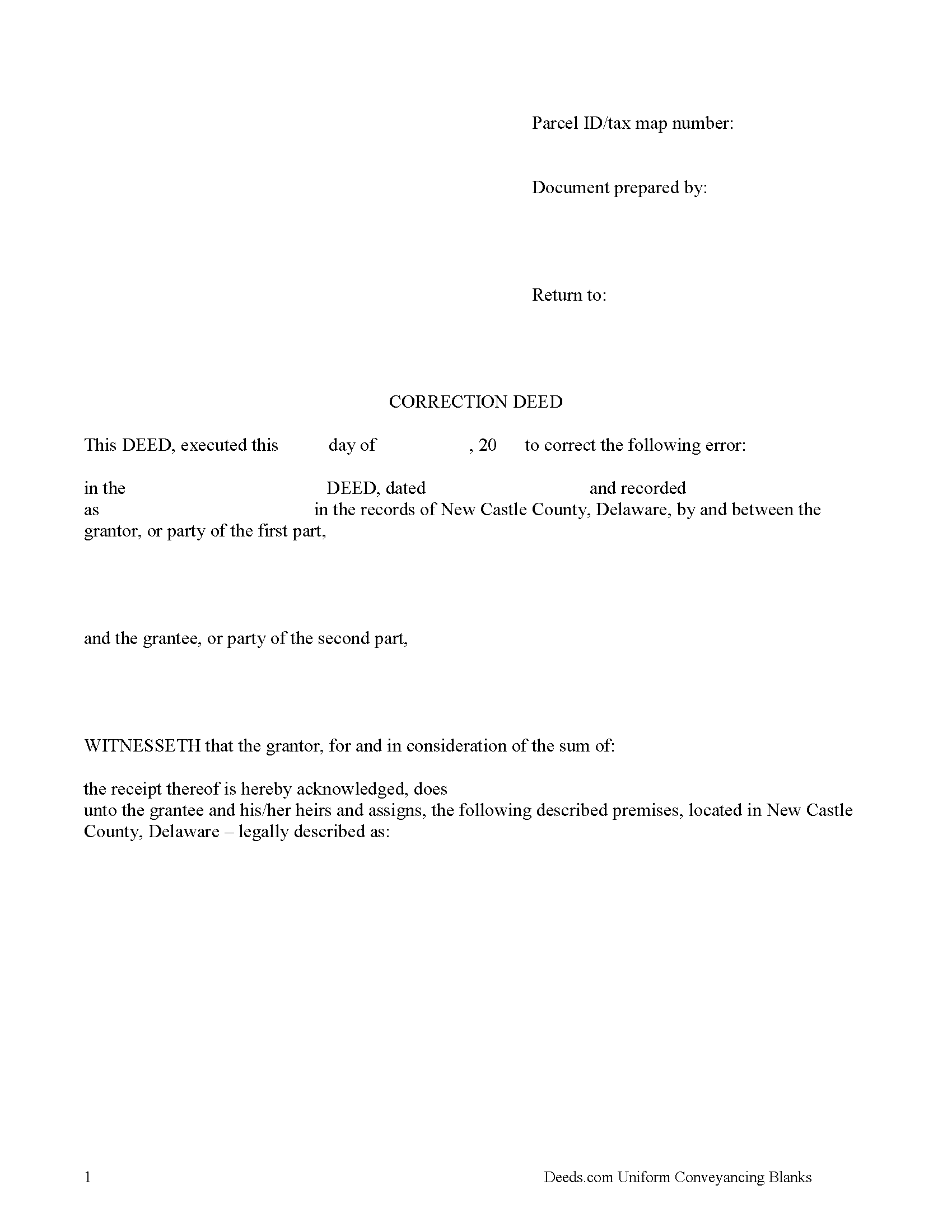
New Castle County Correction Deed Form
Fill in the blank Correction Deed form formatted to comply with all Delaware recording and content requirements.
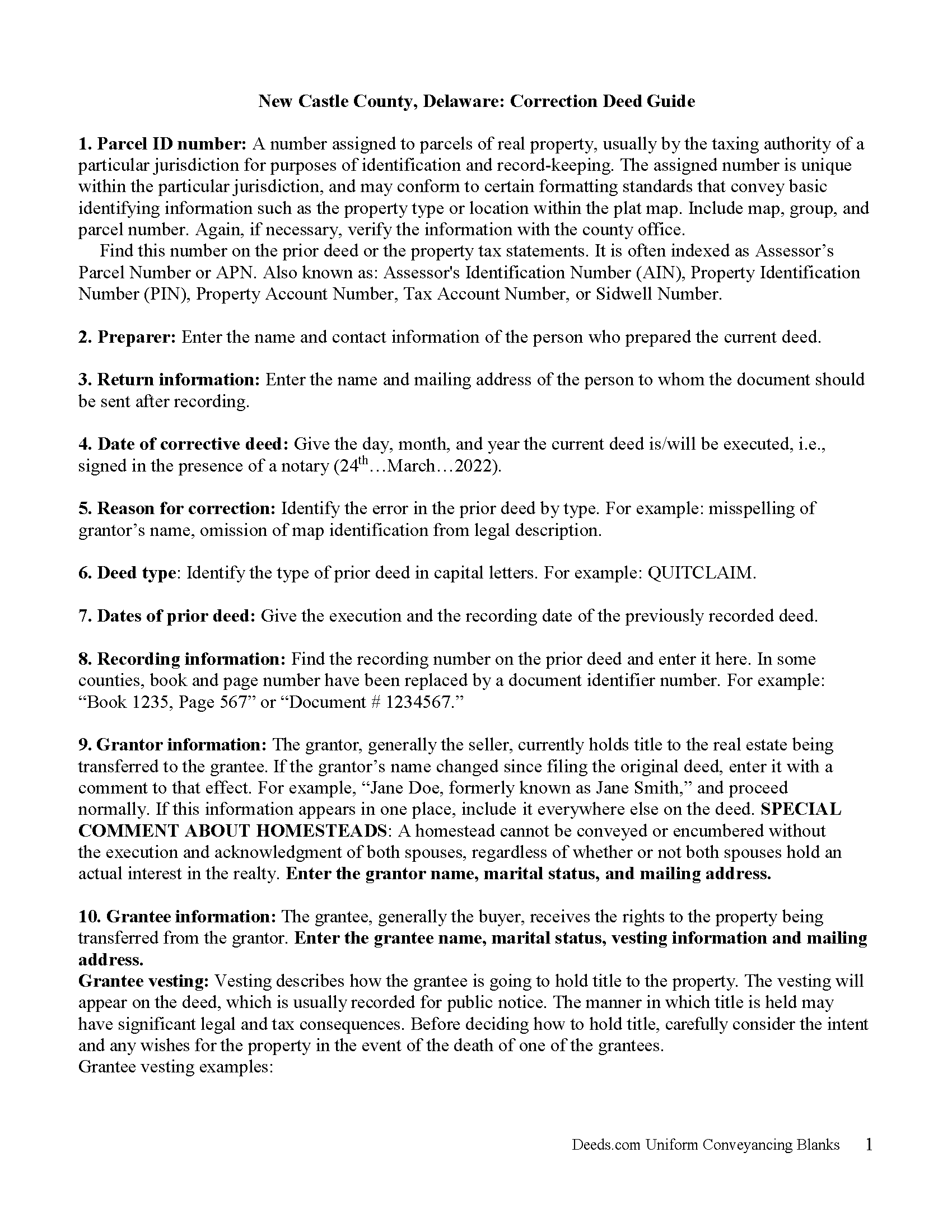
New Castle County Correction Deed Guide
Line by line guide explaining every blank on the form.
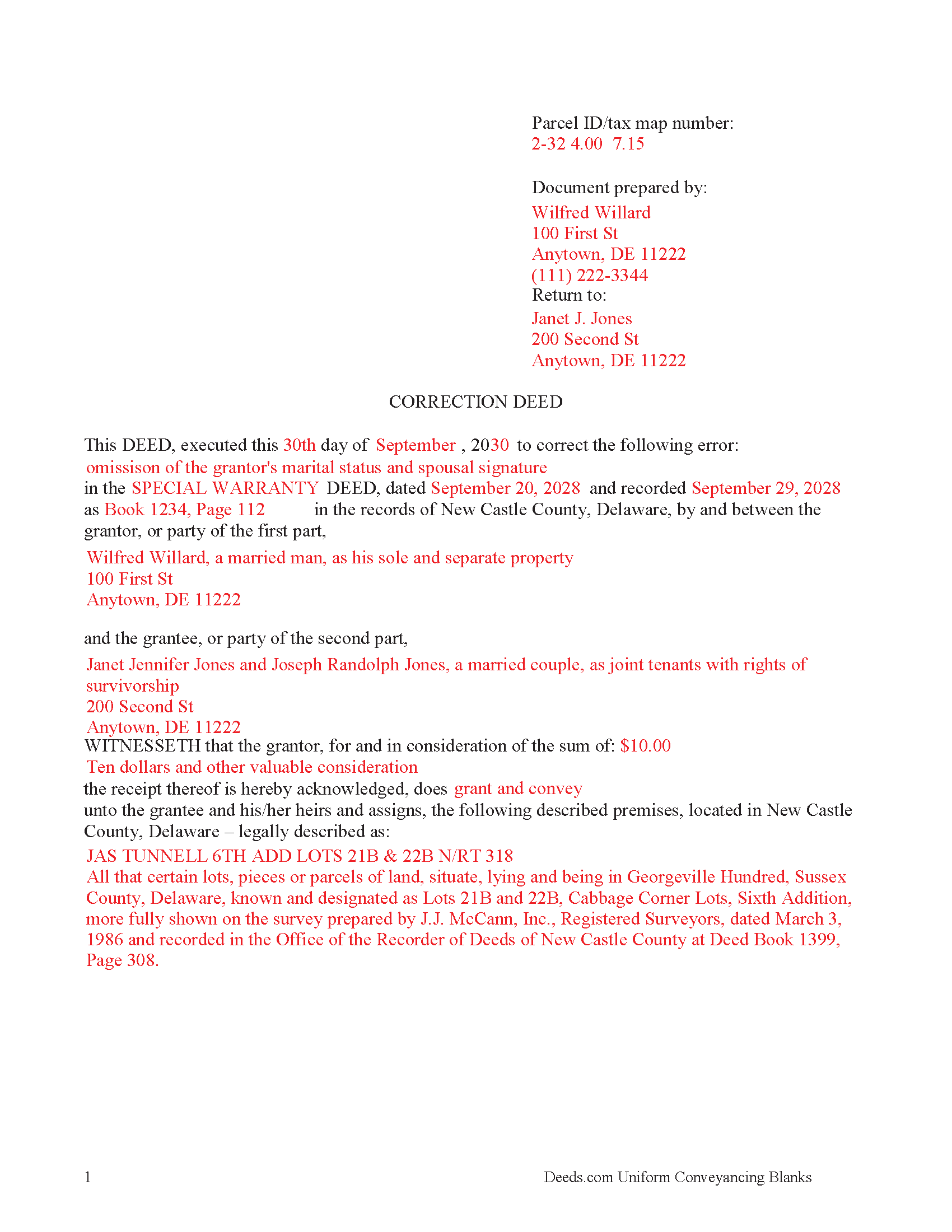
New Castle County Completed Example of the Correction Deed Document
Example of a properly completed form for reference.
All 3 documents above included • One-time purchase • No recurring fees
Immediate Download • Secure Checkout
Additional Delaware and New Castle County documents included at no extra charge:
Where to Record Your Documents
Recorder of Deeds
Wilmington, Delaware 19801
Hours: 8:30 to 4:00 Monday - Friday / Recording until 3:45
Phone: (302) 395-7700
Recording Tips for New Castle County:
- Bring your driver's license or state-issued photo ID
- Ensure all signatures are in blue or black ink
- Both spouses typically need to sign if property is jointly owned
- Bring extra funds - fees can vary by document type and page count
- Check margin requirements - usually 1-2 inches at top
Cities and Jurisdictions in New Castle County
Properties in any of these areas use New Castle County forms:
- Bear
- Claymont
- Delaware City
- Hockessin
- Kirkwood
- Middletown
- Montchanin
- New Castle
- Newark
- Odessa
- Port Penn
- Rockland
- Saint Georges
- Townsend
- Wilmington
- Winterthur
- Yorklyn
Hours, fees, requirements, and more for New Castle County
How do I get my forms?
Forms are available for immediate download after payment. The New Castle County forms will be in your account ready to download to your computer. An account is created for you during checkout if you don't have one. Forms are NOT emailed.
Are these forms guaranteed to be recordable in New Castle County?
Yes. Our form blanks are guaranteed to meet or exceed the applicable formatting requirements used for recording in New Castle County, including margin requirements, font requirements, and other layout standards. This guarantee applies to formatting, not to the legal sufficiency of information entered by the user or the suitability of a form for a particular transaction.
Can I reuse these forms?
Yes. You can reuse the forms for your personal use. For example, if you have multiple properties in New Castle County you only need to order once.
What do I need to use these forms?
The forms are PDFs that you fill out on your computer. The free Adobe Acrobat Reader is recommended, and most PDF apps also work. You do NOT enter your property information online - you download the blank forms and complete them privately on your own computer.
Are there any recurring fees?
No. This is a one-time purchase. Nothing to cancel, no memberships, no recurring fees.
How much does it cost to record in New Castle County?
Recording fees in New Castle County vary. Contact the recorder's office at (302) 395-7700 for current fees.
Questions answered? Let's get started!
Use the correction deed to correct an error in a previously recorded deed of conveyance in Delaware.
Correcting an error in a recorded deed helps prevent problems that might arise when the current owner tries to sell the property. The best method for correction is to prepare and record a new document, a so-called correction deed. This document does not convey title; instead, it re-enacts and confirms the prior conveyance of the property.
Apart from supplying the correct information, the new deed must give the reason for correcting, and it must reference the prior deed by title, date, and recording number. The original grantor must sign again, thus confirming the property transfer to the same grantee. Generally, corrective deeds are used to address minor errors in a deed, such as typos, accidentally omitted suffixes or middle initials in names, and other minor omissions. When in doubt about the gravity of an error and whether a correction deed is the appropriate vehicle to address it, consult with a lawyer.
For certain changes, a correction deed may not be appropriate. Adding or removing a grantee, for example, or altering the manner in which title is held, or making material changes to the legal description, especially deleting a portion of the originally transferred property, may all require a new deed of conveyance, instead of a correction deed. When correcting the legal description, both grantor and grantee should sign the corrective instrument to avoid any doubt regarding the conveyed property.
Important: Your property must be located in New Castle County to use these forms. Documents should be recorded at the county recording office listed above.
This Correction Deed meets all recording requirements specific to New Castle County.
Our Promise
The documents you receive here are guaranteed to meet or exceed the applicable New Castle County recording format requirements. If there is a rejection caused by our formatting, we will correct the issue or refund your payment. This guarantee applies to document formatting only and does not extend to information entered by the user, the selection of the form, or the legal effect of the completed document.
Save Time and Money
Get your New Castle County Correction Deed form done right the first time with Deeds.com Uniform Conveyancing Blanks. At Deeds.com, we understand that your time and money are valuable resources, and we don't want you to face a penalty fee or rejection imposed by a county recorder for submitting nonstandard documents. We constantly review and update our forms to meet rapidly changing state and county recording requirements for roughly 3,500 counties and local jurisdictions.
4.8 out of 5 - ( 4,842 Reviews )
Kevin B. 5 out of 5 stars
Ordered the Ohio Land Contract forms for Jefferson County. It was an awesome purchase for $28 bucks. Easy and straight forward for someone like me with no real estate background to make my own land contract and save a couple grand hiring an attorney to copy and paste one to me. I'll be buying the same package for every county I invest in!
We are grateful for your engagement and feedback, which help us to serve you better. Thank you for being an integral part of our community.
CECIL E C. 5 out of 5 stars
You made it easy to attain the documents I needed. The cost was very reasonable...thanks
Thank you for your feedback Cecil, we really appreciate it.
Jianxing L. 5 out of 5 stars
This is my first time using this website and was impressed for the simple and clear web design and exploring. Now I am anxiously waiting for the e-recording up running to start my deed process.
Thank you for taking a moment to share your thoughts.
Ethan N. 5 out of 5 stars
Quick, responsive service always!! Preferred way to record documents. Thanks Deeds.com!!
Thank you!
Matthew M. 5 out of 5 stars
Needed copy of deed in trust. Found info here, paid on line and then printed the docs. Easy to use, no driving to city offices, No parking fees, no waiting in line. Done fast and easy. Love it.
Thank you for your feedback. We really appreciate it. Have a great day!
Mary S. 5 out of 5 stars
Very helpful and an easy site to use so far.
Thank you for your feedback. We really appreciate it. Have a great day!
Gail J. 5 out of 5 stars
Great! Got the document I needed
Thank you for your feedback. We really appreciate it. Have a great day!
Christopher M. 5 out of 5 stars
Awesome company. Fast, friendly, professional.
We are delighted to have been of service. Thank you for the positive review!
Thomas A. 5 out of 5 stars
Deeds.com is an easy-to-use resource for the busy real estate practitioner .
We appreciate your business and value your feedback. Thank you. Have a wonderful day!
Steve F. 5 out of 5 stars
Fast Service, Easy to use. Highly Recommend!
Thank you!
Barbara P. 5 out of 5 stars
Love this service! So easy and quick
It was a pleasure serving you. Thank you for the positive feedback!
Heidi J. 3 out of 5 stars
The form was useful, however the formatting is terrible once completed. A lot of white space with no option to remove extra spacing or to improve the overall formatting.
Thank you for your feedback, Heidi. We’re glad to hear the form itself was useful. We also understand your concern about the formatting and extra spacing once completed. Our forms are designed to meet strict county recording requirements, which can sometimes result in additional white space. That said, we’re always working to improve usability and presentation without compromising acceptance. Your input helps us identify where refinements are possible, and we’ll keep it in mind as we continue updating our templates.
Eugenia T. 5 out of 5 stars
I am the Kent County Recorder of Deeds in Central Delaware. I am impressed by the accuracy of your website. All data you post is correct regarding forms, fees, etc. We have just spent several months researching Property Theft, using many cites from various sources. I just discovered your white paper on this subject, and it is excellent. It also covers a few things we did not, such as house flipping and immigrants. Congratulations!
Thank you for your kind words and thoughtful review! It's an honor to know that our resources have been valuable to the Kent County Recorder of Deeds. Your feedback is particularly meaningful to us, and we are glad that our white paper contributed to your research on Property Theft. We fully support your vital efforts to combat property theft and deed fraud, and if there's anything else we can assist you with or any further insights you'd like to share, please don't hesitate to reach out. Keep up the outstanding work!
John T. 5 out of 5 stars
Amazing! Very helpful. Very specific.
Thank you for your feedback. We really appreciate it. Have a great day!
Larry P. 5 out of 5 stars
Love your site. I found just what I needed and it was so easy. Saved me countless time and effort. Worth every penny.
We appreciate your business and value your feedback. Thank you. Have a wonderful day!