Penobscot County Notice of Furnishing Form
Last validated October 16, 2026 by our Forms Development TeamFormatted for recording in Penobscot County, for property anywhere in the county: rural and unincorporated areas as well as Bangor, Bradford, Bradley, Brewer, Burlington, Carmel, Charleston, Corinna and 37 more.
- 3 documents included
- Immediate PDF download
- Formatting guarantee
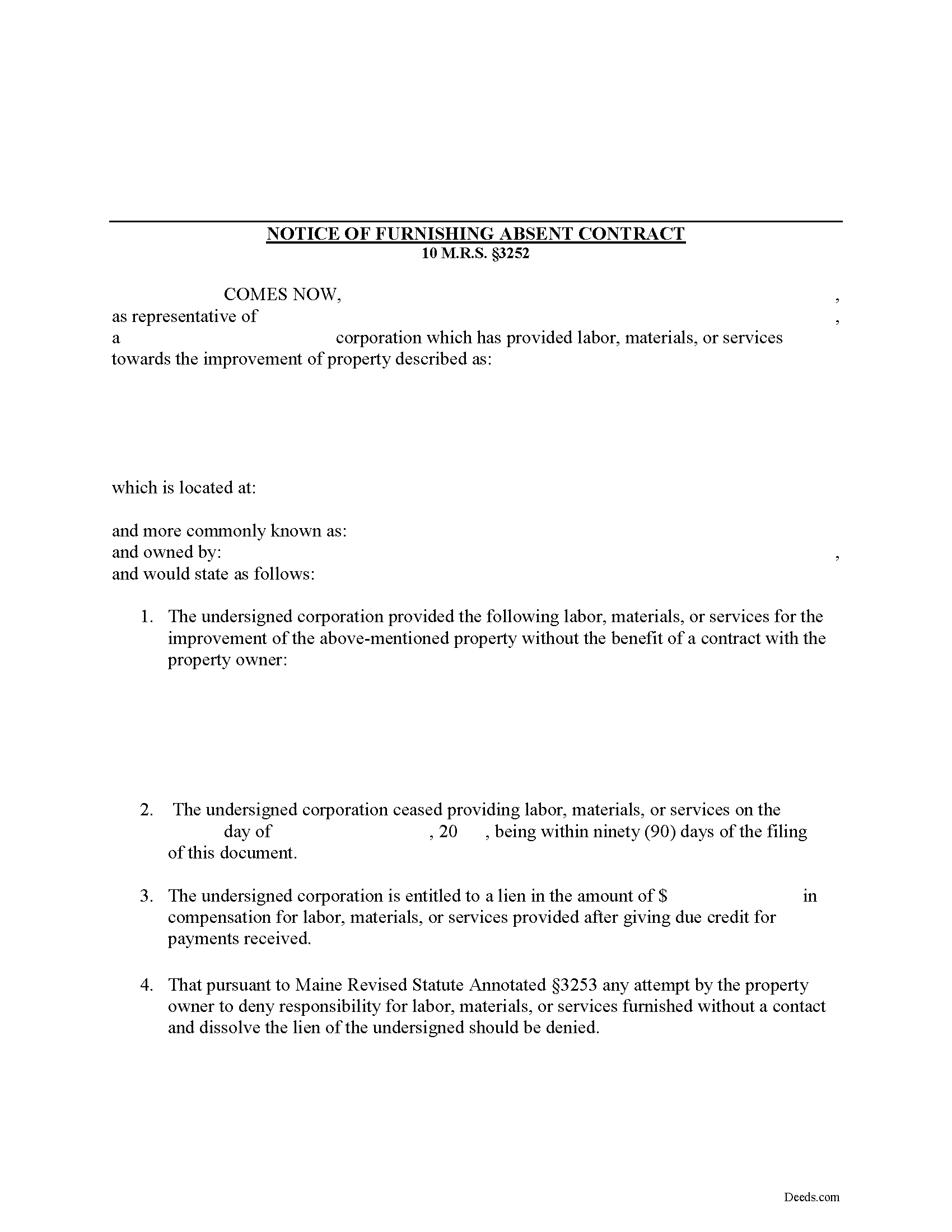
Penobscot County Notice of Furnishing Form
Fill in the blank Notice of Furnishing form formatted to comply with all Maine recording and content requirements.
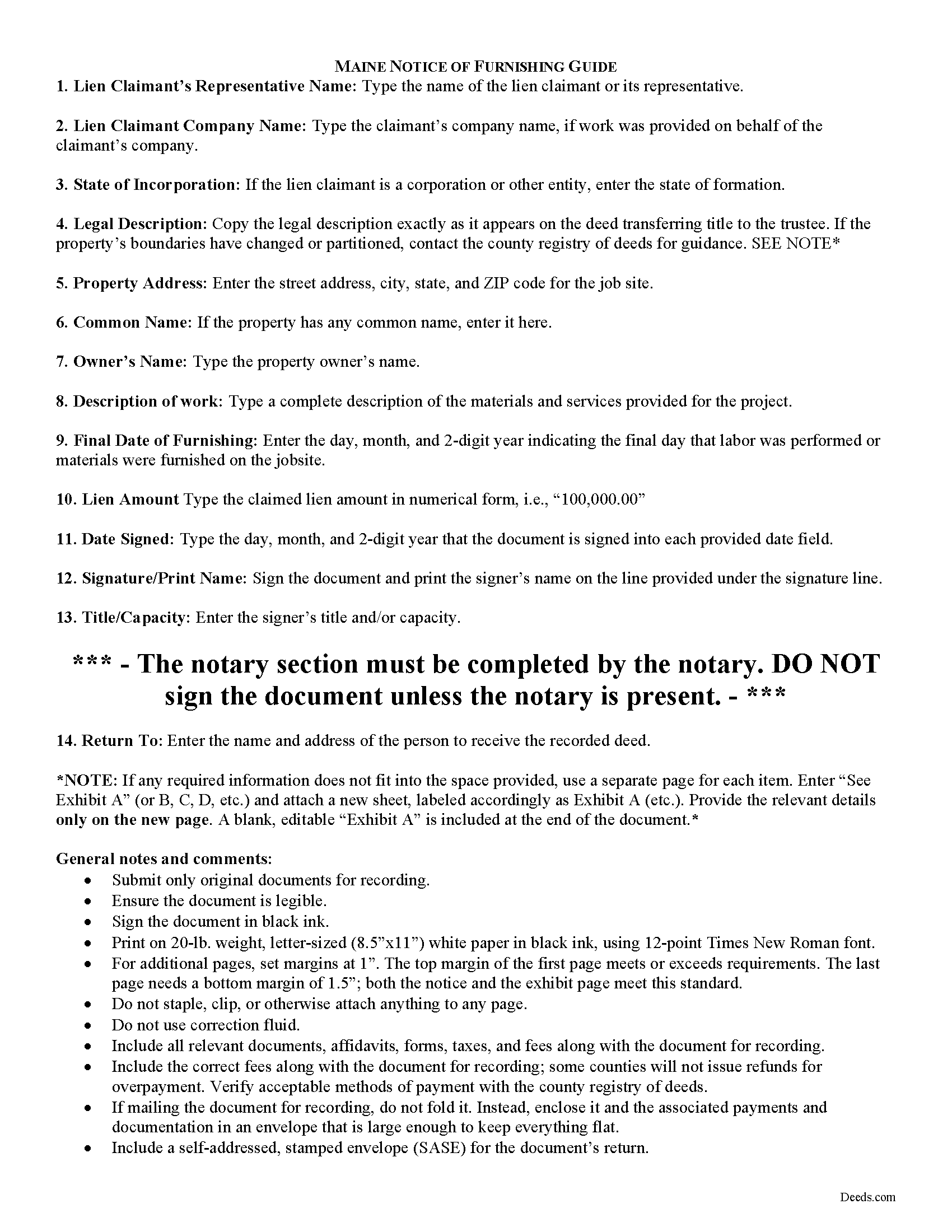
Penobscot County Notice of Furnishing Guide
Line by line guide explaining every blank on the form.
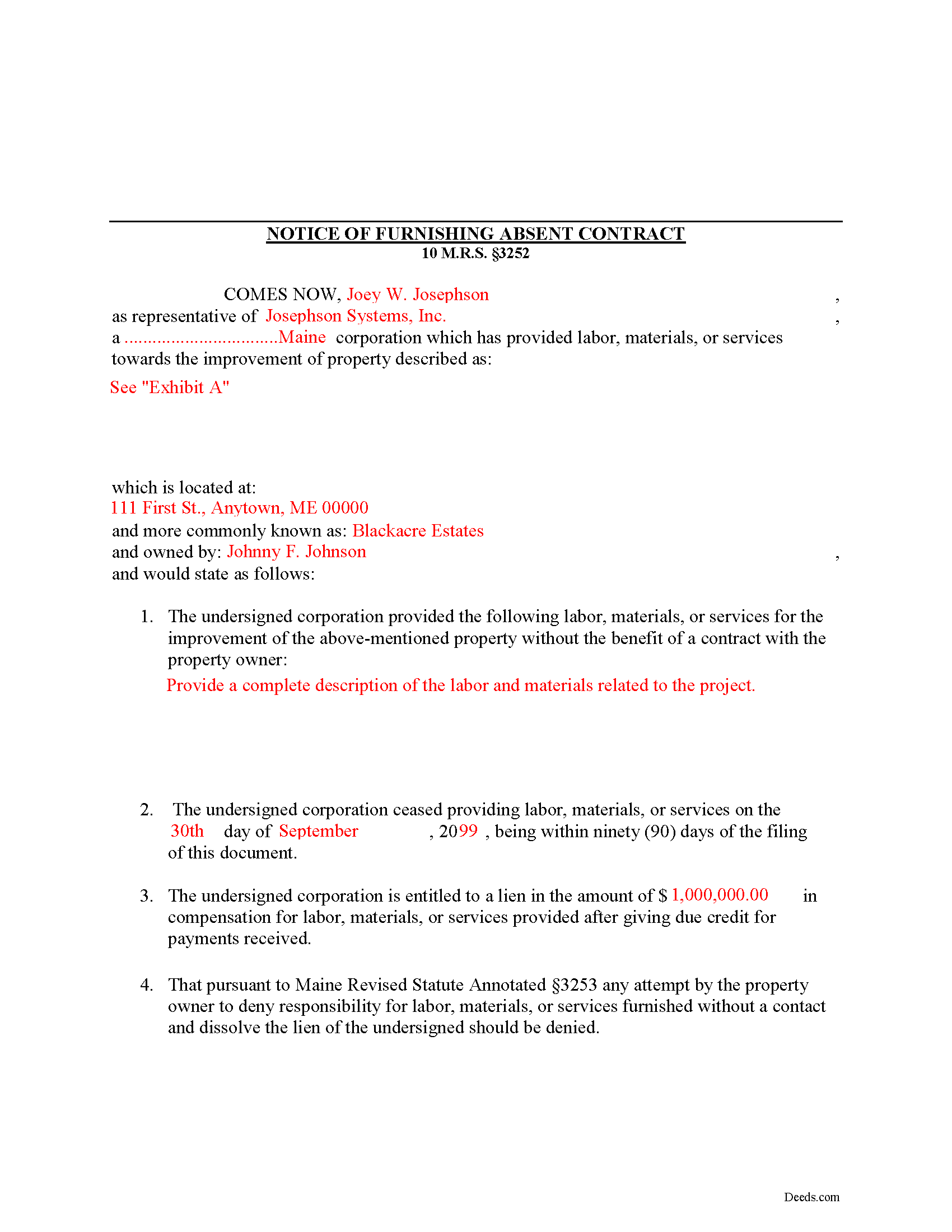
Penobscot County Completed Example of the Notice of Furnishing Document
Example of a properly completed form for reference.
All 3 documents above included • One-time purchase • No recurring fees
Immediate Download • Secure Checkout
Additional Maine and Penobscot County documents included at no extra charge:
Where to Record Your Documents
Penobscot Registry of Deeds
Bangor, Maine 04401 / 04402-2070
Hours: 8:00 to 4:30 Monday through Friday
Phone: (207) 942-8797
Recording Tips for Penobscot County:
- Bring your driver's license or state-issued photo ID
- Ensure all signatures are in blue or black ink
- Verify all names are spelled correctly before recording
- White-out or correction fluid may cause rejection
- Ask about their eRecording option for future transactions
Cities and Jurisdictions in Penobscot County
Properties in any of these areas use Penobscot County forms:
- Bangor
- Bradford
- Bradley
- Brewer
- Burlington
- Carmel
- Charleston
- Corinna
- Corinth
- Dexter
- Dixmont
- East Millinocket
- East Newport
- Eddington
- Etna
- Exeter
- Garland
- Greenbush
- Hampden
- Holden
- Howland
- Hudson
- Kenduskeag
- Kingman
- Lagrange
- Lee
- Levant
- Lincoln
- Mattawamkeag
- Medway
- Milford
- Millinocket
- Newport
- Old Town
- Orono
- Orrington
- Passadumkeag
- Patten
- Plymouth
- Springfield
- Stacyville
- Stetson
- Stillwater
- West Enfield
- Winn
Hours, fees, requirements, and more for Penobscot County
How do I get my forms?
Forms are available for immediate download after payment. The Penobscot County forms will be in your account ready to download to your computer. An account is created for you during checkout if you don't have one. Forms are NOT emailed.
Are these forms guaranteed to be recordable in Penobscot County?
Yes. Our form blanks are guaranteed to meet or exceed the applicable formatting requirements used for recording in Penobscot County, including margin requirements, font requirements, and other layout standards. This guarantee applies to formatting, not to the legal sufficiency of information entered by the user or the suitability of a form for a particular transaction.
Can I reuse these forms?
Yes. You can reuse the forms for your personal use. For example, if you have multiple properties in Penobscot County you only need to order once.
What do I need to use these forms?
The forms are PDFs that you fill out on your computer. The free Adobe Acrobat Reader is recommended, and most PDF apps also work. You do NOT enter your property information online - you download the blank forms and complete them privately on your own computer.
Are there any recurring fees?
No. This is a one-time purchase. Nothing to cancel, no memberships, no recurring fees.
How much does it cost to record in Penobscot County?
Recording fees in Penobscot County vary. Contact the recorder's office at (207) 942-8797 for current fees.
Questions answered? Let's get started!
Mechanic's liens are governed under Title 10, Chapter 603 of the Maine Code. In Maine, persons providing labor or furnishing materials or equipment without a contract with the owner should serve the owner with a Notice of Furnishing to protect their lien rights.
If labor, materials or services were not furnished by a contract with the owner of the property affected, the owner may prevent a lien by giving written notice to the person performing or furnishing the same that he will not be obligated to pay for that work. 10 M.R.S. section 3252. The person furnishing labor or materials can act first by serving the Notice of Furnishing before the owner provides a notice of non-responsibility. By doing this, he or she preserves lien rights.
A notice of furnishing identifies the parties, relevant dates and payments, the location and a description of the materials and/or services. Submit the completed, signed, and notarized document to the local office responsible for maintaining land records, and give the property owner a certified copy of the recorded document.
This article is provided for informational purposes only and should not be relied upon as substitute for the advice from an attorney. For any questions regarding the Notice of Furnishing, or any other issues related to liens in Maine, please speak with a licensed attorney.
(Maine NOF Package includes form, guidelines, and completed example)
Important: Your property must be located in Penobscot County to use these forms. Documents should be recorded at the county recording office listed above.
This Notice of Furnishing meets all recording requirements specific to Penobscot County.
Our Promise
The documents you receive here are guaranteed to meet or exceed the applicable Penobscot County recording format requirements. If there is a rejection caused by our formatting, we will correct the issue or refund your payment. This guarantee applies to document formatting only and does not extend to information entered by the user, the selection of the form, or the legal effect of the completed document.
Save Time and Money
Get your Penobscot County Notice of Furnishing form done right the first time with Deeds.com Uniform Conveyancing Blanks. At Deeds.com, we understand that your time and money are valuable resources, and we don't want you to face a penalty fee or rejection imposed by a county recorder for submitting nonstandard documents. We constantly review and update our forms to meet rapidly changing state and county recording requirements for roughly 3,500 counties and local jurisdictions.
4.8 out of 5 - ( 4,840 Reviews )
Hans K. 5 out of 5 stars
The deeds.com site provides clarifying useful information for the do-it-yourself type of person.
We appreciate your business and value your feedback. Thank you. Have a wonderful day!
Charlie T. 5 out of 5 stars
I really like the service and will be definitely be using it again to submit future deeds.
Thank you!
Terri L. 5 out of 5 stars
Great Tool! Very easy to complete.
We appreciate your business and value your feedback. Thank you. Have a wonderful day!
Laura H. 5 out of 5 stars
I was very impressed with how quickly I was provided the data.
Thank you!
TRACEY W. 5 out of 5 stars
The system is very easy to use. I wasn't able to access what I needed but my fees were refunded without issue.
We appreciate your business and value your feedback. Thank you. Have a wonderful day!
Jana H. 5 out of 5 stars
I love this recording service! They are so fast and let me know in advance if they think something is wrong and will be rejected! They are reasonably priced too!
We appreciate your business and value your feedback. Thank you. Have a wonderful day!
luisana w. 5 out of 5 stars
Super easy, excellente
Thank you!
Pamela P. 5 out of 5 stars
Easy download of correct fillable forms for specific State and County. The accompanying guides and examples are helpful.
Pamela, thank you for your review. We’re glad everything was easy to access and that the supporting materials helped make the process clearer. We appreciate your business.
Deborah B. 5 out of 5 stars
Easy download, and super easy to fill out. Had them recorded Friday with zero issues. Recommended.
We appreciate your business and value your feedback. Thank you. Have a wonderful day!
Jianxing L. 5 out of 5 stars
My case was a deed recording. The process was extremely smooth and carried out by the agents professionally and efficiently. I was greeted and guided to the right windows and the whole process took about 5 minutes, I was so impressed and appreciated the service our county agents provided. The process and the folks handled it really deserve a solid 5 star rating.
Thank you for taking a moment to share your thoughts.
Marilyn C. 5 out of 5 stars
A great service, making it fast and easy to prepare warranty deeds for property transfer sales. I recommend this to everyone who needs this help.
Thank you!
DAVID E. 5 out of 5 stars
Very professional and knowledgeable. Great communication.
Your feedback is greatly appreciated. Thank you for taking the time to share your experience!
Brian M. 1 out of 5 stars
The document had all the information needed but could have been presented with a more professional look for the price.
We appreciate you highlighting the balance between compliance and presentation. While our main focus is on the legal correctness and statutory compliance of the documents, we also strive to present this information in a clear and accessible manner.
Susann T. 5 out of 5 stars
I have been very happy with the prompt assistance that I have received from deeds.com! How refreshing this is when so often good customer service seems rare these days!
Thank you for your feedback. We really appreciate it. Have a great day!
Dakota H. 5 out of 5 stars
Brilliant idea. Beats working with an attorney who charges $250+ per hour. Thanks.
Thank you!