Penobscot County Quitclaim Deed Form
Last validated August 30, 2026 by our Forms Development TeamFormatted for recording in Penobscot County, for property anywhere in the county: rural and unincorporated areas as well as Bangor, Bradford, Bradley, Brewer, Burlington, Carmel, Charleston, Corinna and 37 more.
- 3 documents included
- Immediate PDF download
- Formatting guarantee
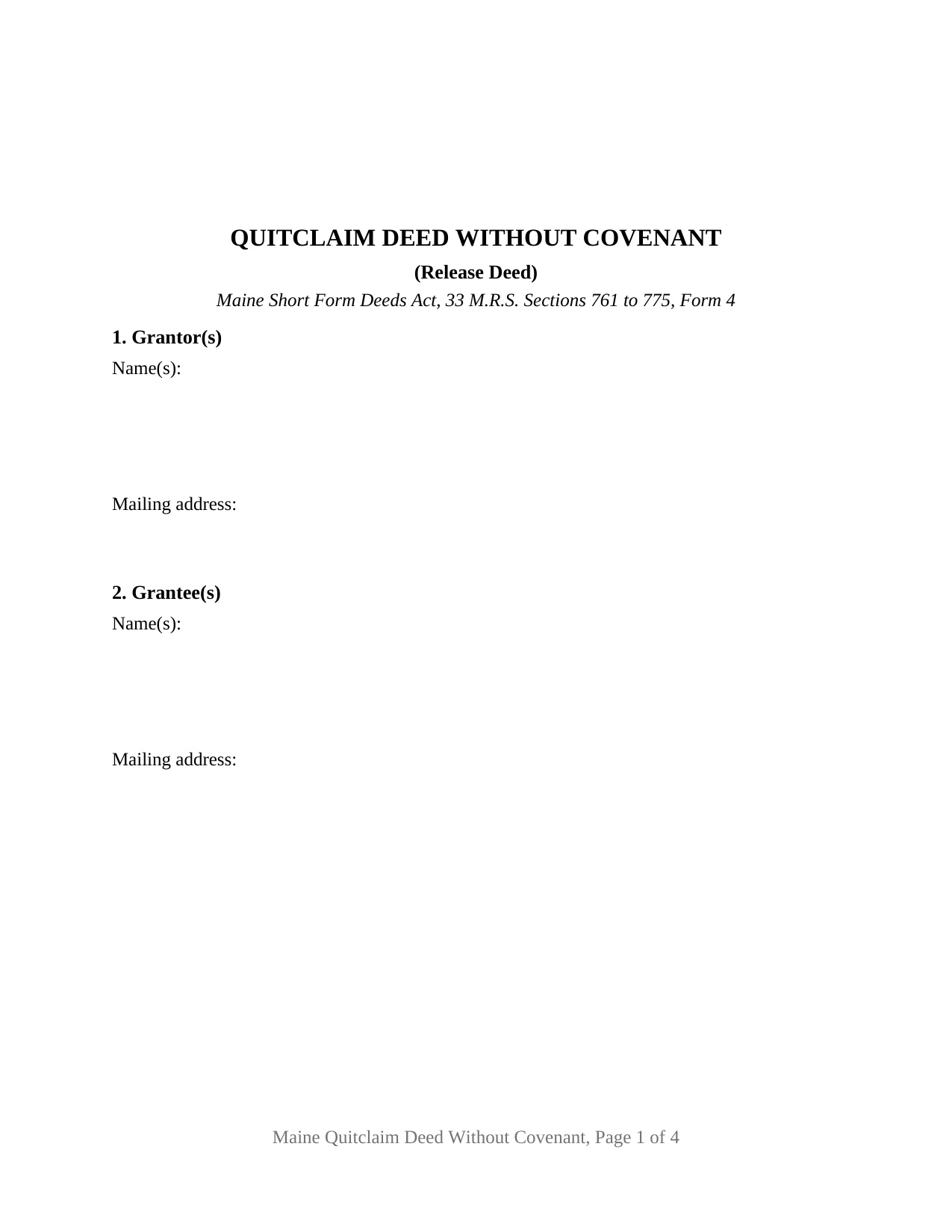
Penobscot County Quitclaim Deed Form
Fill in the blank Quitclaim Deed form formatted to comply with all Maine recording and content requirements.
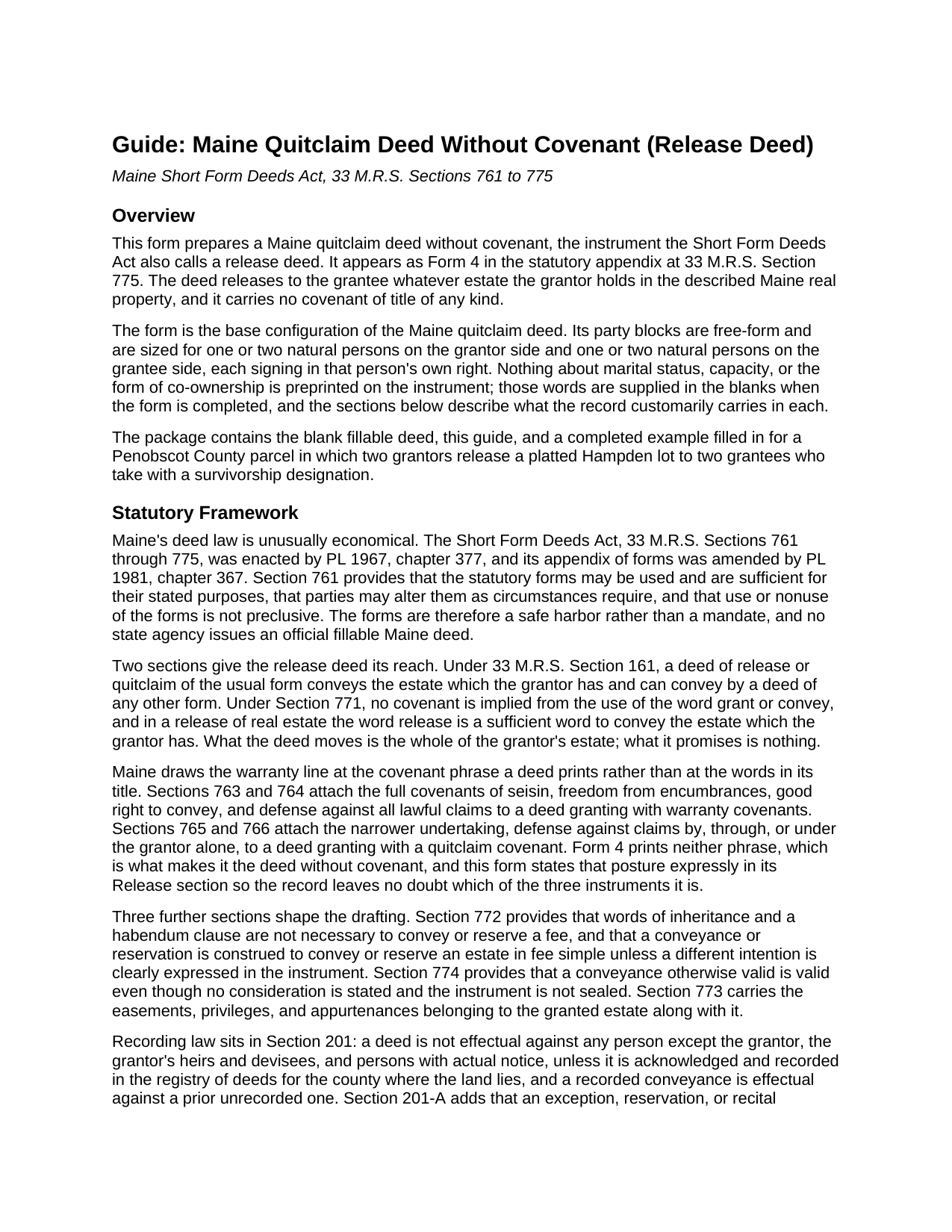
Penobscot County Quitclaim Deed Guide
Line by line guide explaining every blank on the Quitclaim Deed form.
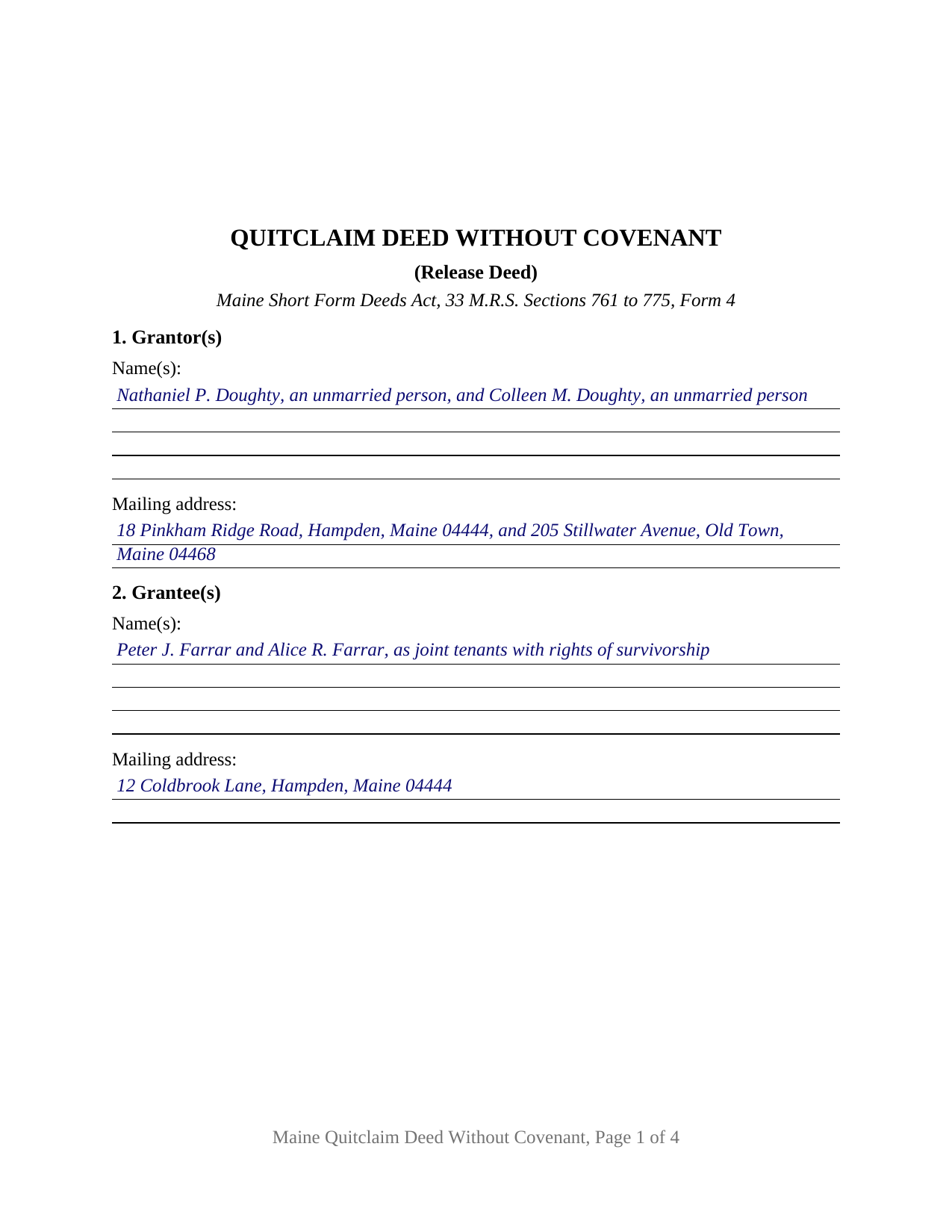
Penobscot County Completed Example of the Quitclaim Deed Document
Example of a properly completed Maine Quitclaim Deed document for reference.
All 3 documents above included • One-time purchase • No recurring fees
Immediate Download • Secure Checkout
Additional Maine and Penobscot County documents included at no extra charge:
Where to Record Your Documents
Penobscot Registry of Deeds
Bangor, Maine 04401 / 04402-2070
Hours: 8:00 to 4:30 Monday through Friday
Phone: (207) 942-8797
Recording Tips for Penobscot County:
- Bring your driver's license or state-issued photo ID
- Ensure all signatures are in blue or black ink
- Documents must be on 8.5 x 11 inch white paper
- Double-check legal descriptions match your existing deed
- Verify all names are spelled correctly before recording
Cities and Jurisdictions in Penobscot County
Properties in any of these areas use Penobscot County forms:
- Bangor
- Bradford
- Bradley
- Brewer
- Burlington
- Carmel
- Charleston
- Corinna
- Corinth
- Dexter
- Dixmont
- East Millinocket
- East Newport
- Eddington
- Etna
- Exeter
- Garland
- Greenbush
- Hampden
- Holden
- Howland
- Hudson
- Kenduskeag
- Kingman
- Lagrange
- Lee
- Levant
- Lincoln
- Mattawamkeag
- Medway
- Milford
- Millinocket
- Newport
- Old Town
- Orono
- Orrington
- Passadumkeag
- Patten
- Plymouth
- Springfield
- Stacyville
- Stetson
- Stillwater
- West Enfield
- Winn
Hours, fees, requirements, and more for Penobscot County
How do I get my forms?
Forms are available for immediate download after payment. The Penobscot County forms will be in your account ready to download to your computer. An account is created for you during checkout if you don't have one. Forms are NOT emailed.
Are these forms guaranteed to be recordable in Penobscot County?
Yes. Our form blanks are guaranteed to meet or exceed the applicable formatting requirements used for recording in Penobscot County, including margin requirements, font requirements, and other layout standards. This guarantee applies to formatting, not to the legal sufficiency of information entered by the user or the suitability of a form for a particular transaction.
Can I reuse these forms?
Yes. You can reuse the forms for your personal use. For example, if you have multiple properties in Penobscot County you only need to order once.
What do I need to use these forms?
The forms are PDFs that you fill out on your computer. The free Adobe Acrobat Reader is recommended, and most PDF apps also work. You do NOT enter your property information online - you download the blank forms and complete them privately on your own computer.
Are there any recurring fees?
No. This is a one-time purchase. Nothing to cancel, no memberships, no recurring fees.
How much does it cost to record in Penobscot County?
Recording fees in Penobscot County vary. Contact the recorder's office at (207) 942-8797 for current fees.
Questions answered? Let's get started!
Maine wrote its conveyancing law to let short words carry long meanings. A single verb, release, moves an entire estate under 33 M.R.S. Section 771. No seal is needed and no price has to be recited, under Section 774. And Section 761 makes the appendix of statutory forms permissive rather than compulsory, so parties may alter a form as circumstances require. This Maine quitclaim deed is Form 4 of that appendix, the quitclaim deed without covenant, drawn for one or two individuals releasing to one or two individuals.
What one word moves
Section 161 supplies the reach: a quitclaim or release in the usual form passes whatever estate its maker holds and could have passed by any other kind of deed. Section 771 says as much from the other end, that release by itself suffices and that no covenant is read into grant or convey. The instrument is therefore wide in what it transfers and empty of promises. It states that posture in its own text rather than in its title, because Maine sorts deeds by the covenant phrase they print. Warranty covenants carry the four full promises of Sections 763 and 764; a quitclaim covenant carries the narrower defense of Sections 765 and 766, reaching only claims that arise through the grantor. Form 4 prints no covenant phrase at all, and this deed says so where a later reader will find it.
Who signs, and how many
The party blocks are deliberately clear of preprinting. One free-form Grantor(s) block receives one or two individuals with whatever status words the parties use, and a matching Grantee(s) block receives one or two names plus any designation of how they will hold, drawn from the ownership forms 33 M.R.S. Section 159 recognizes. Four count patterns fit the same instrument: one to one, one to two, two to one, and two to two. Two signature blocks follow, headed GRANTOR and SECOND GRANTOR (if applicable), each with its own acknowledgment certificate, and a deed signed by a single grantor leaves the second of each blank. Maine does not require a certificate per signer; the pair is a layout choice, since Section 1917 prints its blank as Name(s) of individual(s) and Section 203 accepts the acknowledgment of one of several signers. What the form does not recite is a signer acting for another: an entity releasing through an officer, member, manager or partner, a fiduciary signing in a trustee's or personal representative's office, an agent under a power of attorney, and three or more owners on a side all present configurations this deed is not set up as.
What the record still asks for
Economy in the operative words buys no economy in the record. Section 456 directs a Maine deed to carry the grantee's address down to street and number, municipality and state. Section 651-A conditions the register's acceptance on a typed or printed name under each signature, the signer's and the officer's alike, and the registry indexes from those printed names. Section 201-A makes book and page the working currency of a reference, which is what the source of title and encumbrance blanks collect. Recording is a notice rule under Section 201: the deed binds the grantor and anyone with actual notice from delivery, and everyone else once it reaches the registry serving the county where the land sits.
Forty dollars, and a declaration
Maine fixes the recording charge by statute rather than by county. Since January 1, 2026, Sections 751 and 752 put an ordinary submitter at 40 dollars for a deed of any length, whatever its page count. A transfer tax declaration travels with the deed unless an exemption applies. On transfers made on or after November 1, 2025 the tax runs 2 dollars and 20 cents for each 500 dollars of value through the first million and 6 dollars per 500 above that line, borne half by each side; the completed example prices a Hampden lot at 195,000 dollars, or 429 dollars apiece. Section 4641-C holds the exemptions reaching family transfers and transfers made without actual consideration, and an exemption lifts the tax without lifting the paperwork.
This package delivers the blank deed as a fillable PDF, a plain language guide covering the eight numbered sections, the certificates and recording, and a completed example filled in for a Penobscot County parcel. Searchers look for this instrument as a Maine quit claim deed, a quitclaim without covenant, or a release deed; the materials are informational and are not legal advice.
Important: Your property must be located in Penobscot County to use these forms. Documents should be recorded at the county recording office listed above.
This Quitclaim Deed meets all recording requirements specific to Penobscot County.
Our Promise
The documents you receive here are guaranteed to meet or exceed the applicable Penobscot County recording format requirements. If there is a rejection caused by our formatting, we will correct the issue or refund your payment. This guarantee applies to document formatting only and does not extend to information entered by the user, the selection of the form, or the legal effect of the completed document.
Save Time and Money
Get your Penobscot County Quitclaim Deed form done right the first time with Deeds.com Uniform Conveyancing Blanks. At Deeds.com, we understand that your time and money are valuable resources, and we don't want you to face a penalty fee or rejection imposed by a county recorder for submitting nonstandard documents. We constantly review and update our forms to meet rapidly changing state and county recording requirements for roughly 3,500 counties and local jurisdictions.
4.8 out of 5 - ( 4,824 Reviews )
Fred P. 5 out of 5 stars
Great website to get your state and county forms.
Thank you!
Anna P. 5 out of 5 stars
Deeds.com was a life saver! I was able to have a document recorded the very same day of my request. Thank you for taking care of this! Top notch service.
Thank you!
Sharon D. 5 out of 5 stars
Very easy to understand forms...
We appreciate your business and value your feedback. Thank you. Have a wonderful day!
Richard H. 5 out of 5 stars
Thank You! Very informative and helpful!
We appreciate your business and value your feedback. Thank you. Have a wonderful day!
Beverly L J. 3 out of 5 stars
The process for receiving the quitclaim document worked well. I couldn't use the document. If I had been able to view the document before I had to pay for it, I would have known, but that isn't how your process works. However, that's the only snag I found. Otherwise the process for paying and downloading the document worked well. Thank you.
Thank you for your feedback Beverly. We certainly do not want you to pay for something you are unable to use. To that end we have canceled your order and refunded your payment. We do hope that you find something more suitable to your needs. Have a wonderful day.
Vonnie F. 5 out of 5 stars
This service is very user-friendly and efficient.
Thank you!
Scott H. 5 out of 5 stars
Good experience, good service too - thanks.
Your feedback is appreciated. Thank you for letting us know how we did.
Kimberly W. 5 out of 5 stars
Thank you for making this process so convenient.
Thank you for your feedback. We really appreciate it. Have a great day!
Daniel D. 5 out of 5 stars
Well done. A little pricy.
Thank you!
Katherine M. 5 out of 5 stars
Very helpful!
Thank you!
Riley K G. 5 out of 5 stars
Awesome, way better than some other offerings out there. Unfortunately some people won't realize that until it's too late.
Thank you!
Loren H. 5 out of 5 stars
I really appreciate your forms according to South Dakota laws and statues. Your forms allow me to effectively do estate planning without extensive legal expenses. The "Revocable Transfer of Death Deed" is perfect to protect against extensive probate problems for seniors in retirement. Thank you and May God Bless.
We appreciate your business and value your feedback. Thank you. Have a wonderful day!
Barry N. 5 out of 5 stars
The form was straight forward and very easy to complete. It took me less than 15 minutes to complete. Make sure you have the "current deed' available' when completing the form.
Thank you for your feedback Barry. Have a fantastic day!
Shari W. 5 out of 5 stars
Fast and easy. Great service. Thanks.
Thank you!
Oldemar T. 5 out of 5 stars
You guys simplified my life. You offer very convenient services. Thank you.
Thank you!