Barnstable County Contractor Partial Waiver and Subordination of Lien Form
Last validated September 28, 2026 by our Forms Development TeamFormatted for recording in Barnstable County, for property anywhere in the county: rural and unincorporated areas as well as Barnstable, Brewster, Buzzards Bay, Cataumet, Centerville, Chatham, Cotuit, Cummaquid and 45 more.
- 3 documents included
- Immediate PDF download
- Formatting guarantee
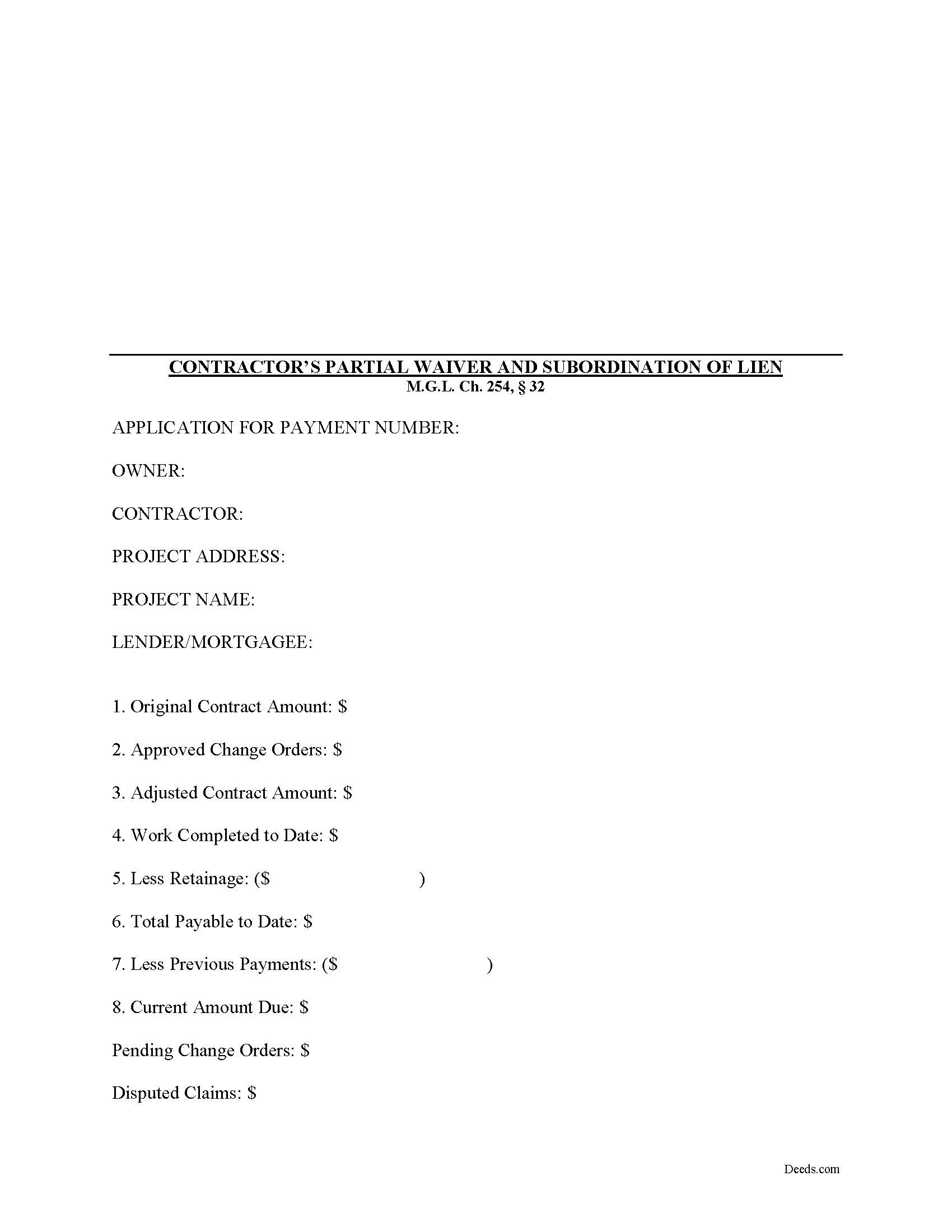
Barnstable County Contractor Partial Waiver and Subordination of Lien Form
Fill in the blank Contractor Partial Waiver and Subordination of Lien form formatted to comply with all Massachusetts recording and content requirements.
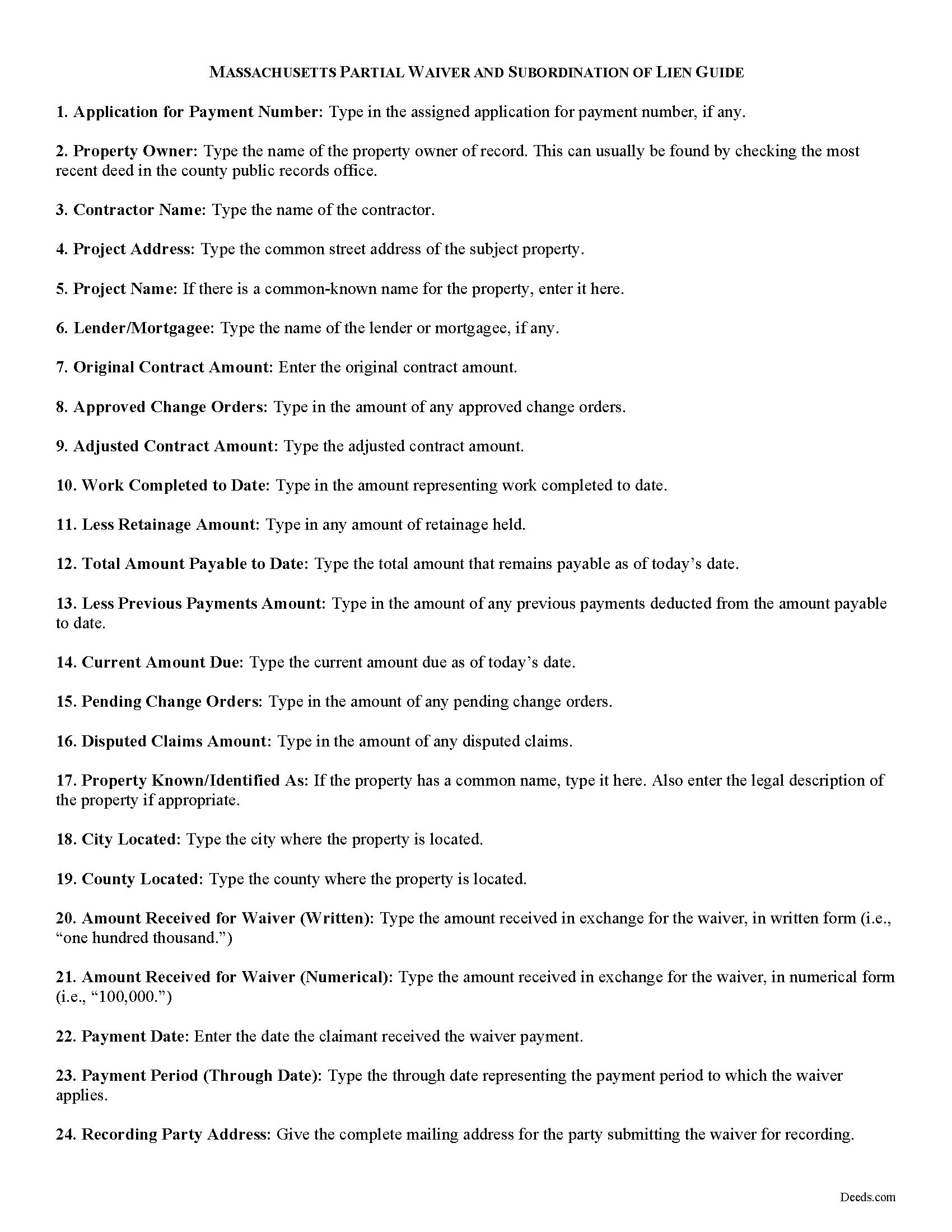
Barnstable County Contractor Partial Waiver and Subordination of Lien Guide
Line by line guide explaining every blank on the form.
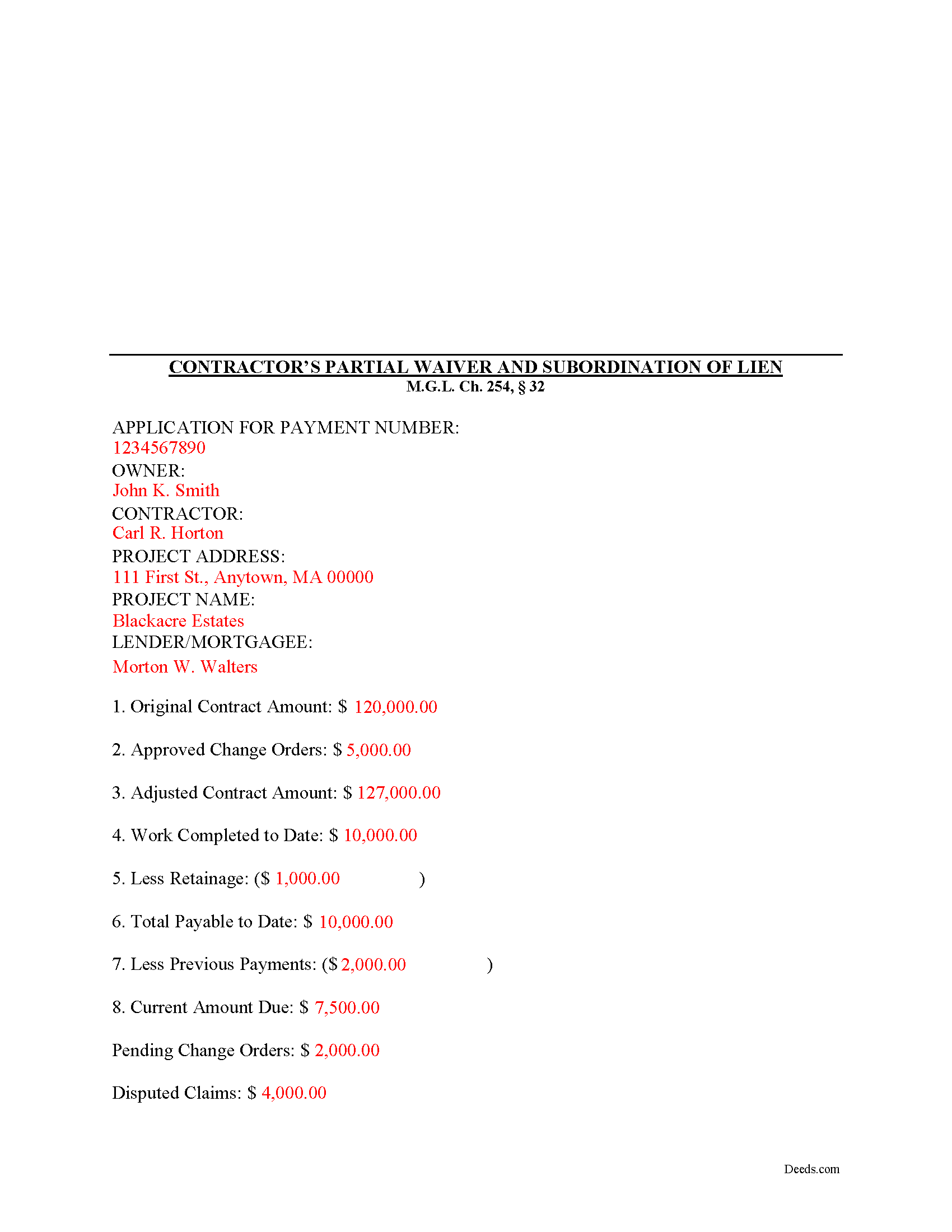
Barnstable County Completed Example of the Contractor Partial Waiver and Subordination of Lien Document
Example of a properly completed form for reference.
All 3 documents above included • One-time purchase • No recurring fees
Immediate Download • Secure Checkout
Additional Massachusetts and Barnstable County documents included at no extra charge:
Where to Record Your Documents
Barnstable County Registry of Deeds
Barnstable, Massachusetts 02630
Hours: 8:00 to 4:00 Monday through Friday
Phone: (508) 362-7733
Recording Tips for Barnstable County:
- Bring your driver's license or state-issued photo ID
- Ensure all signatures are in blue or black ink
- Recorded documents become public record - avoid including SSNs
- Recording fees may differ from what's posted online - verify current rates
- Request a receipt showing your recording numbers
Cities and Jurisdictions in Barnstable County
Properties in any of these areas use Barnstable County forms:
- Barnstable
- Brewster
- Buzzards Bay
- Cataumet
- Centerville
- Chatham
- Cotuit
- Cummaquid
- Dennis
- Dennis Port
- East Dennis
- East Falmouth
- East Orleans
- East Sandwich
- Eastham
- Falmouth
- Forestdale
- Harwich
- Harwich Port
- Hyannis
- Hyannis Port
- Marstons Mills
- Mashpee
- Monument Beach
- North Chatham
- North Eastham
- North Falmouth
- North Truro
- Orleans
- Osterville
- Pocasset
- Provincetown
- Sagamore
- Sagamore Beach
- Sandwich
- Silver Beach
- South Chatham
- South Dennis
- South Harwich
- South Orleans
- South Wellfleet
- South Yarmouth
- Truro
- Wellfleet
- West Barnstable
- West Chatham
- West Dennis
- West Falmouth
- West Harwich
- West Hyannisport
- West Yarmouth
- Woods Hole
- Yarmouth Port
Hours, fees, requirements, and more for Barnstable County
How do I get my forms?
Forms are available for immediate download after payment. The Barnstable County forms will be in your account ready to download to your computer. An account is created for you during checkout if you don't have one. Forms are NOT emailed.
Are these forms guaranteed to be recordable in Barnstable County?
Yes. Our form blanks are guaranteed to meet or exceed the applicable formatting requirements used for recording in Barnstable County, including margin requirements, font requirements, and other layout standards. This guarantee applies to formatting, not to the legal sufficiency of information entered by the user or the suitability of a form for a particular transaction.
Can I reuse these forms?
Yes. You can reuse the forms for your personal use. For example, if you have multiple properties in Barnstable County you only need to order once.
What do I need to use these forms?
The forms are PDFs that you fill out on your computer. The free Adobe Acrobat Reader is recommended, and most PDF apps also work. You do NOT enter your property information online - you download the blank forms and complete them privately on your own computer.
Are there any recurring fees?
No. This is a one-time purchase. Nothing to cancel, no memberships, no recurring fees.
How much does it cost to record in Barnstable County?
Recording fees in Barnstable County vary. Contact the recorder's office at (508) 362-7733 for current fees.
Questions answered? Let's get started!
Massachusetts Contractors Partial Waiver and Subordination of Lien
The Contractor's Partial Waiver and Subordination of Lien form is useful for situations where a contractor seeks a partial payment to waive lien rights up to a specific date.
Lien waivers are used between contractors (also subcontractors and suppliers) and property owners as a quid-pro-quo arrangement between the contractor and owner. The purpose of a waiver is to influence payment from the owner in return for the contractor waiving future mechanic's lien rights.
In Massachusetts, any promise or agreement that bars the filing of a Notice of Contract is void and unenforceable, but that prohibition does not apply to full or partial lien waivers or dissolutions of liens. M.G.L. Ch. 254, 32. Therefore, the parties can use waivers to facilitate payment and ease concerns of hidden liens.
In general, Massachusetts recognizes four types of lien waivers: Partial Waiver by Contractor, Full Conditional Waiver by Contractor, Partial Waiver by Subcontractor, and Full Conditional Waiver by Subcontractor. Id. As their titles suggest, contractors should use a contractor's waiver and subcontractors should use a waiver designated for a subcontractor. Partial lien waivers should be provided upon a partial or progress payment and the waiver only applies to forfeit lien rights according to the terms stated within it.
Lawful waivers identify the parties to the contract, the claimant, the property, the nature of work, relevant dates, payment information, and anything else necessary for clarity or to meet local requirements. The claimant (or authorized representative) must sign the completed waiver in front of a notary, then submit the document to the recording office for the county where the property is located.
Using lien waivers properly can ensure smoother relations between the parties on a construction job and alleviate and feelings of mistrust or concern. This article is provided for informational purposes only and should not be relied upon as a substitute for advice from an attorney. Please speak with a Massachusetts attorney if you have any questions about lien waivers or for any other issues concerning mechanic's liens.
Important: Your property must be located in Barnstable County to use these forms. Documents should be recorded at the county recording office listed above.
This Contractor Partial Waiver and Subordination of Lien meets all recording requirements specific to Barnstable County.
Our Promise
The documents you receive here are guaranteed to meet or exceed the applicable Barnstable County recording format requirements. If there is a rejection caused by our formatting, we will correct the issue or refund your payment. This guarantee applies to document formatting only and does not extend to information entered by the user, the selection of the form, or the legal effect of the completed document.
Save Time and Money
Get your Barnstable County Contractor Partial Waiver and Subordination of Lien form done right the first time with Deeds.com Uniform Conveyancing Blanks. At Deeds.com, we understand that your time and money are valuable resources, and we don't want you to face a penalty fee or rejection imposed by a county recorder for submitting nonstandard documents. We constantly review and update our forms to meet rapidly changing state and county recording requirements for roughly 3,500 counties and local jurisdictions.
4.8 out of 5 - ( 4,829 Reviews )
Pamela G. 5 out of 5 stars
This is an easily navigated site and the forms came with detailed directions. I have already recommended Deeds.com to a family member.
Thank you so much Pamela, we really appreciate it!
Steven T. 5 out of 5 stars
I needed the deed forms for setting up our living trust. It appears this will do the trick! Steve
We appreciate your business and value your feedback. Thank you. Have a wonderful day!
David J. 5 out of 5 stars
Very easy to use and saved a lot of time
Thank you!
Patrick U. 5 out of 5 stars
Great product. They processed and transmitted the deed promptly. A small question I had was answered quickly and professionally. I would use again if the need arises and will recommend to friends.
Your feedback is greatly appreciated. Thank you for taking the time to share your experience!
Scott P. 5 out of 5 stars
The site was easy to use and find what I needed. The purchase and download were very easy.
Thank you!
Glenda T. 5 out of 5 stars
you made this so easy,user friendly
Thank you for your feedback. We really appreciate it. Have a great day!
Marilyn C. 5 out of 5 stars
A great service, making it fast and easy to prepare warranty deeds for property transfer sales. I recommend this to everyone who needs this help.
Thank you!
Lisa P. 5 out of 5 stars
Wonderful forms. It's nice that they were formatted perfectly for my county, it's real easy to miss a requirement (margines, font size, and so on) and end up with a rejection or higher recording fee. Good job folks!
Thank you!
Juston P. 5 out of 5 stars
The service provided was exactly what I needed. The downloadable deed and supporting documents allowed me to move forward with the days project. Everything I needed to file my documents from two states away and at two in the morning! I highly recommend this site. I found it to be the easiest, most expedient and cost effective method to get up to date legal forms for filing land deeds.
We appreciate your business and value your feedback. Thank you. Have a wonderful day!
Gerald M. 5 out of 5 stars
So easy to do. The examples and guides are well worth the few $$ this cost. Highly recommend!!
We appreciate your business and value your feedback. Thank you. Have a wonderful day!
Jeffey V. 5 out of 5 stars
Easiest way I've found to get Warranty Deeds in different parts of the country. Highly recommend.
Thank you Jeffey.
Dennis F. 4 out of 5 stars
The release of mortgage form was OK, and accepted at the recorder's office, but there were some problems. Many of the fields to type in were too small to accept the data, and I could not find a way to change the field size or use a smaller font. Otherwise I was satisfied.
Your feedback is a crucial part of our dedication to ongoing improvement. Thank you for your insightful comments.
Denise L. 5 out of 5 stars
It was very easy to get the forms I needed which makes its so much easier than running back and forth. I shall be getting more forms very shortly
Thank you for your feedback. We really appreciate it. Have a great day!
Terri A. 5 out of 5 stars
So far so good --- I'm helping a friend with her property! Thanks!
Thank you Terri.
Diane W. 3 out of 5 stars
The forms were immediately available for download, which was nice. However, I was not impressed by the lack of several features: 1) there was no way to edit set text in the form, such as where it says you should consult an attorney. That is not necessary for recording the deed and I wanted to deleted it, but could not. 2) Also, under the "Notes" section, there is a limited area to write; I tried adding a fuller explanation of something, but the form would not accept or include it when I printed the final document. The form may do the job, but it's not very sophisticated or elegant.
Thank you for your feedback. We really appreciate it. Have a great day!