Barnstable County Statement of Account Form
Last validated October 9, 2026 by our Forms Development TeamFormatted for recording in Barnstable County, for property anywhere in the county: rural and unincorporated areas as well as Barnstable, Brewster, Buzzards Bay, Cataumet, Centerville, Chatham, Cotuit, Cummaquid and 45 more.
- 3 documents included
- Immediate PDF download
- Formatting guarantee
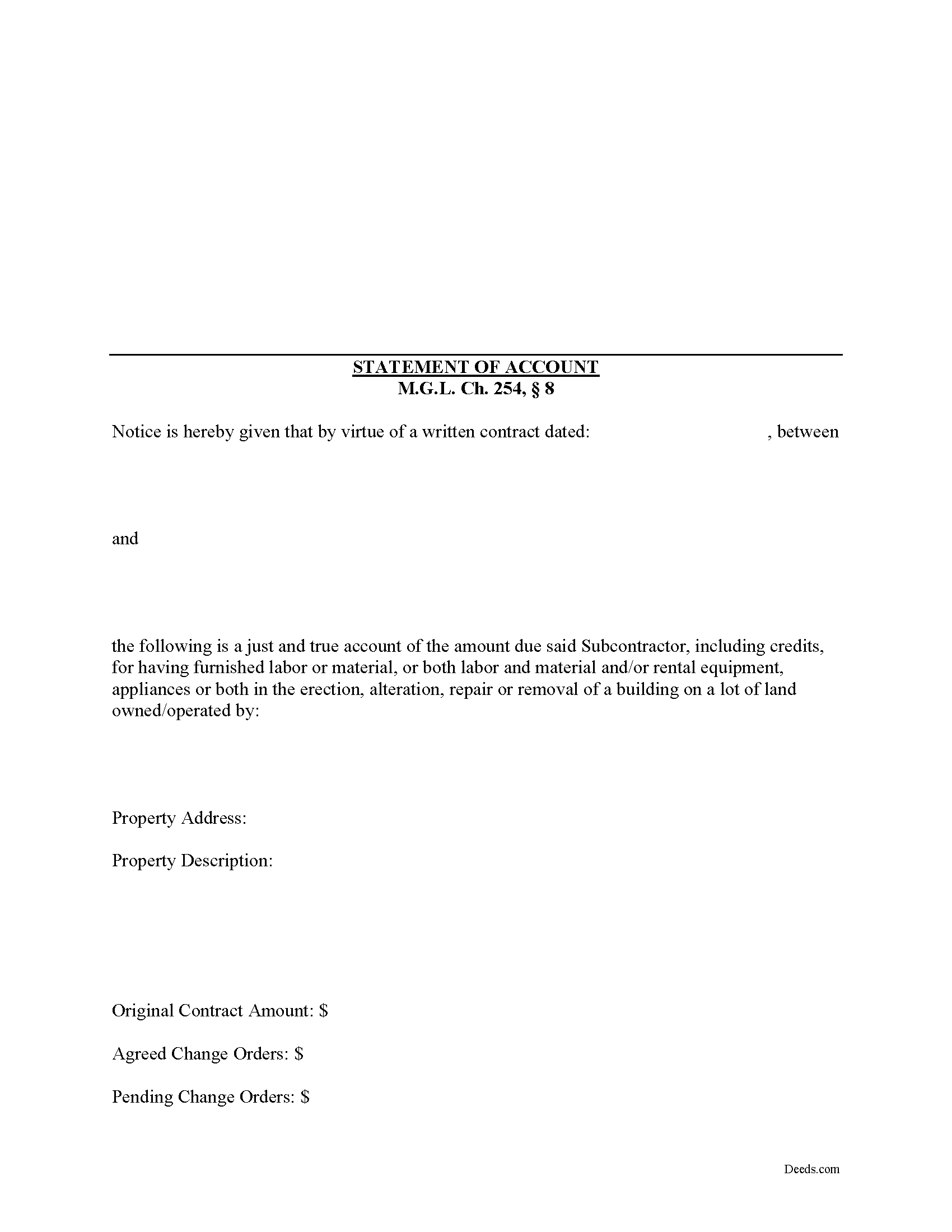
Barnstable County Statement of Account Form
Fill in the blank Statement of Account form formatted to comply with all Massachusetts recording and content requirements.
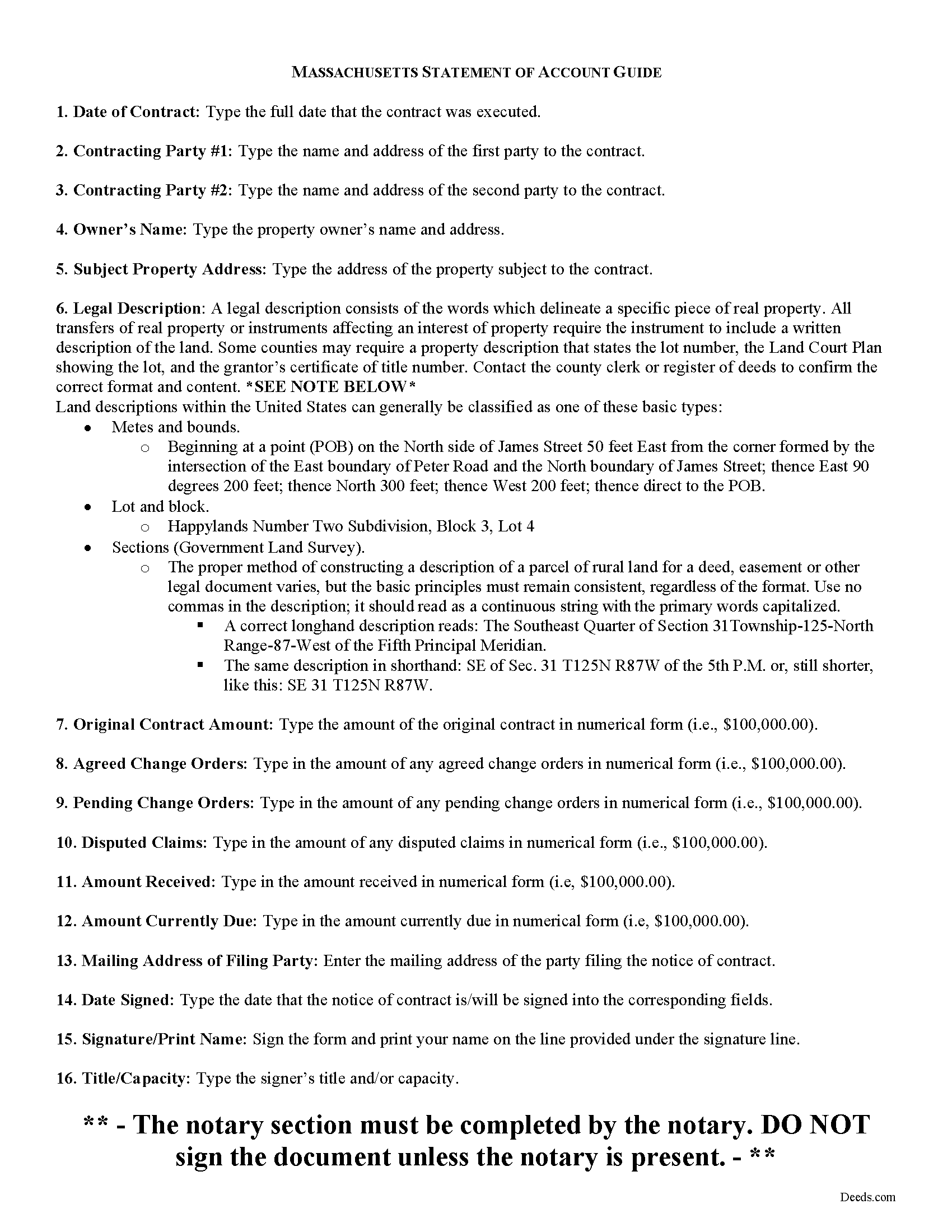
Barnstable County Statement of Account Guide
Line by line guide explaining every blank on the form.
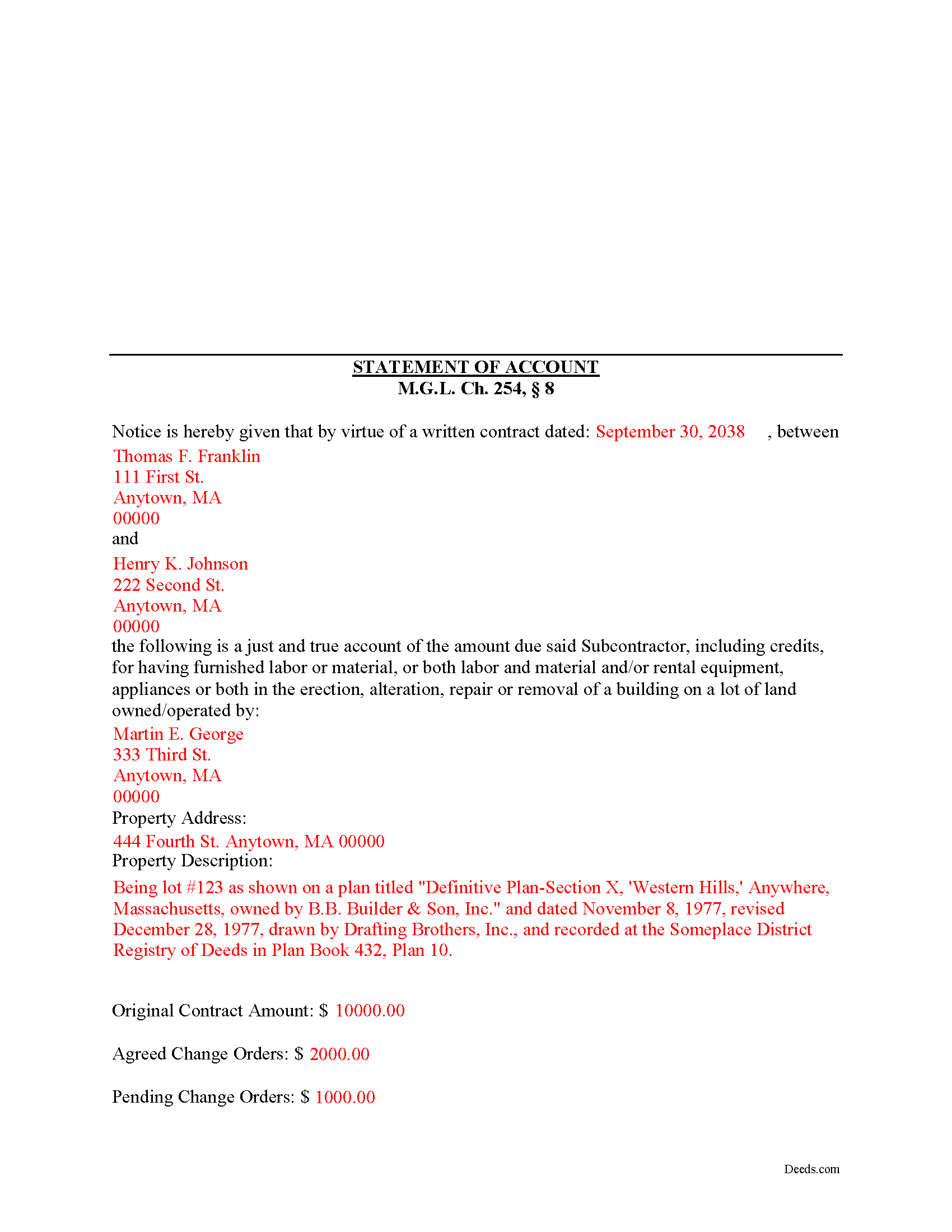
Barnstable County Completed Example of the Statement of Account Document
Example of a properly completed form for reference.
All 3 documents above included • One-time purchase • No recurring fees
Immediate Download • Secure Checkout
Additional Massachusetts and Barnstable County documents included at no extra charge:
Where to Record Your Documents
Barnstable County Registry of Deeds
Barnstable, Massachusetts 02630
Hours: 8:00 to 4:00 Monday through Friday
Phone: (508) 362-7733
Recording Tips for Barnstable County:
- Bring your driver's license or state-issued photo ID
- Ensure all signatures are in blue or black ink
- Documents must be on 8.5 x 11 inch white paper
- Double-check legal descriptions match your existing deed
- Verify all names are spelled correctly before recording
Cities and Jurisdictions in Barnstable County
Properties in any of these areas use Barnstable County forms:
- Barnstable
- Brewster
- Buzzards Bay
- Cataumet
- Centerville
- Chatham
- Cotuit
- Cummaquid
- Dennis
- Dennis Port
- East Dennis
- East Falmouth
- East Orleans
- East Sandwich
- Eastham
- Falmouth
- Forestdale
- Harwich
- Harwich Port
- Hyannis
- Hyannis Port
- Marstons Mills
- Mashpee
- Monument Beach
- North Chatham
- North Eastham
- North Falmouth
- North Truro
- Orleans
- Osterville
- Pocasset
- Provincetown
- Sagamore
- Sagamore Beach
- Sandwich
- Silver Beach
- South Chatham
- South Dennis
- South Harwich
- South Orleans
- South Wellfleet
- South Yarmouth
- Truro
- Wellfleet
- West Barnstable
- West Chatham
- West Dennis
- West Falmouth
- West Harwich
- West Hyannisport
- West Yarmouth
- Woods Hole
- Yarmouth Port
Hours, fees, requirements, and more for Barnstable County
How do I get my forms?
Forms are available for immediate download after payment. The Barnstable County forms will be in your account ready to download to your computer. An account is created for you during checkout if you don't have one. Forms are NOT emailed.
Are these forms guaranteed to be recordable in Barnstable County?
Yes. Our form blanks are guaranteed to meet or exceed the applicable formatting requirements used for recording in Barnstable County, including margin requirements, font requirements, and other layout standards. This guarantee applies to formatting, not to the legal sufficiency of information entered by the user or the suitability of a form for a particular transaction.
Can I reuse these forms?
Yes. You can reuse the forms for your personal use. For example, if you have multiple properties in Barnstable County you only need to order once.
What do I need to use these forms?
The forms are PDFs that you fill out on your computer. The free Adobe Acrobat Reader is recommended, and most PDF apps also work. You do NOT enter your property information online - you download the blank forms and complete them privately on your own computer.
Are there any recurring fees?
No. This is a one-time purchase. Nothing to cancel, no memberships, no recurring fees.
How much does it cost to record in Barnstable County?
Recording fees in Barnstable County vary. Contact the recorder's office at (508) 362-7733 for current fees.
Questions answered? Let's get started!
According to the Massachusetts mechanic's lien procedure, a Statement of Account is the second document that must be filed.
The time for filing depends upon whether certain other filings have been made. For instance, if a Notice of Substantial Completion has been filed or recorded, the Statement of Account must be filed ninety (90) days after the filing or recording of the Notice of Substantial Completion. M.G.L. Ch. 254, 8.
If a Notice of Termination has been filed or recorded, the Statement of Account must be filed one hundred and twenty (120) days after the filing or recording of the Notice of Termination. Id.
Otherwise, the Statement of Account must be filed one hundred and twenty (120) days after the last day a person who is entitled to enforce a lien under a written contract or anyone claiming by, through or under him, performed or furnished labor or material or both labor and materials or furnished rental equipment, appliances or tools, files or records in the registry of deeds in the county or district where the land lies a statement, giving a just and true account of the amount due or to become due him, with all just credits, a brief description of the property, and the names of the owners set forth in the notice of contract. Id.
In addition, liens for design professions or their subcontracts will be dissolved unless a like statement is filed or recorded at the appropriate registry of deeds within thirty (30) days after the last day that a notice of contract may be filed or recorded. Id.
A lien for labor only will be dissolved unless a like statement, giving the names of the owner of record at the time the work was performed or at the time of filing the statement, is filed or recorded in the appropriate registry of deeds within the ninety (90) days provided to claim a lien. Id.
Nothing prohibits the filing or recording of a statement under this section prior to the filing or recording of the notices of substantial completion or termination. Id.
The Statement of Accounts contains the following information: 1) names and addresses of the parties to the written contract; 2) owner's name and address; 3) address of subject property; 4) a legal property description of the subject property; and 5) the original contract amount as well as all change orders, amounts in dispute, amounts received, and amount currently due. Id. The statement must be filed and recorded in the county register of deeds in the county where the subject property is located.
This article is provided for informational purposes only and should not be relied upon as a substitute for advice from an attorney. Please speak with a Massachusetts attorney if you have any questions about a Statement of Account or for any other issues concerning mechanic's liens.
Important: Your property must be located in Barnstable County to use these forms. Documents should be recorded at the county recording office listed above.
This Statement of Account meets all recording requirements specific to Barnstable County.
Our Promise
The documents you receive here are guaranteed to meet or exceed the applicable Barnstable County recording format requirements. If there is a rejection caused by our formatting, we will correct the issue or refund your payment. This guarantee applies to document formatting only and does not extend to information entered by the user, the selection of the form, or the legal effect of the completed document.
Save Time and Money
Get your Barnstable County Statement of Account form done right the first time with Deeds.com Uniform Conveyancing Blanks. At Deeds.com, we understand that your time and money are valuable resources, and we don't want you to face a penalty fee or rejection imposed by a county recorder for submitting nonstandard documents. We constantly review and update our forms to meet rapidly changing state and county recording requirements for roughly 3,500 counties and local jurisdictions.
4.8 out of 5 - ( 4,828 Reviews )
Dee R. 5 out of 5 stars
Quick, Simple order process with many options of forms to download!
We appreciate your business and value your feedback. Thank you. Have a wonderful day!
Steve W. 5 out of 5 stars
Simple and easy transaction
Thank you for your feedback. We really appreciate it. Have a great day!
Traci K. 5 out of 5 stars
Thk u for the forms I needed so badly I really appreciate.
We appreciate your business and value your feedback. Thank you. Have a wonderful day!
Richard A. 5 out of 5 stars
Great product. It would be better if the document files were not embedded within other files. It made downloading a little confusing. The titles of the forms did not match exactly word for word, which required a lot of back and forth to make sure I had downloaded the proper document. What would be great is if once you download a document, the hyperlink changed color, or somehow denoted the document had been downloaded. Just a suggestion. You have my email address if you have questions. STILL! Five stars for you guys. I would not let that hiccup dissuade me from buying any form package from you guys. Thanks!
Thank you for your feedback. We really appreciate it. Have a great day!
Rosalinda R. 5 out of 5 stars
THESE FORMS ARE JUST WHAT I NEEDED, SHORT AND TO THE POINT. EXCELLENT QUESTIONS FOR MY NEED. THAK YOU!!!!
Thank you for your feedback. We really appreciate it. Have a great day!
Robert F. 5 out of 5 stars
This service is excellent. I submitted a Quickclaim Deed so my home would be in the name of a Living Trust I had just created. This was my first attempted at any of this and the staff person, KVH, who reviewed my Deed was extremely helpful and quick to respond to any questions I had and to make sure the Deed had the correct information before submittal to the county for recording. I started the process one afternoon and by the next day, the Deed was submitted to, and recorded in, my county. I will use them again whenever needed.
We appreciate your business and value your feedback. Thank you. Have a wonderful day!
Diana L. 5 out of 5 stars
Easy to use but need to go through the courthouse to do what I need to do.
Thank you!
William O. 3 out of 5 stars
form worked great but was over priced for such a simple form , should be around $10 and most people could easily create this themselves.
Hi William, thank you for your review. We’re glad the form worked well for you. We understand it may seem simple on the surface, but Transfer on Death Deeds—especially in New York—require precise language and adherence to both state and county-level rules. Our forms are attorney-prepared, regularly reviewed for legal compliance, and include helpful instructions to reduce the risk of costly filing errors. We appreciate your feedback and hope the document serves its purpose smoothly.
Theresa T. 5 out of 5 stars
Great source easy to use.
We appreciate your business and value your feedback. Thank you. Have a wonderful day!
Cecilia C. 5 out of 5 stars
So very easy to follow & the cost of the packet was reasonable.
We appreciate your business and value your feedback. Thank you. Have a wonderful day!
Suzanne M. 5 out of 5 stars
Easy to download this form. I will use it when the time comes to transfer title of my house.
Thank you for your feedback. We really appreciate it. Have a great day!
Douglas T. 5 out of 5 stars
Deeds.com supplied me with forms I needed immediately.
Thank you!
Peter N. 5 out of 5 stars
Your website was easy to use and I was able to accomplish my task. Thank You very much.
Thank you for your feedback. We really appreciate it. Have a great day!
Stephen D. 5 out of 5 stars
Very good hope to use in the future.
Thank you for your feedback. We really appreciate it. Have a great day!
Joanne H. 5 out of 5 stars
easy to download and use. this document. thank you
Thank you!